

 100% Security Verified | No Subscription Required | No Malware


 ChatGPT
 Perplexity
 Gemini
 Claude
 Grok
Grok
Fashion creators on TikTok win attention with fast outfit transitions, crisp colors, and a signature aesthetic, and the right fashion video filters for TikTok can instantly level up your style edits.
Use these curated style effects to keep skin tones flattering, outfits vivid, and transitions smooth so your fashion trends and style challenges look polished, consistent, and ready to go viral.
In this article
Golden Hour Street Style Fits
Sunset Glow Street
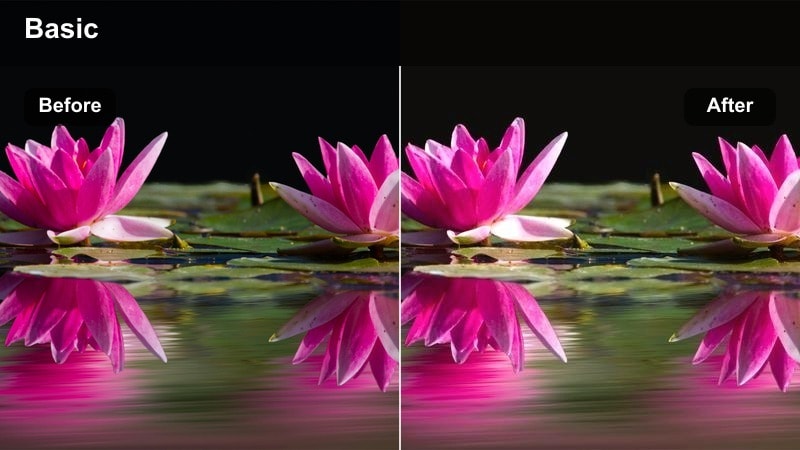
- Effect look: Warm, soft contrast with golden shadows that flatter skin and highlight outfit textures during sunset.
- Best for: TikTok outfit transitions filmed outdoors at golden hour, especially streetwear and casual chic looks.
- Editing tip: Lower intensity slightly if your original footage is already very orange to keep whites in sneakers and tops clean.
Sunset Glow Street wraps your clips in a golden-hour vibe that softly lifts shadows and adds warmth without destroying detail. It keeps skin tones creamy and flattering while giving denim, leather, and cotton a gentle glow that feels cinematic instead of overly filtered.
In Filmora, drop this filter on all your golden-hour transition shots to unify quick spins, walk-bys, and jump cuts into outfits. If your camera captured strong orange light, reduce the filter strength and nudge the white balance cooler so sneakers, graphic tees, and jewelry stay crisp against the warm background.
Lock in a Signature Fashion Color Palette with Filmora
Use Filmoras AI-powered color tools to automatically balance exposure and color before you add any TikTok fashion filters. That way, your outfits, skin tones, and backgrounds start from a clean, consistent base across every clip in your transition or GRWM sequence.
Once you dial in a look you love, save it as a custom preset so you can apply the same aesthetic to future uploads in a click. This keeps your fashion content recognizable, whether you are posting daily outfit checks or longer trend breakdowns.
 secure download

Preview Fashion Filters on Your TikTok Clips Instantly
In Filmora, you can drag and drop different fashion filters directly onto your timeline and scrub through to see how they react to movement, shadows, and fabric textures. This makes it easy to compare looks like warm street filters versus cool editorial tones without re-editing your entire video.
Duplicate your outfit clips on multiple tracks, test several fashion presets side by side, and tweak intensity until your transitions, spins, and close-ups all feel perfectly matched to your TikTok aesthetic.
secure downloadCombine Filters and LUTs for Advanced Fashion Looks
For more advanced fashion edits, stack Filmora 3D LUTs beneath your favorite TikTok fashion filters to mimic runway, editorial, or K-style color grades. This layered approach lets you keep skin tones natural while pushing outfit colors, backgrounds, and highlights into a more cinematic zone.
Keep the LUT intensity subtle, then fine-tune your main filter on top so blacks, whites, and midtones stay clean. The result is a custom signature look you can reuse across TikTok, Instagram Reels, and YouTube Shorts.
secure downloadAmber City Runway
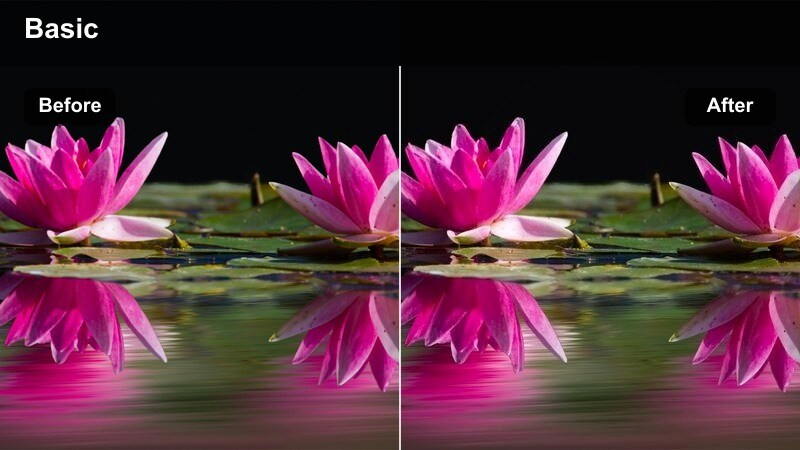
- Effect look: Cinematic amber highlights with softened shadows that turn sidewalks into a mini runway.
- Best for: Street-style fashion trends, walking clips, and slow-motion outfit reveals in downtown areas.
- Editing tip: Add a slight vignette in Filmora to draw focus to your outfit while this filter warms up the background buildings.
Amber City Runway gives your city walks a cinematic, editorial atmosphere by warming highlights and gently softening hard shadows. It helps glass, concrete, and brick backgrounds feel more cohesive while keeping your outfits and accessories as the visual hero of the frame.
Use this filter in Filmora on walking shots, crosswalk transitions, and slow-motion struts to turn everyday sidewalks into a runway. For extra focus, add a subtle vignette and adjust exposure so your face and outfit stay bright while the background melts into a warm, slightly softer scene.
Rose Tinted Streetwear
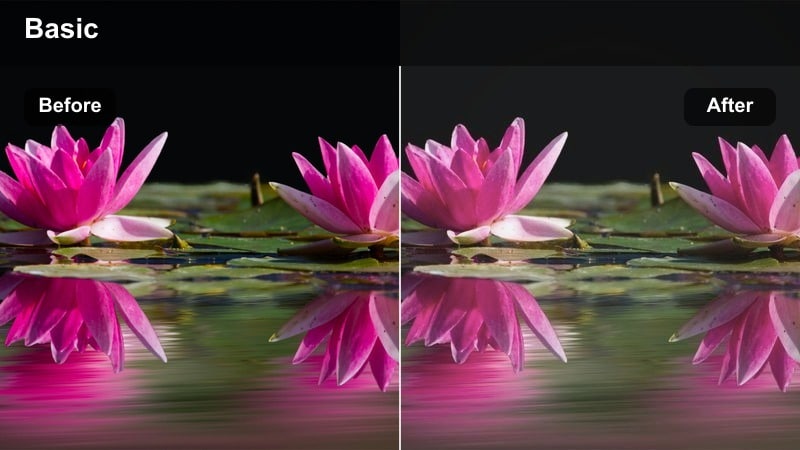
- Effect look: Subtle blush tones with softened contrast that make streetwear sets feel dreamy but still sharp.
- Best for: Soft-girl streetwear, pastel outfits, and romantic city fashion vlogs filmed near buildings or alleyways.
- Editing tip: Increase saturation in Filmora if your pastel pieces look too muted after adding this dreamy rose tint.
Rose Tinted Streetwear adds a blush cast that makes pastels and soft streetwear tones feel dreamy while preserving edge detail around seams and silhouettes. Harsh urban environments look more romantic and cohesive, which works perfectly for soft-girl or coquette inspired outfits on TikTok.
In Filmora, apply this filter to clips shot against alley walls, staircases, or city backdrops to soften the environment without losing your outfit structure. If your lavender, mint, or baby-pink pieces look washed out, gently bump saturation and midtone contrast until the colors feel alive again while keeping the rosy mood.
Closet Transitions and GRWM Clips
Neutral Closet Clean
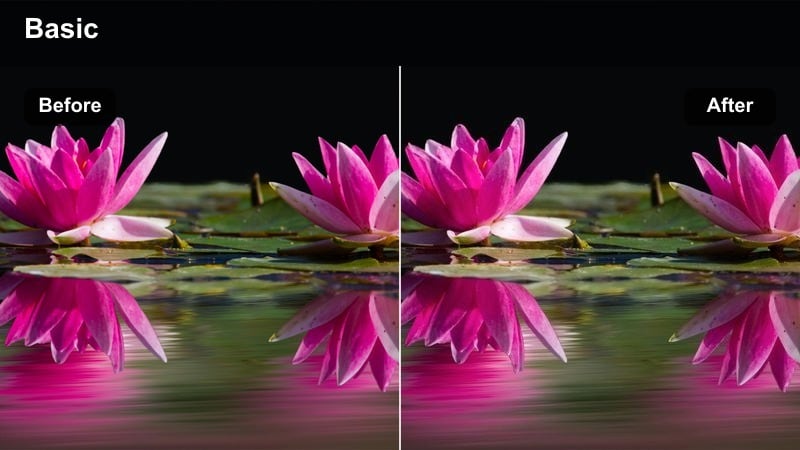
- Effect look: Bright, low-contrast neutral tones that keep wardrobes and mirrors looking clean and minimal.
- Best for: GRWM videos, closet tours, and mirror transitions where you want a tidy, aesthetic background.
- Editing tip: Use Filmora's highlight slider to avoid blowing out white closets while keeping your outfit details crisp.
Neutral Closet Clean brightens your frame while smoothing out harsh contrast, ideal for white wardrobes, shelving, and mirror setups. It keeps your background looking tidy and Pinterest-level minimal so all eyes stay on your GRWM steps and final outfit reveal.
In Filmora, pair this filter with stable tripod shots and soft indoor lighting for a polished, lifestyle aesthetic. If your closet doors or walls start to blow out, pull back highlights and slightly deepen shadows so garment textures, seams, and accessories remain sharp against the neutral backdrop.
Mirror Match Aesthetic
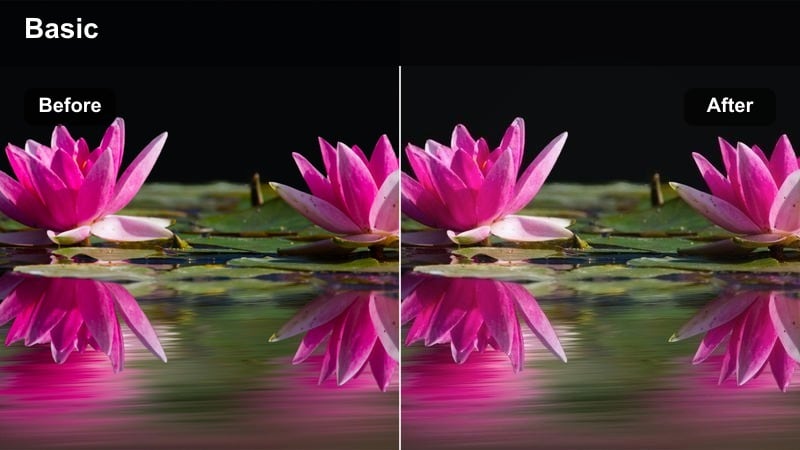
- Effect look: Soft clarity with gentle skin smoothing and neutral shadows ideal for mirror outfit checks.
- Best for: Mirror outfit transitions, OOTD check-ins, and quick style challenges filmed indoors.
- Editing tip: Use a slight sharpen in Filmora on your outfit area only if fabric textures look too soft after the filter.
Mirror Match Aesthetic is tuned for reflective surfaces, balancing exposure between your reflection, outfit, and room details. It subtly softens skin and neutralizes color casts from indoor lighting so mirror smudges, hotspots, and yellow tones do not distract from your fit.
Apply this filter in Filmora to handheld mirror clips, before and after transitions, and quick OOTD updates. If your fabrics feel a bit too creamy after the softness is applied, use Filmoras masking tools and local sharpen on the outfit area only to bring back texture in denim, knits, or tailoring while preserving flattering skin.
Pastel Wardrobe Swipe
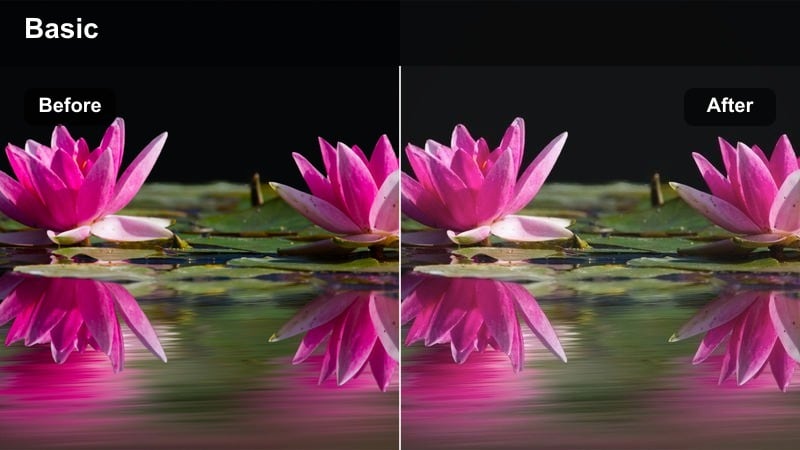
- Effect look: Muted contrast with boosted pastel colors that make color-coordinated wardrobes pop.
- Best for: Color-based style challenges, wardrobe reveal swipes, and outfit-by-color series.
- Editing tip: Use Filmora's keyframing to ramp saturation slightly during each swipe to emphasize color changes.
Pastel Wardrobe Swipe dials down overall contrast while enhancing pastel hues, making color-organized closets and outfit sequences feel soft but vibrant. It is perfect for rainbow wardrobe reveals, monochrome styling challenges, and satisfying sliding-door transitions.
In Filmora, apply this filter to all your swipe or tap transitions so each color section feels like part of one cohesive story. Add keyframed saturation boosts at the exact moment your hand swipes or the door opens, so the new color family pops on beat with your chosen TikTok audio.
Night Out and Party Outfit Looks
Neon Night Style
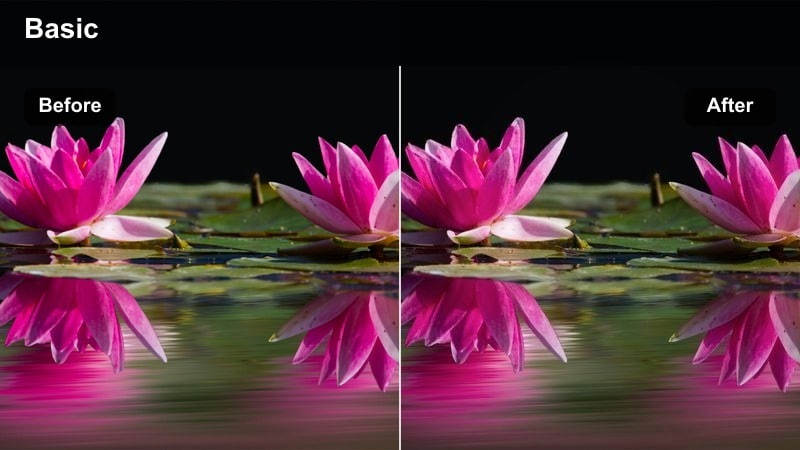
- Effect look: High-contrast cool tones that make neon signs, sequins, and metallic pieces stand out in low light.
- Best for: Night-out fit checks, club hallway transitions, and rooftop party looks with neon lights.
- Editing tip: Reduce noise in Filmora before applying this filter if your footage is very grainy from dark locations.
Neon Night Style pushes blues and purples while deepening shadows, giving your after-dark clips a bold, cyber-city aesthetic. Neon signage, reflective fabrics, sequins, and chrome accessories glow against inky backgrounds, perfect for high-energy TikTok audios.
Before you add this filter in Filmora, run noise reduction on any grainy phone footage to keep the final look clean. Then apply the filter, fine-tune exposure, and add subtle speed ramps on hair flips or beat drops so the cool neon grade and your bold outfit moves hit at the same time.
Velvet Midnight Glam
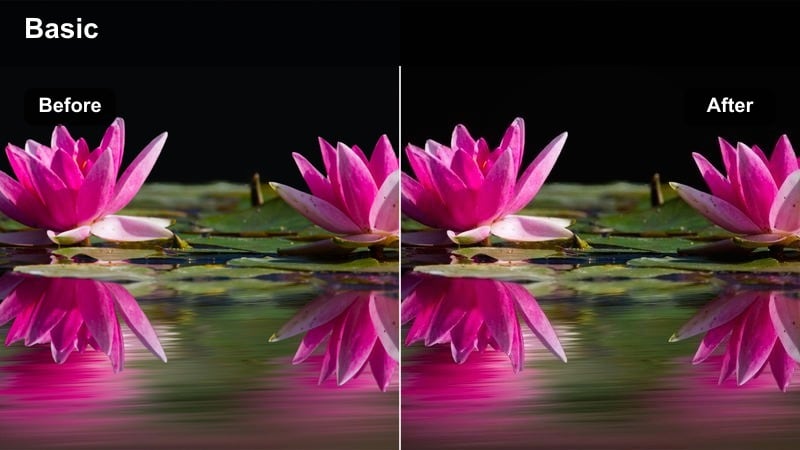
- Effect look: Softened highlights with rich blacks that give dresses and tailored pieces a luxe finish.
- Best for: Glam night outfits, dress reveals, and slow-motion hair flips in dim restaurants or hotel lobbies.
- Editing tip: Lift shadows slightly in Filmora if your black pieces lose detail after the rich contrast is applied.
Velvet Midnight Glam deepens blacks and mutes harsh highlights, giving your footage a luxe, evening editorial feel. It is especially flattering on satin, velvet, silk, and structured tailoring, where rich shadows and smooth highlights emphasize fabric quality.
Use this filter in Filmora on hotel corridor walks, elevator transitions, and bar entrance reveals. If your black outfits crush too much, slightly lift shadows and add a touch of clarity so stitching and pleats stay visible while the overall mood remains dark and glamorous.
City Lights Glitter
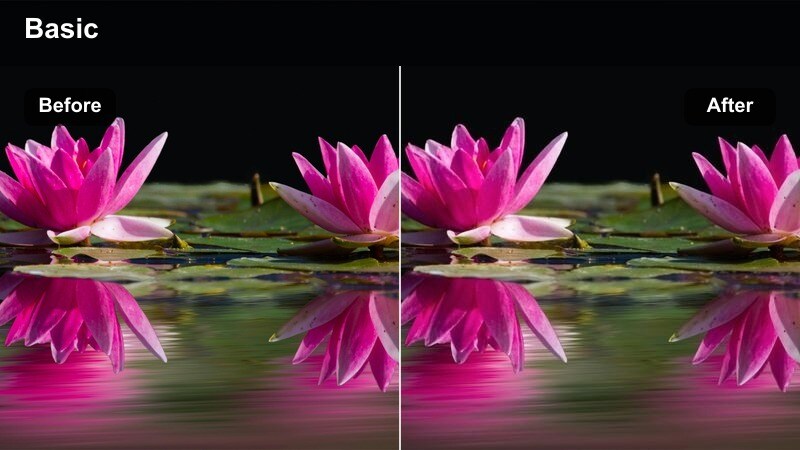
- Effect look: Slight bloom on highlights with brightened midtones that make sequins and jewelry shimmer.
- Best for: Sparkly party outfits, rooftop bar clips, and elevator transition trends at night.
- Editing tip: Add Filmora light leaks or bokeh overlays on top of this filter for extra glam in transitions.
City Lights Glitter adds a gentle glow to bright spots and lifts midtones so city skylines, fairy lights, and sparkly outfits shimmer on camera. It is ideal for dresses, bags, and jewelry that rely on reflective surfaces to catch ambient light in the background.
Within Filmora, combine this filter with subtle light leak or bokeh overlays on key transitions, like door closes, spin transitions, or elevator jumps. Keep the effect intensity moderate, then cut to close-ups of accessories on beat to showcase the shimmering details without overwhelming the frame.
Runway Recaps and Fashion Trend Edits
Editorial Runway Cool
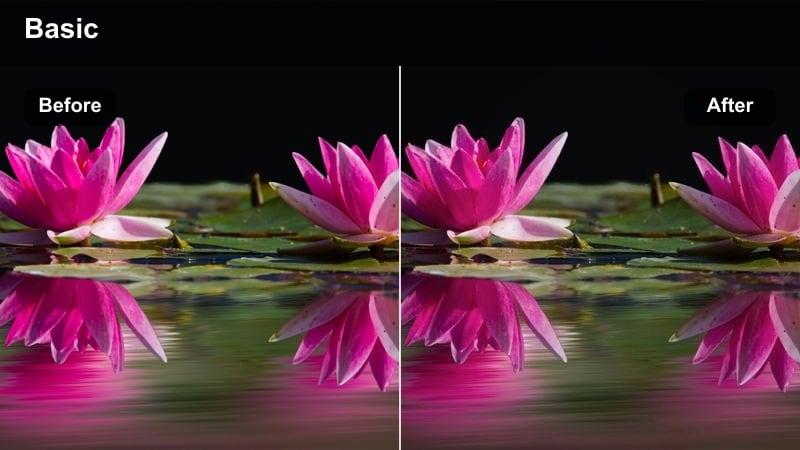
- Effect look: Cool, high-end editorial tones with clean whites and slightly desaturated backgrounds.
- Best for: Runway recap edits, high-fashion hauls, and trend breakdowns with text on screen.
- Editing tip: Apply this filter before adding subtitles so your white or colored text contrasts cleanly with the cooler background.
Editorial Runway Cool shifts your footage toward a magazine-inspired palette with cooler tones, crisp whites, and gently desaturated surroundings. It makes runway clips, fitting-room try-ons, and hauls feel like polished editorial content rather than casual vlogs.
In Filmora, apply this filter first, then add text overlays, annotations, and price callouts. The cooler, cleaner background ensures your white or bold-colored fonts stay legible, so you can break down trends, compare pieces, or list outfit details without cluttering the visual style.
Viral Street Trend Pop
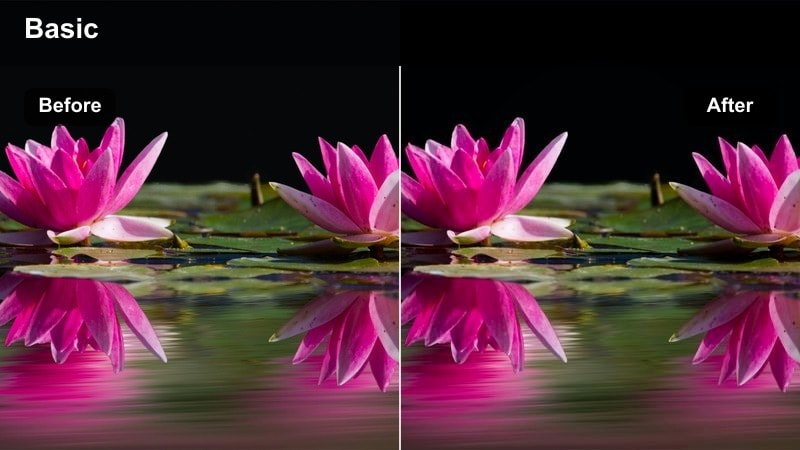
- Effect look: Punchy colors with boosted micro-contrast that help trending pieces and logos stand out in busy scenes.
- Best for: TikTok fashion trends filmed in crowded streets, thrift hauls, and style challenge compilations.
- Editing tip: Dial back saturation slightly for red or neon pieces in Filmora so they do not clip or look oversaturated.
Viral Street Trend Pop increases color intensity and fine contrast to help standout pieces and logos cut through busy backgrounds. It is great for streetwear trends, thrift finds, and quick outfit compilations where you want key items to be instantly recognizable on a fast-moving TikTok feed.
Use this filter in Filmora on rapid-fire edits, layering jump cuts and beat-matched transitions to show multiple fits in seconds. If reds, neons, or bold prints start to clip, slightly reduce saturation or use color tuning on specific hues so you keep the punchy look without losing detail.
Minimal Archive Vibes
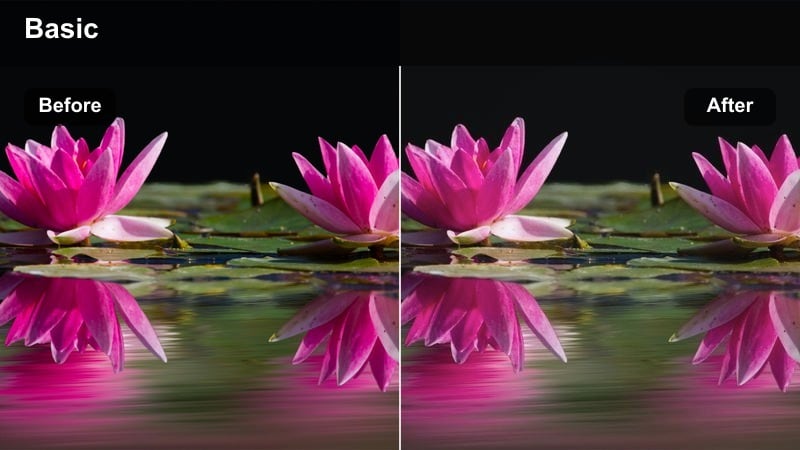
- Effect look: Soft muted tones with slight grain that give fashion clips a curated archive or moodboard feel.
- Best for: Lookbooks, capsule wardrobe edits, and aesthetic fashion roundups with a calm mood.
- Editing tip: Add a 4:5 or square crop in Filmora to mimic moodboard frames while this filter softens colors.
Minimal Archive Vibes desaturates and softens your footage, adding a hint of grain to mimic curated archives and analog moodboards. It is ideal for calm, aesthetic edits like capsule wardrobes, seasonal lookbooks, and inspiration roundups.
In Filmora, combine this filter with collage layouts, split screens, and 4:5 crops to create grid-style moodboard sequences. Keep camera movement minimal, then add small text labels or dates so the muted color grade and grainy texture carry most of the visual interest while still feeling modern on TikTok.
Tips for Using Fashion Video Tiktok Filters in Filmora
- Batch film several outfits in the same lighting setup so one filter can unify a whole week of TikTok posts.
- Always test your chosen fashion filter on skin tones, whites, and blacks to avoid strange color shifts in key pieces.
- Keep filter intensity slightly lower than you think you need so your clothes and textures do not look overly edited.
- Match your filter to the mood of the audio, using warmer tones for soft sounds and cooler, punchier looks for high-energy tracks.
- Save your favorite Filmora filter settings as presets so every GRWM, transition, and trend video feels on-brand.
- Mix close-ups and full-body shots in the same filter to show accessories and fabric details without breaking your visual style.
With the right fashion video filters for TikTok, your outfit transitions, GRWM clips, and trend edits can look polished, consistent, and instantly recognizable in the feed.
Load your next style video into Filmora, try these trending effects, and refine a signature look that you can carry across both TikTok and Instagram fashion content.
secure downloadNext: Fashion Video Filters for Instagram: Aesthetic Reels & Stories
