

 100% Security Verified | No Subscription Required | No Malware


 ChatGPT
 Perplexity
 Gemini
 Claude
 Grok
Grok
Frame Shadow Black sits in that sweet spot between pure black and deep charcoal. It feels controlled, cinematic, and modern, which is why editors reach for it when they want focus, clarity, and drama in the same frame. On screen, this tone reads as premium and intentional, making it perfect for gear shots, UI overlays, or any scene where you want the content, not the background, to stand out.
For video creators, designers, and Filmora users, Frame Shadow Black is a powerful base for thumbnails, intros, lower thirds, and full branding systems. Below are 15 Frame Shadow Black color palettes with ready to use HEX codes so you can grade your footage, design your titles, and keep a consistent look across YouTube channels, vlogs, promos, and social edits.
In this article
Cinematic & Moody Frame Shadow Black Color Palettes
Midnight Edit Suite
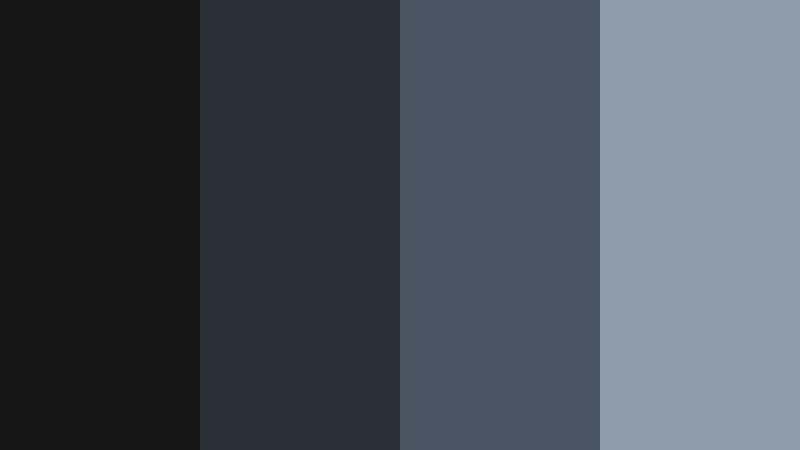
- HEX Codes: #151515, #2b2f36, #4a5563, #8e9ba8
- Mood: Brooding, focused, and cinematic.
- Use for: Ideal for editing timelapses, behind the scenes cuts, and dramatic tech reviews that rely on subtle contrast.
Midnight Edit Suite is a tight range of deep grays and soft steel blues that keeps everything grounded in Frame Shadow Black. It feels like a dark edit bay lit only by monitors, which is perfect when you want your footage and UI elements to feel serious and precise.
Use this palette for intros, end cards, and lower thirds where you need high readability but do not want bright colors stealing attention. It works especially well for tech channels, productivity content, and cinematic vlogs where muted interface graphics and thumbnail backgrounds keep the frame clean and professional.
Pro Tip: Build a Cinematic Frame Shadow Black Look in Filmora
When you build a palette like Midnight Edit Suite, consistency is everything. In Filmora, you can set your Frame Shadow Black tone (#151515 or #2b2f36) as the base for titles, lower thirds, and background shapes, then reuse those assets in presets across your timeline. This keeps your main videos, shorts, and social teasers visually connected.
Combine the darker swatches for backgrounds and overlays, then use the lighter blue grays (#4a5563 and #8e9ba8) for text, icons, and interface style callouts. Because Filmora lets you quickly duplicate and adjust title templates, you can maintain that refined Midnight Edit Suite mood from intro to outro without rebuilding graphics every time.
AI Color Palette
If you already have a still frame, channel banner, or brand card built with Midnight Edit Suite, you can turn it into a reference for your entire edit. Filmora's AI Color Palette feature analyzes that reference image and applies the same tonal balance and contrast to your clips.
Drop a reference frame on the timeline, let AI Color Palette pick up the deep Frame Shadow Black shadows and cool neutrals, then match your A roll, B roll, and overlays in a few clicks. It is an easy way to make timelapses, talking head segments, and cutaways feel like they belong to one cohesive midnights in the studio universe.
 secure download

HSL, Color Wheels & Curves
To push your Frame Shadow Black look even further, fine tune it with Filmora's HSL, color wheels, and curves controls. Slightly lowering the shadows on the RGB curve deepens your #151515 and #2b2f36 tones, while a gentle S curve boosts contrast without crushing detail. Then, use color wheels to cool off the midtones so your #4a5563 and #8e9ba8 accents feel more cinematic.
You can also isolate blues and grays in the HSL panel to desaturate any stray colors that break the palette. This creates that unified, premium software or studio feel you see in many editing and tech channels. For more inspiration, check out Filmora tutorials that break down advanced grading using these tools.
secure download1000+ Video Filters & 3D LUTs
Once your Frame Shadow Black base is set, you can experiment with Filmora's video filters and 3D LUTs to quickly explore different moods. A subtle teal and orange LUT, for example, will keep your blacks deep while adding cinematic warmth to skin tones and highlights.
Combine LUTs with gentle filter layers like vignettes, grain, or glow to enhance the Midnight Edit Suite feeling without breaking its neutral palette. Save your favorite combinations as presets, so every new video, short, or thumbnail starts from the same dark, focused, and professional look.
secure downloadShadowbox Studio Glow
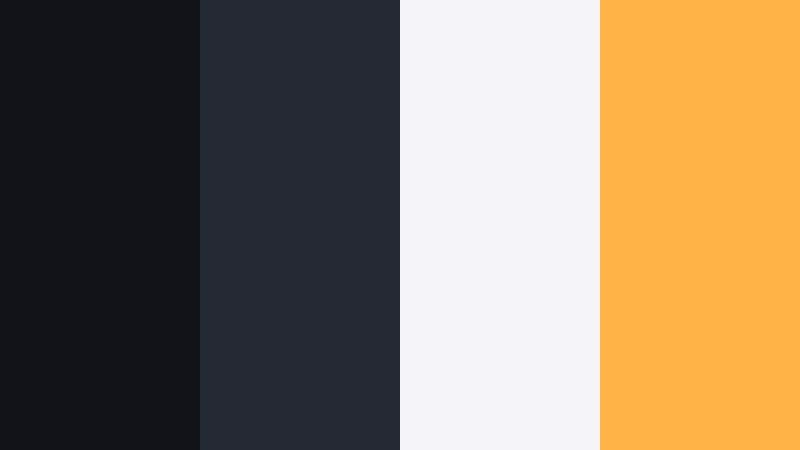
- HEX Codes: #111318, #242933, #f5f5f7, #ffb347
- Mood: Dark, polished, with a hint of warm spotlight.
- Use for: Perfect for creator logos, animated titles, and channel branding with a premium studio feel.
Shadowbox Studio Glow pairs inky Frame Shadow Black tones with a clean light neutral and a single warm accent. It feels like a spotlight cutting through a dark studio, instantly drawing attention to whatever sits in the warm zone.
Use the deep shades as backgrounds for intros, outros, and overlays, then let the warm #ffb347 guide viewers to buttons, calls to action, or key words in your thumbnails. The soft off white (#f5f5f7) keeps text crisp and legible without looking harsh against the darker frame.
Noir Frame Sequence
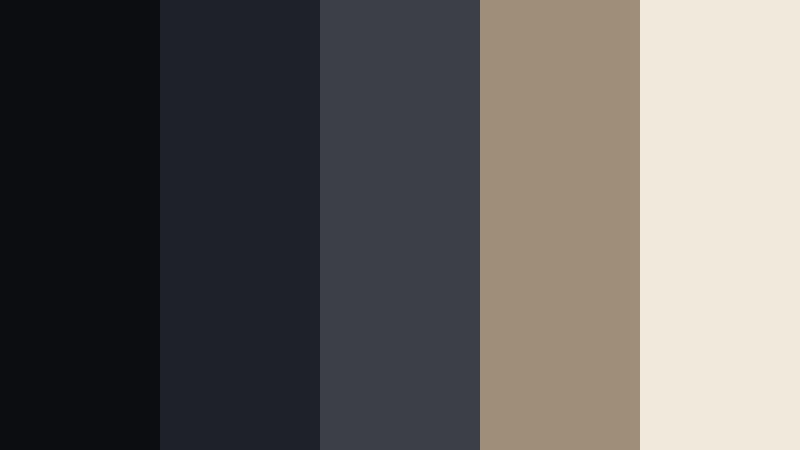
- HEX Codes: #0c0d10, #1e2127, #3c3f46, #9f8f7a, #f2e9dd
- Mood: Vintage noir, mysterious, and stylish.
- Use for: Suited for crime podcasts, essay videos, and film-inspired title cards with a retro noir twist.
Noir Frame Sequence softens harsh blacks with muted browns and warm off whites. The result feels like an old film print or cigarette smoke in a back alley, perfect for storytelling formats that lean into mystery and nostalgia.
Use the darkest tones for letterbox bars, background plates, and subtle vignettes. The warm neutrals (#9f8f7a and #f2e9dd) are ideal for titles, chapter markers, podcast artwork, and thumbnails that need that classic noir edge without overwhelming the viewer.
Urban Tunnel Drift
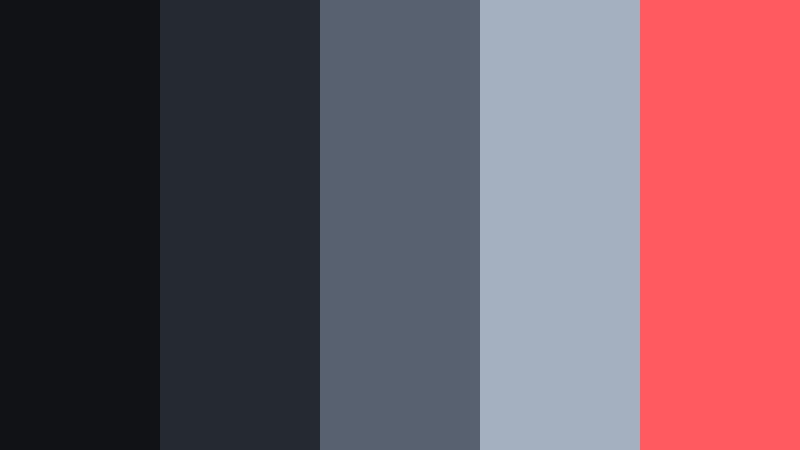
- HEX Codes: #101216, #252a32, #58616f, #a4b0bf, #ff5a5f
- Mood: Edgy, urban, and kinetic.
- Use for: Great for street footage, skate edits, and fast cut travel reels with neon pops against dark frames.
Urban Tunnel Drift combines cool concrete grays and metal blues with a single coral red accent. It feels like headlights and brake lights bouncing off city tunnels at night, with Frame Shadow Black tones anchoring the scene.
Let the darker colors carry your frame backgrounds, then use #ff5a5f sparingly for lower thirds, subscribe graphics, and dynamic motion graphics in your reels. It is perfect for high energy edits where you want grit and motion but still keep layout and typography under control.
Submerged Frame Depth
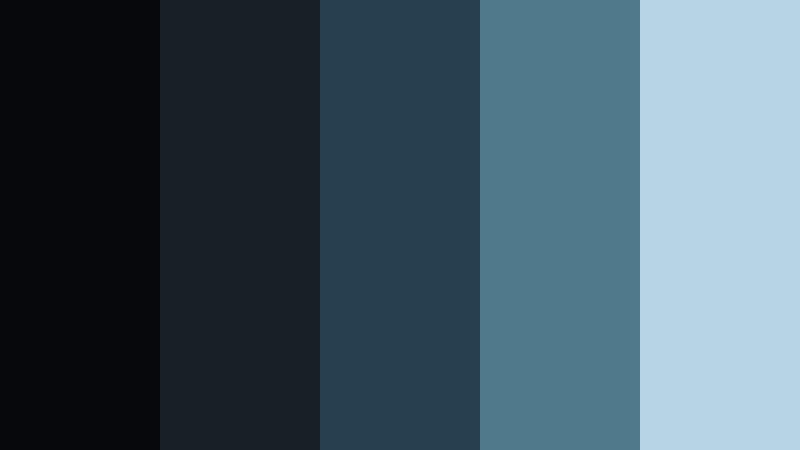
- HEX Codes: #06080b, #172027, #27404f, #4e7a8b, #b7d4e5
- Mood: Immersive, deep, and contemplative.
- Use for: Perfect for underwater clips, tech explainers, and meditative b roll sequences with a cool cinematic grade.
Submerged Frame Depth layers inky blacks with blue greens that feel like sinking into water or drifting through a quiet sci fi corridor. It gives your Frame Shadow Black base a calm, immersive character.
Use the darker shades as overlays and background gradients, and bring in the lighter blues (#4e7a8b and #b7d4e5) for titles, UI inspired elements, and lower thirds. This works nicely for underwater footage, tech explainers, focus sessions, and any edit that needs a slow, cinematic flow.
Minimal & Modern Frame Shadow Black Color Palettes
Monolith Interface Clean
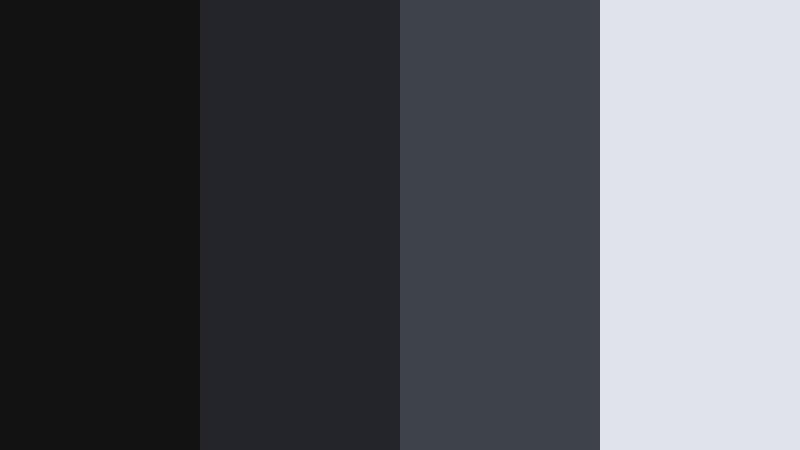
- HEX Codes: #121212, #23252b, #3e434b, #e0e4ea
- Mood: Sleek, controlled, and minimal.
- Use for: Best for UI overlays, software tutorials, and minimalist logo stings where clarity matters.
Monolith Interface Clean is a pure minimalist dream: layered Frame Shadow Black tones balanced by one soft, cool light neutral. It looks like a polished app dashboard or a professional editing timeline.
Use the darker swatches for backgrounds, bars, and keylines, and let #e0e4ea carry your text and icons. This palette keeps tutorial graphics, product overlays, and logo stings clear on any device without sacrificing that premium dark mode aesthetic.
Soft Slate Title Card
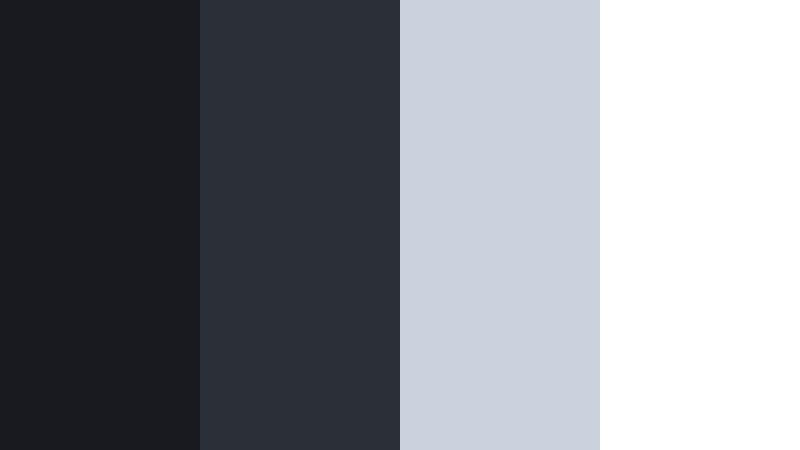
- HEX Codes: #181a1f, #2b3038, #cbd2dd, #ffffff
- Mood: Balanced, modern, and approachable.
- Use for: Great for YouTube title cards, educational videos, and simple slides where text legibility is key.
Soft Slate Title Card balances gentle dark slates with light grays and white to keep everything readable and friendly. The Frame Shadow Black inspired base tones feel modern without being aggressive.
Use #181a1f and #2b3038 as solid or gradient backdrops, with #cbd2dd for secondary text and pure white for headlines. It works well for explainer slides, course modules, and thumbnails where you want a clean, trustworthy look that still feels up to date.
Graphite Grid Overlay
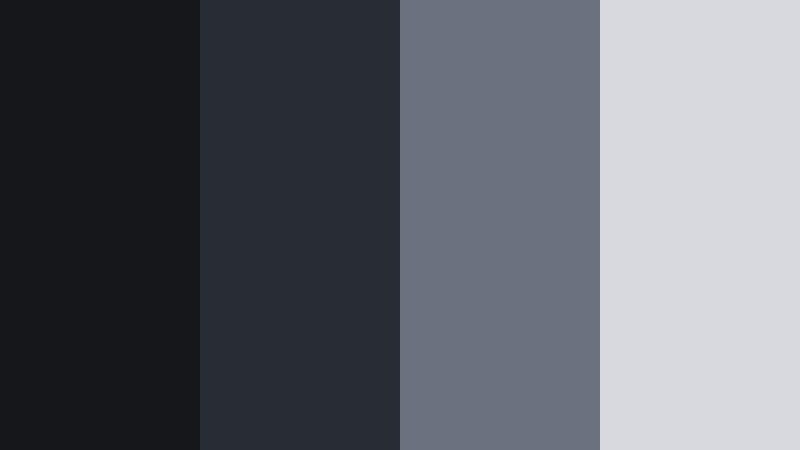
- HEX Codes: #15171b, #282c34, #6b717e, #d7d9de
- Mood: Technical, organized, and precise.
- Use for: Designed for data explainers, product breakdowns, and motion infographics with a controlled visual grid.
Graphite Grid Overlay echoes pro dashboards and design tools, with precise gray steps from Frame Shadow Black up to pale steel. It makes charts, wireframes, and callouts feel structured and analytical.
Use the two darkest tones for the background and panel shapes, #6b717e for lines and icons, and #d7d9de for text and data labels. This palette is ideal for tech reviews, UX breakdowns, and case study thumbnails where clarity, structure, and authority matter.
Neutral Creator Workspace
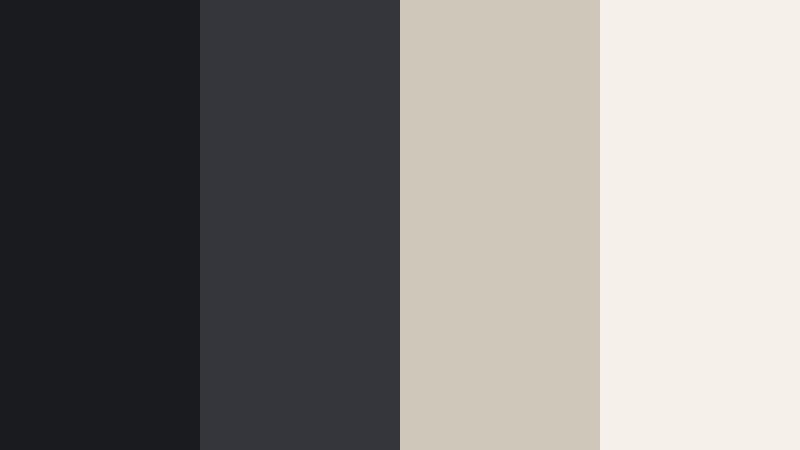
- HEX Codes: #1a1b1f, #34363b, #d0c7bb, #f5f1ea
- Mood: Warm minimal, creative, and grounded.
- Use for: Ideal for desk setups, productivity vlogs, and studio tours that mix dark gear with soft neutrals.
Neutral Creator Workspace mixes Frame Shadow Black shades with warm paper and desk tones. It feels like a clean but lived in setup: dark gear surrounded by beige notebooks, coffee cups, and soft lighting.
Use the dark colors for frames, overlay bars, and gear outlines in your thumbnails, then apply #d0c7bb and #f5f1ea to backgrounds, text blocks, and subtle shapes. This palette works beautifully for lifestyle channels, productivity content, and creative studio tours that aim for cozy but modern branding.
Lumen Edge Highlight
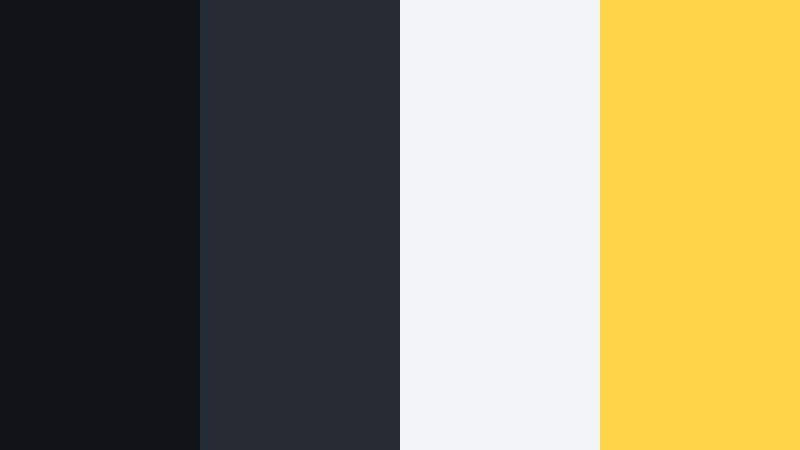
- HEX Codes: #111217, #262a32, #f2f4f8, #ffd447
- Mood: Clean, confident, and agile.
- Use for: Perfect for app launches, SaaS promos, and sleek tutorial intros needing a sharp but friendly vibe.
Lumen Edge Highlight builds on deep Frame Shadow Black tones with a crisp white and one energetic yellow accent. It feels like a fast, agile interface or startup product deck.
Let the dark colors hold your backgrounds and UI cards, use #f2f4f8 for clear text and metrics, and reserve #ffd447 for buttons, badges, and action words like Download or Subscribe. It is a strong option for product demos, feature highlights, and clean motion graphics that still need a bit of spark.
Vibrant Accent Frame Shadow Black Color Palettes
Neon Frame Breaker
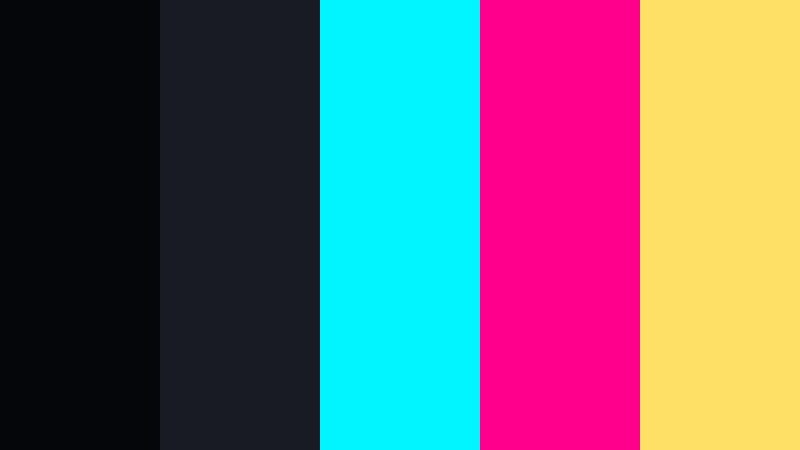
- HEX Codes: #05060a, #181b22, #00f5ff, #ff008c, #ffe066
- Mood: Electric, bold, and high energy.
- Use for: Best for gaming intros, music videos, and hype reels that need neon motion on a dark stage.
Neon Frame Breaker throws bright cyan, magenta, and yellow against a near black base. It feels like a glitchy arcade, music festival lights, or a cyberpunk HUD bursting out of the dark.
Use the black and deep gray as the stage for your footage, then draw outlines, shapes, and text in the neon accents. It is ideal for gaming thumbnails, EDM edits, motion graphics, and channel idents where you want instant energy and strong separation between elements.
Afterhours Skyline Pulse
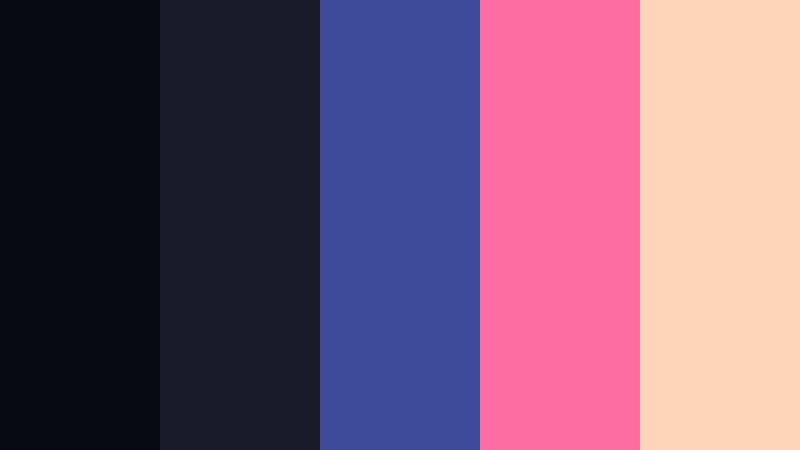
- HEX Codes: #070812, #1a1b2a, #3e4b9b, #ff6c9f, #ffd4b8
- Mood: Nightlife, dreamy, and cinematic pop.
- Use for: Great for travel nights, city montages, and fashion edits with glowing skyline vibes.
Afterhours Skyline Pulse combines deep night blues with glowing pink and peach tones. It feels like a city skyline at blue hour, with neon signs reflecting off windows and streets.
Use the darkest tones for gradients and overlays, #3e4b9b for secondary accents or text, and the pink and peach swatches for key titles and callouts. This palette is perfect for night travel vlogs, fashion edits, nightlife promos, and story driven reels that lean into dreamy city energy.
Cyber Frame Interface
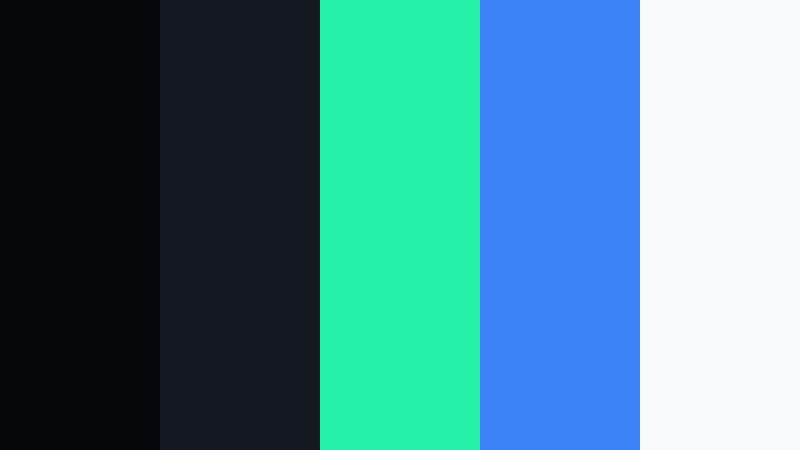
- HEX Codes: #05070b, #141921, #25f2a8, #3b82f6, #f9fafb
- Mood: Futuristic, confident, and tech forward.
- Use for: Perfect for tech reviews, coding channels, and UI inspired motion graphics with a cyber aesthetic.
Cyber Frame Interface sets a cold black and navy base against vivid teal and blue accents. It looks like a holographic HUD or terminal screen, with #f9fafb keeping everything readable.
Use the dark tones for HUD backgrounds and panels, #25f2a8 and #3b82f6 for lines, icons, and progress bars, and #f9fafb for clean text. This palette fits coding tutorials, gadget reviews, app breakdowns, and any motion graphic where you want a confident, futuristic Frame Shadow Black backdrop.
Studio Pop Accent Bar
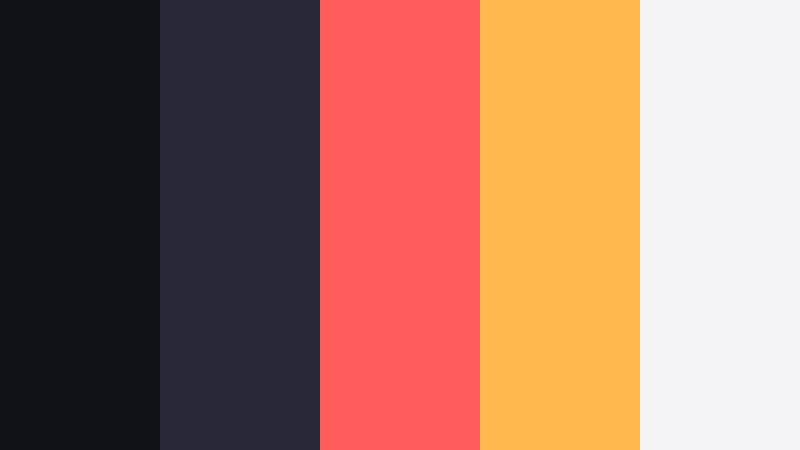
- HEX Codes: #111118, #272838, #ff5c5c, #ffb84d, #f4f4f6
- Mood: Playful yet controlled.
- Use for: Ideal for creators who want colorful chapter bars, subscribe animations, and sticker style overlays on dark footage.
Studio Pop Accent Bar anchors your frame in soft blacks and dark blues, then adds punchy red and amber accents plus a clean light neutral. It feels like a polished studio show with playful graphics layered on top.
Use the dark hues for backgrounds and top or bottom bars, #f4f4f6 for main text, and the reds and ambers for labels, badges, and stickers. This palette is great for chapter markers, subscribe animations, and bold YouTube thumbnails that still read clearly on mobile.
Warm & Atmospheric Frame Shadow Black Color Palettes
Candlelit Edit Desk
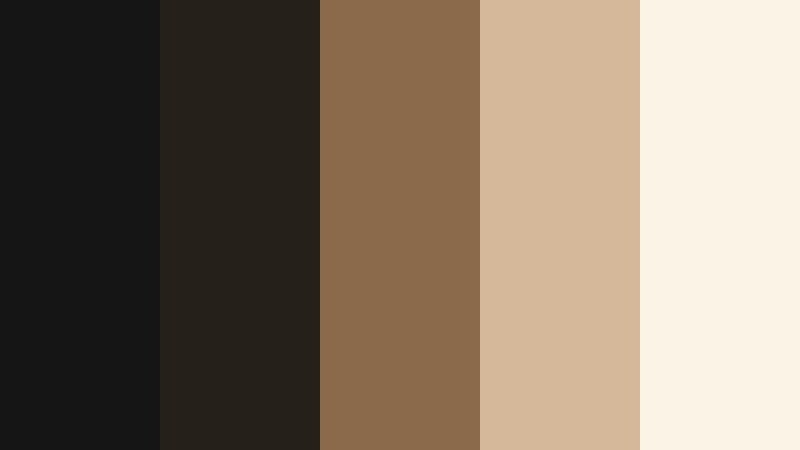
- HEX Codes: #151515, #26201b, #8a6a4a, #d5b899, #fbf3e6
- Mood: Cozy, intimate, and analog inspired.
- Use for: Great for journaling vlogs, writer diaries, and study with me edits with a warm desk atmosphere.
Candlelit Edit Desk warms up Frame Shadow Black with rich browns and soft paper whites. It feels like a late night writing session with a single lamp, notebooks open, and coffee steaming nearby.
Use the blacks and browns in overlays, frames, and subtle vignettes, and let #d5b899 and #fbf3e6 carry your text and backgrounds for titles or quotes. This palette works well for journaling vlogs, study sessions, cozy productivity content, and end screens where you want viewers to feel at home.
Cinema Lobby Amber
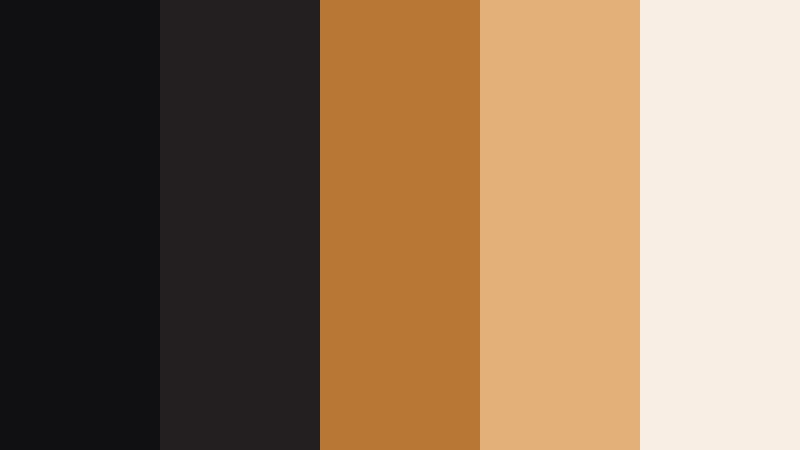
- HEX Codes: #101013, #231f20, #b97735, #e4b07a, #f8eee3
- Mood: Classic theater, nostalgic, and welcoming.
- Use for: Perfect for movie reviews, retrospectives, and channel branding that nods to golden age cinema.
Cinema Lobby Amber layers rich blacks with amber and caramel highlights that recall old theater carpets, curtains, and ticket booths. It turns your Frame Shadow Black base into something warm, nostalgic, and cinematic.
Use the darkest tones as your frame and background, #b97735 and #e4b07a for headings, icons, and film inspired shapes, and #f8eee3 as the main text color. This palette suits movie review channels, retrospectives, countdowns, and thumbnails that lean into classic cinema nostalgia.
Tips for Creating Frame Shadow Black Color Palettes
When you build a Frame Shadow Black color palette for video and design, you are essentially deciding how your audience will feel inside your frames. A thoughtful mix of deep neutrals, accents, and highlight tones makes your brand recognizable and your footage easier to watch.
- Always start with one primary Frame Shadow Black tone for backgrounds, then build slightly lighter grays around it for depth and layering.
- Limit yourself to one or two strong accent colors so thumbnails and titles pop without looking chaotic on small screens.
- Check text contrast against your darkest swatches; light neutrals or soft whites usually read better than pure white on deep black.
- Match your graded footage to your graphics by using similar temperature and saturation for highlights and midtones.
- Design reusable templates in Filmora so lower thirds, titles, and subscribe strips always share the same HEX codes.
- Test your palette on both mobile and desktop to ensure buttons, icons, and small text stay readable against Frame Shadow Black.
- Use vignettes or subtle overlays to blend live footage into your chosen palette, especially for cinematic or moody edits.
- Create slight variations of the same palette for day, night, or special series so your channel feels consistent but not repetitive.
Frame Shadow Black color palettes give you a strong foundation for shaping mood, guiding attention, and building a recognizable visual identity. Whether you prefer minimal dark mode interfaces, neon gaming aesthetics, or warm cinematic ambers, the right combination of blacks, neutrals, and accents can transform everyday footage into something intentional and on brand.
Try dropping a few of these palettes into Filmora and building title templates, lower thirds, and LUT presets around them. Once your Frame Shadow Black look is locked in, every new video, short, and thumbnail will feel like part of the same world, making your channel easier to recognize and more enjoyable to watch.
Use Filmora's color tools, AI Color Palette, HSL, curves, and built in filters to experiment quickly, then save what works as presets you can reuse across projects. Over time, your custom Frame Shadow Black palette will become a core part of your creative signature.
secure download