

 100% Security Verified | No Subscription Required | No Malware

Give Canon R6 Mark II footage a polished, cinematic finish with this free Canon R6 Mark II LUT pack. The collection is designed for wedding filmmakers and event creators who need fast, dependable looks for changing daylight, indoor venues, reception lighting, and low-light camera grading.
Use these Canon R6 Mark II video filters as a starting point in Filmora or your preferred editor, then fine-tune exposure, white balance, contrast, and skin tones for each shot. From romantic ceremony coverage to energetic dance-floor footage, these looks help create a consistent visual style across an entire project.
In this article
Golden Ceremony Light
Warm Vow Glow
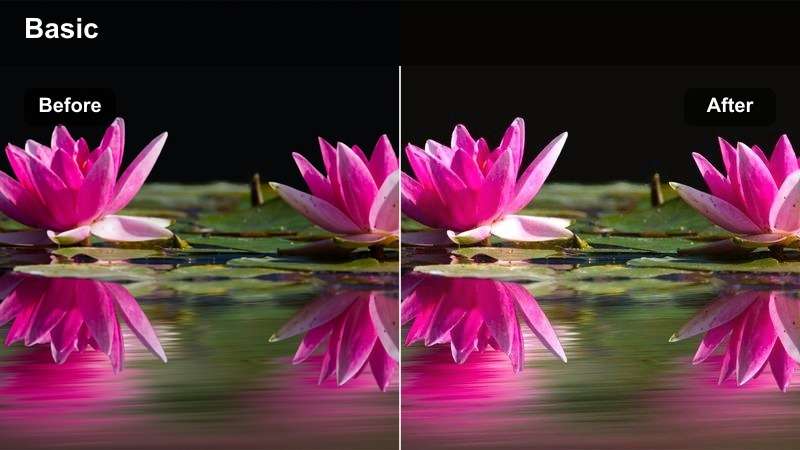
- Effect look: soft golden highlights with gentle contrast and natural skin tones
- Best for: outdoor ceremonies, sunset portraits, and warm window-lit vows
- Editing tip: reduce intensity slightly on bright dresses and protect highlight detail before adding grain
Warm Vow Glow gives Canon R6 Mark II wedding footage a romantic finish with soft golden highlights, gentle contrast, and believable skin tones. It works especially well for emotional ceremony moments, sunset portraits, and vows filmed near warm windows.
In Filmora, correct exposure and white balance before applying the look. Lower the highlights first when working with white dresses, veils, or bright floral decor, then adjust filter strength so the warmth stays controlled across the sequence.
Soft Champagne
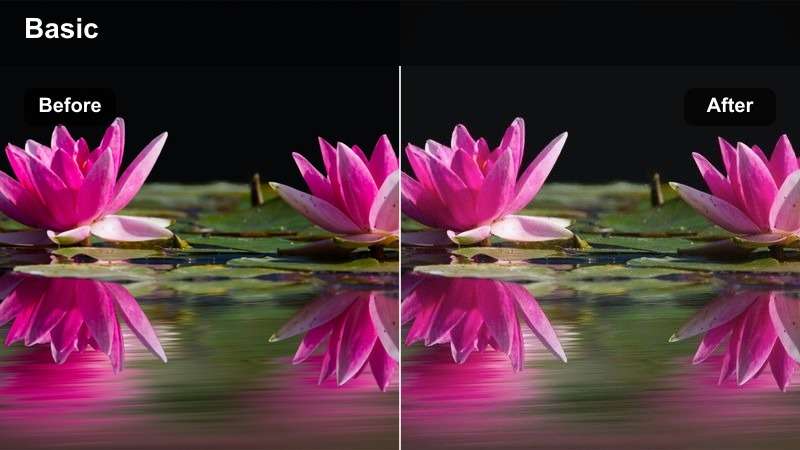
- Effect look: creamy highlights, muted shadows, and a subtle champagne tint
- Best for: bridal preparations, elegant venues, and champagne-toned reception decor
- Editing tip: keep skin-tone saturation moderate and add a small amount of clarity for fabric detail
Soft Champagne adds a refined, lightly luxurious finish to bridal preparation footage and elegant venue details. Creams, golds, and soft pinks remain gentle while muted shadows help the scene feel polished without looking heavily processed.
Use Filmora selective color controls when warm lighting causes pastel colors to merge together. A light clarity adjustment can reveal fabric detail, while a subtle vignette helps keep attention on the subject without making the preparation room feel dark.
Sunlit Romance
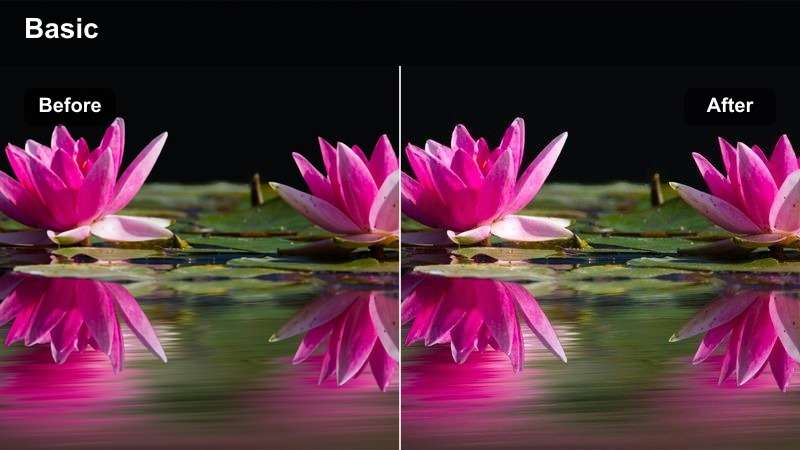
- Effect look: bright mids, warm highlights, and airy low contrast
- Best for: couple portraits, outdoor entrances, and daytime wedding details
- Editing tip: lower whites slightly when working with direct sun and balance green foliage with a mild magenta adjustment
Sunlit Romance creates an airy daytime look with bright mids, warm highlights, and soft contrast. It is a useful choice for newlywed portraits, outdoor entrances, and cheerful details captured in bright natural light.
Because outdoor light can change quickly, match white balance between direct sun and shade before adding the filter. If foliage becomes too green or shadows look too blue, use small color adjustments instead of pushing the entire image toward orange.
Build a Matching Canon R6 Mark II Color Palette
Use Filmora's color tools to create a palette that connects ceremony footage, reception scenes, and low-light event clips. Start with skin tones and neutral details, then shape the mood with warm highlights or cool shadows.
A consistent palette makes mixed lighting easier to manage and helps a wedding or event film feel intentional from the opening shot to the final exit.
 secure download

Indoor Reception Ambience
Reception Amber
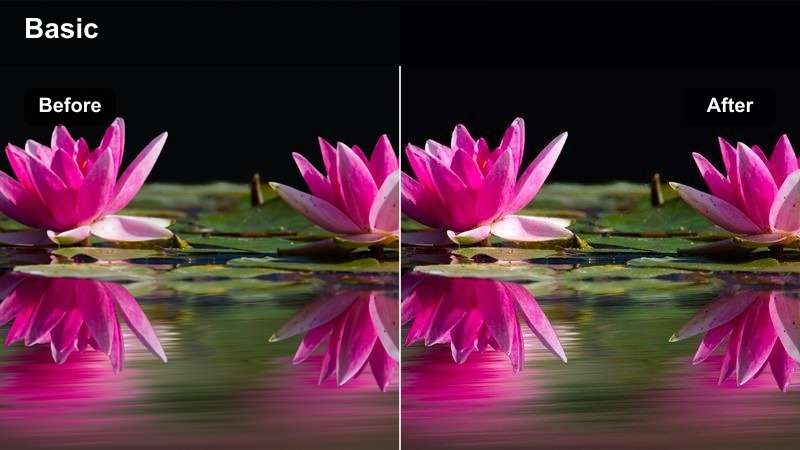
- Effect look: rich amber highlights, controlled blacks, and cozy event contrast
- Best for: reception entrances, dinner speeches, and candlelit venue coverage
- Editing tip: reduce orange saturation if tungsten lights dominate and lift shadows only enough to preserve guest detail
Reception Amber gives indoor footage a warm, intimate appearance that suits speeches, dinner scenes, and candlelit venue coverage. Rich highlights and controlled blacks help preserve the atmosphere of a reception without flattening the image.
For mixed tungsten, LED, and window light, neutralize the subject's skin before allowing the background to retain ambient warmth. In Filmora, use a subtle mask on faces if orange lighting becomes stronger than the natural complexion.
Velvet Night
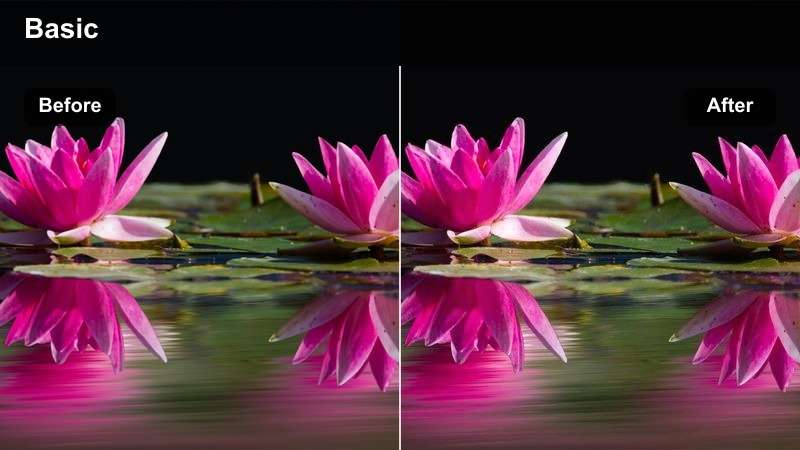
- Effect look: deep cinematic shadows, restrained saturation, and smooth highlight rolloff
- Best for: evening receptions, venue reveals, and dramatic first dances
- Editing tip: raise shadow detail slightly on underexposed clips and avoid crushing black suits or dark backgrounds
Velvet Night creates a moody, cinematic finish for first dances, evening receptions, and dramatic venue reveals. Restrained saturation and smooth highlight rolloff keep spotlights attractive while preserving the depth of a dim hall.
Lift face midtones rather than brightening the entire frame when expressions disappear in the shadows. For high-ISO clips, apply noise reduction before sharpening so the texture remains natural and unobtrusive.
Neutral Event Polish
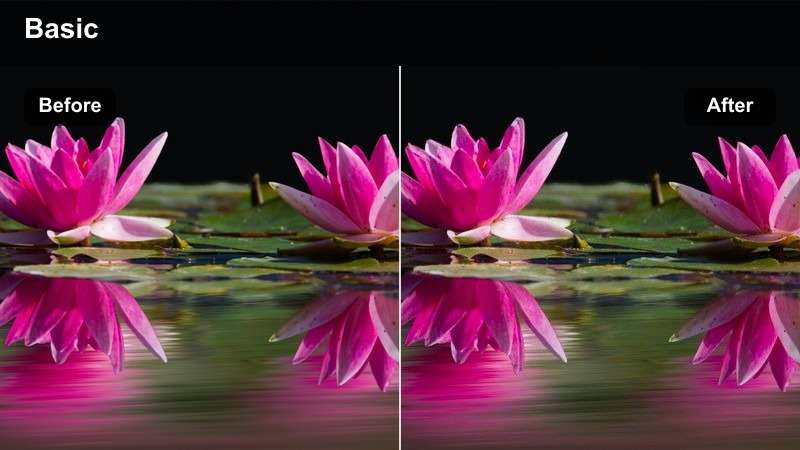
- Effect look: balanced color, clean contrast, and realistic whites
- Best for: multi-camera event edits, corporate celebrations, and documentary-style wedding coverage
- Editing tip: use this filter as a neutral base before matching cameras and applying a creative look to selected scenes
Neutral Event Polish is a flexible correction-style look for multi-camera projects, corporate celebrations, and documentary wedding coverage. Balanced whites and clean contrast provide a dependable starting point before creative grading.
Apply it after technical corrections and compare every angle with a reference frame from the main camera. Filmora's color controls can then help match lenses, cameras, and changing venue light before a stronger look is added.
Preview Canon R6 Mark II Video Filters Before Export
Compare filter strength on ceremony portraits, reception speeches, and dance-floor footage before committing to a final look. Filmora makes it easy to preview creative changes while keeping the original footage intact.
Use split comparisons to check highlight detail, skin tones, shadow noise, and color consistency across different cameras and lighting setups.
secure downloadLow-Light Event Energy
Neon Dance Floor
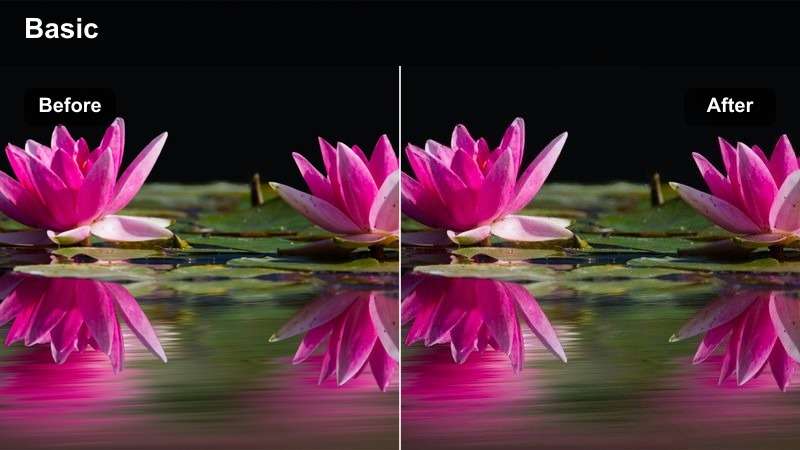
- Effect look: vivid colored lights, punchy contrast, and energetic blue-magenta separation
- Best for: dance floors, DJ sets, late-night parties, and dynamic event highlights
- Editing tip: reduce saturation in isolated LED colors when they distract from faces or create clipping
Neon Dance Floor emphasizes the colorful energy of DJ lighting with vivid blue and magenta separation and punchy contrast. It is suited to dance-floor montages, late-night parties, and fast event highlight edits.
LED fixtures can shift faces toward purple, blue, or red, so correct skin tones with a targeted adjustment after applying the look. Keep the most saturated shots brief and cut on movement to maintain excitement without overwhelming the sequence.
Low-Light Clean
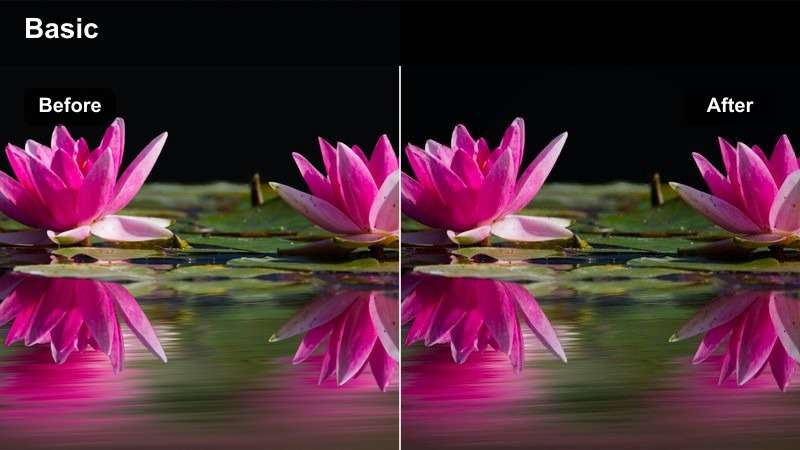
- Effect look: clean shadows, moderate contrast, and subdued chroma noise
- Best for: low-light ceremonies, evening street arrivals, and handheld event coverage
- Editing tip: apply noise reduction before the filter and lift shadows carefully to avoid exposing excessive sensor noise
Low-Light Clean is designed for Canon R6 Mark II footage recorded in difficult evening conditions. Moderate contrast, clean shadows, and subdued chroma noise help retain a natural appearance without adding unnecessary drama.
Balance exposure before adding the creative effect, then lift shadows carefully in Filmora. Noise reduction should come before sharpening, since excessive sharpening can make high-ISO grain and compression artifacts more visible.
Midnight Cyan
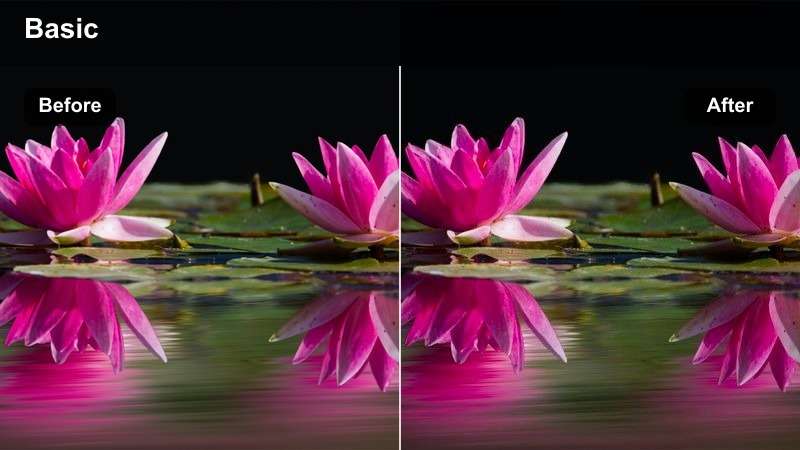
- Effect look: cool cyan shadows, warm subject highlights, and cinematic night depth
- Best for: nighttime exits, rooftop events, and blue-hour venue exteriors
- Editing tip: warm faces selectively and reduce cyan intensity in neutral clothing to prevent distracting color shifts
Midnight Cyan creates atmospheric night depth with cool cyan shadows and warmer highlights on the subject. It works well for nighttime exits, rooftop events, and venue exteriors filmed during blue hour.
The contrast between cool shadows and warm faces is strongest when the subject has a practical light or soft key. Use masks to warm faces selectively and keep the sky slightly brighter than the foreground for a greater sense of depth.
Download and Fine-Tune the Free LUT Pack
Download the Free Canon R6 Mark II LUT Pack and use the included looks as a fast creative foundation for wedding films, event recaps, and low-light shoots.
LUTs and filters work best after technical corrections, so adjust exposure, white balance, and noise before lowering or raising the creative intensity to match your scene.
secure downloadCinematic Storytelling Looks
Film Memory
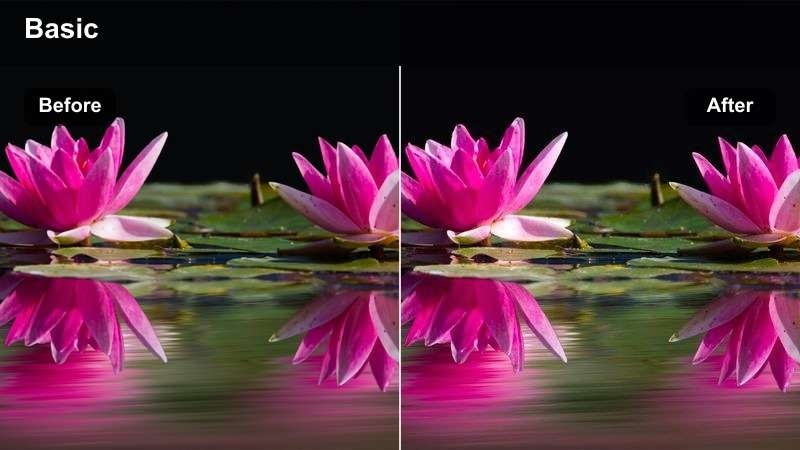
- Effect look: softened contrast, gentle grain, warm mids, and nostalgic color response
- Best for: wedding montages, family moments, venue details, and emotional recap films
- Editing tip: add grain after resizing and keep the effect lighter on close-up skin to maintain a clean finish
Film Memory adds softened contrast, warm mids, and gentle grain for nostalgic wedding montages and emotional recap films. The look supports family moments, venue details, and connected sequences that feel like lasting memories.
In Filmora, apply grain after resizing and keep it lighter on close-up skin. Use the effect across related shots instead of scattering it randomly, allowing music, motion, and natural reactions to carry the emotional tone.
Editorial Contrast
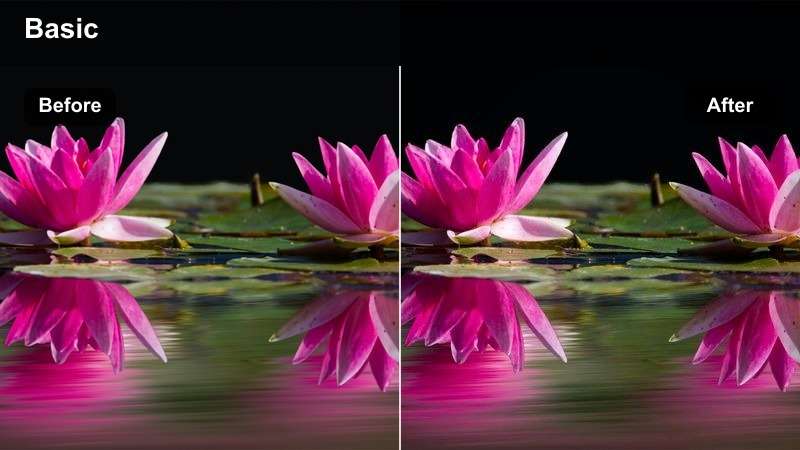
- Effect look: refined contrast, muted secondary colors, and crisp subject definition
- Best for: luxury weddings, fashion-led event films, and venue detail sequences
- Editing tip: lower texture on skin while keeping architectural lines and wardrobe details sharp
Editorial Contrast gives luxury wedding and event footage a refined, fashion-forward appearance. Muted secondary colors, crisp subject definition, and controlled contrast make architecture, wardrobe, and venue details stand out.
Use local adjustments in Filmora to soften overly crisp skin while keeping structural lines sharp. Pair the look with clean compositions and slower camera movement for a premium highlight-film style.
Documentary Neutral
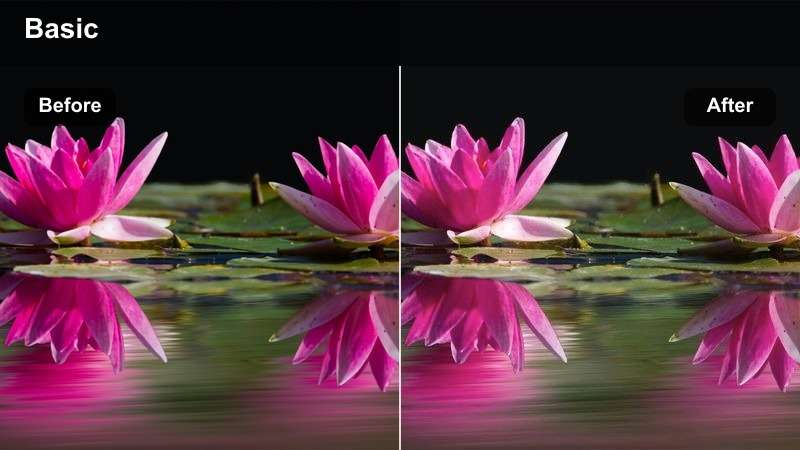
- Effect look: natural saturation, soft rolloff, balanced skin tones, and realistic contrast
- Best for: candid wedding moments, event recaps, speeches, and long-form documentary edits
- Editing tip: make small exposure adjustments between shots and prioritize consistent skin tones over dramatic color shifts
Documentary Neutral keeps candid wedding moments and long-form event coverage believable with natural saturation, balanced skin tones, and soft contrast. It is a dependable choice for speeches, reactions, and scenes captured across different rooms.
Create a simple Filmora correction preset for exposure and white balance, then use this filter as the consistent finishing layer. Subtle adjustments help expressions and interactions remain the focus while the full project stays visually cohesive.
Tips for Using Canon R6 Mark Ii Lut Download Filters in Filmora
- Correct exposure and white balance before applying a creative filter or LUT.
- Use a lower filter intensity on white wedding dresses, bright shirts, and reflective venue details.
- Match skin tones across cameras before adding a stronger cinematic look.
- Apply noise reduction before sharpening when grading high-ISO low-light footage.
- Save separate versions for daylight ceremonies, tungsten receptions, and colorful dance floors.
- Use masks or secondary corrections when LED lights shift faces toward blue, red, or magenta.
- Preview the full sequence after applying a look to make sure color consistency supports the story.
This free Canon R6 Mark II LUT pack gives wedding filmmakers and event creators a practical starting point for polished color grading in changing conditions. From golden ceremonies and elegant receptions to energetic dance floors and low-light exits, each filter can be adjusted to fit the scene while preserving natural skin tones and important detail.
Download the pack, test the looks on your own Canon R6 Mark II footage, and build a repeatable grading workflow that makes every wedding or event film faster to finish and more consistent to watch.
secure download