

 100% Security Verified | No Subscription Required | No Malware

Bring your Christmas decorations, cozy holiday vlogs, and festive reels to life with Free Christmas Lights LUTs tailored for twinkling streets, glowing trees, and warm indoor gatherings.
These Christmas filters are designed for holiday creators and vloggers who want fast, cinematic festive color grading that keeps skin tones natural while making every light sparkle.
In this article
Cozy Living Room Lights and Tree Glow
Warm Tree Glow
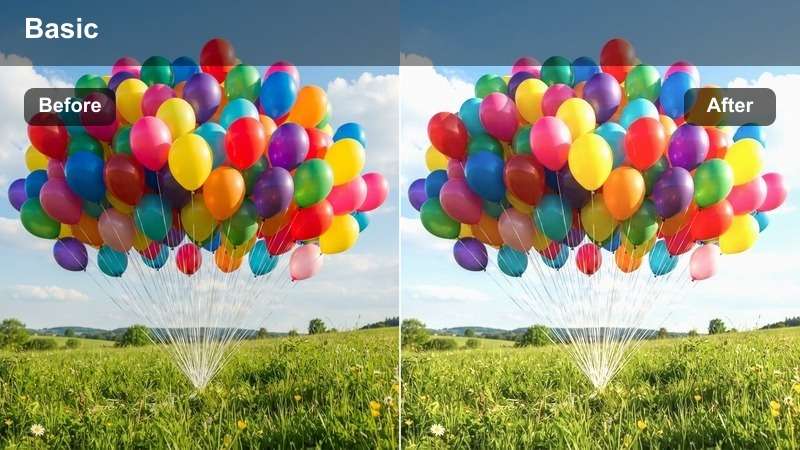
- Effect look: Rich golden warmth that makes fairy lights and the Christmas tree glow softly while keeping skin tones natural.
- Best for: Family moments around the Christmas tree, unwrapping gifts, and cozy storytelling shots on the couch.
- Editing tip: Lower contrast slightly and lift the shadows if your living room is very dark to keep details in ornaments and faces visible.
Warm Tree Glow is ideal when you want your Christmas tree and fairy lights to feel magical without turning the entire frame overly orange. In Filmora, apply this LUT or filter to your living room clips, then fine tune exposure and contrast so the glow around the tree looks soft while facial features remain clear and flattering.
For family vlogs and home movies, combine Warm Tree Glow with gentle stabilization and a subtle vignette in Filmora to draw attention toward the tree and the people around it. If you shot in mixed lighting, adjust white balance first, then let the LUT add its rich golden tones so ornaments, wrapping paper, and cozy blankets all share the same festive warmth.
Instant Festive Color Matching With AI
Use Filmora AI driven color tools to quickly match all your living room and tree shots to the Warm Tree Glow style so every angle feels like part of the same scene. The AI analyzes exposure and white balance, then gets your clips into a balanced starting point before the LUT adds its warm holiday glow.
This makes it much easier to cut between different cameras, phones, or lighting setups while keeping skin tones natural and your Christmas lights consistently golden and inviting.
 secure download

Preview Christmas Filters in Real Time
Filmora lets you hover over each Christmas Lights LUT or filter in the Effects panel and preview it instantly on your timeline clip. This real time preview makes it easy to see how Warm Tree Glow, Candlelit Evening, or any other style will treat your bulbs, shadows, and decorations before you commit.
You can quickly audition several holiday looks on the same shot, compare how they handle warm indoor bulbs and mixed lighting, then choose the one that best matches your vlog or home movie style.
secure download1000+ Video Filters and 3D LUTs
Beyond these Free Christmas Lights LUTs, Filmora includes a large library of filters, overlays, and 3D LUTs so you can refine your festive aesthetic even further. Stack a Christmas LUT with glow effects, film styles, or subtle HSL adjustments to create a look that is uniquely yours.
Once you dial in the perfect combination for your channel or brand, save it as a preset so every new Christmas vlog, reel, or family montage can be graded in just a few clicks.
secure downloadCandlelit Evening
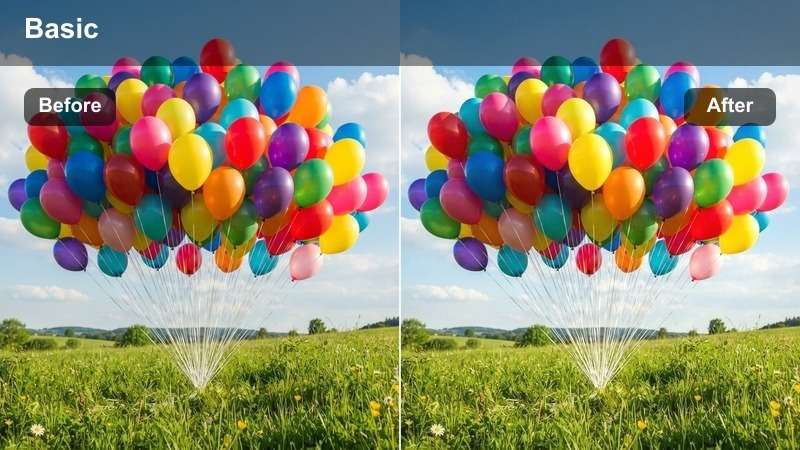
- Effect look: Soft, low-contrast candlelight effect with warm shadows and gentle halation around small light sources.
- Best for: Intimate living room scenes, bedtime Christmas stories, and slow, reflective holiday vlog segments.
- Editing tip: Reduce saturation in bright reds slightly to avoid noisy, oversaturated Santa outfits in dim light.
Candlelit Evening is crafted for quiet, intimate Christmas moments where you want the room to feel calm and tender. In Filmora, apply this LUT to bedtime stories, reflective voiceovers, or closeups near candles and dim tree lights to soften contrast and add a delicate glow around each light source.
After applying the filter, fine tune saturation and noise reduction in Filmora so dark corners stay clean and pleasant to watch. Slightly cooling midtones while keeping highlights warm can help maintain a true to life candlelit mood, especially if your camera added too much orange to faces and walls.
Fireside Christmas
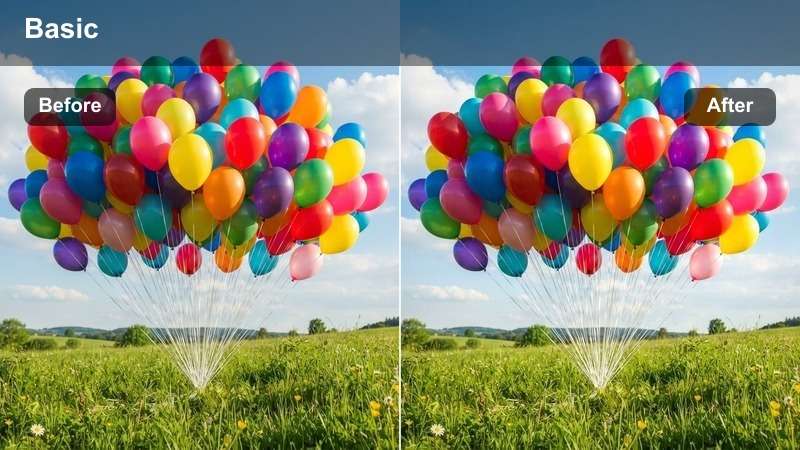
- Effect look: Deep, contrasty warmth with glowing highlights and rich reds that mimic a fireplace flicker.
- Best for: Shots in front of the fireplace, cozy talking-head vlog intros, and stocking-hanging scenes.
- Editing tip: Add a slight fade in the blacks to keep shadows from crushing in very dark fireplaces or brick backgrounds.
Fireside Christmas is ideal when you want your fireplace scenes to feel bold and cinematic, with strong reds and glowing highlights that mimic real flames. In Filmora, use this LUT on talking head intros, stocking hanging clips, or family gatherings around the hearth to give your footage a rich, contrasty finish.
After applying the LUT, gently fade the blacks and tweak highlight tint toward orange red to keep the fire realistic and inviting. A light touch of clarity on the fireplace area can bring out brick and ember detail while Filmora smoothing and skin tone controls ensure faces stay flattering rather than harsh.
Christmas Decorations and Sparkling Close-Ups
Bokeh Lights Magic
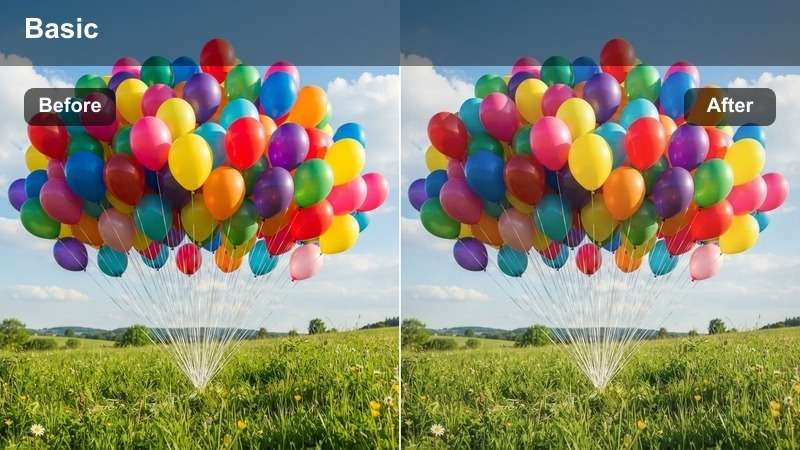
- Effect look: Dreamy, slightly desaturated background with emphasized circular bokeh and crisp subject focus.
- Best for: Close-ups of Christmas ornaments, twinkling light bokeh shots, and product-style holiday gift reveals.
- Editing tip: Use a shallow depth of field and brighten midtones to make the subject pop against blurred colored lights.
Bokeh Lights Magic is perfect for aesthetic closeups where you want your subject sharp and the Christmas lights melting into soft, circular bokeh. In Filmora, apply this LUT to ornament details, product shots, or gift reveals, then adjust exposure and midtones so your subject stands out against the dreamy, slightly desaturated background.
You can combine this look with Filmora blur or vignette effects to further push distractions out of focus while keeping key details crisp. Experiment with slow motion and gentle camera movement, letting the LUT unify colored bulbs into a cinematic backdrop that feels polished enough for social reels and product promos.
Ornament Shimmer
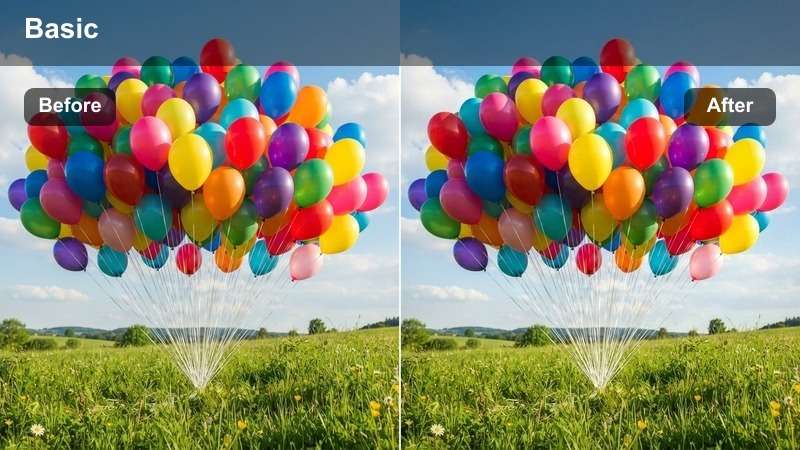
- Effect look: Punchy micro-contrast on metallic and glass surfaces with cool highlights and warm midtones.
- Best for: Macro shots of baubles, tinsel, and reflective Christmas decor on trees, shelves, and wreaths.
- Editing tip: Slightly lower global saturation and then selectively boost reds and golds to keep metallic elements from looking cheap.
Ornament Shimmer is designed to make glass and metallic decorations look crisp, dimensional, and premium. In Filmora, use this LUT on macro shots of baubles, tinsel, and reflective ornaments to enhance tiny reflections while keeping the overall palette classy with cool highlights and warm midtones.
After applying the filter, adjust saturation and color curves to prioritize reds and golds so your metallic decor appears rich instead of plastic. If reflections feel too harsh, soften highlights and add a touch of blur to the background so the shimmer draws attention without overpowering the rest of your Christmas scene.
Garland Sparkle
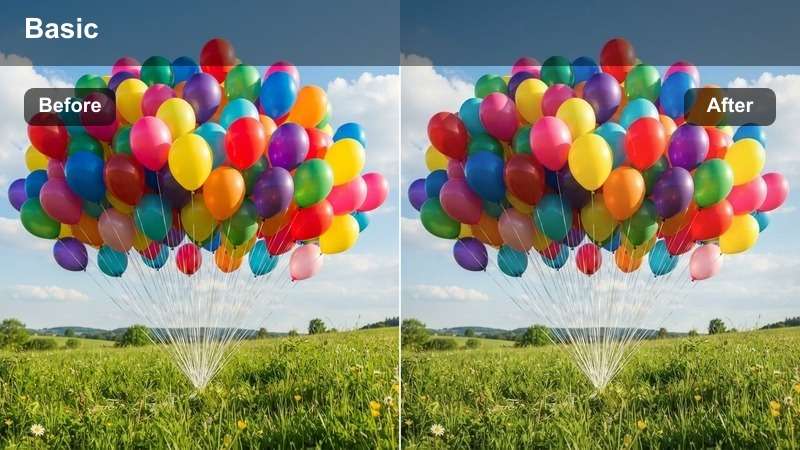
- Effect look: Clean, bright whites and slightly cooler greens that make garlands, string lights, and window frames pop.
- Best for: Decorating montages, close-ups of garlands and string lights on stair rails, windows, and door frames.
- Editing tip: Increase exposure by half a stop and pull down blacks a bit if the scene feels flat, especially in overcast daylight.
Garland Sparkle is built to make your daytime decor look as polished and intentional as nighttime shots. In Filmora, apply this LUT to stair rails, windows, and door frames wrapped in garlands and string lights so whites look clean, greens lean slightly cooler, and the entire environment feels bright and modern.
Use this style in decorating montages, pairing it with speed ramps and transitions to show before and after moments as you transform your home. Fine tune exposure, blacks, and temperature inside Filmora to avoid muddy yellows from mixed light while keeping every garland, bow, and bulb looking crisp on social feeds.
Holiday Vlogs at Home and Gift Moments
Morning Gift Unwrap
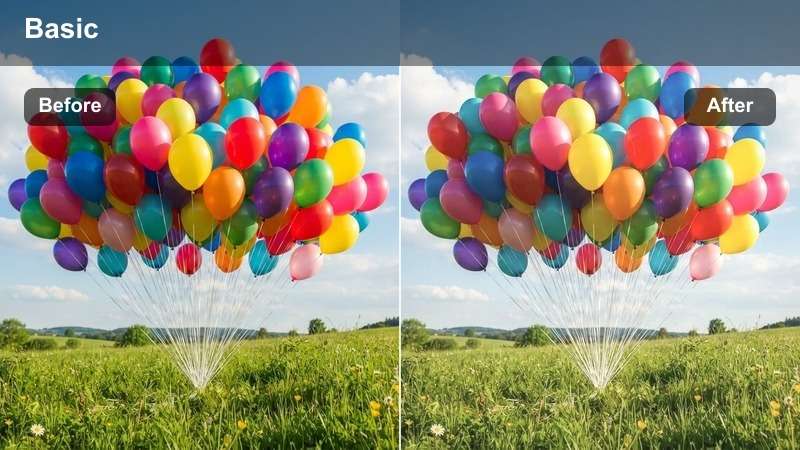
- Effect look: Soft, bright, and slightly pastel with gentle contrast for cozy Christmas morning scenes.
- Best for: Opening presents, kids in pajamas, and candid reaction shots in softly lit rooms.
- Editing tip: Lift shadows around eyes and reduce green tint if your living room relies on mixed indoor lighting.
Morning Gift Unwrap is tuned for soft daylight and cozy interior shots where you want reactions and emotions to shine. In Filmora, apply this LUT to Christmas morning footage to brighten the room, soften contrast, and add a gentle pastel touch that flatters pajamas, blankets, and wrapping paper.
After the LUT, refine shadow and color balance to keep faces looking natural, especially if your living room has greenish or mixed light. Pair this look with slow zooms, reaction cutaways, and subtle background music to create heartwarming unwrapping sequences ready for YouTube or family archives.
Holiday Vlog Neutral
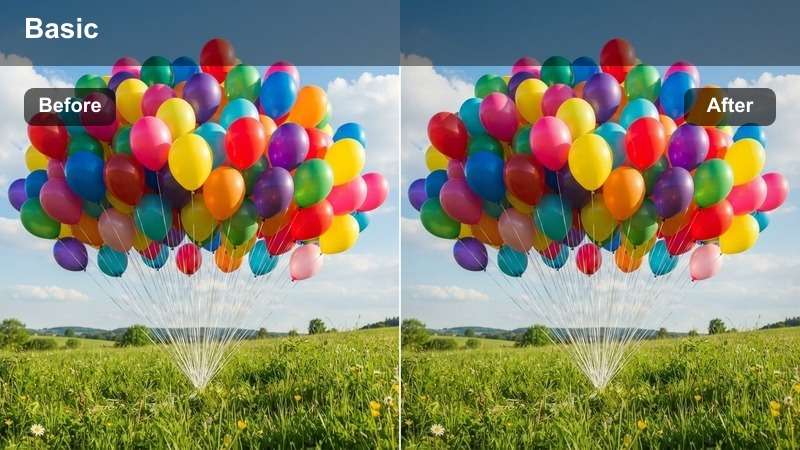
- Effect look: Balanced, vlog-friendly look that enhances Christmas lights and decor without extreme color shifts.
- Best for: Talking to camera, day-in-the-life holiday vlogs, and clips that will be cut together from different lighting conditions.
- Editing tip: Use this filter as a base grade, then fine-tune white balance per clip for consistency across your entire vlog.
Holiday Vlog Neutral is your go to base look for long form Christmas content that mixes multiple rooms, times of day, and light sources. In Filmora, apply this LUT across your entire timeline first to establish a consistent foundation, then tweak exposure and white balance on individual clips as needed.
This approach makes editing faster because you only need minor adjustments to maintain continuity between setups. It subtly boosts the warmth and saturation of Christmas lights and decor without pushing skin tones too far, helping your vlog feel cohesive whether you are baking, decorating, or chatting to camera.
Cozy Pajama Vlog
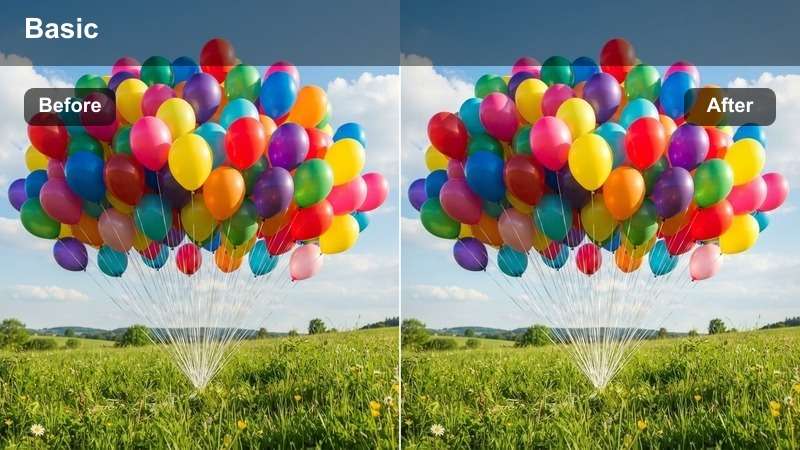
- Effect look: Muted highlights, slightly lifted blacks, and warm midtones for relaxed, cozy at-home vlog scenes.
- Best for: Chatty sit-down vlogs, baking intros, and casual B-roll of lounging in holiday pajamas with string lights in the background.
- Editing tip: Dial back saturation in greens and cyans if colorful blankets or walls compete with Christmas lights.
Cozy Pajama Vlog is aimed at relaxed, chatty footage where you want the frame to feel soft and lived-in rather than crisp and punchy. In Filmora, use this LUT for couch talks, baking intros, or behind the scenes moments where you are lounging in holiday pajamas with string lights in the background.
The lifted blacks and warm midtones create a gentle haze that flatters skin and soft furnishings. If your space has distracting colors, use Filmora color controls to lower saturation in greens and cyans while boosting reds and yellows so Christmas decor remains the visual focus of the shot.
Festive Reels and Outdoor City Lights
City Light Trails
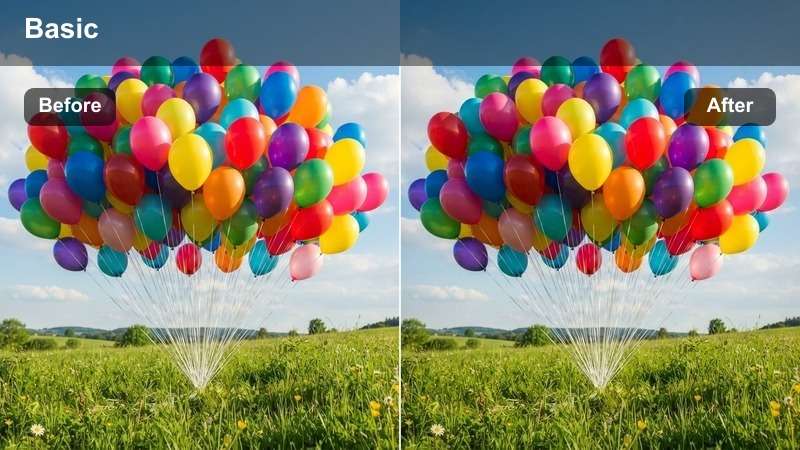
- Effect look: High contrast, rich saturation, and cool shadows with vibrant neon and Christmas street lights.
- Best for: Night city walks, handheld street reels, car light trails, and Christmas market exteriors.
- Editing tip: Increase shutter speed for sharper movement, then use this filter to deepen blacks and make colored lights punchy.
City Light Trails is built for energetic urban footage where you want every bulb, sign, and car streak to explode with color. In Filmora, apply this LUT to night walks, street B roll, or Christmas market exteriors to push contrast and saturation while keeping shadows cool for a modern, cinematic feel.
Combine the look with speed ramps, beat-synced cuts, and Filmora motion blur or light leak overlays to emphasize movement through busy streets. Shooting slightly underexposed and then letting this LUT lift midtones will help preserve highlight detail in neon signs and overhead decorations.
Fairy Light Walk
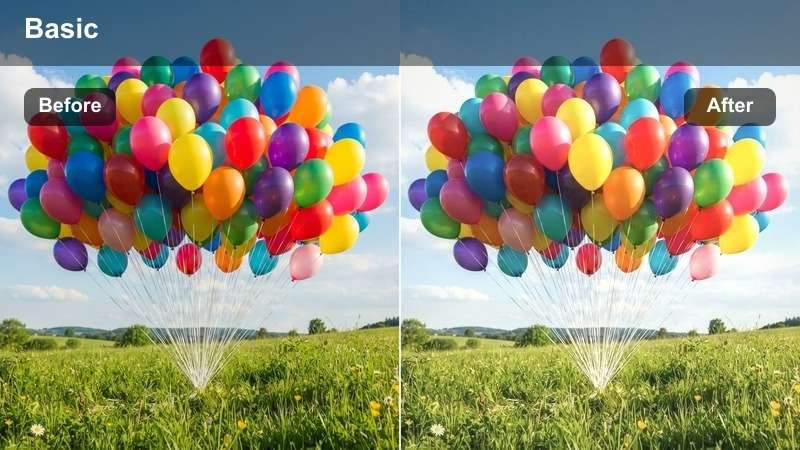
- Effect look: Softened highlights with pastel tones and warm skin, perfect for handheld walking shots under string lights.
- Best for: POV walks through decorated streets, couples strolling under lights, and slow-motion festive reels.
- Editing tip: Add slight slow motion and stabilization, then increase exposure a bit to make the string lights float above darker streets.
Fairy Light Walk is ideal for romantic, dreamy strolls under outdoor Christmas lights, whether you are filming couples, friends, or POV shots. In Filmora, apply this LUT to soften the brightest bulbs, add pastel color shifts, and keep skin tones warm so the whole sequence feels gentle and cinematic.
Use a bit of slow motion and stabilization in Filmora to smooth handheld footage, then raise exposure enough for the lights to appear as floating orbs above darker sidewalks. If the sky or shadows skew too magenta, adjust shadow tint toward blue while keeping warm highlights on faces and shop windows to maintain a balanced, dreamy street atmosphere.
Snowy Street Lights
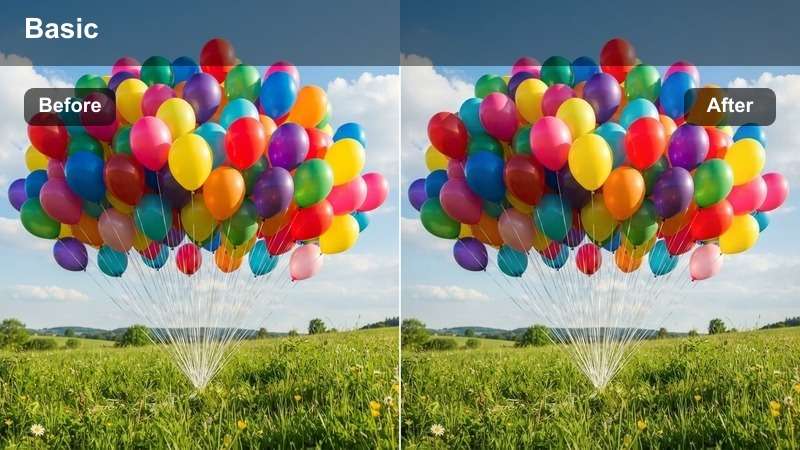
- Effect look: Cool, crisp whites and slightly blue shadows with bright, colorful Christmas lights that pop against snow.
- Best for: Snowy sidewalks, outdoor Christmas decorations on houses, and street scenes with falling snow at night.
- Editing tip: Lower highlights slightly to keep snow texture visible and prevent bright patches from blowing out under street lamps.
Snowy Street Lights is tuned for wintry outdoor shots where snow and Christmas decorations share the frame. In Filmora, use this LUT on night scenes with snow covered streets, houses, or parks to keep whites clean and crisp while adding a slight blue tone to shadows for a cold, festive ambiance.
After applying the LUT, pull down highlights and adjust whites so snow retains detail instead of turning into flat, glowing patches. You can also add a touch of dehaze only where fog or snowfall hides important elements, making sure the sky does not become unnaturally dark while your Christmas lights and storefronts remain vivid.
Tips for Using Christmas Lights Luts Filters in Filmora
- Shoot slightly underexposed around bright Christmas lights so your Free Christmas Lights LUTs can recover detail without blowing out highlights.
- Keep white balance consistent across your holiday vlogs to make Christmas filters look natural on skin tones and decorations.
- Use different filters for indoor and outdoor scenes, then tweak exposure and contrast so your final edit still feels cohesive.
- For festive reels, cut to the beat of your music and switch between close-ups of lights and wider city scenes using matching LUTs.
- Apply stabilization before filters on handheld Christmas market and city clips to avoid sharpening noise or motion blur.
- Stack a Christmas Lights LUT with Filmora glow, vignette, or grain effects to create a custom festive aesthetic that suits your channel.
- Save your favorite color settings as custom presets in Filmora so future Christmas projects can match the same look in one click.
With these Free Christmas Lights LUTs and filters, you can transform simple Christmas decorations, casual holiday vlogs, and quick festive reels into polished, cinematic stories that highlight every twinkling light.
Download the presets, experiment with a few styles on your favorite clips, and then explore Christmas market LUTs next to complete your holiday color grading toolkit.
secure download