

 100% Security Verified | No Subscription Required | No Malware

Turn your Christmas market footage into cinematic holiday memories with Free Christmas Market LUTs and filters designed for travelers and vloggers.
These festive video filters enhance warm lights, cozy colors, and snowy streets so your Christmas markets, winter travel, and holiday vlogs look rich, inviting, and ready to share.
In this article
Cozy Market Stalls and Golden Lights
Warm Mulled Wine Glow
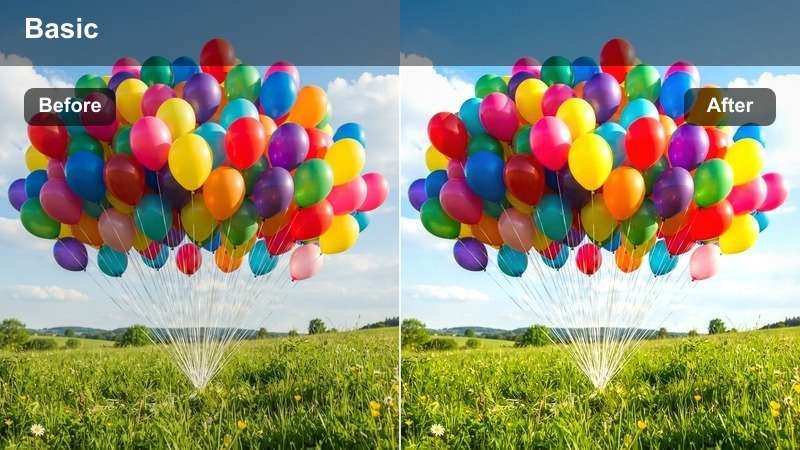
- Effect look: Soft golden warmth that deepens reds and ambers for a cozy holiday feel.
- Best for: Close-ups of mulled wine stands, wooden stalls, and warm drink shots at dusk.
- Editing tip: Lower contrast slightly to keep faces flattering while keeping highlights glowing.
Warm Mulled Wine Glow wraps your Christmas market clips in a gentle golden wash that makes stalls, drinks, and string lights feel inviting and cinematic. In Filmora, this kind of LUT is ideal when your footage was shot under warm bulbs or fairy lights and you want to intensify the reds, oranges, and ambers without making the scene look harsh.
Apply it to handheld shots of steaming cups, pastries, and vendors, then fine-tune with Filmora controls like contrast and saturation so skin tones stay natural. If the look becomes too orange, slightly pull back red and orange saturation on your adjustment layer while keeping the LUT applied, and add a light vignette in Filmora to pull focus toward faces and glowing drinks.
Filmora AI-powered color tools help you instantly match these Free Christmas Market LUTs and filters to a mix of indoor stalls, outdoor streets, and different cameras. You can quickly unify footage shot on separate days or in different cities so every clip shares the same warm, festive base look.
Use AI color matching to get your market sequences aligned, then stack your chosen Christmas market LUT on top for final styling in just a few clicks.
 secure download

With Filmora, you can preview Christmas market filters and festive LUTs directly on your clips before committing to a full look. Scrub through your timeline while trying different filters so you can see how each style handles glowing stalls, moving crowds, and snowy backgrounds in real time.
Once you find a look that fits a scene, save it as a preset in Filmora and easily apply that same combination to the rest of your market shots for a consistent holiday mood.
secure downloadFilmora includes hundreds of built in filters and supports custom 3D LUTs, so you can build a reusable library for Christmas markets, winter streets, and holiday vlogs. Combine your favorite Free Christmas Market LUTs with Filmora effects like vignettes, glow, and grain to create signature looks you can apply in one click.
Organize your LUTs and filters into a dedicated Holiday Travel folder so every time you edit December footage, you can instantly reach for the same cinematic styles and keep your channel branding consistent.
secure downloadAmber Market Lanterns
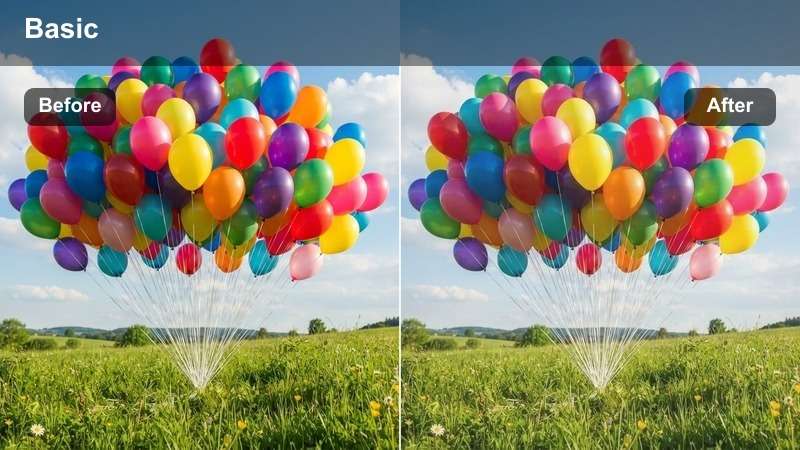
- Effect look: Rich amber highlights with deep, cozy shadows and a gentle fade in blacks.
- Best for: Wide shots of rows of Christmas stalls, hanging lights, and lantern decorations.
- Editing tip: Increase midtone clarity slightly to make the lantern details pop without adding harshness.
Amber Market Lanterns is designed to make overhead bulbs, lantern strings, and wooden stalls glow with a rich, amber tone. In Filmora, this style works especially well on wide or gimbal shots where lights form paths or ceilings above the market, creating strong depth and atmosphere.
Apply this LUT to your main establishing shots, then boost midtone clarity and sharpness slightly in Filmora so tiny light fixtures and stall details remain crisp. To guide viewers through the frame, combine this look with slow tracking shots, and adjust the color wheels if shadows feel too heavy, lifting blacks a touch while preserving the amber glow.
Cinnamon Stall Soft Focus
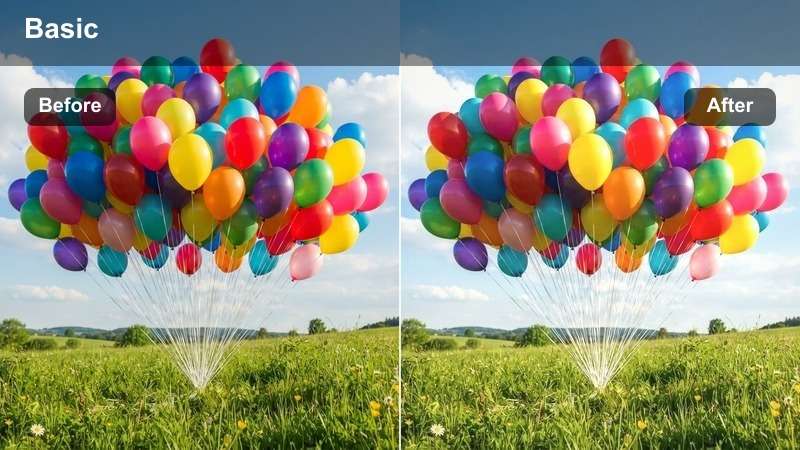
- Effect look: Soft, dreamy highlights with mild bloom and a warm cinnamon tint.
- Best for: Intimate shots of vendors, handmade crafts, and detail-focused clips at Christmas markets.
- Editing tip: Add a slight blur or reduced sharpness to backgrounds to emphasize foreground subjects.
Cinnamon Stall Soft Focus lends your footage a nostalgic, almost storybook warmth that suits slow, detailed B roll. Use it in Filmora on clips of ornaments, candles, textiles, and vendor portraits where you want the viewer to linger on small festive details instead of the busy background.
To enhance the dreamy look, lightly reduce sharpness on an adjustment layer or use Filmora blur effects on background areas while keeping your subject crisp. Pair this LUT with slow motion or gentle speed ramps, then add soft background music and lower ambient sound so the scene feels calm, intimate, and emotional.
City Squares and Nighttime Christmas Markets
Frosty City Fairytale
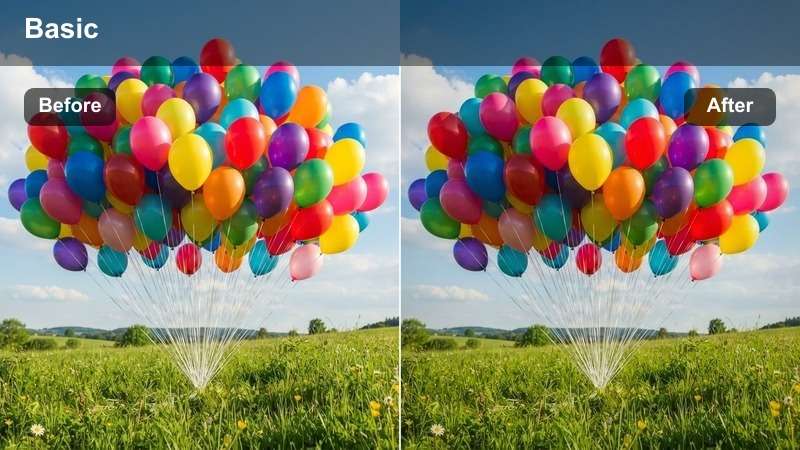
- Effect look: Cool, crisp highlights with enhanced blues and subtle teal shadows over warm city lights.
- Best for: Nighttime city squares, illuminated buildings, and overhead light tunnels in winter.
- Editing tip: Use this filter on tripod shots or smooth gimbal footage to keep the fairytale atmosphere stable and clear.
Frosty City Fairytale balances the cool air of a winter evening with the warmth of market lights and historic buildings. In Filmora, apply it to your skyline, square, and overhead light tunnel shots to give the sky a subtle blue or teal tint while keeping windows and stalls warmly inviting.
This LUT looks best on stable, clean footage, so use it on tripod or gimbal shots where small details in architecture and lights can shine. If faces start looking too cold, gently warm your white balance or add warmth with Filmora color tools while leaving the background intact, then use these clips as openers or transitions between busier market sequences.
Neon Sleigh Ride
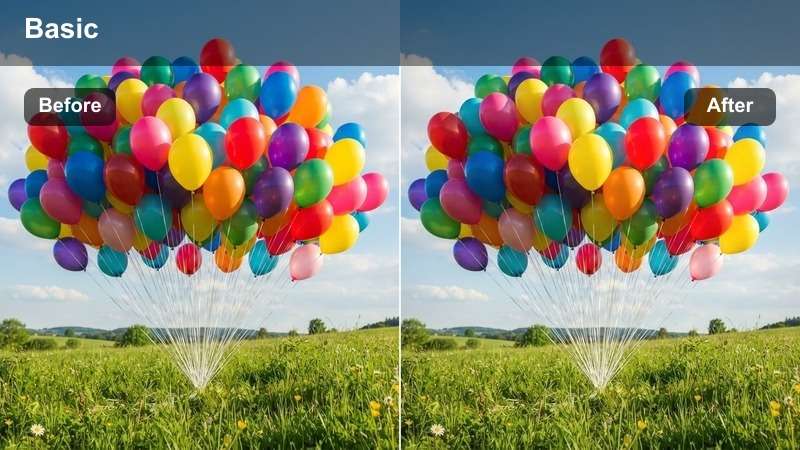
- Effect look: Punchy contrast with vivid reds and saturated neon signs, ideal for busy nightlife streets.
- Best for: Urban Christmas markets with bright signage, ferris wheels, or carnival rides.
- Editing tip: Reduce saturation in greens if signs start to overpower skin tones and key details.
Neon Sleigh Ride is made for energetic city markets where rides, signs, and traffic lights dominate the frame. In Filmora, drop this LUT onto fast paced walking shots, panning sequences, and ride B roll to make reds, pinks, and neon blues stand out against darker streets.
Use it sparingly on clips where you want maximum energy, such as transitions, intros, and montage segments. If your greens or cyans feel too intense, pull them back using Filmora HSL or color adjustment sliders, and cut on movement or light streaks to keep the visual rhythm fast and exciting.
Cobblestone Snowglobe
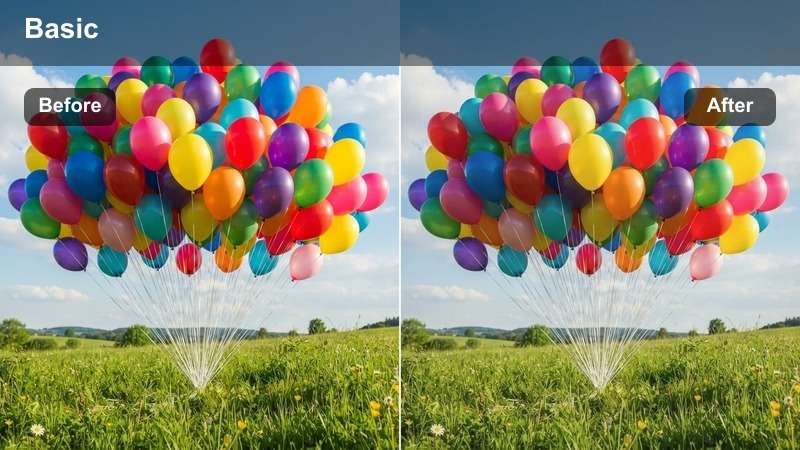
- Effect look: Soft contrast with lifted blacks, slightly desaturated colors, and gently glowing street lamps.
- Best for: Old town streets, cobblestone paths, and historic buildings around Christmas markets.
- Editing tip: Lower saturation in yellows to prevent vintage buildings from looking too strong under warm lamps.
Cobblestone Snowglobe gives your old town streets and historic squares a timeless, slightly faded charm. In Filmora, it is perfect for evening strolls past churches, town halls, and stone alleys where you want the footage to feel like a memory instead of a hyper modern city shot.
Apply the LUT to entire walking tour sequences to keep the look cohesive, and then gently reduce yellow and orange saturation if brick or stone feels too strong under street lamps. Combine it with slow pans and tilts toward towers or rooftops, and consider a mild film grain effect in Filmora to enhance the storybook, vintage atmosphere.
Snowy Walks, Rides, and Winter Streets
Silver Snow Path
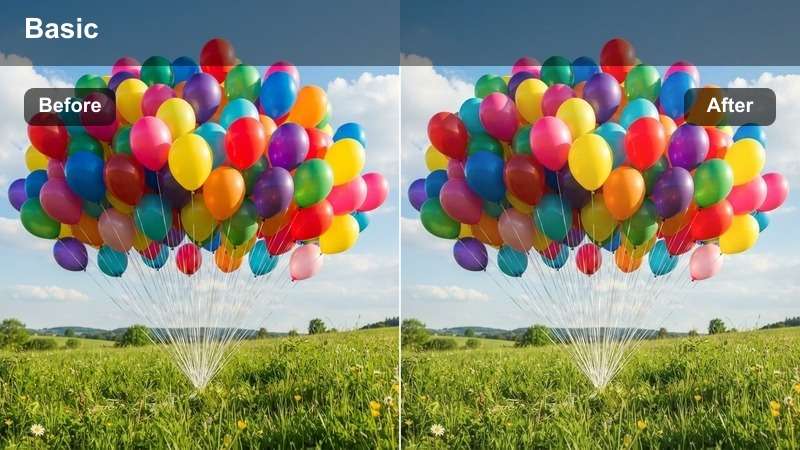
- Effect look: Bright, clean whites with muted colors and a subtle silver tint for snowy scenes.
- Best for: Snow-covered streets leading to markets, winter walks, and daytime establishing shots.
- Editing tip: Lower highlights a bit if snow is clipping to keep texture in walkways and rooftops.
Silver Snow Path is tailored for daytime winter walks where snow dominates the frame. In Filmora, using this LUT keeps whites clean and bright while slightly muting other colors, so your market signs, trees, and buildings do not compete too strongly with the snow.
Apply it to opening and transition shots that show your journey toward the market, then pull down highlights and whites until you see texture in the snow again. If the scene feels too cold or blue, make minor warmth adjustments with Filmora color tools, but keep the overall silver tone to preserve that crisp, cinematic winter look.
Carriage Lights Trail
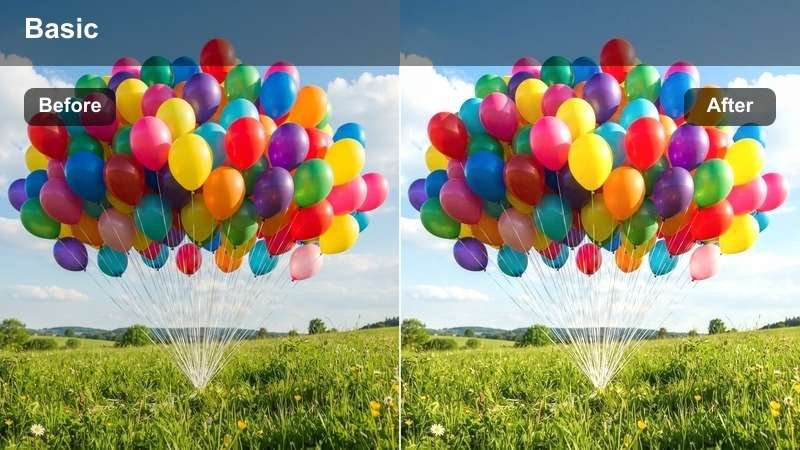
- Effect look: Warm highlights, gentle motion blur emphasis, and subtle glow on moving lights.
- Best for: Carriage rides, tram rides, or handheld walk-throughs past lit decorations at night.
- Editing tip: Slow your shutter slightly while filming to create natural light trails that this filter can enhance.
Carriage Lights Trail enhances motion and romance in night scenes where your camera and lights are both moving. In Filmora, this LUT pairs beautifully with clips from trams, carriages, or buses passing by decorated streets, turning ordinary movement into soft, glowing streaks.
Use it across a short travel sequence, stacking angles from inside the carriage, street-level views, and cutaways of hooves or wheels. If your footage already has slight blur from lower shutter speeds, keep sharpening mild in Filmora and instead use this LUT plus gentle glow or bloom effects to emphasize light trails and create a dreamy feeling of motion.
Winter Alley Wander
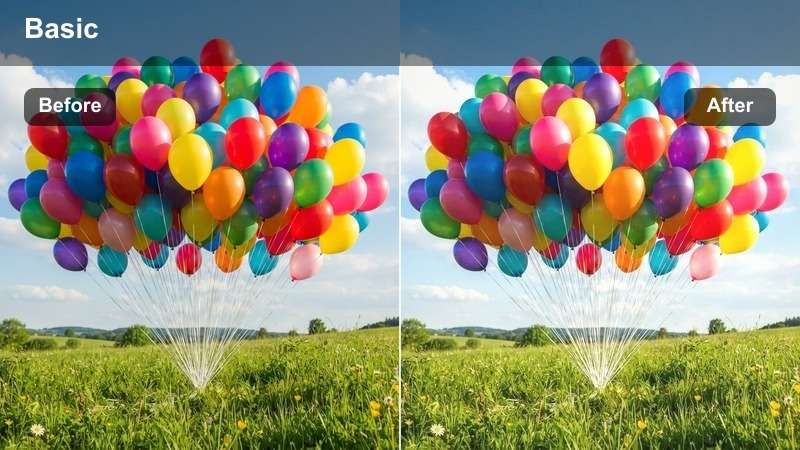
- Effect look: Softened contrast with cool midtones, amber highlights, and gentle fade in distant details.
- Best for: Narrow alleys, side streets, and quieter areas leading away from busy markets.
- Editing tip: Use slower cuts and less handheld shake to maintain the calm, wandering mood.
Winter Alley Wander is designed for quieter, reflective moments in side streets and back alleys away from the crowds. In Filmora, it gently cools the midtones while keeping lamps and windows warm, creating a balanced, contemplative atmosphere that works well for walking B roll or transitional shots.
Apply this LUT to sequences you plan to use under voiceover or reflective narration, and keep your edits slower with longer clip durations. If you shot handheld, stabilize just enough in Filmora to avoid distraction, and consider adding a touch of fade or lower contrast to reinforce the calm, drifting feeling of wandering after the market closes.
People, Reactions, and Holiday Vlog Moments
Travelers Reunion Glow
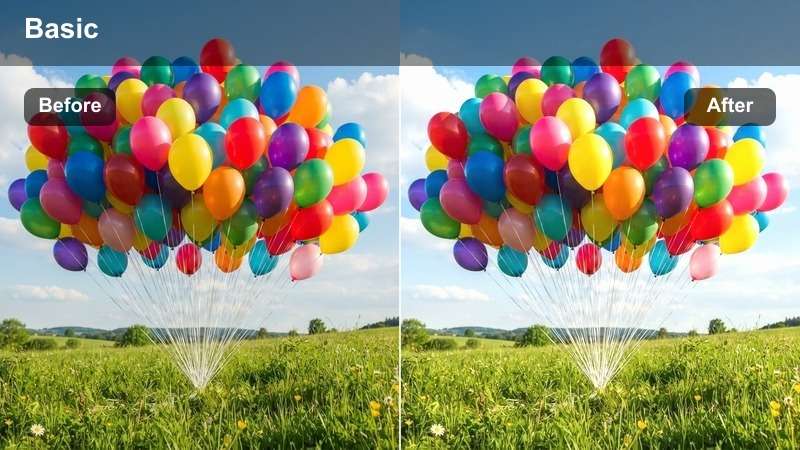
- Effect look: Soft skin tones, warm highlights, and gentle contrast tuned for faces in mixed lighting.
- Best for: Group shots, reunions, and vlog-style talking clips in front of Christmas markets.
- Editing tip: Slightly reduce saturation in oranges to keep skin natural, especially under strong stall lights.
Travelers Reunion Glow focuses on flattering skin tones while preserving the sparkle of lights behind you. In Filmora, this LUT is ideal for intros, outros, and mid vlog updates where you and your friends are talking to the camera with stalls or a Christmas tree in the background.
Use it consistently on all your talking head clips to keep your vlog visually unified, then fine tune orange and red saturation so cheeks and foreheads do not become overly warm under market bulbs. Combine the LUT with subtle background blur effects or a mild vignette in Filmora to separate faces from the busy festive scene behind you.
Passport Postcard Pop
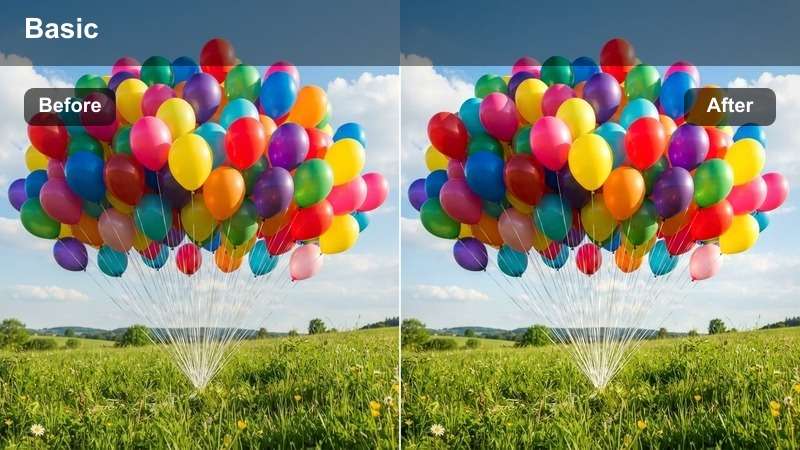
- Effect look: Bright, saturated primary colors with crisp contrast and a subtle vignette.
- Best for: Thumbnail shots, posed travel photos, and highlight moments in your holiday travel vlog.
- Editing tip: Use this filter sparingly on key clips to make them stand out in your timeline.
Passport Postcard Pop is made to turn a few standout frames into eye catching thumbnails and highlight moments. In Filmora, apply this LUT to your best posed shots in front of the main Christmas tree, central square, or iconic building so they immediately draw attention on YouTube, Instagram, or TikTok.
Because the look is punchy and saturated, reserve it for a small number of clips like chapter openers, montage peaks, or end cards. After applying the LUT, adjust exposure and contrast so faces remain clear and not overly shadowed, and leave plenty of space in the frame for any text overlays or graphics you plan to add in Filmora.
Holiday Travel Journal Soft
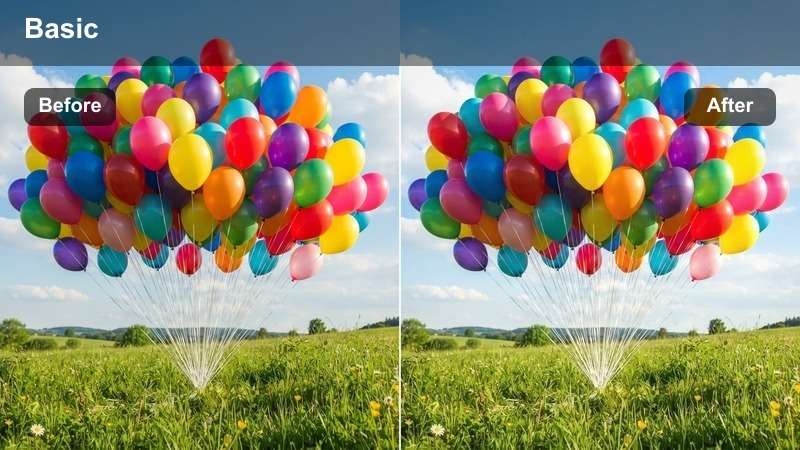
- Effect look: Muted saturation, gentle grain, and slightly warm midtones for a diary-style feel.
- Best for: Reflective monologues, travel recaps, and quiet end-of-day vlog segments.
- Editing tip: Add soft background music and slightly lower your overall audio volume for a calmer mood.
Holiday Travel Journal Soft is your go to look for reflective, intimate recap scenes at the end of a market day. In Filmora, it reduces saturation and adds warmth to midtones, which makes hotel room or apartment clips feel cozy and personal, like pages from a travel diary.
Use this LUT on closing segments or voiceover pieces where you talk through what you loved about each market. To reinforce the mood, add a touch of Filmora film grain and keep background music soft and steady, then reuse the same framing and color style across multiple episodes so your audience instantly recognizes your end of day storytelling format.
Tips for Using Christmas Market Luts Filters in Filmora
- Film key Christmas market shots during blue hour so your festive LUTs can capture both sky color and glowing stall lights.
- Lock white balance in camera before shooting, which makes it easier to apply the same Christmas market filter consistently across multiple clips in Filmora.
- Capture a mix of wide establishing shots, medium shots, and close ups so each LUT has the right type of footage to enhance.
- Group similar scenes, such as stall walk throughs or city squares, on the timeline and apply the same LUT to each for a cohesive visual style.
- Use Filmora adjustment layers to apply one Christmas market LUT across many clips, then fine tune exposure and color per shot underneath.
- Export a short test sequence using two or three different Free Christmas Market LUTs to decide on your main look before editing the full vlog.
- Combine LUTs with Filmora effects like vignettes, glow, and grain to create a distinctive holiday look that matches your channel branding.
- Save your favorite LUT and filter combinations as custom presets in Filmora so you can reuse them on every future winter trip.
With Free Christmas Market LUTs and festive video filters, your winter travel footage can capture the same warmth, light, and magic you felt while walking through the stalls.
Load these looks into Filmora, experiment with a few favorites, and build a holiday travel style that you can bring back every December and to every new Christmas market you visit.
secure downloadNext: Free Halloween Video Filters for Spooky and Colorful Footage
