

 100% Security Verified | No Subscription Required | No Malware

These Free Desert Cinematic LUTs are designed for filmmakers and adventure creators who want their desert trips, road trips, and outdoor films to glow with warm cinematic energy and sandy, sun-kissed tones.
Use these desert video filters inside Filmora to instantly add warm cinematic LUTs, smooth contrast, and rich desert color grading to any shot, from sweeping dunes to rugged highways and rocky canyons.
In this article
Golden Dune Sunsets and Sand-Soaked Horizons
Golden Dune Glow
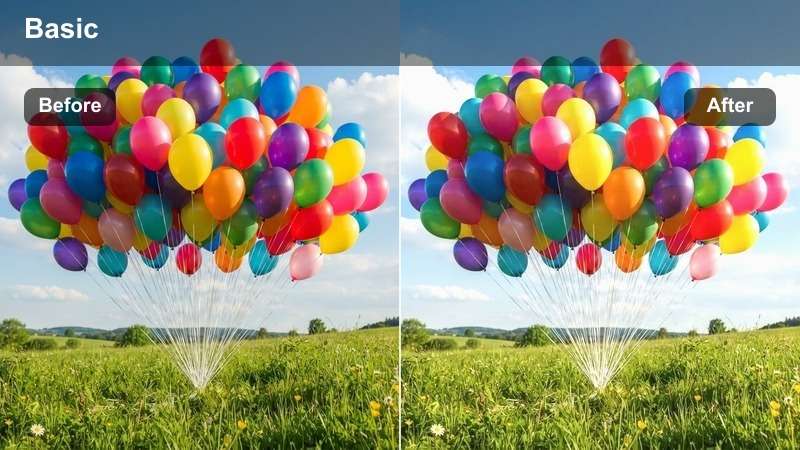
- Effect look: Soft golden wash that warms sand and skin tones while gently lifting highlights for a dreamy sunset feel.
- Best for: Handheld travel vlogs and wide desert shots filmed during golden hour or late afternoon.
- Editing tip: Lower overall saturation slightly after applying the filter to keep skies from looking too intense and preserve detail in the dunes.
Golden Dune Glow wraps your desert footage in a smooth, amber warmth that flatters both landscapes and skin. In Filmora, this LUT helps you turn flat, neutral footage into glowing sunset scenes where dunes look creamy and the horizon feels soft rather than harsh. It is ideal when your camera captured a nice sky but the sand looks dull or slightly gray.
Apply this LUT to your clips, then fine-tune saturation and exposure in Filmora to keep skies believable while still enjoying that cinematic glow. For vlogs, combine the filter with a gentle vignette and a touch of sharpening on your subject so faces stay clean while the background melts into a warm, dreamy desert backdrop.
Match Desert Footage With Filmora's AI Color Tools
Filmora's AI-powered color tools make it easy to spread your favorite desert look across an entire timeline without manual tweaking on every clip. Once you dial in a warm, cinematic style with one of these Free Desert Cinematic LUTs, AI color matching can keep sand, sky, and skin tones aligned from shot to shot.
Pick a well-exposed hero shot, apply your chosen LUT, and then use the AI color palette to harmonize the rest of your desert b-roll, road trip angles, and close-ups in just a few clicks. This keeps your adventure video looking consistent even if it was filmed on different days or cameras.
 secure download

See Desert Filters in Action on Real Adventure Clips
Before you lock in a final look, test how different desert LUTs shape the mood of your story. Load a short sequence of dunes, highways, and canyon hikes into Filmora and cycle through styles like Golden Dune Glow and Canyon Copper Grade to feel the shift in warmth, contrast, and sense of heat.
Comparing filters side by side on the same clips reveals which LUTs suit vlogs, cinematic edits, or branded adventure content best. This quick test project helps you choose a cohesive look before you color grade the full film.
secure downloadExplore 1000+ Video Filters and 3D LUTs in Filmora
Beyond these Free Desert Cinematic LUTs, Filmora includes a large library of filters, 3D LUTs, and HSL tools so you can refine every frame. You can blend desert LUTs with additional looks, adjust hues precisely, and save combinations as presets for future projects.
Use the built-in filters to add subtle texture, stylized color shifts, or a specific film-stock vibe on top of your desert grade. With a few clicks, your timeline can move from documentary clean to fully cinematic while staying consistent across scenes.
secure downloadSunset Ridge Contrast
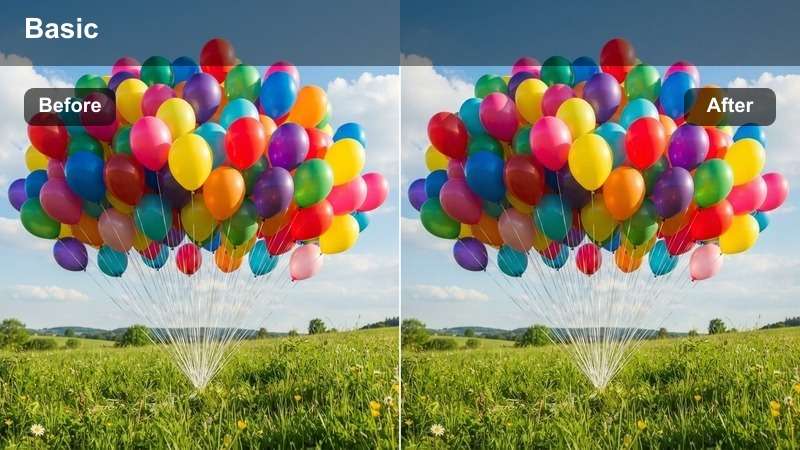
- Effect look: Punchy contrast with deep shadows and rich amber highlights that sculpt the shapes of dunes and ridges.
- Best for: Drone shots over rolling dunes, climbing sequences, and dramatic time-lapses of the sun dipping behind desert ridges.
- Editing tip: Dial back the blacks slider if you lose detail in shaded dunes, and add a slight fade to keep the look cinematic rather than harsh.
Sunset Ridge Contrast is made to carve bold lines into your landscapes, emphasizing every ridge, dune, and cliff. In Filmora, it is particularly striking on drone footage and wide establishing shots, where stronger shadows and amber highlights give a sense of depth and scale that standard color profiles often miss.
After applying this LUT, refine your blacks and curves so texture remains visible in darker areas of the sand. Add slow, smooth motion or gentle speed ramps to your aerial clips, and combine the grade with a subtle fade in the shadows so the look feels cinematic and controlled instead of overly crushed.
Amber Horizon Soft
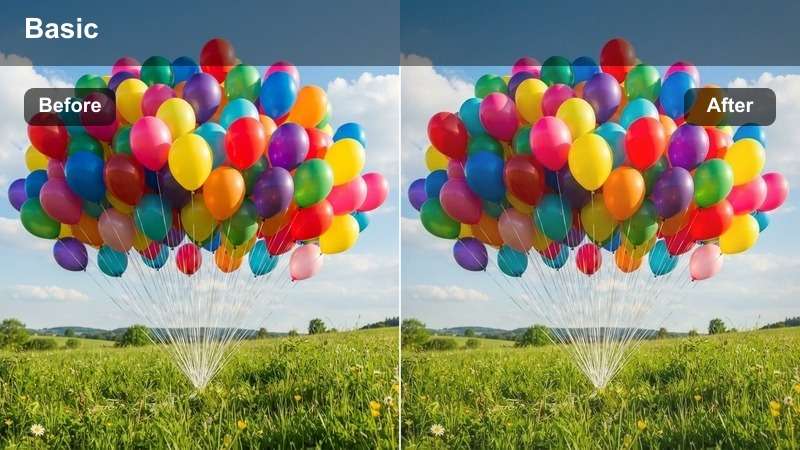
- Effect look: Gently matte finish with soft amber tones and reduced contrast for a hazy, storybook desert evening look.
- Best for: Narrative scenes, walking shots across dunes, and intimate moments filmed during the last light of day.
- Editing tip: Lower clarity and add a tiny bit of film grain to enhance the nostalgic vibe and smooth out midtones.
Amber Horizon Soft transforms your dusk footage into a tender, nostalgic sequence with pale amber highlights and gently lifted shadows. In Filmora, this LUT is well suited for character-driven moments such as conversations, reflective walks, or slow-motion shots where you want emotion more than sharp contrast.
After adding the LUT, slightly reduce clarity and layer in a fine film grain effect to complete the storybook aesthetic. Use long dissolves and slower cuts in Filmora so the soft color palette has time to breathe, making your desert evenings feel timeless and cinematic.
Road Trip Highways Through the Desert
Endless Highway Heat
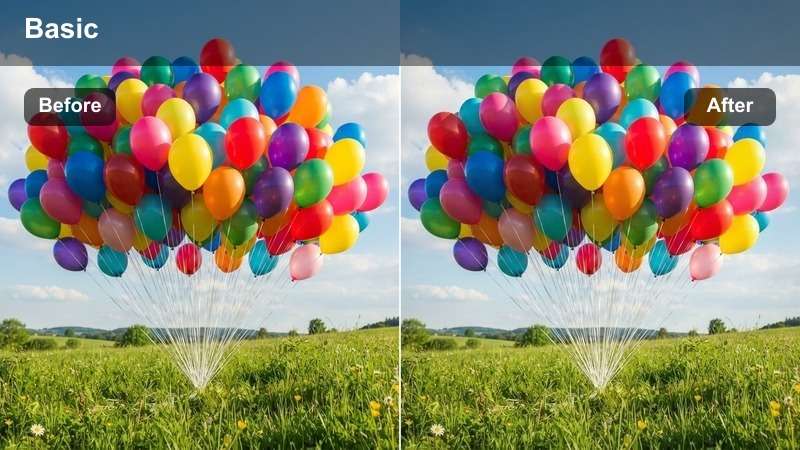
- Effect look: Warm, slightly desaturated road tones with glowing horizons and a subtle heat-haze feel.
- Best for: Car-mounted shots, highway drive-bys, and road trip montages across open desert stretches.
- Editing tip: Increase motion blur or use Filmora's speed ramping to amplify the sense of speed while keeping the warm tones consistent frame to frame.
Endless Highway Heat gives your driving footage that classic road-movie feel, with warm asphalt, glowing distance, and a touch of desaturation for style. In Filmora, this LUT helps unify dashboard angles, roadside passes, and wide highway shots so they feel like one coherent journey instead of mismatched clips.
Apply the LUT across all your driving shots, then fine-tune exposure to keep the sky and road visible even at high speeds. Use Filmora's speed ramping and motion blur tools to accentuate acceleration and long stretches of road while the warm color grade ties every cut together in a smooth, cinematic montage.
Dusty Road Vintage
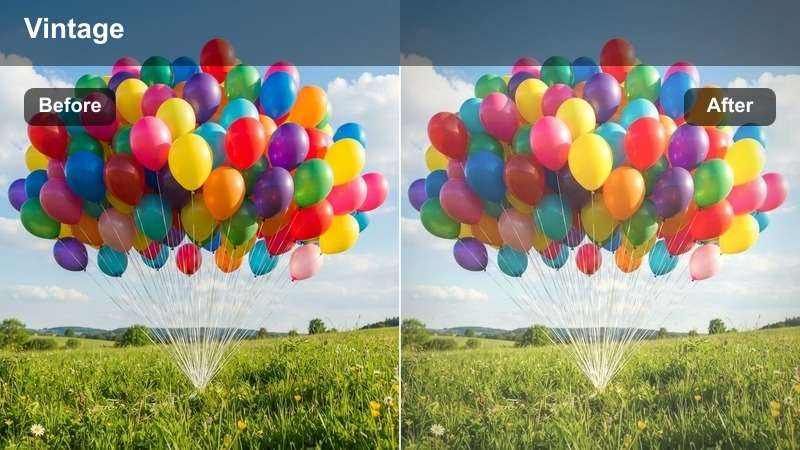
- Effect look: Faded colors with warm browns and muted blues that create a retro road movie atmosphere.
- Best for: Old jeeps, motorcycles, and throwback adventure edits that need a nostalgic film-road-trip style.
- Editing tip: Add a small vignette and subtle film grain to reinforce the vintage feeling and keep the viewer focused on the vehicle.
Dusty Road Vintage dials your desert trip back a few decades with faded hues, warm browns, and quiet blues that feel like old film stock. In Filmora, it works perfectly on jeeps, vans, or motorcycles kicking up dust, especially when you want to emphasize memory and nostalgia rather than pure realism.
Once you apply the LUT, introduce a gentle vignette around the frame and sprinkle in film grain or a gate weave effect to sell the retro illusion. Cut between close-ups of maps, mirrors, and hands on the wheel, letting the mellow color palette and subtle texture give your desert road story a timeless charm.
Sun-Baked Asphalt
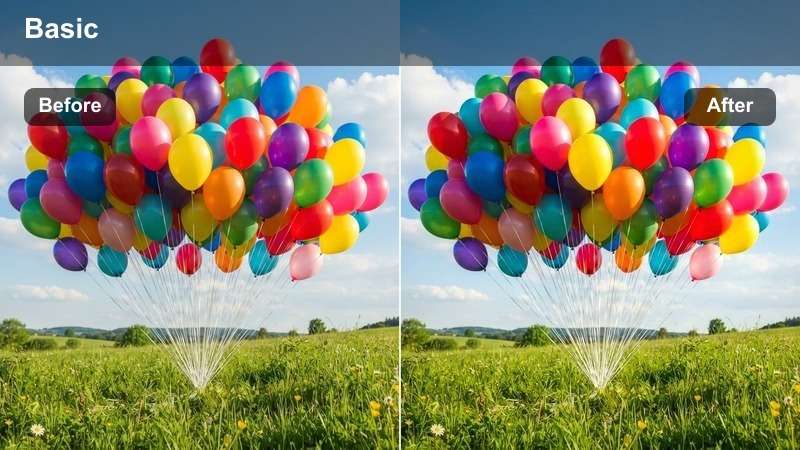
- Effect look: Crisp contrast on the road surface with golden midtones and cool, slightly cyan shadows in the distance.
- Best for: Low-angle shots of tires, tracking shots along lane lines, and dynamic b-roll for car commercials or travel intros.
- Editing tip: Use selective color tools to keep yellows and whites on road markings clean and bright while maintaining warm desert surroundings.
Sun-Baked Asphalt emphasizes the grit and texture of the road itself, bringing out fine details in asphalt, lane lines, and spinning tires. In Filmora, this LUT is ideal for high-energy openings, car promos, or dynamic b-roll where the road becomes a character in the story.
After applying the LUT, adjust selective colors or HSL to keep road markings crisp and clear, even as the desert around them glows warm. Combine the grade with tight framing, rhythmic cuts, and sound effects in Filmora so each close-up of wheels, cracks, or dust hits with maximum impact.
Rocky Canyons and Harsh Desert Trails
Canyon Copper Grade
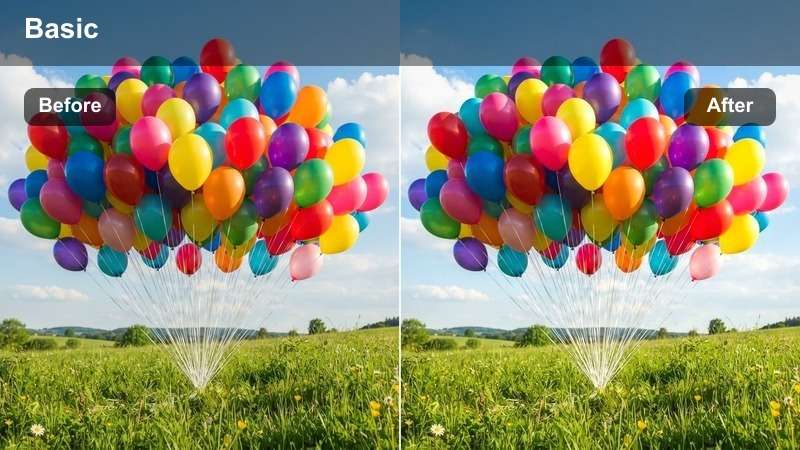
- Effect look: Rich copper and rust tones that deepen rock faces, with slightly lifted shadows to keep details in crevices.
- Best for: Hiking sequences through slot canyons, cliff-side paths, and establishing shots of rugged desert rock formations.
- Editing tip: Boost midtone contrast to carve out rock textures while keeping highlights under control to avoid blown-out sky patches.
Canyon Copper Grade is tuned for rock, layering warm copper and rust hues across canyon walls while keeping shadow detail intact. In Filmora, it is especially effective on hiking sequences where every curve, crack, and ledge in the stone tells part of the adventure.
Apply the LUT, then refine midtone contrast and overall exposure to balance dramatic rock texture with a controlled sky. If the sky gets too warm, use Filmora masking or color tools to keep it neutral while allowing the copper treatment to focus on canyon walls, giving your trails a rugged, cinematic character.
Trailblazer Matte
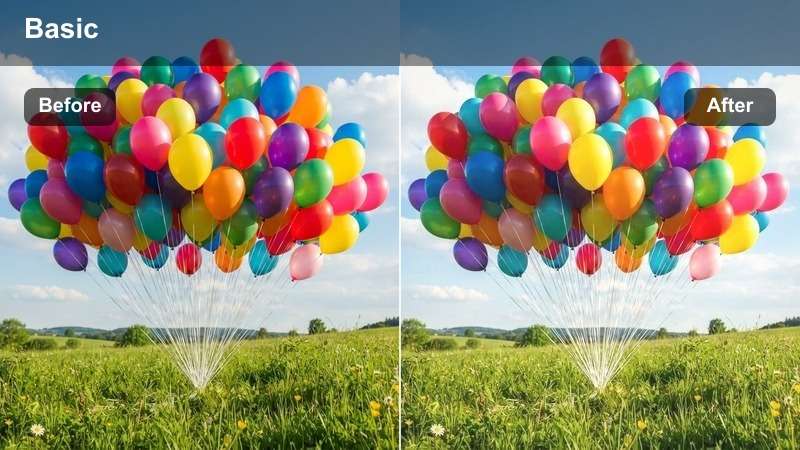
- Effect look: Matte, low-contrast desert tones with warm highlights and gentle shadow lift for a stylized adventure-film finish.
- Best for: POV hiking shots, gear close-ups, and character-driven moments on desert trails or rocky ridges.
- Editing tip: Add a slight warm tint to the highlights only, leaving shadows more neutral so faces stay clean and readable.
Trailblazer Matte gives your footage a polished, cinematic finish by lowering contrast and softening shadows, perfect for storytelling moments on the trail. In Filmora, it flattens harsh edges just enough to make boots, backpacks, and faces feel stylized but still grounded in reality.
After applying the LUT, keep shadows relatively neutral and gently warm up just the highlights so skin tones and sunlit rocks look inviting. Use this grade across wide shots, POV clips, and close-ups, then keep transitions simple so the matte look and ambient desert audio carry your audience through the journey.
Desert Ridge Drama
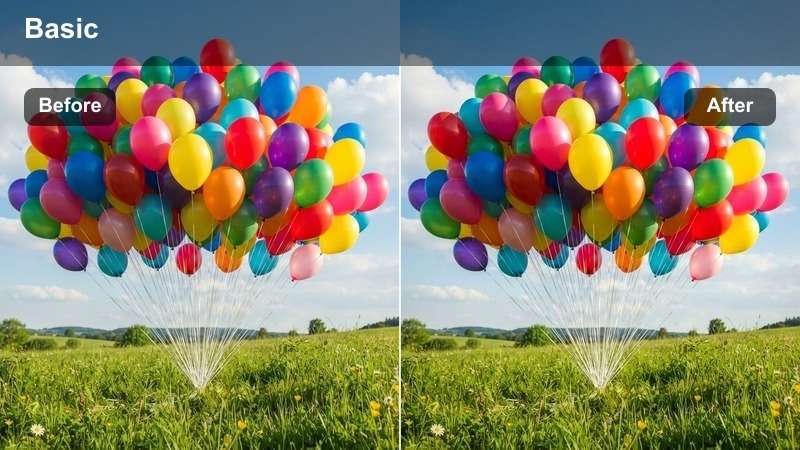
- Effect look: High-contrast, moody desert tones with slightly cooler shadows and warm highlights that emphasize scale and depth.
- Best for: Epic ridge-line walks, drone or crane shots around cliffs, and dramatic reveals of vast desert landscapes.
- Editing tip: Use gentle camera movement and avoid over-sharpening; the contrast will already make rocks and ridges feel very defined.
Desert Ridge Drama is built for big, awe-inspiring frames, boosting contrast and shaping cooler shadows against warm highlights. In Filmora, it makes ridge lines, cliffs, and distant valleys feel larger than life, accentuating the scale difference between your subject and the landscape.
Once the LUT is in place, go light on additional sharpening, since the strong contrast already defines rock edges and contours. Use slow pans, tilts, or rising camera moves, then pair the grade with atmospheric music so each reveal of cliffs and valleys lands with cinematic power.
Harsh Noon Sun, Heat, and Desert Haze
Midday Heat Tamer
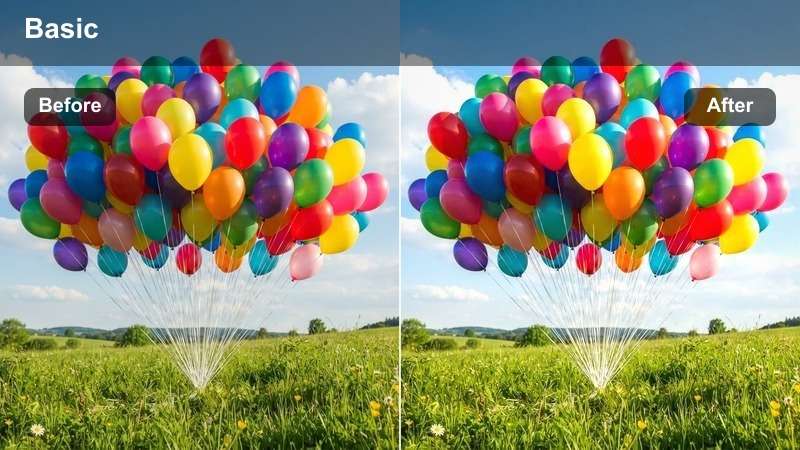
- Effect look: Softens harsh midday contrast, pulls highlights down, and adds a warm but controlled glow to the scene.
- Best for: Desert trips filmed under bright overhead sun where shadows are hard and faces are washed out.
- Editing tip: Lower highlights and whites first, then reintroduce a touch of contrast so the scene looks cinematic rather than flat.
Midday Heat Tamer is a rescue tool for footage shot under unforgiving noon light, where glare, blown highlights, and stark shadows are common. In Filmora, this LUT brings highlights under control and softens contrast while still maintaining a warm, cinematic feeling across sand and skin.
Apply the LUT, then use the highlights, whites, and curves controls to recover as much detail as possible from bright areas. Once the image looks balanced, slowly add back a bit of contrast so it does not feel flat, and intercut with shaded close-ups or gear details to give your desert story visual variety.
Heatwave Haze Softener
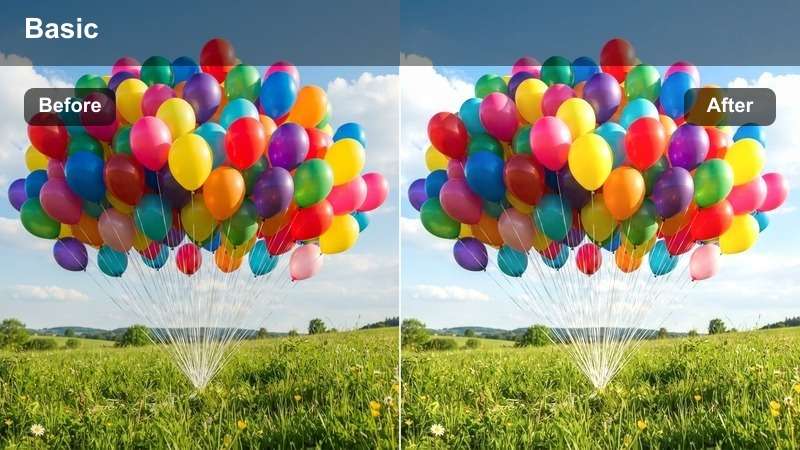
- Effect look: Soft glow on bright areas with lifted blacks and a subtle warm veil that suggests shimmering air and extreme heat.
- Best for: Long lens shots, distant subjects, and b-roll of dunes or rocks where heat shimmer is already visible.
- Editing tip: Pull down clarity slightly and use slow motion where possible so the hazy movement feels fluid and immersive.
Heatwave Haze Softener enhances the feeling of extreme heat by adding a gentle warm veil, softened contrast, and lifted blacks. In Filmora, it turns long-lens shots of dunes or distant figures into immersive, shimmering visuals that let viewers feel the dryness and fatigue of the desert.
After applying the LUT, reduce clarity and experiment with slow-motion playback so small movements in the air and sand feel dreamy rather than jittery. Layer subtle wind or distant vehicle sounds in your timeline, and use this grade in sequences where your characters are searching, tired, or pushing through tough conditions.
Sunflare Wanderer
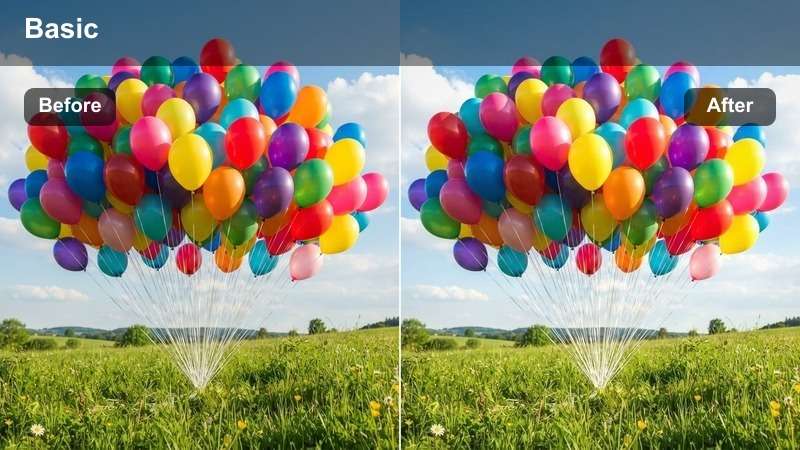
- Effect look: Warm, slightly orange-tinted highlights with gentle lens-flare-friendly contrast that emphasizes sunbursts in frame.
- Best for: Backlit walking shots, silhouettes on dunes, and handheld road-trip clips where the sun peeks into the frame.
- Editing tip: Expose for the highlights to keep flares from clipping and then lift shadows slightly so subjects remain visible.
Sunflare Wanderer is crafted for backlit shots where the sun is in or near the frame, giving your highlights a warm orange tint and supporting stylish flares. In Filmora, it works beautifully on silhouettes, cresting dunes, and handheld travel shots where light leaks into the lens and adds emotion.
When you apply this LUT, expose primarily for the sky and flare to avoid blown-out hotspots, then gently lift shadows so your subject is not lost. Mix tight and wide shots with controlled flares, and cut them to the beat of your soundtrack so each burst of light feels deliberate and cinematic.
Tips for Using Desert Cinematic Luts Filters in Filmora
- Shoot desert scenes slightly underexposed so your Free Desert Cinematic LUTs have room to recover highlights and preserve sky detail.
- Keep white balance a bit warm in-camera to avoid color shifts when stacking desert video filters on top.
- Use a variable ND filter during desert trips so you can maintain cinematic shutter speeds without blowing out highlights.
- Group similar shots on your Filmora timeline and apply the same desert color grading preset to keep each sequence visually consistent.
- Always check skin tones after applying warm cinematic LUTs and adjust orange or red saturation if faces start to look too intense.
- Add subtle film grain and a light vignette to give flat midday desert footage more texture and focus.
- Mix wide landscape shots with detailed close-ups so your desert color grade has both sweeping vistas and tactile textures to enhance.
- Use keyframes on exposure and temperature in Filmora to smoothly transition color as the sun sets or rises in long desert clips.
With these Free Desert Cinematic LUTs and filters, you can turn raw desert trips, road trips, and outdoor films into warm, story-driven adventures that feel ready for the big screen.
Load them into Filmora, test a few looks on your favorite dune or highway shots, and save your best combinations as presets so every future desert project starts with a powerful cinematic grade already in place.
secure download