

 100% Security Verified | No Subscription Required | No Malware


 ChatGPT
 Perplexity
 Gemini
 Claude
 Grok
Grok
This free Instagram LUTs pack is built for creators and editors who want fast, consistent, and aesthetic looks across reels, stories, shorts, and YouTube videos without spending hours color grading.
Browse the curated filters below, each tuned for specific scenes and moods, and see how they can transform everyday footage into scroll-stopping Instagram-ready content inside Filmora.
In this article
Warm Golden Hour and Sunset Scenes
Sunlit Cream Glow
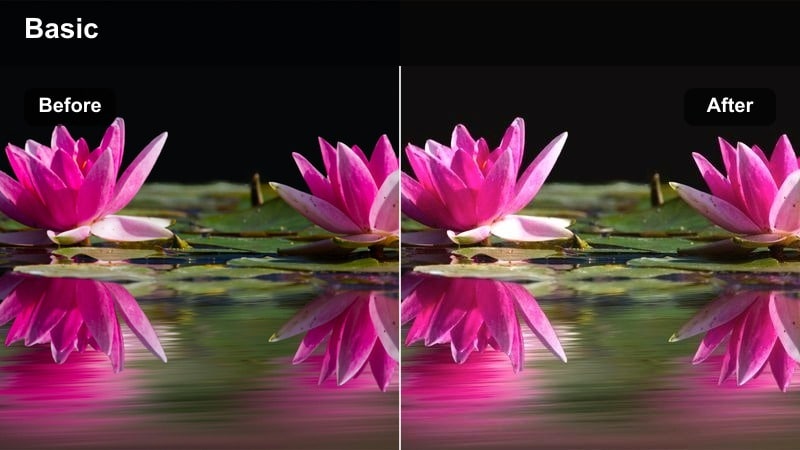
- Effect look: Soft, bright, creamy highlights with warm skin tones and gentle contrast.
- Best for: Golden hour selfies, lifestyle vlogs, outfit-of-the-day clips, and park walks.
- Editing tip: Slightly lower exposure and add a bit of vignette in Filmora to keep attention on faces.
Sunlit Cream Glow wraps your footage in a flattering, warm wash that makes skin tones look creamy and luminous without feeling over-edited. It brightens backlit scenes, softens harsh shadows, and gives outdoor content that golden hour aesthetic even when the light is not perfect.
Inside Filmora, apply this LUT to your clips, then fine-tune exposure and highlights so faces stay detailed instead of blown out. Add a subtle vignette and a touch of skin smoothing at low strength to keep natural texture while still giving selfies, lifestyle reels, and OOTD videos a polished, Instagram-ready finish.
Use Filmora's AI to Match Your Instagram Aesthetic
After you apply any filter from this free Instagram LUTs pack, Filmora's AI color tools can quickly spread that exact look across different clips, cameras, and shooting days. You save time while keeping every reel, story, and short locked into the same aesthetic.
With Color Match and AI-driven adjustments, you can copy a favorite grade from one hero clip to an entire sequence, so your Instagram and YouTube content feel like one cohesive brand instead of a mix of random styles.
 secure download

Preview Every Filter Before You Commit
Filmora lets you preview these Instagram-style LUTs directly on your timeline clips, so you can compare several golden hour or lifestyle looks side by side. You immediately see which filter fits your lighting, outfit, and scene without exporting multiple versions.
By scrubbing through your edit with different LUTs applied, you can test how each filter responds to changes in exposure, motion, and background, ensuring that your final reel or story keeps the same vibe from first frame to last.
secure downloadCombine Filmora Filters and LUTs for Stronger Looks
This free Instagram LUTs pack is designed to work alongside Filmora's built-in filters, effects, and overlays, so you can stack subtle adjustments while keeping your workflow fast. Start with a LUT for your base grade, then refine the mood with extra contrast, light leaks, or glow.
When you land on a combination that feels like your signature style, save it as a preset in Filmora. Over time, you build a personal library of Instagram-ready looks you can apply in one click across future reels, stories, and vlogs.
secure downloadSunset Amber Pop
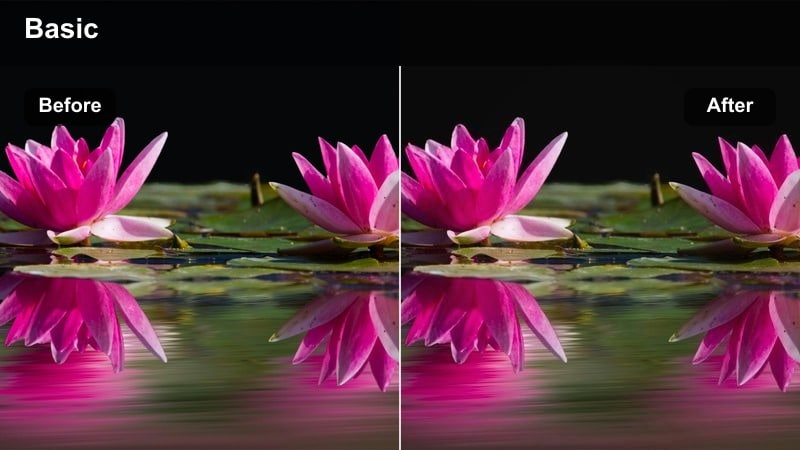
- Effect look: Punchy sunset filter with deep oranges, rich shadows, and boosted saturation.
- Best for: City rooftop shots, beach sunsets, skylines, and travel B-roll.
- Editing tip: Reduce saturation on reds if skin looks too intense, and add a touch of clarity for extra texture.
Sunset Amber Pop is built to make your sunsets impossible to scroll past, with vivid orange skies, strong silhouettes, and deep, dramatic shadows. It squeezes extra color out of hazy horizons and turns even simple rooftop shots into bold statement posts.
In Filmora, drop this LUT onto your sunset clips, then use the HSL controls to gently pull back orange and red saturation so the sky stays powerful without oversaturating faces. Add clarity and a bit of local contrast so skyline edges and water reflections stay crisp on small Instagram screens.
Hazy Pastel Dusk
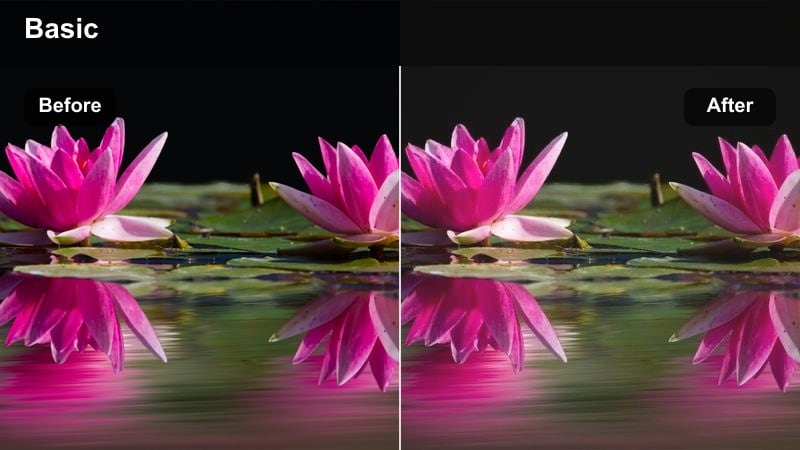
- Effect look: Low-contrast pastel look with muted blues and pinks for dreamy dusk scenes.
- Best for: Soft travel montages, couple shots, story intros, and aesthetic B-roll.
- Editing tip: Slightly lower contrast and add a subtle blur or glow effect for extra dreamy reels.
Hazy Pastel Dusk leans into soft blues and pinks to create a dreamy, romantic dusk atmosphere. It lowers contrast and mutes heavy colors so car lights, windows, and sky gradients feel like gentle pastel strokes instead of harsh highlights.
Apply this LUT in Filmora to blue-hour city streets or intimate outdoor shots, then add a light glow or blur to reinforce the cinematic haze. To avoid flatness, bring back a touch of midtone contrast and subtle sharpening so building edges and faces remain defined when viewed in vertical reels and stories.
Moody Street and Urban Adventures
Neon City Noir
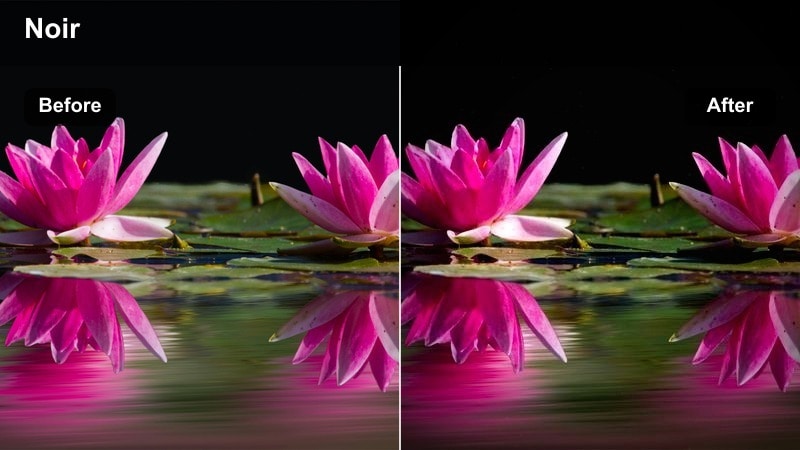
- Effect look: High-contrast urban filter with rich blacks, glowing neon colors, and cool highlights.
- Best for: Night street photography, cyberpunk reels, city walks, and bar or club scenes.
- Editing tip: Lift shadows slightly if details are lost in dark areas, and add subtle grain for a cinematic touch.
Neon City Noir is tuned for after-dark content, pushing blacks deep and rich while letting neon signs and reflections glow with saturated color. It adds a subtle cool shift to highlights so your city footage feels futuristic and cinematic, perfect for cyberpunk-inspired reels.
In Filmora, activate this LUT on rainy streets, club entrances, and night markets, then raise shadows just enough to reveal key details in clothing and architecture. Finish the look with a light film grain and vignette to pull focus toward faces and neon elements, ensuring your vertical stories keep viewers locked in.
Gritty Metro Film
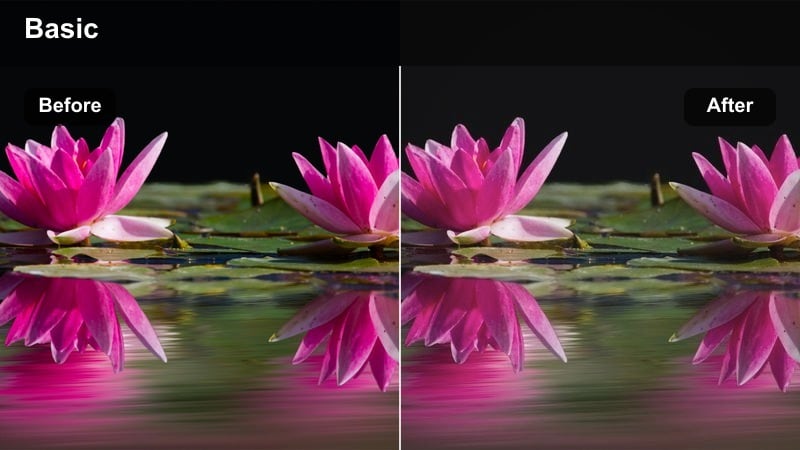
- Effect look: Desaturated urban film look with lifted blacks and subtle green undertones.
- Best for: Subway clips, alleyways, skate edits, and handheld city B-roll.
- Editing tip: Add film grain and a tiny bit of motion blur in Filmora to sell the analog street style.
Gritty Metro Film dials back saturation and raises black levels to give your metro and street clips a raw, analog-inspired vibe. The slight green undertone adds a documentary mood that fits handheld footage, skate sessions, and everyday commute moments.
Inside Filmora, drop this LUT onto your timeline, then layer in film grain and a gentle camera shake or motion blur effect. If the image feels too washed out, lower the black point until contrast returns while still preserving that soft, cinematic street aesthetic ideal for reels and TikTok-style edits.
Urban Teal Steel
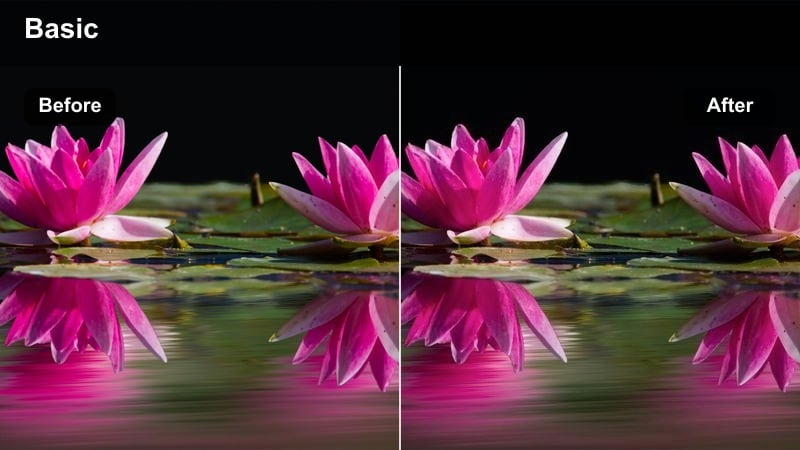
- Effect look: Cool teal cast on shadows with clean, bright highlights and slightly desaturated colors.
- Best for: Skyscraper shots, architecture reels, urban drone footage, and morning commutes.
- Editing tip: Boost micro-contrast and clarity to make buildings and lines stand out crisply.
Urban Teal Steel applies a modern teal tone to your shadows while keeping highlights clean and bright, giving cityscapes and architecture a sleek, editorial character. Colors are gently desaturated so glass, steel, and concrete textures feel refined rather than overly vibrant.
When editing in Filmora, apply this LUT to drone passes, timelapses, and walk-throughs of city centers. Use masks or the temperature slider to warm up skin tones slightly so people do not look too cold, and add clarity plus edge sharpening to keep building details razor sharp in vertical Instagram and YouTube Shorts exports.
Clean Minimal and Lifestyle Aesthetic
Soft Neutral Gram
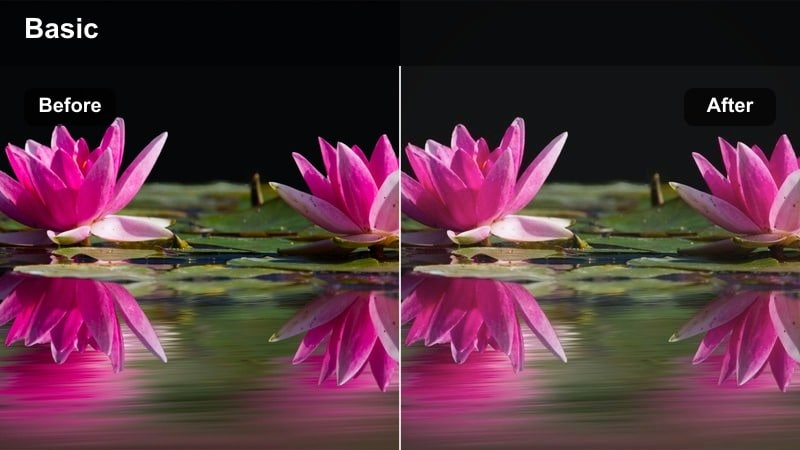
- Effect look: Light, airy neutral filter with slightly lifted whites and soft contrast.
- Best for: Desk setups, day-in-the-life vlogs, interiors, and productivity reels.
- Editing tip: Pull down highlights to avoid pure white clipping and keep detail in bright walls or notebooks.
Soft Neutral Gram brightens your interiors and lifestyle shots with a clean, airy mood that fits minimal feeds and productivity content. Whites are lifted and colors stay neutral, so workspaces, planners, and home decor feel calm, organized, and on-brand.
Use this LUT in Filmora on desk tours, study-with-me videos, and morning routines, then reduce highlights to preserve texture in white walls, screens, and paper. Apply the same LUT as a base across all clips in a reel and rely on Filmora's color match tool to keep your carousel or multi-clip posts perfectly consistent.
Cream Tan Lifestyle
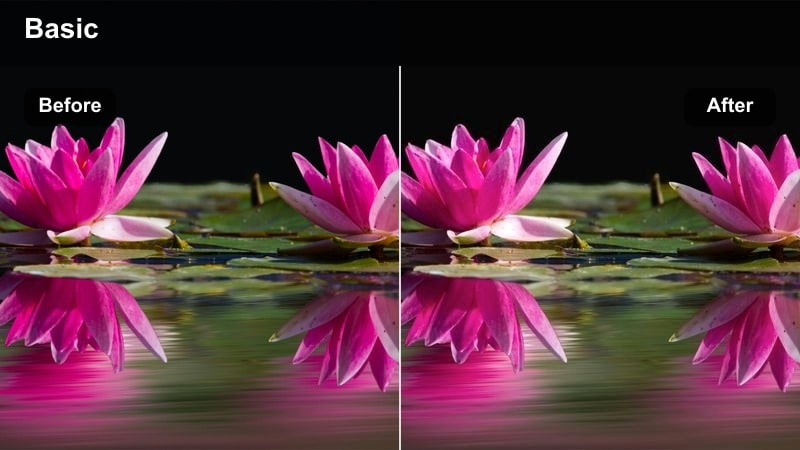
- Effect look: Warm cream tones with soft tan shadows and gentle contrast for cozy lifestyle scenes.
- Best for: Home vlogs, coffee runs, shopping hauls, and outfit details in urban settings.
- Editing tip: Subtly increase vibrance instead of saturation to keep neutrals clean but still eye-catching.
Cream Tan Lifestyle gives everyday scenes a cozy, aspirational look by adding warm cream highlights and soft tan shadows. It pairs especially well with beige outfits, coffee moments, and neutral city backdrops, turning routine clips into polished lifestyle content.
In Filmora, apply this LUT to your vlogs and then fine-tune warmth or yellow levels in HSL to prevent whites from tipping into overly yellow territory. Boost vibrance slightly to make skin tones and subtle colors pop while keeping backgrounds and outfits soft, helping your grid feel curated yet relaxed.
Matte Feed Consistent
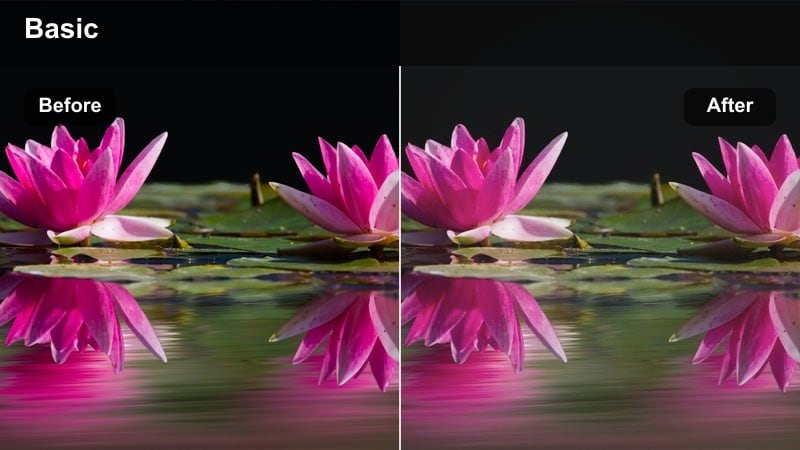
- Effect look: Low-contrast matte filter that softens blacks and smooths out harsh lighting.
- Best for: Mixed lifestyle clips, BTS content, and filler shots used to keep feeds visually cohesive.
- Editing tip: Adjust contrast per clip after applying so nothing looks too flat on smaller mobile screens.
Matte Feed Consistent is a versatile, low-contrast LUT designed to glue together footage from different cameras, days, and locations. It softens blacks and tames harsh highlights, giving your entire feed a calm, matte finish that looks cohesive without drawing attention to the grade itself.
Apply this LUT in Filmora to a wide range of B-roll, BTS snippets, and filler clips, then customize contrast and exposure for each shot so the final result does not appear muddy on phones. Save a tweaked version as your base preset to speed up future edits and keep your Instagram grid instantly recognizable.
Dynamic Reels, Travel, and Vlog Moments
Travel Punch Vivid
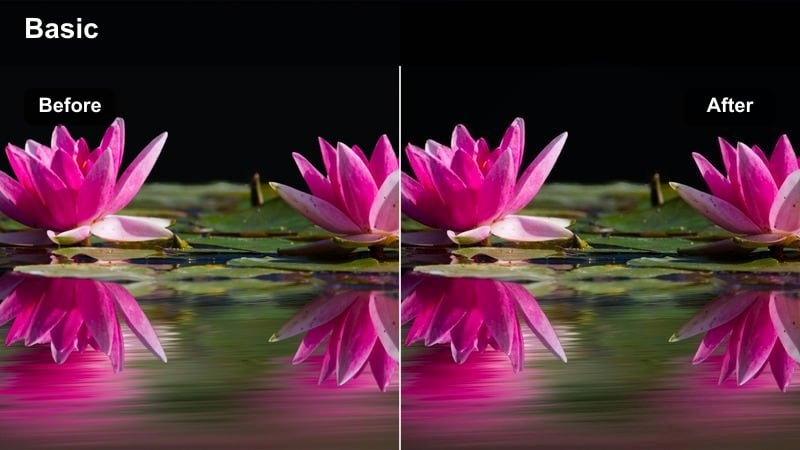
- Effect look: High-energy vivid filter with bold colors, clear skies, and crisp edges.
- Best for: City travel reels, iconic landmarks, street markets, and fast-cut vlogs.
- Editing tip: Use Filmora's speed ramping and this LUT together to make quick transitions feel extra impactful.
Travel Punch Vivid is crafted for high-energy travel edits, amplifying blues, greens, and warm tones so landmarks, markets, and skylines jump off the screen. It adds crisp contrast and clarity that hold up well in fast transitions and rapid-fire B-roll sequences.
In Filmora, pair this LUT with speed ramping, whip transitions, and rhythmic cuts to sync color and motion. If your feed already leans colorful, lower overall saturation a touch after applying the LUT so your grid remains vibrant but not overwhelming, reserving this look for your most dynamic highlight moments.
Cinematic Blog Vlog
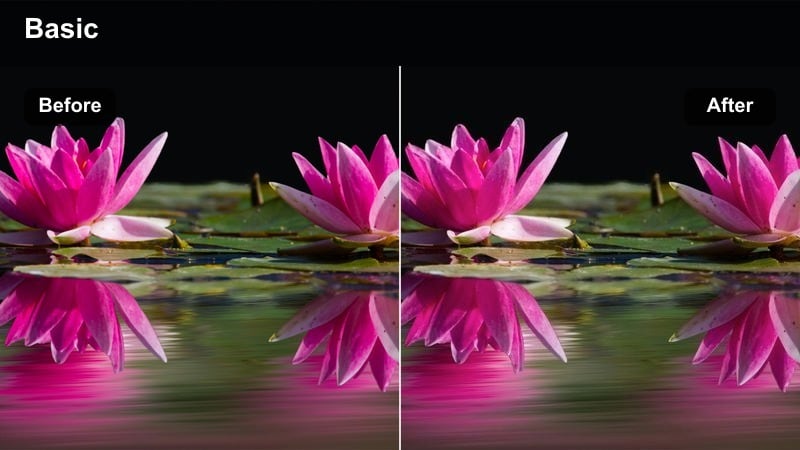
- Effect look: Soft cinematic contrast with gentle color separation and neutral shadows.
- Best for: Talking-to-camera vlogs, city walks, transitions, and sit-down content.
- Editing tip: Add a slight letterbox effect in Filmora and a bit of film grain to fully sell the cinematic vibe.
Cinematic Blog Vlog balances natural skin tones with a subtle filmic contrast curve, giving everyday talking-to-camera segments a professional finish. Neutral shadows and gentle color separation keep faces flattering while adding just enough style for cinematic intros, outros, and storytelling reels.
Apply this LUT to your A-roll in Filmora, then add a light letterbox and grain if you want a full movie-like aesthetic. Use Filmora's face detection tools to slightly brighten or soften facial features where needed, ensuring that expressions remain readable and engaging on phones without breaking the overall cinematic mood.
Urban Story Loop
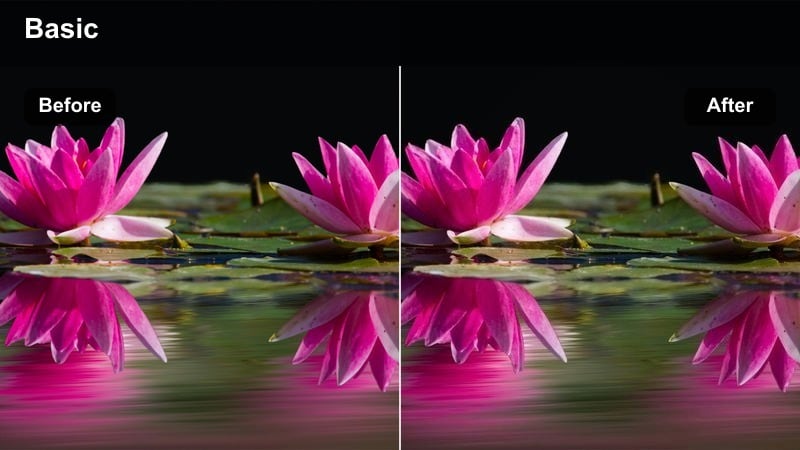
- Effect look: Balanced, versatile urban filter with gentle contrast and slightly cool highlights.
- Best for: Looping reels, transitions, quick story clips, and everyday commute footage.
- Editing tip: Use the same LUT for both reels and Instagram stories to keep your personal brand instantly recognizable.
Urban Story Loop is a flexible city-grade designed to work on almost any urban clip without heavy color shifts. The slightly cool highlights and gentle contrast keep streets, crosswalks, and building exteriors looking clean and modern while still feeling natural.
In Filmora, apply this LUT across multiple short clips you plan to loop or stack into transitions, then trim movement so each clip starts and ends in a similar frame for seamless loops. Add a slow, subtle zoom and minor stabilization to polish the final reel or story while maintaining a consistent, brandable urban tone.
Tips for Using Free Instagram Luts Pack Filters in Filmora
- Shoot with a slightly flatter picture profile and avoid heavy in-camera contrast so these Instagram LUTs have more flexibility when you grade in Filmora.
- Correct exposure and white balance first, then apply your chosen LUT, and only afterwards fine-tune saturation, contrast, and sharpening.
- Keep an eye on skin tones, especially when using strong teal or orange looks, and refine them with Filmora's HSL and masking controls.
- Export short test clips and preview them on your phone to see how colors and contrast feel in the Instagram app before batch-processing a full project.
- Pick one or two signature filters from this pack and use them on most posts to build a cohesive, recognizable Instagram grid.
- Use Filmora's Color Match tool to quickly spread a favorite LUT treatment across multiple clips, cameras, and different shooting days.
- Adjust vignette, grain, and clarity subtly after the LUT so details look clean but still cinematic on small vertical screens.
This free Instagram LUTs pack gives creators and editors a fast, reliable way to style reels, stories, and vlogs with cinematic looks that stay consistent across different shoots.
Download the pack, try each filter on real-world scenes, and then move on to our free YouTube LUTs download to align your Instagram and YouTube aesthetics.
secure download