

 100% Security Verified | No Subscription Required | No Malware


 ChatGPT
 Perplexity
 Gemini
 Claude
 Grok
Grok
These free YouTube LUT-style filters are designed for creators and editors who want fast, consistent color across their channels without spending hours grading every clip.
Explore 12 scene-based Filmora filter looks that echo popular YouTube LUT aesthetics so you can download, apply, and customize them for vlogs, tutorials, gaming videos, and more.
In this article
Bright Day Vlog Street Scenes
Sunny City Vlog
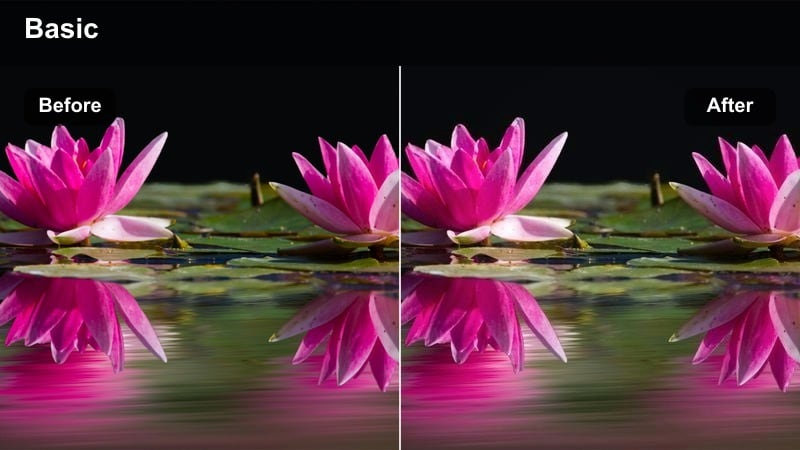
- Effect look: Clean, bright, and slightly warm vlog look that keeps skin tones natural while lifting overall exposure.
- Best for: Lifestyle vlogs, travel walk-and-talks, daily routine videos shot outdoors in daylight.
- Editing tip: Reduce contrast slightly if you filmed at midday to keep highlights from clipping on bright pavements and buildings.
Use Sunny City Vlog when you want that classic bright YouTube vlog feel without turning your footage chalky or overexposed. In Filmora, drop this look on your timeline clips to instantly raise midtones, soften shadows, and add a touch of warmth that flatters skin while keeping skies and buildings clean.
For the best results, nudge the contrast and exposure sliders after applying the filter to fine-tune for your location. If your footage was shot under hard noon sun, pull contrast down and highlights back slightly so you preserve detail in white shirts, sidewalks, and reflective windows while still keeping that airy city vibe.
Speed Up Your Grade With AI-Powered Color Tools
Filmora s AI-driven color tools help you reach the look of popular free YouTube LUTs without wrestling with complicated curves or node-based grading. You can quickly normalize your footage, then layer these vlog-style filters on top to lock in a consistent channel aesthetic.
Use AI color match to balance exposure and color temperature between different locations or cameras before you apply any style filter. This keeps your free YouTube LUT-style grades from reacting differently shot to shot, especially in mixed indoor and outdoor sequences.
 secure download

Try These Looks on Sample YouTube Clips
To see how these free YouTube LUT-style filters behave with your real content, import a few seconds from your vlog, tutorial, or gaming footage into Filmora. Apply different filters to duplicate clips, then compare how each one treats skin tones, backgrounds, and any on-screen text or overlays.
Use Filmora s split-screen or stacked tracks to preview several looks at once. This makes it easy to choose one or two signature styles you can reuse, instead of trying a completely different grade on every upload.
secure download1000+ Video Filters and 3D LUTs
Beyond these 12 curated looks, Filmora includes a large library of video filters and 3D LUTs that echo popular free YouTube LUTs download packs. You can stack stylistic filters with subtle color correction LUTs to craft a unique look while still working inside a simple, timeline-based workflow.
Browse the Filters and LUTs panels inside Filmora to mix cinematic grades, film styles, and creator-focused presets. Once you find combinations you love, save them as custom presets so you can apply the same style to every new YouTube project in one click.
secure downloadSoft Morning Commute
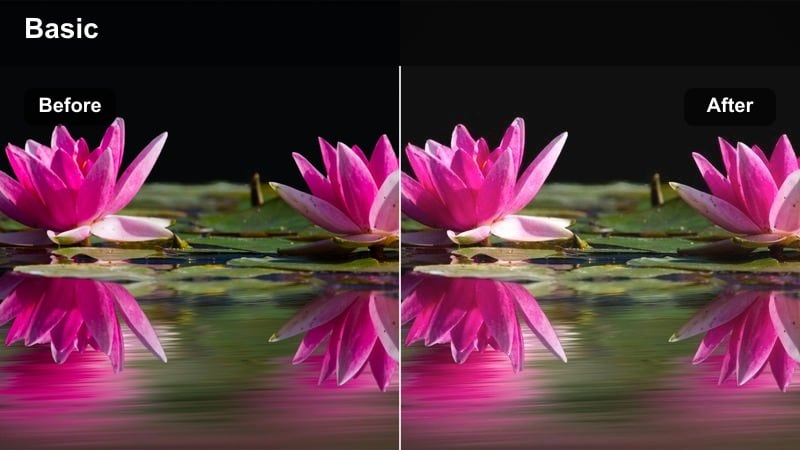
- Effect look: Gentle, low-contrast look with a cool-warm balance that feels calm and cinematic in early light.
- Best for: Morning vlogs, study-with-me intros, quiet B-roll of empty streets or subway entrances.
- Editing tip: Lower saturation on busy backgrounds so your face stays the focus in frame, especially near colorful billboards.
Soft Morning Commute works well when you want a relaxed, reflective mood that still looks polished for YouTube. In Filmora, drop this filter onto clips shot during blue hour or early morning to soften contrast, even out shadows, and keep both cool pavements and warm sun highlights in a natural balance.
After applying the filter, use Filmora s saturation and vibrance controls to gently tone down competing colors in the background. This helps your subject remain the visual anchor for intros, journaling segments, or quiet B-roll without losing the ambiance of the surrounding city.
City Market Day
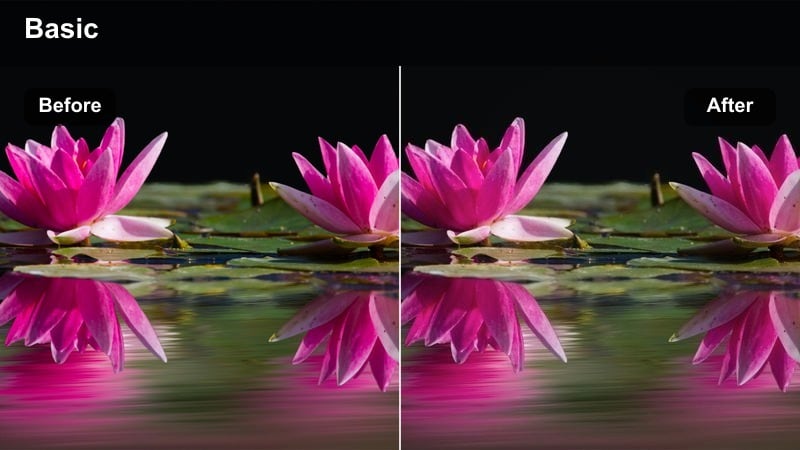
- Effect look: Punchy and colorful look that boosts saturation and micro-contrast while preserving natural skin tones.
- Best for: Outdoor markets, street food tours, shopping vlogs, and busy downtown B-roll.
- Editing tip: Use keyframed exposure tweaks when moving from shaded alleys into bright open streets to keep the filter consistent.
City Market Day is ideal for travel and lifestyle creators who want food stalls, storefronts, and signage to explode with color without ruining skin tones. When you apply this look in Filmora, you get extra saturation and fine contrast that make details pop, especially in handheld shots weaving through crowds.
Because markets often shift quickly between shade and sun, combine the filter with Filmora s keyframed exposure and brightness controls. Adjust these keyframes across your walking shots so the boosted saturation remains controlled and your face never looks blown out when you step into bright open spaces.
Clean Indoor Tutorials and Desks
Neutral Desk Setup
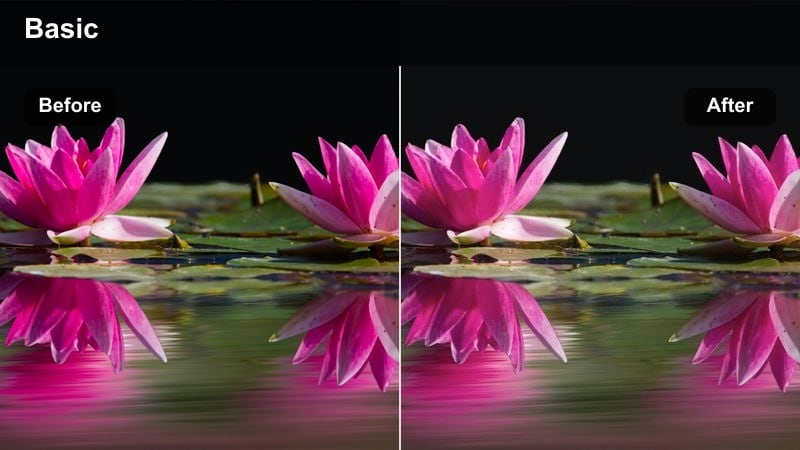
- Effect look: Balanced, neutral tone that keeps whites clean, blacks soft, and colors accurate for tech-focused shots.
- Best for: Tech reviews, desk setups, productivity tutorials, and minimal studio spaces.
- Editing tip: Drop vibrance slightly and lift shadows to reduce harshness on dark shelves, monitors, and background gear.
Neutral Desk Setup is designed for creators who need accurate color reproduction for products, screens, and workspace details. In Filmora, this filter keeps whites true, blacks controlled, and midtones clean so your viewers see devices and interfaces as they really are, which is essential for review and tutorial content.
Once you apply the filter, fine-tune shadow and vibrance levels to taste. Lifting shadows softens hard contrast around monitors and gear, while reducing vibrance prevents colored LEDs or accessories from becoming distracting when you cut in close-ups, over-the-shoulder shots, or screen recordings.
Cozy Room Chat
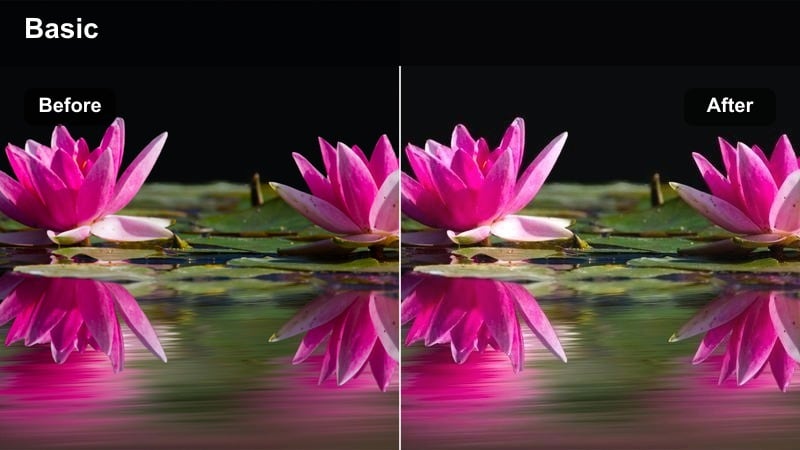
- Effect look: Warm, comforting tones with lifted shadows that make small rooms feel welcoming on camera.
- Best for: Storytime videos, Q&A sessions, commentary channels, and casual sit-down chats.
- Editing tip: Use a vignette at low intensity to draw focus to your face while this warm filter softens the background.
Cozy Room Chat adds a gentle warmth and soft contrast that flatters bedroom and living room setups. In Filmora, this look lifts shadows to reduce harshness in tight spaces and leans into inviting tones that suit personal storytelling, commentary, and low-key Q and A formats.
After adding the filter, apply a subtle vignette and lightly adjust saturation if you use strong practical lights or RGB strips. This keeps your face clearly readable for viewers while letting the background glow with warmth, creating a relaxed and intimate atmosphere for long-form talking-head videos.
Studio Softbox Pro
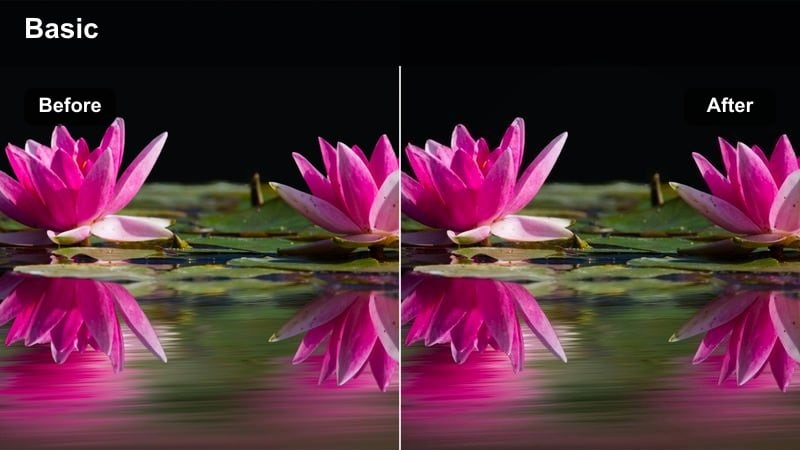
- Effect look: Crisp, professional look with controlled contrast and subtle coolness for bright studio lighting.
- Best for: How-to tutorials, sponsored segments, product demos, and online course lessons.
- Editing tip: Sharpen lightly after applying this filter, especially around eyes and text overlays, to keep the image looking premium.
Studio Softbox Pro is tuned for controlled lighting setups where you want a sharp, modern, and trustworthy presence on camera. In Filmora, the filter adds clean contrast, a slight cool bias, and polished tonality that helps your tutorials, sponsorships, and course videos stand out against typical webcam footage.
To maximize this look, apply a modest amount of sharpening and check how your overlays, subtitles, and lower-thirds appear against the background. Adjust brightness and contrast so text remains crisp and legible without overpowering your on-camera subject, keeping the whole frame feeling high-end and production-ready.
Moody Night City and Neon Scenes
Urban Neon Vlog
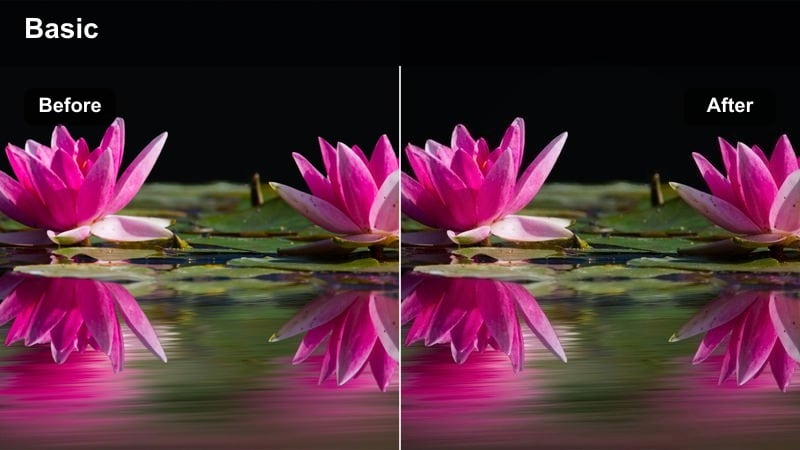
- Effect look: High-contrast, neon-emphasized look that leans into saturated blues, pinks, and purples at night.
- Best for: Nightlife vlogs, city explorations after dark, cyberpunk-themed B-roll, and music videos.
- Editing tip: Lower luminance of blues slightly to keep neon signs rich while avoiding noisy shadows in the streets.
Urban Neon Vlog is built for after-dark sequences where neon lights, LED billboards, and reflections carry the story. In Filmora, this filter intensifies blues, pinks, and purples while increasing contrast to make wet streets and city details stand out in a stylized, cyberpunk-inspired way.
Once applied, use HSL and luminance controls inside Filmora to tame overly bright blues and magentas so they stay punchy without clipping. Combine the look with slow-motion cuts or music-synced transitions to create immersive night walks, club vlogs, or futuristic city B-roll that still preserves recognizable skin tones.
Cinematic Street Night
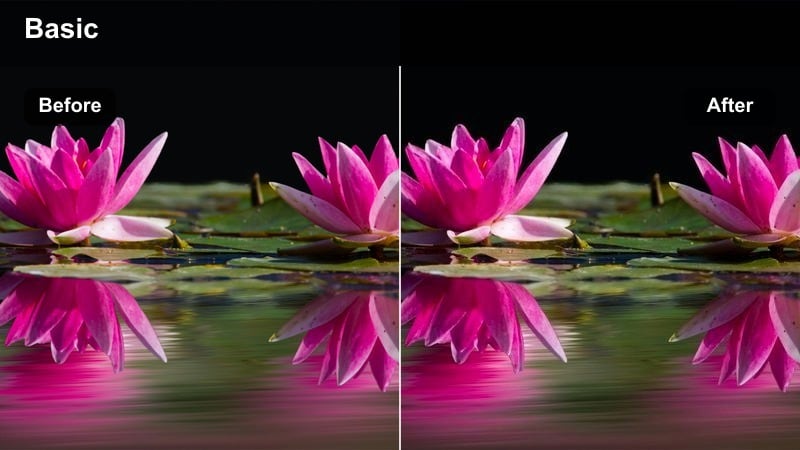
- Effect look: Moody, film-inspired look with cool shadows and warm highlights from street lamps and storefronts.
- Best for: B-roll sequences, travel montages, cinematic intros and outros shot in downtown areas.
- Editing tip: Add slow, subtle push-in zooms on static shots to pair with the cinematic contrast of this filter.
Cinematic Street Night emulates filmic night grades, pushing shadows toward cooler tones while preserving warm practical lights. In Filmora, this filter instantly turns simple city shots into stylized montage material, ideal for openers, end cards, and narrative interludes in travel or cinematic vlogs.
After you apply the look, add gentle push-in or pan animations using Filmora s keyframed scale and position controls. This subtle movement, paired with the moody color palette, helps static scenes feel intentional and cinematic, especially when cut to slower, atmospheric music.
Subway Ride Journal
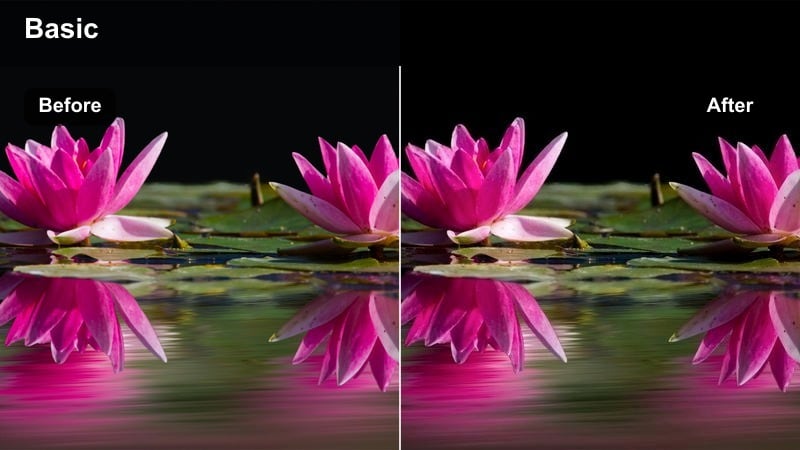
- Effect look: Gritty, slightly desaturated look with green-blue shifts that emphasize the feel of underground transit.
- Best for: Subway rides, bus journeys, metro platforms, and reflective travel monologues.
- Editing tip: Use slower shutter or motion blur plugs to complement the gritty, moving environment in your shots.
Subway Ride Journal gives public transit footage a gritty, introspective mood by muting saturation and shifting tones toward cooler greens and blues. In Filmora, this filter works well for documenting long commutes, late-night returns, or travel transitions that bridge major segments in your vlogs.
Enhance the look by mixing in motion blur effects or slightly slower shutter footage when possible. Layer ambient train or bus sounds under soft background music so the color grade and audio design work together, creating a textured, documentary-style sequence that still feels at home on YouTube.
Dynamic Action and Gaming Setups
RGB Gaming Room
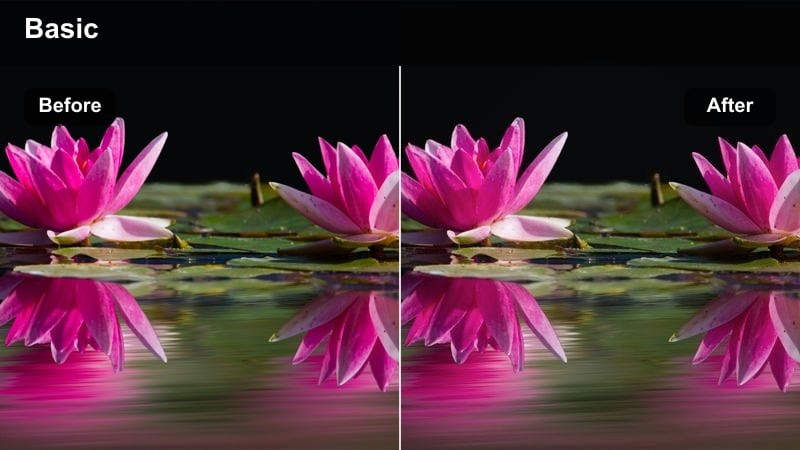
- Effect look: Bold, contrasty look that protects skin tones while boosting saturated RGB lights in the background.
- Best for: Gaming commentary, streaming highlight edits, reaction videos, and desk setups with LED strips.
- Editing tip: Dial back reds slightly if you have strong red LEDs behind you so your face does not shift toward magenta.
RGB Gaming Room is tuned for dark environments lit by monitors and LED strips, where you want the room colors to pop without distorting your face. In Filmora, this filter pushes saturation and contrast just enough to make RGB accents stand out while keeping skin tones relatively neutral for commentary and reaction content.
After adding the filter, use color wheels or HSL controls to fine-tune any dominant LED color that spills onto your face, especially reds. Balancing these channels lets you keep a dramatic gaming backdrop while ensuring your expressions remain natural and clear in the facecam frame.
High-Energy Sports Cut
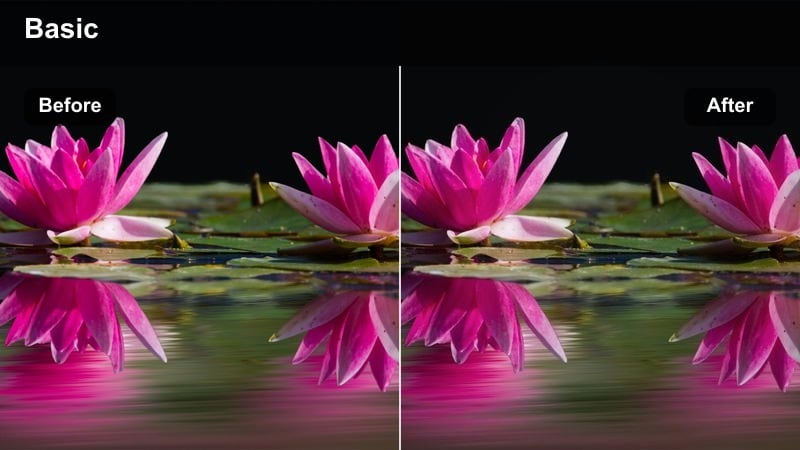
- Effect look: Punchy, high-contrast look with vivid colors and crisp highlights to accent fast motion.
- Best for: Action montages, sports compilations, skate edits, and fast-paced challenge videos.
- Editing tip: Combine with speed ramps and beat-based cuts so the strong contrast matches the energy of your music.
High-Energy Sports Cut is built for fast action, where you want motion and impact to feel amplified through bold color and contrast. In Filmora, this filter brightens highlights, deepens shadows, and saturates key hues so every jump, spin, and transition feels more intense in your final edit.
To make the most of this look, pair it with speed ramps, freeze frames, and beat-matched cuts using Filmora s timeline tools. Stabilize shaky footage first so the extra contrast does not exaggerate jitter, then let the vivid colors and crisp edges reinforce the energy of your soundtrack and on-screen movement.
Creator B-Roll Pack Look
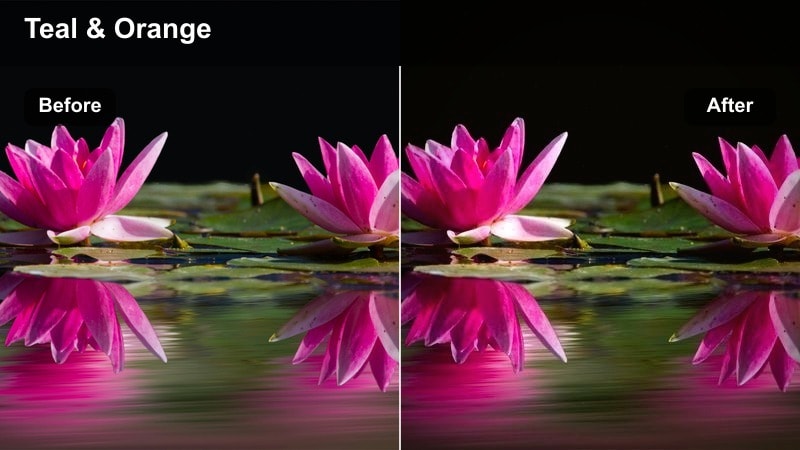
- Effect look: Modern, slightly teal-and-orange style with balanced contrast that flatters skin and urban backgrounds.
- Best for: Channel trailers, YouTube intros, branded B-roll, and cinematic shots around city landmarks.
- Editing tip: Keep camera movement slow and intentional so this modern grade feels more like a polished channel reel.
Creator B-Roll Pack Look delivers a subtle teal-and-orange-inspired grade that feels instantly modern and on-brand for many YouTube creators. In Filmora, this filter adds gentle teal depth to shadows and warmth to highlights, which flatters skin tones while giving buildings, streets, and skies a cinematic polish.
Use this look on your hero shots, intros, outros, sponsor segments, and any recurring channel branding moments. Keep camera movement smooth and deliberate, then save the adjusted filter as a custom preset in Filmora so you can reapply your signature free YouTube LUT-style look across every new upload.
Tips for Using Free Youtube Luts Download Filters in Filmora
- Shoot with consistent white balance and manual exposure so each free YouTube LUT-style filter reacts predictably across your timeline.
- Test every look on both your face and your background inside Filmora to confirm it suits talking-head segments and B-roll equally well.
- Avoid stacking too many heavy effects on top of these filters, which can introduce banding, noise, or plastic-looking skin tones.
- Use Filmora s scopes and preview window to check highlights and shadows after applying a filter, then trim extremes with exposure controls.
- Save different project versions whenever you experiment with bold, stylized grades so you can quickly revert if a look feels too strong.
- Turn key filters into custom presets in Filmora, organizing them by vlog, tutorial, night, and gaming styles for faster editing.
- Match color between cameras with Filmora s tools before adding your chosen filter, especially for collaborations or multi-angle setups.
- Export short test clips using your favorite filters and watch them on mobile and desktop to ensure the free YouTube LUT-style look holds up everywhere.
These 12 Filmora filters give creators and editors a fast way to mimic the feel of a curated free YouTube LUTs download pack, ready for vlogs, tutorials, and cinematic B-roll.
Build a small set of go-to looks from this collection, save them as presets, and your channel will maintain a consistent, recognizable visual style in every upload.
secure downloadNext: Free Vlog LUTS Pack
