

 100% Security Verified | No Subscription Required | No Malware


 ChatGPT
 Perplexity
 Gemini
 Claude
 Grok
Grok
This free vlog LUTs pack gives creators and editors an easy way to add polished, cinematic color to everyday footage without complex grading.
Inside, you will find 12 scene-based filters tuned for travel, lifestyle, city nights, and storytelling vlogs, all optimized to drop straight onto your timeline in Filmora.
In this article
Warm Travel and Golden Hour Vlogs
Sunset Glow Vlog
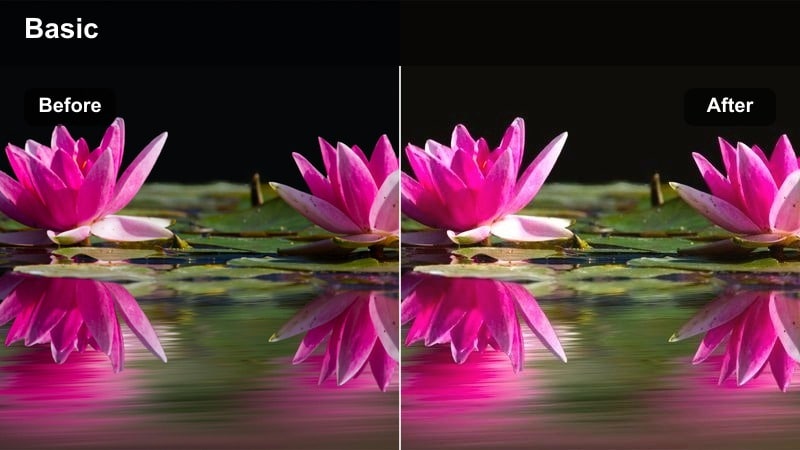
- Effect look: Soft golden highlight boost with gentle contrast and warm skin tones.
- Best for: Sunset travel walks, outdoor city overlooks, beach vlogs near dusk.
- Editing tip: Slightly lower saturation on overly orange scenes to keep skin tones natural while keeping the sky rich.
Sunset Glow Vlog is tuned to enhance late-afternoon and golden hour footage, adding a smooth warm lift to highlights while keeping contrast gentle and flattering for faces. In Filmora, this filter quickly turns flat sunset clips into cinematic scenes where skies stay rich and subjects are wrapped in soft, warm light.
Apply the LUT to travel vlogs, overlook shots, and backlit beach walks, then fine-tune intensity to balance warmth with realism. For best results, correct your white balance first, then adjust saturation and exposure in Filmora so foreground details stay clean while the horizon and clouds carry the strongest color impact.
Tropical Travel Soft
Combine this free vlog LUTs pack with Filmora's AI-powered color tools to instantly balance exposure, fix white balance, and remove color casts before you stylize. With a clean base, the LUTs in this pack can focus on adding mood and character instead of fighting problems in the original footage.
Once your clips look neutral, use AI tools to match color across cameras and locations so every shot in your vlog flows together. That way, tropical beach scenes, hotel rooms, and city layovers can all share the same polished, creator-ready look with minimal manual tweaking.
 secure download

Filmora lets you preview each vlog LUT in real time just by hovering over it in the effects panel, so you can see how different moods change the same clip. This makes it easy to audition warm, moody, or neutral looks before you commit to a grade for your latest episode.
Try loading a short sequence from your vlog and rapidly hovering across the Free Vlog LUTs Pack to find a signature style. Once you land on a favorite, tweak exposure or saturation slightly, then apply the same look across your whole timeline for a cohesive finish.
secure downloadThe Free Vlog LUTs Pack also works seamlessly with Filmora's library of 1000 plus filters and 3D LUTs, giving you endless ways to customize your color. Start with one of these vlog-focused looks, then stack extra filters to refine contrast curves, color splits, and vignette effects.
When you land on a combination that feels like your channel's identity, save it as a custom preset. That way, every new project can load your preferred LUT stack instantly, keeping your vlogs consistent and saving you a lot of grading time.
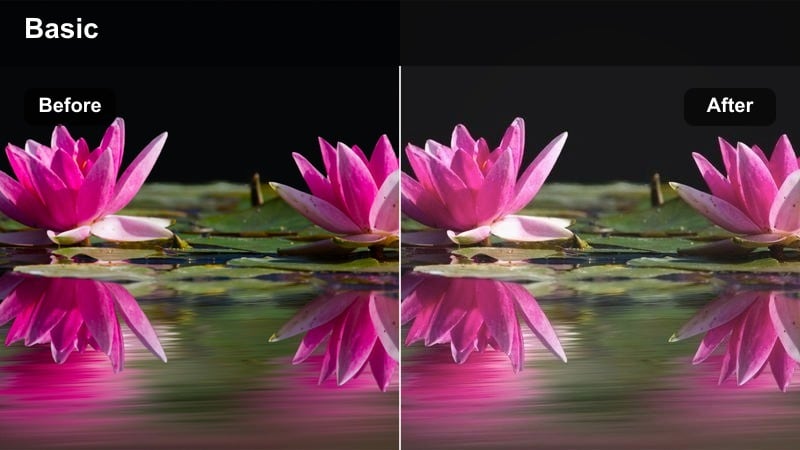
secure download- Effect look: Soft pastel contrast with slightly lifted shadows and airy highlights.
- Best for: Beach resort tours, island vlogs, poolside b-roll and holiday diaries.
- Editing tip: Add a subtle vignette and reduce sharpness a bit to emphasize the dreamy, relaxed vacation mood.
Tropical Travel Soft brightens travel scenery with airy highlights and gentle pastels, ideal for sunlit beaches, pools, and resort walk-throughs. In Filmora, this LUT helps soften harsh midday light while keeping skies bright and water tones pleasingly blue.
Use it on b-roll of palm trees, hotel rooms, and slow-motion waves to create a consistent, dreamy vacation aesthetic. After applying, slightly lower overall sharpness and add a light vignette in Filmora to draw attention toward your subject and reinforce the relaxed, cinematic feeling.
Roadtrip Warm Film
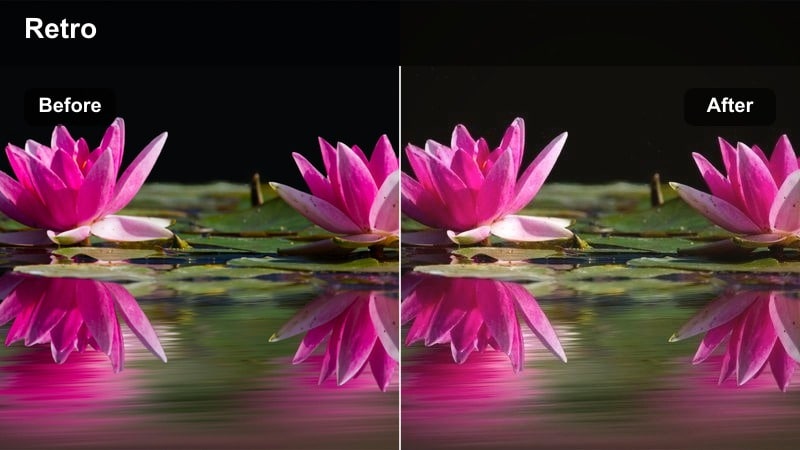
- Effect look: Warm analog-inspired tones with subtle grain-like texture and deeper shadows.
- Best for: Car vlogs, highway b-roll, roadside stops, and gas station scenes at dusk.
- Editing tip: Boost midtone contrast slightly after applying to keep dashboard and interior details visible.
Roadtrip Warm Film brings a nostalgic, analog-inspired feel to vlogs shot on the road, with deeper shadows and a gentle warmth that flatters car interiors and passing landscapes. In Filmora, this LUT is ideal for dashboard monologues, scenic highway shots, and quick stops that you want to feel cinematic and story-driven.
After applying the LUT, nudge midtone contrast up so faces and interior details stay readable against bright windows. Slightly underexposed footage works best with this look, so if your highlights are too bright, pull exposure down in Filmora before grading to keep skies and road textures intact.
Clean Daily Lifestyle and Home Vlogs
Minimal Daylight Vlog
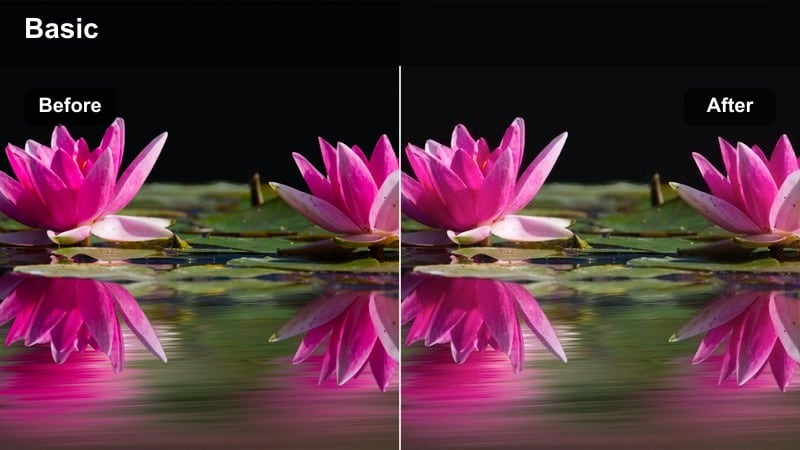
- Effect look: Neutral, clean contrast with soft highlights and accurate skin tones.
- Best for: Indoor daily routines, productivity desks, and casual sit-down chats.
- Editing tip: Reduce contrast slightly for high-key white rooms so walls stay smooth and not harsh.
Minimal Daylight Vlog is designed as a natural base look that cleans up everyday clips without calling attention to the grade. It keeps skin tones realistic, tames harsh highlights from windows, and adds just enough contrast to make indoor lifestyle vlogs feel polished.
Use this LUT in Filmora for desk setups, talking-head segments, and general A-roll where you want a professional yet understated appearance. Once applied, make small contrast or exposure tweaks per clip, then save your adjusted version as a preset to quickly match future episodes to the same clean aesthetic.
Cozy Home Vlog
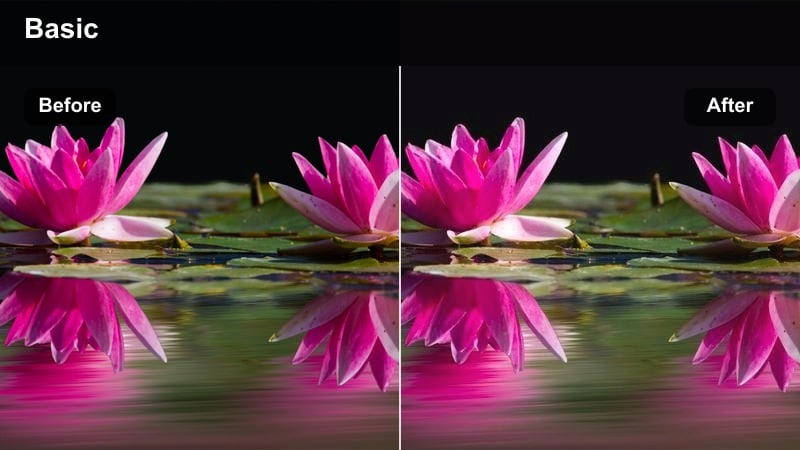
- Effect look: Warm indoor tones with lifted blacks and a gentle matte finish.
- Best for: Morning routine vlogs, evening recaps on the couch, cozy apartment tours.
- Editing tip: If your room is lit by mixed bulbs, fix white balance first so the warmth feels intentional, not yellow.
Cozy Home Vlog wraps interior scenes in a soft, matte warmth that makes apartments, bedrooms, and living rooms feel inviting. Blacks are lifted slightly so shadows stay gentle and flattering, while a subtle warmth adds comfort without overwhelming colors.
Apply this LUT in Filmora to morning routines, night recaps, or chill chat segments filmed on the couch. Correct any extreme color casts first, then use Filmora's color controls to fine-tune warmth and contrast so your environment looks intentionally cozy rather than overly yellow or muddy.
Clean Desk Creator
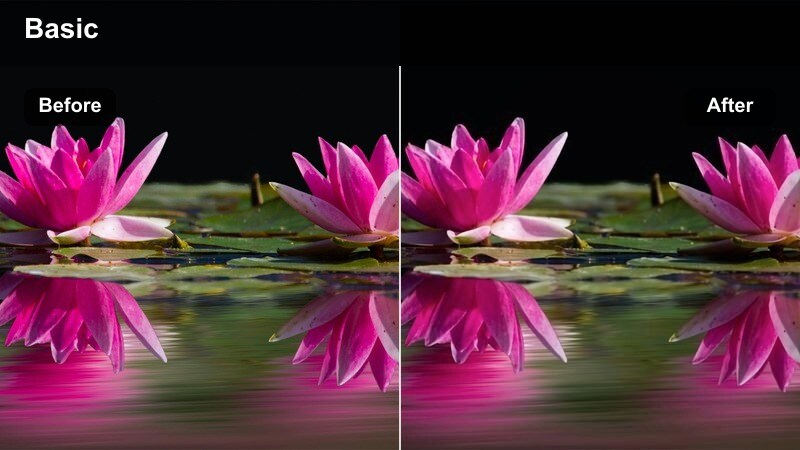
- Effect look: Cool-neutral whites with crisp micro-contrast for gear and workspace details.
- Best for: Tech desk tours, productivity vlogs, and overhead top-down shots.
- Editing tip: Add a slight clarity or local sharpening boost to keyboards, monitors, and small objects for a crisp tech look.
Clean Desk Creator is tuned for gear and productivity shots, emphasizing neutral whites and fine details across your workspace. It keeps color casts off white surfaces, while micro-contrast brings out textures in keyboards, mice, and decor.
Use this LUT in Filmora for desk tours, top-down unboxings, and tutorial intros filmed at your setup. After applying, add a touch of extra sharpness or clarity on important objects, and keep saturation moderate so the frame looks modern, minimal, and easy on the eyes.
Moody City Night and Urban Vibes
Neon City Vlog
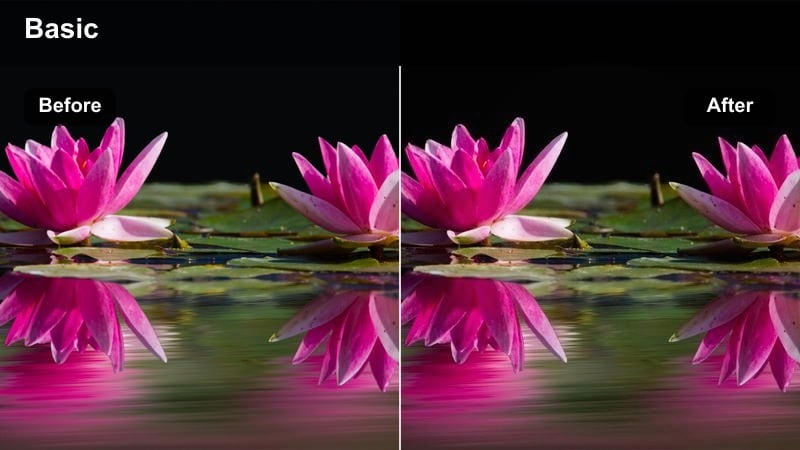
- Effect look: Punchy contrast with saturated neon colors and cool shadows.
- Best for: Night street walks, downtown vlog sequences, and city sign b-roll.
- Editing tip: Lower luminance of blues slightly to deepen the night sky and emphasize neon signage.
Neon City Vlog amplifies the energy of night streets by boosting neon saturation and deepening cool shadows. It helps signs, screens, and reflections pop while keeping the overall frame rich and dramatic for urban vlogs.
In Filmora, apply this LUT to handheld night walks, storefront b-roll, and time-lapses of busy intersections. Slightly underexpose your footage when shooting, then fine-tune brightness and blue luminance after applying the LUT to keep highlights controlled and neon colors vivid but not clipped.
Moody Street Vlog
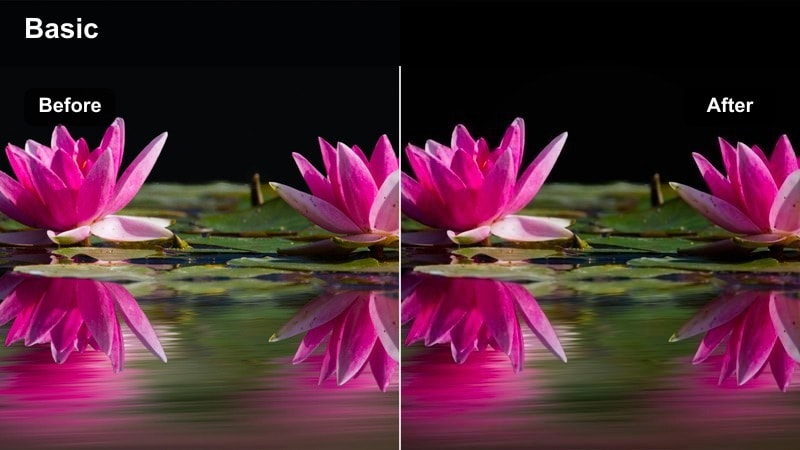
- Effect look: Desaturated city tones with deep contrast and cool greenish shadows.
- Best for: Urban storytelling, rainy sidewalks, and reflective glass storefronts.
- Editing tip: Add gentle slow motion and slightly reduce saturation again for the most cinematic, moody feel.
Moody Street Vlog leans into desaturated city palettes with cool shadows that suit reflective or emotional storytelling. It pulls back color while maintaining strong contrast, letting shapes, silhouettes, and light reflections carry the mood.
Use this LUT in Filmora on rainy streets, alleyways, and thoughtful walking monologues. Combine it with slow motion, simple crossfades, and a small extra saturation reduction to create a cinematic, introspective sequence that visually distinguishes serious moments from lighter vlog segments.
Urban Rooftop Cinematic
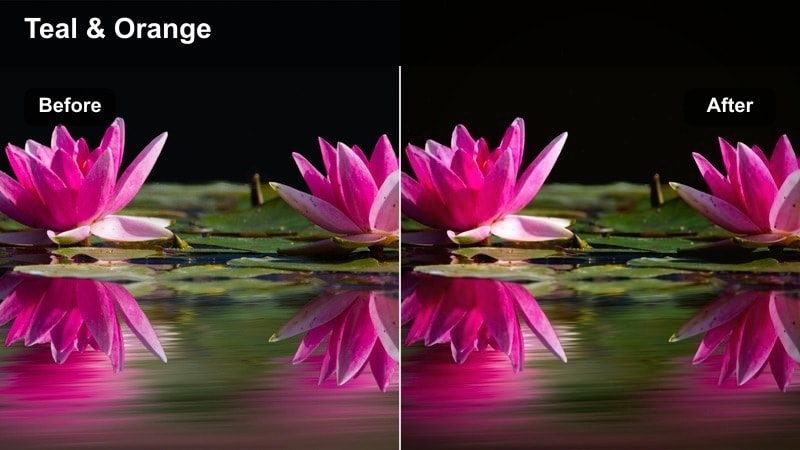
- Effect look: Cinematic teal and orange balance with strong contrast and crisp detail.
- Best for: Rooftop intros, skyline b-roll, and cinematic talking head shots over the city.
- Editing tip: Use a slightly longer focal length and shallow depth of field while shooting to maximize the cinematic effect.
Urban Rooftop Cinematic brings a classic teal-and-orange style to city skyline shots, separating warm skin tones from cool urban backgrounds. The LUT boosts contrast and clarity to make buildings and lights feel crisp while keeping your subject front and center.
Apply it in Filmora to rooftop intros, balcony shots, or hero b-roll that frames you against the city. For the most cinematic result, pair this LUT with slow pans, light stabilization, and a slightly shallow depth of field so the skyline glows behind a sharp, well-lit subject.
Cinematic Storytelling and B-roll Vlogs
Soft Story Cinematic
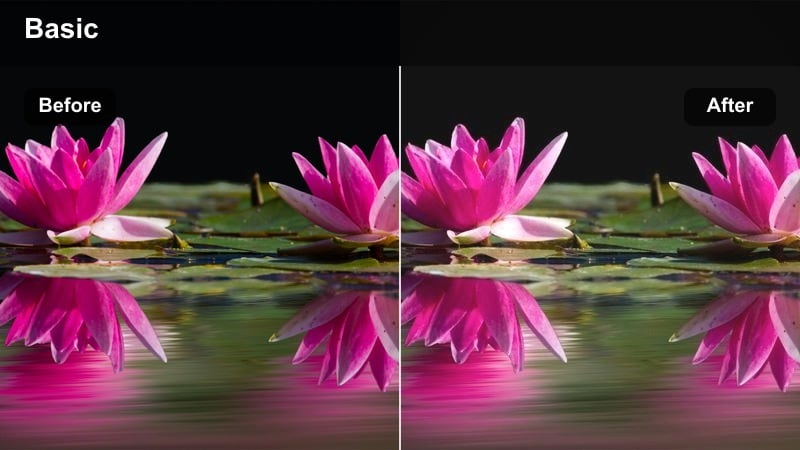
- Effect look: Low-contrast filmic look with gentle fade in blacks and subtle warm highlights.
- Best for: Voice-over sequences, reflective monologues, and slow-paced b-roll edits.
- Editing tip: Keep transitions simple and calm, like fades and dissolves, to match the softness of the grade.
Soft Story Cinematic dials back contrast and adds a mild fade to shadows, creating a relaxed, filmic mood ideal for emotional storytelling. Highlights stay softly warm, helping faces and close-ups feel intimate and cinematic.
Use this LUT in Filmora for voice-over sections, reflective cutaways, and slower b-roll between high-energy scenes. Once applied, pair it with gentle fades, minimal text, and quieter music so the visuals and audio work together to emphasize the personal tone of your story.
Dynamic B-roll Punch
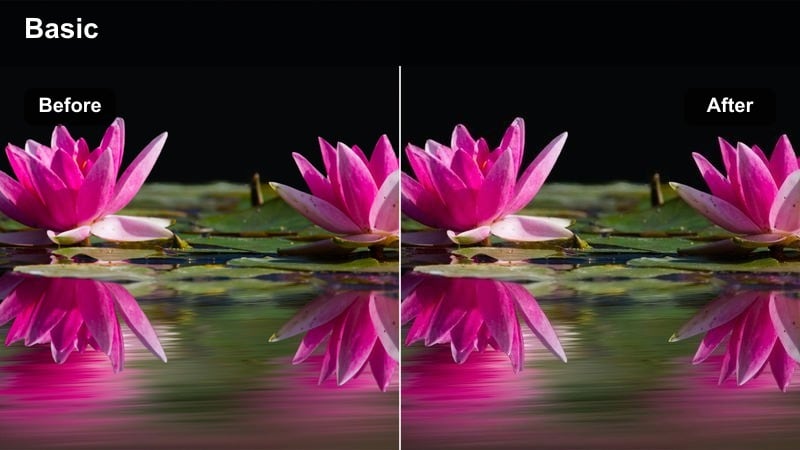
- Effect look: High contrast and vivid color with extra sharpness for fast b-roll cuts.
- Best for: Fast-paced montage sequences, event recaps, and hype edits.
- Editing tip: Combine with speed ramps and whip pans to let the punchy color match the energy of your cuts.
Dynamic B-roll Punch is built for energy, boosting contrast, saturation, and apparent sharpness so quick cuts feel impactful. It is ideal for montages, travel recaps, and action sequences where you want every frame to hit hard.
In Filmora, apply this LUT specifically to b-roll sections and combine it with speed ramps, whip-pan transitions, and beat-synced cuts. If your source footage is already colorful, slightly reduce global saturation or filter intensity to avoid an over-processed look while still keeping that bold, hype style.
Monochrome Vlog Focus
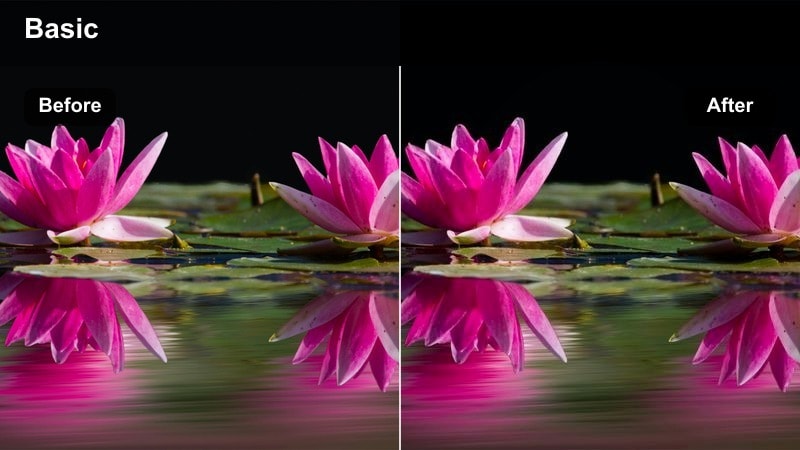
- Effect look: Clean black-and-white conversion with strong midtone contrast and smooth highlights.
- Best for: Reflective stories, documentary-style cuts, and minimalistic intro sequences.
- Editing tip: Push clarity slightly for texture on clothing and backgrounds while keeping faces well-exposed.
Monochrome Vlog Focus strips away color to emphasize expression, light, and composition, using strong midtone contrast and smooth highlights. It is perfect for sections of your vlog where you want the audience to focus purely on the message.
Use this LUT in Filmora for key monologues, documentary-style inserts, or minimalist intros and outros. After applying, adjust exposure so skin tones sit comfortably in the midtones, then add a touch of clarity to enhance texture on clothing and backgrounds without creating harsh noise in darker areas.
Tips for Using Free Vlog Luts Pack Filters in Filmora
- Shoot in a flat or neutral picture profile when possible so these vlog filters have more room to shape contrast and color.
- Keep exposure slightly on the darker side for night or neon scenes to avoid clipped highlights after applying strong looks.
- Use different filters for A-roll and B-roll to gently separate talking segments from cinematic sequences.
- Adjust filter intensity in Filmora instead of removing a grade completely; small tweaks often fix oversaturated or overly contrasty shots.
- Balance white balance and exposure before applying a LUT so the pack behaves predictably across different cameras and locations.
- Create a reference still for your channel look and compare new graded clips against it to maintain visual consistency over time.
- Stack one LUT from the pack with Filmora filters like vignettes or film grain to craft a unique signature style.
- Save your favorite combinations as custom presets so future vlog episodes can match the same look in one click.
This free vlog LUTs pack gives creators and editors 12 versatile filters tuned for travel, lifestyle, city nights, and cinematic storytelling, all optimized for fast use in Filmora.
Download the pack, test a few looks on your latest vlog, and save your favorite combinations as presets so every new upload carries the same polished, recognizable style.
secure download