

 100% Security Verified | No Subscription Required | No Malware

Give your Lemon8 videos a polished, cohesive look with this free Lemon8 video LUT pack. These lifestyle aesthetic filters are designed for creators who want fast color grading without losing natural skin tones, soft details, or the relaxed visual style associated with Lemon8 content.
Use the filters for Lemon8 tutorials, product reviews, beauty routines, and day-in-the-life clips. Download the pack, apply a starting look in Filmora, and fine-tune exposure, contrast, and saturation to match your footage.
In this article
Soft Morning Looks for Calm Lifestyle Clips
Sunlit Journal
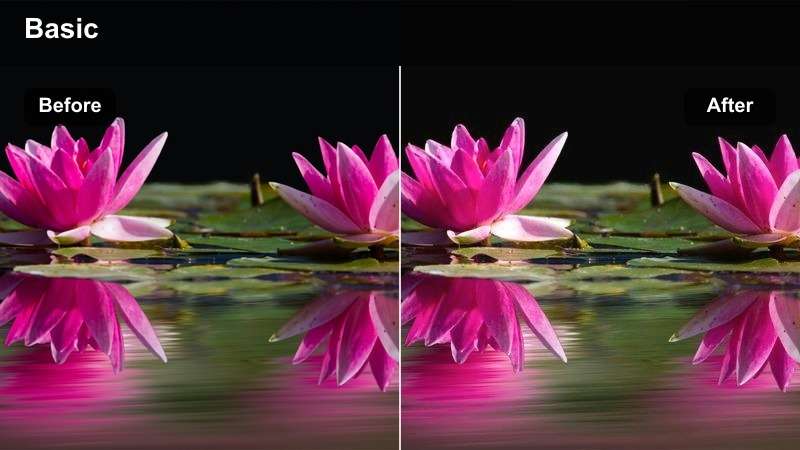
- Effect look: Warm highlights with creamy whites and gentle contrast
- Best for: Morning routines, journaling clips, and quiet day-in-the-life videos
- Editing tip: Lower intensity slightly when filming beside a bright window
Sunlit Journal creates a soft, welcoming look for calm lifestyle storytelling. Its warm highlights, creamy whites, and gentle contrast help morning footage feel polished while keeping the relaxed mood that works well for Lemon8 videos.
Apply this LUT in Filmora after correcting exposure and white balance. If bright walls, bedding, or stationery are already overexposed, reduce the highlights first and then lower the filter intensity slightly for a more balanced result.
Build a Consistent Lemon8 Color Palette
Use Filmora's color tools to match clips from different rooms, cameras, and lighting conditions before applying your favorite Lemon8 filter.
A consistent palette helps lifestyle creators create recognizable feeds while keeping beauty shots, product details, and personal stories visually connected.
Start with a filter, then refine the palette with Filmora's color adjustment controls.
 secure download

Vanilla Glow
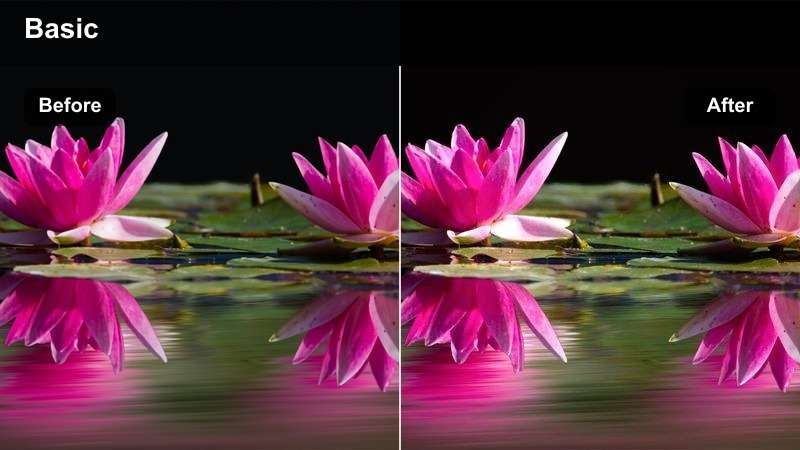
- Effect look: Light golden warmth with smooth shadows and a clean finish
- Best for: Self-care routines, home organization, and relaxed personal updates
- Editing tip: Add a small amount of fade for a softer editorial mood
Vanilla Glow gives everyday interiors a bright, inviting finish with light golden warmth and smooth shadows. It works especially well for self-care routines, home organization clips, and personal updates filmed in neutral spaces.
Before applying the LUT in Filmora, correct mixed indoor lighting with the temperature slider. Keep the warmth moderate for close-up beauty shots so skin remains natural rather than yellow, then add a small amount of fade if you want a softer editorial mood.
Airy Notes
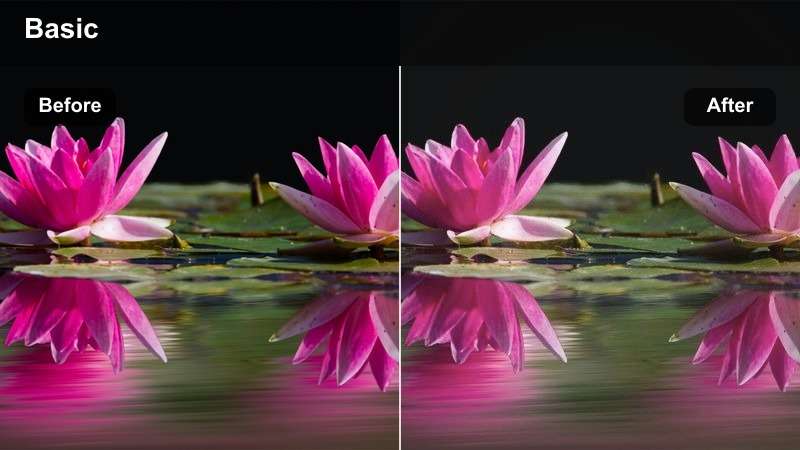
- Effect look: Pastel brightness with lifted blacks and low visual harshness
- Best for: Study-with-me clips, planning videos, and minimalist room content
- Editing tip: Increase clarity slightly to retain detail in pale scenes
Airy Notes adds pastel brightness, lifted blacks, and low visual harshness to clean compositions. The result suits study-with-me clips, planning videos, and minimalist room content where pale colors and open space are part of the style.
Use Airy Notes as a starting point in Filmora, then add a small clarity adjustment to preserve text and desk details. This is helpful when pale rooms or low-contrast footage make fine details look too soft after color grading.
Beauty Studio Looks for Close-Up Creator Content
Peach Skin
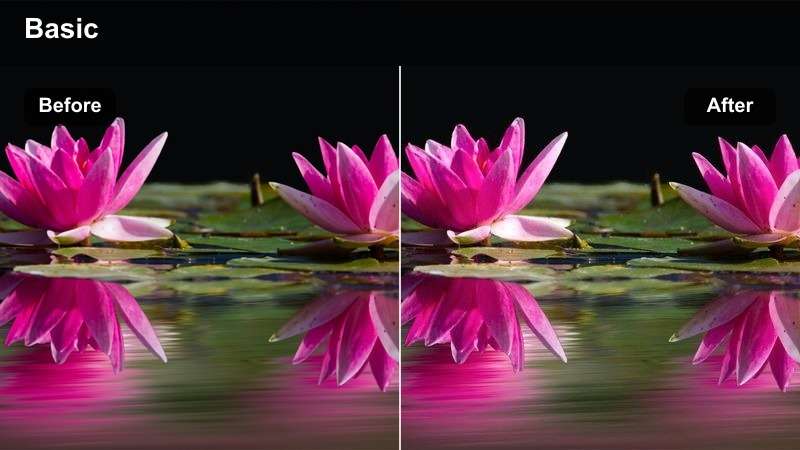
- Effect look: Soft peach warmth with balanced reds and polished midtones
- Best for: Makeup tutorials, skincare reviews, and beauty product demonstrations
- Editing tip: Reduce saturation if colorful packaging becomes too vivid
Peach Skin gives close-up beauty footage soft peach warmth, balanced reds, and polished midtones. It keeps the frame fresh and flattering for makeup tutorials, skincare reviews, and product demonstrations.
In Filmora, review the LUT at full size before exporting to confirm that skin texture and product colors remain accurate. Use a lower filter strength for foundation or skincare reviews where viewers need an honest representation of complexion and results.
Rose Beauty
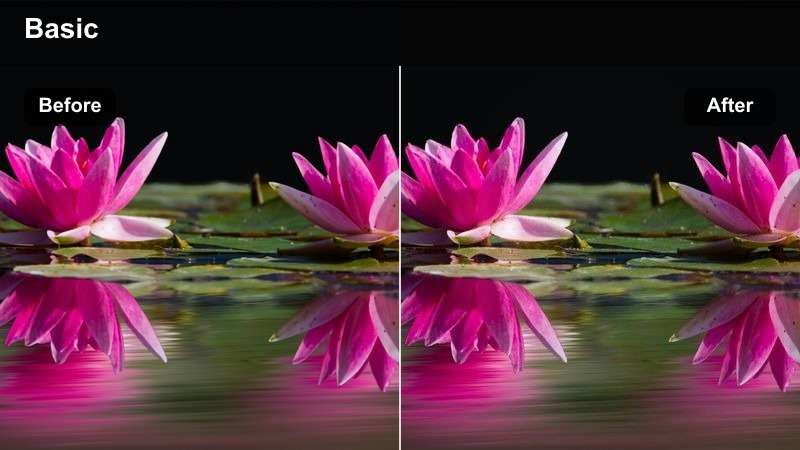
- Effect look: Muted rosy tones with smooth contrast and a refined finish
- Best for: Lip color reviews, outfit styling, and feminine lifestyle reels
- Editing tip: Fine-tune magenta levels when filming under pink or purple lighting
Rose Beauty brings muted rosy tones, smooth contrast, and a refined finish to beauty and fashion content. Its romantic color treatment is a natural fit for lip color reviews, outfit styling, and feminine lifestyle reels.
Correct pink or purple LED lighting before applying the LUT in Filmora because Rose Beauty can intensify colored light. Use the color wheels to pull back magenta when the background starts competing with the subject or changes product color.
Clean Glass
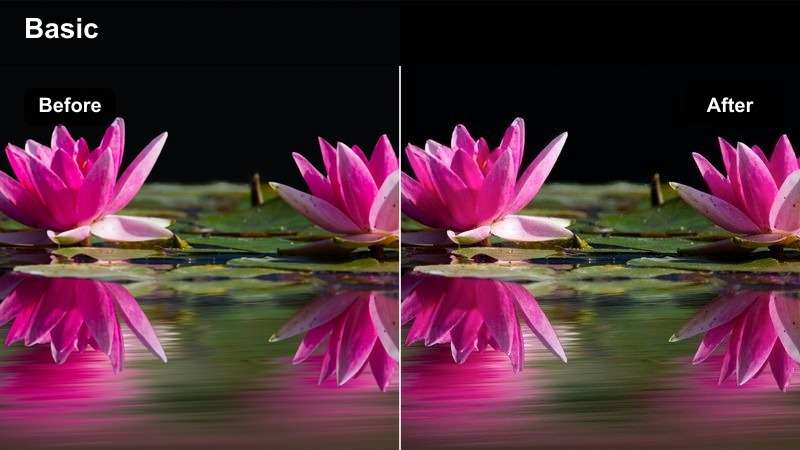
- Effect look: Neutral clarity with crisp whites and controlled saturation
- Best for: Skincare comparisons, product reviews, and clean beauty tutorials
- Editing tip: Use moderate sharpening and avoid increasing contrast too aggressively
Clean Glass creates neutral clarity with crisp whites and controlled saturation. It is designed for detail-focused beauty videos where viewers need to see packaging, labels, texture, and product results clearly.
Apply the LUT in Filmora before making moderate sharpening adjustments, and avoid aggressive contrast. Keeping saturation controlled helps product colors remain trustworthy in skincare comparisons and clean beauty tutorials.
Preview Lifestyle Aesthetic Filters Before Exporting
Preview several looks on the same clip to compare warmth, contrast, skin tones, and background color before choosing a final style.
This workflow is useful for Lemon8 tutorials, product reviews, and day-in-the-life clips where every scene may have different lighting.
Test multiple filter strengths and select the look that best matches your content mood.
secure downloadPolished Product Review Looks for Everyday Recommendations
Neutral Shelf
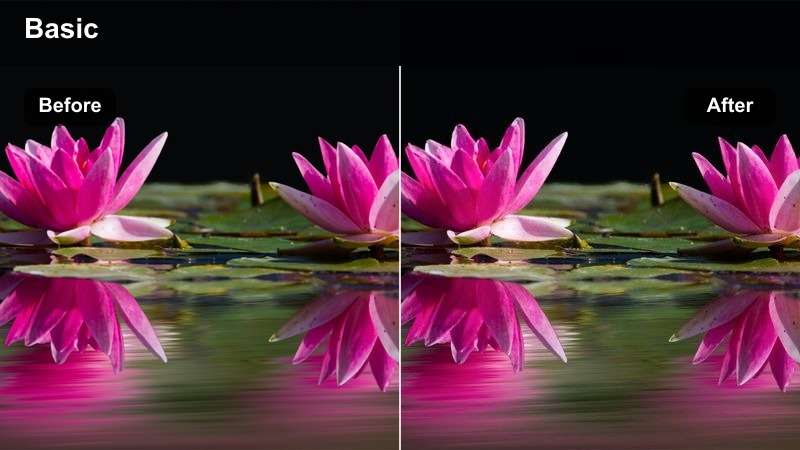
- Effect look: Balanced beige tones with soft shadows and natural contrast
- Best for: Home product reviews, decor recommendations, and shopping guides
- Editing tip: Adjust white balance first when shelves contain mixed bulb colors
Neutral Shelf delivers balanced beige tones, soft shadows, and natural contrast for product-led lifestyle videos. It helps home reviews, decor recommendations, and shopping guides feel dependable without adding a distracting stylized effect.
Correct white balance in Filmora when shelves contain mixed bulb colors, then apply the LUT consistently to product close-ups and talking-head clips. A limited palette of beige, white, and wood tones helps this filter look especially cohesive.
Editorial Daylight
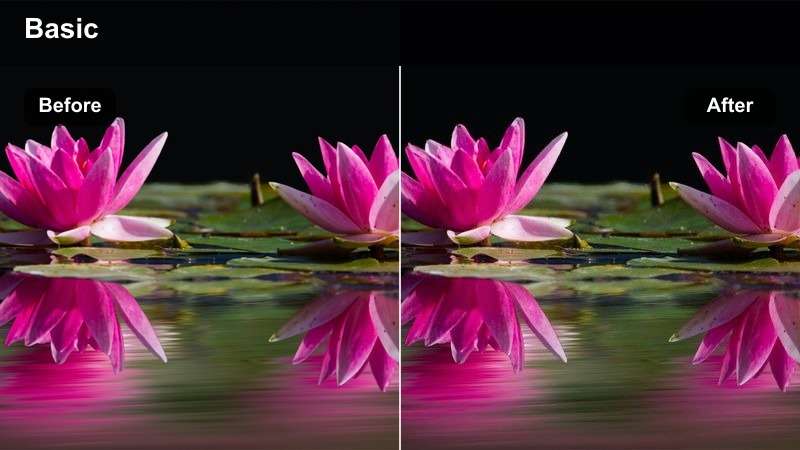
- Effect look: Fresh daylight with defined midtones and subtle magazine-style contrast
- Best for: Fashion try-ons, accessories, lifestyle hauls, and creator recommendations
- Editing tip: Lower contrast slightly for direct midday sunlight
Editorial Daylight adds fresh daylight, defined midtones, and subtle magazine-style contrast to simple reviews. It works well for fashion try-ons, accessories, lifestyle hauls, and recommendations filmed beside a large window.
Use Filmora's exposure and highlight controls before export when sunlight is harsh. Lowering contrast slightly can keep fabric texture visible while preserving the crisp editorial finish of the LUT.
Soft Commerce
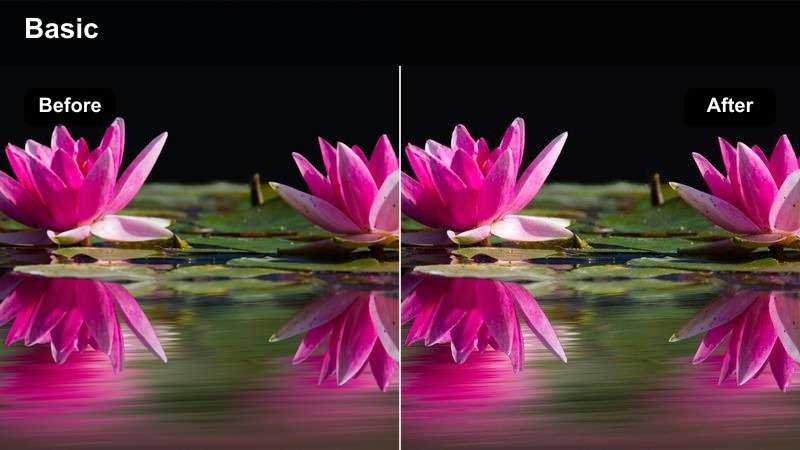
- Effect look: Warm commercial polish with gentle highlights and inviting color
- Best for: Affiliate recommendations, unboxings, and sponsored lifestyle reviews
- Editing tip: Keep the effect below full strength when brand colors must stay exact
Soft Commerce gives unboxings and recommendations warm commercial polish with gentle highlights and inviting color. The result feels friendly and approachable, making it useful for affiliate content and sponsored lifestyle reviews.
Keep the effect below full strength in Filmora when brand colors must stay exact. Compare the edited clip with the original packaging before publishing to confirm that logos, labels, and product colors remain accurate.
Apply LUTs for Faster Lemon8 Video Color Grading
Import the free Lemon8 video LUT pack into Filmora and use each LUT as a starting point for fast, repeatable color grading.
Adjust intensity, exposure, white balance, and saturation after applying a LUT so the final video reflects your camera, lighting, and creator style.
Download the pack and create a repeatable editing workflow for your next Lemon8 video.
secure downloadDay-in-the-Life Looks for Casual Personal Stories
City Casual
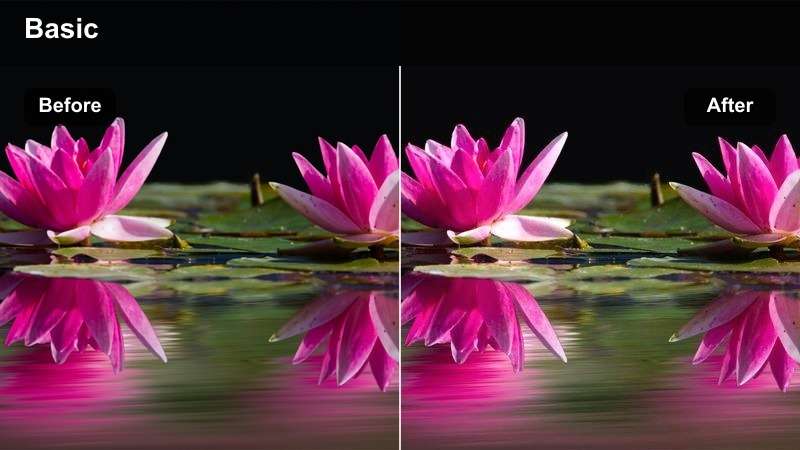
- Effect look: Muted urban color with warm skin tones and gentle film contrast
- Best for: Commute clips, cafe workdays, errands, and casual city diaries
- Editing tip: Lift shadows slightly for handheld footage recorded in darker streets
City Casual combines muted urban color, warm skin tones, and gentle film contrast for spontaneous lifestyle moments. It is a flexible choice for commute clips, cafe workdays, errands, and casual city diaries.
Use Filmora to match exposure on clips from sidewalks, shops, transit areas, and indoor workspaces before applying the LUT. Lifting shadows slightly can help handheld footage recorded in darker streets transition more smoothly.
Weekend Film
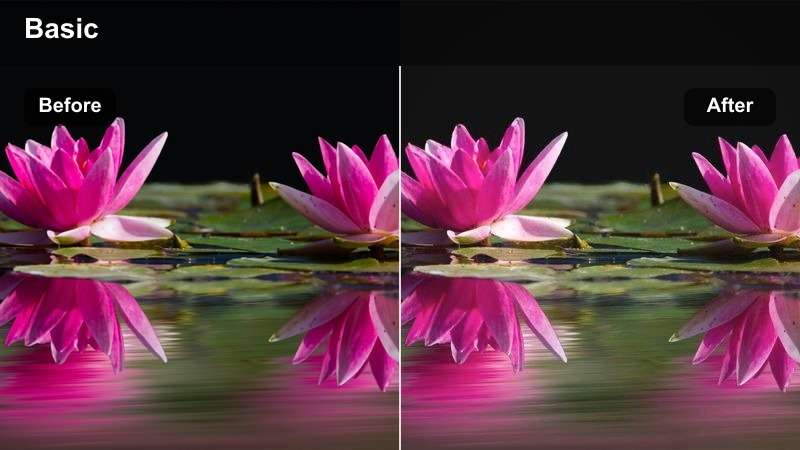
- Effect look: Soft film fade with warm neutrals and lightly desaturated colors
- Best for: Weekend diaries, casual outings, personal reflections, and travel-style clips
- Editing tip: Add subtle grain only after color grading and keep it consistent across clips
Weekend Film adds a soft film fade, warm neutrals, and lightly desaturated colors to relaxed personal storytelling. It gives weekend diaries and travel-style clips a nostalgic feeling while keeping the overall result clean and modern.
Apply the LUT as a base in Filmora, then adjust saturation according to each scene. If you add grain, do so after color grading and keep it restrained and consistent across the entire edit.
Golden Routine
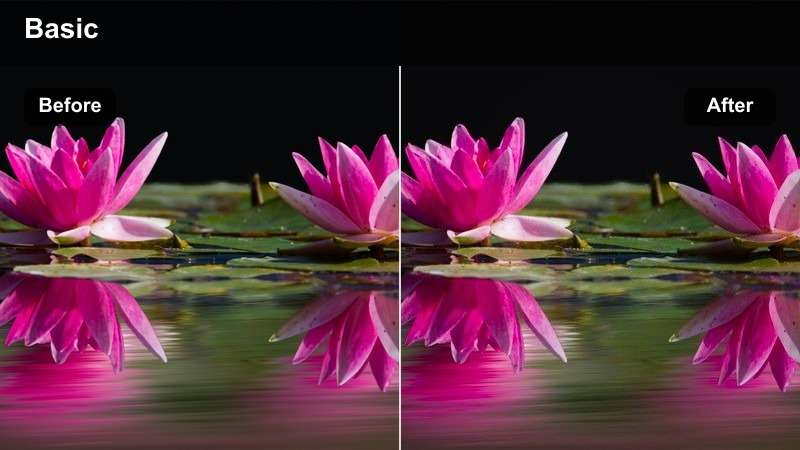
- Effect look: Golden-hour warmth with soft highlights and rich but natural midtones
- Best for: Evening routines, getting-ready videos, and personal lifestyle recaps
- Editing tip: Lower temperature slightly when the original footage already has strong orange light
Golden Routine brings golden-hour warmth, soft highlights, and rich but natural midtones to evening content. It suits getting-ready videos, evening routines, and personal lifestyle recaps that need an intimate polished finish.
When the original footage already has strong orange light, lower the temperature in Filmora before adjusting saturation. This helps prevent skin and neutral clothing from shifting too far toward orange while preserving the cozy mood.
Tips for Using Lemon8 Lut Download Filters in Filmora
- Correct exposure and white balance before applying a Lemon8 video filter.
- Use lower filter intensity for beauty tutorials and product reviews that require accurate color.
- Match filter strength across clips so a day-in-the-life edit feels visually consistent.
- Preview skin tones at full size before exporting vertical video.
- Save your preferred Filmora adjustments as a custom preset for faster Lemon8 color grading.
- Export a short test clip before rendering the entire video to check detail, contrast, and color accuracy.
This free Lemon8 video LUT pack gives lifestyle and beauty creators a practical starting point for polished, consistent video edits. From soft morning routines to product reviews and casual day-in-the-life clips, each filter can be adjusted to suit your footage.
Download the pack, try the looks in Filmora, and fine-tune the intensity until your Lemon8 videos feel natural, cohesive, and ready to share.
secure download