

 100% Security Verified | No Subscription Required | No Malware


 ChatGPT
 Perplexity
 Gemini
 Claude
 Grok
Grok
Give your edits a cinematic upgrade with free LUTs film look style filters that instantly add depth, contrast, and emotion to your footage in Filmora.
Whether you are a creator or editor working on short films, YouTube videos, or client projects, these film look presets help you dial in movie-style color without spending hours on manual grading.
In this article
Golden Hour Drama Scenes
Sunset Soft Film Glow
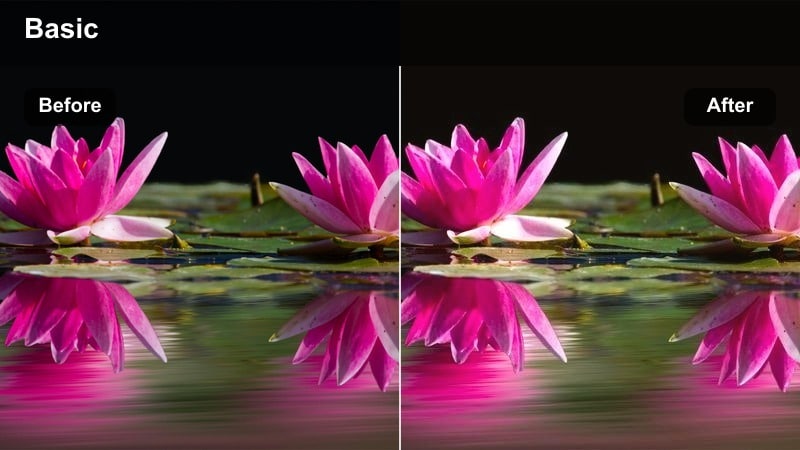
- Effect look: Warm, low-contrast film glow that enhances highlights and skin tones.
- Best for: Romantic vlogs, sunset B-roll, narrative scenes shot during golden hour.
- Editing tip: Lower the contrast slightly and add a subtle vignette to push the dreamy cinematic feeling.
Sunset Soft Film Glow wraps your scene in a gentle haze, amplifying the natural warmth of golden hour and smoothing transitions between highlights and midtones. In Filmora, this free LUTs film look is ideal when you want soft, flattering light that feels romantic and cinematic without heavy color shifts.
Apply it to clips shot near sunset, then fine-tune intensity in the Effects panel so skin tones stay creamy and the background glow does not overpower your subject. For extra polish, combine the filter with Filmora vignette and slight blur on the background to separate your subject and create a movie-like, dreamy atmosphere.
Dial in Film Looks Faster with AI-Powered Color
Use Filmora AI color tools to build a consistent film look across your entire edit before you start stacking creative filters. The AI analyzes exposure, contrast, and color balance, giving you a solid base grade that keeps your scenes visually connected.
Once the base grade is set, you can apply your favorite free LUTs film look filters on top and make only minor adjustments to intensity or saturation for each shot.
 secure download

Preview Film Look Filters in Real Time
Filmora lets you hover over each filter to see how different free LUTs film look styles affect your footage instantly. This real-time preview saves you time by removing guesswork and constant toggling between presets.
As you skim through the filters, pay attention to how skin tones, skies, and shadows react, then lock in the look that best matches your story mood.
secure download1000+ Video Filters and 3D LUTs
Beyond these free LUTs film look presets, Filmora includes a large library of filters and 3D LUTs so you can craft unique cinematic grades for any project. Mix and match creative looks, from subtle tonal shifts to bold stylized colors, while keeping full control over strength and blending.
You can also save your favorite combinations as custom presets, making it easy to maintain a recognizable film style across your channel or client work.
secure downloadAmber Street Cinema
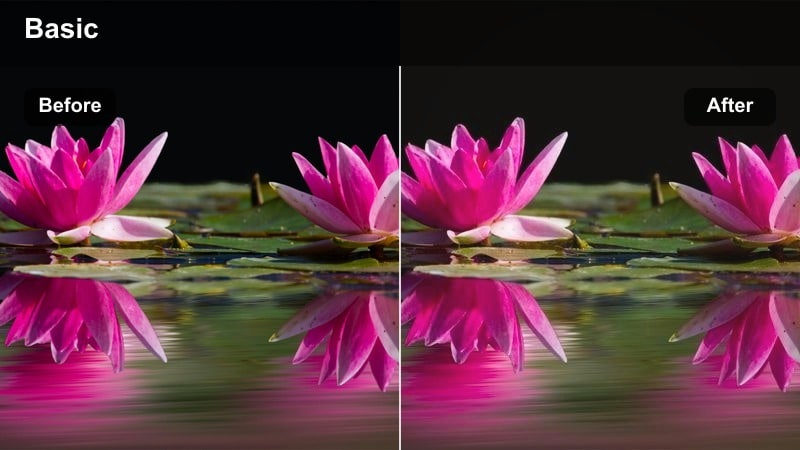
- Effect look: Rich amber midtones with gentle fade in the blacks for a classic street movie feel.
- Best for: City walks, handheld character moments, moody travel sequences shot at dusk.
- Editing tip: Increase local contrast with a light clarity or texture boost to keep details sharp in low light.
Amber Street Cinema leans into warm midtones and slightly faded blacks to give your dusk and evening city scenes a nostalgic, theatrical glow. It adds richness to streetlights and storefronts while preserving detail in faces, creating a balanced, movie-style grade.
In Filmora, drop this filter onto handheld or walk-and-talk footage to instantly create a cohesive street-movie atmosphere. Adjust the effect strength and add a light clarity boost so pavement textures, clothing, and background signage stay crisp even in low light.
Golden Film Portrait
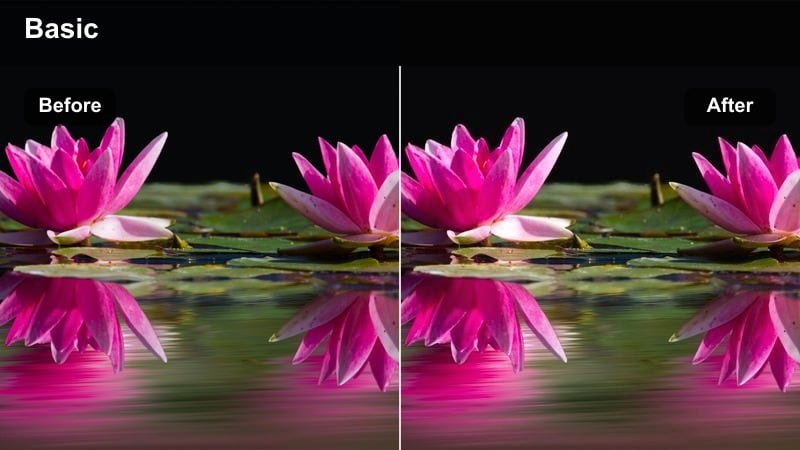
- Effect look: Soft golden highlights with gentle halation and a subtle teal shift in shadows.
- Best for: Portrait B-roll, creator intros, cinematic talking-heads framed against windows or skylines.
- Editing tip: Lower sharpness a touch and add a bit of film grain to mimic a high-end cinema camera.
Golden Film Portrait is tuned for faces, giving highlights a golden sheen while cooling down the shadows for that classic teal-and-gold film pairing. It keeps skin tones flattering and smooth while adding cinematic separation between subject and background.
Apply this free LUTs film look in Filmora to talking-heads, intros, and B-roll where your subject stands near windows or bright cityscapes. Reduce overall sharpness slightly, add subtle grain, and adjust filter intensity until the image looks polished and cinematic without appearing overly edited.
Urban Night Cinema Scenes
Neon Film Noir
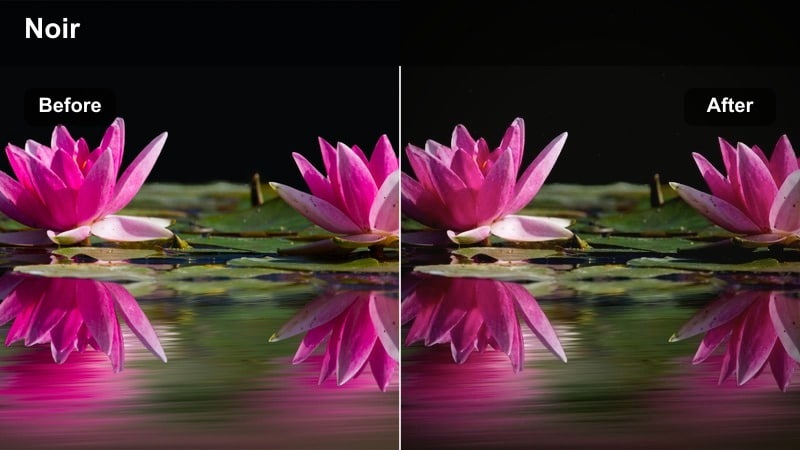
- Effect look: Deep shadows, vivid neon colors, and high contrast for a modern noir film vibe.
- Best for: Night street scenes, cyberpunk city B-roll, moody narrative shots with neon signs.
- Editing tip: Crush the blacks slightly but keep midtones protected so faces remain visible in dark environments.
Neon Film Noir injects bold contrast and saturated neon hues into your night city footage, creating a graphic, noir-inspired mood. Blacks go deep while colored signs and reflections pop, making alleyways, side streets, and rain-soaked pavements feel dramatic and stylized.
In Filmora, use this filter on footage where strong colored lights already exist, like billboards or shop fronts. Fine-tune brightness and contrast so silhouettes remain defined but important details in faces and text stay readable, then adjust saturation to taste for either a subtle or full cyberpunk look.
Teal City Thriller
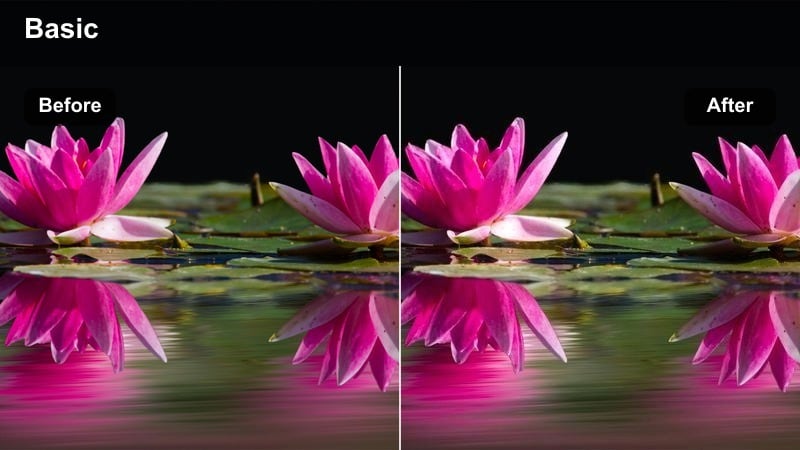
- Effect look: Cold teal shadows with slightly warm skin tones for a Hollywood thriller aesthetic.
- Best for: Car chases, rooftop chases, nighttime city chases and suspenseful sequences in urban locations.
- Editing tip: Add subtle camera shake and sound design to fully sell the cinematic thriller atmosphere.
Teal City Thriller gives your night scenes a high-budget action-thriller feel by pushing shadows toward teal and keeping highlights and skin tones gently warm. This contrast between cool environments and warmer subjects adds tension and depth to fast-paced sequences.
Apply it in Filmora to car scenes, rooftop shots, and suspenseful walk-throughs, then tweak the strength so the teal does not overpower your image. Pair the filter with Filmora motion presets, light camera shake, and strong sound design to transform simple footage into intense cinematic set pieces.
Midnight Grain Film
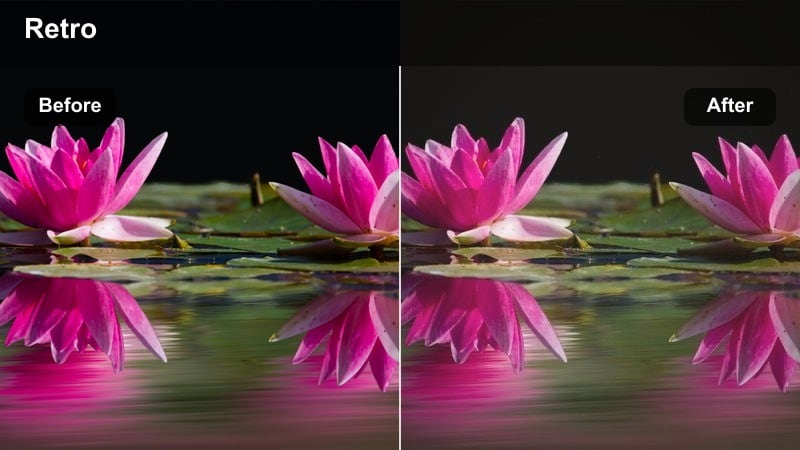
- Effect look: Soft lifted blacks, fine grain, and muted colors for a subtle analog night look.
- Best for: Documentary-style night shoots, handheld city walks, indie-style short films.
- Editing tip: Use gentle noise reduction first, then reintroduce the filter's grain for a clean but filmic texture.
Midnight Grain Film softens contrast and desaturates colors slightly while layering in fine grain to echo the feel of analog night footage. The look is understated and documentary-friendly, enhancing atmosphere without screaming that a heavy filter was used.
In Filmora, clean up your base footage with mild noise reduction before applying this style so the added grain feels intentional. Adjust brightness so important details in shadows remain visible, then fine-tune saturation for a balanced, moody city-night aesthetic suited to vlogs and indie films.
Daylight Storytelling Scenes
Soft Documentary Film
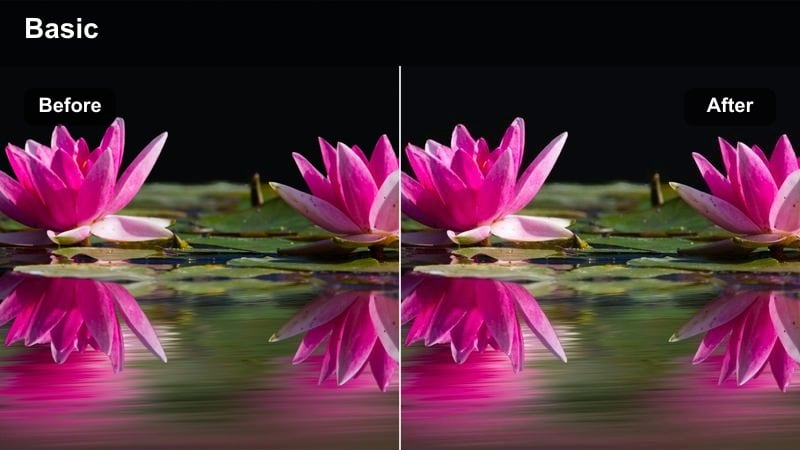
- Effect look: Neutral film curve with slightly softened contrast and gentle highlight roll-off.
- Best for: Vlogs, interviews, travel stories, behind-the-scenes content in natural daylight.
- Editing tip: Use subtle color tweaks only; this look works best when kept close to natural tones.
Soft Documentary Film is designed to keep your daylight footage natural while smoothing harsh edges, creating a gentle filmic curve. Highlights roll off smoothly and shadows stay readable, making it a great choice for conversational or observational content.
Drop this filter onto vlogs and interviews in Filmora when you want a professional, cinematic finish without heavy stylization. Keep additional color corrections minimal and use the filter strength slider to balance realism with a subtle, story-ready film look.
Pastel City Journal
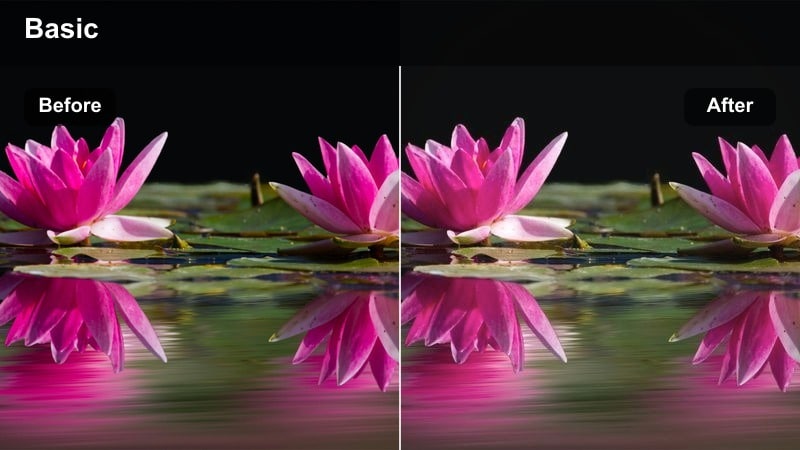
- Effect look: Bright, pastel-tinted highlights with softened edges and low saturation.
- Best for: Aesthetic city diaries, lifestyle vlogs, creative B-roll of streets and architecture.
- Editing tip: Lower saturation in reds and yellows if storefronts or signs look too intense in pastel scenes.
Pastel City Journal lightens and softens your image, reducing overall saturation while tinting highlights with gentle pastel tones. It turns ordinary city streets, trams, and buildings into airy, notebook-style visuals that feel calm and aesthetically pleasing.
Use this filter in Filmora on bright daytime footage and adjust saturation selectively if specific colors, like signage or traffic lights, become distracting. Combine with slower cuts and gentle camera moves to create relaxed city diaries or lifestyle sequences with a cohesive pastel film look.
Classic Film Journal
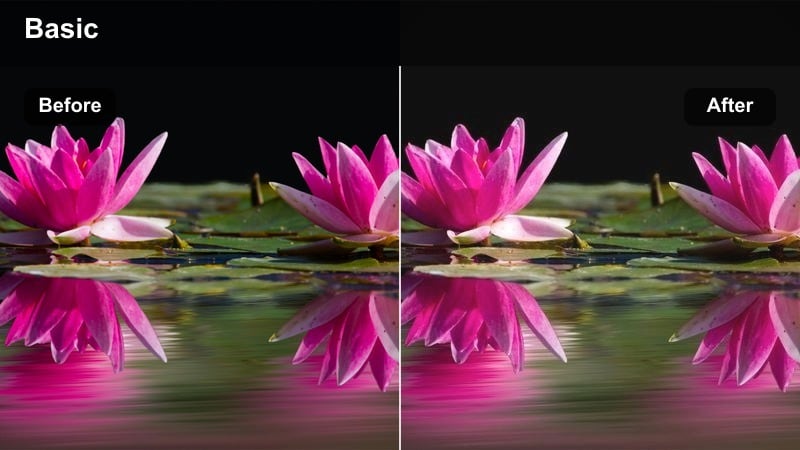
- Effect look: Subtle fade in blacks, mild warm tint, and gentle film-like contrast reminiscent of 35mm stock.
- Best for: Street photography video, city montages, daily creator logs with a storytelling focus.
- Editing tip: Add slow push-in or pan moves to static shots to pair with the nostalgic film feel.
Classic Film Journal emulates the look of lightly faded 35mm stock with gently lifted blacks and a warm, nostalgic tint. It brings a storytelling quality to everyday activities, making commutes, walks, and candid street shots feel like scenes from a personal movie.
Apply it in Filmora across entire sequences to tie together multiple clips into a unified visual journal. Add slow digital zooms or pans to static shots and mix in ambient city sounds so the classic film grade supports a smooth, cinematic narrative flow.
Moody Interior and Studio Scenes
Studio Cine Contrast
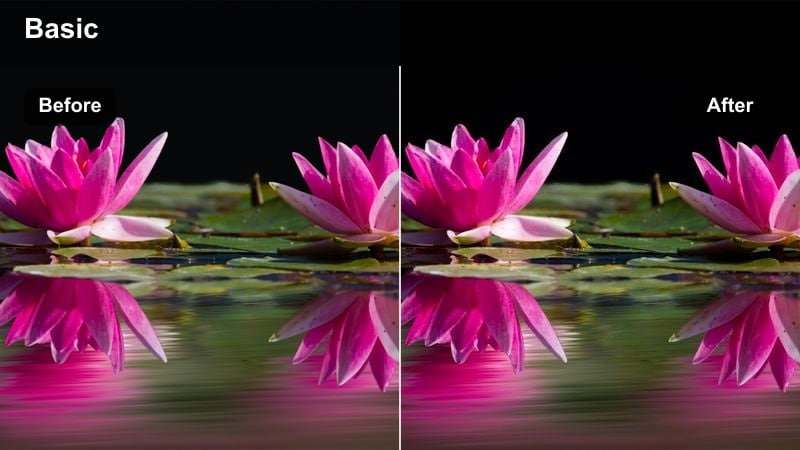
- Effect look: Punchy contrast with controlled highlights and rich midtones for studio-style shots.
- Best for: YouTube sets, talking-head videos, product showcases, podcast visuals.
- Editing tip: Light your background separately so this high-contrast filter does not make it disappear into black.
Studio Cine Contrast is built for controlled lighting environments, emphasizing strong midtones and crisp edges while keeping highlights from clipping. It delivers a bold, polished studio look that suits branded content, tutorials, and podcast visuals.
In Filmora, apply this filter to well-lit talking-heads or product shots, then adjust exposure so facial features remain clean and flattering. Use separate lights for background elements and tweak the filter intensity to avoid losing set detail while still enjoying punchy, cinematic contrast.
Apartment Art Film
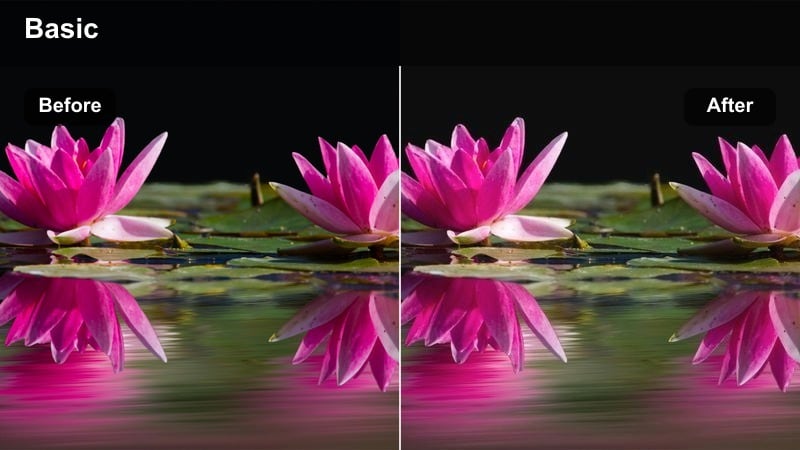
- Effect look: Soft matte shadows, slightly desaturated colors, and warm midtones for indie vibes.
- Best for: Interior vlogs, creative work sessions, cozy apartment storytelling and desk setups.
- Editing tip: Lift the blacks gently and reduce saturation in greens to keep the room tones subtle and cinematic.
Apartment Art Film adds a matte finish to shadows and gently reduces saturation, leaning on warm midtones to create a cozy, indie-film atmosphere. It is especially effective for intimate desk setups, creative routines, and everyday apartment moments.
Use this filter in Filmora on clips lit mainly by windows or lamps, then adjust brightness to keep faces softly illuminated. Slightly reduce green saturation if plants or mixed lighting dominate the frame, and fine-tune the filter strength until the space feels curated but still authentic.
Loft Drama Film
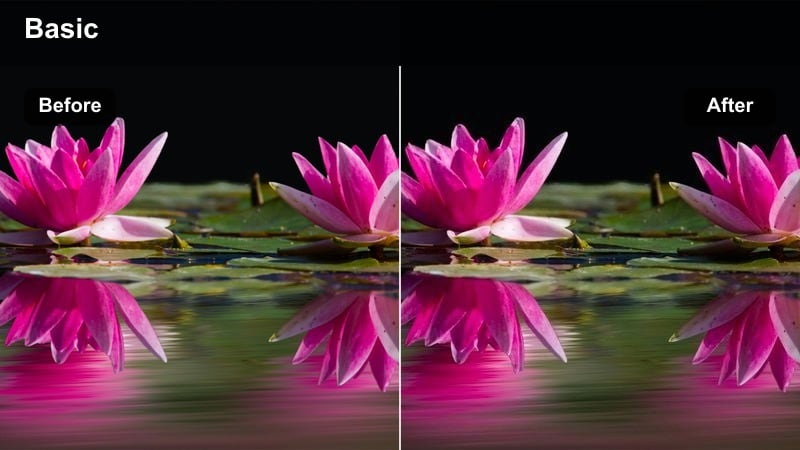
- Effect look: Strong directional contrast, cool shadows, and cinematic color separation.
- Best for: Dialogue scenes, cinematic monologues, music videos in loft or studio locations.
- Editing tip: Add a subtle vignette and crop to a wider aspect ratio, such as 2.35:1, for full filmic impact.
Loft Drama Film leans into high contrast and cool-toned shadows, accentuating strong key lights and creating striking separation between subject and background. The result is a bold, dramatic aesthetic that suits performances, monologues, and stylized narrative scenes.
In Filmora, apply this look to loft or studio footage with clear directional lighting, then consider cropping to a cinematic aspect ratio and adding a vignette. Adjust the effect strength so the mood stays intense without crushing important detail in clothing, hair, or set design.
Tips for Using Free Luts Film Look Filters in Filmora
- Match white balance across all clips before applying any free LUTs film look filter so your sequence grades consistently.
- Reduce digital sharpness slightly and add subtle grain in Filmora to help your footage resemble analog film capture.
- Group clips by scene and lighting condition, then apply the same film look filter to each group for visual continuity.
- Avoid pushing saturation too high; most cinematic LUTs and film look filters work best with controlled, slightly muted colors.
- Use Filmora scopes or histograms to make sure your film look does not unintentionally crush shadows or blow out highlights.
- Export a short test sequence first and review it on multiple screens to confirm the chosen film look holds up everywhere.
- Adjust filter intensity per shot instead of leaving every clip at 100 percent to keep the final grade balanced and natural.
Free LUTs film look style filters in Filmora give creators and editors a fast way to turn everyday footage into cinematic scenes.
Experiment with different film-inspired filters, refine them with simple color tweaks, and save your favorite combinations as presets to build a recognizable visual style over time.
secure downloadNext: Free LUTS Vintage Style
