

 100% Security Verified | No Subscription Required | No Malware


 ChatGPT
 Perplexity
 Gemini
 Claude
 Grok
Grok
This guide highlights Filmora filters that recreate the free LUTs vintage style look, giving your footage retro color, subtle fades, and nostalgic warmth in just a few clicks.
Whether you film travel, vlogs, or narrative projects, these vintage-style presets help creators and editors quickly grade footage with a timeless, cinematic charm.
In this article
Sunlit Streets and Golden Afternoons
Warm Fade 70s
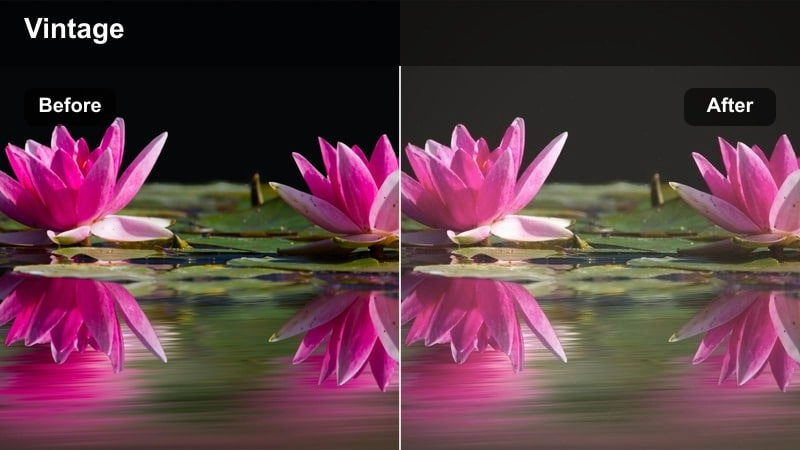
- Effect look: Soft golden wash with low contrast and gentle highlight bloom.
- Best for: City walks, lifestyle b-roll, golden hour vlogs on the street.
- Editing tip: Lower saturation slightly and add a subtle vignette to deepen the retro mood.
Warm Fade 70s wraps your footage in a soft, golden cast that instantly recalls classic 1970s film stock. Contrast is lowered and highlights bloom gently, giving sidewalks, faces, and storefronts a flattering glow that feels nostalgic rather than overly stylized.
In Filmora, apply Warm Fade 70s to golden hour vlogs, lifestyle street sequences, or walking-and-talking clips to create a cohesive retro walk-through-the-city vibe. Dial back saturation and add a light vignette, then use Filmora exposure controls to keep skies and bright signs from clipping while preserving that dreamy faded finish.
Speed up vintage grading with AI-powered Filmora tools
Filmora's AI-powered color tools can quickly prep your clips for a free LUTs vintage style look by automatically balancing exposure, contrast, and white balance. This lets every vintage filter land on cleaner, more consistent footage.
Start by running AI color correction on your clips, then stack vintage-style filters on top to refine warmth, fades, and highlight roll-off without needing advanced color-grading skills.
 secure download

Preview vintage filters side-by-side on the same clip
Use Filmora split-screen previews or duplicate a clip on your timeline to test several vintage filters on identical footage. Comparing Warm Fade 70s, more muted looks, and cooler retro styles in real time makes it easier to discover your channel's signature mood.
Play back the variations together, then tweak filter intensity and basic color controls on each version until one option clearly fits the story and lighting of the scene.
secure downloadCombine filters with LUTs for deeper vintage control
Filmora includes 1000 plus video filters and 3D LUTs you can layer to refine your free LUTs vintage style look. Use a vintage filter to set overall mood, then apply a LUT to push specific color channels, contrast, or film-like curves more precisely.
On a test clip, stack one filter with one LUT, then adjust their strengths until skin tones, skies, and shadows feel cohesive and analog-inspired rather than overprocessed.
secure downloadRetro Street Film
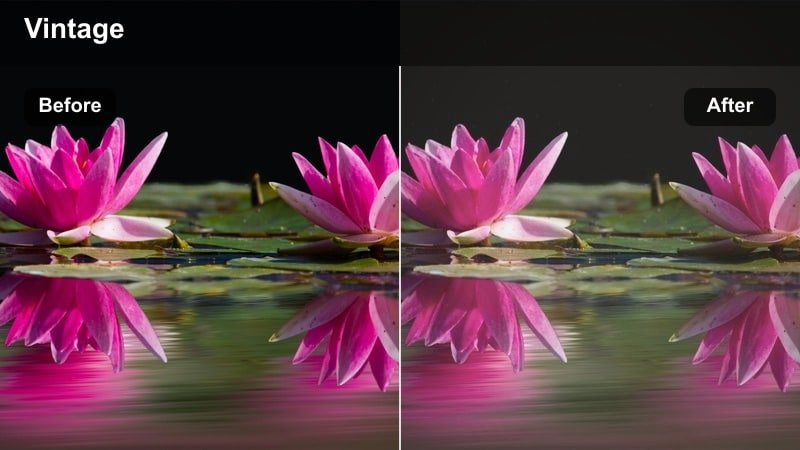
- Effect look: Muted colors with lifted blacks and subtle grain-style texture.
- Best for: Urban b-roll, handheld street footage, documentary-style city scenes.
- Editing tip: Combine with a slight handheld motion or film grain overlay for a convincing documentary throwback.
Retro Street Film dials down saturation and lifts the blacks to evoke old documentary reels and broadcast reports from decades past. Details in darker clothing and building facades stay visible, while the overall palette tilts toward a soft, understated street tone.
In Filmora, pair this filter with handheld shots, crosswalk b-roll, and fast cutaways to give your urban sequences a gritty reportage feel. Add a film grain overlay and a touch of vignette, then fine-tune contrast so neon signs and streetlights retain just enough punch against the muted environment.
Hazy Summer Block
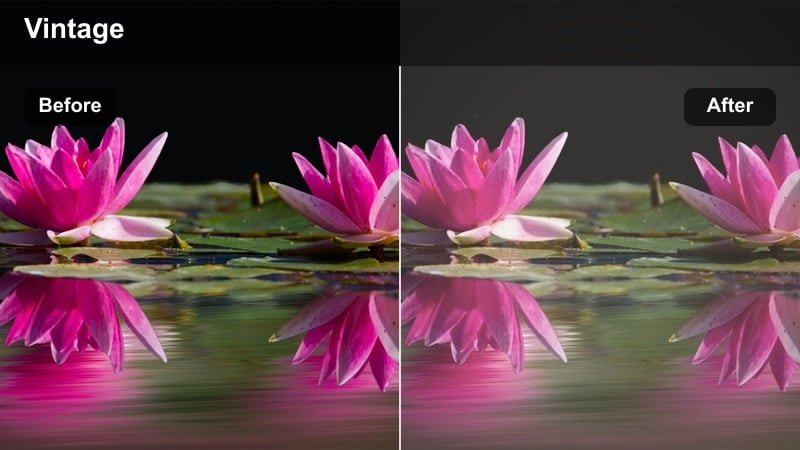
- Effect look: Soft haze with pastel highlights and a gentle yellow cast.
- Best for: Residential neighborhood scenes, kids playing on the block, slow-paced vlogs.
- Editing tip: Reduce clarity and sharpness slightly to embrace the dreamy, memory-like aesthetic.
Hazy Summer Block wraps your footage in a gentle veil of pastel tones and subtle yellow warmth, ideal for capturing childhood memories, afternoon walks, and quiet neighborhood vlogs. Shadows soften, highlights bloom a little, and the whole frame takes on a dreamy summer-afternoon charm.
Inside Filmora, apply this filter to clips of kids playing, bike rides, or slow walk-and-talk shots in residential streets. Lower overall sharpness or add a faint blur at the edges, then slightly lift midtones so faces and sidewalks look bright and airy while still keeping the soft, nostalgic haze.
Cozy Indoors and Retro Home Moments
Living Room VHS
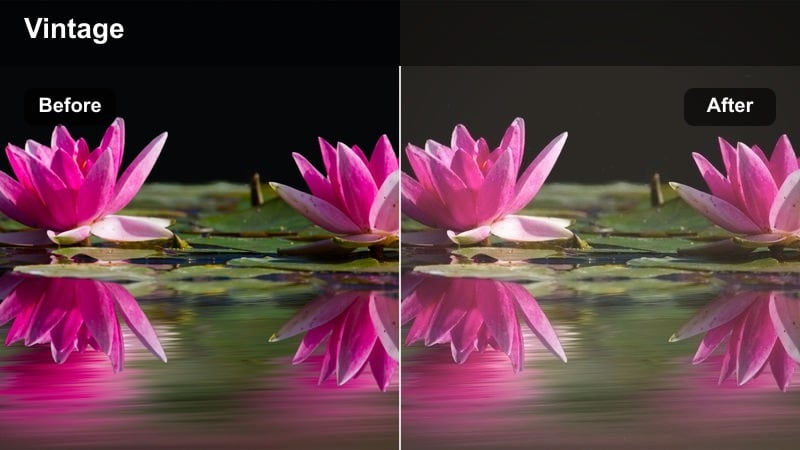
- Effect look: Cool shadows with warm mids, subtle fade, and a hint of tape-style softness.
- Best for: Home vlogs, casual sit-downs, couch conversations, and family clips.
- Editing tip: Lower sharpness and add a slight vignette to mimic old home-video cameras.
Living Room VHS emulates the imperfect charm of old home camcorders, blending cooler shadows with warm midtones and a gentle overall fade. The effect subtly softens edges and reduces digital harshness so living rooms, couches, and everyday objects feel like they were recorded on tape.
Use this filter in Filmora for sit-down chats, family moments, and cozy apartment vlogs where you want to tap into the feel of 80s and 90s home movies. Reduce sharpness, add a slight vignette, and moderate the effect intensity if skin tones get too warm, then fine-tune exposure so lamps and windows do not blow out.
Retro Kitchen Amber
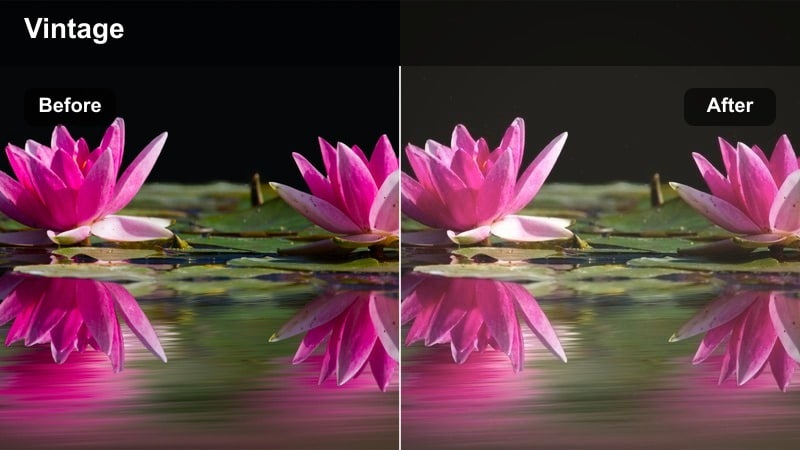
- Effect look: Deep amber warmth with slightly desaturated greens and soft highlights.
- Best for: Kitchen conversations, making coffee, and intimate home routines.
- Editing tip: Reduce greens in the shadows to keep the amber tone clean and cinematic.
Retro Kitchen Amber pushes your footage toward rich amber tones, calming down greens and giving countertops, cabinets, and skin a cozy, firelit hue. Highlights are softened just enough to make practical bulbs and window light glow without feeling overexposed.
Apply this filter in Filmora when filming morning coffee routines, cooking scenes, or late-night chats at the counter. Dim harsh overheads, rely on warmer lamps, then use the color tools to slightly pull back shadow greens so the amber cast stays clean, cinematic, and flattering for faces.
Polaroid Room Soft
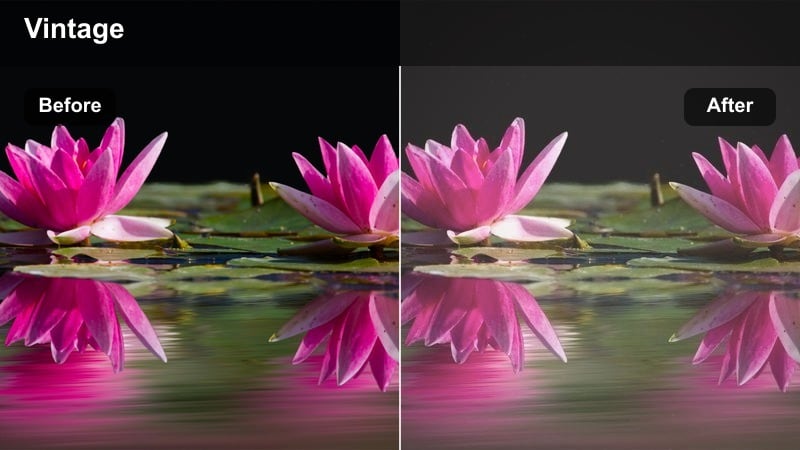
- Effect look: Soft pastel tones with lifted blacks and a gentle creamy cast.
- Best for: Bedroom scenes, desk setups, and aesthetic room tours.
- Editing tip: Raise exposure slightly and add a faint vignette to resemble an old instant film print.
Polaroid Room Soft lifts your blacks and bathes the frame in a creamy, pastel palette, echoing the look of instant film prints pinned to a wall. Contrast is gentle, colors feel airy, and small lights like fairy strings or lamps appear dreamy rather than harsh.
In Filmora, use this filter for aesthetic room tours, workspace videos, and moody bedroom b-roll. Raise exposure a touch, add a subtle vignette, and keep your in-frame colors simple so the pastel shifts stay smooth. Avoid intense RGB lighting so skin tones and decor maintain that soft, nostalgic Polaroid character.
Vintage City Nights and Neon Memories
Neon Noir Fade
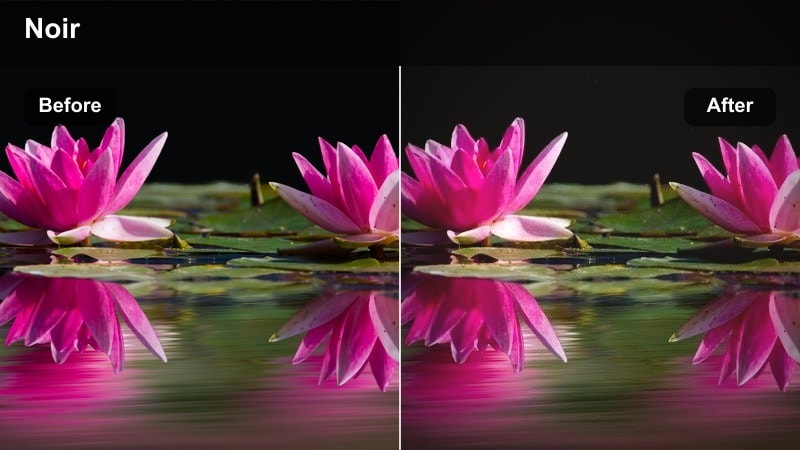
- Effect look: Deep shadows, teal-tinted blacks, and soft magenta highlights with a light fade.
- Best for: Night walks, rainy streets, and city b-roll with neon lights.
- Editing tip: Expose slightly brighter in-camera, then pull down highlights in Filmora to protect signs and reflections.
Neon Noir Fade leans into rich, cinematic contrast with teal shadows and magenta-leaning highlights that flatter neon signs and reflections on wet pavement. A gentle fade keeps the look vintage, softening the harshness you often get from modern digital night footage.
Use this filter in Filmora on rainy streets, night walks under city lights, or storefront b-roll. Shoot slightly brighter, then in editing pull down highlights and whites to protect sign text and window detail. Add a touch of grain to unify the colors and to hide sensor noise from higher ISO settings.
Retro Subway Glow
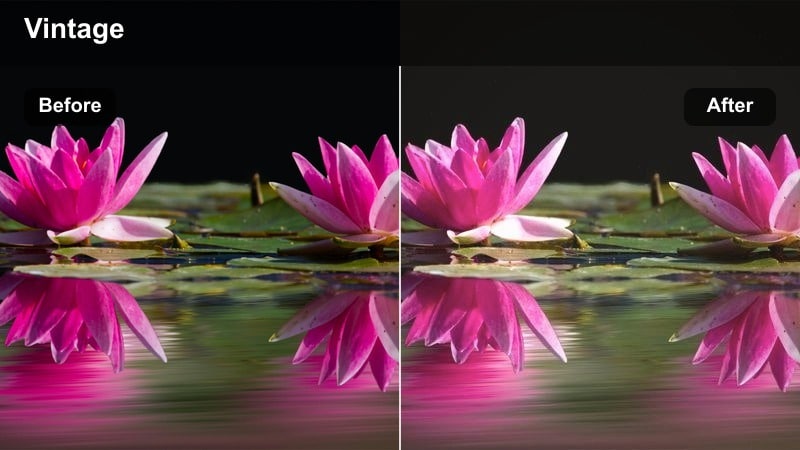
- Effect look: Soft greenish shadows with warm skin tones and slightly lowered saturation.
- Best for: Subway platforms, underground corridors, and train rides.
- Editing tip: Add a light blur to the background or use shallow depth of field to emphasize the glow on faces.
Retro Subway Glow tames harsh fluorescent lighting by softening contrast, cooling the shadows slightly, and keeping skin tones warm and inviting. The overall saturation drops a bit so tiled walls, trains, and signage feel like a retro film still instead of a clinical digital capture.
Inside Filmora, apply this filter to underground platforms, escalators, and train interiors. If your footage is heavily green, nudge midtones toward magenta with the color wheels before applying the filter. Then add a light background blur or prioritize shallow depth-of-field shots to draw attention to softly glowing faces against the tunnel environment.
Cinema Marquee 80s
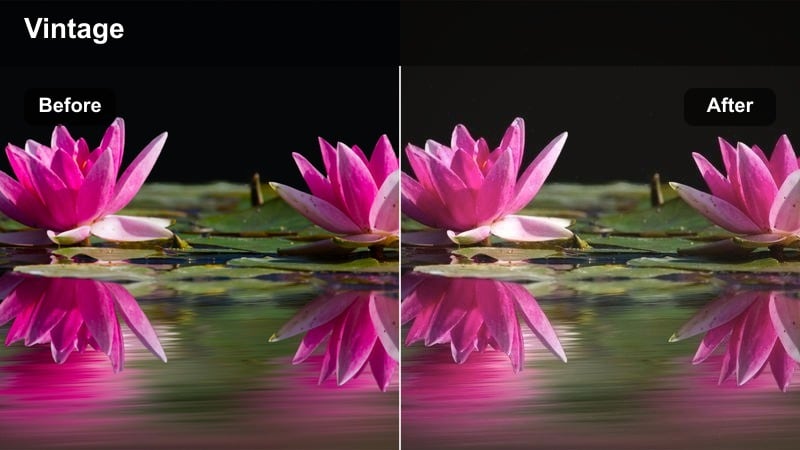
- Effect look: Punchy reds and yellows with softened contrast and subtle halation-style glow.
- Best for: Cinema entrances, theater marquees, date nights, and ticket lines.
- Editing tip: Slightly reduce saturation of blues to keep the marquee text and skin tones more prominent.
Cinema Marquee 80s channels the energy of classic theater nights, boosting reds and yellows while softening contrast and adding a faint halo around bright lights. Signs glow, jackets and posters pop, and the whole frame feels like a still from an 80s movie set outside a cinema.
Use this filter in Filmora for date-night vlogs, premiere coverage, or any sequence that features theater entrances and neon signage. Bring highlights down and lift shadows just a bit so text on the marquee does not clip, reduce blue saturation to keep attention on faces and titles, and adjust filter intensity until the glow feels analog but still legible.
Travel Diaries with Film-Like Retro Charm
Postcard City Wash
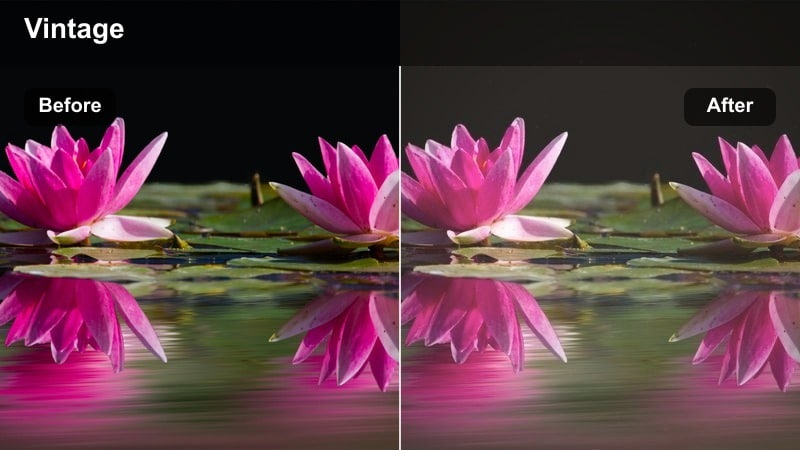
- Effect look: Faded blues, warm highlights, and slightly desaturated midtones.
- Best for: City plazas, tourist spots, and handheld travel diaries.
- Editing tip: Stabilize your footage lightly in Filmora to keep the postcard look smooth and dreamy.
Postcard City Wash gives your travel footage a printed-postcard feel, fading blues, warming highlights, and dialing back midtone saturation. City plazas, monuments, and cobblestone streets take on a gentle, timeworn character that suits travel diaries and sightseeing montages.
In Filmora, apply this filter to wide establishing shots and roaming handheld clips from tourist spots. Add light stabilization to smooth out jitters, keep the sky slightly underexposed before applying the filter, and tweak intensity so architecture, people, and signage remain clear while still feeling like they belong in a vintage travel album.
Station Platform Classic
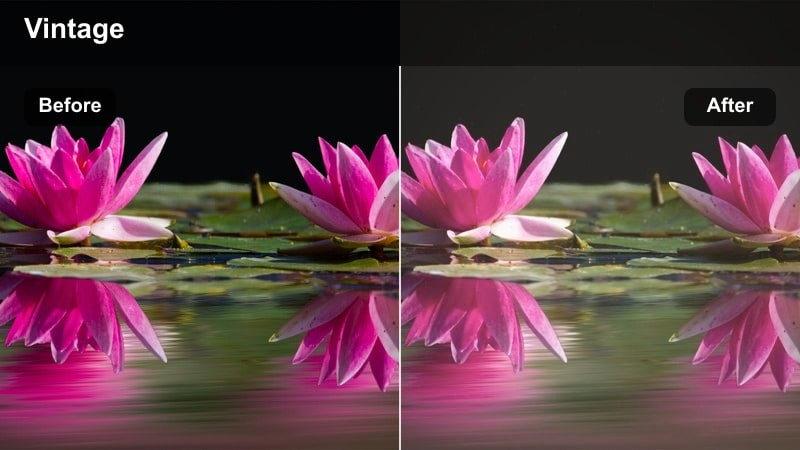
- Effect look: Neutral vintage tone with gentle fade and slightly warm shadows.
- Best for: Train platforms, tram stops, and travel transitions between cities.
- Editing tip: Cut to this look on travel transitions to signal time passing and add narrative flow.
Station Platform Classic adds a subtle film-like fade and warm-leaning shadows without heavily shifting your original colors. The result is a neutral vintage tone that works well across many different lighting conditions, especially at stations and stops where you move between locations.
Use this filter in Filmora as a visual marker for departures and arrivals in your travel vlogs. Apply it consistently to platform shots, luggage close-ups, and trains pulling in and out, then pair it with a recurring music cue or sound effect to signal chapter breaks and passage of time in your narrative.
Rooftop Sunset Tape
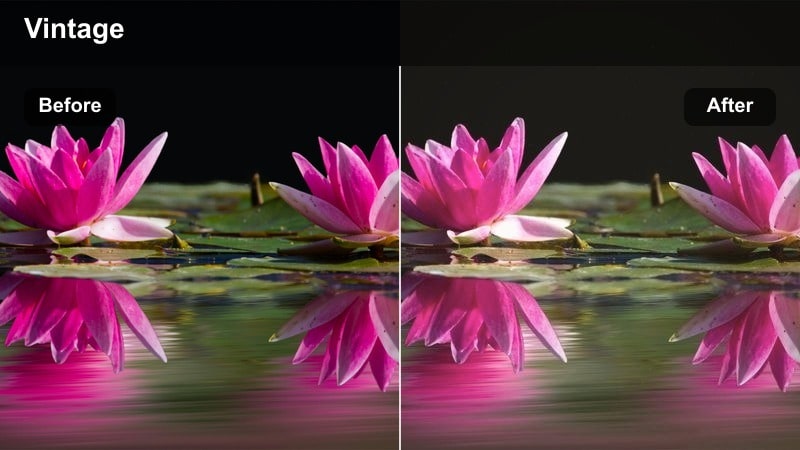
- Effect look: Soft magenta sunset cast with lowered contrast and slight tape-like softness.
- Best for: Rooftop views, skyline shots, and farewell scenes at dusk.
- Editing tip: Expose for the sky first, then bring up shadows to preserve the skyline silhouette against the vintage glow.
Rooftop Sunset Tape adds a magenta-leaning glow to your dusk footage, easing contrast and introducing a subtle tape-style softness. Skies turn romantic and cinematic, while buildings and subjects gain a gentle silhouette against the colorful horizon.
In Filmora, expose for the sky so clouds and gradients hold detail, then apply this filter and lift shadows just enough to reveal people and rooftops. Let some elements fall into silhouette for mood, and if faces must remain visible, use midtone adjustments and a mild vignette to keep attention on the warm, vintage sky.
Tips for Using Free Luts Vintage Style Filters in Filmora
- Shoot with a slightly flatter picture profile in-camera so Filmora vintage filters and LUTs have more room to shape contrast and color.
- Keep ISO as low as your scene allows; add film-style grain in Filmora later instead of relying on noisy sensor grain.
- Stick to one or two complementary vintage filters within the same sequence to avoid jarring changes in tone between shots.
- Adjust filter intensity and basic color settings instead of leaving everything at 100 percent, especially when skin tones start to look too orange or too magenta.
- Use subtle vignettes and gentle blurs to draw attention to faces and create a classic analog frame feel in both interiors and exteriors.
- Combine Filmora filters with LUTs for more advanced grading, using filters for overall mood and LUTs for precise color channel control.
- Test your chosen vintage look on a short clip first, then copy and paste the settings across your timeline for consistent color.
With the right Filmora filters, you can recreate a free LUTs vintage style look that turns modern footage into warm, nostalgic stories in just a few clicks.
Experiment with these presets, adjust intensity, and combine them with Filmora's color tools until you find a retro aesthetic that fits your channel or project perfectly.
secure downloadNext: Free LUTS Moody Tone
