

 100% Security Verified | No Subscription Required | No Malware


 ChatGPT
 Perplexity
 Gemini
 Claude
 Grok
Grok
These free LUTs for short films are designed to help creators and editors quickly match mood, genre, and storytelling beats without spending hours on manual color grading.
Browse the scene-based collections below to find the right cinematic tone for your story, then drop them into Filmora to speed up your grading workflow while keeping full creative control.
In this article
Moody Street Drama and Urban Nights
Gritty City Noir
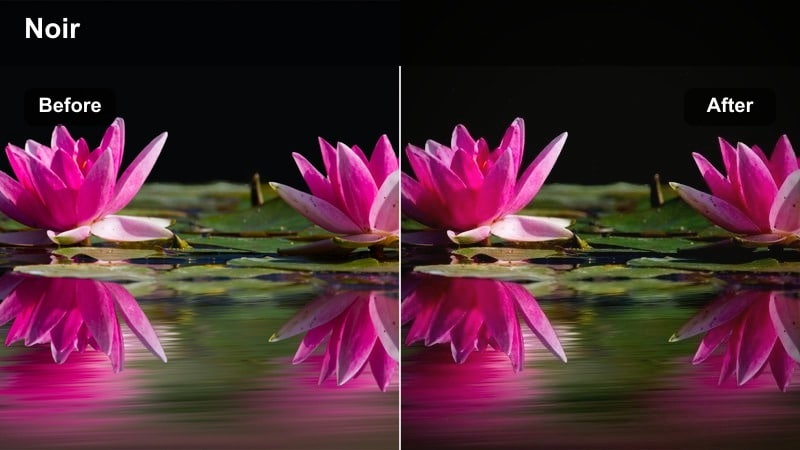
- Effect look: High-contrast monochrome-inspired tone with subtle cool shadows and muted highlights that evoke classic urban noir
- Best for: Nighttime alley confrontations, crime sequences, and tense city walk-and-talk scenes
- Editing tip: Lower the exposure slightly and add a gentle vignette to keep focus on the actors faces and key props in frame
Gritty City Noir pushes your footage toward a high-contrast, noir-influenced palette that emphasizes cool shadows and controlled highlights, giving night streets a hard-edged, cinematic bite. Apply this LUT in Filmora to alleyways, side streets, and dim exteriors to turn practical lights and wet pavement into graphic shapes that frame your actors and heighten tension.
In Filmora, drop the LUT onto an adjustment layer, then nudge global exposure down and add a subtle vignette filter so faces and hands sit in the brightest part of the frame. Use curves to gently lift midtones if your camera recorded very dark footage, and fine-tune shadow levels so you keep important details visible without losing the oppressive, noir atmosphere.
Speed up story grading with AI-powered color tools
Combine these free LUTs for short films with Filmoras AI color tools to keep your entire short visually consistent while you experiment with different looks. Once you find a LUT that fits your scene, let AI Color Match quickly bring the rest of your shots in line so coverage from different cameras or lighting setups feels like one cohesive world.
Use AI-driven color matching to balance exposure, contrast, and color between wide shots and close-ups, then refine skin tones with curves and HSL so each character remains natural even under stylized grades.
 secure download

Preview cinematic looks in real time
Filmora lets you preview multiple LUTs and filters directly in the viewer, so you can quickly compare gritty, neutral, and stylized options on your most important scenes. This makes it easy to test how a look affects performances, blocking, and lighting before you commit to a full grade.
Duplicate a key dialogue or turning-point scene on several tracks, apply different LUTs to each layer, and use split-screen or quick toggles to judge which treatment best matches your shorts pacing and tone.
secure downloadBuild layered looks with filters and LUTs
Once you set a strong base grade with one of these LUTs, you can stack Filmora filters like vignettes, grain, and light leaks to create a distinctive signature look. Keeping each layer subtle allows you to enrich the image while preserving natural skin tones and believable production design.
Work on an adjustment layer above your edit, apply your chosen LUT, then add filters at reduced opacity so the final composite supports the story instead of distracting from it.
secure downloadNeon City Pulse
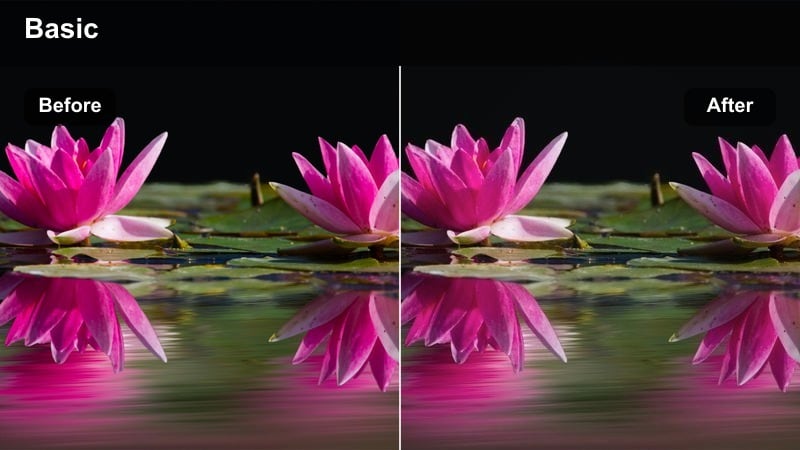
- Effect look: Vibrant cyan and magenta shift that amplifies neon signs while slightly desaturating skin for a stylized cyberpunk mood
- Best for: Club entrances, rooftop parties, and handheld city chases under colorful signage
- Editing tip: Reduce saturation on greens after applying the LUT to keep traffic lights and shop fronts from distracting the viewer
Neon City Pulse pushes your nightlife footage into a bold cyan-magenta palette that exaggerates signage, wet streets, and lens flares for a cyberpunk-inspired feel. It slightly pulls back skin saturation so faces remain readable and do not compete with intense neon colors around them.
In Filmora, apply this LUT, then open the HSL controls to tame overly bright greens from traffic lights or storefronts and gently correct skin hues back toward natural tones. For close-ups, use masks or keyframes to lower LUT intensity only on faces if they start to look too synthetic, keeping the environment stylized while preserving believable performances.
Subway Solitude
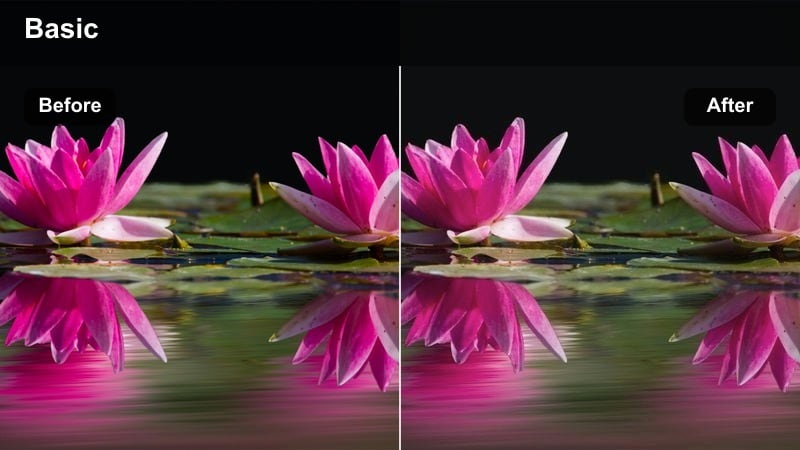
- Effect look: Cool, desaturated grade with soft contrast that emphasizes fluorescent interiors and a sense of isolation
- Best for: Lonely metro rides, waiting-on-the-platform shots, and introspective travel montages
- Editing tip: Combine this LUT with slow push-ins and subtle film grain to enhance the characters internal conflict
Subway Solitude cools down colors and gently lowers saturation to make fluorescent-lit trains and platforms feel detached and distant. Its soft contrast minimizes harsh edges, helping ambient reflections and passing lights glide through the frame without drawing too much attention.
Inside Filmora, add the LUT to your transport sequences, then layer in a light film grain filter and slow push-ins or slider moves to emphasize your characters emotional distance. Lift shadows slightly so eyes and expressions do not disappear, and use minimalist sound design to let the cool, quiet grade amplify the feeling of isolation.
Soft Daylight Drama and Character Moments
Warm Street Dialogue
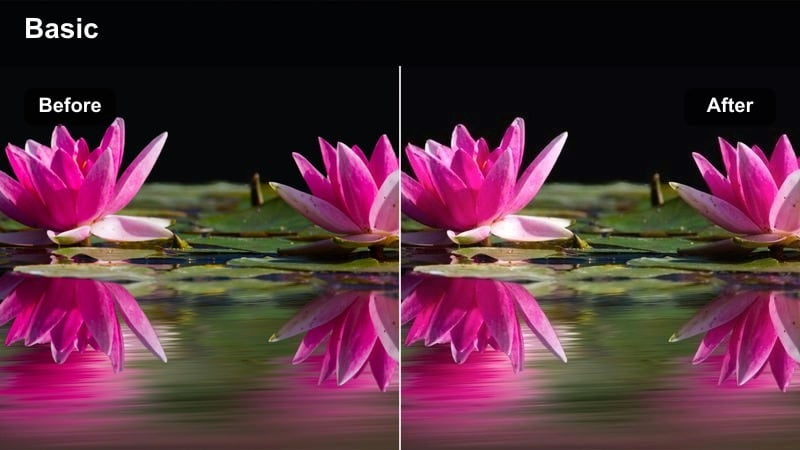
- Effect look: Gentle warm lift in midtones with soft contrast and slightly lowered saturation for grounded, cinematic day exteriors
- Best for: Sidewalk conversations, park benches near city streets, and low-key daytime arguments
- Editing tip: Pull highlights down with curves to keep skies from clipping and preserve detail on faces in backlit shots
Warm Street Dialogue adds a subtle warmth to midtones while keeping saturation restrained, making daylight exteriors look cinematic without feeling overly graded. The softened contrast makes faces, clothing, and city backgrounds sit together naturally even when the sun is strong.
In Filmora, use this LUT as a starting point for sidewalk or park conversations, then refine exposure with the curves tool to protect bright skies and backlit cheeks. Apply it to an adjustment layer over all dialogue coverage so your shot-reverse-shot angles stay consistent, and make small exposure tweaks on individual clips only when you need to balance mismatched lighting.
Neutral Storygrade
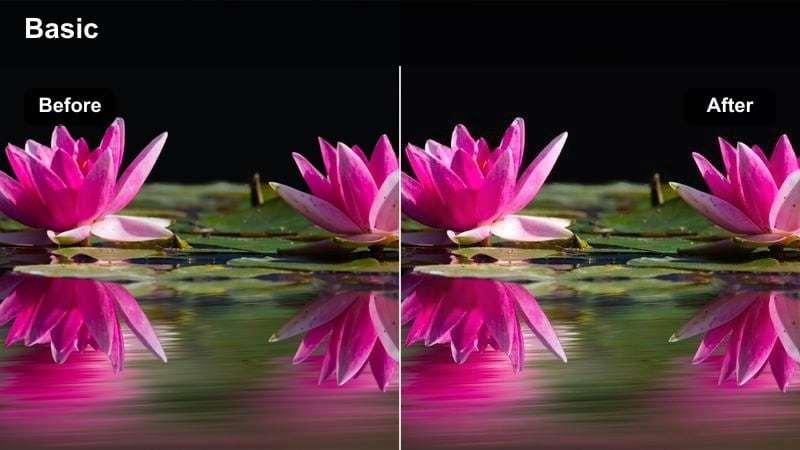
- Effect look: Balanced color with light contrast and very subtle warmth to maintain flexibility for later adjustments
- Best for: Coverage-heavy dialogue scenes, corporate offices, and story-driven shorts that avoid strong stylization
- Editing tip: Use this LUT as a base and stack creative filters only on select shots to highlight emotional beats without over-grading the whole film
Neutral Storygrade delivers a clean, balanced image with gentle contrast and just a hint of warmth, acting as a flexible baseline for narrative work. It keeps skin tones honest and locations believable so you can push or pull the look later without fighting baked-in color casts.
In Filmora, treat this LUT as your show LUT: apply it early in the edit to all scenes, then adjust exposure and white balance underneath so everything feels unified. When you reach important emotional beats, add extra filters or localized color adjustments on top of this base to subtly shift mood without breaking visual continuity across your short film.
Overcast Intimacy
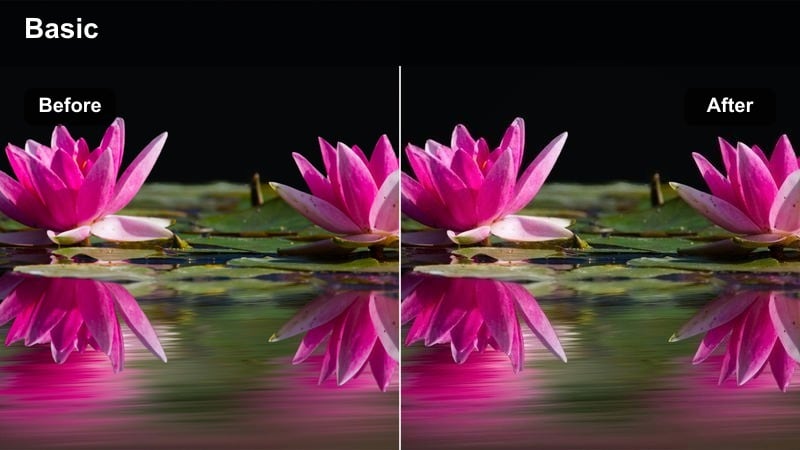
- Effect look: Soft, low-contrast look with cooler highlights and slightly lifted blacks that make cloudy days feel intimate and gentle
- Best for: Quiet rooftop talks, bus stops, and park paths on cloudy days in romantic or reflective shorts
- Editing tip: Lift shadows just enough so details in coats and hair remain visible while keeping the overall frame subtle and soft
Overcast Intimacy is tuned for cloudy, diffused light, lowering contrast and cooling highlights so gray skies and soft reflections feel tender rather than dull. Slightly lifted blacks keep detail in darker clothing and hair, helping your characters stand out gently against the background.
Apply this LUT in Filmora to rooftop, bus stop, or park scenes shot under clouds, then fine-tune shadow levels until you see enough texture without reintroducing harsh contrast. Avoid heavy sharpening and let the natural softness guide your editing pace, using longer takes and slower cutting so the gentle grade has space to support emotional dialogue.
Apartments, Hallways, and Interior Tension
Tense Hallway Amber
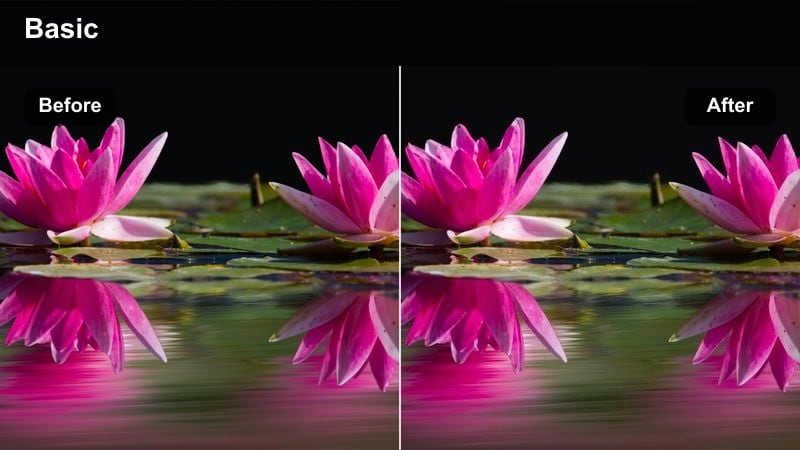
- Effect look: Strong amber push in practical lights with contrasted midtones and slightly green shadows for a claustrophobic feel
- Best for: Apartment corridors, stairwells, and door confrontations with suspense or thriller vibes
- Editing tip: Tighten cuts and use jump cuts with this LUT to accentuate anxiety and the oppressive hallway lighting
Tense Hallway Amber leans heavily into warm practicals and moody midtones, while subtly steering shadows toward green to add unease. The result is a narrow, pressurized hallway look where every overhead bulb feels oppressive and every door could hide a threat.
In Filmora, apply this LUT to corridor and stairwell scenes, then darken the frame edges using vignettes or masks to intensify the sense of confinement. Use selective saturation controls to boost only amber tones so lights pop, and pair the grade with tight editing and abrupt cuts to heighten suspense as characters move through cramped spaces.
Small Room Realism
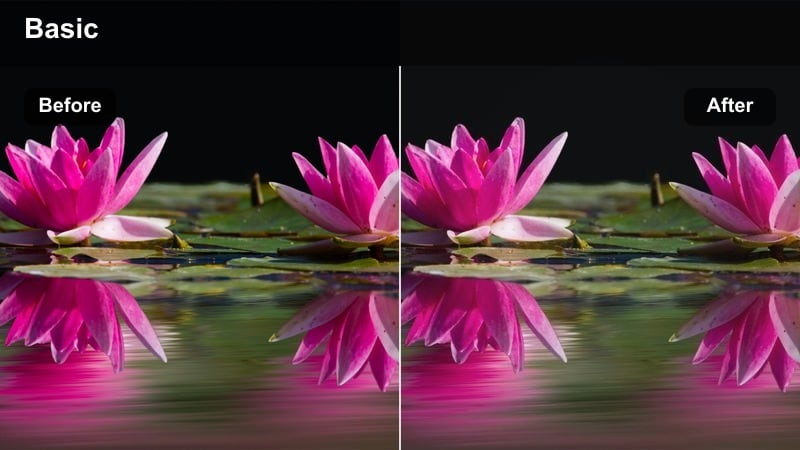
- Effect look: Naturalistic interior tone with balanced whites, gentle contrast, and restrained saturation to keep rooms grounded
- Best for: Bedroom conversations, tiny studio apartments, and grounded slice-of-life scenes
- Editing tip: Add a light film grain over this LUT to avoid the image feeling too video-like in low-budget interior shoots
Small Room Realism is designed to keep cramped interiors honest and unobtrusive, with balanced whites, modest contrast, and controlled saturation. It minimizes color casts from mixed household lighting so audiences focus on performance and blocking rather than noticing technical limitations.
Inside Filmora, use this LUT on bedroom or living room scenes, then add a subtle film grain filter to give low-budget digital footage a more organic, cinematic texture. Keep additional color tweaks very light and rely on camera framing, gentle push-ins, and detailed room tone in the audio mix to carry intimacy instead of heavy stylization.
Night Interior Thriller
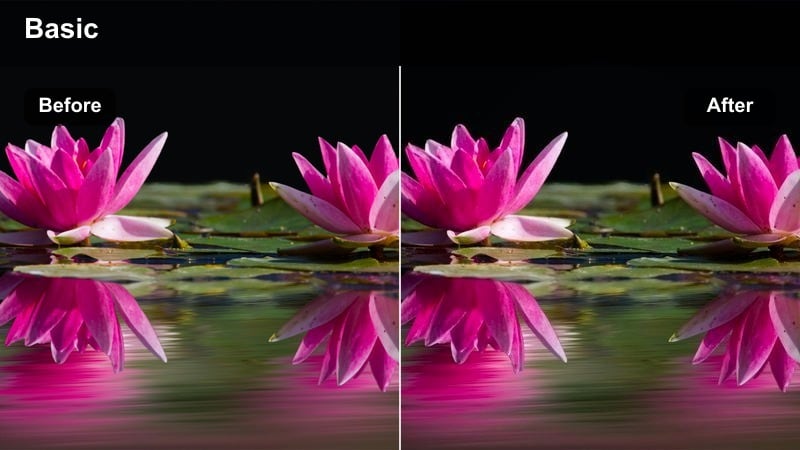
- Effect look: Deep, contrasty grade with cool shadows and warm pools of light that create strong separation and suspense
- Best for: Kitchen and living room scenes at night, break-ins, and hiding-behind-the-door moments
- Editing tip: Feather masks around practical lamps to keep them bright while letting surrounding corners fall into shadowy darkness
Night Interior Thriller carves your frame into dramatic pockets of warm light and cold darkness, using strong contrast to isolate characters inside their own pools of safety. Cool shadows creep into corners and doorways, making home spaces feel unfamiliar and threatening.
In Filmora, drop this LUT onto night kitchen or living room scenes, then use masks and exposure controls to keep lamps and key light sources bright while pushing surrounding areas toward near-black. Cut from wider suspenseful shots into close-ups when characters lean into the warm light so their expressions remain readable against the deep, tense background.
City Transitions, Travel, and Time-Lapse Montages
City Timelapse Crisp
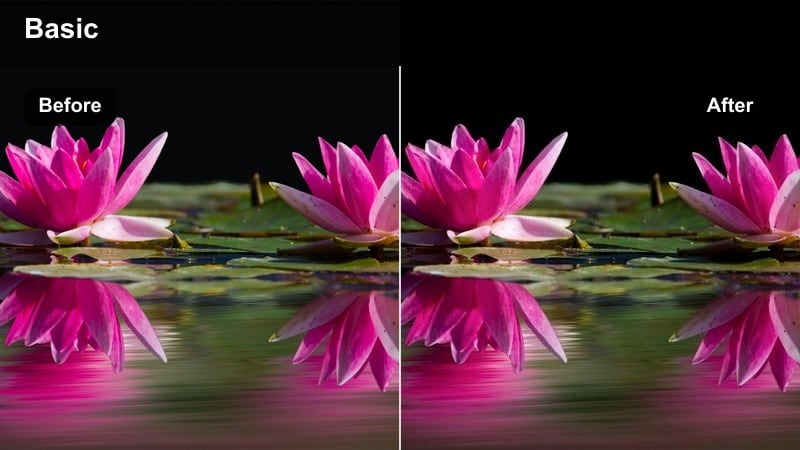
- Effect look: Clean, high-clarity profile with punchy contrast and slightly cool highlights to make architecture and traffic stand out
- Best for: Downtown time-lapses, office towers, and establishing shots at the start of scenes
- Editing tip: Pair this LUT with speed ramps and whooshes to create energetic city transitions between story beats
City Timelapse Crisp is built to make skylines, office towers, and streaking headlights look sharp and energetic. Its punchy contrast and cool highlights emphasize glass, metal, and motion trails so audiences immediately register a change of place or time.
In Filmora, apply this LUT to B-roll and establishing shots only, using it as a visual signpost between narrative scenes. Combine the grade with speed ramps, motion blur, and whoosh sound effects on cuts to create dynamic chapter breaks that separate your story beats without overwhelming the main narrative footage.
Metro Travel Diary
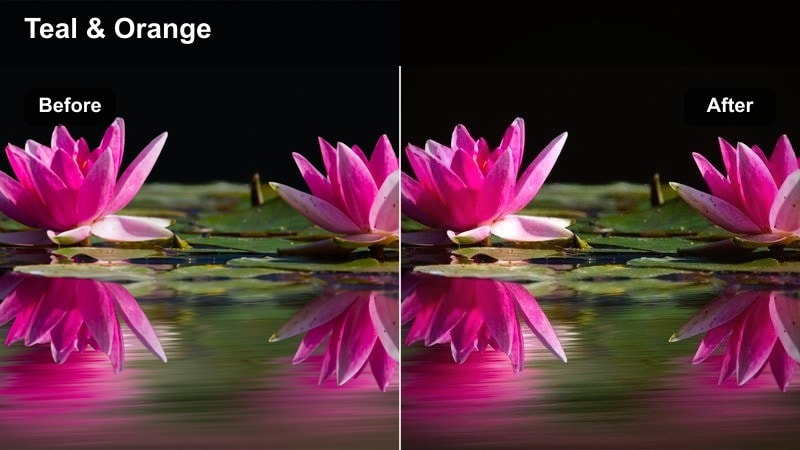
- Effect look: Soft teal-and-orange inspired palette with moderate contrast and subtle filmic fade for travel montages
- Best for: Commuter trains, walking through stations, escalators, and handheld street B-roll between scenes
- Editing tip: Cross-dissolve between shots and sync cuts to music beats so the LUTs warm-cool contrast carries the rhythm of the journey
Metro Travel Diary gives commuting and travel shots a gentle teal-and-orange push, with cooler shadows in stations and warm highlights on skin and lights. A slight filmic fade reduces pure blacks, lending your montage a relaxed, reflective tone instead of a harsh documentary feel.
Use this LUT in Filmora on handheld B-roll of platforms, escalators, and walking shots, then build a music-driven montage with cross-dissolves and on-beat cuts. Keep contrast moderate so the sequence flows smoothly, and return to your more neutral story LUT for dialogue scenes to clearly separate reflective travel interludes from main story beats.
City Sunrise Hope
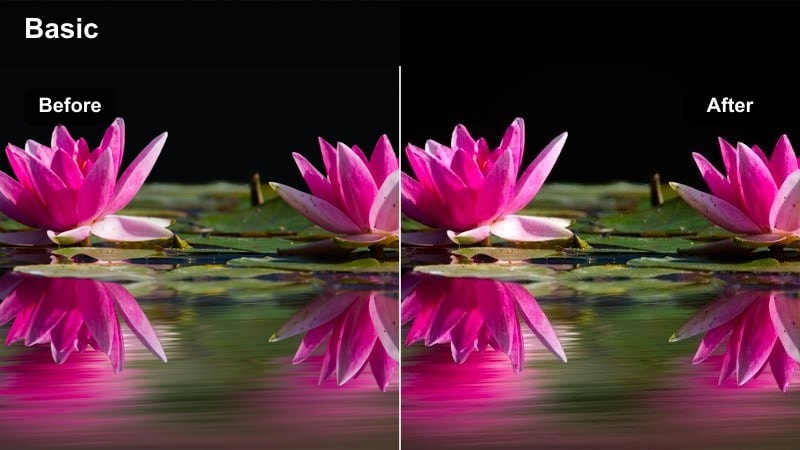
- Effect look: Golden-hour boost with lifted shadows, glowing highlights, and gentle saturation that conveys optimism
- Best for: Opening or closing montages of the city, early morning commutes, and hopeful endings on rooftops or bridges
- Editing tip: Add slow lens flare overlays and longer dissolves with this LUT to underline emotional resolutions or new beginnings
City Sunrise Hope enhances warm tones and lifts shadows to create a glowing, optimistic golden-hour atmosphere. It works especially well on skylines, bridges, and rooftops, where the gentle haze and bright highlights can underline themes of renewal or closure.
In Filmora, save this LUT for pivotal openings or endings: apply it to sunrise or sunset establishing shots, then layer tasteful light-leak or lens-flare overlays at low opacity. Use slower dissolves and lingering shots so viewers have time to feel the tonal shift toward hope before you either roll credits or transition back into darker scenes with your more neutral or moody LUTs.
Tips for Using Free Luts For Short Films Filters in Filmora
- Test each LUT on a mix of close-ups and wide shots so you can see how skin tones, skies, and backgrounds respond before grading the whole short.
- Apply LUTs on adjustment layers in Filmora, then correct exposure and white balance on the underlying clips to maintain a unified look.
- Keep a close eye on skin tones and use HSL or curves to prevent faces from drifting too far toward orange, magenta, or green with strong styles.
- Mix neutral and stylized LUTs intentionally, using subtle grades for dialogue-heavy scenes and bolder palettes for climaxes or key emotional turns.
- Run light noise reduction before LUTs and sharpening, especially for high-ISO night scenes, so contrasty grades do not exaggerate grain.
- Export a short test sequence and review it on different displays, such as phones, laptops, and TVs, to confirm your graded LUTs translate well everywhere.
Free LUTs for short films can dramatically speed up your grading process while giving each scene a clear, cinematic identity that supports the story.
Combine these presets with thoughtful lighting, sound design, and pacing inside Filmora to craft shorts that feel polished, intentional, and emotionally resonant on any budget.
secure download