

 100% Security Verified | No Subscription Required | No Malware


 ChatGPT
 Perplexity
 Gemini
 Claude
 Grok
Grok
These free LUT-inspired filters for sunset video are designed for creators and editors who want warm, cinematic color in just a few clicks inside Filmora.
From soft golden glows to moody twilight tones, explore ready-made looks that match different sunset scenarios so you can keep shooting instead of spending hours color grading.
In this article
Golden Hour Cityscapes and Rooftops
Golden Glow Rooftop
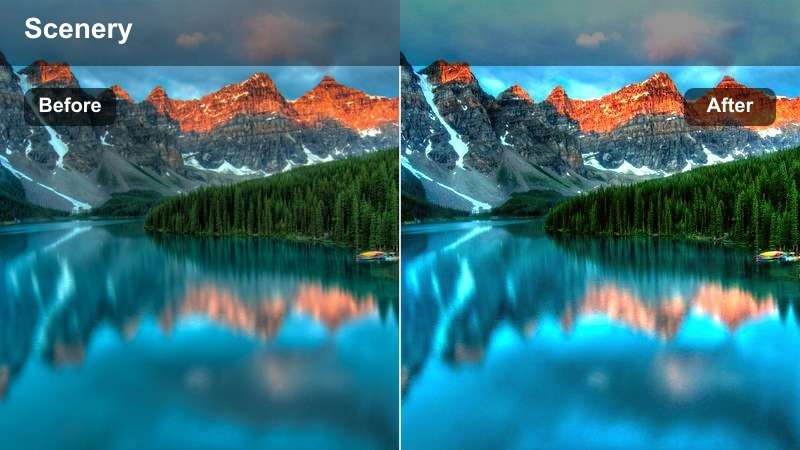
- Effect look: Soft, warm highlight boost with gentle contrast, perfect for glowing rooftop city sunsets.
- Best for: Creators filming vlogs, timelapses, and lifestyle B-roll during golden hour on balconies or rooftops.
- Editing tip: Lower contrast slightly if your sky is already vivid, and add a subtle vignette to keep attention on your subject.
Golden Glow Rooftop adds an instant golden-hour polish to balcony and skyline shots, brightening highlights while keeping shadows gentle and flattering. It is ideal when your original footage looks a little flat or cool, but you still want natural color and clean city details without heavy grading.
In Filmora, apply this filter, then fine-tune it with HSL controls if skin tones push too far into orange. Slightly easing off overall contrast and adding a soft vignette will help keep faces and key details readable while still letting the sky glow with warm, cinematic light.
Speed up sunset grading with AI-powered color tools
Filmora's AI color tools help you match these free LUT-style filters across different cameras and lighting changes at sunset. Instead of fighting shifting clouds or exposure jumps, AI can quickly balance your shots so every clip feels like it was filmed in the same perfect golden moment.
Use AI-driven color matching and correction to build a consistent baseline look, then layer your favorite sunset filter on top. This workflow keeps your highlights protected and your warm tones unified from the first frame to the last.
 secure download

Preview each sunset filter in real time
Filmora lets you hover over filters and preview the look directly on your sunset footage, so you can compare golden, pastel, and dramatic styles in seconds. This real-time preview helps you quickly decide whether a filter fits your story before you commit to deeper adjustments.
Once you find a look that works, try stacking it with subtle tweaks like exposure, saturation, and HSL adjustments. That way, you can create a signature sunset style while still keeping clouds, skies, and skin tones believable.
secure download1000+ Video Filters and 3D LUTs
Beyond these free LUT-inspired sunset filters, Filmora includes a large library of video filters and 3D LUTs for every genre, from travel and lifestyle to short films and music videos. You can mix and match these with your sunset clips to create cohesive color stories across entire projects.
Save your favorite combinations as presets so you can return to the same cinematic look in just one click. This is perfect for creators building a recognizable visual style around golden hour and blue-hour footage.
secure downloadUrban Sun Flare
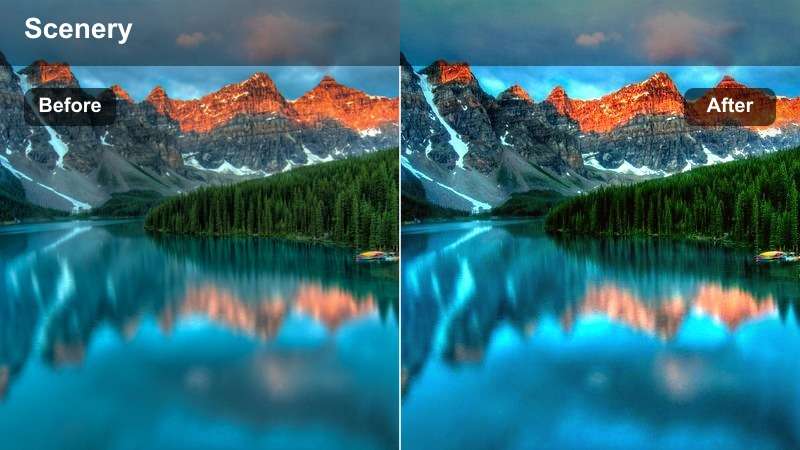
- Effect look: High-energy orange and amber punch with lifted midtones and subtle bloom around highlights.
- Best for: Handheld city walks, street reels, and dynamic B-roll where the sun peaks between buildings.
- Editing tip: Add a slight motion blur or speed ramp to emphasize light streaks and create a more cinematic sun-flare feel.
Urban Sun Flare is tailored for energetic city walks where the sun cuts through buildings and traffic. It brightens midtones, adds a soft bloom to highlights, and intensifies oranges to make every flare moment feel intentional and cinematic.
In Filmora, drop this filter on your clip, then enhance its energy with speed ramps or subtle motion blur during the strongest flare moments. If highlights start to clip, slightly reduce exposure and highlights before or after applying the filter to keep window reflections and the sun disc textured.
Hazy City Pastel
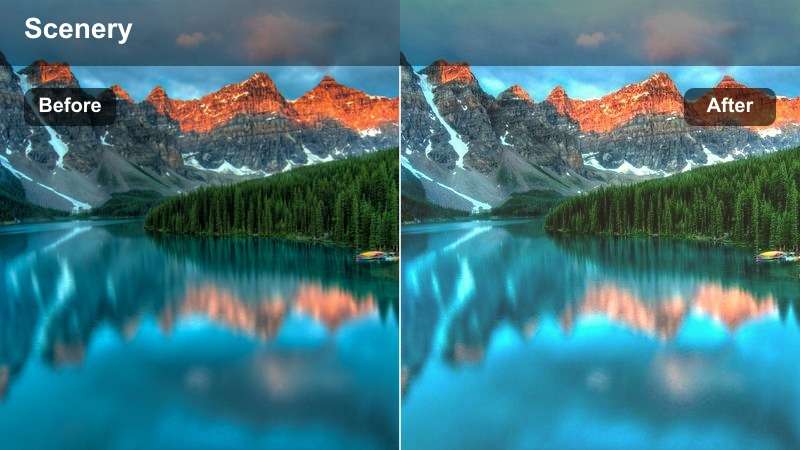
- Effect look: Soft pastel oranges and pinks with reduced clarity and a dreamy, low-contrast atmosphere.
- Best for: Slow city timelapses, rooftop drone shots, and romantic urban scenes at late sunset.
- Editing tip: Increase sharpness only on your subject while keeping the background slightly soft to maintain the dreamy mood.
Hazy City Pastel is built for gentle, dreamy cityscapes where you want pastel oranges and pinks instead of heavy contrast. It softens clarity and slightly fades shadows, making skylines feel more like a cinematic painting than a harsh city grid.
Use this filter in Filmora on slow pans, timelapses, or aerial shots, then selectively sharpen your main subject with masking or local adjustments. Add a light film grain layer to give the soft sky texture while preserving that smooth, romantic late-sunset atmosphere.
Coastal Sunsets and Beachfront Shots
Tropical Gold Shoreline
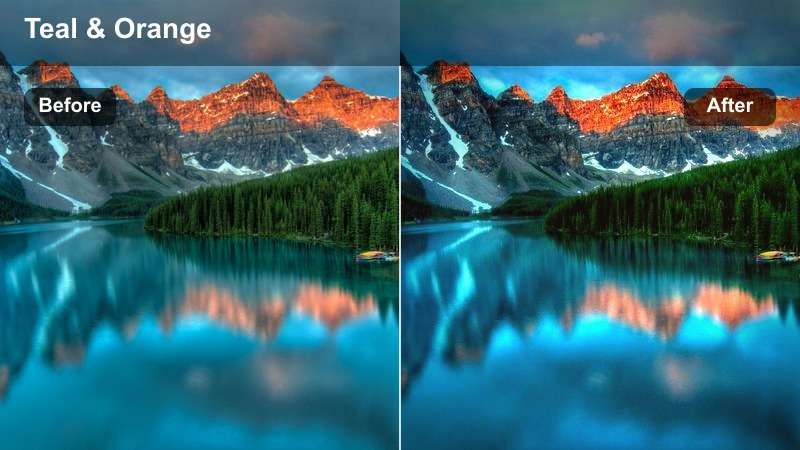
- Effect look: Rich golden highlights with saturated teal shadows to keep the ocean vibrant against a warm sky.
- Best for: Beach walks, shore-side B-roll, and travel vlogs filmed at golden hour by the water.
- Editing tip: Reduce teal saturation slightly if your water looks too intense, and add a light fade for a travel-film aesthetic.
Tropical Gold Shoreline pushes the classic teal-and-gold travel look, warming the sky while keeping the ocean saturated and lively. It is especially effective when your raw footage looks washed out or your water appears too gray compared to the sunset.
In Filmora, apply this filter across your shoreline sequence using adjustment layers, then fine-tune teal saturation from the HSL panel so the water looks rich but not radioactive. A subtle fade in the shadows and a gentle vignette will make the whole scene feel like a polished travel film intro.
Soft Pink Horizon
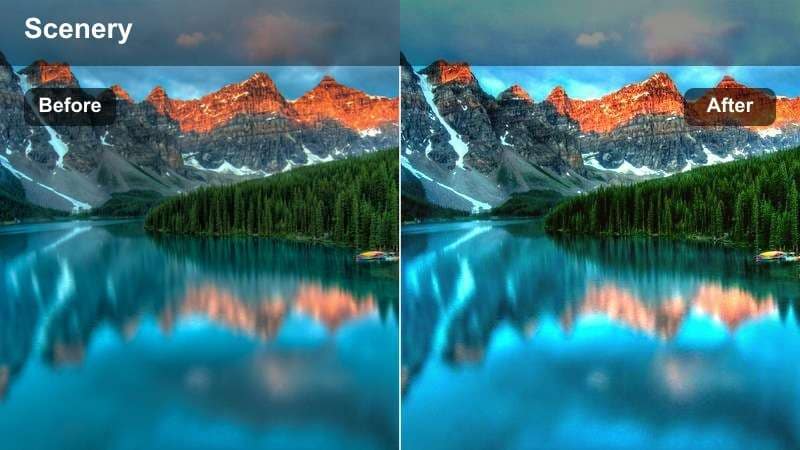
- Effect look: Gentle pink and lavender shift in the sky with slightly muted shadows for a calm beach mood.
- Best for: Quiet beach moments, couple shots, and slow pans across the ocean horizon at blue hour.
- Editing tip: Use slower transitions and gentle zooms to match the relaxed, romantic tone this filter creates.
Soft Pink Horizon is tuned for soft, romantic sunsets where the sky leans toward pinks and lavenders rather than deep oranges. It mutes shadows just enough to keep the mood calm, perfect for couple silhouettes or meditative shoreline shots.
After applying this filter in Filmora, keep your edits slow and minimal: use gentle zooms, dissolves, or simple fades to complement the tranquil color palette. If skin tones pick up too much pink, pull back red and magenta saturation in the HSL controls so people stay natural against the dreamy sky.
Dramatic Coastline Ember
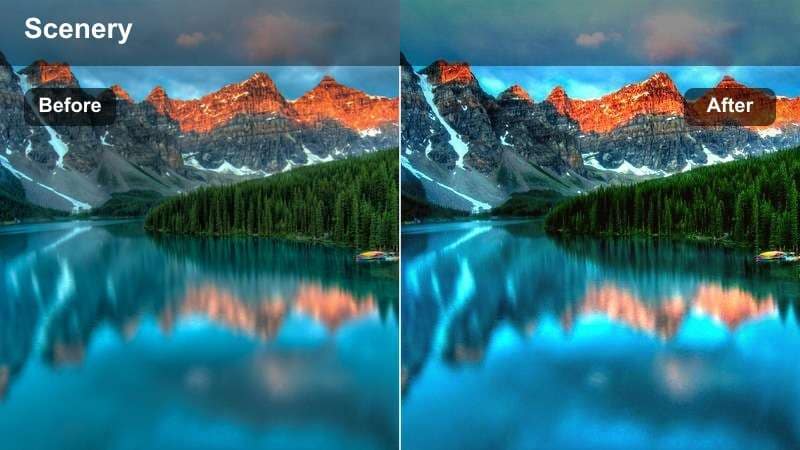
- Effect look: Deepened shadows with fiery orange and red highlights that make the sun and clouds feel intense and cinematic.
- Best for: Cliffside sunsets, drone reveals, and powerful seascapes with strong light contrast.
- Editing tip: Pull down blacks carefully to avoid crushing detail in rock textures and distant waves.
Dramatic Coastline Ember is built for rugged shores and powerful skies, amplifying deep shadows and fiery highlight colors. It makes cliffs, waves, and stormy clouds feel epic, especially when the sun is low and contrasty.
Apply this filter in Filmora to your widest coastline shots first, then balance individual clips by slightly lifting shadows if rock detail disappears. Add a soft vignette that keeps the sun or brightest part of the sky clear, guiding your viewer straight to the burning horizon line.
Sunset Nature Trails and Mountain Views
Rustic Trail Warmth
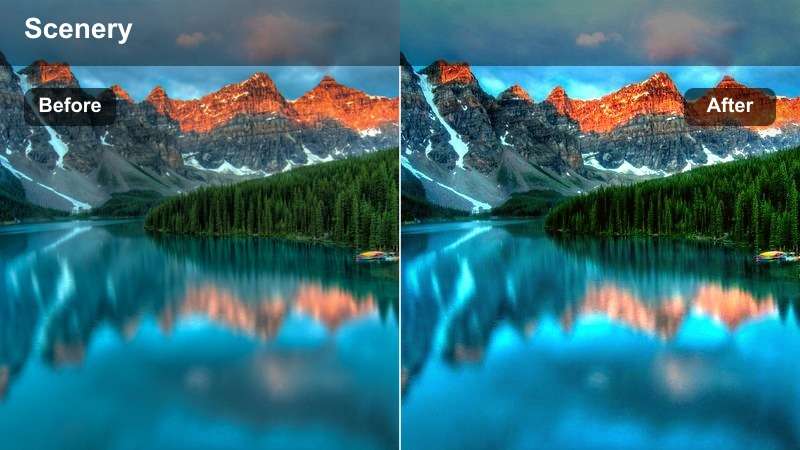
- Effect look: Earthy warm tones with lifted shadows to reveal detail in trees, paths, and hiking gear.
- Best for: Hiking vlogs, walking POVs, and handheld shots along forest trails at sunset.
- Editing tip: Dial back saturation on greens slightly if foliage becomes too neon under the warm shift.
Rustic Trail Warmth adds an earthy glow to forest paths and wooded hikes, lifting shadows to reveal bark, leaves, and gear details. It warms the frame without making everything look overly stylized, ideal for natural adventure vlogs.
In Filmora, use this filter on all your trail clips, then reduce green saturation and luminosity if foliage starts to look neon against the sunset light. Slightly brightening the end of the path or horizon with keyframed exposure can help lead the viewer through your hike visually.
Alpine Sunset Clean
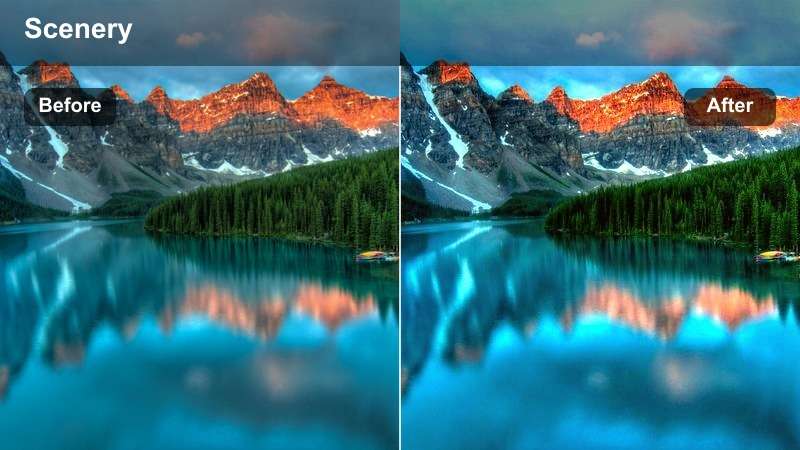
- Effect look: Clean contrast with crisp edges, neutralized greens, and a subtle amber tint on peaks and clouds.
- Best for: Mountain ranges, lake reflections, and drone flyovers at high altitude during sunset.
- Editing tip: Sharpen just a bit more than usual to bring out rock textures and distant ridgelines.
Alpine Sunset Clean is focused on clarity and realism, preserving natural colors while adding a gentle amber warmth to peaks and clouds. It is especially effective for high-altitude scenes where you want detail in rock faces and distant ridges to stand out.
After applying this filter in Filmora, lightly boost sharpening and clarity so textures in mountains, lakes, and clouds pop without looking crunchy. If blues in the sky or water shift too teal, nudge the blue hue slider back toward neutral in HSL to keep the scene looking true to life.
Twilight Ridge Fade
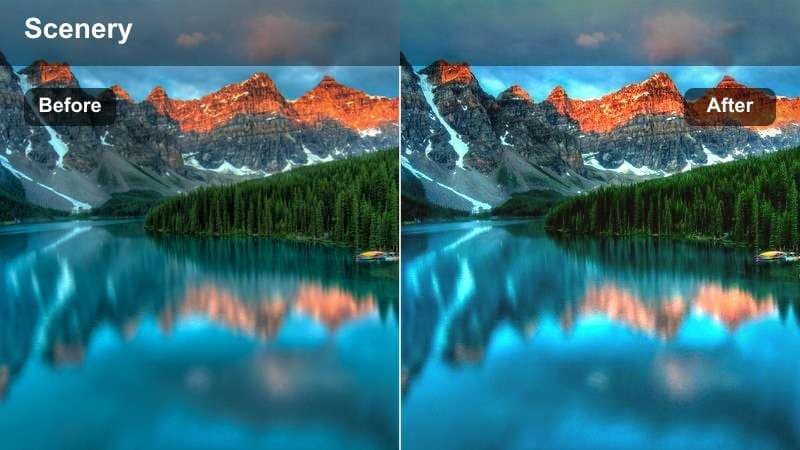
- Effect look: Soft, faded contrast with cooler shadows and a hint of magenta in the upper sky for post-sunset moods.
- Best for: Silhouetted ridge lines, campers on hilltops, and blue-hour panoramas after the sun dips.
- Editing tip: Lower saturation slightly to keep the faded film look, then add subtle film grain to enhance texture.
Twilight Ridge Fade captures the moody minutes after the sun disappears, cooling shadows and softly tinting the upper sky with magenta. It lowers contrast for a filmic fade that works beautifully on silhouettes of ridges, tents, and trees.
Use this filter in Filmora on blue-hour panoramas and slow pans, then pull saturation down a touch more to lean into the analog feel. Add stabilization to any handheld or panning shots so the subtle fade and grain read as cinematic, not shaky.
Creative and Cinematic Sunset Styles
Neo Cinematic Teal & Amber
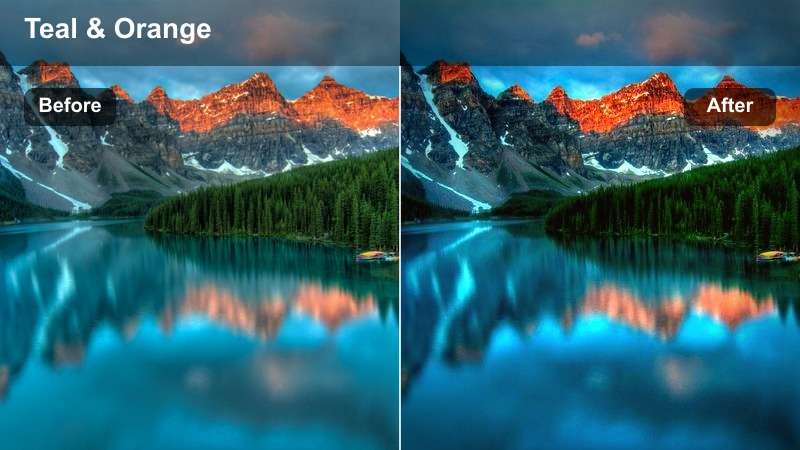
- Effect look: Modern teal-and-amber split with strong contrast and punchy saturation for stylized storytelling.
- Best for: Short films, music videos, and narrative reels that use sunset as a dramatic backdrop.
- Editing tip: Use masks to keep faces slightly less saturated while the background holds the bold teal-and-amber style.
Neo Cinematic Teal & Amber delivers a strong, stylized blockbuster look by pushing shadows toward teal and highlights toward rich amber. This split-tone style gives your sunset scenes immediate cinematic energy, making it ideal for narrative projects and music videos.
In Filmora, apply the filter and then mask your subject or faces to slightly soften saturation and contrast on skin while keeping the environment bold. Pair this color grade with intentional wardrobe choices in cooler tones so your subject cleanly separates from the glowing sunset backdrop.
Vintage Sun Fade
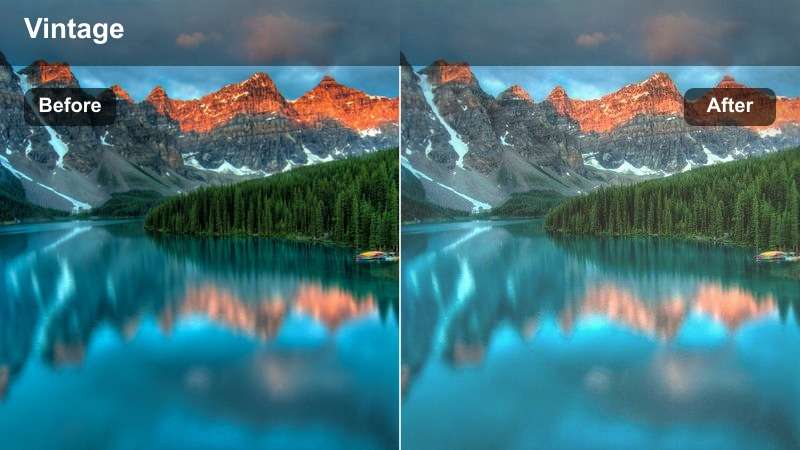
- Effect look: Low contrast with gentle warm tint, soft highlights, and a slightly desaturated filmic fade.
- Best for: Memory-style edits, nostalgic travel compilations, and family sunset moments.
- Editing tip: Combine with light dust or film overlay assets to fully sell the retro analog mood.
Vintage Sun Fade softens your sunset clips with lowered contrast, mild desaturation, and a warm wash that feels like an old photo. It is perfect for emotional edits, throwback sequences, and family moments you want to feel timeless rather than hyper-digital.
Once you add this filter in Filmora, keep your cuts slower and your transitions simple so the nostalgic tone has room to breathe. Layer in light dust, scratches, or subtle film overlays from Filmora's effects library to complete the analog sunset aesthetic.
Sunset Silhouette Pop
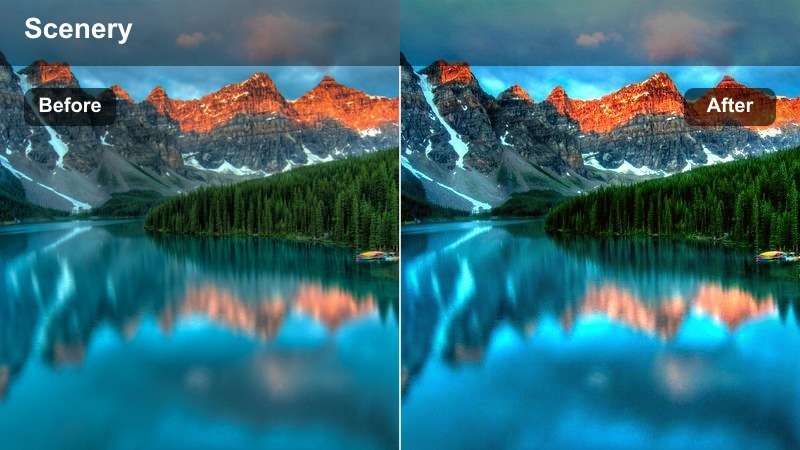
- Effect look: Crushed shadows for strong silhouettes and boosted saturation in oranges and reds across the sky.
- Best for: Dance reels, portrait outlines, and wide shots where subjects are fully backlit by the sun.
- Editing tip: Frame your subject against the brightest part of the sky to maximize the silhouette effect this filter enhances.
Sunset Silhouette Pop is engineered to turn your subjects into bold, clean silhouettes against explosive orange and red skies. It deepens shadows aggressively while boosting warm hues, making outlines and poses the graphic stars of the frame.
In Filmora, use this filter on shots where your subject is fully backlit, then adjust black levels to find a balance between solid silhouettes and minimal noise. Keep ISO low when filming and avoid lifting shadows afterward so your silhouetted shapes remain crisp and professional on social feeds.
Tips for Using Free Luts For Sunset Video Filters in Filmora
- Expose slightly darker in-camera at sunset to protect highlight detail before applying any strong contrast filter.
- Shoot in the highest quality your camera allows so gradients in the sunset sky stay smooth after color grading.
- Lock white balance while filming to avoid color shifts between clips when you add these free LUT-style filters.
- Use adjustment layers in Filmora to apply one sunset look across multiple clips for faster, more consistent grading.
- Fine-tune saturation per color channel after adding a filter so skin tones stay natural while the sky stays dramatic.
- Combine Filmora's AI color tools with these filters to quickly match sunset shots from different cameras or locations.
- Test each filter on a short sequence first, then save your favorite settings as a custom preset for future projects.
- Add subtle film grain or texture overlays to soften digital edges and make intense sunset colors feel more organic.
These free LUT-inspired filters for sunset video give creators and editors fast, repeatable ways to turn raw golden hour footage into polished, cinematic stories.
Choose one or two filters that match your favorite shooting style, save them as presets in Filmora, and you will be ready to grade every future sunset in just a few clicks.
Filmora can also export compatible color adjustments from a selected clip as a standard .cube LUT, providing a consistent starting point for future sunset footage or projects edited in DaVinci Resolve, Adobe Premiere Pro, and Final Cut Pro.
secure download