

 100% Security Verified | No Subscription Required | No Malware


 ChatGPT
 Perplexity
 Gemini
 Claude
 Grok
Grok
If you are a creator or editor working on wedding films, having the right free LUT-style filters can instantly give your footage a soft, cinematic, and romantic look without heavy manual color grading.
Below are 12 free Filmora filters designed to mimic popular LUT aesthetics for wedding videos, so you can quickly match the mood of the ceremony, reception, and couple portraits with consistent, beautiful tones.
In this article
Golden Hour Romance and Outdoor Ceremonies
Soft Rose Glow
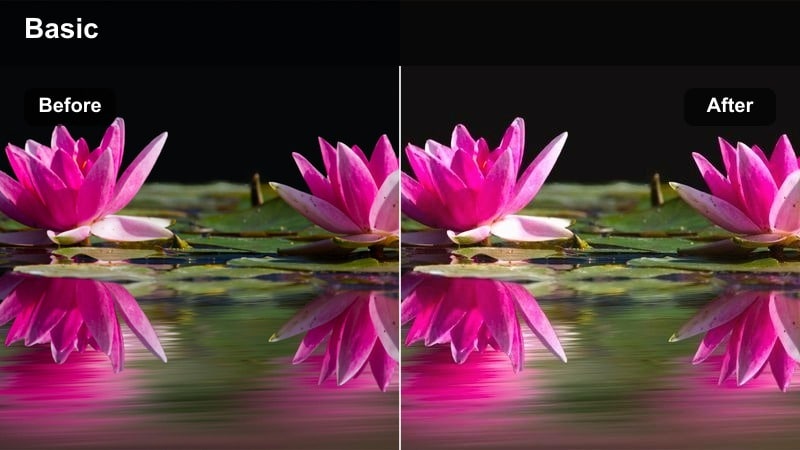
- Effect look: Gentle pinkish warmth with lifted highlights for a dreamy, romantic glow.
- Best for: Outdoor golden hour ceremonies, first looks, and couple portraits in natural light.
- Editing tip: Lower contrast slightly and add a mild vignette to keep attention on the couples faces.
Soft Rose Glow wraps your wedding footage in a subtle, rose-tinted warmth that flatters skin tones and enhances sunset light. In Filmora, this filter is ideal when you want a classic romantic vibe straight from the effects panel, without spending time crafting curves and color mixes manually.
Apply it to the ceremony and portrait clips shot near sunset to unify all angles with the same dreamy mood. Then, fine-tune exposure and contrast per clip so the couple stays well lit while backgrounds fall slightly softer, reinforcing a cinematic, storybook feel.
Speed up your wedding look with AI-powered color tools
Filmoras AI color tools help you create a cohesive wedding look quickly, even if color grading is not your specialty. Let AI handle the heavy lifting of matching lighting and tones across cameras before you add creative filters.
Use AI-based color matching to balance clips from different cameras or lenses, then apply your favorite free LUT-style filters on top for consistent, polished results from the aisle to the dancefloor.
 secure download

Fine-tune wedding colors with HSL and advanced controls
Once your base wedding look is in place, Filmoras HSL and advanced color controls let you refine specific tones like skin, greenery, and decor. This is especially useful when you are mixing warm romantic filters with tricky lighting.
Target reds, oranges, and yellows to keep faces natural while still letting bouquets, arches, and landscapes stay vibrant. A few precise HSL tweaks can make your free LUT-style filters feel custom-made for every event.
secure downloadPreview filters live on your wedding clips
Filmora includes 1000 plus video filters and 3D LUTs that you can preview in real time on your wedding footage. Instead of guessing how a look will feel, you can see it instantly on ceremony, reception, and portrait shots.
Scroll through the effects panel, hover to preview each style, and click once to apply or stack filters until you build the perfect cinematic recipe for your couple.
secure downloadSunlit Ivory
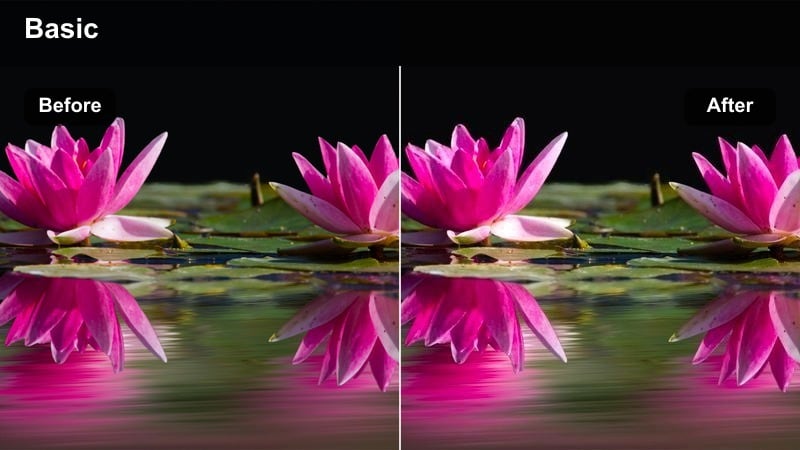
- Effect look: Clean, bright whites with subtle warmth and gentle highlight roll-off.
- Best for: Outdoor ceremonies with white dresses, tents, or decor under strong sunshine.
- Editing tip: Reduce highlights just a bit after applying this filter to avoid blown-out wedding dresses.
Sunlit Ivory is designed to protect the clean, elegant look of white dresses and decor in bright daylight. When you drop this filter onto your clips in Filmora, it creates luminous whites without the harsh clipping that can ruin lace and fabric detail.
Use Sunlit Ivory on aisle walks, outdoor altars, and wide crowd shots where white elements dominate the frame. Pair the filter with gentle highlight and white adjustments to keep skies and dresses balanced, so every stitch and fold remains visible on any screen.
Hazy Gold Pastel
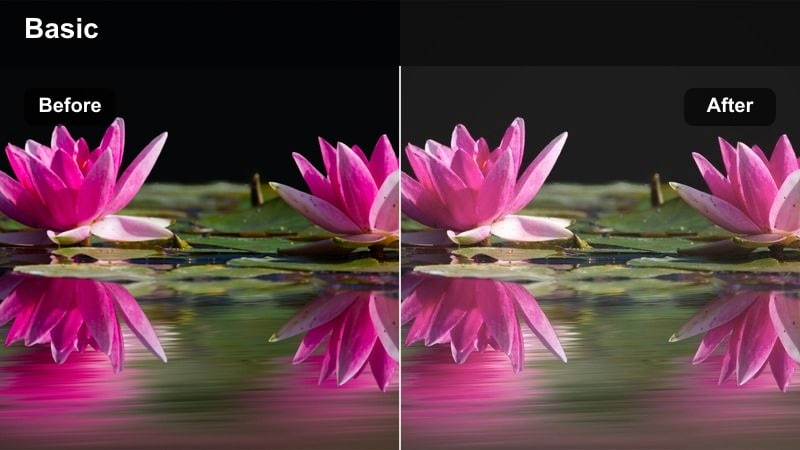
- Effect look: Soft, low-contrast pastel tones with a golden haze in the highlights.
- Best for: Backlit fields, garden ceremonies, and wide establishing shots at sunset.
- Editing tip: Add a slight blur or glow effect on a duplicate layer to reinforce the hazy, dreamlike atmosphere.
Hazy Gold Pastel gives your wedding footage a light, filmic quality with gentle pastel colors and a soft golden veil. In Filmora, it works especially well on wide and medium shots where the sun is behind the couple, wrapping the scene in a nostalgic glow.
Apply the filter to your opening and transition shots to set an airy, romantic tone for the whole edit. If shadows start to feel muddy, slightly lift blacks and tweak green and yellow saturation so foliage stays fresh while still feeling dreamy and understated.
Indoor Ceremony Elegance and Church Settings
Classic Chapel Soft
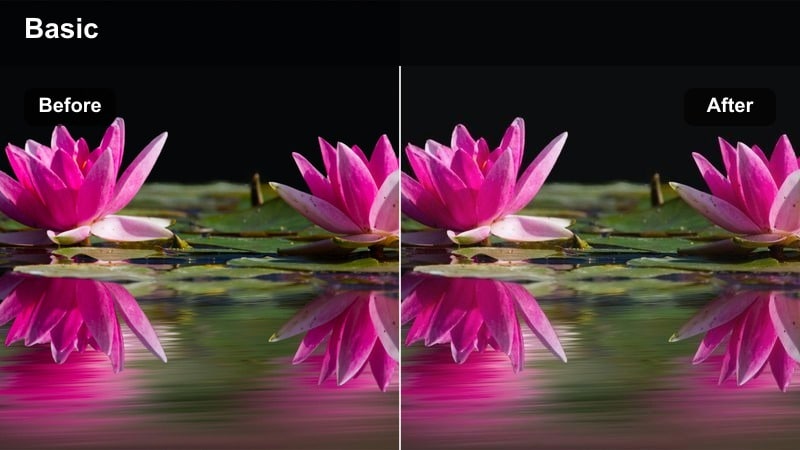
- Effect look: Neutral, low-contrast tone with gentle highlight bloom and richer midtones.
- Best for: Church ceremonies, indoor vows, and aisle shots under mixed lighting.
- Editing tip: Use white balance eyedropper on a neutral object before applying this filter for consistent color across angles.
Classic Chapel Soft is built to tame the tricky, mixed lighting you often find in churches while keeping the image elegant and timeless. In Filmora, it gently lowers contrast and blooms highlights so stained glass and overhead lights look softer, not harsh.
Use this filter across all your ceremony angles to smooth out differences between cameras and positions. Once it is applied, refine white balance and exposure per shot, then copy and paste settings so the entire indoor sequence feels like one cohesive, cinematic moment.
Candlelit Amber
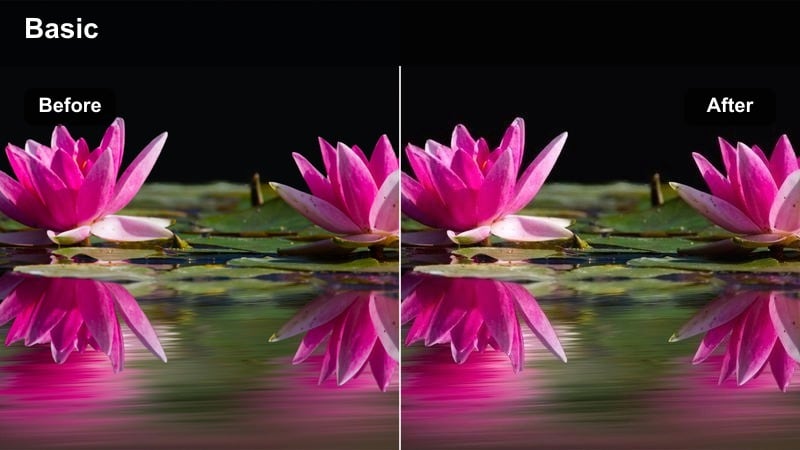
- Effect look: Warm amber highlights with cozy, deeper shadows for a candlelit feel.
- Best for: Dim chapels, candlelit aisles, indoor vow renewals, and emotional close-ups.
- Editing tip: Increase noise reduction slightly after applying this filter, since low-light shots may show more grain.
Candlelit Amber leans into the warmth of candles and low indoor lights, wrapping your subjects in a cozy golden tone. When added to low-light wedding clips in Filmora, it enriches warm highlights while letting shadows stay deep for a more intimate, cinematic mood.
Apply it to close-ups of hands, exchanged looks, and candlelit decor to emphasize emotion without overexposing flames. Then gently dial back orange saturation and adjust highlight roll-off so skin remains natural and candlelight appears soft instead of blown out.
Ivory Pew Matte
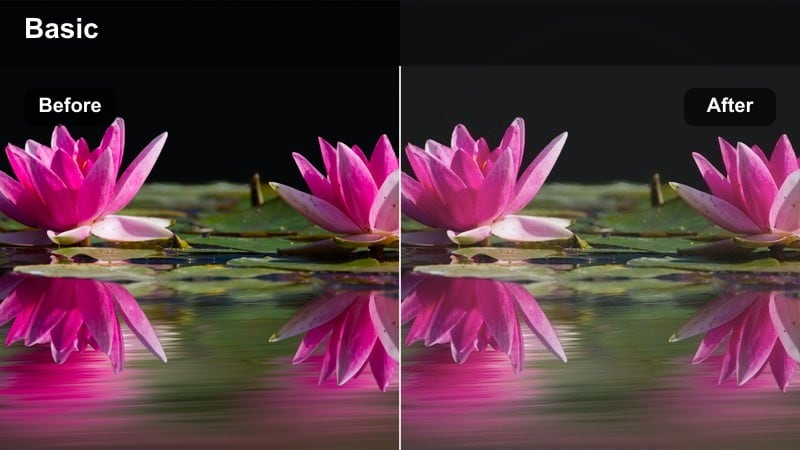
- Effect look: Soft matte contrast with slightly desaturated colors and creamy highlights.
- Best for: Traditional indoor ceremonies, processional shots, and wide views of the venue.
- Editing tip: Add a light vignette and keep sharpness moderate so the scene feels classic, not overly digital.
Ivory Pew Matte gives indoor wedding footage a refined, editorial finish with gentle contrast and creamy highlights. In Filmora, it is particularly effective for wide shots of the aisle, altar, and architecture where you want the space to feel grand yet soft.
Use this filter as your base look for full-ceremony coverage, then match exposure and white balance across all cameras. Once the venue feels consistent, add a subtle vignette and restrained sharpening so the result looks timeless rather than overly processed.
Reception Party and Dancefloor Moments
Twinkle Fairy Lights
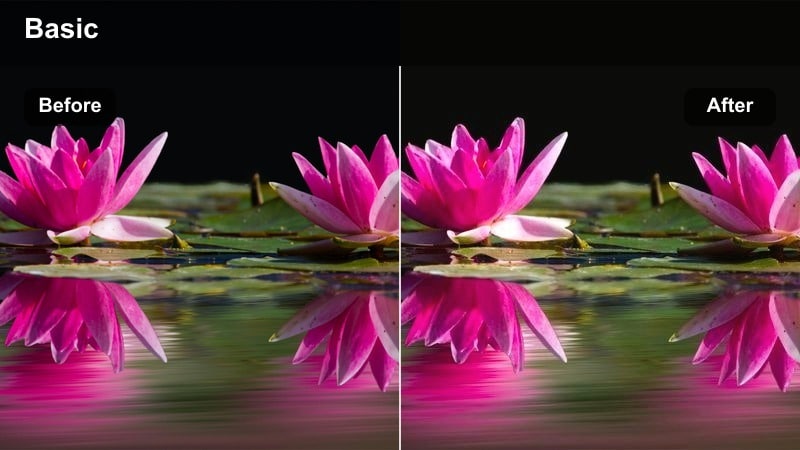
- Effect look: Softened highlights with boosted warm tones for string lights and bokeh sparkle.
- Best for: Outdoor receptions, fairy-light canopies, and toasts under hanging bulbs.
- Editing tip: Increase saturation in yellows only to make string lights pop without affecting skin too much.
Twinkle Fairy Lights is tailored for receptions filled with string lights, lanterns, and warm background bokeh. In Filmora, this filter gently brightens and softens highlight areas so each bulb glows in a pleasing, cinematic way rather than appearing harsh or distracting.
Apply it to dinner, speeches, and first-dance clips where you want the lights to frame your subjects. Then refine highlight and white levels to prevent clipping, and selectively boost yellow saturation so the canopy of lights sparkles while skin remains flattering and natural.
Midnight Dancefloor
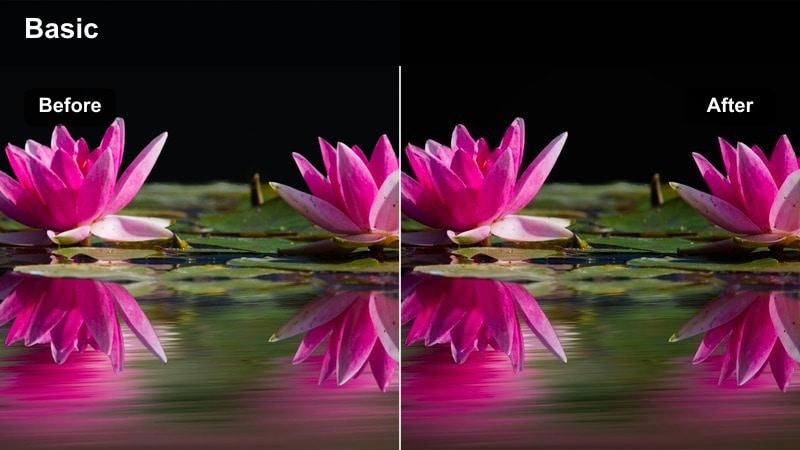
- Effect look: Cooler shadows with vivid party colors and crisp contrast for energetic scenes.
- Best for: Dancefloor shots, DJ lights, and high-energy reception moments late at night.
- Editing tip: Stabilize handheld clips and use slightly faster cuts to match the energy of the music and color.
Midnight Dancefloor brings a modern, energetic style to late-night reception footage with cool shadows and bold color accents. In Filmora, this filter helps tame mixed DJ lighting while keeping blues, purples, and reds punchy enough to sell the party atmosphere.
Use it on group dances, bouquet tosses, and crowd reactions where movement is fast and lighting is dramatic. After applying the filter, stabilize shaky clips, trim to the beat, and dial in HSL on blues and magentas around skin tones so guests still look flattering in all the excitement.
Champagne Toast Soft
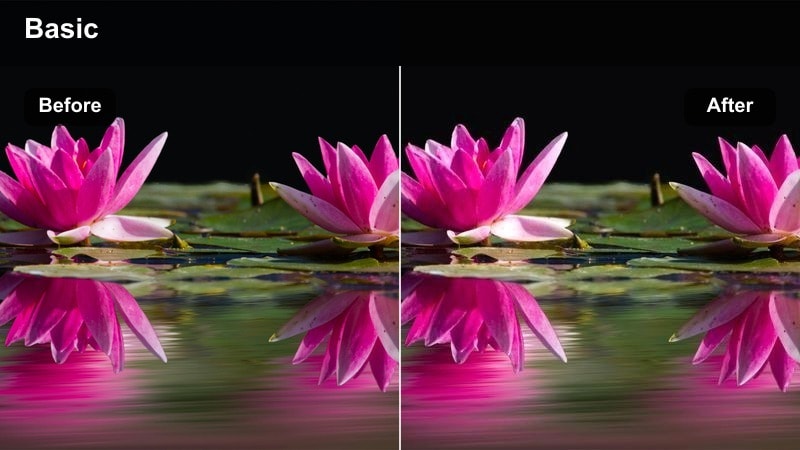
- Effect look: Warm midtones with softened highlights and a subtle golden tint in glasses and decor.
- Best for: Toasts, speeches, clinking glasses, and close-ups of reactions at reception tables.
- Editing tip: Slow down key emotional moments slightly and combine with this filter for extra cinematic impact.
Champagne Toast Soft focuses on warm, emotional connection by glowing up midtones and giving glassware a luxurious golden tint. In Filmora, it is ideal for close-ups during speeches, when you want to highlight both the couple and the sparkling details around them.
Apply it to reaction shots, clinking glasses, and hugs between family members. Then add subtle slow motion to key moments, plus a gentle vignette, so the audience is drawn straight to expressions and the warm, celebratory atmosphere in every frame.
Timeless Couple Portraits and Detail Shots
Elegant Film Matte
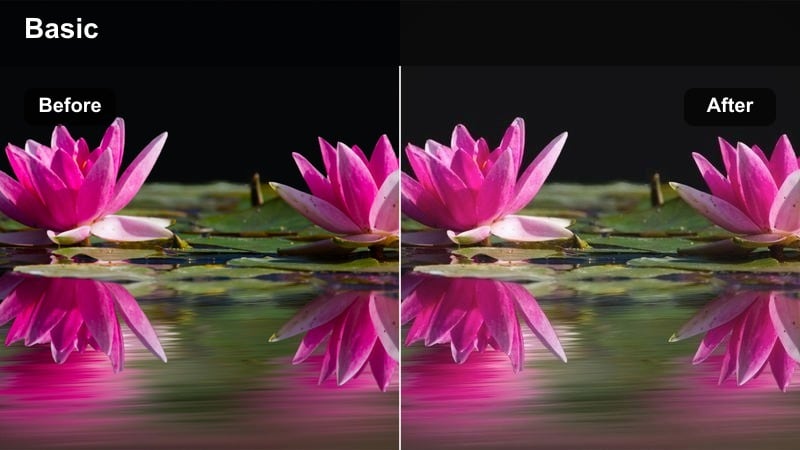
- Effect look: Subtle film-like grain with lifted blacks and a soft matte curve.
- Best for: Romantic couple portraits, slow-motion walks, and intimate close-ups.
- Editing tip: Keep grain amount low for 4K footage so it feels cinematic rather than noisy.
Elegant Film Matte introduces a gentle grain and lifted blacks to mimic a refined film aesthetic. In Filmora, this filter instantly turns simple portraits and slow-motion walks into editorial-style shots that look at home in high-end wedding trailers.
Use it on the most romantic clips of the day, such as first looks, embraces, and quiet moments away from the crowd. Adjust grain strength and sharpness to suit your resolution, making sure the result feels like real film texture and not digital noise or blur.
Pearl Highlights
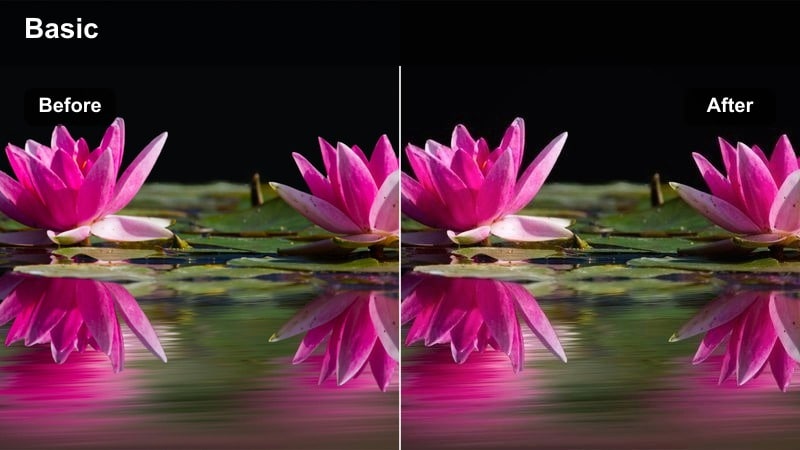
- Effect look: Soft bright highlights with gentle coolness in whites and neutral tones.
- Best for: Dress details, rings, veils, and bridal preparation close-ups.
- Editing tip: Use macro-style close-ups and slow pan movements to show off details under this clean look.
Pearl Highlights is made for capturing the fine craftsmanship of dresses, veils, rings, and other bridal details. In Filmora, it brings out crisp, pearly whites and subtle shimmer without pushing highlights into a harsh or clinical look.
Apply it to close-ups shot during preparation and decor coverage, then fine-tune white balance if whites start drifting too cool. Combine the filter with slow pans, macro shots, and gentle focus pulls to showcase each detail as part of a polished, luxurious storytelling sequence.
Vintage Sepia Romance
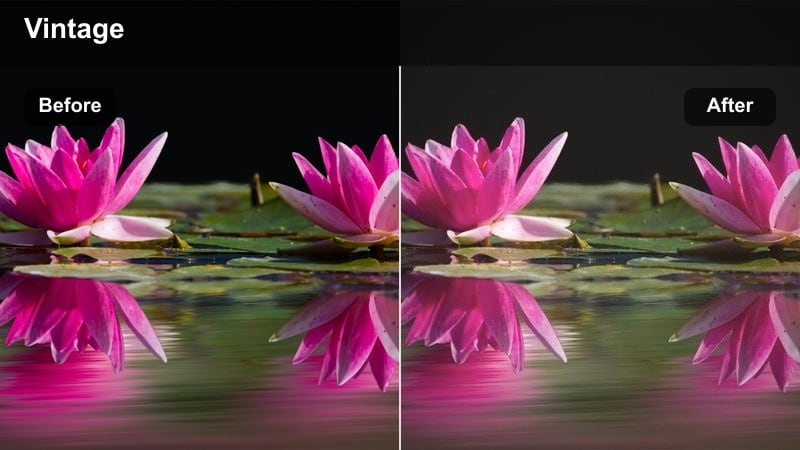
- Effect look: Warm sepia toning with reduced saturation and slight vignette for old-film charm.
- Best for: Letters, decor details, framed shots of the couple, and nostalgic cutaways.
- Editing tip: Use this filter sparingly for cutaway segments rather than the entire film to avoid over-stylizing.
Vintage Sepia Romance adds an old-film charm to selected wedding moments with warm brown tones and softened saturation. In Filmora, this filter works best when used intentionally on cutaways and transitions, giving your edit a sense of memory and nostalgia.
Apply it to letters, vintage decor, or reflective moments between timeline sections, then cross-dissolve into or out of full-color clips for a smooth emotional shift. Keeping the sepia effect limited to specific segments helps the style feel purposeful and cinematic rather than overpowering.
Tips for Using Free Luts For Wedding Video Filters in Filmora
- Organize your wedding footage into folders or bins by scene type, such as ceremony, reception, portraits, and details, so you can apply matching filters in batches.
- Correct exposure, contrast, and white balance with Filmoras basic and AI tools before adding any LUT-style filters to keep skin tones consistent and natural.
- Use Filmoras color match and HSL controls to align the look of different cameras, lenses, and frame rates before you finalize your creative filters.
- Save combinations of filters, LUTs, and color tweaks as custom presets in Filmora so you can reuse your signature wedding look for future clients.
- Export short 10 to 20 second test sequences and review them on phones, laptops, and TVs to make sure your wedding colors and brightness hold up everywhere.
- Mix subtle filters with gentle grain and vignettes instead of heavy effects if the couple prefers a timeless, classic wedding film aesthetic.
- Use masks and adjustment layers to control filters on specific areas like faces, dresses, or skies when a global look is too strong.
- Create different versions of your project with alternative filter combinations so clients can choose between warmer, cooler, or more vintage wedding looks.
With the right free LUT-style filters in Filmora, you can turn raw wedding footage into a cohesive, cinematic story that feels romantic and timeless for your clients.
Try a few of these presets on your next wedding project, refine them into your own signature look, and then explore free LUTs for travel vlog videos to expand your style even further.
secure download