

 100% Security Verified | No Subscription Required | No Malware

Give your vertical idea pins a polished, cohesive look with the Free Pinterest Idea Pin LUT Pack. These inspiration-focused filters are designed for DIY creators, home decor creators, and anyone who shares step-by-step tutorials or visual guides.
Use the pack to shape the mood of project reveals, workspace tours, decorating tips, and instructional clips. Apply a filter in Filmora, adjust its intensity, and fine-tune exposure or white balance so every Pinterest video feels clear, inviting, and easy to follow.
In this article
Sunlit Workspaces and Bright Project Setups
Sunlit Canvas
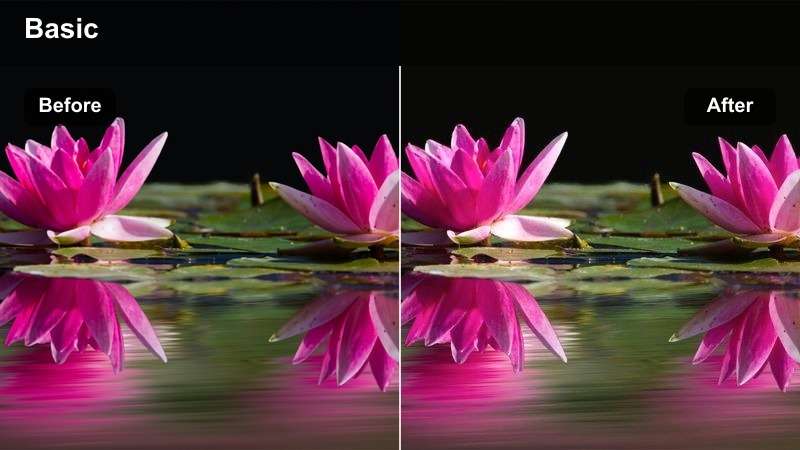
- Effect look: Brightens midtones with a soft cream warmth and clean highlights.
- Best for: DIY project introductions, craft room tours, and bright home decor idea pins.
- Editing tip: Lower intensity slightly when white walls or light wood surfaces appear overly bright.
Sunlit Canvas gives vertical footage a cheerful, airy finish by lifting the midtones and adding a subtle cream warmth. It works especially well when your scene includes natural window light, pale furniture, organized tools, or neutral craft materials.
Apply the LUT in Filmora as a starting point for project introductions, workspace tours, and quick tutorial openings. If white walls, paper, or painted furniture lose texture, reduce highlights before lowering the LUT intensity so the frame stays bright while important details remain visible.
Warm Studio
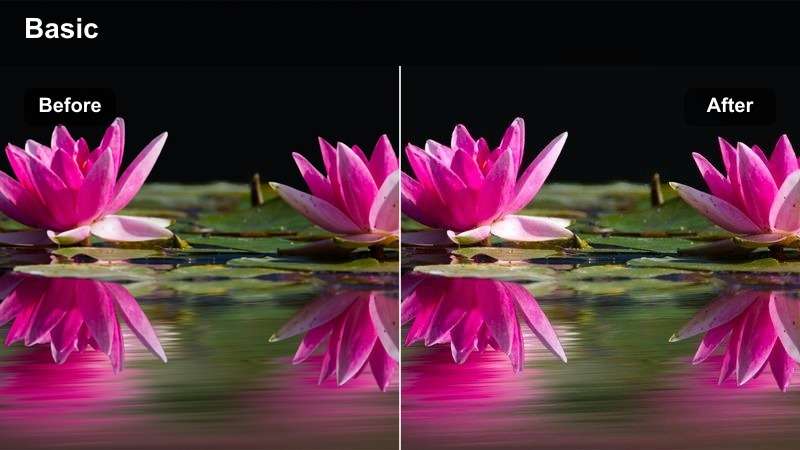
- Effect look: Adds gentle amber warmth while keeping skin tones and neutral materials balanced.
- Best for: Step-by-step room updates, furniture styling clips, and creator workspace videos.
- Editing tip: Pair with a small contrast increase to separate the subject from a pale background.
Warm Studio creates a welcoming look with gentle amber tones that make indoor scenes feel comfortable and approachable. The balanced treatment helps keep skin tones, furniture, and neutral materials natural while adding a cozy studio mood.
Use it in Filmora for room updates, furniture styling clips, and workspace videos that combine practical instructions with a warm visual identity. Keep the intensity restrained when labels, measurements, or text overlays are important, and add a subtle shadow behind text when the background contains multiple decor elements.
Clean Whiteboard
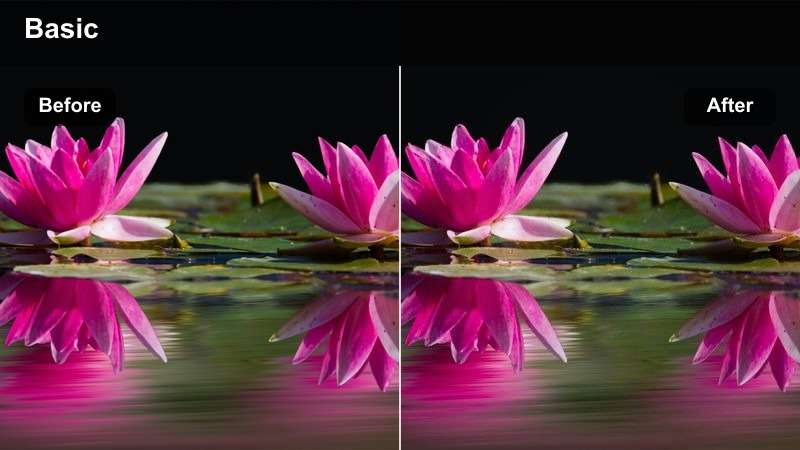
- Effect look: Creates a crisp, low-saturation finish with lifted whites and controlled contrast.
- Best for: Visual guides, checklist videos, organization tips, and minimalist room makeovers.
- Editing tip: Add a touch of saturation to colored markers, labels, or accent decor after applying the filter.
Clean Whiteboard produces a tidy instructional style with lifted whites, controlled contrast, and restrained color. It is a strong choice for organization videos, checklist sequences, and minimalist scenes where viewers need to understand each step quickly.
Apply the filter in Filmora before adding a small amount of targeted saturation to markers, labels, or accent decor. A gentle vignette or localized exposure adjustment can also guide attention toward the hands, tools, or main project surface without making the scene feel cluttered.
AI Color Palette
Use Filmora's color tools to identify the dominant tones in your idea pin and create a coordinated palette for text, overlays, and supporting clips.
A consistent palette helps DIY tutorials and home decor guides feel connected from the opening frame to the final reveal.
Start with the Free Pinterest Idea Pin LUT Pack, then refine your palette for a cohesive vertical series.
 secure download

Filters Demo
Compare filter styles on the same short clip to see how brightness, warmth, contrast, and saturation change the way a project is understood.
Use a clean before-and-after preview to choose the look that best supports each idea pin scene, from close-up instructions to room reveals.
Test several looks in Filmora before choosing the filter that matches your tutorial or visual guide.
secure download1000+ Video Filters and 3D LUTs
Apply a LUT as a starting point, then adjust exposure, white balance, contrast, and intensity for every lighting setup in your Pinterest video.
Saving a refined preset can make future idea pins faster to edit while keeping your DIY or home decor content visually recognizable.
Download the LUT pack and create a consistent color workflow for your next vertical project.
secure downloadCozy Home Scenes and Decor Storytelling
Soft Neutral
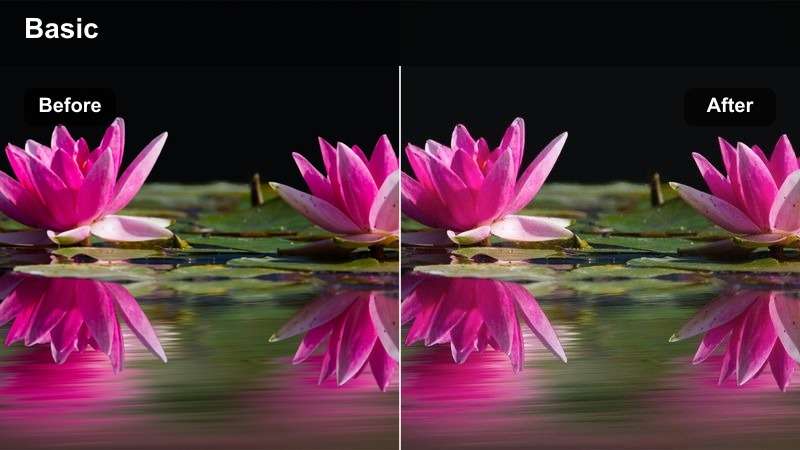
- Effect look: Softens contrast and blends beige, taupe, and muted gray tones into a calm finish.
- Best for: Home styling reels, room refreshes, decor mood boards, and before-and-after idea pins.
- Editing tip: Increase clarity slightly on textured surfaces such as woven baskets, rugs, or wood grain.
Soft Neutral blends beige, taupe, and muted gray tones into a calm, refined look. Its gentle contrast makes it useful for home styling videos, mood boards, and room refreshes where the overall atmosphere matters as much as the individual decor pieces.
Use the filter in Filmora for before-and-after sequences, then restore a small amount of clarity on woven baskets, rugs, wood, and ceramic surfaces. This keeps the scene relaxed while preserving the material texture that makes a decor project feel practical and tangible.
Muted Editorial
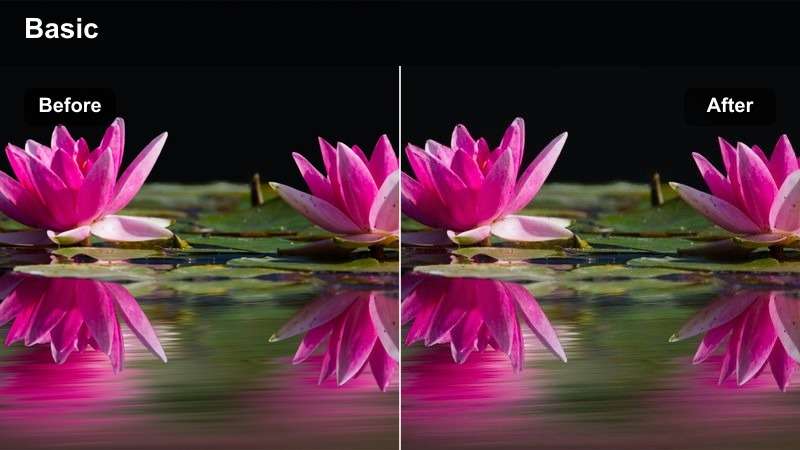
- Effect look: Reduces strong colors and adds a polished editorial contrast for a curated visual style.
- Best for: Decor collections, styling principles, gallery wall guides, and design-focused idea pins.
- Editing tip: Use selective saturation on one accent color to create a clear visual focal point.
Muted Editorial reduces intense colors and introduces polished contrast for a curated, design-led finish. It helps gallery wall guides, decor collections, and styling principles feel organized without allowing one bright object to overpower the composition.
Apply it in Filmora and use selective saturation on one accent color to create a clear visual anchor. Keeping the surrounding tones restrained can help viewers follow a fast vertical sequence and understand which item or design choice deserves attention.
Evening Nook
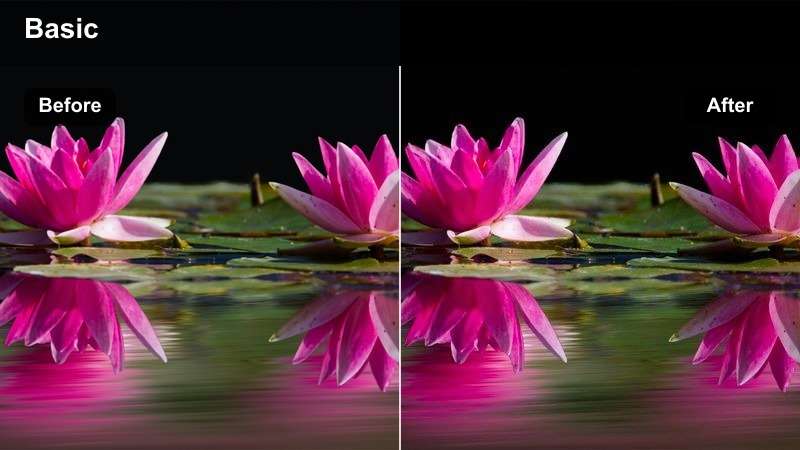
- Effect look: Adds subdued warmth and deeper shadows for a calm, intimate indoor atmosphere.
- Best for: Reading corner makeovers, ambient decor clips, evening room tours, and reflective project endings.
- Editing tip: Lift shadows modestly if the frame includes small labels, instructions, or detailed hands-on work.
Evening Nook adds subdued warmth and deeper shadows for a calm, intimate indoor atmosphere. The look suits reading corner makeovers, evening room tours, and final project moments that benefit from a slower, more reflective mood.
In Filmora, lift shadows modestly when the frame includes small labels, instructions, or hands-on details. Raising shadow detail before increasing overall exposure helps preserve the cozy feeling without washing out the room or losing the finished decor.
Step-by-Step Tutorials and Hands-On Builds
True to Life
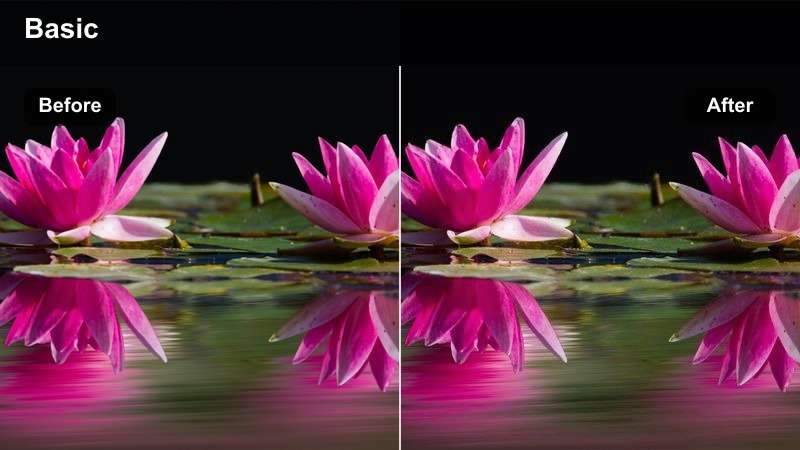
- Effect look: Balances color and contrast for a natural finish that keeps materials close to their original appearance.
- Best for: Detailed DIY instructions, repair demonstrations, measuring steps, and material comparisons.
- Editing tip: Correct white balance before applying the filter so wood, paint, and hardware colors stay accurate.
True to Life balances color and contrast so wood, paint, hardware, and other materials remain close to their original appearance. It is a dependable choice for detailed DIY instructions, repair demonstrations, measuring steps, and product comparisons.
Correct white balance in Filmora before applying the LUT for more predictable results. Check the final export on a phone and avoid heavy tinting when viewers may rely on the idea pin to choose a paint color, finish, or hardware option.
Focused Detail
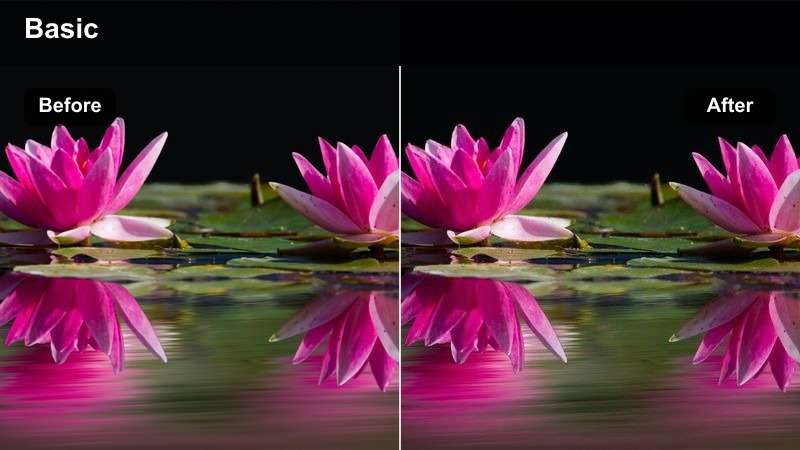
- Effect look: Adds moderate clarity and contrast to make tools, hands, and small project details stand out.
- Best for: Close-up assembly steps, lettering guides, small decor projects, and tool demonstrations.
- Editing tip: Reduce sharpening if the frame contains fine paper edges, woven materials, or compression noise.
Focused Detail adds moderate clarity and contrast so tools, hands, and small project details stand out in close-up footage. It works well for assembly steps, lettering guides, small decor projects, and tool demonstrations.
Apply the LUT in Filmora, then adjust sharpening while viewing the clip at its final mobile size. If paper edges, woven materials, or compression noise look harsh, reduce sharpening to keep the instructional sequence crisp without creating brittle outlines.
Workshop Film
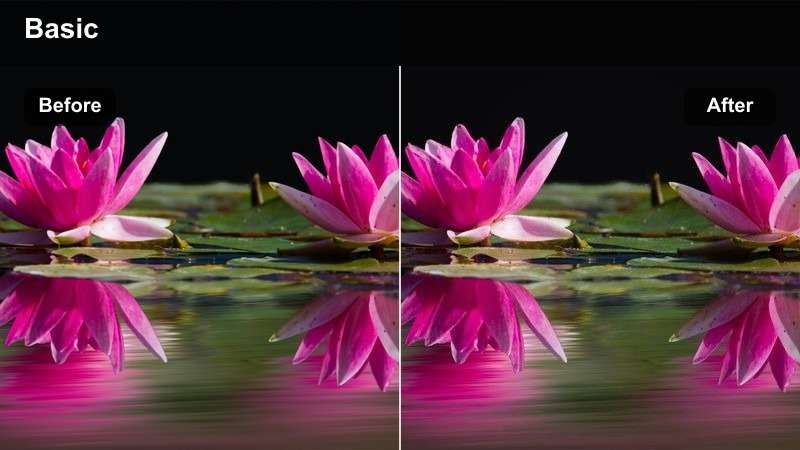
- Effect look: Introduces slightly deeper blacks and a subtle film-inspired warmth for a crafted, tactile mood.
- Best for: Furniture builds, makeover progress clips, workshop tours, and project milestone updates.
- Editing tip: Keep skin tones and safety labels visible by reducing the filter strength on close-up shots.
Workshop Film introduces deeper blacks and subtle film-inspired warmth for a crafted, tactile mood. The look supports furniture builds, workshop tours, makeover progress clips, and milestone updates that benefit from a more cinematic sense of process.
Use the same filter across a sequence in Filmora, then correct exposure at the individual clip level so wide workshop shots and close-ups stay connected. Reduce the strength on close-up shots when skin tones, safety labels, or small project details need to remain highly visible.
Visual Guides, Makeovers, and Final Reveals
Fresh Reveal
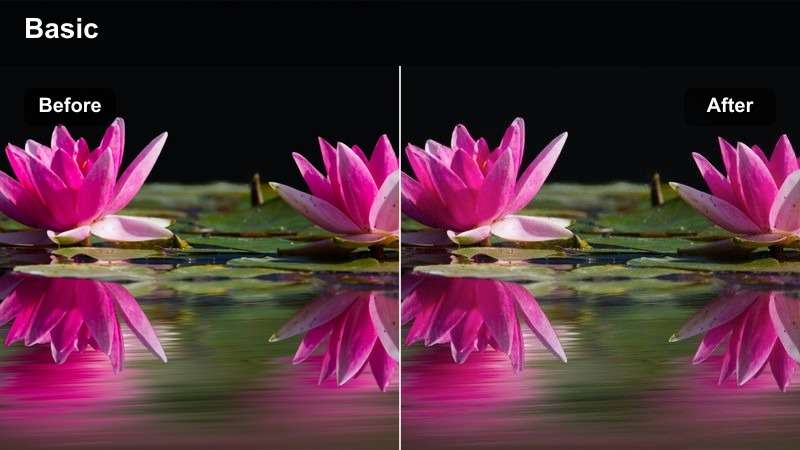
- Effect look: Lifts brightness and adds clean color separation for an energetic finished-project reveal.
- Best for: Before-and-after videos, completed room tours, storage makeovers, and final project showcases.
- Editing tip: Match the reveal exposure to the earlier clips so the transformation feels intentional rather than abrupt.
Fresh Reveal lifts brightness and creates clean color separation for energetic finished-project moments. It is designed for before-and-after videos, completed room tours, storage makeovers, and final showcases where the result should feel polished and inviting.
In Filmora, match the reveal exposure to the earlier clips so the transformation feels intentional rather than abrupt. Follow a wide shot with detail shots to connect the overall improvement with the practical steps that made it possible.
Dusty Pastel
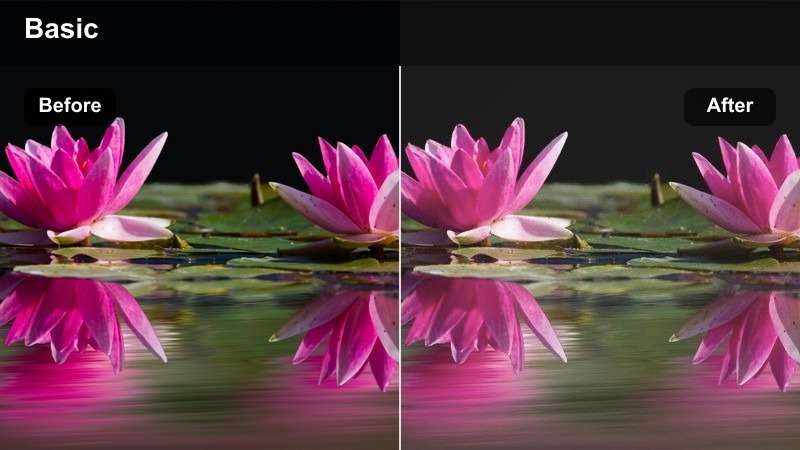
- Effect look: Softens saturation and adds gentle pastel color for a playful but refined inspiration style.
- Best for: Creative room accents, DIY wall art, seasonal decorating guides, and color palette ideas.
- Editing tip: Increase contrast slightly when pastel objects blend into a light background.
Dusty Pastel softens saturation and adds gentle pastel color for a playful but refined inspiration style. It is a natural fit for DIY wall art, seasonal decorating guides, creative room accents, and color palette ideas.
Apply the filter in Filmora and add targeted contrast when pastel objects blend into a light background. Keep text overlays in a darker neutral and use contrast on the project area so the colors remain distinct and the instructions stay easy to read.
Modern Contrast
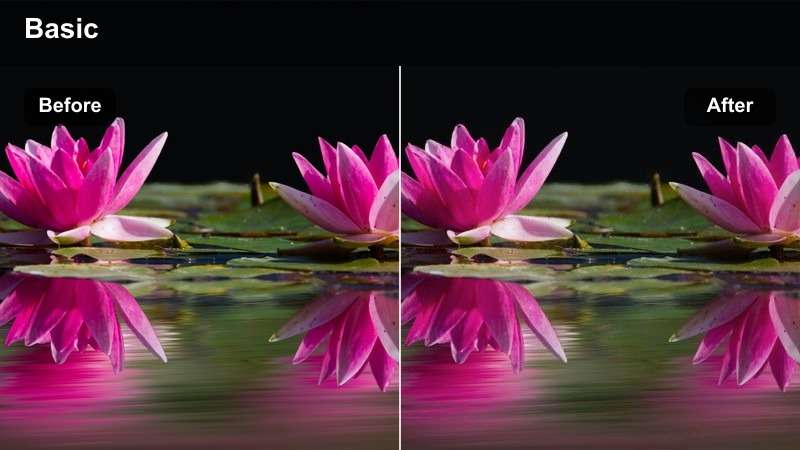
- Effect look: Creates clean contrast with controlled saturation and a contemporary finish for bold visual structure.
- Best for: Modern interior guides, layout tips, shelf styling, and design principle explainers.
- Editing tip: Use a consistent crop and horizon line so the stronger contrast supports the graphic composition.
Modern Contrast creates clean contrast with controlled saturation and a contemporary finish. Its structured look supports modern interior guides, shelf styling videos, layout tips, and design principle explainers with strong graphic composition.
Use a consistent crop and horizon line in Filmora so the contrast supports the composition rather than making the footage feel uneven. Place the focal item in the center safe area and keep important labels away from the top and bottom interface zones.
Tips for Using Pinterest Idea Pin Lut Download Filters in Filmora
- Shoot vertical footage with the main project inside the center safe area so text and Pinterest interface elements do not cover important details.
- Correct exposure and white balance before applying a filter for more predictable color grading.
- Use one primary filter per idea pin series and reserve stronger looks for transitions, reveals, or mood-setting clips.
- Preview the final export on a phone because mobile screens can make highlights and saturation appear stronger.
- Keep instructional text high-contrast and readable against the filtered background.
- Match the color treatment of before-and-after clips so the transformation feels intentional.
- Reduce LUT intensity on close-ups when the filter changes the appearance of materials, paint, or product colors.
- Export a short test clip before rendering the full idea pin to check detail, compression, and text placement.
The Free Pinterest Idea Pin LUT Pack gives DIY creators and home decor creators a flexible starting point for polished vertical inspiration filters. From bright project setups to cozy room reveals, each look can help your tutorials and visual guides feel more cohesive.
Download the pack, test the filters in Filmora, and customize each result with simple exposure, white balance, and intensity adjustments. With a repeatable color workflow, your next Pinterest idea pin can look clear, inviting, and ready to share.
secure download