

 100% Security Verified | No Subscription Required | No Malware

If your snow trips, skiing days, and winter vlogs look flat or gray on camera, the right snowy video filters can instantly bring back the crisp air, bright snow, and cozy winter mood you felt in real life.
This preset guide for Free Snowy Video Filters for Winter Footage is built for vloggers and travel creators using Filmora, so you can quickly match your look across clips, save time in the edit, and keep every frosty scene feeling cinematic and consistent.
In this article
Soft Winter Light for Calm Snow Days
Frosted Morning Glow
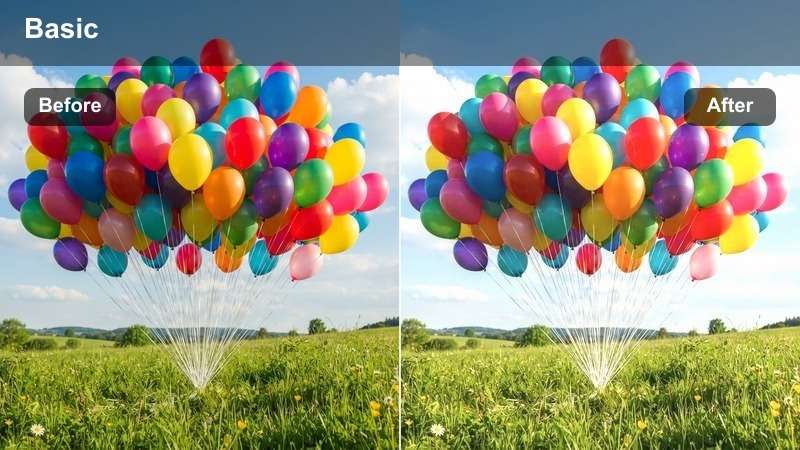
- Effect look: Soft, low-contrast winter filter that brightens snow and adds a gentle pastel warmth to skin tones.
- Best for: Slow winter walks, cozy cabin exteriors, and softly lit vlog intros during overcast snow days.
- Editing tip: Lower the filter intensity to around 60 percent if your snow is already very bright to avoid losing detail in highlights.
Frosted Morning Glow is designed to lift dull, gray winter light and replace it with a calm, pastel atmosphere that still feels natural. In Filmora, it brightens snow without turning it neon, and adds just enough warmth to faces so you do not look washed out against white backgrounds.
Apply this preset to your walking shots, cabin reveals, or intro pieces, then fine-tune intensity so sidewalks, rooftops, and snowbanks keep their texture. Pair it with gentle camera movement and slower cuts to reinforce that relaxed, early-morning vibe.
Let Filmora's AI Keep Your Snow Looking Naturally White
Snow can easily turn blue, gray, or yellow in camera, especially when you are moving quickly between locations and lighting changes. Filmora's AI-powered color tools help you correct white balance and exposure first so your Free Snowy Video Filters sit on a clean, natural base.
Use AI auto color as a starting point on your winter clips, then fine-tune temperature and tint before applying any preset from this collection. This workflow keeps your snow consistent across ski trips, city walks, and cabin scenes, even if you shoot on different devices.
 secure download

Preview Snowy Filters on Real Ski and Travel Clips
To understand how each snowy video filter behaves, stack them on a mix of clips such as a bright ski run, a foggy village walk, and a cozy cabin scene. Watching how contrast, color, and texture shift makes it easier to decide which presets match your channel's style.
In Filmora, you can toggle filter layers on and off or duplicate timelines to compare before and after versions of the same snow sequence. That way vloggers and travel creators can lock in a signature winter look without endless trial and error.
secure downloadExplore 1000 plus Video Filters and 3D LUTs in Filmora
Beyond these Free Snowy Video Filters, Filmora includes a large library of video filters and 3D LUTs that cover every season and style. You can combine cinematic LUTs with your favorite winter presets to keep a consistent brand look as you move from snow to city or desert adventures.
Layer multiple filters on adjustment layers, then keyframe intensity to smoothly transition between grading styles within the same vlog. This gives your winter edits a polished, professional feel without needing complex color grading skills.
secure downloadPowder Soft Neutral
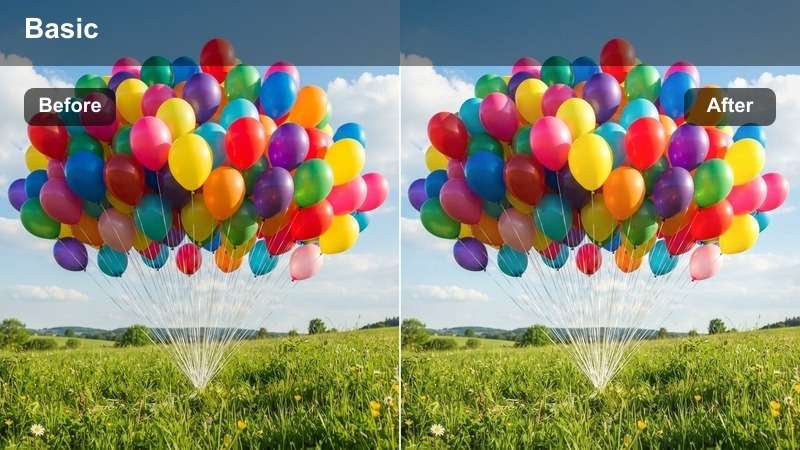
- Effect look: Clean, neutral winter filter that mutes harsh colors and keeps snow pure white with subtle contrast.
- Best for: Minimal travel vlogs, aesthetic snow city walks, and product shots filmed outdoors in winter.
- Editing tip: Reduce saturation of blues slightly to avoid overly cyan snow while adding a touch of clarity for extra texture in footprints and snowbanks.
Powder Soft Neutral is ideal when you want your snowy scenes to feel calm, minimal, and color-true. It removes distracting color casts from buildings, signs, and cars while preserving clean whites and delicate detail in the snow.
Use this preset across A roll and B roll to keep a consistent look in your winter city vlogs. In Filmora, pair it with the color match tool so close ups, wide shots, and clips from different cameras blend smoothly into a single understated aesthetic.
Overcast Snow Softener
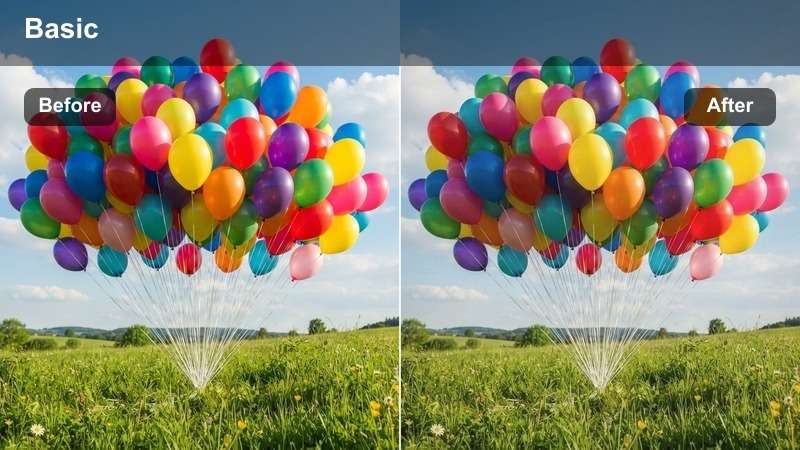
- Effect look: Low-contrast, slightly hazy filter that softens harsh edges and gently lifts shadows in cloudy snow scenes.
- Best for: Grey winter afternoons, foggy ski village streets, and mellow storytelling vlogs in the snow.
- Editing tip: Increase midtone brightness slightly instead of global exposure so faces stay visible while preserving cloud texture in the sky.
Overcast Snow Softener helps you turn flat, gray days into softly cinematic sequences without forcing heavy contrast where none exists. It lifts shadows just enough to reveal detail in coats, buildings, and trees while maintaining that quiet, diffused feeling of a cloudy winter afternoon.
Apply it to walking monologues, village b roll, or reflective moments in your ski trip recaps. In Filmora, combine it with a light vignette and slower transitions to guide attention to your subject and underscore a calm, introspective mood.
High-Energy Filters for Skiing and Snowboarding
Alpine Action Boost
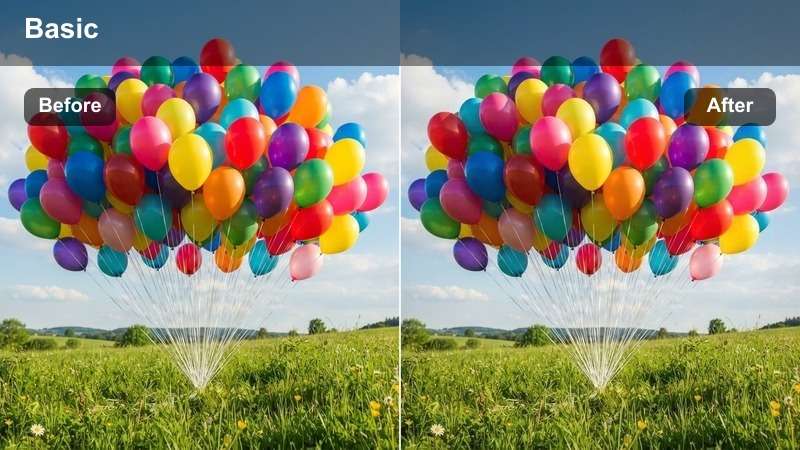
- Effect look: Punchy, high-contrast snow filter with vivid blues and crisp details that make ski runs feel fast and dynamic.
- Best for: GoPro helmet footage, skiing and snowboarding runs, and fast-paced winter sports montages.
- Editing tip: Add a slight motion blur or speed ramp to key moments while keeping this filter at full strength to emphasize movement and impact.
Alpine Action Boost is built for energy. It increases contrast and clarity so snow texture, board edges, and flying powder all pop on screen, while deepening blues for bold skies and jackets that stand out.
Drop this preset onto your POV and follow cam clips in Filmora, then add speed ramps and beat-based cuts to match your music. The punchy grade helps every turn, jump, and carve feel more intense without sacrificing detail in the brightest snow.
Icy Trail Clarity
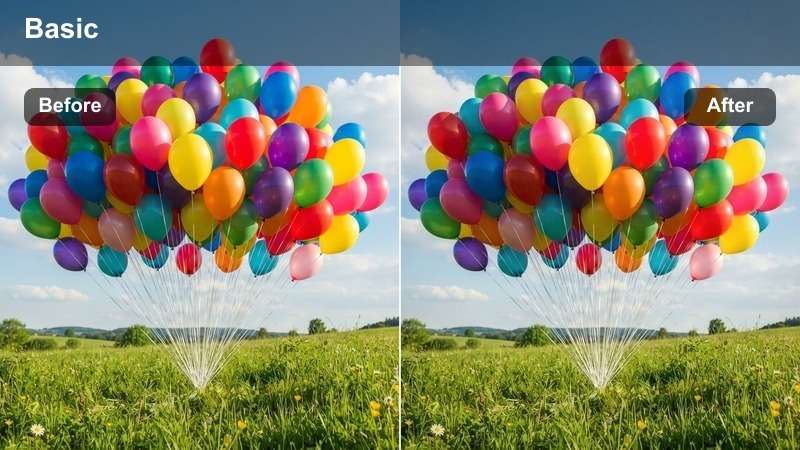
- Effect look: Sharp, cool-toned filter that enhances texture in snow, ice, and gear while cooling down the overall color palette.
- Best for: Snowboard park lines, icy trails, and detailed close-ups of boards, skis, and boots kicking up snow.
- Editing tip: Increase sharpness slightly and add just a touch of dehaze to bring out snow spray and edge detail without creating halos.
Icy Trail Clarity emphasizes the gritty, tactile side of winter sports. It cools your image, accentuates fine details in ice, rails, and bindings, and makes snow spray feel crisp and three dimensional.
Use it for park lines, carve shots, and gear close ups that you want to feel technical or brand ready. In Filmora, combine this filter with subtle push in keyframes on detailed shots so logos, textures, and snow particles really stand out.
Summit Sun Burst
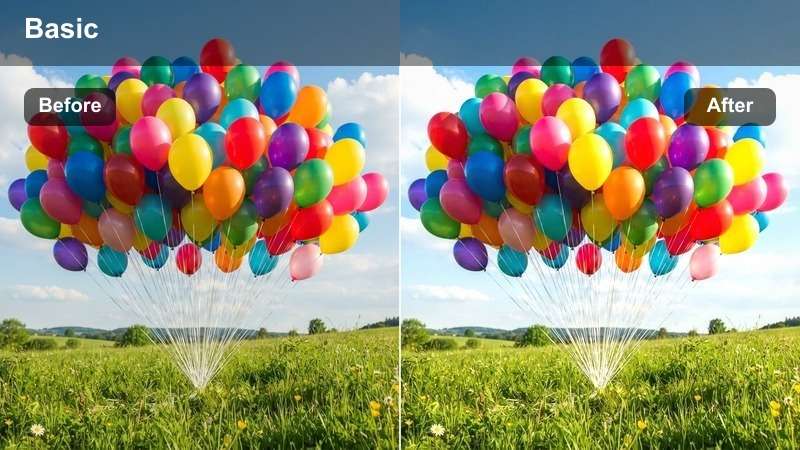
- Effect look: Bright, high-energy filter that boosts whites and warms highlights to make sunny summit scenes glow.
- Best for: Mountain-top selfies, ski lift views, and celebration moments after a big run on a sunny day.
- Editing tip: Pull down global highlights slightly after applying the filter so you keep the glow without clipping your brightest snow.
Summit Sun Burst is made for bluebird days when the snow is blinding and the mood is high. It amplifies brightness and adds a golden touch to highlights, giving your summit selfies, chairlift shots, and group moments a celebratory glow.
Apply it in Filmora to your best hero shots, then gently tame highlights with curves or the highlight slider to preserve snow detail. Use it sparingly as a visual accent for peak moments so those scenes feel larger than life in your final edit.
Cozy Winter Evening and Cabin Vibe Filters
Cabin Window Warmth
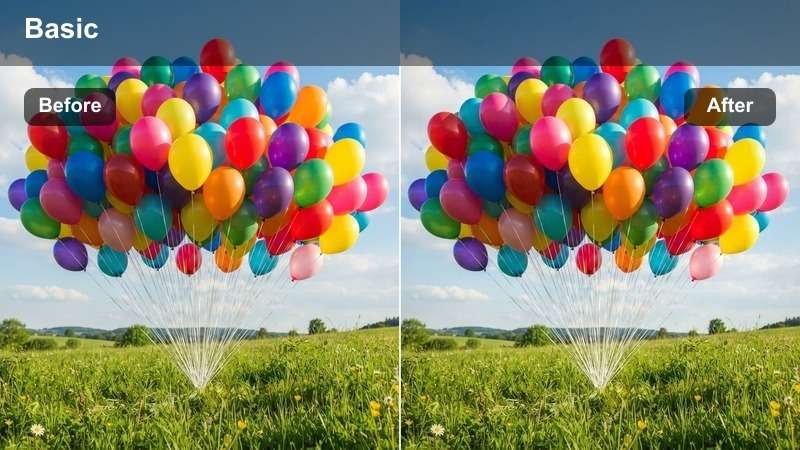
- Effect look: Warm, low-contrast filter that adds amber tones indoors while keeping the snowy exterior softly cool.
- Best for: Vlogging by a cabin window, coffee shots with snow in the background, and evening storytelling segments.
- Editing tip: Isolate indoor yellows with HSL and reduce saturation a bit so warm lights feel cozy, not neon, against the blue snow outside.
Cabin Window Warmth balances two worlds in one frame by enriching indoor lamps and wood tones while leaving the snow outside slightly cool. It is perfect whenever you are filming by a window or doorway and want to emphasize that cozy inside versus chilly outside contrast.
Use it on sit down stories, journaling clips, or aesthetic coffee shots facing the glass. In Filmora, combine the filter with gentle noise reduction and soft background music to create an intimate, fireside atmosphere in your winter vlogs.
Firelight Snow Glow
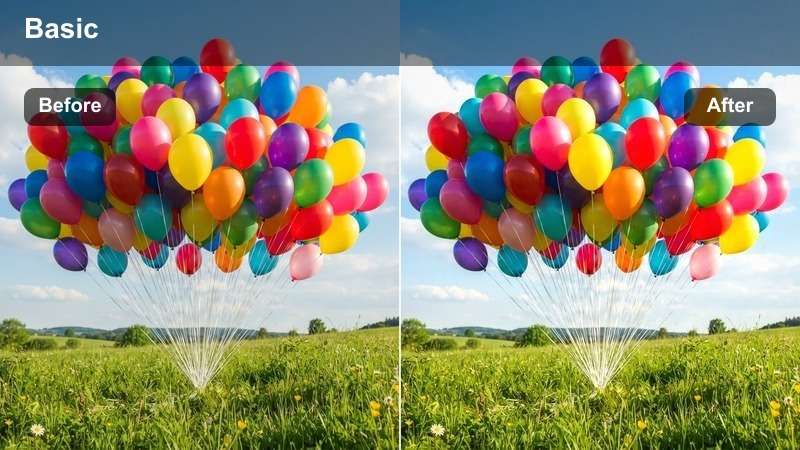
- Effect look: Rich, warm filter that deepens oranges and softens shadows while keeping snow reflections slightly cool for contrast.
- Best for: Bonfires in the snow, hot drink shots on a deck, and camp-style winter hangouts at night.
- Editing tip: Lower contrast a touch and lift blacks slightly to keep night scenes from crushing detail while still feeling moody.
Firelight Snow Glow is tailored for low light scenes where fire, lanterns, or string lights are your main sources. It enhances those warm tones, keeps faces flattering, and preserves a touch of coolness in the snowy surroundings so your frame does not turn into a pure orange wash.
Apply it to night hangouts, s mores sessions, and hot drink close ups. In Filmora, pair it with careful noise reduction and modest exposure boosts in the midtones so your night scenes stay atmospheric without becoming too grainy or muddy.
Twilight Village Fade
- Effect look: Cool-warm split filter that adds a teal hint to snow and a soft magenta to skies, creating a gentle twilight fade.
- Best for: Snowy village streets at dusk, evening market stalls, and blue hour establishing shots for winter vlogs.
- Editing tip: Push the tint slider slightly toward magenta and drop saturation a bit to keep the scene dreamy without cartoonish colors.
Twilight Village Fade gives your blue hour footage a cinematic, nostalgic twist by lightly tinting snow toward teal and skies toward soft magenta. Streetlights and shop windows pick up a gentle glow, turning everyday streets into moody establishing shots.
Use it between bright daytime skiing and dark cabin interiors to create smooth visual transitions in your edit. In Filmora, place these graded clips around chapter breaks or voiceover segments to signal shifts in time or mood.
Epic Snowy Landscapes and Travel B-roll Filters
Glacier Wide Cinematic
- Effect look: High dynamic range style filter that deepens blues, adds subtle fade to shadows, and enhances depth in snowy mountains.
- Best for: Drone shots over snowy valleys, wide mountain vistas, and cinematic travel intros for winter trips.
- Editing tip: Add a slight letterbox crop in Filmora and reduce saturation of greens to keep attention on the snow and sky layers.
Glacier Wide Cinematic is tuned for big, sweeping views. It deepens sky and shadow tones, gently fades the darkest areas, and enhances separation between foreground ridges and distant peaks, giving your landscapes a film like sense of depth.
Apply it to your drone passes, time lapses, and wide establishing shots, then add a cinematic aspect ratio in Filmora using letterbox overlays. Cut these clips to slower music or your intro voiceover to set the tone before diving into on the ground adventures.
Snow Road Journey
- Effect look: Cool, travel-style filter that slightly desaturates surroundings while keeping car interiors and key details clear and bright.
- Best for: Driving shots on snowy roads, train window views, and travel transitions between winter locations.
- Editing tip: Add a gentle warp stabilization in Filmora to smooth handheld window shots while this filter keeps the view outside crisp.
Snow Road Journey takes in transit footage and turns it into intentional storytelling material instead of just filler. It cools and slightly desaturates outside scenery while keeping dashboards, windows, and key details readable and clean.
Use it on car, bus, and train sequences that connect major moments in your vlog. In Filmora, apply warp stabilization and cut these clips on music beats to create satisfying visual bridges between cities, resorts, and trailheads.
Whiteout Dreamscape
- Effect look: Ethereal, high-key filter that lifts whites and adds a faint mist effect for foggy or blizzard-like scenes.
- Best for: Heavy snowfall, whiteout hikes, and dreamy B-roll where your subject moves through near-all-white environments.
- Editing tip: Dial down clarity and add a light blur vignette to push the dreamy look further while keeping your main subject in focus.
Whiteout Dreamscape is all about turning harsh blizzards and foggy fields into surreal, emotional imagery. It raises overall brightness, softens contrast, and adds a subtle misty feel so your subject seems to float through the snow.
Apply it in Filmora to key emotional beats like solo hikes, reflective shots, or transitions into voiceover. Combine it with gentle sound design and slower cutting so the dreamy visuals have space to breathe and support your story.
Snow Vlog Essentials for Consistent Winter Aesthetics
Vlog Snow Balanced
- Effect look: Balanced, all-purpose snowy vlog filter that protects skin tones, controls snow brightness, and keeps colors natural.
- Best for: Talking-to-camera winter segments, day-in-the-life snow vlogs, and handheld storytelling while walking outside.
- Editing tip: Fine-tune white balance per clip before applying this filter to keep your face consistent even when lighting changes as you move.
Vlog Snow Balanced is your everyday workhorse preset for snowy content. It smooths out harsh contrast between your face and the surrounding snow, keeps whites from blowing out, and avoids overly stylized colors so your story stays front and center.
Use it across full episodes as your default grade in Filmora, then layer more dramatic filters only on intros, montages, or key highlight sequences. This approach gives your channel a recognizable winter look that still leaves room for creative variations.
Urban Snow Contrast
- Effect look: Street-style snow filter that deepens blacks, sharpens details, and gives city snow scenes a modern, high-contrast edge.
- Best for: Snowy city crosswalks, subway exits in winter, and urban b-roll segments in travel vlogs.
- Editing tip: Drop saturation of reds slightly to keep signage and traffic lights from overpowering your subject in the frame.
Urban Snow Contrast gives your winter city footage a bold, contemporary look. It punches up shadows and clarity so architecture, street lines, and falling snowflakes become graphic elements that complement your subject.
Apply it in Filmora to B roll sequences around stations, crosswalks, and skyline views, then cut quickly on natural motion to maintain street energy. Use it alongside a softer filter on A roll so your talking segments stay flattering while the city around you feels dynamic and edgy.
Travel Snow Storyline
- Effect look: Story-driven filter that slightly softens contrast, warms midtones, and adds subtle vignette to guide focus in snowy scenes.
- Best for: Narrated segments, travel recaps, and structured story chapters in your winter trips and ski vacation videos.
- Editing tip: Use this filter primarily on A-roll and key narrative B-roll so viewers can quickly recognize when you are moving the story forward.
Travel Snow Storyline is crafted to support your narrative moments. It gently warms midtones, eases off harsh contrast, and adds a subtle vignette that draws the viewer's eye to you while still keeping the snowy setting recognizable.
Use it for intros, chapter cards, voiceover cutaways, and final recaps in Filmora. When viewers repeatedly see this look on key story beats, they instinctively know to pay closer attention to what you are saying, which helps structure your winter vlogs more clearly.
Tips for Using Snowy Video Filters Filters in Filmora
- Expose for the snow first, then bring back faces with shadows and midtones before applying any snowy video filter.
- Keep your white balance slightly on the cooler side for outdoor snow shots and warm it up only on indoor or cabin scenes.
- Use one main snowy vlog filter across a full episode and reserve specialty presets for intros, outros, and key cinematic moments.
- Stabilize handheld skiing and walking clips in Filmora before grading so the contrast and sharpness from filters do not emphasize camera shake.
- Film a short gray card or plain snow patch at the start of a day so you have a neutral reference.
These Free Snowy Video Filters for Winter Footage in Filmora make it easy to transform raw snowy clips into crisp, cinematic winter videos with cool, atmospheric tones.
Apply these snowy filters to winter travel, snowy landscapes, and outdoor footage in Filmora, then save your favorite looks as presets to speed up editing and maintain a consistent winter style across your videos.
secure download