

 100% Security Verified | No Subscription Required | No Malware

The Sony A7R IV captures exceptional detail, wide dynamic range, and rich tonal information, making it a strong choice for photographers and hybrid creators. The right filter can help shape that high-resolution footage into a consistent visual style without hiding the natural character of the camera.
This free Sony A7R IV LUT pack includes twelve Filmora-ready filter looks for landscapes, portraits, and commercial b-roll. Use the filters as a fast starting point for Sony A7R IV color grading, then fine-tune exposure, contrast, saturation, and skin tones to match each scene.
In this article
Golden Light for Detailed Landscapes
Sunlit Landscape
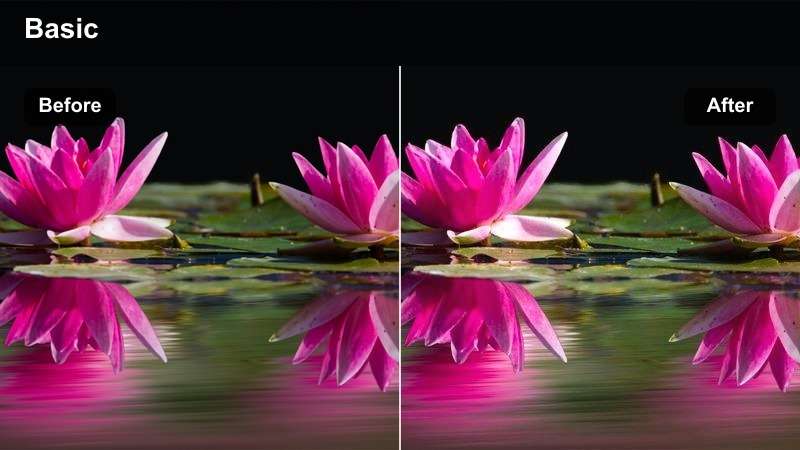
- Effect look: Warm highlights, clean greens, and gentle contrast for bright outdoor scenes
- Best for: Mountain overlooks, open fields, and golden-hour landscape footage
- Editing tip: Reduce highlights slightly before applying the filter to preserve fine detail in bright skies
Sunlit Landscape adds balanced warmth and depth to high-resolution landscape footage while keeping natural colors believable. It works especially well when the Sony A7R IV captures layered mountain ridges, open fields, or golden-hour scenes with strong sky detail.
In Filmora, reduce highlights or whites before applying the filter, then adjust temperature to create a golden look without flattening cloud texture. Avoid increasing warmth and exposure at the same time so the image retains its dynamic range.
Build a Sony A7R IV Color Palette with AI
Use Filmora's color tools to create a palette that complements the Sony A7R IV's detailed files. AI-assisted suggestions can help identify warm landscape tones, natural portrait colors, or polished commercial hues before you apply a filter.
Start with a neutral correction, choose a palette direction, and refine the intensity until the look supports the subject instead of overpowering it.
 secure download

Amber Horizon
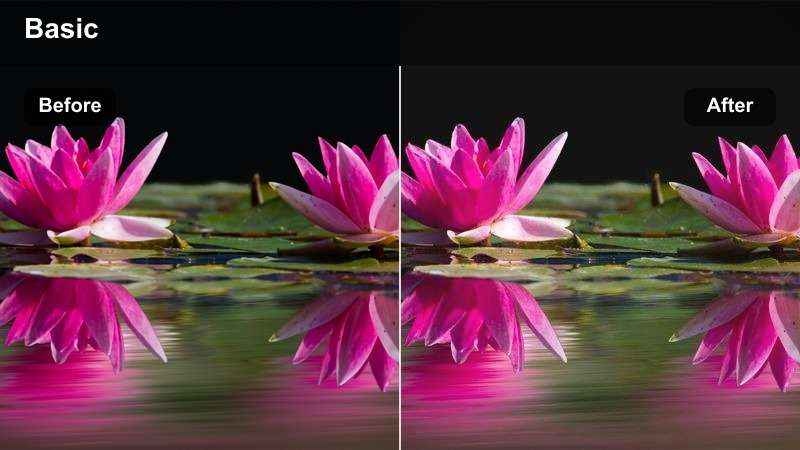
- Effect look: Amber skies, soft shadows, and a subtle cinematic fade
- Best for: Sunset coastlines, desert vistas, and wide establishing shots
- Editing tip: Use a mild vignette after applying the filter to guide attention toward the horizon
Amber Horizon adds warmth and atmosphere to expansive Sony A7R IV scenes. Its amber skies, softened shadows, and cinematic fade suit sunset coastlines, desert vistas, and wide establishing shots.
Apply a mild vignette in Filmora after choosing the filter to guide attention toward the horizon. If orange or red channels become too intense, lower their saturation selectively while keeping the foreground natural.
Forest Clarity
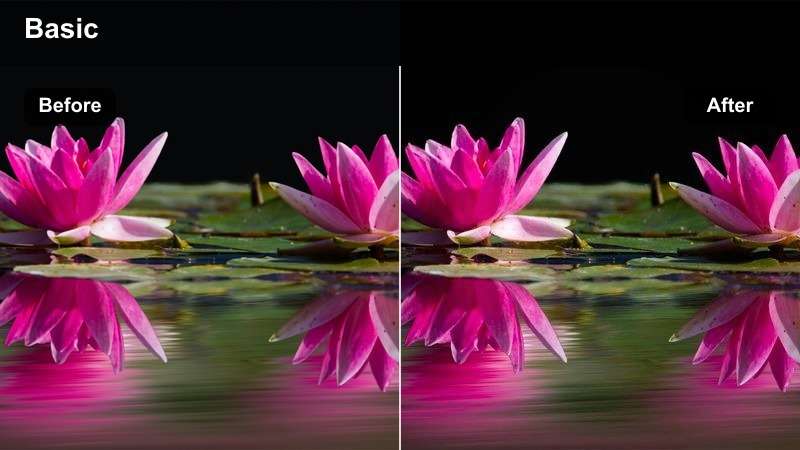
- Effect look: Crisp midtones, deep natural greens, and cool atmospheric shadows
- Best for: Woodland paths, mountain forests, and shaded outdoor travel footage
- Editing tip: Lift shadows slightly when the original footage contains dense foliage or uneven natural light
Forest Clarity maintains texture and separation in detailed woodland footage with crisp midtones, natural greens, and cool shadows. It is useful for forest paths, shaded travel scenes, and mountain environments.
Lift shadows slightly in Filmora when dense foliage becomes too heavy, then moderate contrast to retain dimensional detail. If green saturation looks artificial, soften it while keeping the scene's natural color relationships intact.
Natural Skin Tones for Portraits
Soft Portrait
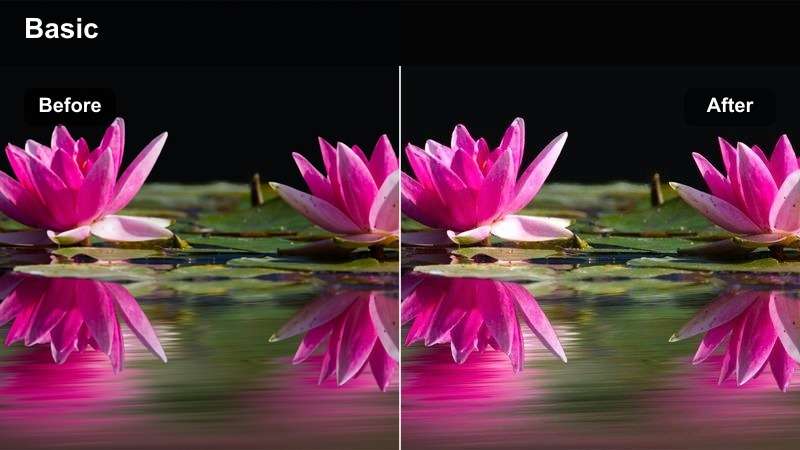
- Effect look: Gentle contrast, warm skin tones, and smooth highlight roll-off
- Best for: Outdoor portraits, lifestyle interviews, and natural-light close-ups
- Editing tip: Apply the filter before making small skin-tone adjustments with the temperature and tint controls
Soft Portrait keeps skin tones warm and realistic while preserving the facial detail captured by the Sony A7R IV. Its gentle contrast makes it a strong choice for outdoor portraits, lifestyle interviews, and natural-light close-ups.
Apply the filter before making small temperature and tint adjustments in Filmora. Keep smoothing subtle because the camera resolves fine facial texture, and use targeted skin corrections instead of reducing detail across the entire image.
Preview Sony A7R IV Video Filters Before Export
Compare filter previews on the same Sony A7R IV clip to see how each look affects highlights, skin tones, foliage, and shadow detail. This makes it easier to choose a style that matches the scene and the intended delivery platform.
Use side-by-side comparisons for landscapes, portraits, and commercial b-roll, then reduce the filter strength when the original camera color already looks balanced.
secure downloadEditorial Portrait
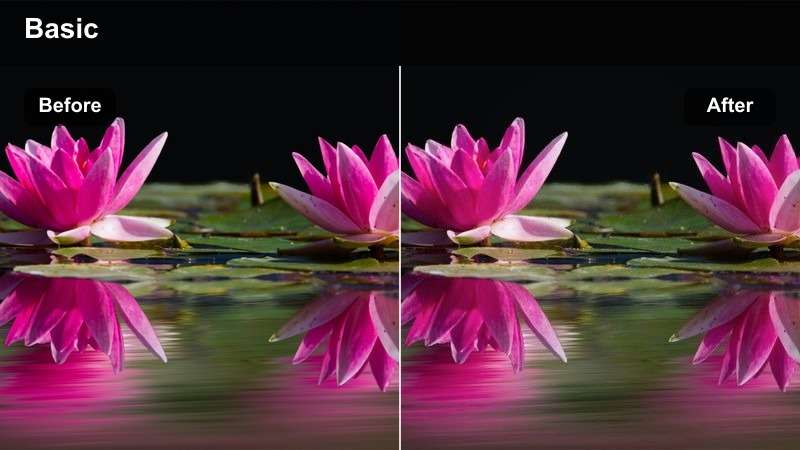
- Effect look: Muted colors, refined contrast, and a polished magazine-inspired finish
- Best for: Fashion portraits, creative headshots, and branded personal stories
- Editing tip: Lower overall saturation slightly while keeping skin tones brighter than the background
Editorial Portrait gives high-resolution portraits a restrained, sophisticated finish with muted colors and refined contrast. It works well for fashion portraits, creative headshots, and branded personal stories.
Lower overall saturation in Filmora while keeping skin tones brighter than the background. A small exposure lift on the face can create separation without making the entire frame look overly contrasty.
Cool Window Portrait
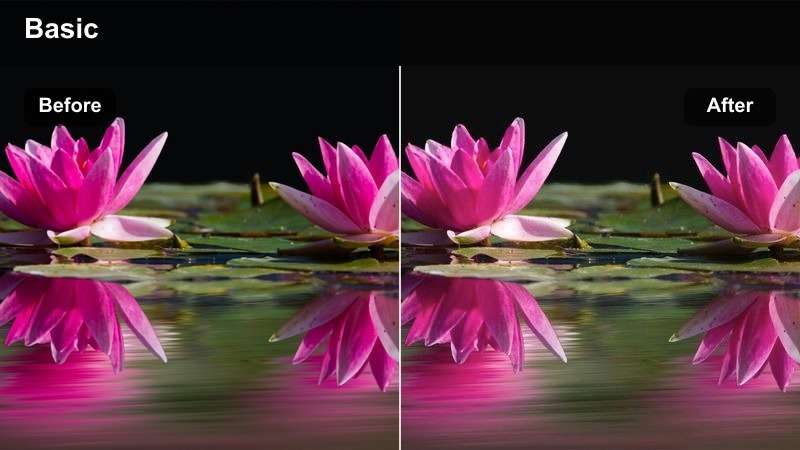
- Effect look: Cool shadows, neutral highlights, and subtle pastel skin tones
- Best for: Indoor portraits, documentary interviews, and quiet lifestyle scenes
- Editing tip: Warm the midtones slightly if the original window light makes skin appear too blue
Cool Window Portrait creates a modern low-key style for indoor portraits and documentary interviews. Cool shadows and neutral highlights add atmosphere while subtle pastel skin tones keep the subject approachable.
Use Filmora's temperature and tint controls to warm the subject if window light makes skin look gray or cyan. Leave the surrounding shadows cooler to preserve the contrast between the person and the environment.
Polished Color for Commercial B-Roll
Clean Product B-Roll
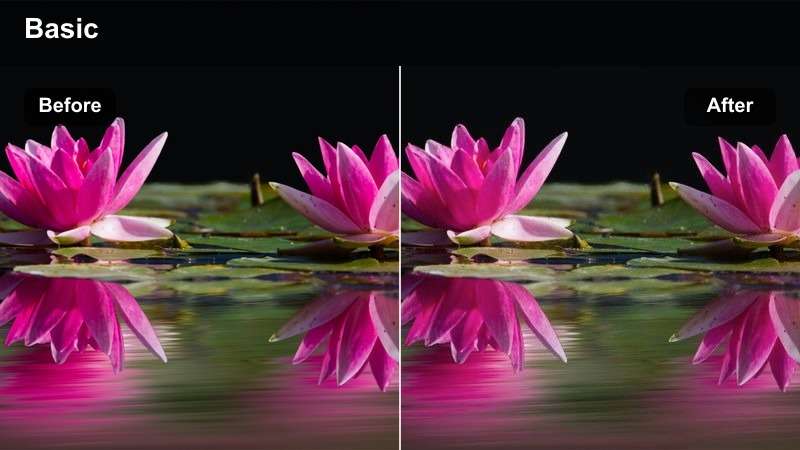
- Effect look: Bright whites, controlled contrast, and accurate neutral colors
- Best for: Product demonstrations, studio details, and e-commerce video clips
- Editing tip: Set white balance first so the filter does not shift neutral surfaces toward yellow or blue
Clean Product B-Roll provides precise color for detailed product footage from the Sony A7R IV. Bright whites, controlled contrast, and accurate neutrals help products look polished in demonstrations and e-commerce clips.
Correct white balance and exposure in Filmora before applying the filter. Use the look to refine contrast and polish, but keep neutral surfaces from shifting toward yellow or blue.
Modern Brand B-Roll
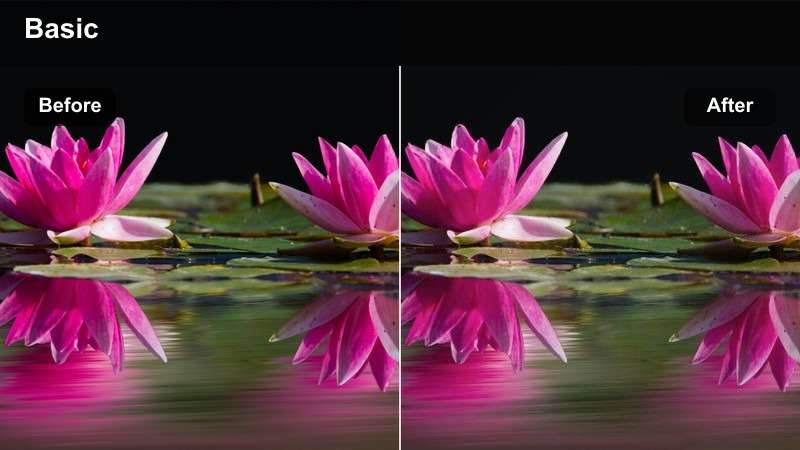
- Effect look: Crisp highlights, confident contrast, and balanced brand-ready color
- Best for: Lifestyle campaigns, technology promos, and social media advertisements
- Editing tip: Match the filter intensity across clips before adjusting individual shots for exposure differences
Modern Brand B-Roll creates consistent, energetic color for lifestyle campaigns, technology promos, and social advertisements. Its crisp highlights and confident contrast give Sony A7R IV footage a polished commercial identity.
Apply the same base intensity across the sequence in Filmora, then correct exposure and white balance shot by shot. This keeps footage from different locations visually connected without forcing every clip to look identical.
Cinematic Motion B-Roll
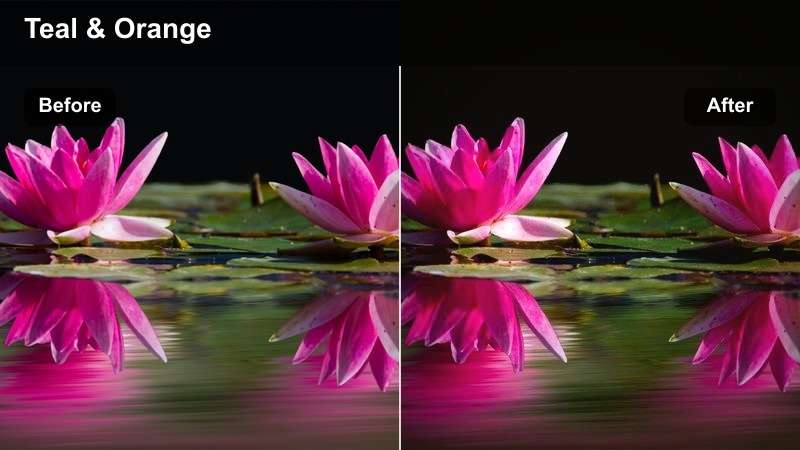
- Effect look: Teal-leaning shadows, warm practical highlights, and richer cinematic depth
- Best for: Handheld movement, behind-the-scenes footage, and premium campaign sequences
- Editing tip: Reduce the filter strength on skin or bright logos to keep important details natural
Cinematic Motion B-Roll adds depth and color contrast to moving commercial sequences. Teal-leaning shadows and warm practical highlights suit handheld footage, behind-the-scenes edits, and premium campaigns.
Lift the darkest tones slightly in Filmora when movement or underexposure reveals noise and compression artifacts. Reduce filter strength on skin, bright logos, or mixed-lighting scenes to keep important details natural.
Creative Finishes for Hybrid Storytelling
Matte Documentary
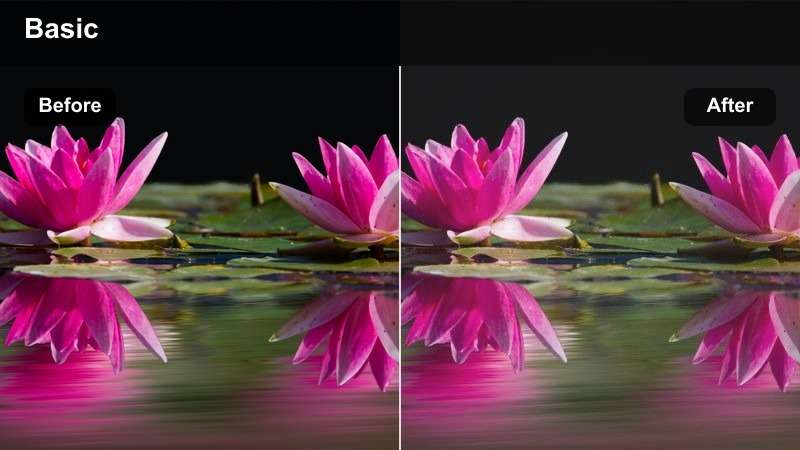
- Effect look: Faded blacks, subdued saturation, and honest documentary contrast
- Best for: Travel stories, behind-the-scenes edits, and observational hybrid projects
- Editing tip: Keep the fade moderate so fine Sony A7R IV shadow detail remains visible
Matte Documentary gives travel stories and observational projects a grounded, film-inspired finish. Faded blacks and subdued saturation soften the image while preserving the honest character of Sony A7R IV footage.
Use a moderate fade in Filmora so fine shadow detail remains visible. Add only enough lift to shape the mood, because too much fade can remove the depth that makes high-resolution footage feel dimensional.
Dramatic Monochrome
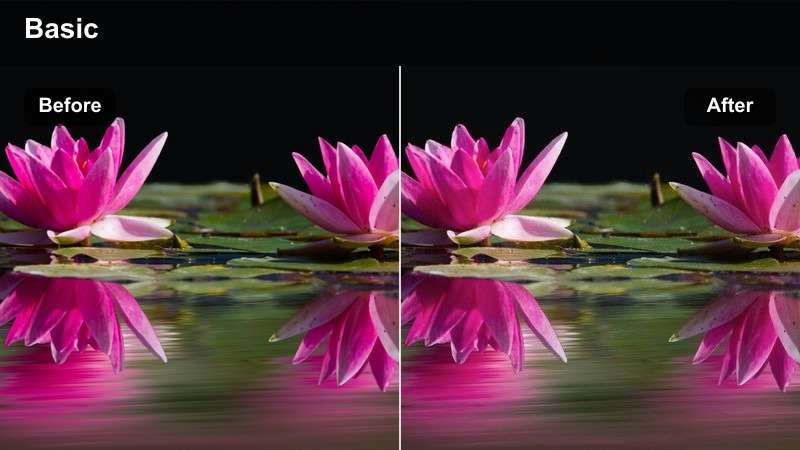
- Effect look: Rich black-and-white contrast, sculpted highlights, and expressive tonal separation
- Best for: Architectural details, editorial portraits, and dramatic campaign inserts
- Editing tip: Adjust luminance by color before converting fully to monochrome so skin and backgrounds remain distinct
Dramatic Monochrome turns Sony A7R IV detail into a graphic visual statement with rich blacks, sculpted highlights, and expressive tonal separation. It suits architectural details, editorial portraits, and dramatic campaign inserts.
In Filmora, adjust color luminance before converting fully to black and white. Separating skin, clothing, and backgrounds by tone prevents different hues from collapsing into similar gray values.
Pastel Film
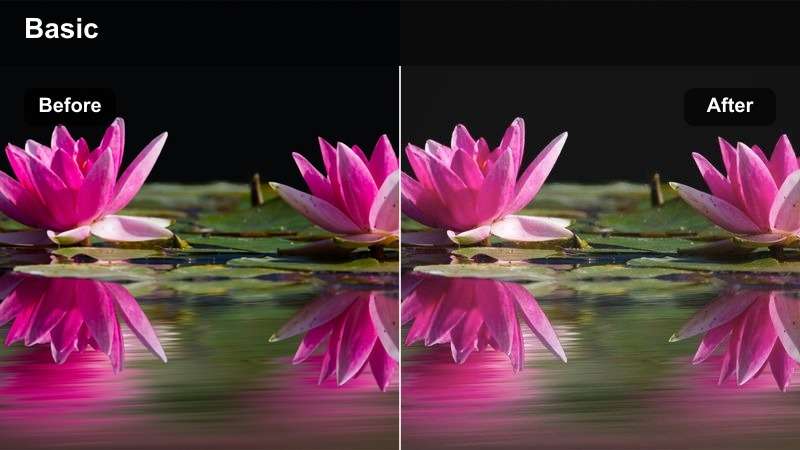
- Effect look: Soft pastel color, lifted shadows, and low-intensity film character
- Best for: Lifestyle reels, airy portraits, and bright creative brand stories
- Editing tip: Lower clarity or sharpness slightly only after confirming that fine subject detail still looks intentional
Pastel Film creates a soft, approachable finish for lifestyle reels, airy portraits, and bright creative brand stories. Lifted shadows and low-intensity film character add polish without overwhelming the subject.
Soften contrast and color gently in Filmora, then check that fine Sony A7R IV texture remains intentional. Lower clarity or sharpness only when needed, and avoid excessive blur that could make the footage look less professional.
Combine Filters and LUTs for Flexible Grading
A Sony A7R IV LUT can establish a strong base, while Filmora filters provide a quick way to shape mood and finish. Combining them carefully helps hybrid creators move from technical correction to creative styling without rebuilding every adjustment.
Apply the technical correction first, add the LUT or filter at a moderate strength, and finish with exposure, contrast, and skin-tone refinements for a cohesive result.
secure downloadTips for Using Sony A7r Iv Lut Download Filters in Filmora
- Correct exposure and white balance before applying a Sony A7R IV video filter.
- Use lower filter intensity when working with highly detailed portraits or accurate commercial product colors.
- Match filter strength across clips before making individual shot corrections.
- Protect highlight detail in bright landscapes by reducing highlights before adding warmth.
- Use Filmora scopes and skin-tone checks to keep Sony A7R IV color grading consistent.
- Save a custom preset after refining a filter for recurring landscapes, portraits, or commercial b-roll projects.
The free Sony A7R IV LUT pack gives photographers and hybrid creators a practical starting point for high-resolution camera color grading. With twelve scene-focused filters, you can move quickly from natural landscape correction to polished portrait and commercial b-roll styles.
Download the pack, test each look on your own Sony A7R IV footage, and fine-tune the intensity in Filmora for a consistent finish that preserves detail and supports your creative direction.
secure downloadNext: Free Sony FX2 LUT Pack
