

 100% Security Verified | No Subscription Required | No Malware

The Sony FX2 delivers a flexible cinema camera image, but the right color treatment can make footage feel more consistent, intentional, and ready for an edit. This free Sony FX2 LUT pack gives indie filmmakers and documentary creators a practical starting point for shaping contrast, skin tones, atmosphere, and cinematic character in Filmora.
Use these Sony FX2 video filters for short films, documentaries, and cinematic interviews. Apply each look after balancing exposure and white balance, then reduce the filter strength until the image retains natural detail and believable skin tones.
In this article
Golden-Hour Narratives for Short Films
Warm Cinematic Glow
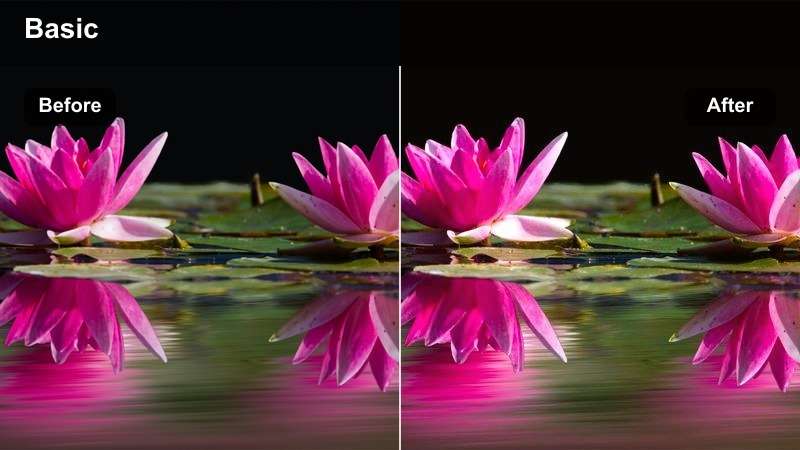
- Effect look: Adds warm highlights, gentle contrast, and a soft golden finish
- Best for: Outdoor short-film scenes, reflective montages, and late-afternoon establishing shots
- Editing tip: Lower the intensity when skin tones become too orange and protect bright skies with highlight recovery
Warm Cinematic Glow gives Sony FX2 footage a welcoming narrative finish by enriching highlights and shaping contrast without making the image feel harsh. It works especially well when a short-film scene needs the inviting atmosphere of late afternoon or golden hour.
In Filmora, balance exposure and white balance first, then adjust the filter strength until faces remain natural. For close-ups, compare the result with a neutral reference frame and use highlight recovery if bright skies or reflective surfaces begin to clip.
Build a Sony FX2 Color Palette with AI
Use Filmora tools to explore complementary tones for your Sony FX2 footage before committing to a full sequence look. A simple palette can help unify locations, interview setups, and transitions across a documentary or short film.
Start with one dominant tone, one supporting color, and a neutral anchor. This keeps the grade focused while giving each scene enough visual personality.
 secure download

Sunset Story Tone
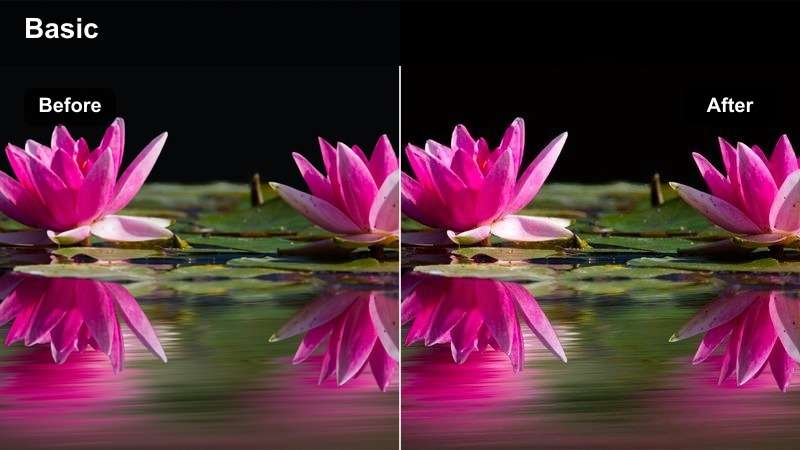
- Effect look: Deepens amber light, softens shadows, and adds a subtle storybook mood
- Best for: Emotional transitions, outdoor dialogue, and final scenes filmed near sunset
- Editing tip: Use a moderate strength and add a small amount of shadow lift for faces under backlight
Sunset Story Tone deepens amber light and softens shadows to create a warm storybook mood. This Sony FX2 look is suited to emotional transitions, outdoor dialogue, and final scenes where the changing light is part of the narrative.
Correct an underexposed subject before applying the filter so faces do not become muddy. In Filmora, use moderate intensity, lift the shadows slightly when needed, and consider a subtle vignette to guide attention toward the performers.
Soft Film Memory
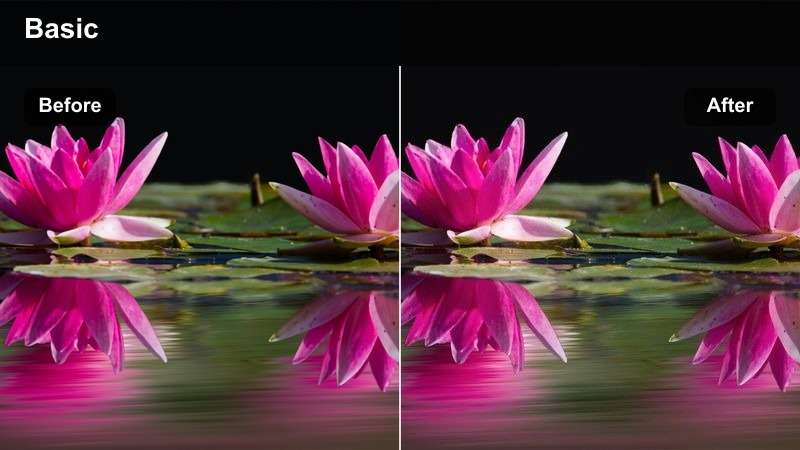
- Effect look: Mutes digital sharpness, warms midtones, and creates a gentle nostalgic finish
- Best for: Flashbacks, personal essays, archival-style inserts, and intimate character moments
- Editing tip: Pair with restrained grain and avoid stacking it with heavy contrast filters
Soft Film Memory reduces the clinical feel of digital footage by muting sharpness, warming midtones, and adding a gentle nostalgic character. It gives flashbacks, personal essays, and intimate moments a distinct visual language.
Apply the look consistently across memory scenes in Filmora and keep grain restrained. Preserve a few neutral details in each frame so the image feels intentionally faded without becoming flat or monochromatic.
Natural Documentary Looks for Real Locations
Documentary Neutral
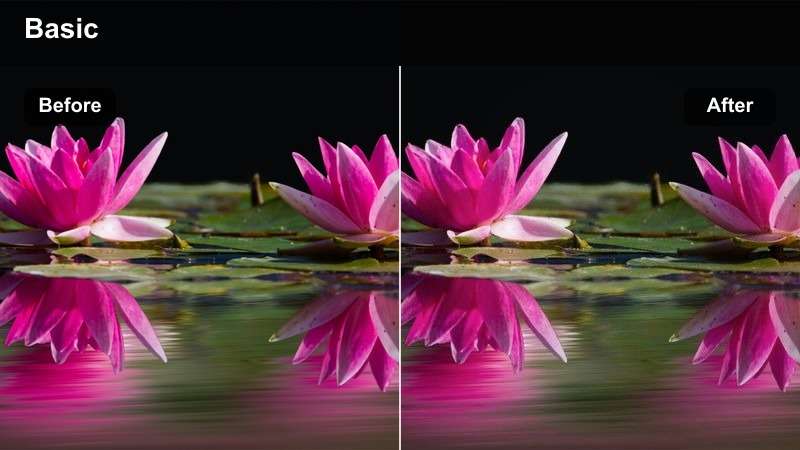
- Effect look: Balances contrast, preserves realistic color, and adds clean professional separation
- Best for: Verite sequences, location coverage, interviews, and observational documentary edits
- Editing tip: Use it as a base look and fine-tune white balance between mixed indoor and outdoor shots
Documentary Neutral is a dependable base look for Sony FX2 footage that needs clarity, realistic color, and consistent contrast. It suits verite sequences, interviews, and location coverage where the story should remain at the center.
Match exposure and white balance across changing locations before applying the filter in Filmora. Once the baseline is reliable, save a custom adjustment preset and use it as a starting point for the rest of the documentary.
Urban Observer
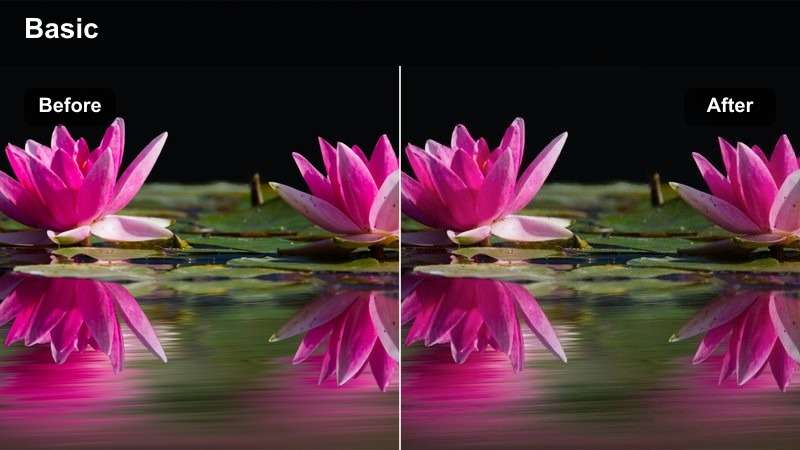
- Effect look: Adds crisp midtone contrast, restrained saturation, and a cool metropolitan edge
- Best for: Street documentaries, public spaces, city portraits, and moving b-roll
- Editing tip: Reduce blue intensity if concrete, glass, or overcast skies begin to dominate the subject
Urban Observer adds crisp midtone contrast and a restrained cool palette for city documentaries and moving b-roll. The look gives public spaces and street portraits a modern identity while keeping saturation under control.
Use it selectively on exterior sequences and compare the result with an interior reference in Filmora. If cool shadows compete with warm storefront lighting, adjust blue intensity and monitor skin tones before applying the look across a full scene.
Quiet Observation
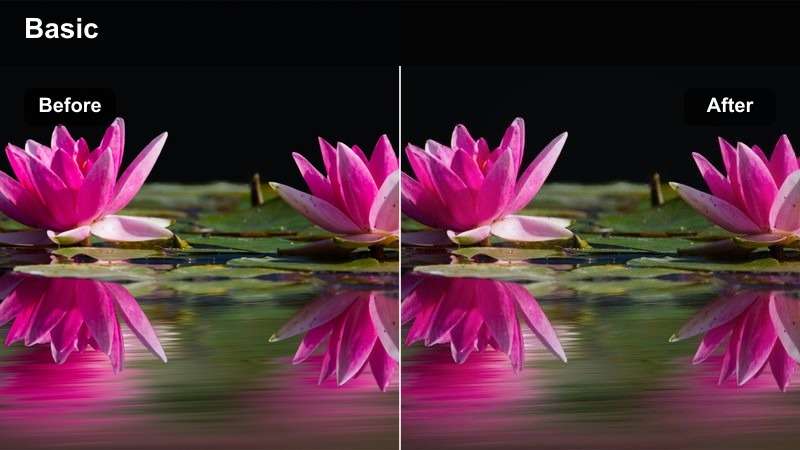
- Effect look: Softens contrast, reduces color intensity, and creates a patient contemplative mood
- Best for: Human-interest documentaries, reflective pauses, and observational portraits
- Editing tip: Keep the effect subtle so natural expressions and location details remain the focus
Quiet Observation softens contrast and reduces color intensity for thoughtful documentary scenes. It supports reflective pauses and observational portraits without imposing a highly stylized treatment on real people or places.
Keep the filter strength low on close-ups so facial expressions remain clear. In Filmora, a small midtone lift can restore detail when a subject is surrounded by darker backgrounds while preserving the calm visual mood.
Cinematic Interview Looks for Clear Storytelling
Skin Tone Cinema
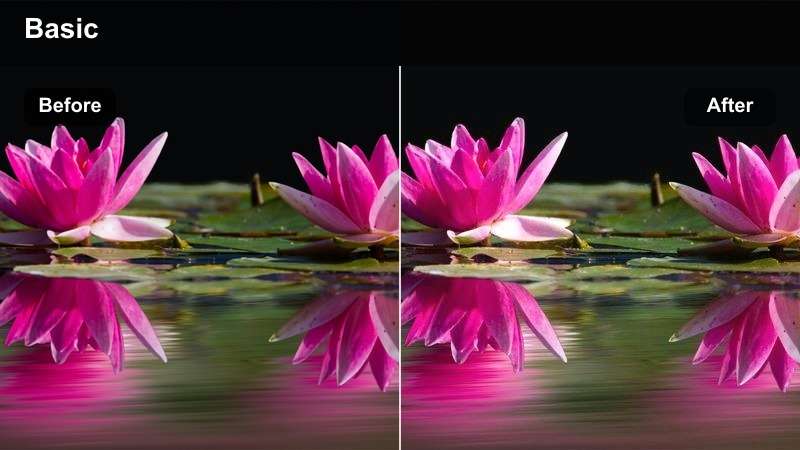
- Effect look: Enhances warm skin tones, shapes gentle contrast, and keeps backgrounds controlled
- Best for: Cinematic interviews, creator profiles, and documentary talking-head segments
- Editing tip: Correct mixed lighting before applying the filter and use scopes to monitor skin tone consistency
Skin Tone Cinema is designed to add cinematic polish while keeping interview subjects natural. It enhances warm skin tones, shapes gentle contrast, and gives the background enough control to keep attention on the speaker.
Use a neutral gray or white reference to correct the Sony FX2 image before applying the filter in Filmora. If the face becomes too warm, reduce orange and red saturation selectively instead of lowering the entire look.
Moody Interview Depth
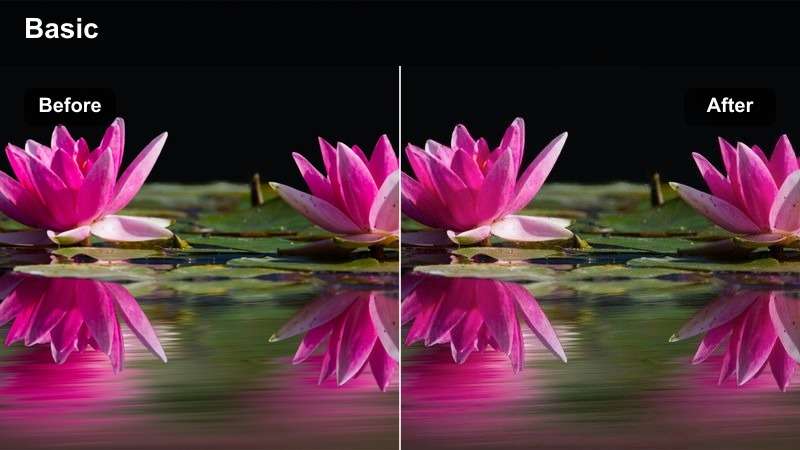
- Effect look: Adds deeper shadows, cooler background separation, and a focused cinematic atmosphere
- Best for: Investigative interviews, artist profiles, and serious documentary subjects
- Editing tip: Lift facial shadows slightly and keep the background contrast below the point where details disappear
Moody Interview Depth creates a serious low-key atmosphere with deeper shadows and cooler background separation. It works well for investigative interviews, artist profiles, and documentary subjects whose stories call for a focused visual tone.
Check the darkest areas on a calibrated display after applying the look in Filmora. Lift facial shadows slightly if needed, and use a gentle mask around the face when the subject begins to blend into a dark environment.
Clean Editorial Interview
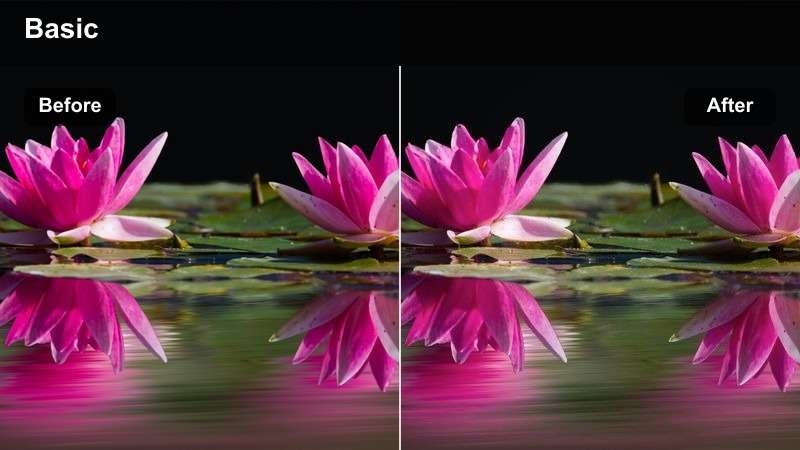
- Effect look: Creates bright balanced contrast, accurate color, and a polished editorial finish
- Best for: Educational interviews, branded documentaries, press features, and studio conversations
- Editing tip: Apply it after exposure correction and fine-tune highlights around windows, practical lights, and white clothing
Clean Editorial Interview delivers a bright, balanced finish for conversations that need clarity and professional consistency. It keeps colors accurate while adding a refined editorial character to educational, branded, and studio interviews.
Apply the look after exposure correction and use waveform monitoring in Filmora to control bright backgrounds. Match alternate camera angles by sampling the same neutral surface and refining highlights around windows and white clothing.
Preview Sony FX2 Video Filters Before Applying Them
Filmora makes it easy to compare filter looks on the same Sony FX2 clip. Preview warm, neutral, moody, and low-light treatments side by side to find the option that supports your story.
Use filter strength controls to keep the result natural, then refine exposure, white balance, and skin tones with manual adjustments.
secure downloadNight and Low-Light Looks for Atmospheric Scenes
Midnight Blue
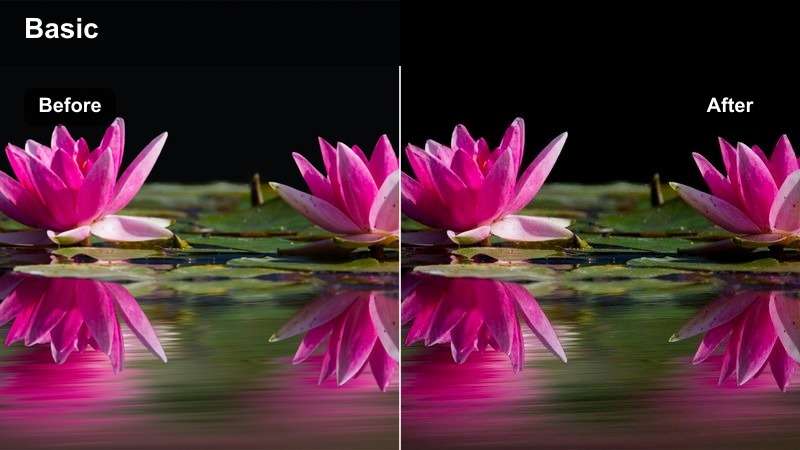
- Effect look: Introduces cool blue shadows, controlled highlights, and a cinematic nighttime mood
- Best for: Night exteriors, urban drama scenes, nocturnal documentary coverage, and music-driven edits
- Editing tip: Preserve practical lights and keep blue saturation moderate to avoid an artificial digital look
Midnight Blue introduces cool shadows and controlled highlights for cinematic Sony FX2 night footage. It is a strong choice for urban drama, nocturnal documentary coverage, and music-driven edits built around practical lights.
Denoise the footage before increasing contrast in Filmora so the look does not exaggerate low-light grain. Keep skin tones slightly warmer than the environment and protect practical lights from clipping.
Neon Documentary
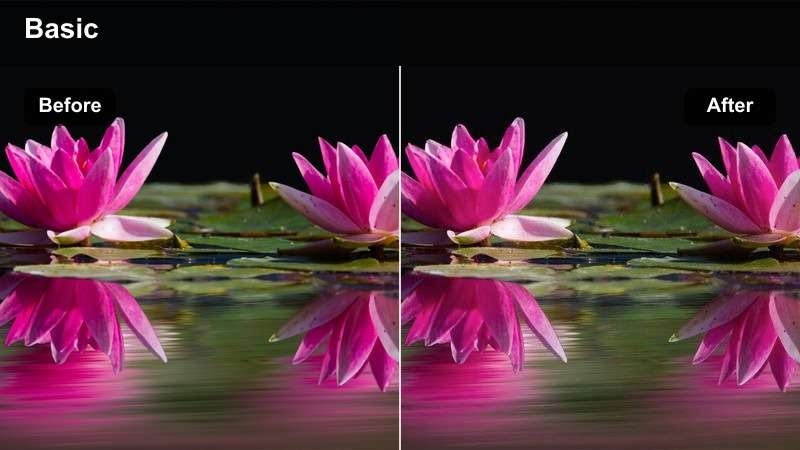
- Effect look: Strengthens colored practicals, adds contrast, and gives nighttime footage a vivid urban edge
- Best for: Nightlife documentaries, music profiles, city b-roll, and energetic transition sequences
- Editing tip: Reduce magenta and cyan saturation independently when neon signs overpower faces
Neon Documentary strengthens colored practicals and adds contrast for vivid nighttime city scenes. It gives nightlife documentaries, music profiles, and energetic transitions a lively urban edge while keeping the subject visible.
Treat neon sources as part of the palette but keep their brightness below clipping in Filmora. Use targeted magenta, cyan, or other color adjustments instead of global saturation when several light colors compete for attention.
Low-Light Film Grain
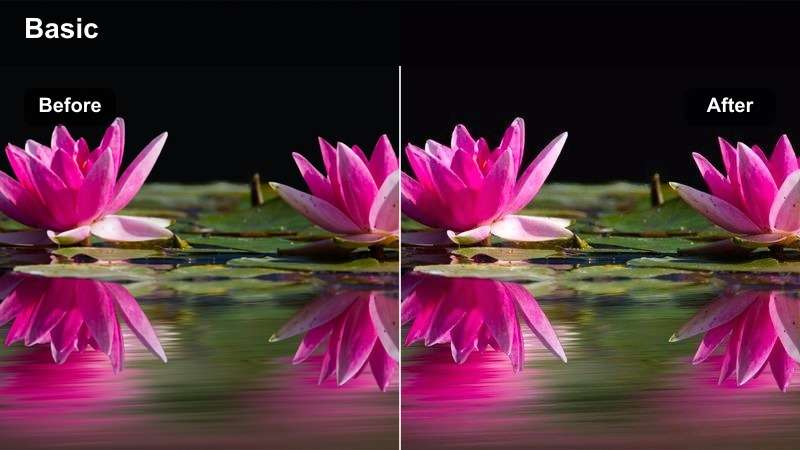
- Effect look: Adds soft contrast, restrained warmth, and an organic grain-inspired finish
- Best for: Interior night scenes, personal documentaries, rehearsal footage, and atmospheric inserts
- Editing tip: Apply noise reduction first and keep grain subtle enough to preserve dialogue-scene detail
Low-Light Film Grain adds soft contrast, restrained warmth, and an organic texture to Sony FX2 footage. It suits interior night scenes, personal documentaries, rehearsal footage, and atmospheric inserts that benefit from a handcrafted character.
Apply noise reduction before adding the look in Filmora, then review the grain at the final delivery resolution. Use lighter grain on close-ups and stronger texture on wide shots so faces remain clean while the sequence retains atmosphere.
Combine Filters and LUTs for a Flexible Workflow
A LUT can establish a broad technical or creative direction, while Filmora filters help shape the final mood. Apply corrections first, add the LUT when needed, and use a filter at a controlled intensity for finishing.
This layered workflow is useful when a Sony FX2 project includes daylight exteriors, mixed-light interviews, and night scenes that need to feel part of the same film.
secure downloadTips for Using Sony Fx2 Lut Download Filters in Filmora
- Correct exposure and white balance before applying a Sony FX2 filter.
- Use scopes to check skin tones, highlight detail, and shadow information.
- Lower filter intensity when the image looks overly saturated or stylized.
- Match interview angles with a neutral reference before adding creative color.
- Keep a consistent look across short films and documentaries by saving custom presets.
- Review the final grade on the display and platform where the project will be delivered.
This free Sony FX2 LUT pack and filter collection gives indie filmmakers and documentary creators a practical way to build polished looks for short films, documentaries, and cinematic interviews. Start with a balanced correction, choose a scene-appropriate style, and adjust the strength until the image supports the story.
Filmora makes Sony FX2 color grading approachable with quick previews, flexible filter controls, and a workflow that combines creative looks with detailed manual adjustments. Download the pack, test each style on your own footage, and save the combinations that best match your visual direction.
secure download