

 100% Security Verified | No Subscription Required | No Malware

Capture the cozy glow of Thanksgiving with free Thanksgiving video LUT-inspired filters that turn simple clips of dinner, laughter, and family traditions into warm, cinematic memories.
Whether you are filming Thanksgiving dinner, casual family gatherings, or heartfelt holiday vlogs, these Filmora-ready filters give you soft oranges, rich browns, and gentle highlights that feel like fall in every frame.
In this article
Golden Hour Around the Thanksgiving Table
Golden Roast Glow
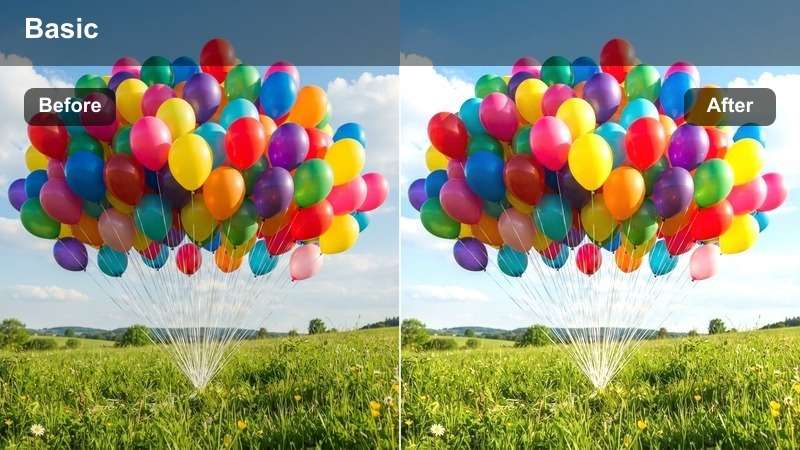
- Effect look: Soft golden warmth that brightens faces and adds a gentle sheen to candlelit dinner scenes.
- Best for: Close-ups of Thanksgiving dinner plates, clinking glasses, and smiling relatives around the table.
- Editing tip: Lower contrast slightly to keep highlights on plates and glassware from blowing out while preserving the warm glow.
Golden Roast Glow wraps your Thanksgiving table in a golden-hour style warmth, lifting highlights just enough to make roasted turkey, side dishes, and glass reflections look appetizing and inviting. Skin tones stay flattering while the overall scene feels like it is lit by late afternoon sunlight, even if you shot it under ceiling fixtures.
In Filmora, apply this filter to your main dinner sequences, then gently reduce contrast and tweak exposure so bright plates and napkins keep detail. If the warmth starts to push skin too far into orange, nudge the white balance a little cooler and use HSL or skin tone tools to pull back red and orange saturation on faces while leaving the table decor rich and glowing.
Use AI Color Tools to Match Every Thanksgiving Scene
Filmora AI color tools help you quickly match the warm, golden look of your favorite Thanksgiving clip across your entire project. Instead of manually dialing in each shot, you can let AI analyze a reference frame and automatically bring other angles and cameras closer to that cozy style.
Pick a hero shot of your Thanksgiving table with Golden Roast Glow applied, then use AI color matching to push living room, kitchen, and dessert clips toward the same fall palette. This keeps your whole vlog feeling unified, even when lighting changes from window light to overhead bulbs.
 secure download

Preview Thanksgiving Filters in Real Time
With Filmora, you can hover over Thanksgiving filters and instantly see how they affect your dinner table, living room, or backyard clips. This real-time preview makes it easy to compare looks like Golden Roast Glow and Fireside Family Warmth without committing to any changes.
After choosing a base filter, fine-tune the style by stacking subtle adjustments such as vignette, grain, and exposure. You can keep the original LUT-inspired feel while polishing the final image so it matches your story and lighting conditions.
secure download1000+ Video Filters and 3D LUTs
Beyond Thanksgiving-specific looks, Filmora includes a large library of filters and 3D LUTs for every style, from cinematic drama to soft lifestyle vlogs. You can layer these presets with your fall color grading to build a custom look that feels unique to your family videos.
Experiment by using a neutral warm base filter and then adding a creative LUT on just a few key shots, such as the first table reveal or a slow-motion leaf sequence. This helps those moments stand out while the rest of your vlog stays cohesive and easy to watch.
secure downloadCandlelight Feast Soft
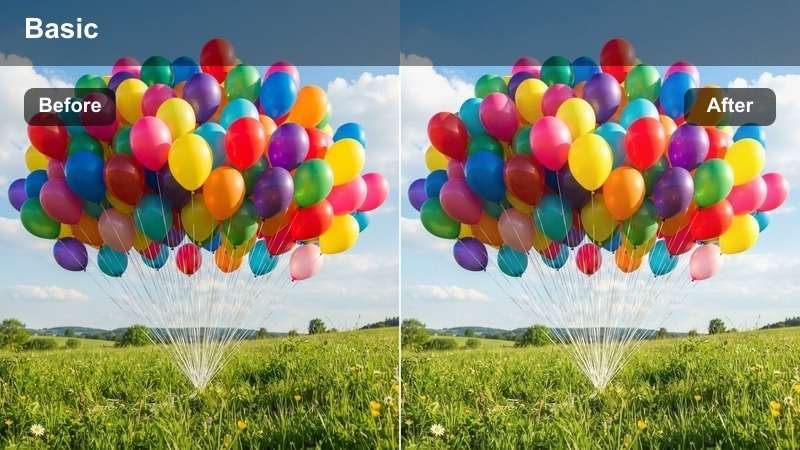
- Effect look: Soft, low-contrast candlelight effect with gentle highlights and muted shadows for an intimate feel.
- Best for: Evening Thanksgiving dinners lit by candles or string lights where you want to emphasize coziness over sharp detail.
- Editing tip: Reduce sharpness slightly and add a touch of vignette so viewers eyes stay on the center of the table.
Candlelight Feast Soft is designed for dim, late-night Thanksgiving scenes where the main light source is candles, fairy lights, or a nearby lamp. It smooths contrast and softens hard edges so faces, hands, and glass reflections look gentle instead of harsh or noisy.
In Filmora, run a light noise reduction pass on grainy clips before applying this filter so your shadows do not turn muddy. Then lower sharpness a bit, add a subtle vignette, and keep exposure slightly higher than normal so candle flames remain visible while the rest of the frame stays cozy and romantic.
Honey Cranberry Pop
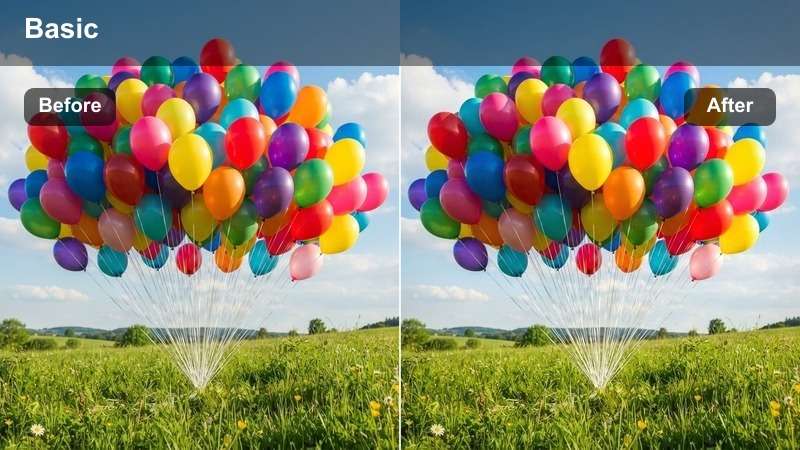
- Effect look: Vibrant warm tones that make reds and oranges pop while keeping whites and tablecloths clean.
- Best for: Shots of Thanksgiving spreads, cranberry dishes, and decorative table settings that need extra color punch.
- Editing tip: Increase saturation slightly in the midtones only so fall colors stand out without oversaturating skin.
Honey Cranberry Pop is built to make your Thanksgiving table decor and food look colorful and lively. It pushes reds, oranges, and warm accents forward while preserving clean whites so plates, napkins, and tablecloths do not take on unwanted color casts.
Inside Filmora, apply this look to overhead food shots, flat lays, and close-ups of cranberry sauce or pumpkin sides. If decor starts to feel too intense, use HSL controls to gently reduce red and orange saturation while leaving yellows and midtone warmth intact, and use color masking to keep skin tones natural in any frame that includes faces.
Cozy Living Room Family Moments
Fireside Family Warmth
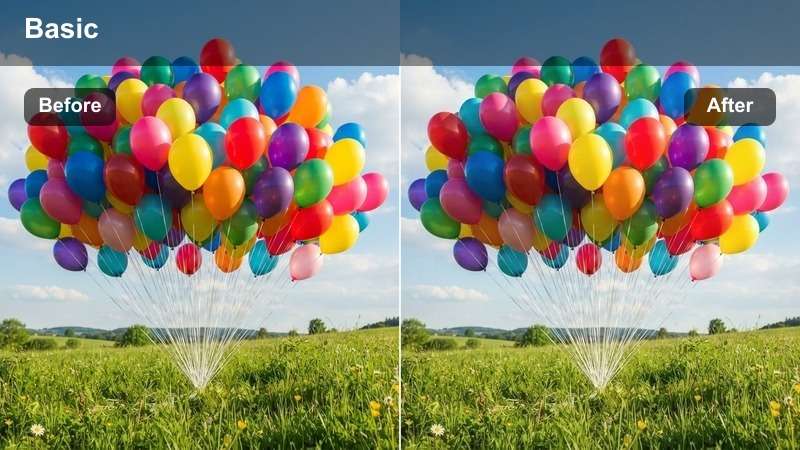
- Effect look: Rich amber and soft brown tones that mimic the look of a crackling fireplace in the background.
- Best for: Living room conversations, kids playing on the floor, and grandparents chatting on the couch after dinner.
- Editing tip: Lift the shadows slightly to keep details in darker corners of the room while preserving the cozy mood.
Fireside Family Warmth gives your living room scenes the feel of a glowing fireplace, even if all you have is a floor lamp or TV light. It leans into amber and soft brown hues, adding a nostalgic, relaxed tone to conversations, board games, and quiet moments on the couch.
In Filmora, apply this filter to all your post-dinner clips to make them feel like one continuous, cozy sequence. Use the color wheels to keep midtones relatively neutral so clothing colors remain accurate, then slightly lift shadows and, if needed, add a faint teal tint to the darkest areas to balance the warmth without losing the fireside vibe.
Blanket Fort Soft Focus
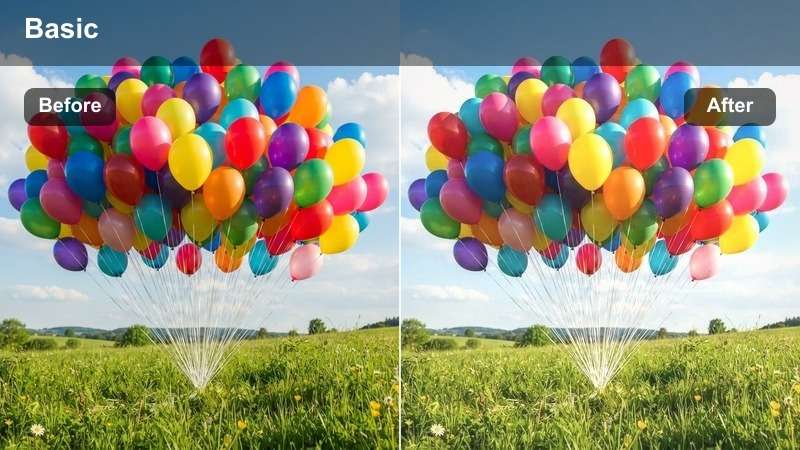
- Effect look: Dreamy, slightly hazy effect with softened edges and pastel-like fall tones.
- Best for: Kids building blanket forts, playing games on the floor, or watching movies on Thanksgiving afternoon.
- Editing tip: Add a subtle blur or glow filter on top and lower clarity to enhance the dreamy, nostalgic vibe.
Blanket Fort Soft Focus adds a gentle haze and pastel warmth to playful, child-centered scenes, turning ordinary living room clips into dreamy, storybook moments. Edges soften, highlights glow a little more, and fall colors become lighter and more whimsical.
In Filmora, lower clarity slightly, add a soft glow or tiny blur, and then stabilize any shaky handheld shots so the dreamy softness does not feel chaotic. Use this filter consistently across all kid-focused clips to create a mini narrative inside your Thanksgiving vlog that feels cohesive and nostalgic.
Sweater Weather Neutral
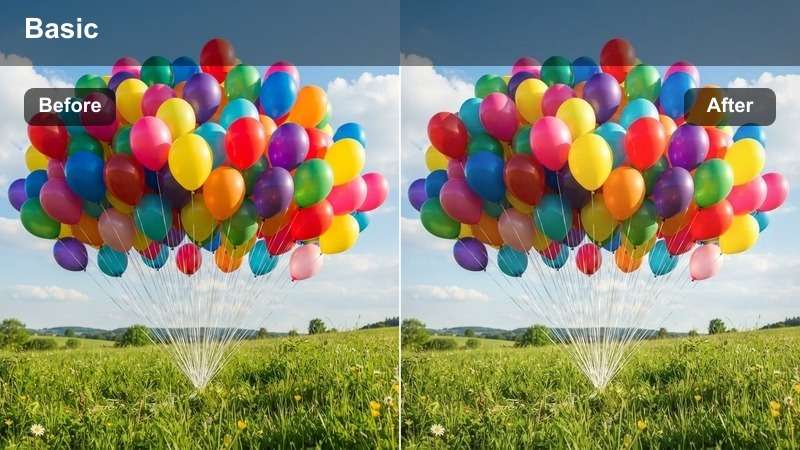
- Effect look: Balanced fall tones with slightly warm highlights and neutral shadows that flatter cozy sweaters and blankets.
- Best for: Family sitting on couches, chatting, or posing for casual group shots in the living room.
- Editing tip: Keep exposure even and use this filter as your base look across the entire vlog for consistency.
Sweater Weather Neutral is a gentle, versatile look that adds just enough warmth to flatter fall clothing while keeping shadows and midtones mostly true to life. It is ideal for living room group shots, candid conversations, and any scene where you want skin and fabric colors to look accurate.
Use this filter in Filmora as your main base grade for mixed lighting footage from different cameras or phones. Apply it to the bulk of your clips, then reserve stronger stylized filters for key moments like the dinner reveal or outdoor games, which helps your Thanksgiving vlog feel polished without looking over-edited.
Backyard Fall Activities and Games
Pumpkin Yard Play
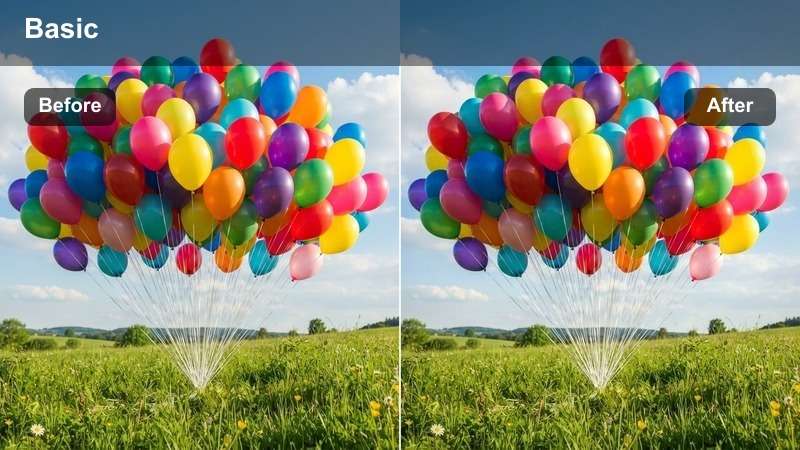
- Effect look: Bright, punchy outdoor filter with boosted oranges and slightly cooler greens for crisp fall grass.
- Best for: Backyard football, leaf pile jumps, and pumpkin decorating in natural daylight.
- Editing tip: Add a bit of contrast and clarity to make action shots feel energetic without losing the warm fall palette.
Pumpkin Yard Play brings energy and brightness to your outdoor Thanksgiving clips, enhancing orange leaves and props while shifting greens a bit cooler for a crisp, fresh look. The result is a playful, high-contrast style that suits running, laughing, and fast movement in the yard.
In Filmora, group your full-sun and overcast clips separately, adjust exposure so faces are not blown out, then apply this filter. Add a touch of clarity and contrast to emphasize motion, and use keyframes on brightness when the sun moves behind clouds to maintain a consistent punchy feel from start to finish.
Ember Leaf Trail
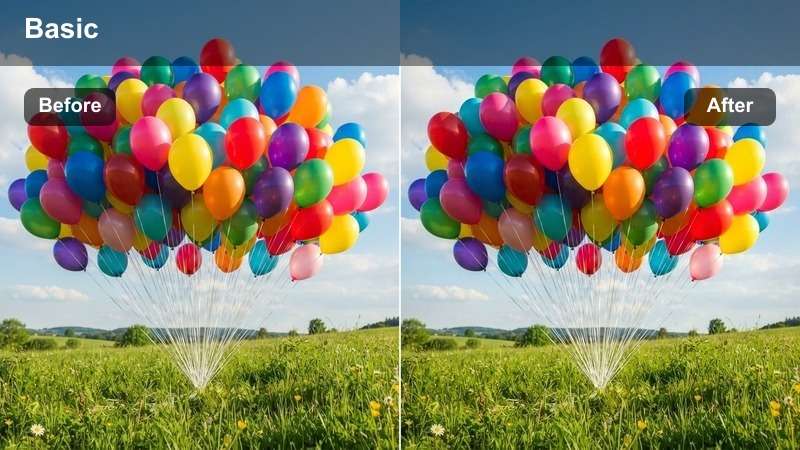
- Effect look: Deep, cinematic warm tones that emphasize orange and brown leaves while slightly darkening the sky.
- Best for: Slow-motion shots of leaves falling, kids walking along paths, or family portraits in the yard.
- Editing tip: Lower highlights to keep clouds soft and add a touch of vignette to frame subjects among the leaves.
Ember Leaf Trail gives your leaf-filled scenes a cinematic, almost movie-poster quality by deepening oranges and browns and gently darkening skies. It works especially well with slow, deliberate movements such as walking through leaves, spinning in the yard, or gentle camera pans.
Apply this look in Filmora to your most atmospheric outdoor shots, then lower the highlights to prevent clouds from turning too bright and distracting. Add a subtle vignette to pull attention to people in the frame, and consider using slow motion and stabilization to make every leaf and step feel intentional and dramatic.
Crisp Afternoon Harvest
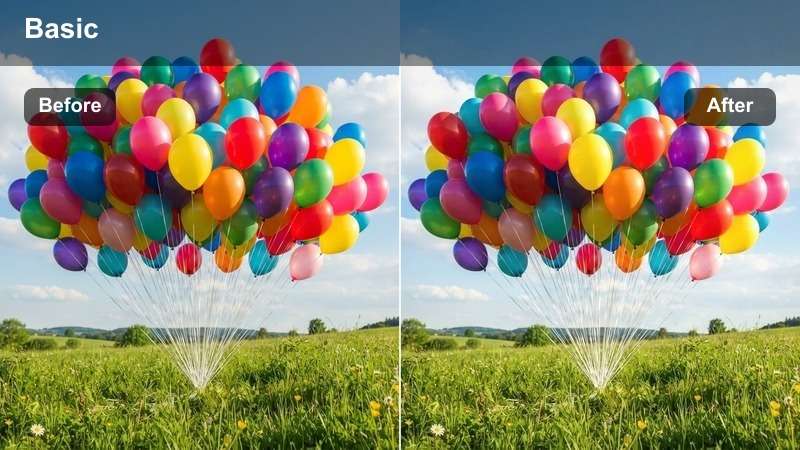
- Effect look: Clean, slightly desaturated look with cool shadows and warm highlights for a crisp fall afternoon feel.
- Best for: Early afternoon outdoor activities, family group photos in the yard, and establishing shots of the house and trees.
- Editing tip: Lift shadows gently to avoid harsh contrast and keep faces clear in partial shade.
Crisp Afternoon Harvest balances cool air and warm sunlight in one frame, dialing back overall saturation while letting highlights on faces and leaves stay softly warm. This creates a natural, documentary-style look that is ideal for wide shots of the house, driveway, and trees.
In Filmora, use this filter on your outdoor establishing shots and family portraits taken during early afternoon. Lightly raise the shadows to avoid losing detail in shaded faces, keep contrast moderate, and then cut from these clean, balanced scenes into richer filters like Ember Leaf Trail or Pumpkin Yard Play for more dramatic close-ups.
Holiday Vlog Storyline and Reflections
Gratitude Journal Warm Matte
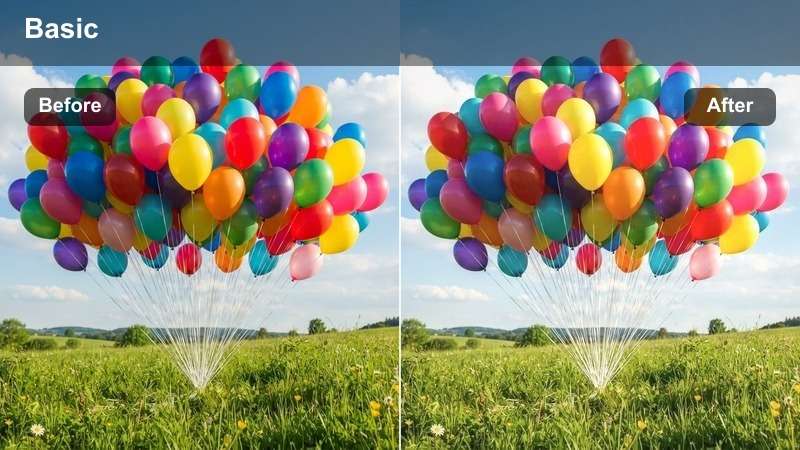
- Effect look: Soft matte finish with warm highlights and gentle faded blacks for a reflective, journal-like mood.
- Best for: Talking-to-camera gratitude segments, voiceover shots, and reflective closing scenes.
- Editing tip: Lower saturation slightly and add gentle background music to support the quiet, heartfelt tone.
Gratitude Journal Warm Matte softens contrast and slightly fades blacks to create a tender, reflective atmosphere, perfect for talking about what you are thankful for. Warm highlights keep faces inviting while the matte finish removes harsh edges and distractions.
Apply this filter in Filmora to any sit-down segments or voiceover b-roll, then reduce saturation a little and bring in calm background music. Mount your camera on a tripod or use slow, controlled movements so the footage feels serene, helping viewers focus on your words and expressions rather than flashy visuals.
Memory Reel Vintage Fall
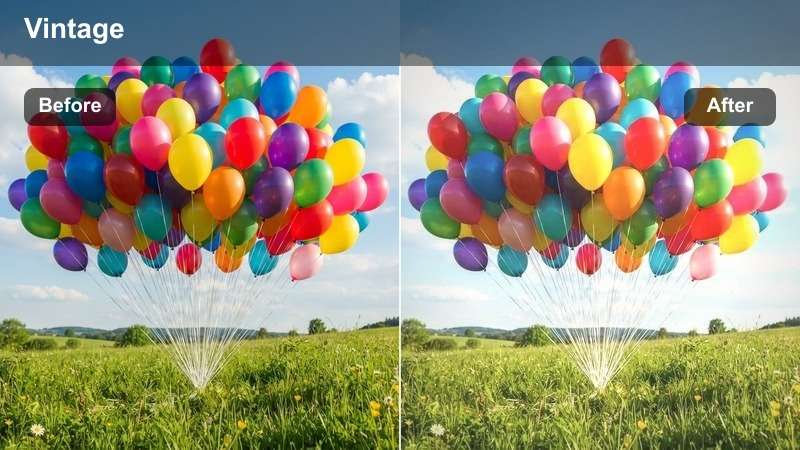
- Effect look: Vintage-inspired tones with slight grain, warm midtones, and gently muted colors that feel like old home movies.
- Best for: Montage sequences of past Thanksgiving photos, quick flashbacks, and end-of-day highlight reels.
- Editing tip: Add gentle film grain and cross-dissolve transitions for a cohesive throwback montage.
Memory Reel Vintage Fall recreates the charm of older home videos by adding subtle grain, warm midtones, and slightly muted colors. It is ideal for mixing this years clips with archive photos or past Thanksgiving footage in a single heartfelt montage.
In Filmora, apply this look to both new and old material so everything shares the same nostalgic color treatment. Keep clips short, rely on simple cross-dissolves, and let the music guide your pacing to build an emotional highlight reel that feels like flipping through a family album.
Evening Farewell Glow
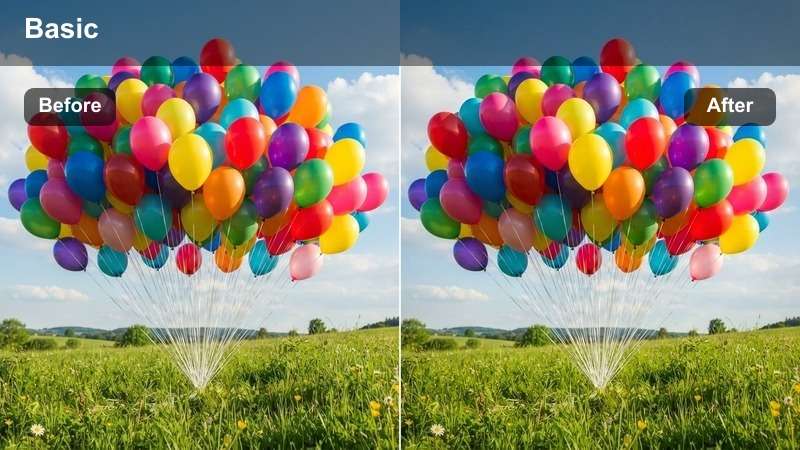
- Effect look: Warm, low-light friendly glow with slightly lifted blacks and reduced contrast for goodbye scenes at the door or driveway.
- Best for: Guests putting on coats, hugs on the porch, and final exterior shots of the house at night.
- Editing tip: Use mild stabilization and avoid over-sharpening low-light clips to keep the glow natural.
Evening Farewell Glow is designed for the final moments of Thanksgiving, when everyone is saying goodbye at the door or driveway. It gently lifts blacks and lowers contrast to hide some of the harshness and noise of low-light footage while keeping porch lights and street lamps warmly inviting.
In Filmora, turn on mild stabilization for handheld farewell shots and resist the urge to over-sharpen dark clips, which can exaggerate noise. Let this filter run across your last sequence while slowly lowering music volume and ending with a calm exterior shot of the house to signal a soft, satisfying close to your Thanksgiving story.
Tips for Using Thanksgiving Video Luts Filters in Filmora
- Shoot a few seconds of every location before the action starts so you have clean reference clips to test different Thanksgiving filters and LUT-inspired looks.
- If your footage comes from multiple phones and cameras, pick one neutral filter such as Sweater Weather Neutral as your base and nudge each devices clips toward that style.
- Use warmer filters on close family moments at the table and cozier indoor scenes, and lean on cooler, crisper looks for outdoor establishing shots to create contrast.
- Watch white objects like tablecloths, plates, and walls when boosting warmth so they stay natural and do not drift into orange or yellow.
- Combine gentle vignettes with your warm filters to subtly guide attention toward faces, hands, and key details like the turkey or dessert plates.
- Reduce saturation in the brightest highlights so candles, lamps, and window light appear soft and realistic instead of glowing neon.
- Group similar scenes together on your Filmora timeline and color grade them in batches to save time and keep each part of your Thanksgiving vlog visually consistent.
- Export a short one-minute test edit with your chosen filters and LUTs before rendering the full video so you can see how the colors look on both phones and TVs.
With the right Thanksgiving-inspired filters, every clip of dinner, laughter, and leaf-covered backyards can feel like a warm, cinematic memory straight out of a family movie.
Load your footage into Filmora, try these Free Thanksgiving Video LUT-style filters on key scenes, and then explore bakery video filters next to add a cozy, storybook touch to your everyday lifestyle content.
secure download