

 100% Security Verified | No Subscription Required | No Malware


 ChatGPT
 Perplexity
 Gemini
 Claude
 Grok
Grok
These free TikTok LUT-style filters are built for creators and editors who want fast, on-trend looks without spending hours color grading.
Download them inside Filmora and instantly give your TikToks a polished, share-ready aesthetic that matches trending vibes, from soft pastel edits to bold cinematic contrast.
In this article
Golden Hour and Sunset Street Vibes
Golden Glow City
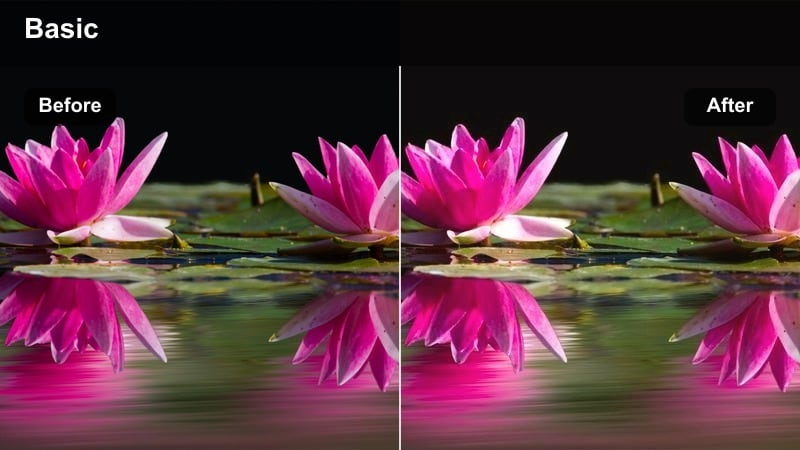
- Effect look: Warm golden highlights with soft contrast that simulates perfect golden hour even when you shoot at midday.
- Best for: Street transitions, outfit reveals, and walk-and-talk TikToks filmed in urban streets or rooftops around sunset.
- Editing tip: Lower contrast slightly and add a subtle vignette to keep attention on your face or outfit while preserving warm city lights.
Golden Glow City wraps your footage in a soft, sunlit warmth that feels like you filmed at peak golden hour, even if you shot under flat daylight. It gently boosts highlights and warms midtones so skin looks flattering while buildings and street details pick up a rich amber glow that stands out on TikTok s vertical feed.
In Filmora, drop this filter on your clips, then use the color controls to nudge contrast down a touch and add a light vignette around the frame. This keeps focus on your face or outfit for transitions and OOTD shots, while still letting city lights and reflections feel bright, trendy, and ready to pair with popular TikTok sounds.
Let AI Match Your TikTok Aesthetic in Seconds
Filmora s AI-driven color tools analyze each TikTok clip and automatically suggest filters and adjustments that fit your lighting, skin tones, and overall scene. You can start from a free TikTok LUT-style filter like Golden Glow City and let AI refine exposure, white balance, and tonal contrast in one pass.
This makes it easy to keep multiple videos looking consistent, even if they were shot on different days or in different locations. Your entire profile can stay on-brand without you needing deep color grading skills.
 secure download

Preview Filters on Your TikTok Clips in Real Time
Filmora s live preview lets you scroll through TikTok-ready filters and see changes instantly on your footage before committing. You can test golden hour, neon, studio, or pastel looks on the same 5 10 second clip and compare which one matches your sound and hook the best.
Once you find a match, lock it in and apply the same look across your sequence so every shot feels cohesive, even when you cut quickly between angles and scenes.
secure download1000+ Video Filters and 3D LUTs
Beyond these free TikTok LUT-style filters, Filmora includes a large built in library of filters, 3D LUTs, and overlays for almost every niche. You can combine cinematic looks, film emulations, and stylized effects to design a signature color language your followers recognize instantly.
Save your favorite combinations as custom presets so you can grade new TikToks in a single click and keep your posting workflow fast and consistent.
secure downloadSunset Rooftop Amber
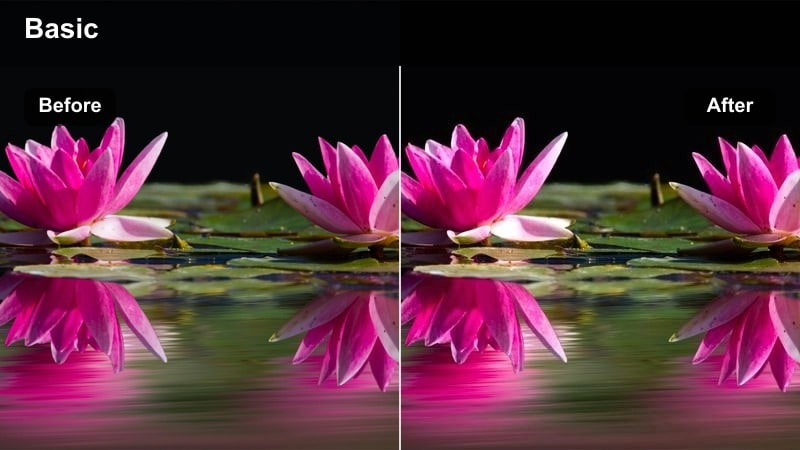
- Effect look: Soft amber cast with lifted shadows and gentle bloom around highlights for dreamy rooftop shots.
- Best for: Rooftop dance trends, lip syncs, and cinematic skyline B roll during late afternoon and early evening.
- Editing tip: Slightly slow down your clips and add a subtle blur or glow effect to enhance the dreamy rooftop atmosphere.
Sunset Rooftop Amber adds a glowing amber wash to your skyline shots, lifting shadows so city details remain visible while highlights bloom softly around buildings and hair. The result is a dreamy, cinematic vibe that is ideal for choreography, lip syncs, and aesthetic B roll against the city horizon.
Inside Filmora, apply the filter to your rooftop clips, then use speed controls to slow footage slightly and layer on a light glow or blur effect. This smooths motion, softens edges, and keeps the focus on your silhouette against the sky, making every move feel more cinematic when paired with trending audio.
Neon Sunset Pop
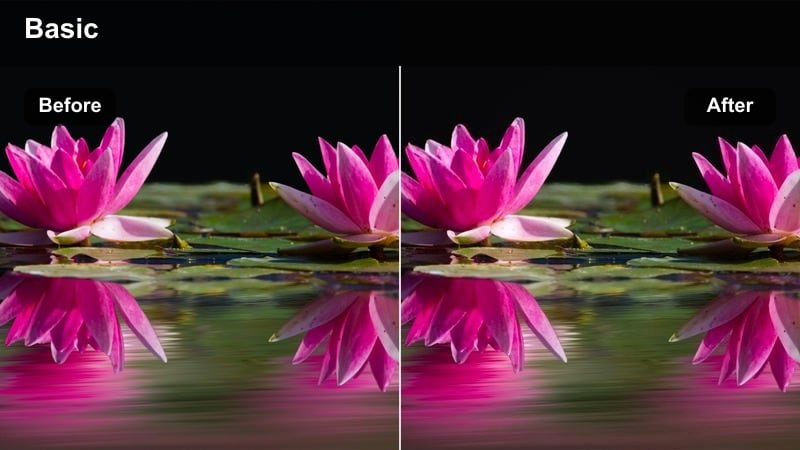
- Effect look: High-contrast mix of warm sunset tones and saturated neon highlights that make city lights pop.
- Best for: Neon street signs, city billboards, and night-out TikToks that mix late sunset and early night lighting.
- Editing tip: Boost saturation only in reds and blues to keep skin tones natural while letting neon signs explode with color.
Neon Sunset Pop pushes contrast and saturation in all the right places, combining warm skies with intense neon highlights for a scroll stopping city look. The filter keeps midtones strong so streets and faces stay clear, while signs, billboards, and windows pick up an electric vibrancy that reads instantly in the TikTok feed.
After applying it in Filmora, open the HSL or color tuning tools and selectively increase saturation in reds and blues while protecting oranges for flattering skin. This lets your neon signage, car lights, and reflections explode with color, while people in frame still look natural and ready for close-up transitions or quick cuts.
Moody Urban Nights and Neon Streets
City Noir Contrast
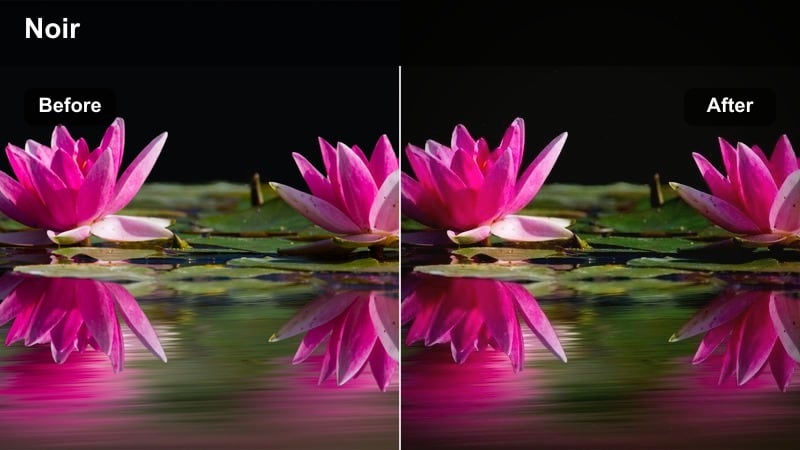
- Effect look: Deep blacks, cool highlights, and subtle film grain for a modern noir night vibe.
- Best for: Night walks, cinematic B roll, and storytelling TikToks shot under street lamps or in subway stations.
- Editing tip: Add a slight camera shake and sound design like footsteps or city ambience to complete the noir storytelling feel.
City Noir Contrast leans into deep blacks and cool, sharp highlights to create a dramatic night aesthetic reminiscent of modern noir films. Subtle grain adds texture, helping your streetlights, reflections, and silhouettes feel cinematic rather than noisy, even when you are working with low light phone footage.
In Filmora, use this filter on story driven TikToks, then layer in gentle camera shake and ambient sounds like footsteps, passing trains, or distant traffic. Cut between close ups and wide shots to build tension, letting the high contrast look guide the viewer s eye through pools of light and shadow.
Neon Cyber Streets
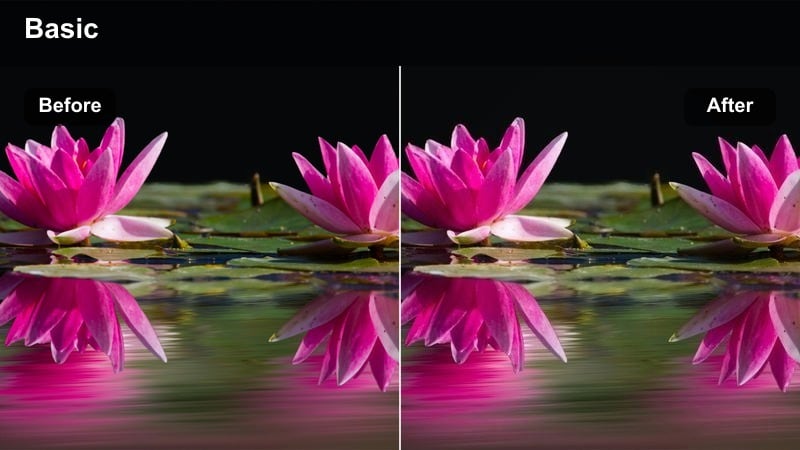
- Effect look: Teal shadows and magenta highlights with boosted glow for futuristic cyberpunk city scenes.
- Best for: Tech, gaming, and aesthetic edits filmed near LED billboards, RGB room setups, or colorful shop windows.
- Editing tip: Stack light leaks or glitch transitions over this filter to lean fully into the cyberpunk TikTok aesthetic.
Neon Cyber Streets remaps your shadows toward teal and your highlights toward magenta, creating a stylized cyberpunk palette that works perfectly with RGB lights and city neon. Boosted glow around bright areas amplifies reflections on wet pavement and glass, giving every frame a futuristic, techy energy.
In Filmora, combine this filter with light leak overlays, glitch transitions, and quick cuts synced to electronic or gaming tracks. Frame your subject near LED panels or store windows so the real light colors feed into the grade, then let the filter push those hues into a bold, sci fi look that grabs attention on TikTok.
Late Night Chill
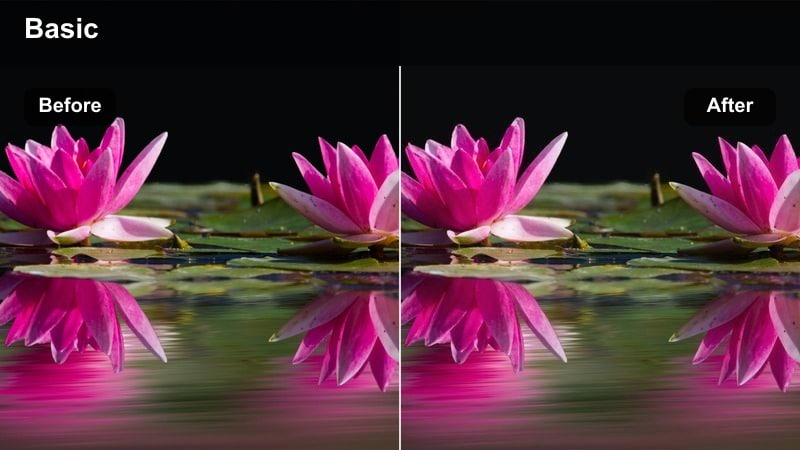
- Effect look: Soft, low-contrast night look with gentle blues and desaturated backgrounds for calm late-night content.
- Best for: Nighttime vlogs, quiet city walks, or reflective talking-to-camera TikToks under soft city lighting.
- Editing tip: Reduce sharpness and add a bit of background blur to keep attention on your face and voice, not the busy city behind you.
Late Night Chill smooths out harsh night contrast and tints your footage with soft blue tones, making cityscapes feel relaxed instead of intense. Background saturation is slightly reduced so street signs and traffic do not overpower your subject, keeping the overall mood calm and reflective.
Use this filter in Filmora for vlog style TikToks, pairing it with slight sharpness reduction and a background blur effect. This combination keeps your face and voice at the center of the story, while the city fades into a gentle, atmospheric backdrop that supports more intimate, late night monologues.
Clean Studio and Aesthetic Room Setups
Minimal Studio Clean
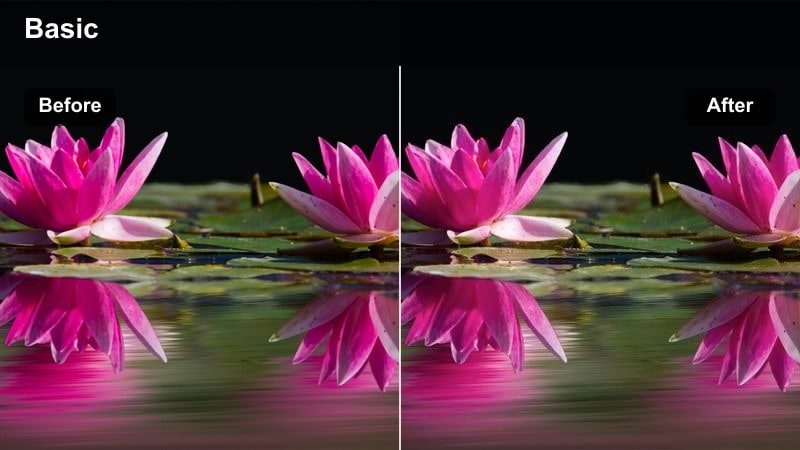
- Effect look: Bright whites, clean color balance, and subtle skin smoothing for professional studio-style TikToks.
- Best for: Tutorials, talking-head tips, unboxings, and product showcases filmed in home studios or creator rooms.
- Editing tip: Slightly raise exposure and reduce saturation in the background so your face, text, and products stay the hero.
Minimal Studio Clean brightens whites and neutral tones while keeping color balance accurate, giving your footage a polished, creator studio appearance. Subtle skin smoothing makes faces look camera ready without the over filtered look, ideal for educational and promotional TikToks where clarity matters.
In Filmora, apply this filter to your tutorial or unboxing clips, then nudge exposure up slightly and pull back saturation in the background using color tools. Add text overlays, arrows, and product callouts on top, confident that the clean grade will keep everything readable and professional on both small and large screens.
Pastel Desk Vibes
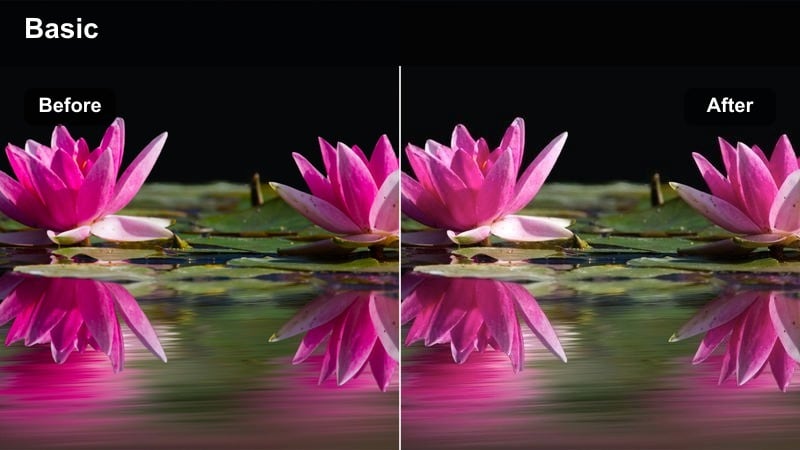
- Effect look: Soft pastel tones with lifted blacks and lowered contrast for cozy desk and workspace shots.
- Best for: Study-with-me edits, productivity content, aesthetic desk tours, and planning videos.
- Editing tip: Lower clarity slightly and add a gentle vignette to keep the viewer s eyes on your notebook, keyboard, or planner.
Pastel Desk Vibes softens contrast and lifts blacks to create a hazy, cozy aesthetic that flatters stationery, decor, and soft lighting. Colors lean into gentle pastels, making notebooks, keyboards, and accessories feel cohesive and calming for study and productivity themed TikToks.
After adding the filter in Filmora, reduce clarity a bit and apply a subtle vignette so attention stays centered on your workspace. Pair overhead or top down shots with lo fi or ambient music, then use speed control to create satisfying, slightly sped up sequences of writing, typing, or organizing.
Creator Room Soft
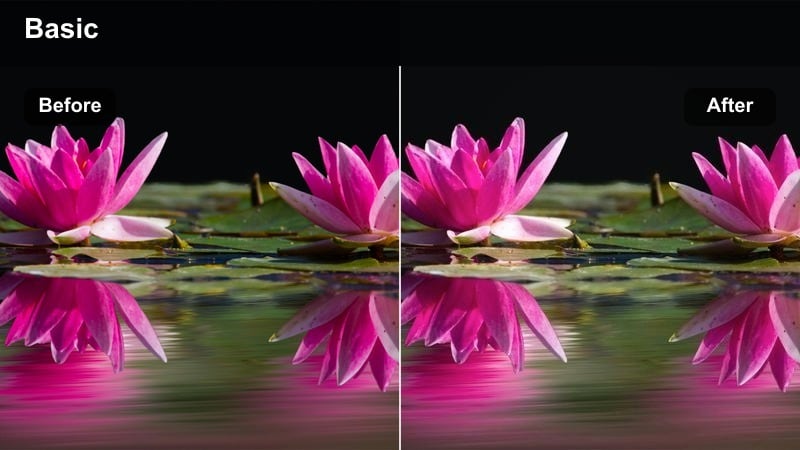
- Effect look: Warm, slightly desaturated colors with soft skin tones and blurred backgrounds for cozy room content.
- Best for: GRWMs, storytimes, voiceovers, and lifestyle TikToks recorded in decorated creator bedrooms or living rooms.
- Editing tip: Use a shallow depth-of-field effect in Filmora to separate yourself from LED lights or posters in the background.
Creator Room Soft adds warmth and a touch of desaturation, pulling your room decor together into a cohesive, inviting palette. Skin tones remain smooth and flattering, while background lights and posters soften, making the frame feel cozy without becoming visually overwhelming.
Use this filter in Filmora for GRWM, storytime, or lifestyle content, then simulate shallow depth of field with the background blur tools. This separation keeps you sharp while your LED strips, fairy lights, and wall art melt into a pleasing bokeh, perfect for intimate, personality driven TikToks.
Fast-Paced Street Trends and POVs
Street Trend Punch
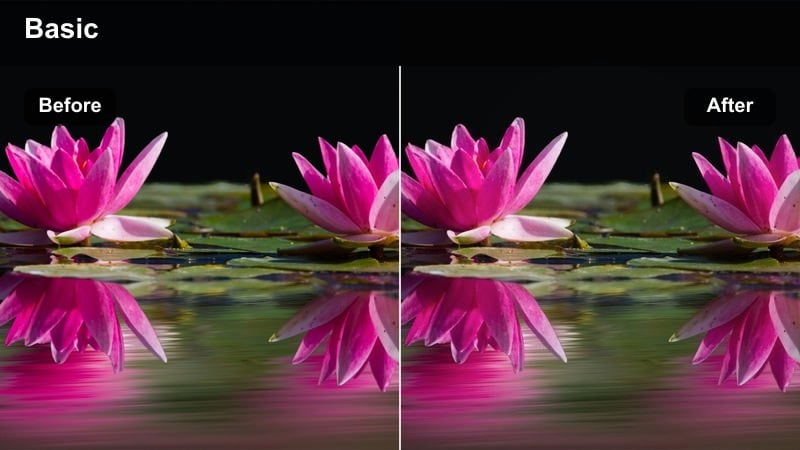
- Effect look: Bold contrast, sharp details, and boosted primary colors so fast cuts feel crisp and energetic.
- Best for: POV transitions, outfit checks, and day-in-the-city edits with lots of hand-held camera movement.
- Editing tip: Keep clips short and add snappy sound effects synced to jump cuts to maximize the punchy, high-energy look.
Street Trend Punch dials up contrast, clarity, and primary color saturation so even quick, shaky clips remain crisp and eye catching. Buildings, outfits, and city details all gain definition, making your fast paced transitions and POV shots feel more impactful on TikTok s vertical canvas.
In Filmora, cut your clips tight, aligning camera whips and outfit reveals with beat drops, then apply this filter for extra snap. Add whoosh, snap, and camera shutter sound effects to match your jump cuts, letting the punchy visual style reinforce the high energy pacing of current TikTok trends.
City POV Soft Film
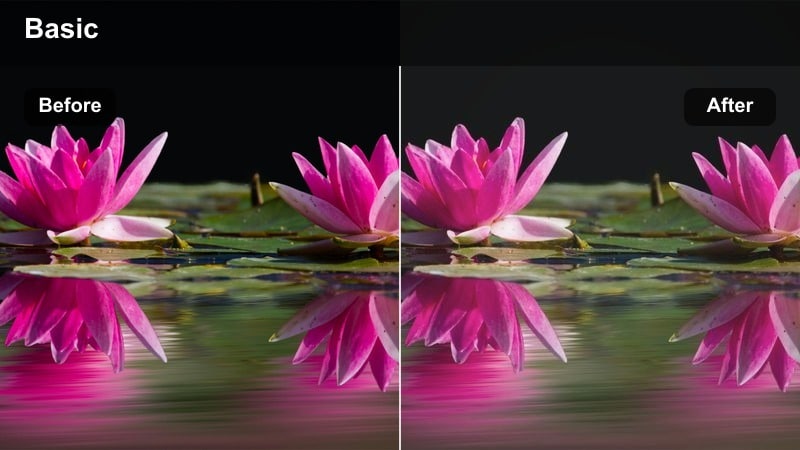
- Effect look: Muted colors, gentle grain, and a slightly faded contrast curve for nostalgic POV walks through the city.
- Best for: POV walking edits, coffee runs, and travel-in-the-city TikToks with a relaxed, film-like mood.
- Editing tip: Stabilize shaky clips and add a lo-fi or indie track to reinforce the nostalgic film aesthetic.
City POV Soft Film tones down saturation and contrast while introducing fine grain, creating a subtle film inspired feel that suits everyday city moments. The faded look makes storefronts, sidewalks, and reflections feel nostalgic, like snapshots from a travel diary rather than hyper polished ads.
Apply it in Filmora to your walking POVs, then use stabilization to smooth out footsteps and add a lo fi, indie, or jazz track for atmosphere. Longer, continuous shots work especially well, letting the soft grain and gentle fade draw viewers into your routine coffee runs, errands, or casual explorations.
Metro Commute Rush
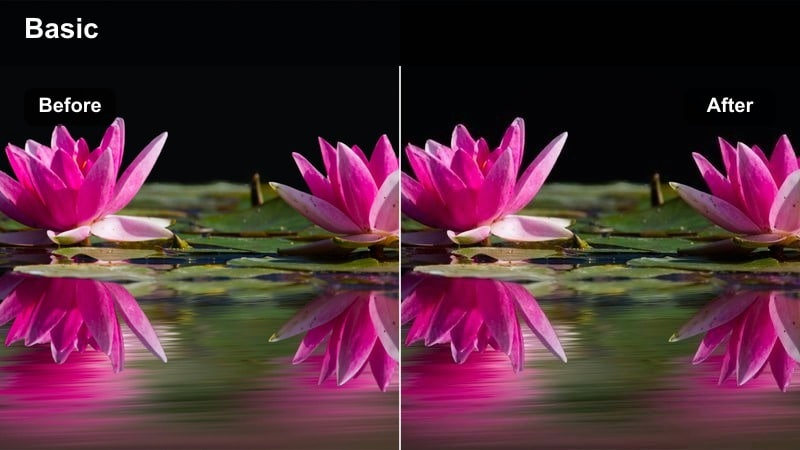
- Effect look: Cool midtones, crisp edges, and subtle motion-friendly contrast for fast-moving subway and commute footage.
- Best for: Subway rides, train windows, escalator shots, and daily commute montages cut to trending TikTok sounds.
- Editing tip: Use speed ramps through tunnel sections and sync them to beat drops to make routine commute clips feel cinematic.
Metro Commute Rush cools your midtones and sharpens details so trains, platforms, and tunnels feel sleek and modern. The contrast curve is tuned for motion, keeping moving shots through windows and stations clear and readable, even when you ramp speed or cut rapidly to the beat.
In Filmora, assemble clips from your commute escalators, signage, platform waits, and window views then apply this filter to tie them together. Add speed ramps as you enter or exit tunnels and sync those ramps with beat drops or transitions in your chosen sound, turning routine travel into a dynamic, cinematic sequence.
Tips for Using Free Tiktok Luts Download Filters in Filmora
- Shoot in solid natural light or consistent room lighting so these free TikTok LUT-style filters can enhance colors instead of trying to fix underexposed footage.
- Pick one or two signature looks from these filters and reuse them across multiple uploads to build a recognizable visual style on your TikTok profile.
- Always preview a short 5 10 second clip in Filmora and export a test before posting to see how your colors survive TikTok compression.
- Use Filmora s color tools to keep skin tones natural, letting city lights, outfits, and backgrounds carry most of the saturation and contrast.
- Match your filter choice to the audio mood: calm, faded grades for chill sounds and punchy, high contrast filters for fast trend audios.
- Combine these TikTok oriented filters with Filmora overlays like grain, light leaks, and glow to create unique, branded presets you can apply in one click.
- When editing fast trends, cut to the beat first, then apply filters and LUTs so you can quickly compare different looks on a locked final sequence.
These free TikTok LUT-style filters give creators and editors an easy way to match trending looks, cinematic city vibes, and clean studio aesthetics in just a few clicks.
Load them up in Filmora, fine-tune to your personal brand, and keep experimenting so every post feels polished, fast to create, and ready to go viral.
secure downloadNext: Free Instagram LUTS Pack
