

 100% Security Verified | No Subscription Required | No Malware

Give Tumblr edits, fan videos, and visual mood posts a distinct look with this free Tumblr video LUT pack. The collection is designed for fandom creators and art publishers who want expressive color without building every grade from scratch.
Use these alternative aesthetic filters to shape shadows, highlights, contrast, and skin tones across short clips. Apply them in your preferred editor, then fine-tune exposure and intensity to match the mood of your post.
In this article
Midnight Dashboard Scenes
Neon Noir
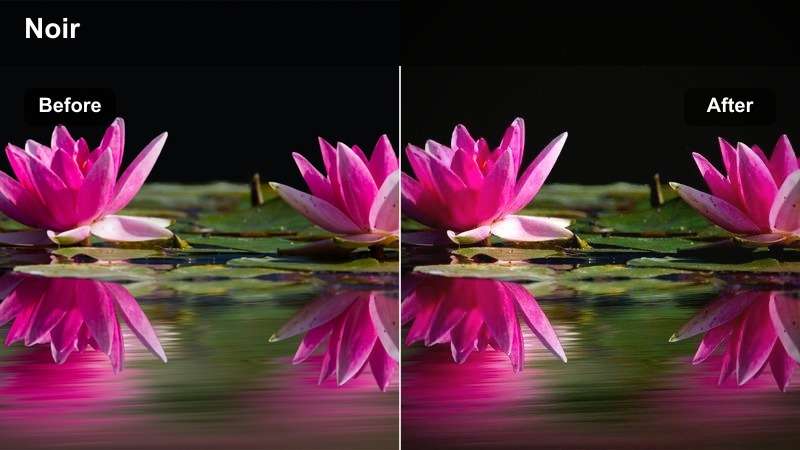
- Effect look: Deep blue shadows with magenta highlights and crisp cinematic contrast
- Best for: Nighttime fandom edits, dramatic character reveals, and music-driven fan videos
- Editing tip: Lower saturation slightly when bright signs or screen graphics dominate the frame
Neon Noir creates a high-contrast blue and magenta grade for intense nighttime storytelling. Deep shadows add drama while magenta highlights make signs, lights, and interface elements stand out in a fast-moving Tumblr edit.
Use this look for nighttime fandom scenes, character reveals, and music-driven fan videos in Filmora. Reduce saturation or highlights when bright text, phone screens, or neon signs begin to lose detail.
Electric Plum
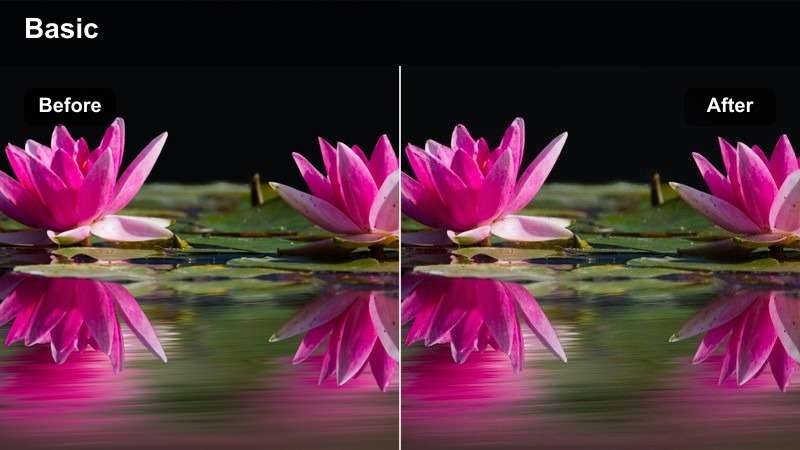
- Effect look: Purple-tinted midtones with electric pink accents and softened blacks
- Best for: Romantic ship edits, lyrical fan videos, and dreamy dialogue clips
- Editing tip: Pair with a gentle fade and reduced clarity for a softer scrapbook-inspired finish
Electric Plum adds romantic energy to dialogue and performance clips through purple midtones, pink highlights, and softer black levels. The result feels vivid without losing the dreamy quality often associated with scrapbook-inspired Tumblr posts.
Apply it to ship edits, lyrical fan videos, or slow dialogue sequences in Filmora. If faces appear too cool, add a small amount of warmth and use a mask to keep the background strongly violet.
Blue Hour Static
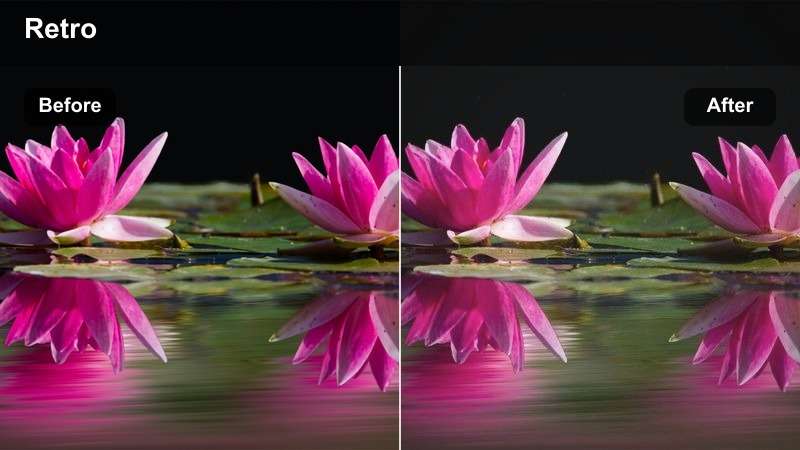
- Effect look: Muted cyan shadows, cool gray highlights, and restrained overall saturation
- Best for: Melancholy character edits, reflective voiceovers, and atmospheric mood posts
- Editing tip: Add subtle grain after grading to create a tactile analog-video impression
Blue Hour Static is a quiet cool-toned grade for introspective edits and emotional visual posts. Muted cyan shadows and gray highlights create a restrained atmosphere that supports reflective voiceovers and melancholy character moments.
Use it in Filmora for mood posts, reflective clips, and slow character edits. Add subtle grain after grading, but keep dark areas readable and avoid excessive texture on compressed social exports.
Build a Tumblr Mood Palette with AI
Use AI color tools to sample a favorite screenshot, poster, or frame from your fandom project and turn its dominant hues into a repeatable grading direction.
Compare the generated palette with the LUT pack before editing so your captions, overlays, and transitions share the same visual language.
Start with one reference image, then adjust the filter intensity until the video supports the story rather than overpowering it.
 secure download

Preview Alternative Aesthetic Filters Before Export
Test several filters on the same short clip to see how each one changes faces, shadows, typography, and bright screen elements.
A quick side-by-side preview makes it easier to choose between a nostalgic, cinematic, editorial, or experimental direction for your Tumblr post.
Create three preview versions and select the one that best matches the emotional beat of your edit.
secure downloadCombine Video Filters and LUTs with Control
Use the filter for broad atmosphere and the LUT for targeted color shaping, but avoid stacking both at full strength.
Correct exposure and white balance first, apply the LUT or filter second, and finish with small adjustments to contrast, saturation, and skin tones.
Keep a clean original copy so you can compare every grading decision and export a flexible final version.
secure downloadSoft Memory Frames
Faded Polaroid
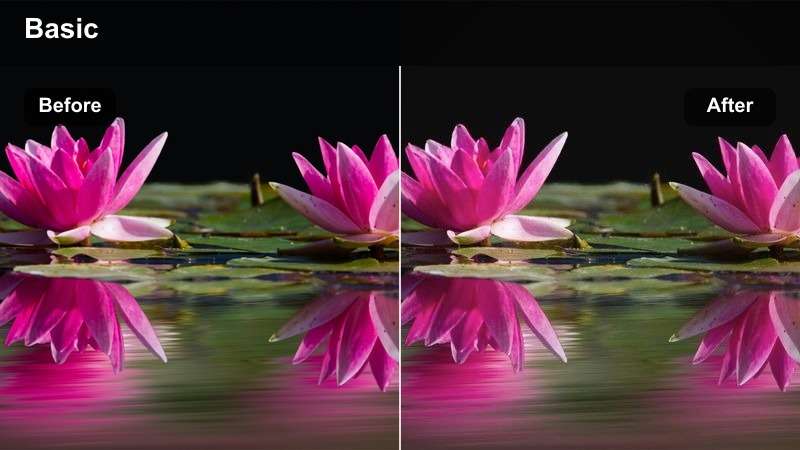
- Effect look: Warm faded contrast with creamy highlights and gently lifted blacks
- Best for: Nostalgic fan edits, archive-inspired posts, and character memory sequences
- Editing tip: Use a subtle vignette to focus attention while preserving the washed-out print feeling
Faded Polaroid makes digital footage feel like a scanned memory through warm faded contrast, creamy highlights, and lifted blacks. Its washed-out print feeling works especially well for archive-inspired stories.
Use this Filmora filter for nostalgic fan edits and character memory sequences. If the footage becomes too hazy, add a little midtone contrast and keep dust or paper textures subtle so captions remain readable.
Lavender Diary
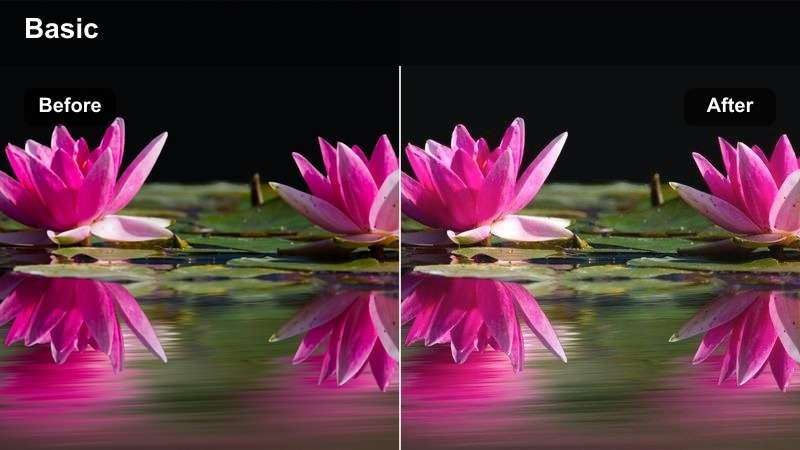
- Effect look: Pastel lavender shadows, rosy skin tones, and low-impact cinematic contrast
- Best for: Soft ship edits, personal mood posts, and gentle art-publisher reels
- Editing tip: Reduce magenta intensity when the source footage already contains pink lighting
Lavender Diary delivers a pastel lavender grade for tender, personal, and diary-like video storytelling. Rosy skin tones and low contrast create a calm visual foundation for soft ship edits and personal mood posts.
Apply it in Filmora to gentle reels, character moments, and slow transitions. Reduce magenta in the skin range if faces look too pink, then pair the look with slow zooms or crossfades.
Paperback Sunset
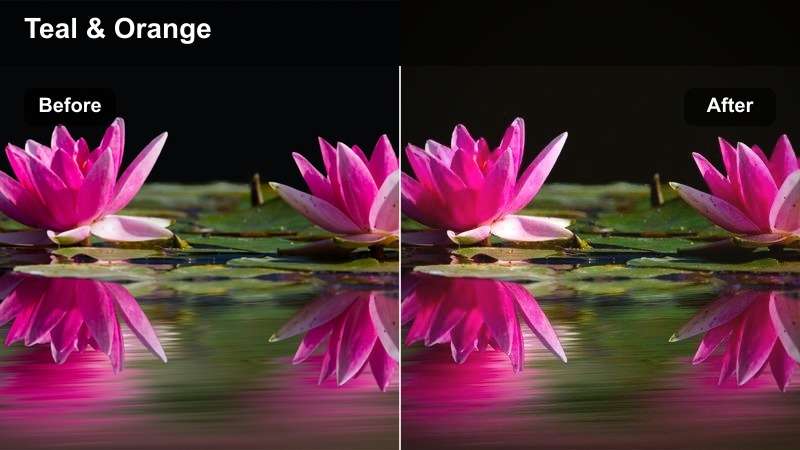
- Effect look: Amber highlights, dusty reds, and softened teal shadows
- Best for: Coming-of-age edits, literary quote videos, and nostalgic fandom montages
- Editing tip: Use a slight warmth reduction on indoor footage to prevent orange skin tones
Paperback Sunset is inspired by worn paperback covers and late-day light. Amber highlights, dusty reds, and softened teal shadows give footage a cinematic literary atmosphere.
Use it for coming-of-age edits, quote videos, and nostalgic fandom montages in Filmora. Reduce warmth on indoor footage when skin tones become orange, and choose off-white text to preserve the printed-page mood.
Editorial Art-Space Looks
Gallery Chrome
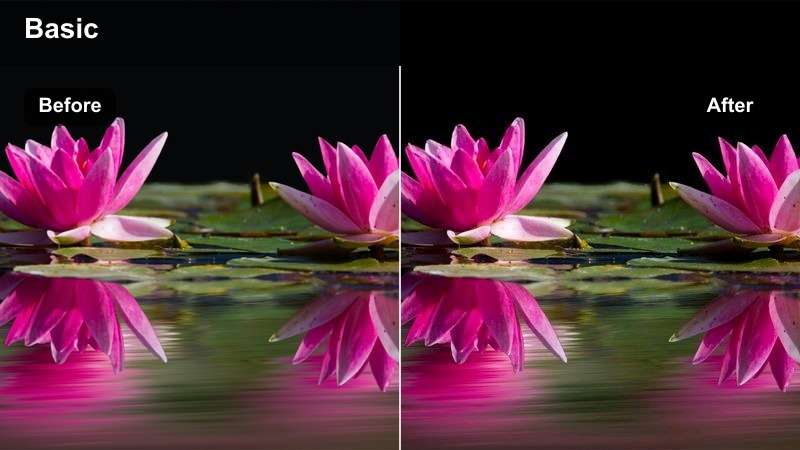
- Effect look: Clean neutral whites, cool metallic shadows, and controlled editorial contrast
- Best for: Art publisher videos, portfolio teasers, and typography-focused Tumblr posts
- Editing tip: Lower clarity slightly on portraits while keeping artwork edges crisp
Gallery Chrome provides a polished neutral filter for gallery-style presentation and design-led clips. Clean whites and cool metallic shadows help artwork, typography, and portfolio details appear precise.
Use it in Filmora for art publisher videos and portfolio teasers. Correct mixed lighting before applying the look, then use selective sharpening on artwork or type instead of sharpening the entire frame.
Acid Zine
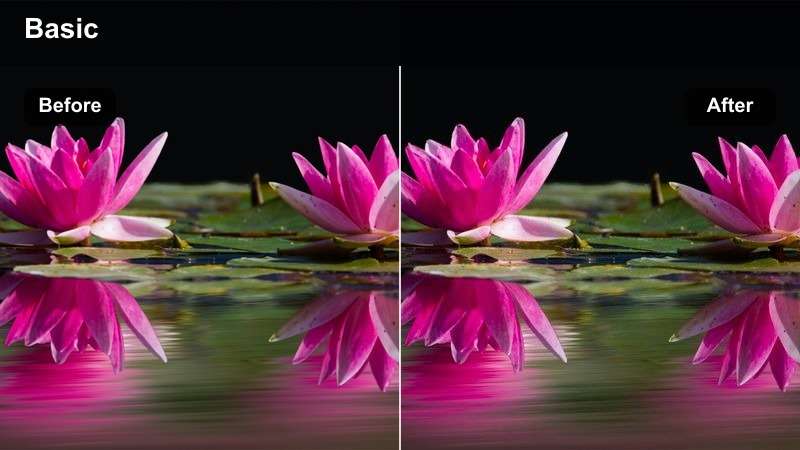
- Effect look: Punchy lime accents, dense black shadows, and deliberately shifted color balance
- Best for: Experimental fandom edits, collage videos, and bold visual mood posts
- Editing tip: Use at reduced intensity when combining with animated stickers or heavy typography
Acid Zine is a loud, zine-inspired filter for unconventional edits and graphic visual identities. Lime accents and dense black shadows create a deliberately shifted color balance with strong visual energy.
Use it for collage videos, experimental fandom edits, and bold mood posts in Filmora. Choose one dominant accent color, reduce intensity when using heavy type, and preview at mobile size to protect small details.
Monochrome Ink
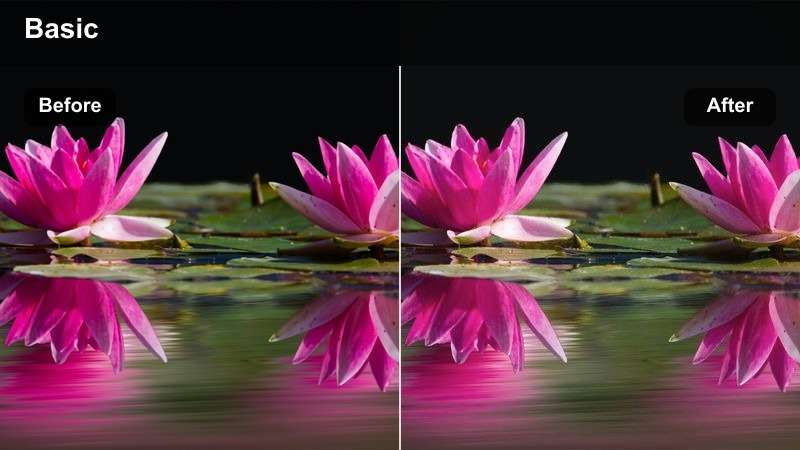
- Effect look: Rich black-and-white contrast with soft gray rolloff and subtle silver highlights
- Best for: Poetry edits, performance clips, dramatic fan trailers, and minimalist art posts
- Editing tip: Adjust luminance separately for skin, clothing, and backgrounds to avoid a flat grayscale image
Monochrome Ink creates a focused black-and-white look for dramatic pacing and minimalist storytelling. Rich shadows, soft gray rolloff, and silver highlights give footage a strong editorial presence.
Apply it to poetry edits, performance clips, and fan trailers in Filmora. Use curves to separate faces from dark backgrounds, then add restrained grain after the contrast pass for a tactile finish.
Dreamlike Screen Glow
Holographic Dream
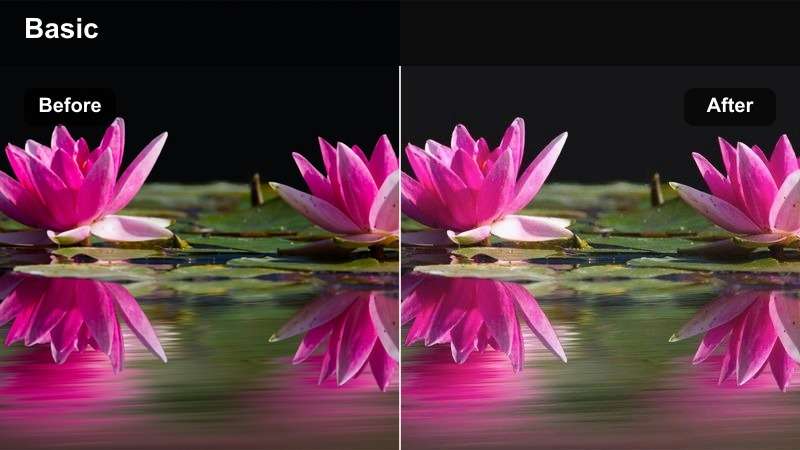
- Effect look: Iridescent cyan and pink highlights with luminous bloom and softened contrast
- Best for: Surreal fan edits, fantasy-inspired clips, and dreamy visual mood posts
- Editing tip: Apply bloom selectively to practical lights and bright edges instead of the full image
Holographic Dream is a luminous pastel filter for surreal edits and fantasy-led Tumblr storytelling. Cyan and pink highlights, gentle bloom, and softened contrast create an otherworldly screen-glow effect.
Use it in Filmora for fantasy clips, surreal fan edits, and dreamy mood posts. Isolate bright areas with a mask or luma key so bloom does not erase facial features or small captions.
Velvet VHS
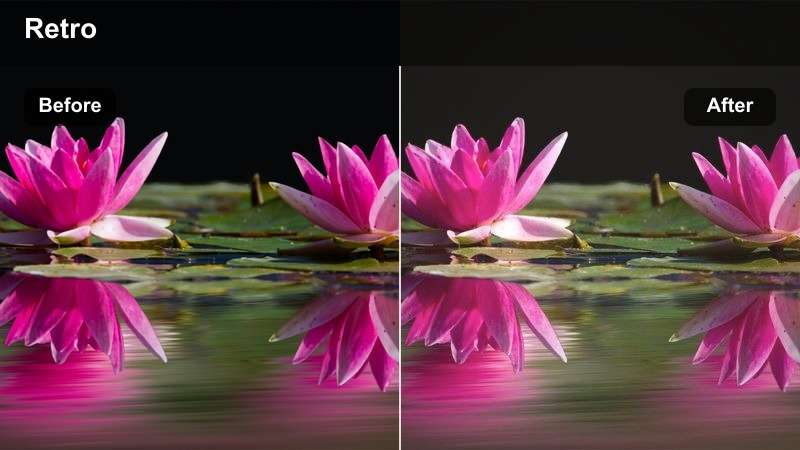
- Effect look: Warm red shadows, softened detail, gentle scanline texture, and analog color drift
- Best for: Retro fandom edits, archive-style clips, and nostalgic music video posts
- Editing tip: Add VHS distortion after the color grade and keep tracking errors brief for better readability
Velvet VHS gives modern footage a worn tape-era personality through warm red shadows, softened detail, scanlines, and analog color drift. It is well suited to archive-style edits and nostalgic music video posts.
Apply the color grade first in Filmora, then add VHS distortion and brief tracking errors at transitions or key beats. Check subtitles after adding scanlines because thin text may flicker or lose contrast.
Celestial Pastel
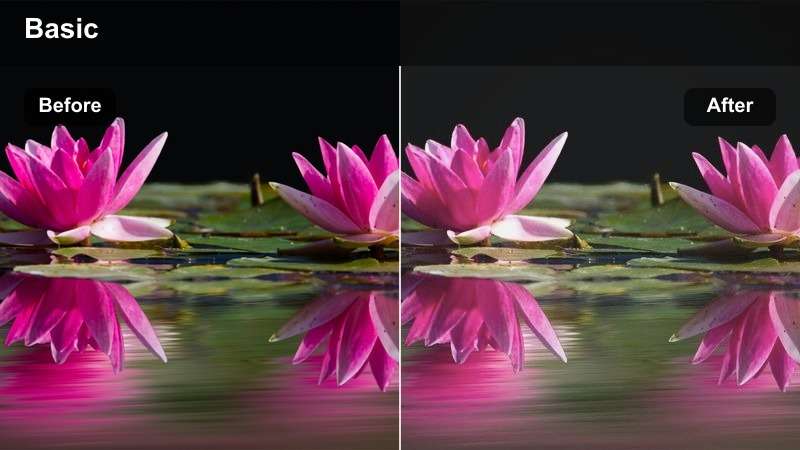
- Effect look: Soft peach highlights, powder-blue shadows, and airy low-contrast color
- Best for: Comfort edits, gentle character compilations, and pastel visual diaries
- Editing tip: Increase midtone detail slightly when the source footage becomes too pale after application
Celestial Pastel is an airy pastel grade for comforting edits and lighthearted visual storytelling. Peach highlights and powder-blue shadows create a gentle palette that supports soft caption cards and calm pacing.
Use this look for character compilations, pastel diaries, and comfort edits in Filmora. Add a little midtone detail or texture when the footage feels washed out, and choose cream or muted blue captions for a softer match.
Tips for Using Tumblr Video Lut Download Filters in Filmora
- Correct exposure and white balance before applying any Tumblr video filter.
- Preview the LUT pack on several clips because lighting and camera profiles can change the result.
- Reduce filter intensity for compressed social exports to protect skin tones and small text.
- Use adjustment layers or copied effects so you can keep the grade consistent across a full fan video.
- Check the final video on a phone because Tumblr posts are often viewed on smaller screens.
- Save a neutral master export before adding grain, VHS distortion, bloom, or animated overlays.
This free Tumblr video LUT pack gives fandom creators and art publishers a flexible starting point for alternative aesthetic filters, from midnight neon and faded memories to editorial monochrome and dreamy screen glow.
Download the pack, test each look on your footage, and fine-tune intensity so your Tumblr edits, fan videos, and visual mood posts feel cohesive and unmistakably yours.
secure download