

 100% Security Verified | No Subscription Required | No Malware

Give your WhatsApp Status videos a polished look with this free WhatsApp status LUT pack. These mobile status video filters are designed for quick edits, consistent color, and eye-catching vertical clips.
Use the filters for business offers, daily status updates, celebrations, and personal moments. Apply them in Filmora or a compatible mobile editing workflow, then fine-tune exposure and saturation to match your footage.
In this article
Morning Light for Fresh Status Updates
Sunrise Clean
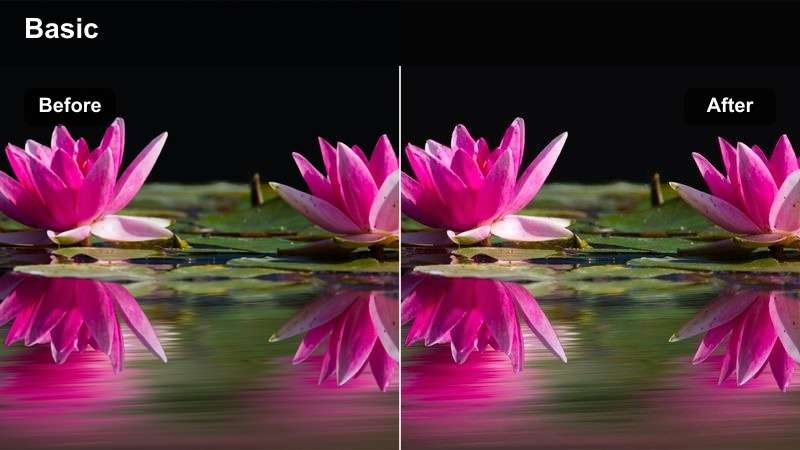
- Effect look: Bright warm highlights with clean whites and gentle contrast
- Best for: Morning announcements, positive quotes, and personal check-ins
- Editing tip: Lower highlights slightly when recording near a bright window
Sunrise Clean gives vertical clips a fresh and optimistic appearance with bright warm highlights, clean whites, and gentle contrast. It works especially well when your original footage already includes soft daylight and balanced exposure.
Apply this WhatsApp status color grading look in Filmora, then reduce the filter strength before making small contrast adjustments. Lower the highlights when filming beside a bright window so faces and text remain comfortable to view on mobile screens.
Build a Consistent WhatsApp Status Color Palette
Use Filmora's color tools to create a repeatable palette for your WhatsApp Status content. Match your business colors or choose a personal mood that works across offers, updates, and everyday clips.
Start with one filter from the pack, then fine-tune temperature, contrast, and saturation so each video feels recognizable without looking over-edited.
Create a signature color style for your next status update.
 secure download

Soft Pastel
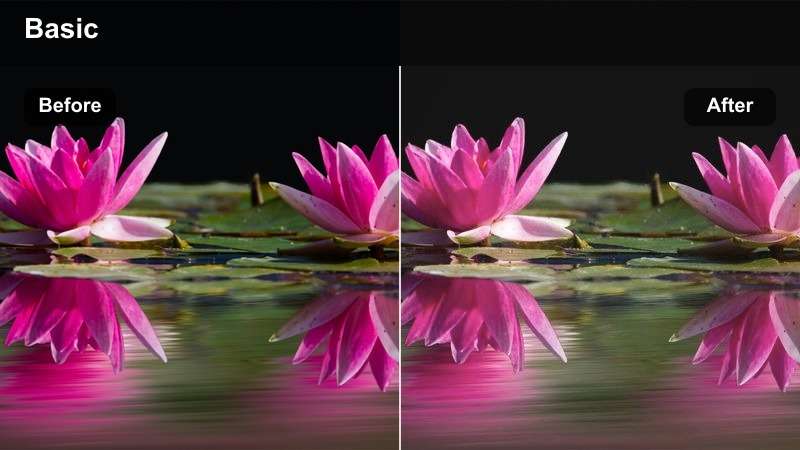
- Effect look: Low-contrast pastel tones with softened saturation
- Best for: Personal moments, lifestyle updates, and calm storytelling
- Editing tip: Add a small amount of clarity to keep faces and text defined
Soft Pastel creates a gentle look with low contrast, softened saturation, and an easygoing visual mood. It is a useful choice for personal moments, lifestyle updates, and relaxed conversations recorded in bright interiors.
In Filmora, add a small amount of clarity after applying the filter to keep faces and overlays defined. Use dark text on light footage, or place text over a subtle translucent background when the pastel tones reduce readability.
Golden Glow
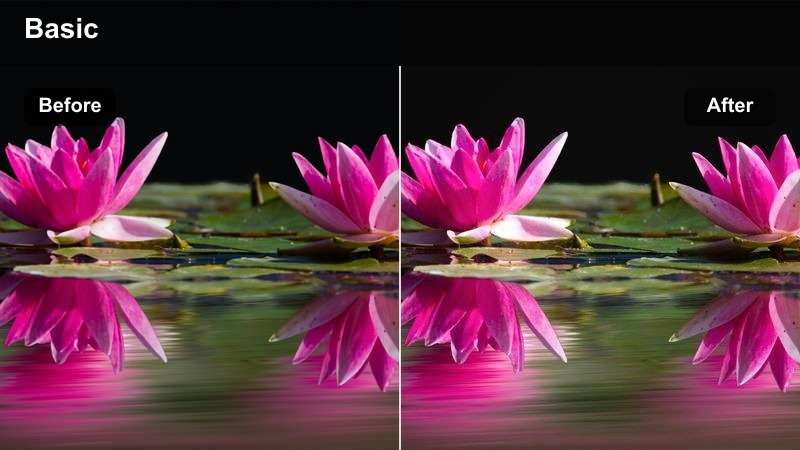
- Effect look: Warm golden skin tones with luminous highlights
- Best for: Celebrations, milestones, and reflective personal moments
- Editing tip: Reduce orange saturation if skin tones appear too strong
Golden Glow adds warm golden skin tones and luminous highlights that can make celebrations and personal milestones feel more expressive. The filter is especially effective with late afternoon footage and naturally warm scenes.
Use Filmora to reduce orange saturation if skin tones appear too strong, and lower the temperature slightly when the original lighting is already yellow. This keeps the emotional warmth while producing a more balanced WhatsApp status video.
Shopfront Color for Business Offers
Clean Commerce
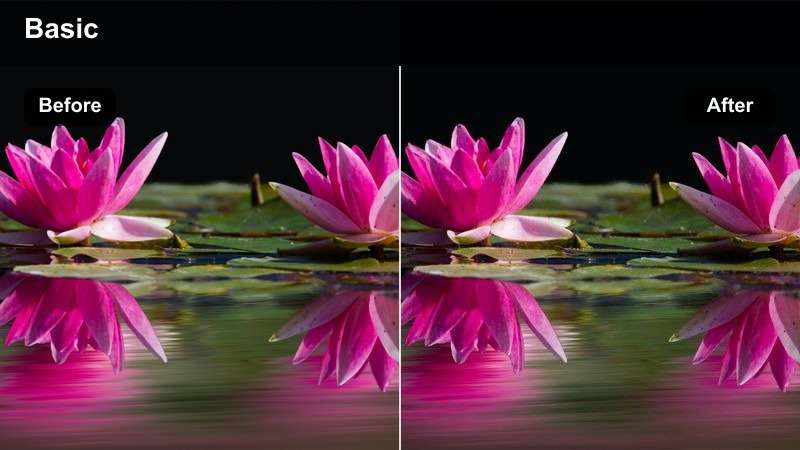
- Effect look: Neutral whites, crisp details, and controlled contrast
- Best for: Product offers, service announcements, and small business promotions
- Editing tip: Keep product colors accurate by checking saturation before export
Clean Commerce provides neutral whites, crisp details, and controlled contrast for clear promotional videos. It helps products, prices, and service information look reliable without adding a distracting color cast.
Apply the filter in Filmora, then compare the result with the original footage before exporting. Check saturation carefully so packaging, products, logos, and brand colors remain accurate in your WhatsApp Status post.
Bold Sale
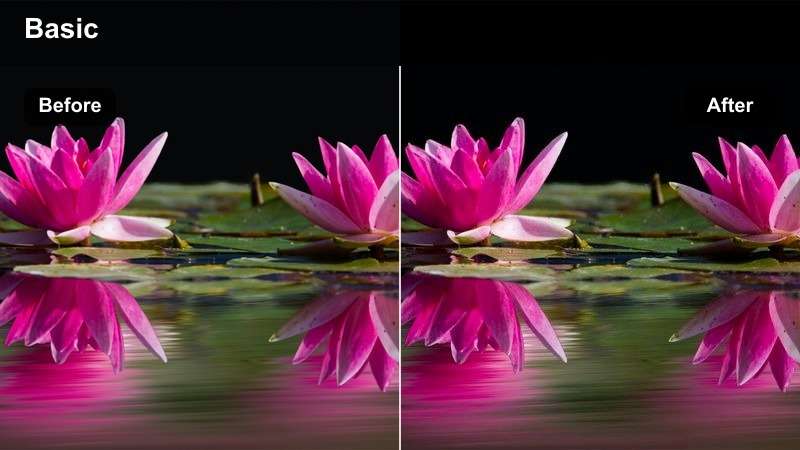
- Effect look: Punchy contrast with vivid accents and strong visual separation
- Best for: Limited-time sales, discount announcements, and launch promotions
- Editing tip: Use short cuts and high-contrast text to reinforce the promotion
Bold Sale uses punchy contrast, vivid accents, and strong visual separation to help promotional status videos attract attention. It is suited to limited-time offers, discount announcements, and product launches.
In Filmora, place the main discount or call to action in the opening frame and keep the wording short. Combine the filter with high-contrast text and quick cuts so viewers understand the offer within the first few seconds.
Trustworthy Neutral
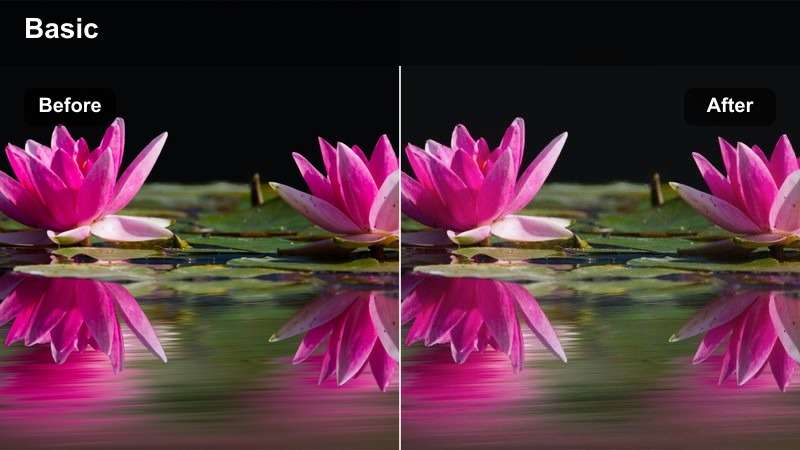
- Effect look: Balanced exposure with soft contrast and professional neutral tones
- Best for: Client testimonials, service explanations, and business introductions
- Editing tip: Use consistent white balance across clips from the same campaign
Trustworthy Neutral creates balanced exposure, soft contrast, and professional neutral tones for business communication. It works well for client testimonials, service explanations, and introductions where clarity matters more than a dramatic style.
Use Filmora to match white balance across clips from the same campaign, then save the adjusted settings as a reusable preset. This helps weekly WhatsApp Status updates maintain a consistent business look.
Evening Mood for Personal Moments
Cinematic Dusk
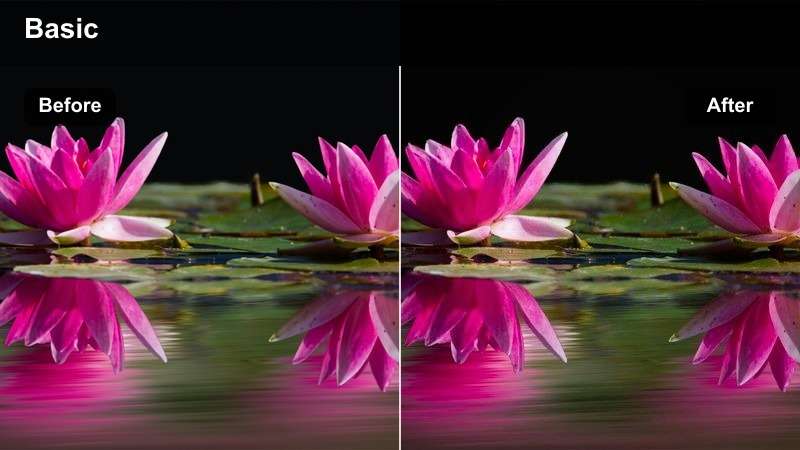
- Effect look: Cool shadows, warm highlights, and cinematic depth
- Best for: Evening walks, travel updates, and thoughtful personal stories
- Editing tip: Lift shadows gently to preserve detail in darker areas
Cinematic Dusk combines cool shadows with warm highlights to give evening walks, travel clips, and thoughtful stories more visual depth. The contrast between light and shadow adds atmosphere without requiring complicated color grading.
After applying the look in Filmora, lift the shadows gently to protect detail in darker areas. Preview the exported video on a phone because mobile compression can make night footage appear darker than it looked during editing.
Night Neon
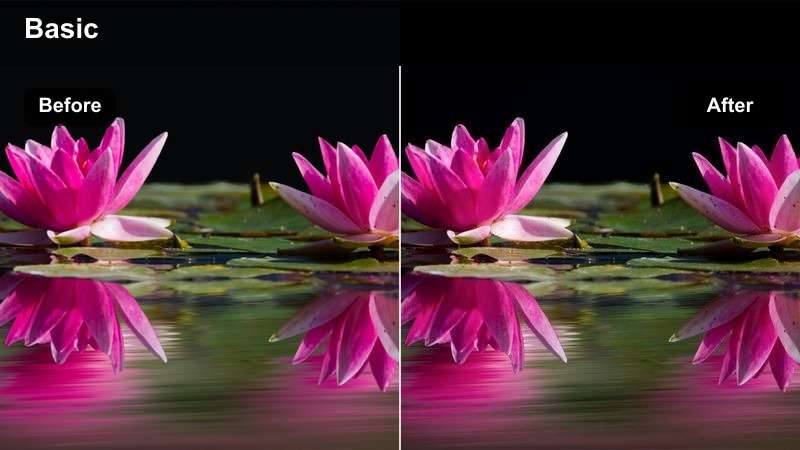
- Effect look: Deep blue shadows with vivid neon accents and crisp highlights
- Best for: Nightlife updates, music clips, and energetic personal moments
- Editing tip: Reduce highlight intensity around signs and bright screens
Night Neon gives clips deep blue shadows, vivid neon accents, and crisp highlights for an energetic nightlife style. It is a strong choice for music clips, entertainment districts, and colorful personal updates.
Use Filmora to lower highlight intensity around bright signs and screens so the main subject does not become a silhouette. Preview the clip at small size and adjust exposure until both the subject and the surrounding lights remain visible.
Moody Monochrome
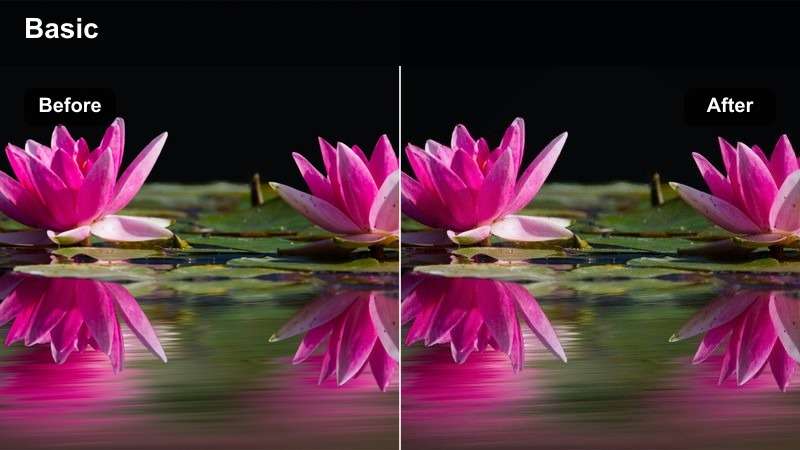
- Effect look: Desaturated tones with rich blacks and expressive contrast
- Best for: Quotes, reflective messages, and artistic personal updates
- Editing tip: Add subtle grain only after adjusting contrast and exposure
Moody Monochrome removes distracting color and focuses attention on expression, movement, and on-screen words. Its desaturated tones, rich blacks, and expressive contrast suit reflective messages and artistic personal updates.
In Filmora, adjust exposure and contrast before adding subtle grain. Avoid crushing the blacks when your video includes captions or background details that viewers need to understand on a small mobile screen.
Creator Storytelling for Everyday Updates
Natural Vlog
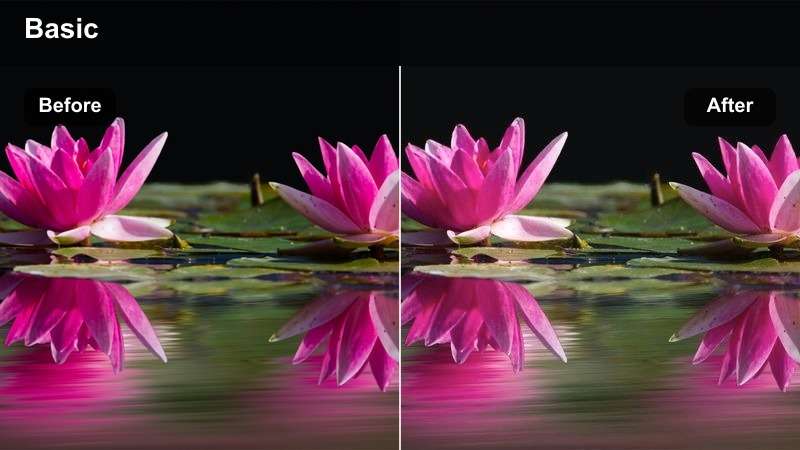
- Effect look: Balanced skin tones with natural saturation and soft contrast
- Best for: Behind-the-scenes clips, daily routines, and creator updates
- Editing tip: Match exposure between talking-head shots and environmental clips
Natural Vlog is a flexible everyday look with balanced skin tones, natural saturation, and soft contrast. It is a dependable starting point for behind-the-scenes footage, daily routines, and creator updates that combine different locations.
Apply the filter in Filmora before making small exposure changes between talking-head and environmental shots. This keeps indoor and outdoor footage visually connected while preserving an authentic WhatsApp Status style.
Fresh Pop
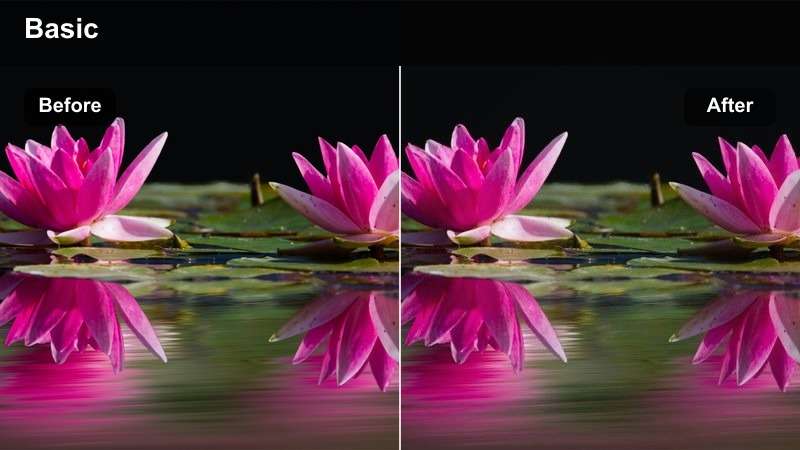
- Effect look: Clean brightness with lively color and moderate sharpness
- Best for: Announcements, quick tips, event reminders, and upbeat updates
- Editing tip: Keep sharpening moderate to avoid harsh edges after mobile compression
Fresh Pop adds clean brightness, lively color, and moderate sharpness to quick announcements and upbeat updates. Its bright finish helps short text overlays and friendly presentations stand out in a busy status feed.
Use Filmora to keep sharpening moderate so compression does not create harsh edges. Pair the filter with one strong headline and a simple call to action instead of filling the frame with small details.
Film Memory
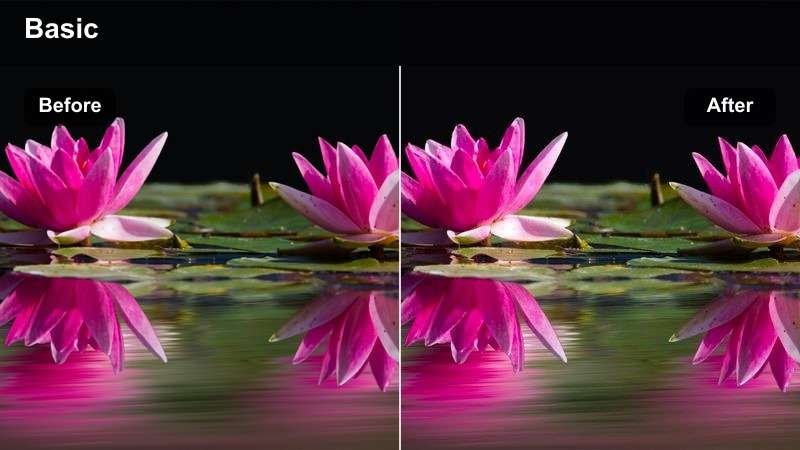
- Effect look: Muted highlights, gentle grain, and nostalgic warm shadows
- Best for: Personal memories, throwback posts, and sentimental messages
- Editing tip: Keep grain subtle so faces and captions remain clear on small screens
Film Memory creates a nostalgic finish with muted highlights, warm shadows, and gentle grain. It gives throwback posts and sentimental messages a soft film-inspired character without requiring complex editing steps.
In Filmora, keep grain subtle so faces and captions remain clear on mobile screens. A gentle fade and short cross-dissolve between clips can support the reflective mood while keeping the story easy to follow.
Preview Mobile Status Video Filters Before Posting
Preview several WhatsApp status video filters on the same vertical clip to compare brightness, skin tones, contrast, and text readability. A quick side-by-side review helps you choose the look that fits your message.
For business offers, prioritize accurate product colors and readable text. For personal moments, select the filter that supports the emotion of the scene.
Test your favorite looks before exporting the final vertical video.
secure downloadTurn Your Favorite Filter Into a Reusable LUT Workflow
After adjusting a filter, save the look as a reusable LUT or preset for future WhatsApp Status videos. This makes it easier to maintain consistent color across weekly promotions and personal updates.
Keep a small set of looks for daylight, indoor footage, evening scenes, and promotional clips so every new edit starts from the right visual direction.
Save a repeatable editing workflow for faster mobile content creation.
secure downloadTips for Using Whatsapp Status Lut Download Filters in Filmora
- Shoot vertical video at a steady frame rate and leave enough space for WhatsApp interface elements.
- Apply the filter before adding text so you can check contrast and readability together.
- Reduce filter intensity when skin tones, product colors, or brand colors look unnatural.
- Preview the exported video on a phone because mobile screens and compression can change the final appearance.
- Keep promotional status videos concise and show the key offer within the first few seconds.
- Save adjusted filter settings as presets for faster editing across recurring WhatsApp Status posts.
This free WhatsApp status LUT pack gives mobile creators and small businesses a practical starting point for polished status updates, promotional videos, and personal moments. Choose a scene-appropriate filter, make small adjustments, and keep your visual style consistent.
Download the pack, test the looks in Filmora, and refine your favorite preset for future vertical videos. A simple, repeatable color workflow can make every WhatsApp Status feel clearer, more engaging, and more professional.
secure download