

 100% Security Verified | No Subscription Required | No Malware

These free Wedding Ceremony LUT-inspired filters are designed for wedding videographers who want soft, romantic color grading that flatters skin tones and preserves the emotional atmosphere of the day.
Use them on vows, church weddings, and outdoor ceremonies to quickly match your shots, balance mixed lighting, and create a cohesive, cinematic look across your entire wedding film in Filmora.
In this article
Golden Hour Vows and Outdoor Ceremonies
Soft Golden Romance
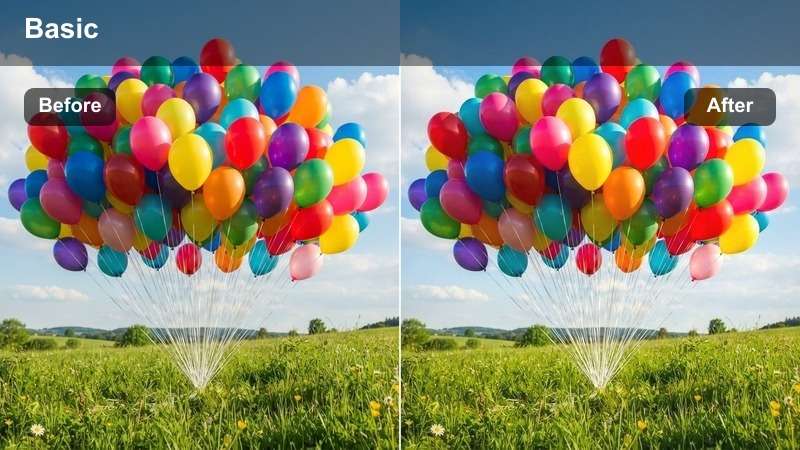
- Effect look: Warm, glowing tones with lifted shadows and gentle contrast for dreamy evening vows.
- Best for: Sunset garden ceremonies, outdoor aisle walks, and first looks in soft natural light.
- Editing tip: Lower the filter intensity if the sky is already very orange to keep skin tones from turning too saturated.
Soft Golden Romance adds a delicate layer of warmth that amplifies golden hour light while keeping bridal whites and suit details intact. In Filmora, apply this LUT-style filter to your sunset ceremony timeline, then fine-tune exposure so faces stay luminous without blowing out the sky or veil.
Use keyframes on filter intensity across a clip if the sun is setting quickly and color temperature is changing. Start at a slightly higher strength as the ceremony begins, then ease it back as the scene gets warmer to maintain flattering, natural skin tones throughout the vows.
Use Filmora's AI Tools to Refine Wedding Ceremony Color
After you apply these free Wedding Ceremony LUT-style filters, Filmora's AI color tools can help you match tones between cameras, fix mixed lighting, and protect skin tones across your entire ceremony edit. Let AI establish a clean, balanced foundation so your romantic filters sit on top of consistent color.
Once the AI match pass is done, lightly adjust contrast and saturation, then save that base look as a preset. From there, you can layer Soft Golden Romance or any other ceremony filter to reach a cinematic grade in a fraction of the time.
 secure download

Preview Wedding Ceremony Filters on Real Ceremony Clips
To choose the most flattering ceremony LUT-style filter, test it on a short sequence that includes vows, wide aisle shots, and guest reactions. In Filmora, stack a few clips on the timeline and toggle filters on and off to see how they behave in direct sun, shade, and indoor mixed light.
Compare a few different looks side by side using duplicated clips on separate tracks, then settle on one or two core filters that will carry the main ceremony story. Consistency will make your final film feel intentional and cinematic.
secure download1000+ Video Filters and 3D LUTs in Filmora
Beyond these free Wedding Ceremony LUT-style filters, Filmora includes a large library of built-in filters, overlays, and 3D LUTs so you can refine every part of the wedding day. Mix subtle ceremony looks with stronger reception styles while keeping your workflow inside a single, easy timeline.
Experiment with stacking Filmora filters over your ceremony LUTs at low intensity to introduce gentle texture, glow, or film grain. When you find a look that perfectly fits your brand, save it as a custom preset you can reuse across all future wedding projects.
secure downloadPastel Afternoon Ceremony
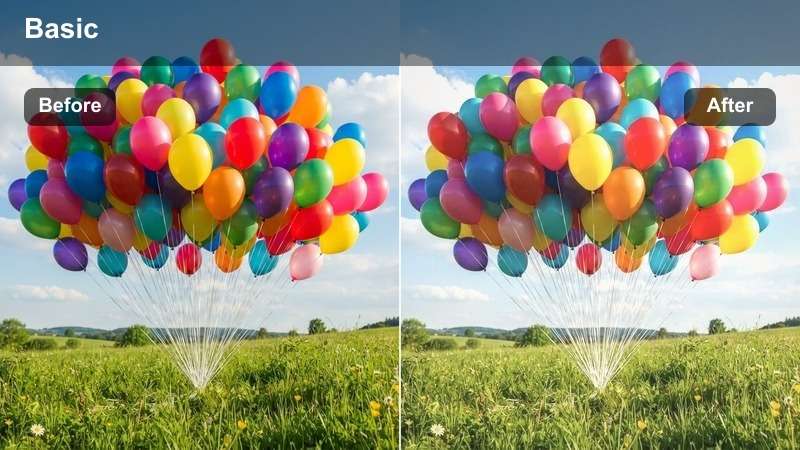
- Effect look: Soft pastel tones with lowered contrast and a light, airy finish.
- Best for: Daytime garden weddings, beach ceremonies, and airy outdoor setups with lots of natural light.
- Editing tip: Increase midtone contrast slightly if your footage looks too flat after applying the filter, especially on overcast days.
Pastel Afternoon Ceremony turns bright midday light into a gentle, pastel palette that flatters dresses, florals, and decor. Apply it in Filmora to clips shot in hard sun, then refine exposure so the airy look feels intentional rather than washed out.
Use the color tools to recover detail in highlights while keeping skies and dresses clean and soft. If faces lose depth, nudge midtone contrast and add a touch of saturation only to skin tones so the couple still stands out against the dreamy background.
Sun-Dappled Vows
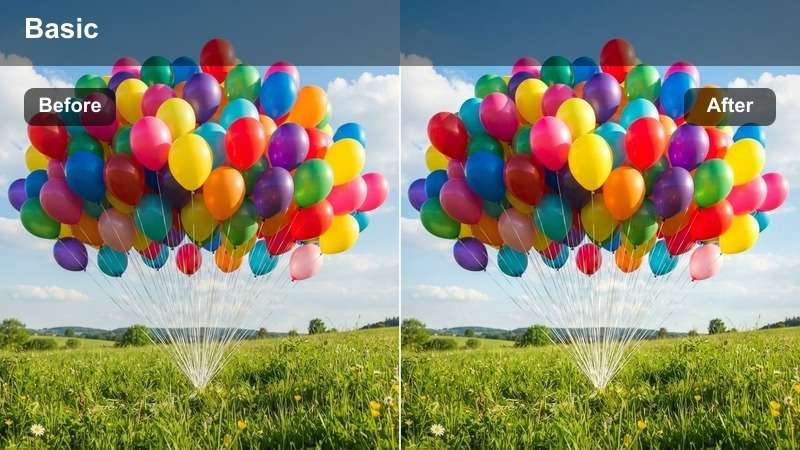
- Effect look: Balanced warm highlights and cooler shadows to control patchy sunlight with subtle cinematic contrast.
- Best for: Outdoor ceremonies with mixed shade and sunlight, tree-lined aisles, and courtyard weddings.
- Editing tip: Combine this filter with a slight vignette to draw attention away from overexposed background spots.
Sun-Dappled Vows helps even out difficult lighting when the couple is moving between sun and shade. In Filmora, apply this LUT-style filter to stabilize color first, then use curves to tame the brightest highlights without losing detail in the foliage or decor.
For faces falling into shadow, gently raise shadows and midtones rather than the overall exposure so bright patches do not clip. Add a subtle vignette or mask-based exposure adjustments around the couple to keep attention centered on their vows.
Classic Church and Chapel Ceremonies
Cathedral Soft Film
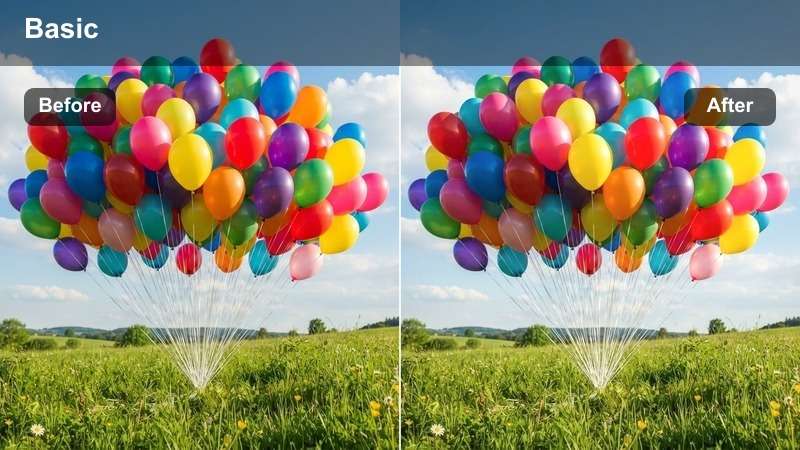
- Effect look: Muted highlights, gentle film-like grain impression, and soft contrast to handle stained glass and dim interiors.
- Best for: Large church ceremonies, cathedral aisles, and indoor processions with mixed tungsten lighting.
- Editing tip: Reduce saturation in reds slightly if stained glass reflections are overpowering the couple's skin tones.
Cathedral Soft Film is designed to calm harsh color casts from stained glass and warm church lighting. In Filmora, apply this filter to your aisle and altar shots, then neutralize overly intense reds and blues so the couple remains the visual focus.
Use the HSL panel to selectively lower red or magenta saturation when window reflections spill onto faces. Keep contrast gentle and highlights controlled so dress details, veils, and architectural features all retain a soft, cinematic presence.
Warm Candlelit Vows
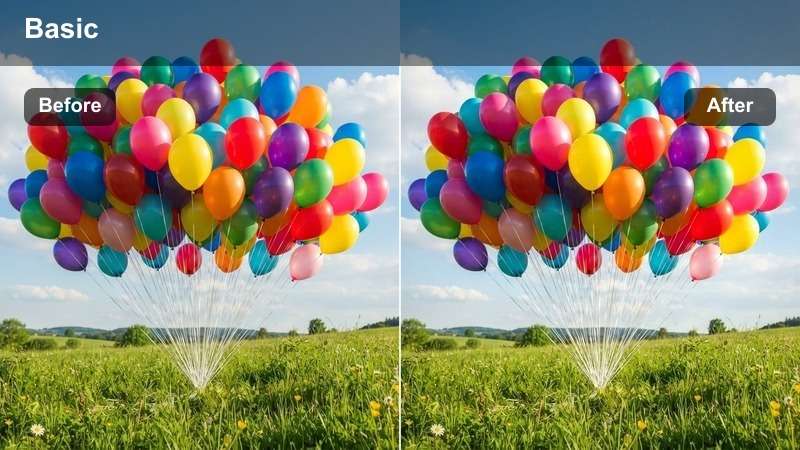
- Effect look: Rich, warm tones with deeper blacks and an intimate candlelit feel, even with minimal real candles.
- Best for: Evening chapel ceremonies, low-light vow exchanges, and small indoor weddings with ambient light.
- Editing tip: Lift shadows slightly if details in dark suits or the background are getting lost in the warm contrast.
Warm Candlelit Vows adds depth and richness to low-light interiors, emphasizing the amber glow of candles and ambient fixtures. In Filmora, apply this LUT-style filter to evening vows, then carefully raise shadows to recover suit textures and subtle decor details.
Combine the filter with mild noise reduction if you shot at higher ISO, making sure not to over-soften the image. Adjust white balance just enough to keep skin tones natural while still celebrating the cozy, candlelit mood.
Classic Pew Perspective
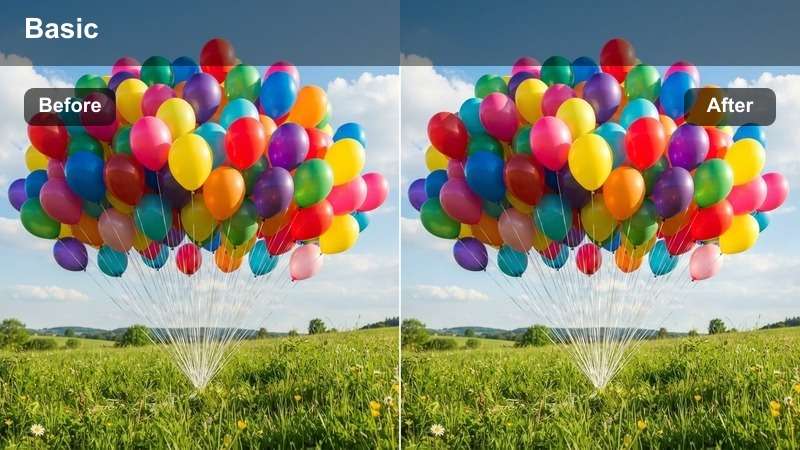
- Effect look: Neutral, timeless color with soft contrast and clean whites for traditional ceremony coverage.
- Best for: Wide pew shots, aisle walk-ins, processional and recessional angles from the back of the church.
- Editing tip: Add a slight sharpening pass after applying the filter to keep architectural details crisp.
Classic Pew Perspective keeps church coverage clean and documentary while still feeling cinematic. In Filmora, apply this filter to your static wide shots so pews, aisles, and stained glass all share a consistent, neutral palette.
Once the LUT-style filter is in place, add gentle sharpening to enhance architectural lines without creating halos around guests. Use it across all your B and C camera wides so you can cut between angles seamlessly throughout the ceremony.
Intimate Vows and Emotional Close-Ups
Teary-Eyed Close-Up Glow
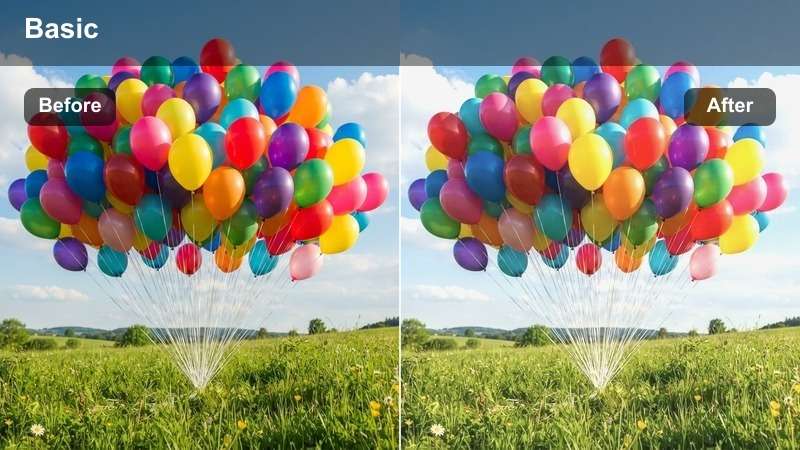
- Effect look: Softened highlights with a gentle glow around faces and slightly lowered clarity for a dreamy feel.
- Best for: Close-ups during vows, ring exchanges, and emotional reactions from the couple.
- Editing tip: Reduce blur or clarity reduction if you want to keep more texture in eyelashes and hair.
Teary-Eyed Close-Up Glow creates a romantic halo around faces, perfect for heightened emotional beats during the ceremony. In Filmora, use this filter on tight shots of tears, smiles, and small gestures where you want the viewer fully focused on expression.
Balance the softened look by maintaining enough micro-contrast in eyes, lashes, and jewelry. If necessary, lower the filter intensity slightly and add a small sharpening mask over the eyes so they stay crisp within the dreamy frame.
Romantic Skin Tone Lift
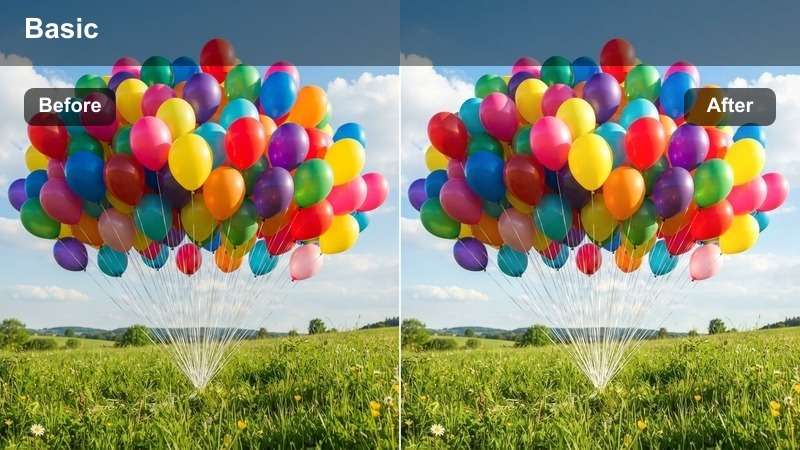
- Effect look: Gentle warmth and subtle saturation focused on skin tones while keeping the background neutral.
- Best for: Medium close shots of vows, reactions from parents, and bridal party during the ceremony.
- Editing tip: Dial back saturation if cheeks become too red in emotional or warm indoor scenes.
Romantic Skin Tone Lift prioritizes flattering, even skin across everyone in the frame while leaving backgrounds tastefully understated. Apply it in Filmora to mid-shots of the couple, parents, and bridal party so skin remains consistent even when lighting shifts.
After applying the filter, fine-tune the orange and red channels in HSL to control blush and warmth levels. If multiple cameras were used, correct white balance first, then apply this LUT-style filter so it unifies complex multi-angle coverage.
Mono Emotion Highlight
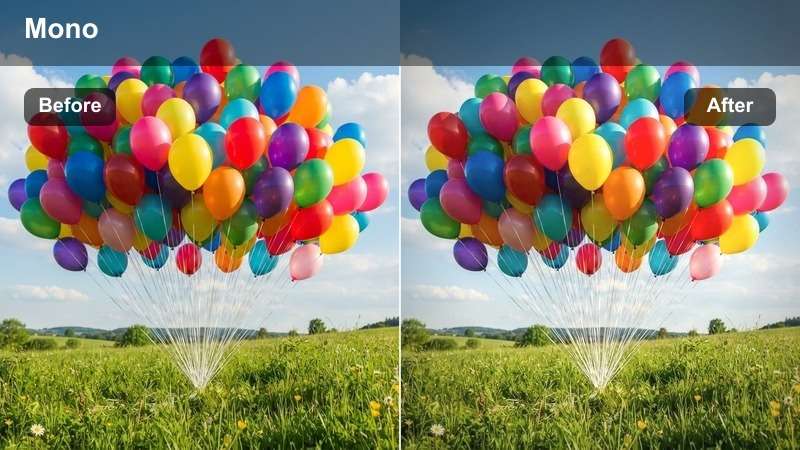
- Effect look: Soft black-and-white conversion with lifted blacks and gentle film grain impression.
- Best for: Slow-motion vow clips, ring close-ups, and cutaway shots emphasizing emotion over color.
- Editing tip: Increase contrast slightly if the image feels too gray, focusing on deepening midtones rather than crushing blacks.
Mono Emotion Highlight strips away color to emphasize touch, gesture, and expression in your ceremony edit. In Filmora, drop this filter onto select clips like hand squeezes, ring placements, or slow-motion hugs to create timeless, emotional beats.
Keep blacks slightly lifted for a soft film feel, then adjust midtone contrast to avoid a flat, gray result. Use this LUT-style look sparingly throughout the timeline so each black-and-white moment feels intentionally highlighted within the broader color story.
From Ceremony Aisle to Reception Entrance
Aisle-to-Dancefloor Match
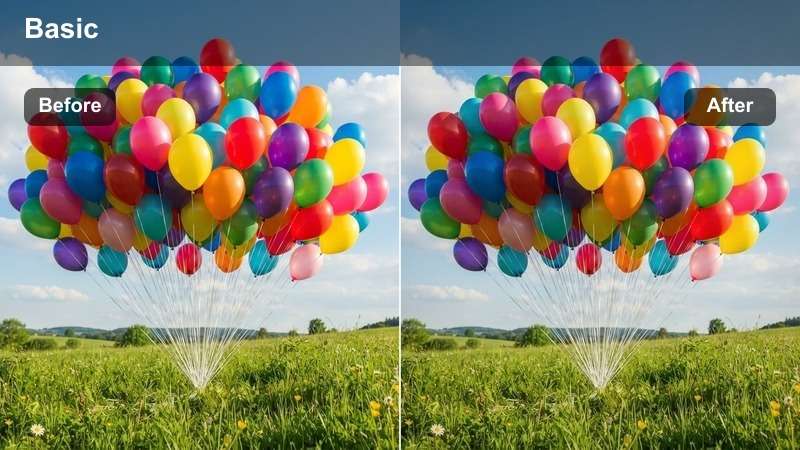
- Effect look: Balanced, versatile color with moderate contrast that works across ceremony and early reception shots.
- Best for: Transition sequences from the ceremony exit to entrance into the reception space.
- Editing tip: Apply the filter to both ceremony and reception clips, then tweak white balance by location to keep a unified look.
Aisle-to-Dancefloor Match is a flexible LUT-style filter that bridges bright ceremony scenes with moodier reception footage. In Filmora, apply it as a base look to all your transition clips so exits, entrances, and guest reactions feel like one continuous story.
After applying the filter to both ceremony and reception angles, adjust white balance clip by clip to account for changing light sources. This ensures skin tones remain stable even as the couple moves from natural to artificial lighting environments.
Dreamy Confetti Exit
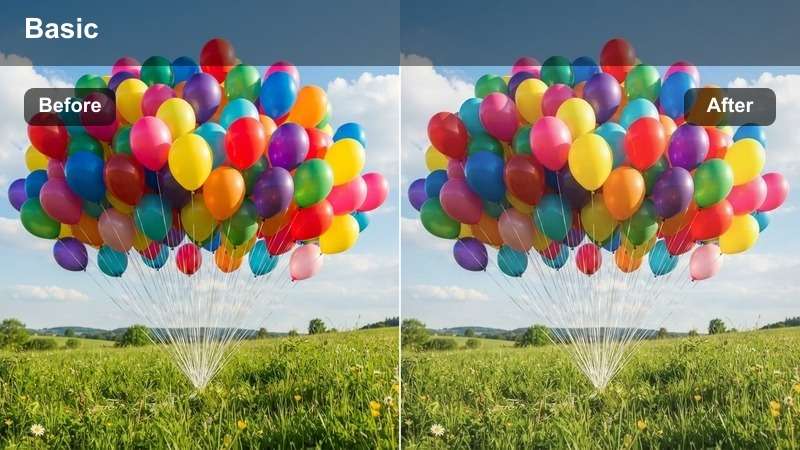
- Effect look: Slight slow-shutter impression with soft bloom on highlights and boosted midtone saturation.
- Best for: Confetti exits, petal tosses, sparkler walks, and joyful walk-outs after the ceremony.
- Editing tip: If motion feels too blurred, keep shutter speed high in-camera and rely on this filter only for the dreamy glow.
Dreamy Confetti Exit enhances movement and celebration, adding glow and color pop to petals, confetti, and sparklers. In Filmora, drop this filter on exit shots and slow-motion walkouts to create a magical, celebratory climax to the ceremony section.
Monitor highlight levels so blooming lights and confetti do not overpower faces. When needed, slightly pull back the filter strength or reduce highlight exposure so smiles and eye contact remain crystal clear amid the floating details.
Timeless Ceremony Recap
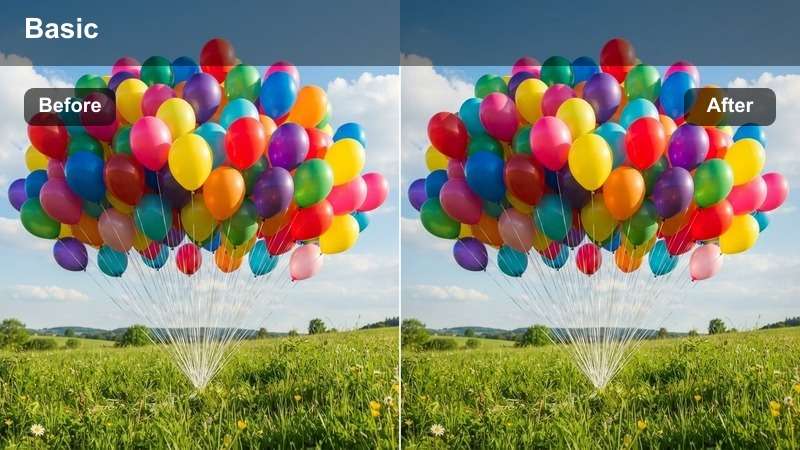
- Effect look: Neutral cinematic contrast with slightly desaturated colors for a refined, editorial feel.
- Best for: Ceremony highlight montages, recap sequences, and trailer-style edits.
- Editing tip: Layer subtle film grain on top in Filmora if you want a more editorial, magazine-style finish.
Timeless Ceremony Recap gives your highlight reels a polished, editorial aesthetic with muted saturation and clean contrast. Apply it in Filmora to recap sequences that weave together vows, reactions, and key details into a single emotional summary.
To enhance the cinematic mood, add a light film grain overlay and keep transitions simple and elegant. Use this LUT-style filter consistently across teaser trailers and social cuts so your brand look feels refined and instantly recognizable.
Tips for Using Wedding Ceremony Luts Filters in Filmora
- Always correct white balance and exposure in Filmora before applying wedding ceremony LUT-style filters so the final look feels intentional, not like a quick fix.
- Test each filter on both wide establishing shots and tight close-ups to ensure skin tones stay flattering and consistent from aisle to altar.
- Reduce filter intensity on clips captured during extreme sunset or heavy tungsten lighting to avoid overly warm, orange skin tones.
- Create one master ceremony look using your favorite filter, then only apply specialty styles like black-and-white or glow on key emotional beats.
- When mixing multiple cameras, first color-match one reference clip across all angles, then apply the same wedding ceremony LUT-style filter to unify the footage.
- Use Filmora's scopes to watch highlight levels and keep bridal dress whites from clipping when you apply high-contrast romantic filters.
Free Wedding Ceremony LUT-style filters can instantly give your wedding films a romantic, polished look, but they work best when combined with careful exposure, white balance, and consistent grading choices. Start with a clean base correction, then layer filters thoughtfully so every scene supports the emotion of the moment.
Build a simple workflow in Filmora using one or two signature ceremony filters, then refine skin tones and lighting per clip so every vow, aisle walk, and reaction shot feels cohesive and emotionally powerful. Over time, save your favorite combinations as presets to create a recognizable, cinematic wedding style.
secure downloadNext: Free Bridal Video Filters for Romantic Wedding Footage
