

 100% Security Verified | No Subscription Required | No Malware


 ChatGPT
 Perplexity
 Gemini
 Claude
 Grok
Grok
This free wedding LUTs download collection is designed for creators and editors who want soft, cinematic wedding looks without spending hours on manual color grading.
Use these wedding-ready filters in Filmora to instantly add warm skin tones, dreamy highlights, and consistent color across your entire wedding film, from bridal prep to the last dance.
In this article
Golden Hour Vows and Outdoor Ceremonies
Sunlit Vows Soft Glow
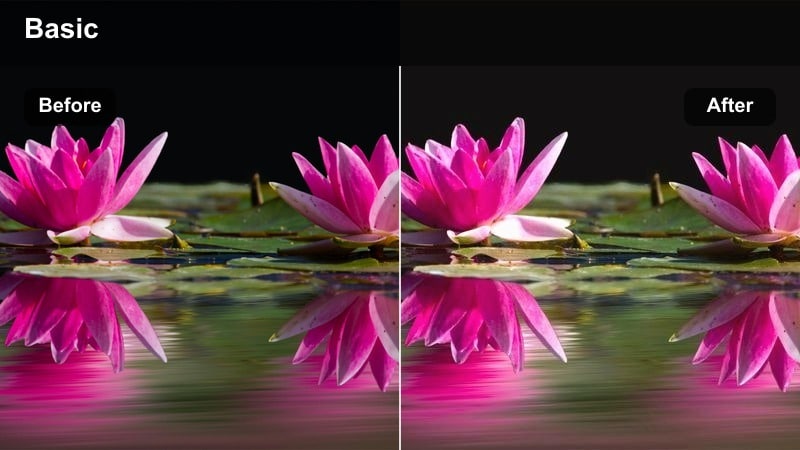
- Effect look: Warm, low-contrast filter that wraps the couple in a gentle golden haze.
- Best for: Outdoor ceremonies during late afternoon or golden hour with backlit subjects.
- Editing tip: Lower the filter intensity to around 60-70% and slightly reduce highlights to keep the dress details visible.
Sunlit Vows Soft Glow is tailored to enhance natural sunset light, adding a romantic golden veil that flatters skin tones and softens harsh edges. In Filmora, this filter helps you keep the natural warmth of late-afternoon ceremonies while avoiding overly crunchy contrast that can make backlit footage look harsh.
Apply it to your ceremony wide shots and close-ups, then fine-tune intensity so white dresses and veils remain detailed instead of blown out. For backlit couples, combine the filter with slight highlight reduction in the Color panel, giving you dreamy flares and a cinematic haze without sacrificing clarity on faces or key decor.
Use AI to Auto-Match Wedding Footage Colors
Filmora AI color tools help you quickly match clips from different cameras so your free wedding LUTs download looks consistent from the vows through the reception. You can use one graded clip as a reference, then let AI bring the rest of the footage closer to that hero look.
This is especially useful when you have multiple shooters or when lighting shifts quickly, such as moving from a bright ceremony into a shaded cocktail hour.
 secure download

Preview Wedding Filters in Real Time
Filmora lets you hover over filters and preview them instantly on your timeline clips, so you can see how each wedding style behaves on real vows, portraits, or reception moments before applying it. This makes it easy to compare multiple romantic looks side by side.
Use this live preview workflow to test how your free wedding LUTs download pairs with different Filmora filters, helping you lock in a consistent base look faster.
secure download1000+ Video Filters and 3D LUTs
Beyond this free wedding LUTs download, Filmora includes a large built-in library of filters, effects, and 3D LUTs so you can craft a signature style for every couple. You can mix classic film looks, clean modern grades, and creative overlays without leaving the editor.
Combine LUTs with Filmora HSL and color controls to precisely refine skin tones, tame tricky venue lighting, and keep your final wedding film polished and cohesive.
secure downloadPastel Ceremony Aura
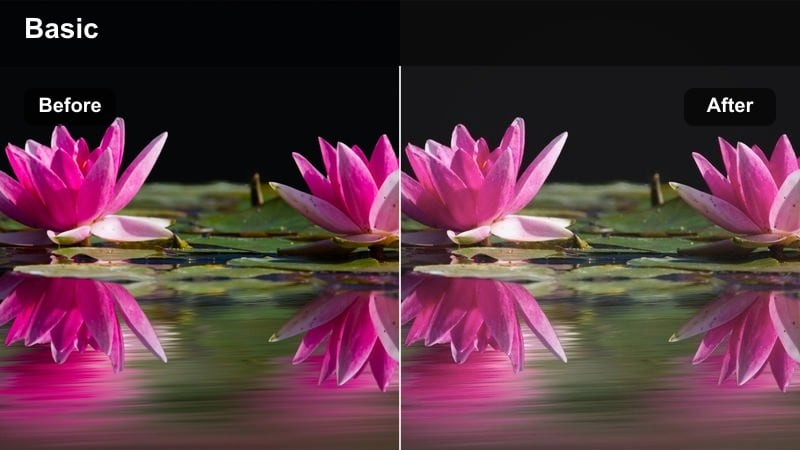
- Effect look: Soft pastel filter that mutes harsh greens and lifts shadows for a dreamy ceremony look.
- Best for: Garden or park ceremonies with lots of greenery and softer natural light.
- Editing tip: Use subtle vignette after the filter to pull focus toward the couple, especially in wide ceremony shots.
Pastel Ceremony Aura gently calms overpowering greens from lawns and trees, replacing them with soft, romantic tones that keep the couple center stage. In Filmora, it is ideal for wide establishing shots where foliage can otherwise dominate the frame.
After applying the filter, add a light vignette in the Effects or Color panel to guide the viewer toward the altar or couple. For multi-camera ceremony edits, copy and paste the filter settings across angles so your greens, shadows, and overall mood stay consistent from procession to recessional.
Sunset Promise Warm Film
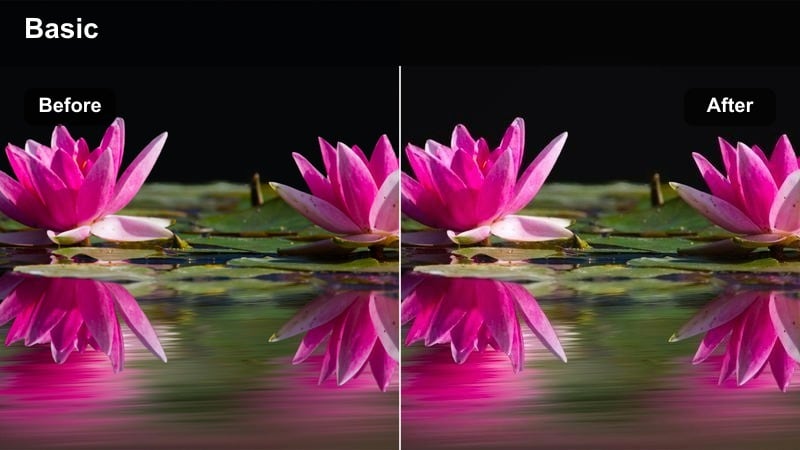
- Effect look: Film-inspired warmth with subtle grain and soft halation on bright edges.
- Best for: Sunset portraits and post-ceremony couple sessions in open fields or rooftops.
- Editing tip: Pair this filter with a slight fade in the blacks to complete the filmic vibe while keeping contrast on faces.
Sunset Promise Warm Film emulates the look of classic film stock, adding gentle grain and warm highlights that flatter golden-hour portraits. In Filmora, it turns simple walk-and-embrace shots into cinematic interludes that work perfectly as transitions between ceremony and reception sequences.
Use it on close-ups, slow-motion spins, and silhouette shots against the sky, then slightly fade the blacks using the tone curve or basic color sliders. Keep grain intensity modest if you plan to export for social platforms, ensuring that skin texture remains clean while the footage still feels organic and filmic.
Indoor Bridal Prep and Detail Shots
Bridal Suite Soft Matte
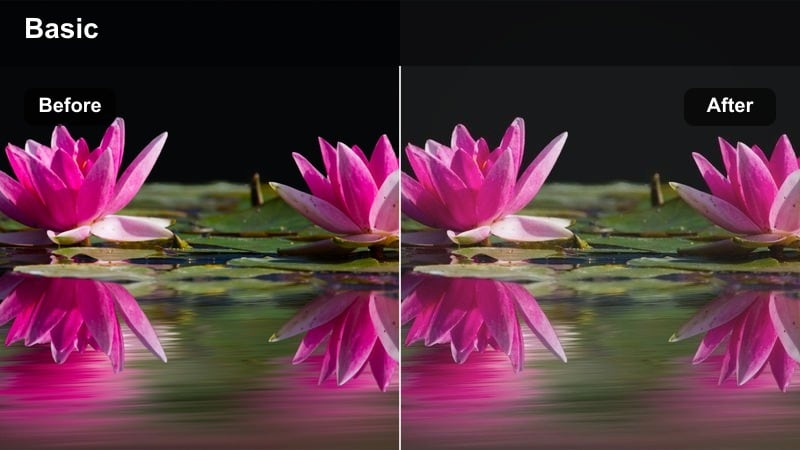
- Effect look: Low-contrast matte filter that smooths shadows and lifts midtones for soft indoor light.
- Best for: Getting-ready scenes in hotel rooms or bridal suites with window light.
- Editing tip: After applying, adjust white balance slightly cooler if the room has strong warm lamps to keep skin tones natural.
Bridal Suite Soft Matte is designed to flatter indoor natural light, gently lifting shadows so faces, veils, and hair styling remain visible without harsh contrast. In Filmora, it is especially effective on prep shots near windows where daylight mixes with tungsten lamps.
Apply it to full prep sequences, then fine-tune white balance per clip to neutralize any orange cast from room lighting. This approach gives you a consistent, airy mood from makeup touch-ups to final dress buttoning, keeping every moment soft and romantic without losing important detail.
Timeless Dress Details
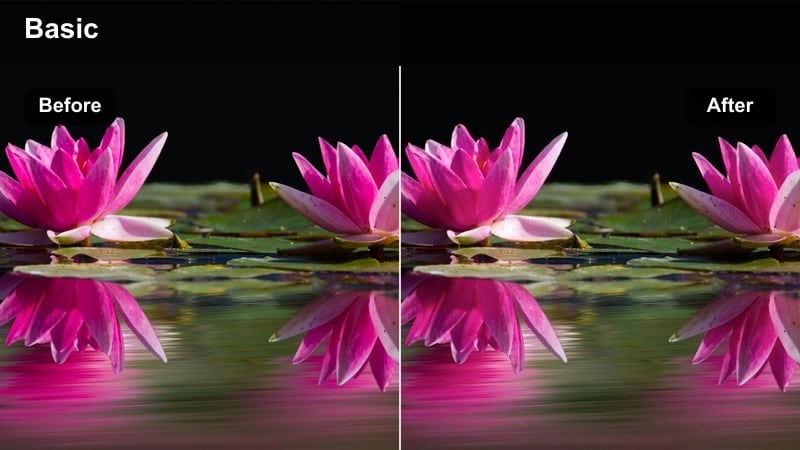
- Effect look: Neutral, clean filter that protects whites and adds gentle clarity to textures.
- Best for: Close-up shots of the wedding dress, rings, invitations, and decor indoors.
- Editing tip: Lower saturation slightly after applying the filter so detail shots feel elegant rather than overly vibrant.
Timeless Dress Details focuses on preserving the subtle textures in fabrics, lace, and jewelry while keeping whites crisp and unclipped. In Filmora, it works well for dress reveals, flat-lay invitations, and macro shots of rings or table decor.
Once the filter is applied, slightly reduce overall saturation to create an elegant, editorial finish that lets craftsmanship and design stand out. Use this look across all your detail B-roll and then intercut it with prep and ceremony clips to give your wedding film a refined, high-end aesthetic.
Morning Prep Warm Linen
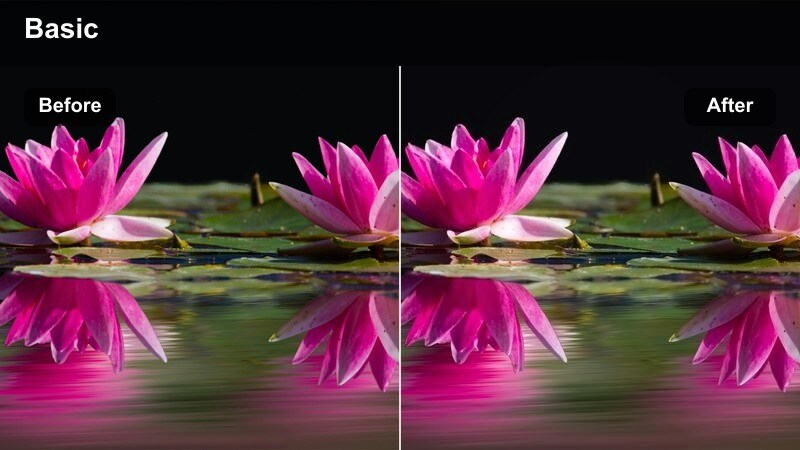
- Effect look: Warm, cozy filter that adds gentle amber tones while keeping blacks soft.
- Best for: Morning prep sequences with bridesmaids, hair and makeup, and candid laughter inside.
- Editing tip: Raise exposure slightly on underexposed clips before applying so skin stays clean and luminous.
Morning Prep Warm Linen injects a cozy, amber glow into your getting-ready coverage, ideal for capturing laughter and connection between the couple and their wedding party. In Filmora, it turns ordinary hotel or home interiors into inviting spaces that feel intimate rather than flat.
Brighten slightly underexposed footage before applying the filter so skin tones remain smooth and flattering. Then, use the same look across all morning prep clips to tie together hair, makeup, and candid interactions into one unified, storytelling sequence with a soft, welcoming mood.
Reception, Speeches, and Dance Floor Moments
First Dance Spotlight
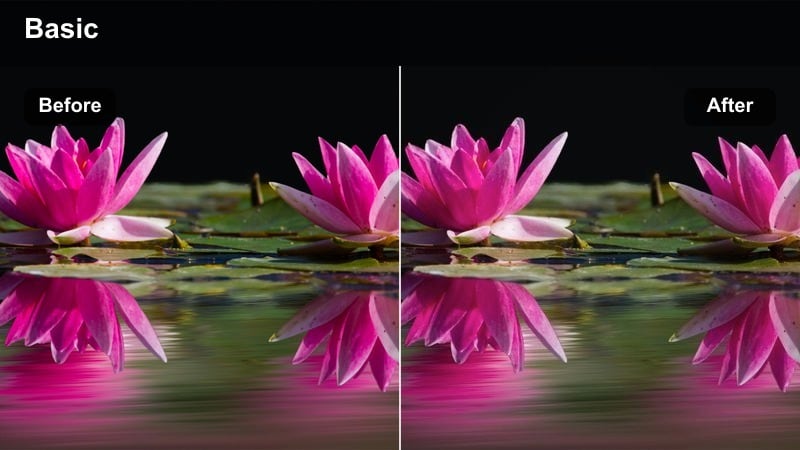
- Effect look: Cinematic contrast with gentle bloom on lights to emphasize the couple under a spotlight.
- Best for: First dance shots and slow-motion moments on dimly lit dance floors.
- Editing tip: Add a subtle radial blur or vignette after the filter to help the couple stand out from a busy background.
First Dance Spotlight shapes reception lighting so the couple becomes the clear focal point, deepening shadows around the room while allowing the spotlight and practical lights to glow softly. In Filmora, this filter is perfect for slow pans, gimbal moves, and close-ups during the first dance or private last dance.
After applying it, consider adding a light vignette or radial blur to downplay background distractions like guests and catering staff. Keep shadow lifting minimal to avoid introducing noise, and rely on the filter contrast to deliver a dramatic yet romantic atmosphere around the couple.
Warm Toast Memories
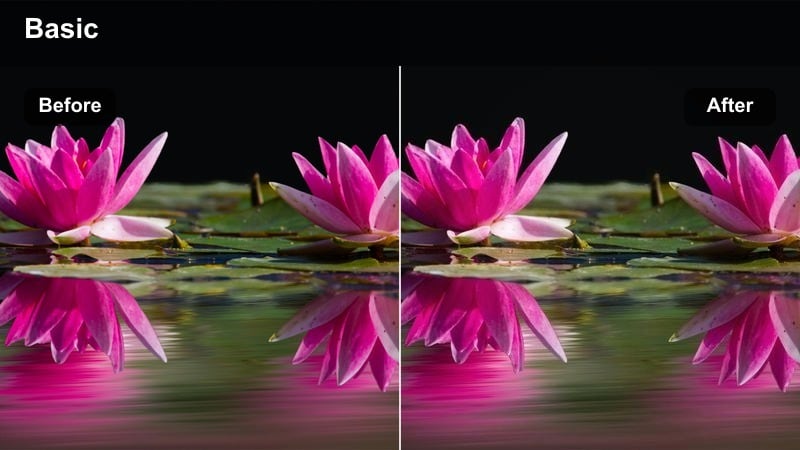
- Effect look: Cozy amber filter that enriches candlelight and string lights while softening skin.
- Best for: Speeches, toasts, and reaction shots during the reception dinner.
- Editing tip: Combine with gentle sharpening on faces so expressions stay crisp despite the soft, warm glow.
Warm Toast Memories enhances the golden ambiance of candles, chandeliers, and string lights, wrapping your footage in a soft, heartfelt glow. In Filmora, it helps elevate toast sequences, making both the speaker and guests look flattering and cinematic.
Apply the filter to all angles of a speech, then lightly sharpen facial details to keep smiles, tears, and laughter crystal clear. This balance of softness and clarity ensures emotional reactions land strongly while the overall scene feels cozy and intimate.
Party Lights Romantic
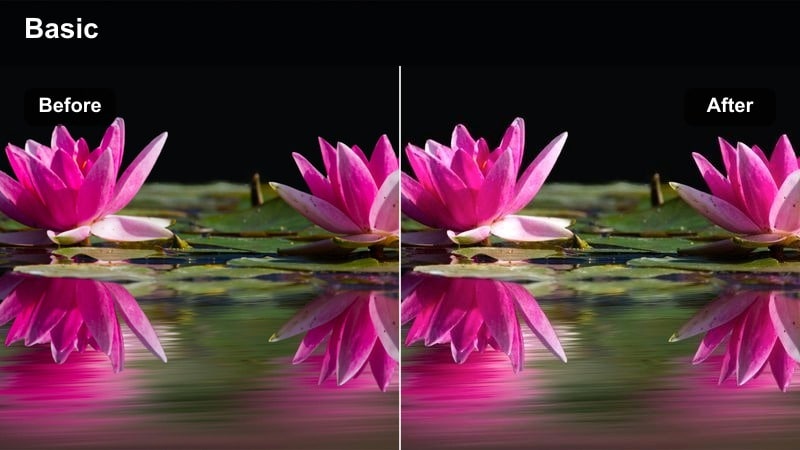
- Effect look: Vibrant yet soft filter that smooths colored DJ lights while keeping skin tones believable.
- Best for: High-energy dance floor clips with changing colored lights and motion.
- Editing tip: Stabilize handheld shots first, then apply the filter so the movement feels intentional and the colors remain controlled.
Party Lights Romantic is tuned for chaotic dance floors, softening harsh DJ lighting and color shifts while maintaining natural-looking skin. In Filmora, it helps you keep purple, blue, and magenta spotlights under control so your clips stay vibrant but not distracting.
Stabilize bouncy handheld shots before you apply the filter, then fine-tune saturation in specific color channels if certain lights still feel too strong. Use this look across all party footage at the end of your film to deliver a cohesive, energetic finale that still feels romantic and flattering.
Timeless Highlight Films and Emotional Montages
Classic Romance Highlight
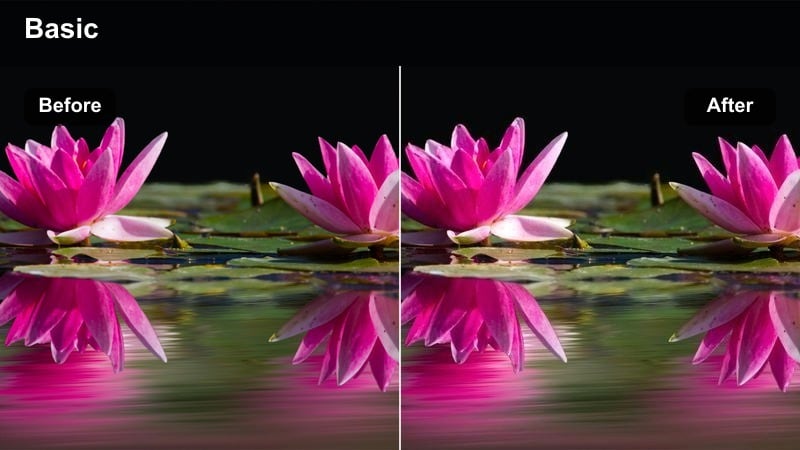
- Effect look: Balanced, slightly warm filter with gentle contrast and natural skin tones for all-around use.
- Best for: Full wedding highlight films that mix indoor, outdoor, and reception scenes.
- Editing tip: Use this as your base look, then make only small exposure or white balance tweaks per scene to keep the film cohesive.
Classic Romance Highlight is a versatile, all-purpose filter crafted to handle the full range of a wedding day, from prep to send-off. In Filmora, it serves as an ideal base look for your highlight edit, offering pleasing warmth, natural skin, and gentle contrast that suits most lighting conditions.
Apply it across your entire timeline first, then tweak exposure and temperature slightly by scene rather than switching styles. This workflow keeps your highlight film visually unified, allowing the story and music to lead while the color grade quietly supports every moment.
Black and White Vows
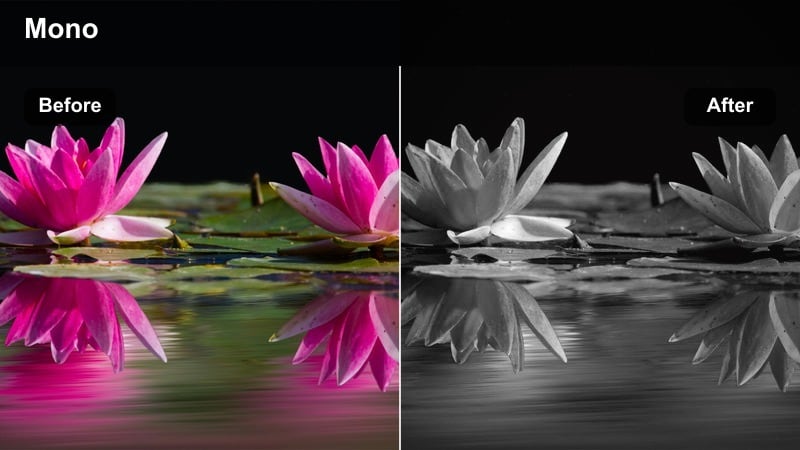
- Effect look: Elegant monochrome filter with rich blacks and slightly lifted highlights for emotional sequences.
- Best for: Voiceover vows, letter readings, or slow-motion emotional cutaways.
- Editing tip: Cut audio first, then use this filter selectively on the most emotional visuals to underline key words or promises.
Black and White Vows strips away color to focus purely on expression, gesture, and emotion, giving your most intimate moments a timeless, cinematic feel. In Filmora, it is especially powerful when paired with voiceover vows or letter readings layered over slow-motion visuals.
Edit your audio and story beats first, then choose only the most meaningful shots to convert with this filter, such as tearful reactions or handholds. Using monochrome sparingly transforms these clips into emotional anchors within the film, creating contrast with the surrounding color footage and emphasizing the promises being made.
Dreamy Memory Fade
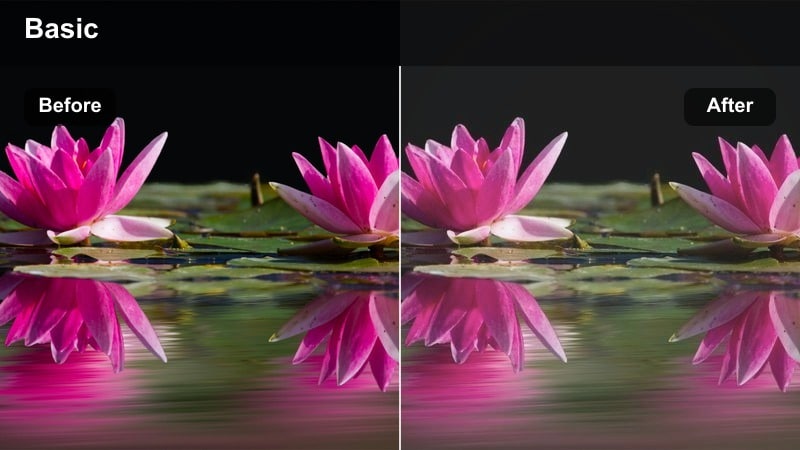
- Effect look: Low-contrast, slightly desaturated look with lifted blacks for a nostalgic, dreamy mood.
- Best for: Opening or closing montages, slow-motion walk shots, and family interactions.
- Editing tip: Use gentle cross dissolves between clips and keep camera motion slow to match this filter's soft, nostalgic feeling.
Dreamy Memory Fade creates a soft, nostalgic atmosphere by lifting blacks and easing off saturation, making scenes feel like cherished memories. In Filmora, it works beautifully for opening teasers, closing montages, or family-focused sequences that you want to feel particularly tender.
Apply it to slow-motion walks, hugs with parents, and candid interactions between generations, then use simple cross dissolves instead of fast cuts. This pairing of gentle motion, soft transitions, and dreamy grading helps your free wedding LUTs download play like a heartfelt recollection of the day.
Tips for Using Free Wedding Luts Download Filters in Filmora
- Shoot with a slightly flatter picture profile in-camera so your free wedding LUTs and Filmora filters have more latitude to shape contrast and color.
- Pick one main filter like Classic Romance Highlight as your base look, then reserve specialty styles for black-and-white vows or high-energy dancing.
- Always fine-tune filter intensity while watching skin tones; once faces look natural, the rest of the frame usually falls into place.
- Export a short 20-30 second test sequence with your chosen filters before grading the entire wedding timeline to confirm the look on different screens.
- Group similar scenes on separate tracks in Filmora so you can apply and adjust filters in batches, speeding up your color workflow.
- Create a dedicated timeline for the highlight film, allowing you to push creative looks without affecting your full-length documentary edit.
- Use Filmora AI color match after applying your base filter to quickly harmonize clips from different cameras or lighting conditions.
With this free wedding LUTs download styled as Filmora filters, you can turn raw ceremony, reception, and portrait footage into a cohesive, cinematic wedding story in just a few clicks.
Add your favorite presets to a custom Filmora folder, refine intensity per scene, and your next project will look more polished, emotional, and consistent from the first look to the final sparkler exit.
secure downloadNext: Free Travel LUTS Pack
