

 100% Security Verified | No Subscription Required | No Malware

Give your Xiaohongshu videos a polished, recognizable look with this free Xiaohongshu video LUT pack. Designed for beauty creators and travel creators, these lifestyle color grading styles help turn everyday clips into cohesive visual stories.
Use the filters for lifestyle notes, product diaries, travel tips, morning routines, destination guides, and creator vlogs. Apply a LUT in Filmora, then fine-tune exposure, skin tones, and saturation to match your footage.
In this article
Soft Morning Scenes for Lifestyle Notes
Soft Peach Glow
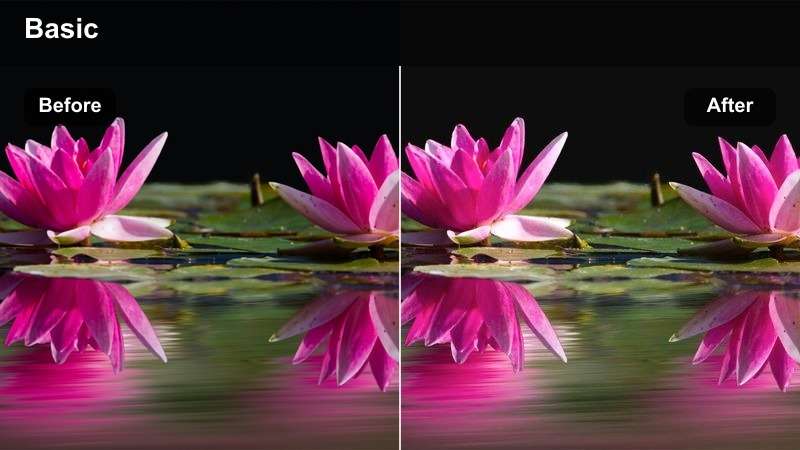
- Effect look: Warm peach highlights with gentle contrast and naturally bright skin tones
- Best for: Morning routines, beauty tutorials, lifestyle notes, and softly lit bedroom videos
- Editing tip: Lower intensity slightly when filming near a sunny window to protect bright skin highlights
Soft Peach Glow adds warm peach highlights, gentle contrast, and naturally bright skin tones to everyday footage. It creates a welcoming look for morning routines, skincare clips, beauty tutorials, and lifestyle notes.
Apply it in Filmora at a low strength when filming close-up beauty content, especially near a sunny window. Check cheeks, forehead, and hands for excess orange, then reduce orange saturation slightly to keep the cozy mood clean and natural.
Build a Cohesive Xiaohongshu Color Palette
A consistent palette helps beauty and travel creators make separate clips feel like part of the same account. Use warm creams, soft peach, clean neutrals, coastal blues, and sunset amber to support different lifestyle stories.
When your video contains several lighting conditions, choose one dominant mood and keep skin tones natural. This makes your Xiaohongshu color grading feel intentional without making every post look identical.
 secure download

Clean Cream Daylight
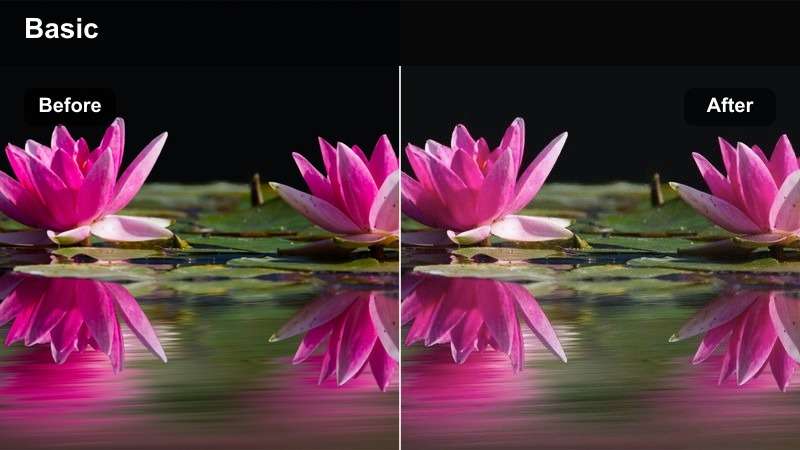
- Effect look: Creamy whites, balanced beige tones, soft shadows, and a clean editorial finish
- Best for: Product diaries, desk setups, outfit clips, and minimalist lifestyle notes
- Editing tip: Use moderate contrast and slightly reduce highlights when recording white packaging or pale backgrounds
Clean Cream Daylight gives bright creator footage creamy whites, balanced beige tones, and soft shadows. The refined neutral finish works especially well for product diaries, desk setups, outfit clips, and minimalist lifestyle notes.
Reduce exposure slightly before applying the LUT if white packaging looks flat or loses detail. In Filmora, keep the background neutral and use moderate contrast so products remain the visual focus.
Rosy Soft Focus
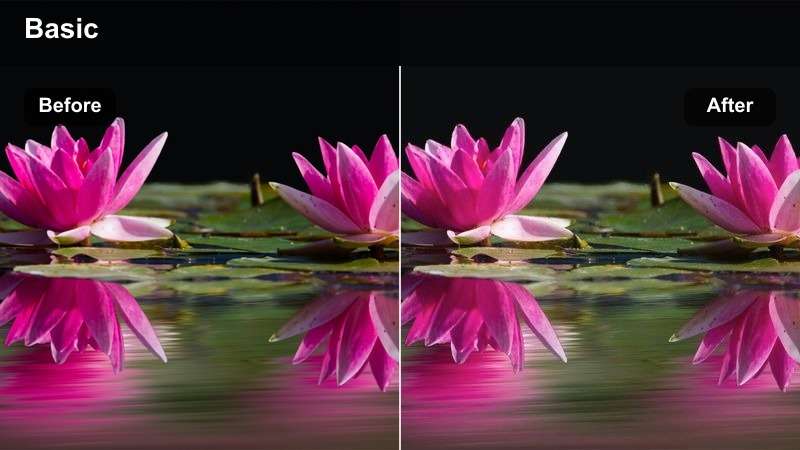
- Effect look: Subtle rosy mids, lifted shadows, and a gentle soft-focus impression
- Best for: Makeup reviews, skincare diaries, self-care videos, and personal lifestyle notes
- Editing tip: Pair with a small amount of sharpening so facial details stay clear without losing the soft mood
Rosy Soft Focus adds delicate rosy mids, lifted shadows, and a flattering soft-focus impression. It suits intimate beauty stories such as makeup reviews, skincare diaries, and self-care videos.
Use a light sharpening pass on eyes, brows, and product labels in Filmora so the image stays useful for tutorials. Avoid heavy blur after applying the LUT, and keep the original footage well exposed and sharp.
Polished Beauty Studio Looks
Neutral Beauty Editorial
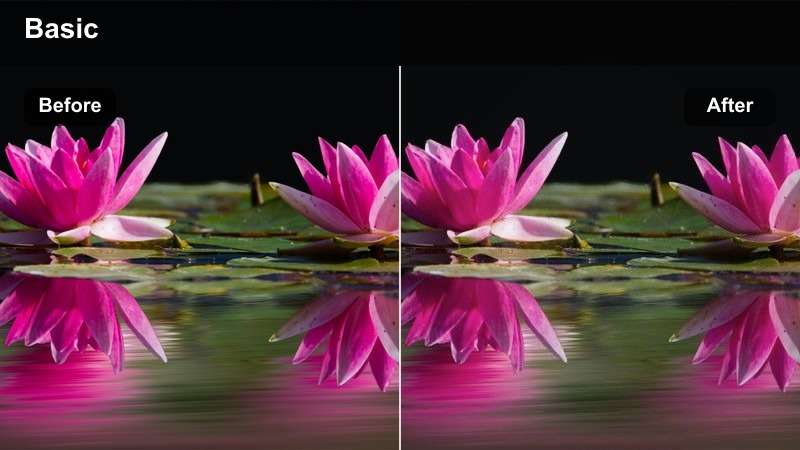
- Effect look: Balanced neutrals, controlled reds, crisp detail, and a modern editorial contrast
- Best for: Foundation tests, makeup comparisons, beauty hauls, and product-focused reviews
- Editing tip: Match the camera white balance before applying the filter to prevent foundation shades from shifting
Neutral Beauty Editorial keeps whites balanced, reds controlled, and details crisp for a modern beauty presentation. It is designed for foundation tests, makeup comparisons, beauty hauls, and product-focused reviews.
Correct white balance before applying the LUT in Filmora and record a neutral reference clip when accuracy matters. If a foundation shade changes noticeably, lower LUT intensity and make manual skin-tone corrections.
Golden Vanity
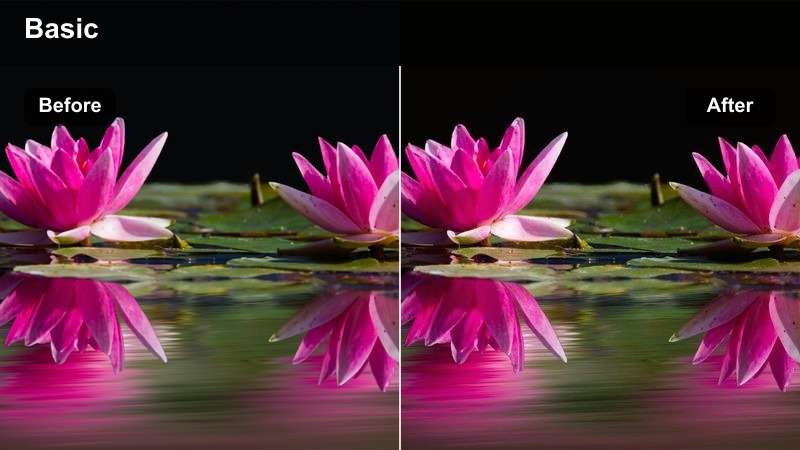
- Effect look: Golden highlights, warm skin tones, rich midtones, and softly deepened shadows
- Best for: Evening makeup routines, perfume diaries, vanity tours, and elevated beauty vlogs
- Editing tip: Reduce yellow saturation if warm bulbs make the background or skin appear too amber
Golden Vanity creates luxurious evening footage with golden highlights, warm skin tones, rich midtones, and softly deepened shadows. It adds an elevated mood to makeup routines, perfume diaries, vanity tours, and beauty vlogs.
Correct mixed lighting in Filmora before adding warmth, then lower yellow saturation if bulbs make skin or backgrounds too amber. Reduce highlights on mirrors, glass, and reflective cosmetics to preserve detail.
Fresh Skin Bright
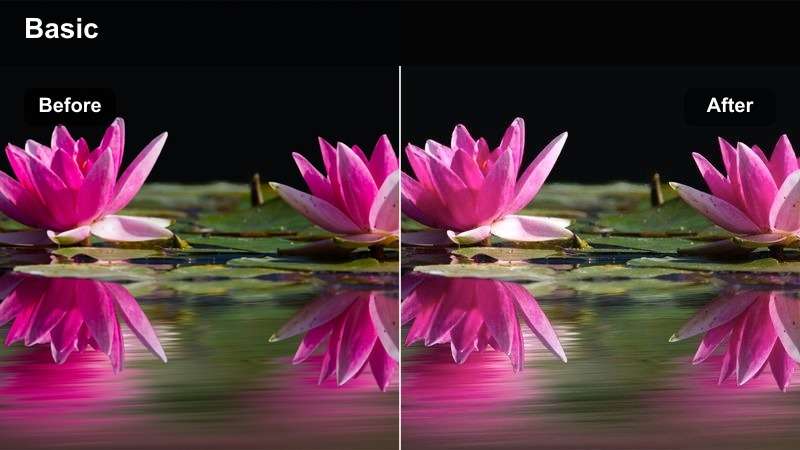
- Effect look: Bright exposure, fresh skin tones, light contrast, and clean pastel accents
- Best for: Morning skincare, quick beauty tips, summer makeup, and short-form creator introductions
- Editing tip: Use a gentle exposure lift and avoid excessive saturation on pink or coral products
Fresh Skin Bright gives quick beauty videos bright exposure, fresh skin tones, light contrast, and clean pastel accents. It works well for skincare tips, summer makeup, and approachable creator introductions.
Check the waveform in Filmora before exporting because white tiles, towels, and reflective containers can lose texture. Reduce exposure rather than removing all color if the filter becomes too bright.
Preview Xiaohongshu Video Filters Before Export
Compare the original clip with several filter strengths to find the look that best matches your footage. A bright beauty close-up may need a lighter application, while a travel recap can support stronger contrast and atmosphere.
Preview skin tones, product labels, skies, and shadow detail before exporting. Small adjustments to exposure, temperature, and saturation can make a free LUT feel custom-made for your content.
secure downloadLight and Airy Travel Tips
Coastal Air
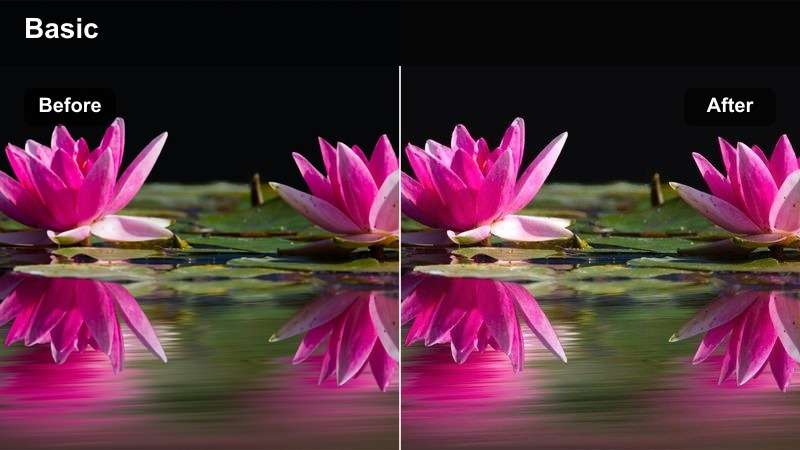
- Effect look: Clear blue shadows, bright highlights, gentle warmth, and an open airy atmosphere
- Best for: Beach itineraries, seaside travel tips, resort diaries, and outdoor destination guides
- Editing tip: Reduce blue saturation slightly when the sky is already vivid to keep the image natural
Coastal Air brings clear blue shadows, bright highlights, and gentle warmth to waterfront footage. It is a natural fit for beach itineraries, seaside travel tips, resort diaries, and outdoor destination guides.
Lower blue saturation in Filmora when skies or water are already vivid, and add a small amount of contrast for detail. Use keyframes when moving between shade and direct sunlight so the look remains consistent.
Sunlit Street
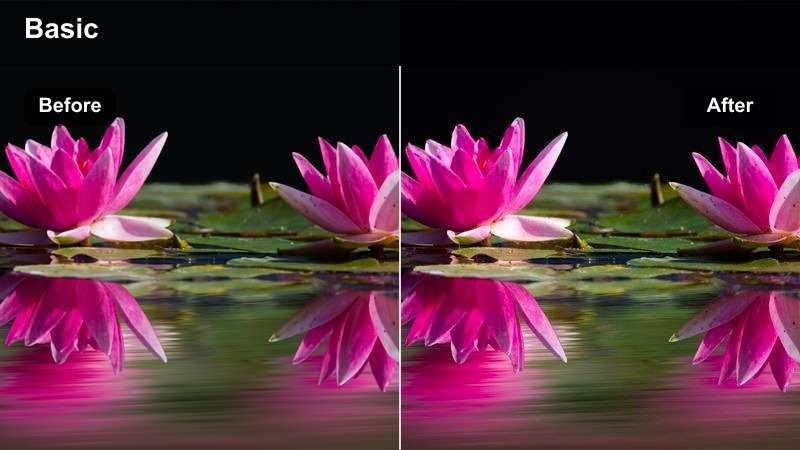
- Effect look: Warm sunlight, lively midtones, moderate contrast, and crisp urban travel color
- Best for: City walks, neighborhood guides, travel tips, street architecture, and destination vlogs
- Editing tip: Lower highlights for midday footage and add a small shadow lift for shaded streets
Sunlit Street adds warm sunlight, lively midtones, moderate contrast, and crisp color to city footage. Use it for neighborhood guides, city walks, street architecture, travel tips, and destination vlogs.
Lower highlights for midday clips and lift shadows slightly in shaded streets using Filmora. Split clips or use keyframes when lighting changes so faces remain readable without flattening sunny sections.
Misty Destination
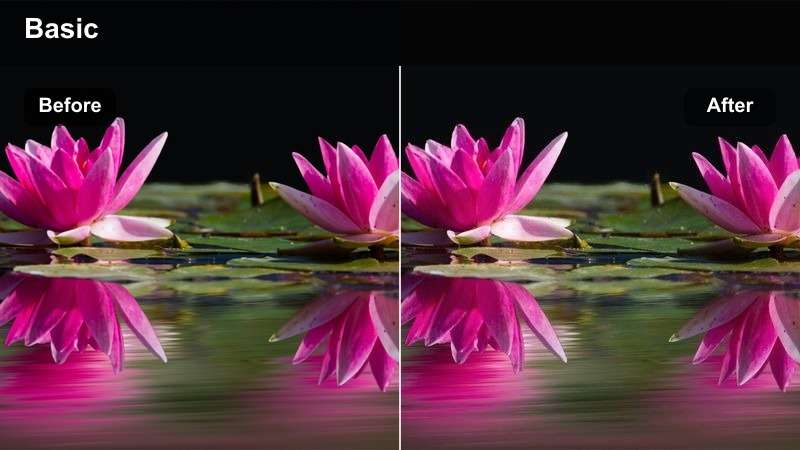
- Effect look: Muted saturation, soft contrast, cool atmospheric shadows, and a calm cinematic finish
- Best for: Mountain travel tips, rainy destination guides, quiet hotel diaries, and reflective journey clips
- Editing tip: Add a small amount of clarity to distant subjects while keeping the overall low-contrast mood
Misty Destination uses muted saturation, soft contrast, and cool atmospheric shadows for a calm cinematic finish. It supports mountain travel tips, rainy destination guides, quiet hotel diaries, and reflective journey clips.
Keep the LUT gentle because fog and rain already reduce contrast. Add a small amount of clarity to distant subjects in Filmora while preserving subdued backgrounds and enough midtone detail.
Evening Travel Memories and Product Diaries
City Night Neon
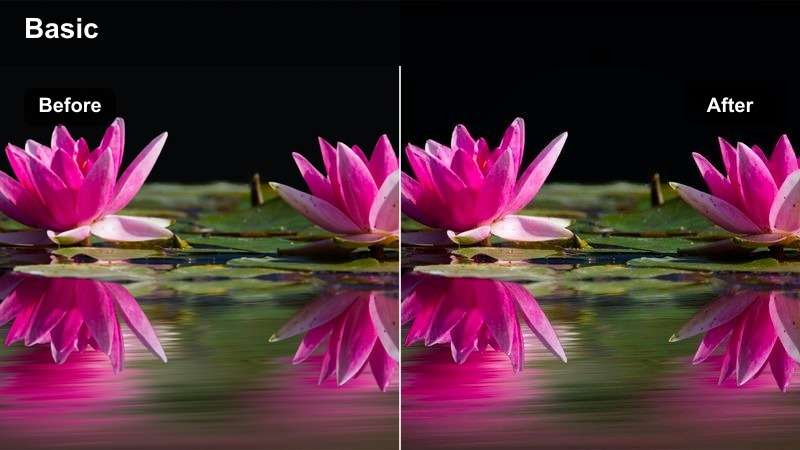
- Effect look: Deep blue shadows, controlled neon color, bright highlights, and cinematic night contrast
- Best for: Night markets, urban travel tips, evening itineraries, and city nightlife diaries
- Editing tip: Reduce highlight intensity and use noise reduction lightly to keep dark footage clean
City Night Neon creates cinematic night footage with deep blue shadows, controlled neon color, and bright but detailed highlights. It suits night markets, evening itineraries, urban travel tips, and nightlife diaries.
Apply the LUT gently in Filmora, then use light noise reduction before adding sharpness. Reduce highlight intensity to keep neon signs colorful without clipping their brightest edges.
Coffeehouse Journal
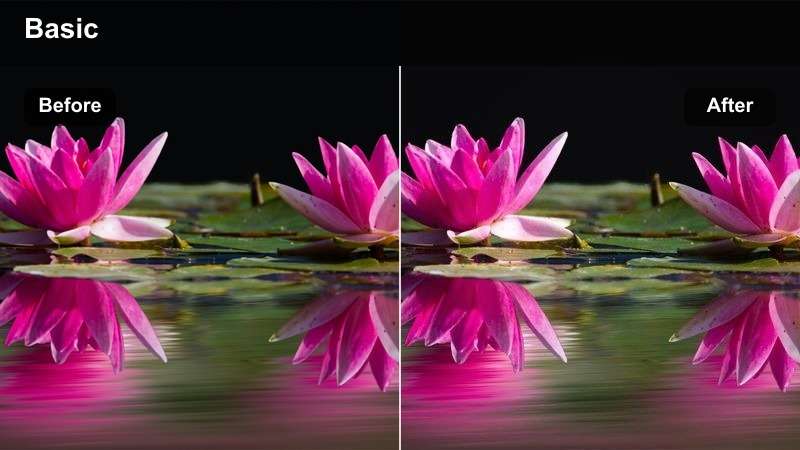
- Effect look: Warm neutral tones, soft brown shadows, gentle grain, and an intimate diary atmosphere
- Best for: Travel journals, cafe work sessions, product diaries, and reflective lifestyle notes
- Editing tip: Use a subtle grain layer only after color correction so the image stays clean and readable
Coffeehouse Journal combines warm neutral tones, soft brown shadows, and an intimate diary atmosphere. It works for travel journals, cafe work sessions, product diaries, and reflective lifestyle notes.
Correct each clip in Filmora before applying the same filter strength to talking shots and detail footage. Add subtle grain last so text, products, and journal details remain readable.
Sunset Memory
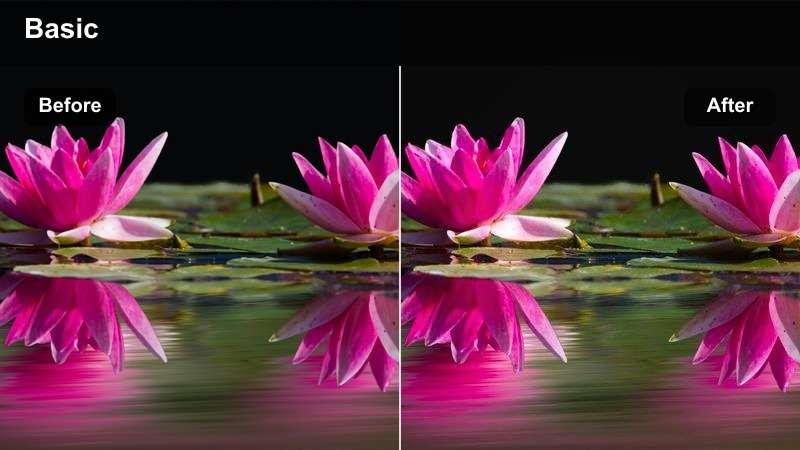
- Effect look: Amber highlights, soft magenta skies, lifted shadows, and nostalgic travel warmth
- Best for: Sunset itineraries, destination recaps, personal travel stories, and end-of-day vlogs
- Editing tip: Lower orange saturation if skin tones become too intense during direct sunset portraits
Sunset Memory adds amber highlights, soft magenta skies, lifted shadows, and nostalgic warmth to end-of-day footage. It is ideal for sunset itineraries, destination recaps, personal travel stories, and vlogs.
Use selective color adjustments in Filmora to lower orange saturation on skin without flattening the sky. A gentle shadow lift keeps expressions visible while preserving the sunset atmosphere.
Apply the LUT Pack in Filmora
Import the downloaded LUT into Filmora, place it on your video, and adjust the intensity until the scene looks polished but believable. Correct exposure and white balance first for more predictable results.
Save your favorite combinations as reusable presets for lifestyle notes, product diaries, and travel tips. A repeatable workflow helps you publish faster while keeping your visual identity consistent.
secure downloadTips for Using Xiaohongshu Lut Download Filters in Filmora
- Correct exposure and white balance before applying a Xiaohongshu video filter.
- Use lower LUT intensity on beauty close-ups to preserve natural skin tones.
- Match clips from the same scene before adding creative contrast or saturation.
- Check white product packaging and bright skies for clipped highlights.
- Use keyframes when moving between indoor shade and outdoor sunlight.
- Export a short test version to check color on both mobile and desktop screens.
This free Xiaohongshu video LUT pack gives beauty creators and travel creators a practical starting point for lifestyle color grading. From soft morning notes to polished beauty reviews and atmospheric travel tips, each filter is designed to support a specific story and shooting condition.
Download the pack, test the styles in Filmora, and adjust each look to match your footage. With a consistent color workflow, your product diaries, destination guides, and daily creator videos can feel more recognizable and professional.
secure download