

 100% Security Verified | No Subscription Required | No Malware


 ChatGPT
 Perplexity
 Gemini
 Claude
 Grok
Grok
These 12 Filmora filter presets are designed to sit on top of your Fujifilm X-S20 vlog LUTs, helping you dial in the final polish on color, contrast, and mood without fighting Fuji's signature look.
Whether you are shooting daily walk-and-talks, travel city b-roll, or cinematic lifestyle vlogs, use this filter list as a starting point for building a fast, repeatable Fujifilm X-S20 workflow in Filmora.
In this article
Soft Morning Light and Daily City Vlogs
Soft Street Morning Glow
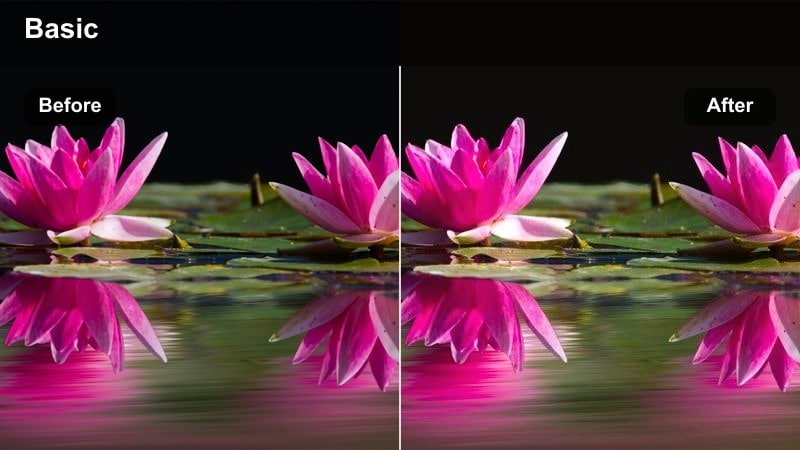
- Effect look: Gentle lifted shadows with warm highlights to complement soft sunrise city vlogs.
- Best for: Morning walk-and-talks, commute vlogs, and light traffic street scenes with Fujifilm X-S20 vlog LUTs.
- Editing tip: Apply your Fujifilm X-S20 vlog LUT first, then add this filter and reduce intensity to around 60% to avoid washed-out blacks.
Soft Street Morning Glow works best as a finishing layer after you have normalized your Fujifilm X-S20 footage with a vlog LUT. The lifted shadows and warm highlights smooth out early-morning contrast, giving sidewalks, storefronts, and skies a gentle, welcoming feel without fighting Fujis native color palette.
In Filmora, drop this filter on an adjustment layer above your graded clips so you can fine-tune intensity across the entire sequence. If your LUT already softens contrast, ease the filter strength down until blacks stay present but never harsh, then fine-tune exposure with midtone controls to keep your face bright and the city backdrop calm.
Pair Filmora AI Color With Fujifilm X-S20 Vlog LUTs
Filmora AI color tools can quickly balance exposure and white balance on Fujifilm X-S20 clips before you start layering vlog LUTs and creative filters. This keeps your base grade consistent from shot to shot, especially when morning light shifts between shade and direct sun.
Run AI color as a first pass on your timeline, then apply your preferred X-S20 vlog LUT and one of the filters in this guide for final styling. You will spend less time fixing problems and more time shaping mood, skin tones, and city ambience.
 secure download

Build a Repeatable X-S20 Vlog Filter Stack
To speed up editing, build a Filmora template with your go-to Fujifilm X-S20 vlog LUT already applied as an adjustment layer, plus one or two favorite filters for different times of day. Morning looks, golden hour grades, and night styles can each live on separate adjustment layers you toggle on or off.
Once this is set, all you need to do is drag new clips into the project, adjust exposure and white balance slightly, and you will have a consistent, channel-ready grade in minutes across entire vlogs or series playlists.
secure download1000+ Video Filters and 3D LUTs
Filmora includes an extensive library of filters, overlays, and 3D LUTs that work beautifully with Fujifilm X-S20 vlog footage. You can combine technical LUTs that correct F-Log2 or Eterna-style profiles with creative looks that shape mood, color separation, and contrast.
Experiment with stacking one base LUT and one or two subtle filters on adjustment layers. This layered approach keeps your grade flexible, so you can tweak style without having to redo your core Fujifilm color correction on every project.
secure downloadClean Commuter Journal
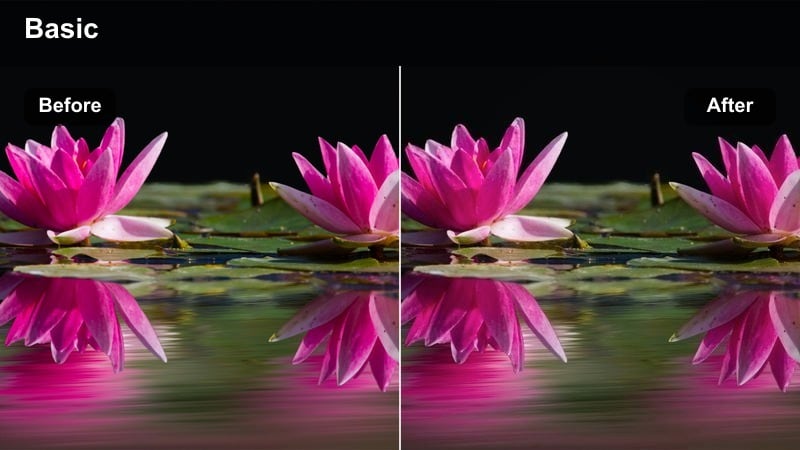
- Effect look: Neutral, crisp contrast with slightly cool mids for a documentary-style city commute look.
- Best for: Subway entrances, bus stops, and handheld talking segments shot in soft overcast light.
- Editing tip: Pair this with a neutral Fujifilm X-S20 vlog LUT and nudge saturation up 5–10% to avoid dull skin tones in gray city environments.
Clean Commuter Journal is designed to give your everyday commute vlogs a polished, documentary feel while keeping colors faithful to reality. After you apply a neutral Fujifilm X-S20 vlog LUT in Filmora, this filter tightens contrast and adds a subtle coolness to midtones so concrete, metal, and glass in city scenes look crisp without becoming lifeless.
Use it when clouds soften the light and your footage risks looking flat or muddy. Slightly raise saturation and adjust skin tone hue in Filmora if faces start to look too cool, and combine with stabilization on handheld shots so the enhanced sharpness emphasizes detail in signage and architecture instead of camera shake.
Soft Neutral Home Base
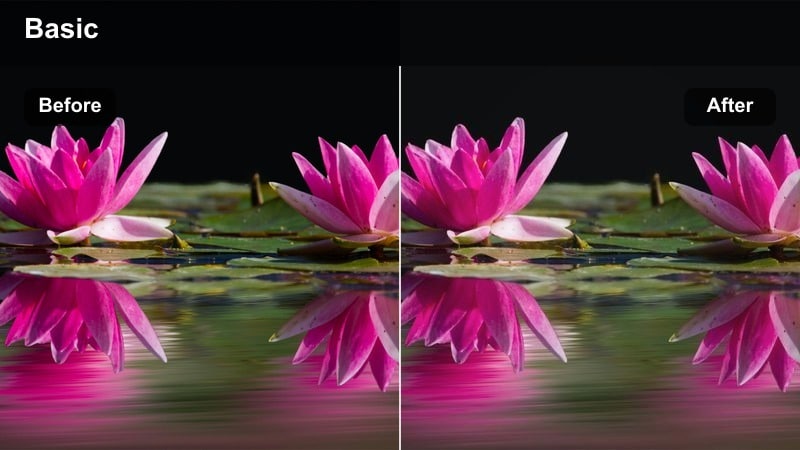
- Effect look: Low-contrast, neutral color filter that lightly smooths transitions between highlights and shadows.
- Best for: Desk vlogs, home studio intros, and apartment interiors with available window light.
- Editing tip: Use this after a Fujifilm X-S20 vlog LUT and lower saturation slightly to keep wall colors from overpowering your subject.
Soft Neutral Home Base is ideal for indoor talking-head segments where you want a relaxed, approachable look that is easy on the eyes. Once your X-S20 footage is normalized with a vlog LUT, this filter gently lowers contrast and evens out the roll-off between bright windows and interior shadows, helping your face remain the natural focal point.
In Filmora, consider placing this filter on a dedicated adjustment layer for all A-roll clips filmed in the same room. Pull overall saturation down a touch if colorful walls, plants, or decor compete with your skin tones, and use scopes to confirm that your subject stays centered in a natural hue range while the background fades softly.
Golden Hour Lifestyle and Rooftop Scenes
Rooftop Golden Pop
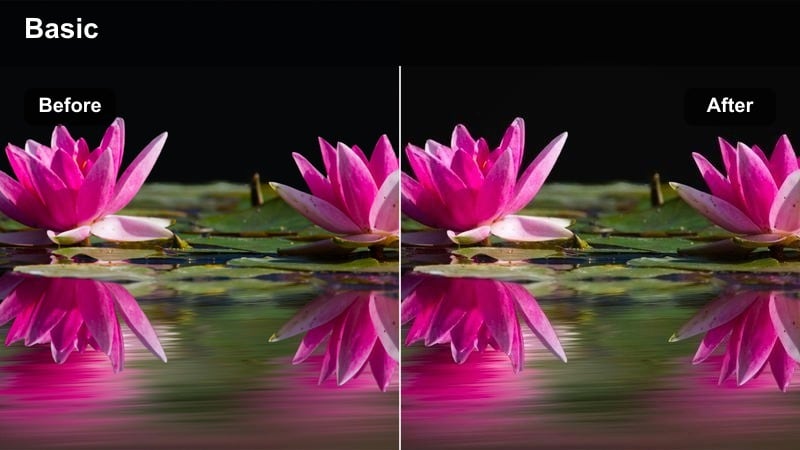
- Effect look: Punchy warm highlights with rich midtones that emphasize the golden edge light on city rooftops.
- Best for: Golden hour rooftop vlogs, skyline b-roll, and lifestyle shots with direct warm sunlight.
- Editing tip: Stack this over a Fujifilm X-S20 vlog LUT and decrease contrast a touch if dark jackets or hair block up too much.
Rooftop Golden Pop is built to maximize the rich, directional light you get during sunset on city rooftops. When paired with a Fujifilm X-S20 vlog LUT, it deepens midtones and intensifies warm highlights so edge light on hair, railings, and building edges looks cinematic without losing Fujis characteristic color nuance.
In Filmora, watch your dark wardrobe and hair as you raise contrast with this filter. If shadows start to crush, slightly reduce filter intensity or use the contrast slider to reopen detail, then fine-tune orange and yellow saturation in HSL to keep skin natural while allowing the skyline to glow.
Sunset City Cinematic Soft
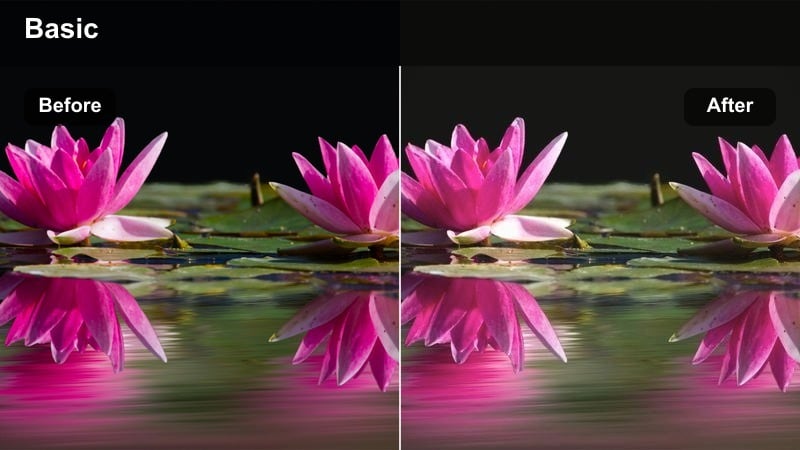
- Effect look: Soft halation effect with gentle contrast and a subtle magenta tint in the shadows for a dreamy sunset mood.
- Best for: Handheld sunset walks, balcony monologues, and slow-motion lifestyle b-roll in the city.
- Editing tip: After applying your vlog LUT, add this filter and slightly lower clarity to enhance the dreamy glow without losing important detail.
Sunset City Cinematic Soft leans into the romantic side of golden hour, adding a faint halation-style glow and a hint of magenta in the shadows. Combined with a Fujifilm X-S20 vlog LUT, it turns skyline silhouettes, balcony rails, and distant city lights into soft shapes that frame your subject with a filmic, dreamy aesthetic.
Use this filter in Filmora on select sequences like slow-motion b-roll or reflective voiceovers where you want to shift the mood. Gently reduce clarity or sharpness in the Color panel if the glow feels too subtle, and manage magenta levels so they complement, rather than overpower, the natural hues from your base LUT.
Urban Sunflare Journal
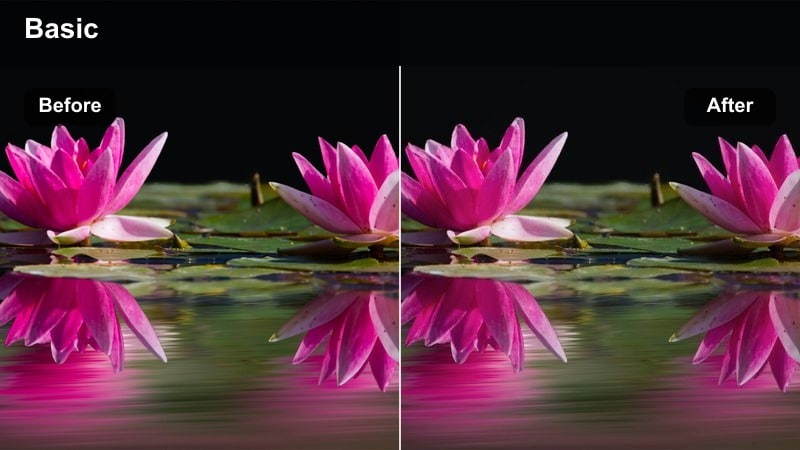
- Effect look: High-key, bright filter that embraces lens flare and slightly desaturated colors for a diary-style feel.
- Best for: Backlit street corners, wide shots with sun in frame, and playful lifestyle sequences.
- Editing tip: Expose slightly darker in-camera with the X-S20, then use this filter to bring brightness back while your vlog LUT protects skin detail.
Urban Sunflare Journal is tailor-made for shots where the sun is in or near frame and you want to lean into the flares instead of hiding them. After setting your Fujifilm X-S20 vlog LUT in Filmora, this filter brightens the overall image and pulls saturation back slightly, giving your footage an airy, candid diary vibe that still feels polished.
Because highlights get lifted, it helps to underexpose a bit in camera and rely on this filter to recover overall brightness. In Filmora, keep an eye on highlight clipping in the scopes; if skies start to lose detail, pull back exposure or highlights while keeping the filter active so flares feel intentional, not blown out.
Night City, Neon Signs, and Street Lights
Neon City Punch
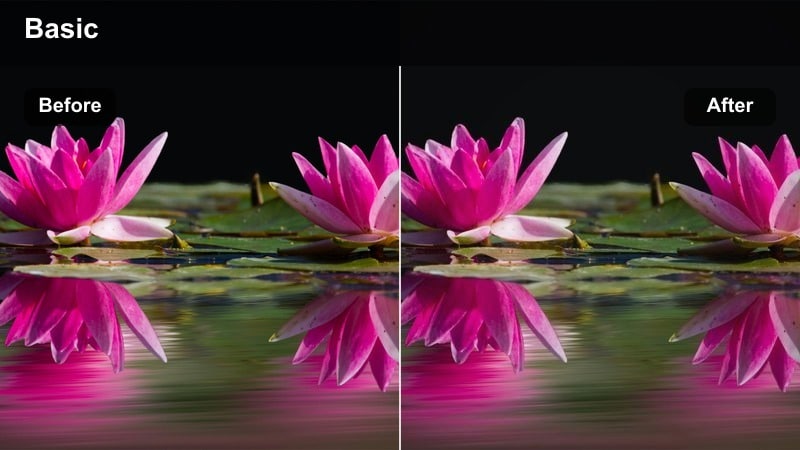
- Effect look: Deep contrast with saturated neon colors and crisp edges that make signs and reflections stand out.
- Best for: Night market walkthroughs, neon shopfronts, and rainy street reflections captured on the X-S20.
- Editing tip: After your Fujifilm X-S20 vlog LUT, add this filter and selectively drop blue luminance if neon blues start to overpower faces.
Neon City Punch is built for vibrant night streets, where signs, storefronts, and wet pavement are full of strong color. When added after a Fujifilm X-S20 vlog LUT in Filmora, it deepens contrast and boosts saturation so neon tubes and LED boards jump out of the frame, while edges stay crisp and defined.
Use HSL controls to tame specific colors if they become overwhelming, especially intense blues and magentas near faces. A slight reduction in blue luminance and saturation can keep skin tones readable while preserving the sense of energy and glow that makes night-market and downtown scenes so engaging on screen.
Moody Street Café Night
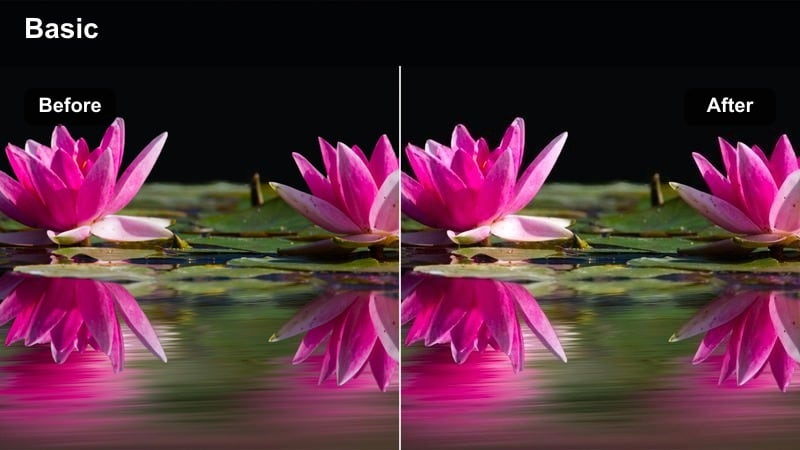
- Effect look: Soft, low-saturation night look with warm indoor light and cool outdoor ambience separated clearly.
- Best for: Window-seat monologues, café exteriors, and handheld b-roll mixing indoor and street lighting.
- Editing tip: Use your Fujifilm X-S20 vlog LUT, then add this filter and fine-tune white balance shot by shot to keep skin neutral near mixed light sources.
Moody Street Café Night excels at balancing cozy interior lighting with cool city streets, giving your nighttime sit-down segments a cinematic yet understated style. After applying a Fujifilm X-S20 vlog LUT in Filmora, this filter softens contrast and gently separates warm and cool zones so your face by the window feels inviting while the outside world stays atmospheric.
Because cafés and streets mix different color temperatures, take time to adjust white balance per clip after adding this filter. Keep skin tones neutral by nudging temperature and tint while allowing background signage and streetlights to retain their warm or cool cast, preserving the mood without distracting color shifts.
Gritty Night Run-N-Gun
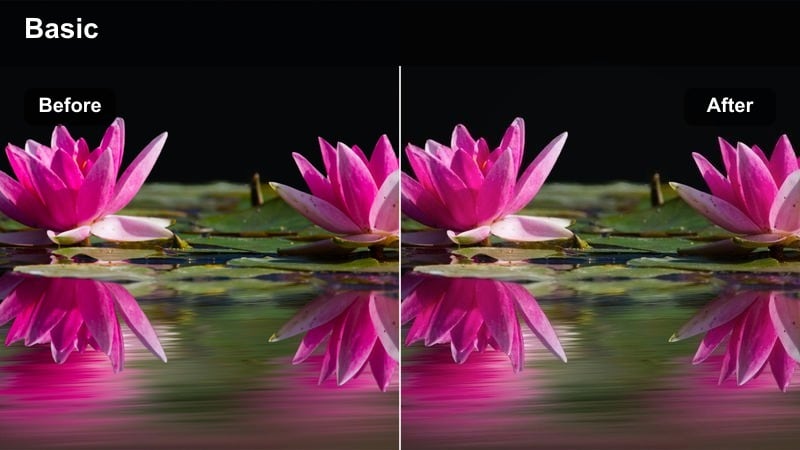
- Effect look: High-contrast, slightly grainy look that adds texture to handheld night vlogs without crushing detail.
- Best for: Fast-paced street vlogs, handheld tracking shots, and low-light alleys with sparse lighting.
- Editing tip: Apply your vlog LUT, then this filter, and reduce Filmora sharpening so the perceived texture comes from the grade rather than noise.
Gritty Night Run-N-Gun is designed for fast, handheld night shoots where you want a raw, energetic vibe. Stacked on top of a Fujifilm X-S20 vlog LUT in Filmora, it pushes contrast and adds a subtle textured feel so streetlights, signage, and shadowy corners all contribute to a documentary-style mood.
To keep the look intentional rather than noisy, use Filmora noise reduction before applying this filter, especially on high ISO clips. Reduce overall sharpening so the added texture comes from the grading, not sensor grain, and consider lifting shadows slightly if alleyways and side streets start to lose too much detail.
Travel B-Roll, City Montages, and Transitions
Urban Travel Postcard
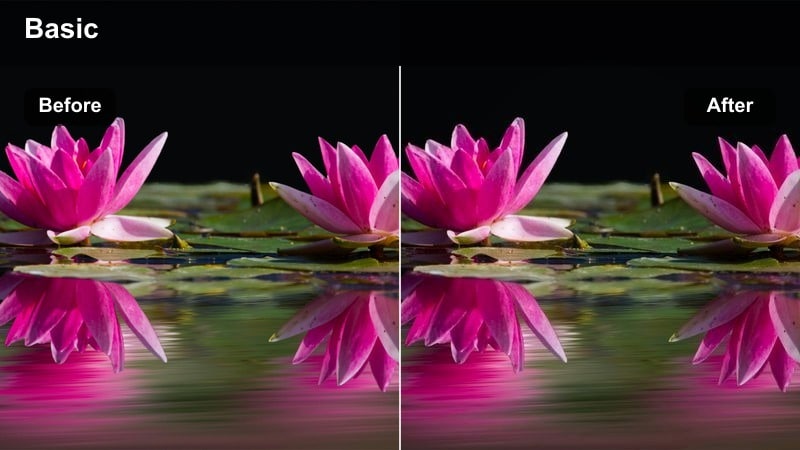
- Effect look: Vibrant, postcard-like color with medium contrast that makes landmark buildings and skies stand out.
- Best for: City landmarks, wide establishing shots, and quick montage sequences in travel vlogs.
- Editing tip: Use a versatile Fujifilm X-S20 vlog LUT, then add this filter and slightly reduce saturation of reds to keep brick buildings natural.
Urban Travel Postcard turns your establishing shots and cityscapes into bold, shareable visuals that look great as thumbnails or montage openers. With a Fujifilm X-S20 vlog LUT providing the base, this filter adds vibrancy and moderate contrast so skies, plazas, and iconic buildings pop while still feeling believable.
When editing in Filmora, apply this filter across all your landmark and skyline clips in a sequence to maintain a cohesive look. If reds in brick walls or signage become too intense, pull back red saturation and luminance slightly in HSL so architectural detail remains natural, letting the overall scene feel colorful but not cartoonish.
Metro Motion Blend
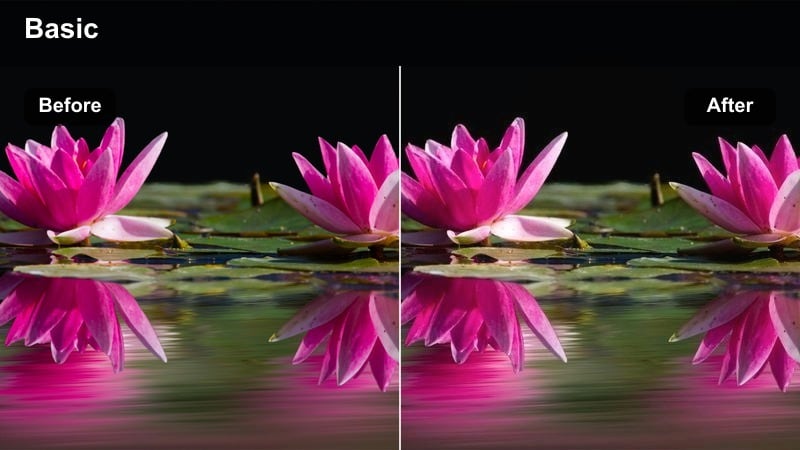
- Effect look: Slight motion blur feel with gentle contrast and cool highlights for dynamic metro and train footage.
- Best for: Subway rides, train windows, and escalator shots that introduce a new city or neighborhood.
- Editing tip: Combine your Fujifilm X-S20 vlog LUT with this filter and use Filmora speed ramps to emphasize movement through the city.
Metro Motion Blend is tailored to scenes where the environment is sliding past your lens, such as trains, subways, and escalators. After normalizing exposure and color with a Fujifilm X-S20 vlog LUT, this filter adds a cool-toned sheen and gentle contrast that enhance streaked lights and moving reflections without overwhelming your subject.
In Filmora, pair this filter with speed ramping on selected clips to emphasize starts, stops, and changes of pace in your travel narrative. Keep midtones balanced so interior train details and your reflection in the window remain visible, using exposure and highlight sliders to prevent bright station lights from blowing out.
City Transition Matte
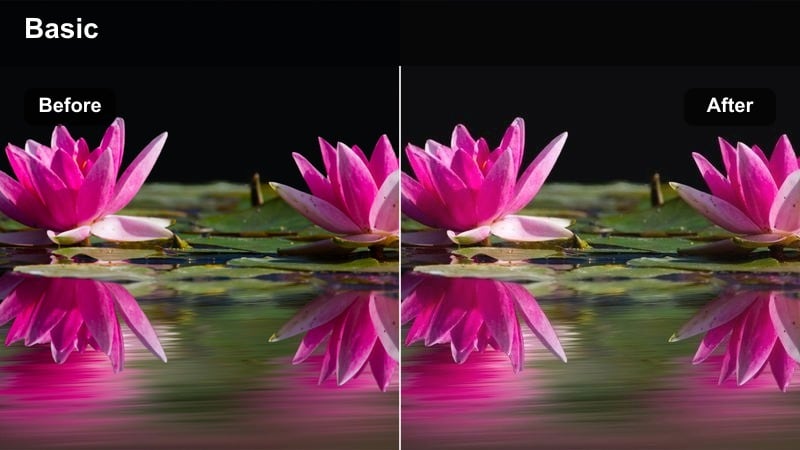
- Effect look: Matte, low-saturation film look that makes whip pans and object reveals feel more cinematic.
- Best for: Whip-pan transitions, passing behind poles or signs, and POV walking shots between locations.
- Editing tip: Apply your vlog LUT, cut transitions first, then add this filter to all involved clips so color remains consistent across the move.
City Transition Matte is built to smooth out the visual jump between locations by giving your connecting shots a unified, filmic style. Once your Fujifilm X-S20 footage is corrected with a vlog LUT, this filter lowers contrast, adds a matte finish, and gently mutes saturation so whip pans, object reveals, and POV walks feel cohesive.
In Filmora, first assemble your transitions — such as passing behind a sign or whipping from one street to another — then apply this filter to all clips that participate in the move. This makes color and contrast match across the cut, helping transitions feel intentional and cinematic rather than jarring.
Tips for Using Fujifilm X-S20 Vlog Luts Filters in Filmora
- Always apply your Fujifilm X-S20 vlog LUT as a base correction layer in Filmora before stacking creative filters on top.
- Use Filmora scopes to keep skin tones along a natural hue line while you experiment with saturation and contrast changes.
- Save your favorite LUT-plus-filter combinations as custom presets so new vlog projects start from a consistent visual style.
- Shoot slightly flatter and a bit darker in-camera on the X-S20 to protect highlights, then rebuild contrast using LUTs and filters.
- Organize filters on adjustment layers by time of day — morning, golden hour, night — so you can toggle full looks on or off quickly.
- When mixing cameras with the X-S20, match exposure and white balance first, then apply the same LUT and filter stack and fine-tune per clip.
- Test filter intensity between 40 and 80 percent; subtle adjustments often look more professional than full-strength effects.
- Export still frames from key scenes to compare different LUT and filter combos side by side before committing to a look for a full vlog.
With the right mix of Fujifilm X-S20 vlog LUTs and Filmora filters, you can move from flat log footage to a polished, channel-ready grade in just a few steps.
Treat this filter set as a toolkit, adapt the intensity for each scene, and you will quickly develop a recognizable visual identity for your vlogs.
secure download