

 100% Security Verified | No Subscription Required | No Malware


 ChatGPT
 Perplexity
 Gemini
 Claude
 Grok
Grok
If you love the timeless color science of Fujifilm, these Filmora filters are built to echo popular Fujifilm X100V film look LUTs without the complexity of full color grading. Each look is tuned for creators who want Fuji-style tones straight out of the edit.
Below you will find 12 scene-based film looks for videographers and creators, from soft street documentary to rich cinematic night, all inspired by Fujifilm color and ready to drop onto your footage inside Filmora.
In this article
Soft Daylight Street Stories
Fujifilm Soft Chrome Street
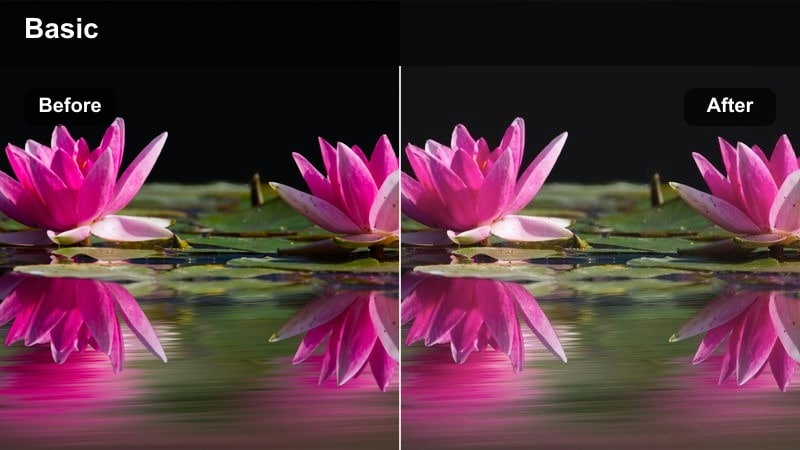
- Effect look: Muted chrome tones with gentle contrast and pastel highlights inspired by Fujifilm street profiles.
- Best for: Casual daylight city walks, travel vlogs, and slow-paced street storytelling shots.
- Editing tip: Lower clarity slightly and lift the shadows a touch to keep skin tones soft while preserving street detail.
This filter brings a pastel chrome character to your daylight footage, softening hard edges while keeping signage, crosswalks, and background buildings readable. It echoes the way popular Fujifilm X100V recipes handle overcast or lightly diffused light, turning busy streets into relaxed, cinematic frames without heavy grading work.
In Filmora, drop this look on your main street layer, then nudge the contrast down and shadows up for an airy, Fuji-like roll-off. If your subject is a person moving through the frame, fine-tune exposure so skin sits comfortably in the midtones, and consider adding a subtle film grain effect to complete the understated analogue mood.
Match Fujifilm X100V Film Looks with Filmora's AI Color Tools
After you apply these Fujifilm X100V film look LUT-style filters, Filmora's AI color tools help you correct white balance, fix exposure issues, and refine your overall tone in a few clicks. This is ideal when your street clips come from mixed cameras or different days of shooting.
Use AI-assisted color matching to pull varied footage toward a unified Fuji-inspired palette, so everything in your timeline feels like it came from the same creative vision. Let the AI handle the technical balancing while you focus on framing and pacing.
 secure download

Preview Fuji-Style Filters on Your Footage Instantly
Filmora's real-time preview lets you scroll through these Fuji-inspired filters while your clip plays back, so you can see immediately how each look treats sky, pavement, and skin tones. This makes it easy to pick the exact mood you want for a scene without guesswork.
Toggle filters on and off, compare them side by side, and dial intensity up or down to taste. The live preview workflow keeps your edits fast and intuitive while you experiment with different Fujifilm-style directions.
secure download1000+ Video Filters and 3D LUTs
Beyond these Fujifilm X100V film look LUT-style presets, Filmora includes a large library of creative filters, overlays, and 3D LUTs for every genre. You can mix Fuji-style looks with cinematic, vintage, or social-ready effects to customize your final grade.
Stack multiple filters on adjustment layers, then fine-tune opacity and blend modes to create a signature color style that still nods to classic Fujifilm simulations but feels uniquely yours.
secure downloadFujifilm Neutral Pro Daylight
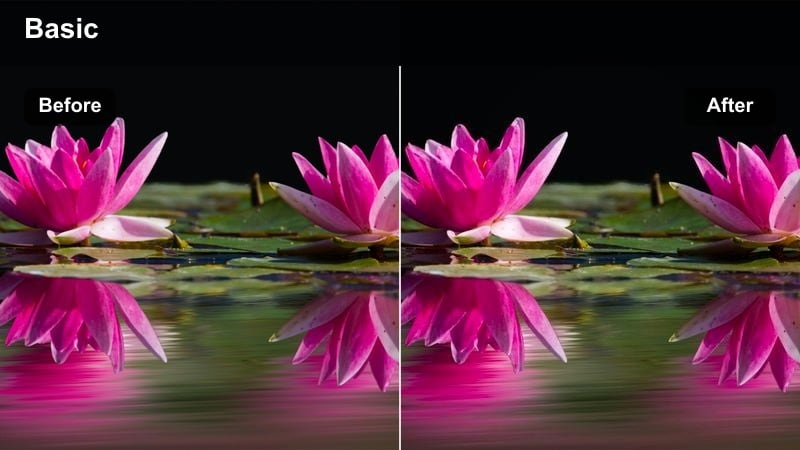
- Effect look: Balanced neutral film look with controlled saturation and smooth midtones ready for light grading tweaks.
- Best for: Run-and-gun city B-roll, casual creator pieces, and talking-heads near windows or storefronts.
- Editing tip: Use this as a base layer, then fine-tune skin tones with Filmora's HSL to nudge hue closer to classic Fujifilm warmth.
Fujifilm Neutral Pro Daylight is designed as a flexible base look that mimics the balanced tone curve of a Fuji-style profile while leaving space for personalized grading. It keeps saturation under control, protects midtones, and avoids harsh contrast, making it ideal for mixed lighting such as cafes and shopfronts.
Apply this filter at the start of your grade, then use Filmora's color tools to create your own repeatable recipe. A small bump in warmth and a gentle S-curve can push footage toward a classic X100V vibe, and once you are happy with the result, save it as a custom preset for your channel or client work.
Fujifilm Soft Documentary
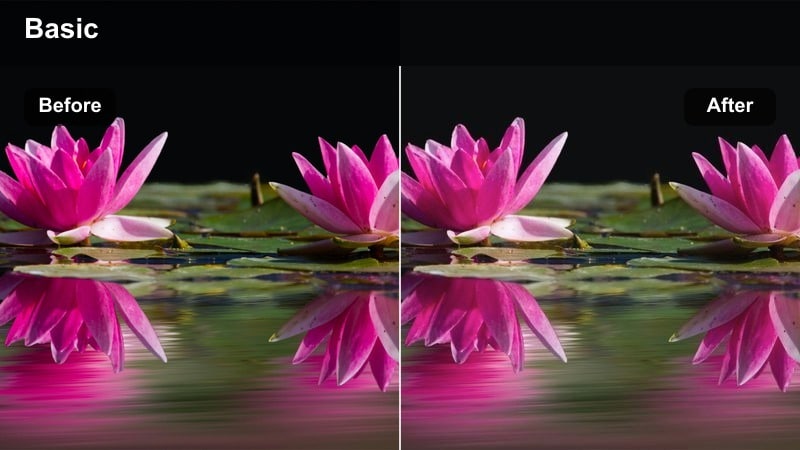
- Effect look: Low-contrast, lightly desaturated film look with lifted blacks and gentle roll-off in highlights.
- Best for: Street documentaries, social mini-docs, and human-focused stories in soft daytime light.
- Editing tip: Reduce sharpness a bit and add a hint of film grain in Filmora to emphasize the documentary, analogue feeling.
This soft documentary preset is tuned for honest, human-centered stories that benefit from a slightly flatter, more forgiving aesthetic. Lifted blacks and muted saturation soften busy backgrounds while keeping enough structure in faces and clothing for a natural, cinematic feel.
In Filmora, pair this filter with reduced sharpness and a light grain overlay for an authentic reportage look reminiscent of analogue Fuji stocks. It works especially well on handheld sequences and street interviews, where you want viewers to focus on emotion and narrative rather than punchy, high-contrast colors.
Golden Hour City Glow
Fujifilm Golden Classic
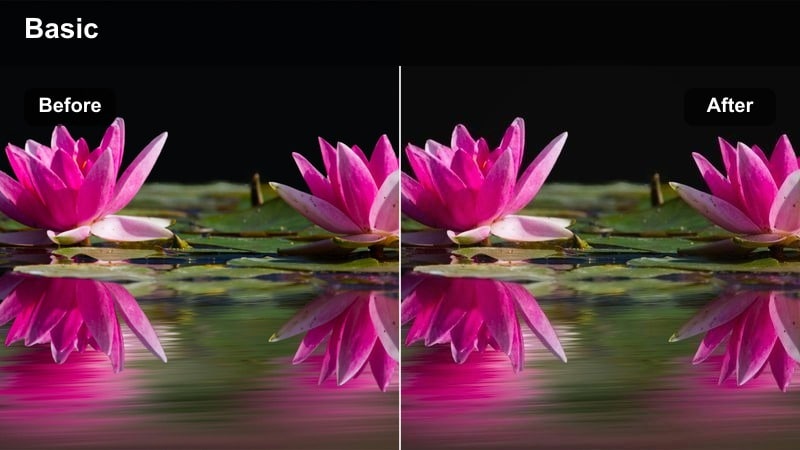
- Effect look: Warm, nostalgic golden-hour film look with rich midtones and a slight halation feel in highlights.
- Best for: Sunset street portraits, rooftop scenes, and city skyline shots bathed in orange light.
- Editing tip: Gently push temperature warmer and lift saturation in the orange channel for a classic Fuji sunset glow.
Fujifilm Golden Classic is built to amplify natural sunset light with a rich, amber warmth that flatters skin and emphasizes architectural silhouettes. The look adds depth to midtones while keeping highlights smooth, so sun flares and reflections feel cinematic rather than blown out.
Use this preset on rooftop sessions, skyline B-roll, and golden-hour walk-and-talks, then fine-tune warmth and orange saturation inside Filmora. If your sky is very bright, slightly lowering highlights after applying the filter will preserve cloud detail while maintaining that Fuji-style evening glow.
Fujifilm Urban Orange Teal
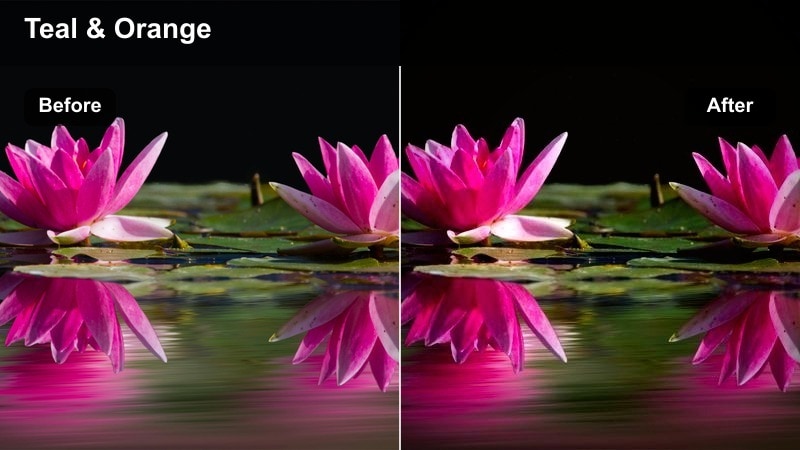
- Effect look: Stylized orange-and-teal film look with Fuji-inspired skin tones and cyan urban shadows.
- Best for: City B-roll, skate videos, and creator intros shot against colorful walls or traffic.
- Editing tip: Lower overall saturation slightly if the teal becomes too strong, focusing on keeping skin natural and flattering.
Fujifilm Urban Orange Teal delivers a modern, cinematic contrast between warm subjects and cool city shadows while protecting a Fuji-like skin tone balance. It turns concrete, tunnels, and underpasses into teal-tinted backdrops that make people and headlights pop.
Drop this filter onto dynamic city sequences in Filmora, then check skin in the scopes and preview window to ensure faces remain natural. If the teal push feels heavy, gently reduce saturation and use HSL controls to tame cyan in the shadows while keeping the overall stylized mood intact.
Fujifilm Amber Street Glow
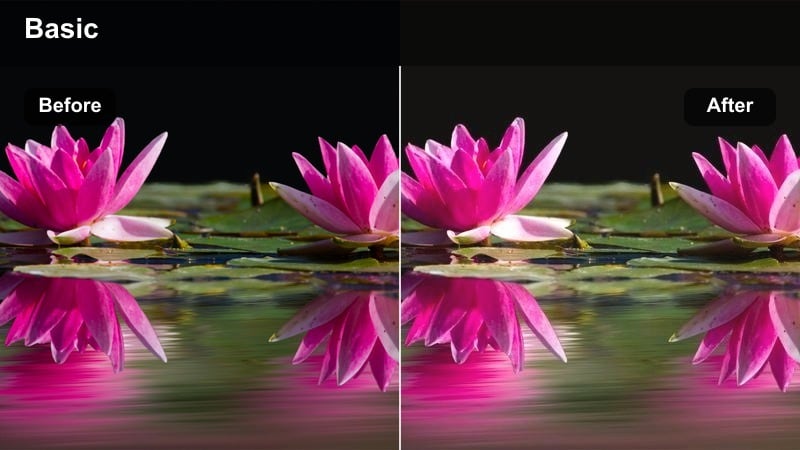
- Effect look: Soft amber cast with lowered contrast and gently faded shadows, reminiscent of warm film stock.
- Best for: Handheld city walks, vintage-feel travel sequences, and warm lifestyle b-roll.
- Editing tip: Lift blacks slightly and add a small vignette to emphasize the nostalgic mood around your subject.
Fujifilm Amber Street Glow wraps your footage in a gentle amber tone, evoking vintage travel film and late-afternoon warmth. Contrast is slightly reduced and shadows are softened, so streets, cars, and storefronts look like they are bathed in a subtle, timeless haze.
In Filmora, use this preset on walking POV shots, lifestyle sequences, and memory-style cutaways, then refine the fade by lifting blacks or adding a vignette around your subject. Keep saturation moderate so the amber hue enhances rather than overwhelms your original color, maintaining a tasteful, Fuji-inspired charm.
Moody City Nights and Neon Scenes
Fujifilm Neon Bleach Bypass
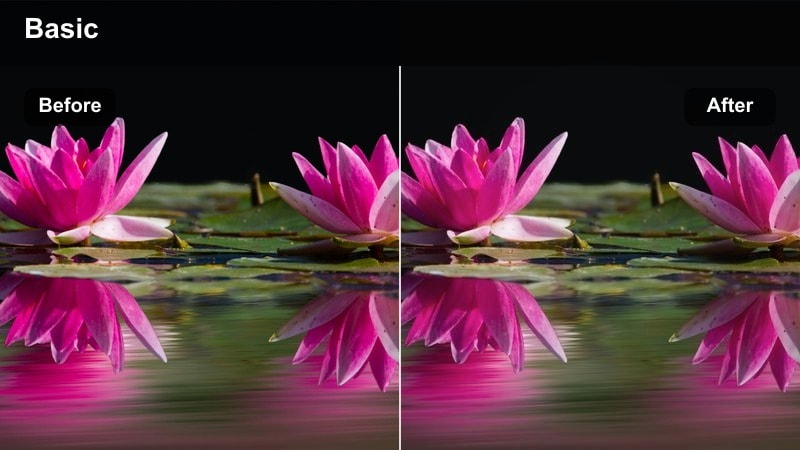
- Effect look: High-contrast, slightly desaturated bleach bypass effect with punchy neon highlights.
- Best for: Rainy night streets, neon alleys, and cyberpunk-style city sequences.
- Editing tip: Drop saturation in greens and boost magenta to keep signs and reflections feeling stylized but still legible.
This preset leans into a gritty bleach bypass aesthetic that makes neon signs and reflections jump out of a darker frame. Colors are pulled back slightly while contrast climbs, producing a stylized, cinematic night atmosphere that pairs well with wet asphalt and tight alleys.
Apply Neon Bleach Bypass in Filmora to your night B-roll, then tweak saturation by color range: reduce greens if they distract, and add a touch of magenta to highlight key signage. If shadow noise becomes visible, combine the look with light noise reduction on darker areas to keep the image punchy yet polished.
Fujifilm Classic Night
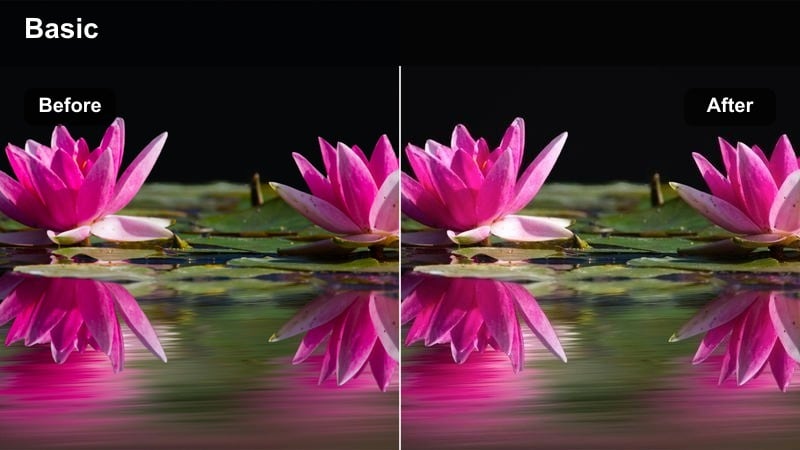
- Effect look: Soft-contrast night filter with warm skin tones and slightly cooled city shadows.
- Best for: Evening street portraits, handheld ambient city clips, and date-night vlogs.
- Editing tip: Raise exposure slightly and reduce contrast to avoid crushed blacks, mimicking the forgiving curve of Fuji sensors.
Fujifilm Classic Night is tuned to keep faces inviting and detailed while allowing the city to fall into softer, cooler shadows. It is ideal for handheld night walks, couple shots, and social vlogs where the subject should feel cozy against a moody urban backdrop.
Use this preset on any scene lit by street lamps, shop windows, or car headlights, then nudge exposure up just enough to preserve detail in skin and clothing. In Filmora, ease off the contrast slider if you notice crushed blacks, so the tone curve matches the gentle, forgiving feel associated with Fuji night imagery.
Fujifilm Rainy Noir
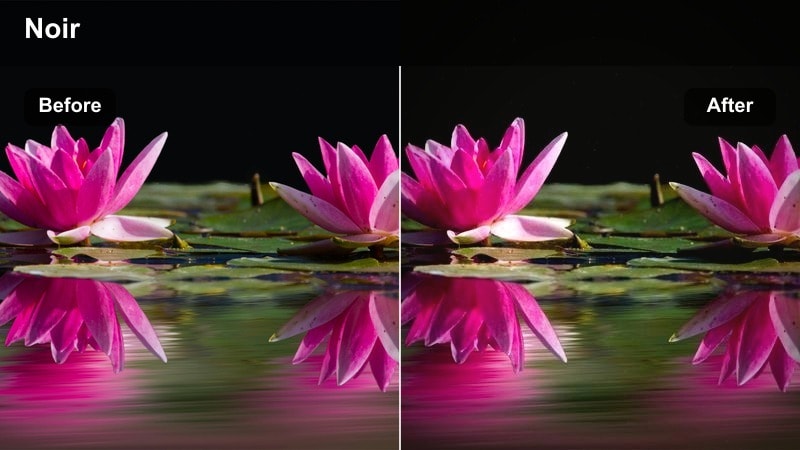
- Effect look: Cool-toned, contrasty film noir look with glossy reflections and soft highlight bloom.
- Best for: Rainy intersections, umbrellas in traffic, and noir-style narrative sequences.
- Editing tip: Add a subtle blur overlay on a duplicate track and reduce opacity for a more cinematic bloom on wet streets.
Fujifilm Rainy Noir channels a classic film noir sensibility with cool shadows, crisp contrast, and luminous reflections on wet pavement. It pushes your frame toward a stylized, story-driven mood that works especially well for traffic scenes, silhouettes, and slow-moving characters.
In Filmora, apply this filter to your rain-soaked night footage and consider duplicating the clip on a higher track with a slight blur, then lowering that layer's opacity to create a soft bloom. Adjust the amount of contrast to taste, keeping enough separation between lights and darks while avoiding unnatural clipping in highlights.
Monochrome and Archival Film Vibes
Fujifilm Classic Monochrome
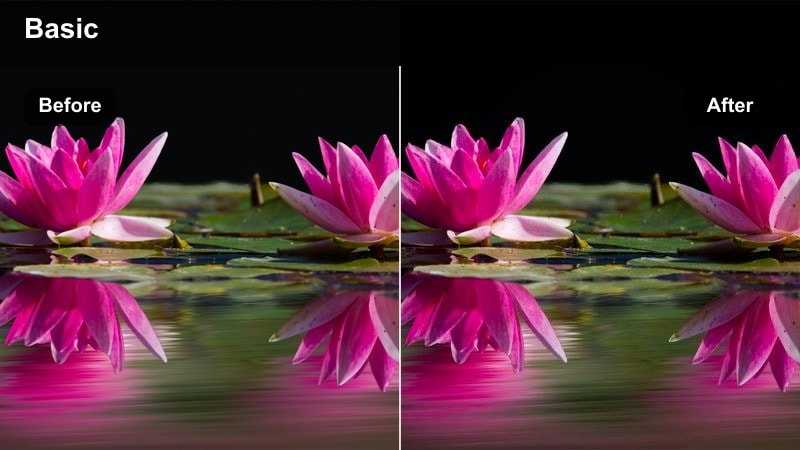
- Effect look: Timeless black-and-white film look with deep blacks, crisp midtones, and subtle grain-like texture.
- Best for: Street photography-style video, city architecture studies, and moody creator monologues.
- Editing tip: Increase local contrast slightly to make building lines and facial features stand out more dramatically.
Fujifilm Classic Monochrome strips away color to emphasize shapes, light, and texture, much like traditional Fuji black-and-white film stock. Rich blacks and defined midtones add drama to architecture, alleyways, and close-up portraits, making even simple scenes feel intentional.
Apply this preset in Filmora when you want a documentary or fine-art mood, then use contrast or clarity controls to fine-tune edges and micro-contrast. A small overlay of film grain can enhance the analogue illusion, especially when combined with slow pans, locked-off shots, or introspective talking-head segments.
Fujifilm Faded Archive
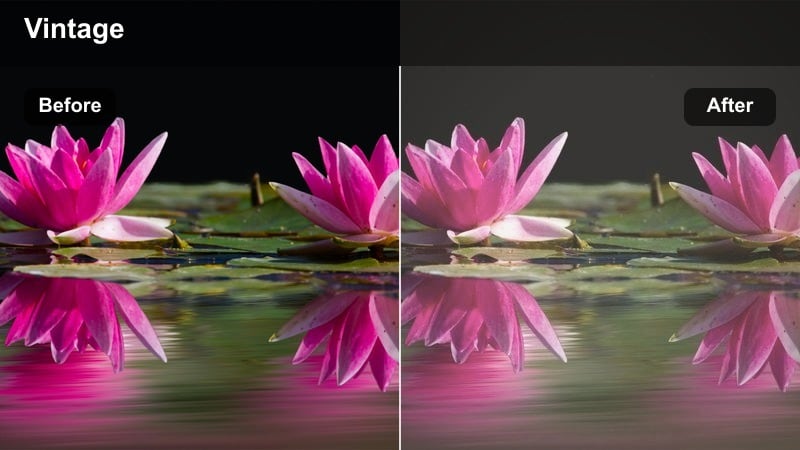
- Effect look: Soft, slightly washed-out archival film look with milky blacks and desaturated city tones.
- Best for: Memory sequences, travel recaps, and story flashbacks filmed in urban environments.
- Editing tip: Lower saturation a bit more and add a touch of vignette to fully commit to the old-film, found-footage atmosphere.
Fujifilm Faded Archive gives modern city footage the character of aged film pulled from storage, with softened blacks and reduced color intensity. It is ideal for flashbacks, reflective moments, or recap sequences where you want to signal a shift in time or memory.
Use this preset selectively on certain clips in Filmora to separate past from present within your edit. You can deepen the archival feeling by gently lowering contrast, desaturating further, and introducing film grain or dust overlays from Filmora's effects library.
Fujifilm Soft Color Memoir
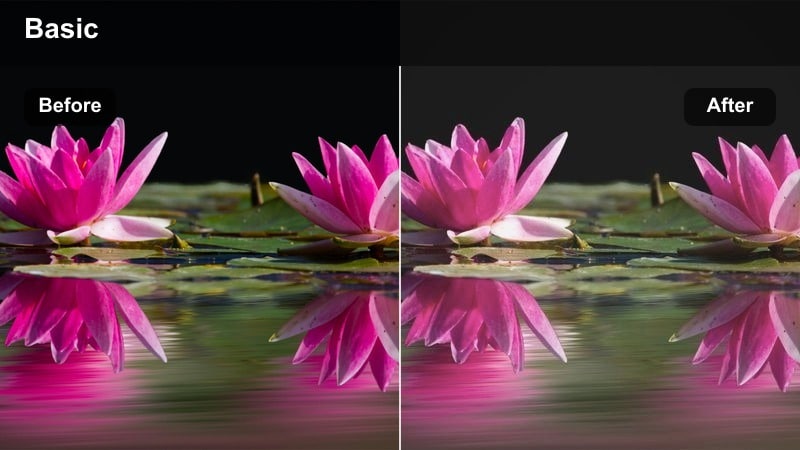
- Effect look: Pastel color film look with low contrast and a slight cyan shift in shadows for dreamy city memories.
- Best for: City diary videos, nostalgic montages, and reflective voice-over scenes.
- Editing tip: Trim highlights slightly and keep exposure modest to avoid losing the delicate pastel feeling in bright areas.
Fujifilm Soft Color Memoir creates a gentle, dreamy wash over your footage, turning bold city colors into soft pastels with subtle cyan-tinted shadows. It works especially well for journal-style edits, emotional B-roll, and sequences that accompany reflective voice-overs.
In Filmora, apply this filter to clips where you want a calm, introspective mood, then manage exposure carefully so highlights do not overpower the pastel palette. Pair it with slow motion or smooth camera moves to keep the visuals aligned with the relaxed, memory-like atmosphere.
Tips for Using Fujifilm X100v Film Look Luts Filters in Filmora
- Shoot with a slightly flatter in-camera profile so these Filmora filters can add controlled contrast and protect highlights and skin tones.
- After applying stylized looks like orange-teal or bleach bypass, double-check skin tones and refine them in Filmora's HSL controls if they drift too far.
- Save your favorite combinations of filter intensity, contrast, and warmth as custom presets to keep a consistent Fujifilm-inspired style across projects.
- Use adjustment layers or masks to target Fuji-style filters to specific areas such as skies, backgrounds, or reflections while keeping your subject clean.
- Test each preset on a short sequence shot in different lighting so you understand how it behaves before committing it to an entire timeline.
- Combine these filters with Filmora's film grain, vignette, and blur effects to reinforce analogue, archival, or noir aesthetics when needed.
- Balance AI color tools with manual tweaks, letting AI handle matching while you refine final contrast and hue to taste.
- Monitor exposure and highlight detail in scopes when pushing warm or high-contrast looks so your Fuji-style grade stays cinematic, not clipped.
These Fujifilm X100V film look LUT-style filters give videographers and creators a fast path to Fuji-inspired color, whether you are filming quiet street moments, neon-soaked nights, or nostalgic city memories. Each look is tuned to capture a specific mood while staying easy to apply inside Filmora.
Load them into your timeline, experiment with subtle adjustments, and build a consistent visual identity that carries across every video you release. With Filmora's filters, LUT support, and AI color tools, you can get timeless, Fujifilm-like results in just a few minutes of grading.
secure download