

 100% Security Verified | No Subscription Required | No Malware


 ChatGPT
 Perplexity
 Gemini
 Claude
 Grok
Grok
These Fujifilm XT4 cinematic LUTs and Filmora filter ideas are tailored for videographers and creators who want rich color, clean contrast, and a polished filmic look straight from their Fujifilm footage.
Use this guide as a style map: each filter concept is designed around real shooting scenarios with the XT4 so you can quickly match your scene, dial in a cinematic grade, and keep a consistent visual identity across your projects.
In this article
Golden Hour Streets and Natural Light Moments
Sunlit Urban Amber
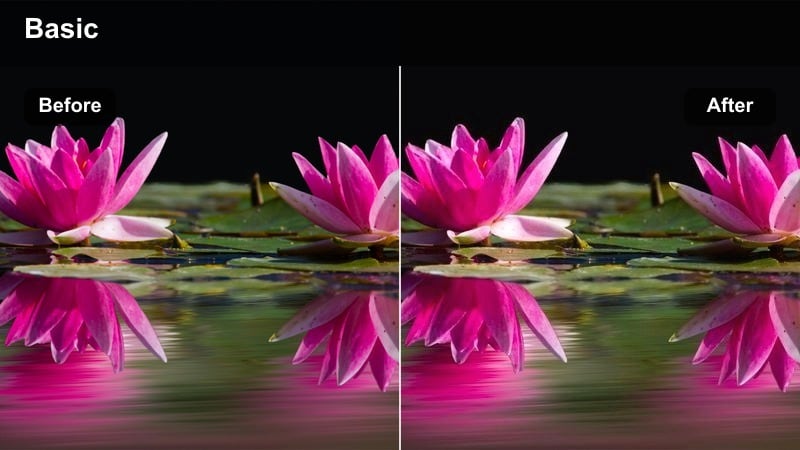
- Effect look: Warm, glowing highlights that turn late-afternoon city light into a soft amber wash.
- Best for: Handheld XT4 walks through sunlit streets, backlit portraits, and city b-roll at golden hour.
- Editing tip: Lower contrast slightly and add a touch of film grain in Filmora to prevent harsh shadows while keeping a cinematic flare.
This filter leans into the natural warmth of golden hour, gently amplifying the amber hues in your XT4 footage while keeping midtones smooth and flattering. In Filmora, it works especially well with soft backlight and lens flares, wrapping subjects in a glow that feels cinematic instead of overly saturated.
For best results, start with a slightly underexposed XT4 image to preserve highlights, then apply the filter and fine-tune exposure with the Color panel. If skin tones drift too orange, use HSL to tame oranges and yellows, keeping faces natural while buildings, pavement, and sky carry most of the warmth.
Let AI Suggest Cinematic Color Palettes for Your XT4 Footage
Filmora s AI-driven color tools can quickly analyze your Fujifilm XT4 clips and propose mood-based color palettes that match your scene, whether you are shooting warm golden streets or cool blue nights. This gives you a strong visual direction before you even start manual grading.
Use these AI suggestions as a flexible base, then layer your favorite Fujifilm XT4 cinematic LUTs and the filters in this guide to refine contrast, saturation, and skin tones until the look feels like your signature style.
 secure download

Preview Filters on Real Fujifilm XT4 Clips
Inside Filmora, you can hover over filters on the timeline and instantly preview how each look transforms your XT4 footage. This lets you compare subtle pastel grades against bold, contrasty styles without constantly applying and undoing effects.
Test a few golden-hour and night-city presets on the same clip, then commit to the option that best matches your story pacing and overall brand color direction.
secure download1000+ Video Filters and 3D LUTs
Filmora includes a large library of video filters and 3D LUTs that pair perfectly with Fujifilm XT4 footage, from cinematic film stocks to stylized color treatments. You can stack multiple effects for a layered grade while still keeping control over intensity.
Use a technical XT4 LUT to normalize color first, then add creative filters on top to shape mood, deepen contrast, and maintain consistent style across different lighting conditions.
secure downloadSoft City Pastel
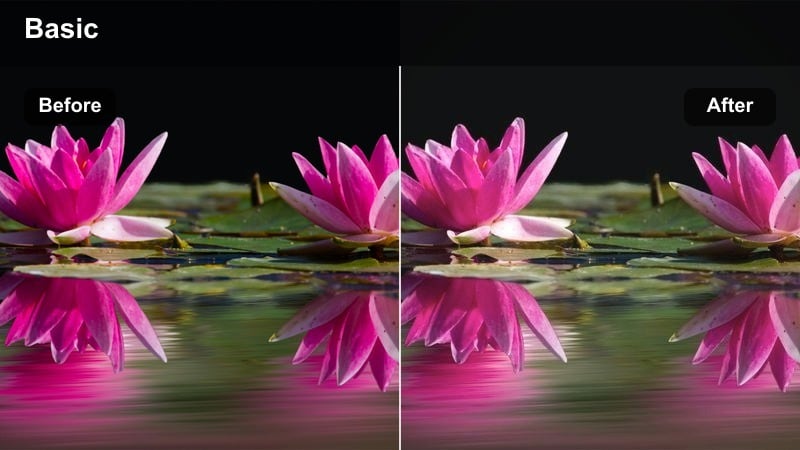
- Effect look: Muted contrast with pastel tones and gentle roll-off in highlights for a dreamy street film look.
- Best for: Lifestyle vlogs, casual XT4 travel clips, and slow-motion city details shot in soft natural light.
- Editing tip: Reduce clarity just a touch and lift the blacks to keep shadows soft, then fine-tune saturation by lowering primary reds and blues.
This filter transforms everyday XT4 city footage into something closer to a romantic, indie film by softening contrast and reducing aggressive primary colors. Buildings, pavement, and sky take on pastel shades while retaining enough detail to keep the image from looking flat.
In Filmora, apply the filter first, then slightly decrease clarity and sharpen only as needed to avoid a plastic look. Use the HSL panel to tone down reds and blues, keeping signage and clothing controlled while skin tones stay natural and gently warm.
Sunset Copper Grade
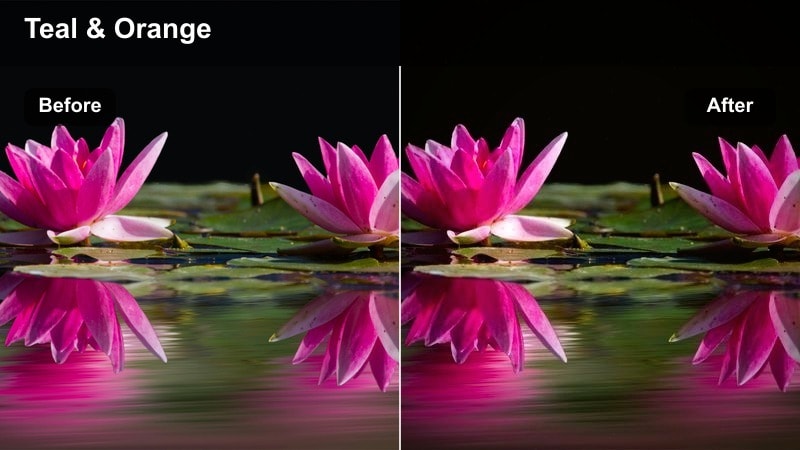
- Effect look: Cinematic copper-orange mids and teal-shifted shadows that echo a blockbuster sunset palette.
- Best for: XT4 gimbal moves across city skylines, rooftop portraits, and skyline silhouettes shot at dusk.
- Editing tip: Push a subtle teal into the shadows and keep midtones warm; balance the look by checking skin tones with the vectorscope if available.
This filter creates a dramatic teal-and-copper split that feels instantly cinematic, perfect for XT4 sunset and blue-hour sequences. Midtones and highlights lean toward rich copper, while shadows adopt a cooler teal cast that adds depth and separation between subject and background.
In Filmora, start from F-Log or a flat profile if possible to maximize dynamic range before applying the filter. If the grade feels too stylized, reduce the effect intensity and gently add back neutral contrast, ensuring that skyline details, clouds, and faces maintain believable color while still carrying the blockbuster mood.
Neon Nights and Moody City After Dark
Neon Focus
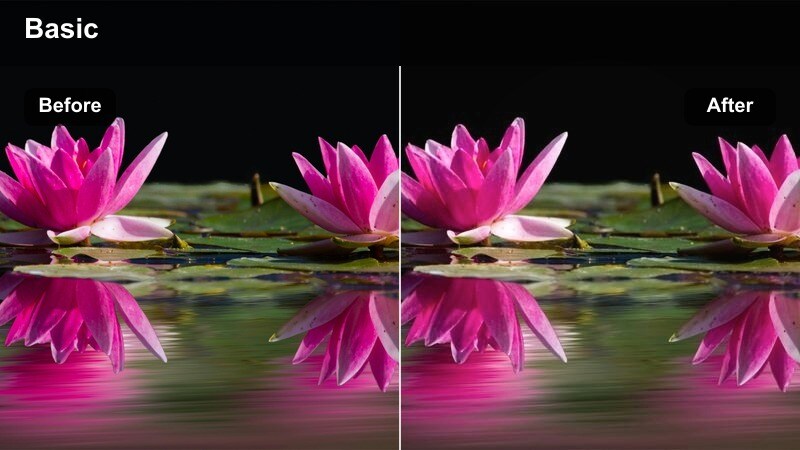
- Effect look: Punchy neon colors with lifted blacks and soft halation around bright signs and store fronts.
- Best for: XT4 low-light street scenes with neon signs, storefront reflections, and slow-motion details in the rain.
- Editing tip: Boost saturation only in magenta and cyan, then raise the shadow level slightly to avoid crushed details in dark alleys.
This filter amplifies neon signage and reflections, turning your XT4 night city footage into a vivid, color-soaked environment while keeping noise under control. Blacks are lifted just enough to preserve detail in shadow areas, helping you avoid muddy, crushed alleys and doorways.
Apply the filter in Filmora, then selectively push saturation for magenta and cyan tones so signs, shop windows, and reflections pop without oversaturating skin. A gentle vignette and slight blur around the brightest elements can strengthen the illusion of halation, drawing attention straight to the neon focal points.
Noir Street Matte
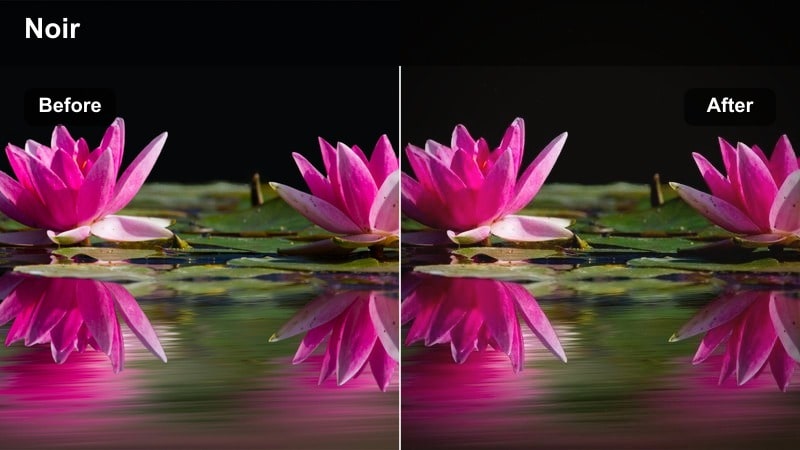
- Effect look: Desaturated shadows, deep contrast, and a subtle matte curve that channels a modern noir thriller vibe.
- Best for: Rainy XT4 alleyways, silhouettes under streetlights, and slow-paced narrative scenes at night.
- Editing tip: Lift the black point slightly for a matte feel, then selectively desaturate blues and greens to let skin and tungsten lamps stand out.
Noir Street Matte gives XT4 night scenes a gritty, cinematic backbone by scooping the blacks into a soft matte curve while preserving strong overall contrast. Colors in the shadows are desaturated, which keeps the image focused on shape, light, and emotion instead of distracting hues.
In Filmora, apply the filter, then fine-tune the black point to taste, balancing moodiness with readability in dark areas. Drop saturation in blues and greens, allowing skin tones, tungsten bulbs, and a few key colored elements to remain relatively vibrant so the frame has clear points of interest.
Midnight Teal Shift
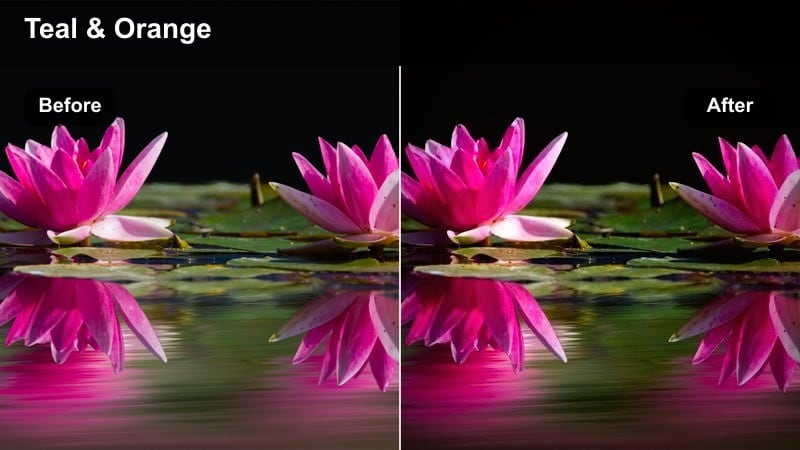
- Effect look: Cool teal-blue cast in midtones with neutral skin protection for sleek night city sequences.
- Best for: Downtown XT4 b-roll, car-mounted shots, and fast-paced montages under artificial lights.
- Editing tip: Apply the filter, then gently reduce the effect intensity on clips with mixed lighting so skin tones stay natural while the background stays cool.
This filter pulls your XT4 night footage into a clean, modern teal palette while maintaining realistic skin tones for characters and presenters. Streetlights, building windows, and road reflections take on a cohesive blue-green cast that feels high-end and cinematic.
In Filmora, add the filter at full intensity and then dial it back on shots that feature warm interior lighting or mixed-color sources. If faces start to look too cold, use masking or HSL adjustments to warm up skin while leaving the rest of the frame in that sleek, teal-tinted night atmosphere.
Daylight Documentary and Run-and-Gun Stories
Neutral Docu Balance
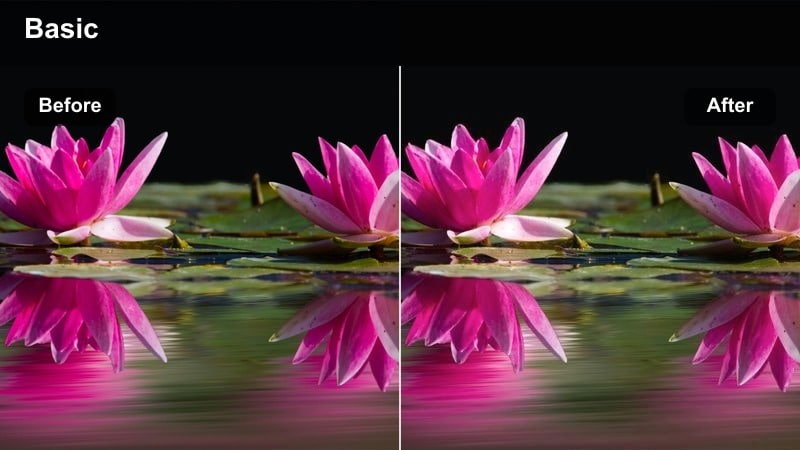
- Effect look: Clean, balanced color with gentle contrast and minimal stylization for professional documentary tone.
- Best for: XT4 interviews, corporate b-roll, and YouTube explainers shot in natural or soft artificial light.
- Editing tip: Use this filter as your base, then fine-tune exposure clip by clip in Filmora so your entire project feels consistent from scene to scene.
Neutral Docu Balance is designed to keep your XT4 footage honest, accurate, and professional, making it ideal for interviews, educational content, and brand pieces. It adds a light cinematic polish with gentle contrast and saturation boosts without pushing the image into a clearly stylized direction.
Apply the filter across your timeline in Filmora, then use the Color panel and exposure controls to match brightness and white balance between angles and locations. A subtle vignette and low-level sharpening can be added afterward to draw focus to faces and product details while keeping the overall look clean.
Soft Chrono Journal
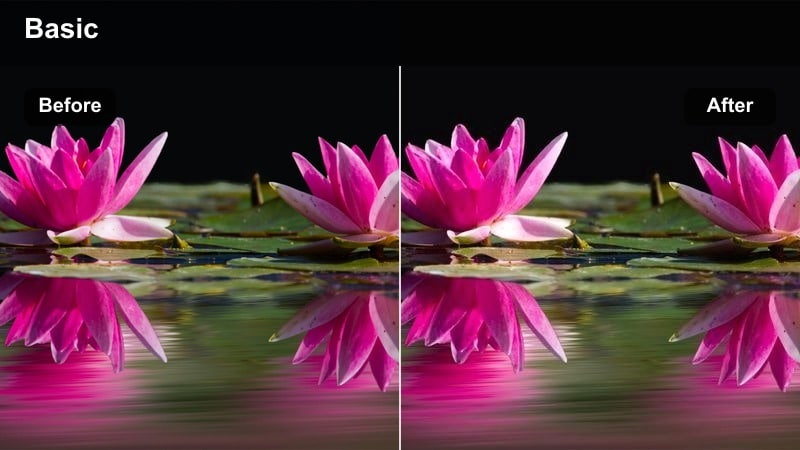
- Effect look: Low-contrast, slightly warm tones that feel like a calm visual diary rather than a heavy film grade.
- Best for: XT4 day-in-the-life vlogs, travel diaries, and handheld behind-the-scenes clips.
- Editing tip: Gently lower highlights and lift shadows to soften the image, then adjust warmth to taste while keeping whites close to neutral.
Soft Chrono Journal wraps your XT4 vlog and lifestyle clips in a gentle, memory-like aesthetic, reducing contrast so scenes feel airy and relaxed. Colors skew a touch warm without distorting whites, giving the impression of personal, candid footage instead of a heavily graded film.
In Filmora, apply the filter and then fine-tune highlight and shadow levels so bright windows are controlled and detail is preserved in midtones. A slight increase in warmth can reinforce the cozy, diary-style atmosphere, while keeping true whites neutral ensures your video still looks clean on modern displays.
Clean Studio Day
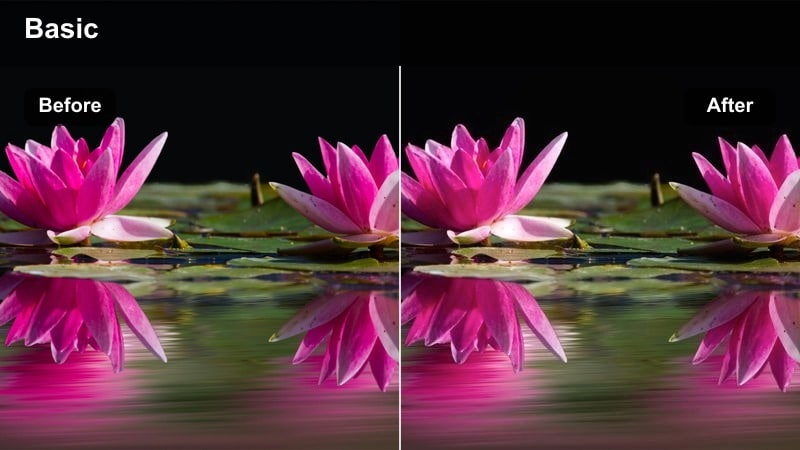
- Effect look: Bright, crisp color with neutral contrast that flatters skin tones and product shots under softboxes or windows.
- Best for: XT4 desk setups, overhead shots, and creator studio scenes meant for tutorials or sponsored segments.
- Editing tip: Use this filter, then add a light touch of sharpening and clarity while keeping saturation controlled so graphics remain legible.
Clean Studio Day is built for controlled lighting environments where clarity and color accuracy matter, such as XT4 tutorial setups and product reviews. It enhances brightness and micro-contrast just enough to make details pop while keeping saturation at a level that does not overpower on-screen graphics or text.
In Filmora, add the filter to all studio scenes, then tweak sharpness and clarity so text on screens, packaging, and UI elements stays crisp. Keep an eye on saturation; if brand colors or overlays start to compete with your subject, pull global saturation back a few points to restore balance.
Cinematic Travel Montages and City Skylines
Urban Travel Punch
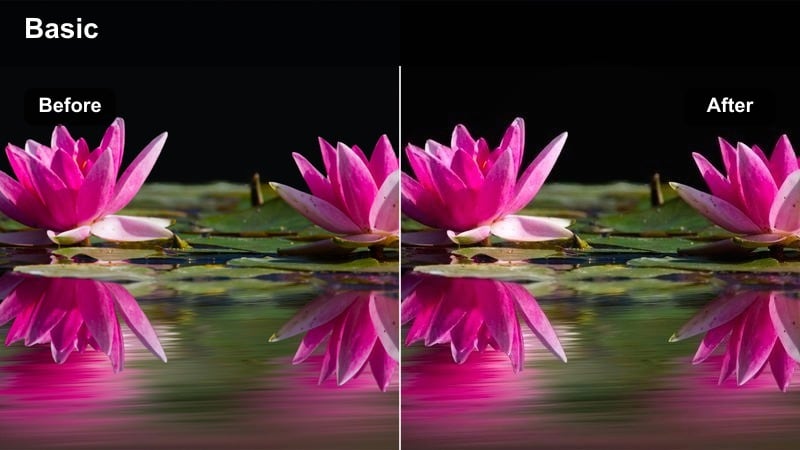
- Effect look: Vibrant, contrasty color that makes city skylines and street textures pop without looking cartoonish.
- Best for: XT4 travel montages, drone-style city reveals, and time-lapses of bustling intersections.
- Editing tip: Apply this filter, then slightly reduce global saturation and push local saturation in specific hues like cyan and yellow for a premium look.
Urban Travel Punch gives your XT4 city footage a bold, energetic finish that grabs attention in intros, reels, and highlight montages. Contrast is boosted to enhance building edges and street details, while colors remain controlled enough to avoid that oversaturated, social-media-filter feel.
In Filmora, place this filter on key montage clips, then nudge global saturation down a bit and selectively push saturation in cyans, yellows, or a signature brand color. Combine with rhythmic cuts and speed ramps, and you will have travel sequences that feel fast, cohesive, and commercially polished.
Hazy Metro Cinema
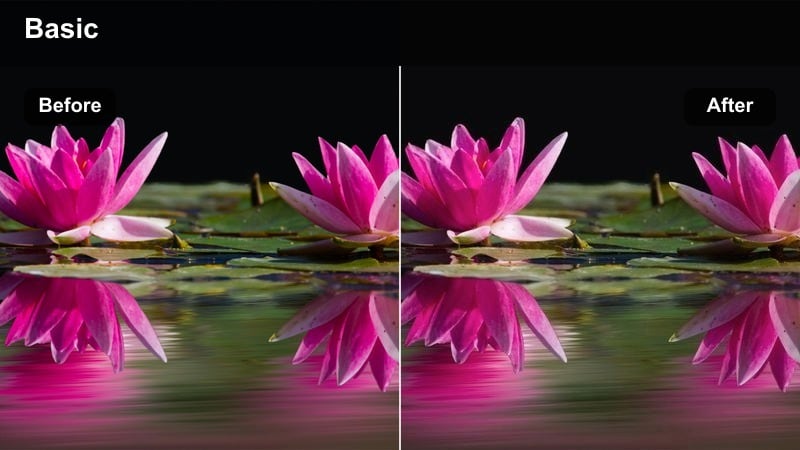
- Effect look: Lowered clarity with subtle haze and cool midtones for atmospheric metro rides and city overlook shots.
- Best for: XT4 subway scenes, window reflections, and high-rise views captured in overcast or hazy conditions.
- Editing tip: Dial down micro-contrast, then add a gentle cool tint in the midtones while keeping a slight warmth in highlights for depth.
Hazy Metro Cinema leans into atmospheric scenes by reducing clarity and injecting a hint of haze, creating the feel of a reflective, in-transit moment. Cool midtones add a sense of distance and introspection, while warm highlights keep sun glints and interior lights inviting.
In Filmora, apply the filter and then fine-tune the cool-warm balance, making sure skin and key subjects do not drift too blue. Combine it with slower cuts and smooth push-in animations on static shots to enhance the sense of calm, cinematic observation in your XT4 travel sequences.
Cinema City Logify
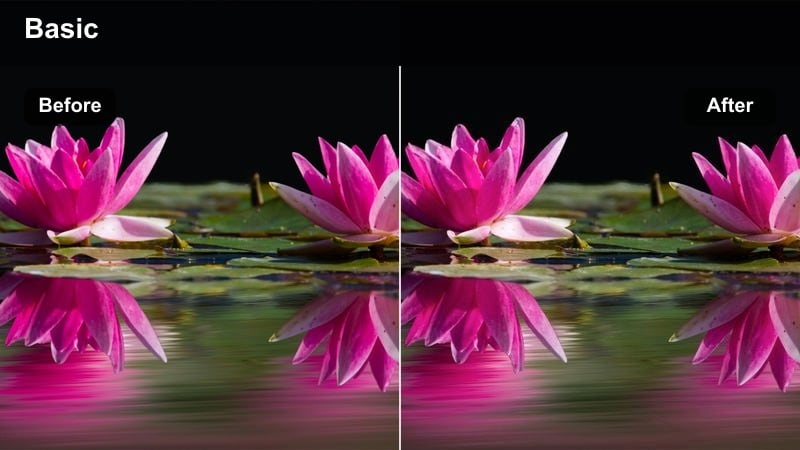
- Effect look: Film-inspired contrast curve and soft color separation tailored to XT4 F-Log or other flat profiles.
- Best for: XT4 F-Log city sequences, narrative shorts in urban settings, and stylized establishing shots.
- Editing tip: Start with a flat or log base, apply this filter, then fine-tune exposure using scopes or reference clips to dial in a consistent film look.
Cinema City Logify is built to convert flat Fujifilm XT4 footage into a rich, film-like image with controlled contrast and nuanced color separation. It works especially well on F-Log clips, giving you a quick path from washed-out captures to a polished cinematic baseline.
In Filmora, apply the filter as your first creative step after basic exposure and white balance correction, then refine midtones and shadows so detail is preserved across buildings, streets, and skies. Once your base film look is locked, you can stack additional filters or LUTs at reduced intensity to nudge the grade toward warmer, cooler, or more stylized variations without breaking consistency.
Tips for Using Fujifilm Xt4 Cinematic Luts Filters in Filmora
- Shoot a short XT4 test scene in each lighting condition you use most, then build custom filter and LUT combos in Filmora and save them as presets.
- Keep an eye on skin tones when using strong cinematic filters, and if faces look off, ease back the effect or adjust the HSL sliders.
- Use consistent white balance settings in-camera on the XT4 so your filters behave predictably across all your clips.
- Mix subtle film grain and vignettes with these filters sparingly; a little texture goes a long way for a cinematic impression.
- Organize your Filmora presets by shooting scenario, such as golden hour, night neon, and studio, to speed up grading on future XT4 projects.
With a focused set of Fujifilm XT4 cinematic LUTs and Filmora filters, you can move from flat footage to polished, story-driven visuals in just a few clicks.
Experiment with these looks on different city and studio scenarios, then refine the combinations that fit your voice so every XT4 project feels unmistakably yours.
secure downloadNext: Fujifilm XH2 LUT Pack
