

 100% Security Verified | No Subscription Required | No Malware

Green And Charcoal Hr Software Color combines the dependable, natural character of green with the polished strength of charcoal. Green can suggest growth, balance, trust, and fresh thinking, while charcoal adds structure, professionalism, and visual depth. Together, they create a flexible look for HR software brands, workplace stories, product videos, and modern digital content.
These Green And Charcoal Hr Software Color color palettes with HEX codes are useful for creators, designers, marketers, and Filmora users. Apply them to video branding, thumbnails, intros, lower thirds, UI mockups, social media graphics, and presentation visuals to create a consistent identity across every project.
In this article
Elegant And Modern Green And Charcoal Hr Software Color Palettes
Emerald Office Luxe
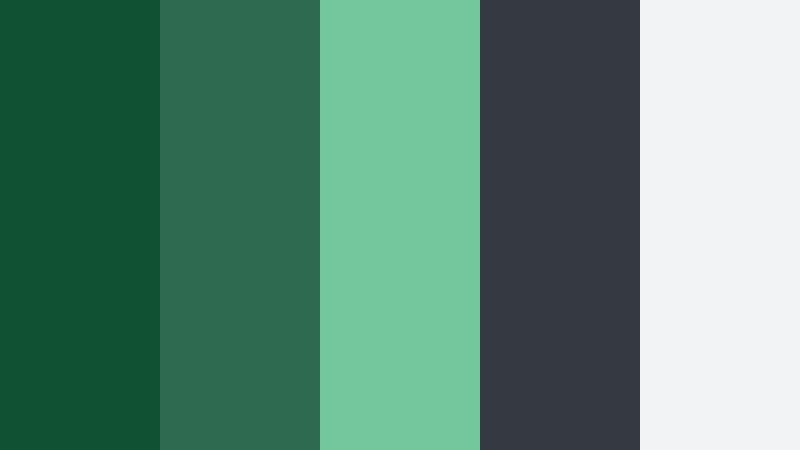
- HEX Codes: #0f5132, #2d6a4f, #74c69d, #343a40, #f1f3f5
- Mood: Polished, confident, and quietly premium.
- Use for: This palette works well for HR software dashboards, brand intros, product explainers, and professional video thumbnails.
Emerald green adds trust and energy while charcoal grounds the composition with a sleek corporate feel. The lighter mint shade creates a useful highlight for buttons, charts, captions, and animated interface details.
Use the darker greens for title cards or logo treatments, then reserve pale green and soft gray for supporting information. This creates a refined look for SaaS videos, recruiting campaigns, and business-focused thumbnails.
Pro Tip: Enhance Your Green And Charcoal Hr Software Color Visuals with Filmora
Filmora makes it easier to keep the Emerald Office Luxe palette consistent across intros, b-roll, product demonstrations, and social edits. Use deep emerald for opening graphics, charcoal for text and framing, and mint accents for calls to action or animated feature highlights.
Save a small color reference card beside your editing workspace so that transitions, overlays, captions, and thumbnail elements follow the same visual direction. Consistent color use can make separate clips feel like part of one professional brand system.
AI Color Palette
Creators can use a reference image, brand board, or color card based on Emerald Office Luxe and apply its visual character across an entire video. Filmora's AI Color Palette feature helps match footage so different cameras and lighting conditions feel more unified.
This is especially useful when combining office b-roll, screen recordings, talking-head footage, and animated graphics. A consistent green and charcoal treatment helps the final edit feel intentional from the first frame to the last.
 secure download

HSL, Color Wheels & Curves
Fine-tune the Emerald Office Luxe look with HSL controls by adjusting green saturation, luminance, and hue. Use the color wheels to add a subtle green balance to shadows while keeping skin tones and white interface elements neutral.
Curves can deepen charcoal areas and gently lift mint highlights for a more cinematic finish. These adjustments are helpful when office footage looks flat or when screen recordings need to blend naturally with camera footage. The Filmora color grading tutorial can help guide these refinements.
secure download1000+ Video Filters & 3D LUTs
Filmora's video filters and 3D LUTs offer a quick way to stylize Emerald Office Luxe footage. Choose a clean professional filter for presentations or a slightly richer LUT for brand stories and recruitment videos.
Apply the effect lightly when working with charcoal backgrounds and emerald interface elements. A restrained treatment protects readability while still giving the footage a recognizable green and charcoal identity.
secure downloadForest Metrics
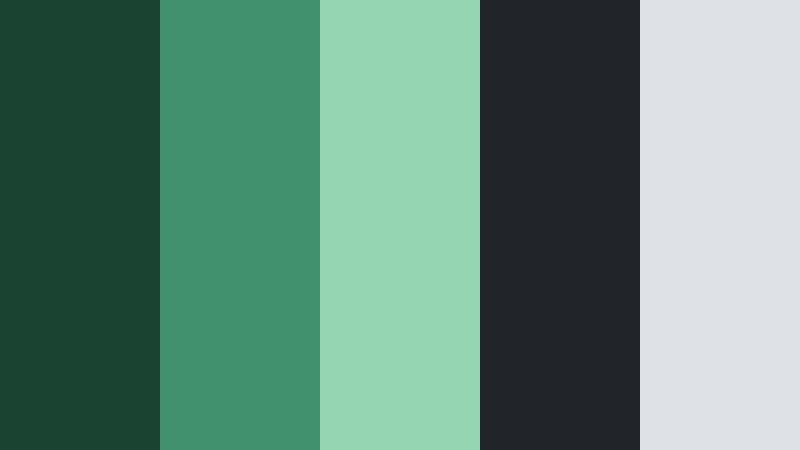
- HEX Codes: #1b4332, #40916c, #95d5b2, #212529, #dee2e6
- Mood: Reliable, analytical, and naturally balanced.
- Use for: Use this palette for analytics screens, HR reports, educational videos, data-led social content, and software feature graphics.
Deep forest tones communicate stability while soft mint highlights make data feel approachable. Charcoal and light gray provide a clear foundation for information-heavy designs.
Use forest green for charts, title bars, and branded transitions, then use mint to draw attention to key metrics. This combination is effective for explainer videos and dashboard walkthroughs where clarity matters.
Sage Executive
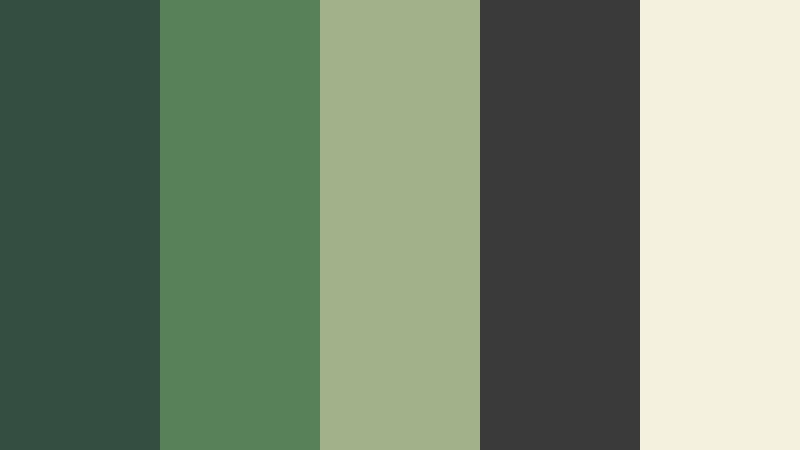
- HEX Codes: #344e41, #588157, #a3b18a, #3a3a3a, #f4f1de
- Mood: Calm, sophisticated, and leadership-focused.
- Use for: This palette is ideal for executive presentations, company culture videos, recruiting campaigns, and premium HR product pages.
Muted sage creates a thoughtful and human tone, while charcoal adds authority. The warm cream accent keeps the palette welcoming rather than severe.
Use sage in interview backgrounds, presentation graphics, and soft motion transitions. Cream works well for text panels and thumbnail space, especially when the video needs to feel premium and approachable.
Pine Glass
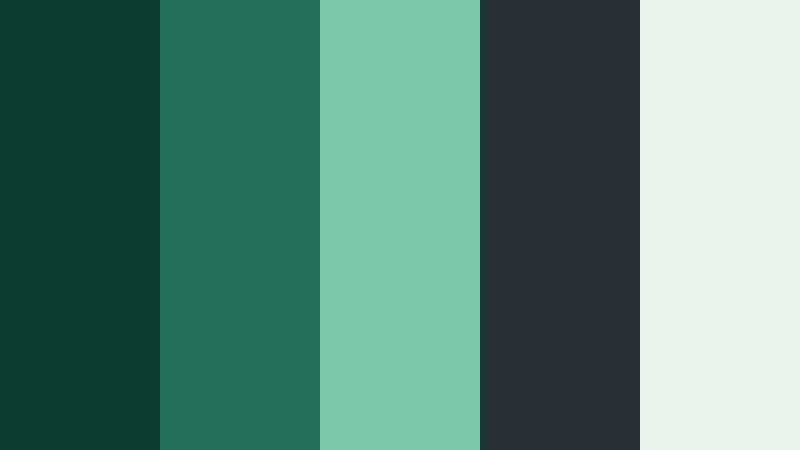
- HEX Codes: #0b3d2e, #236f57, #7ac9a7, #263238, #e8f5e9
- Mood: Fresh, precise, and technologically refined.
- Use for: Use it for software UI mockups, app walkthroughs, motion graphics, landing page visuals, and crisp product thumbnails.
Pine green and pale mint create a clean digital impression with a subtle glass-like freshness. Charcoal gives the interface strong contrast and structure.
This palette works especially well with translucent panels, rounded UI cards, and precise animated lines. Use pale mint to separate product features from dark interface backgrounds.
Olive Strategy
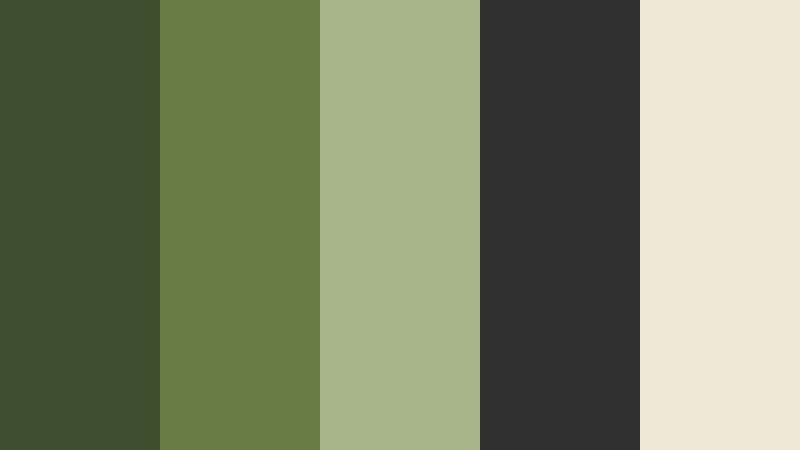
- HEX Codes: #3d4f2f, #687c45, #a7b58a, #303030, #eee8d5
- Mood: Grounded, strategic, and mature.
- Use for: This palette works well for consulting videos, HR strategy presentations, employer branding, and editorial business graphics.
Olive shades bring a thoughtful, established character to workplace visuals. Charcoal and soft parchment create an understated palette for strategic storytelling.
Use olive for section headings and diagrams, charcoal for body text and video frames, and parchment for backgrounds. The result feels considered and professional without appearing overly formal.
Fresh And Energetic Green And Charcoal Hr Software Color Palettes
Mint Onyx Spark

- HEX Codes: #064e3b, #10b981, #6ee7b7, #1f2937, #ecfdf5
- Mood: Energetic, optimistic, and contemporary.
- Use for: Use this palette for onboarding videos, social media clips, animated product demos, and lively HR platform interfaces.
Bright mint accents bring momentum to a deep onyx base. The combination feels modern and positive without losing professional credibility.
Use the vivid green for animated icons, progress bars, and thumbnail highlights. Onyx is ideal for title screens and contrast areas that need to make the mint accents stand out.
Clover Pulse

- HEX Codes: #14532d, #22c55e, #86efac, #374151, #f0fdf4
- Mood: Friendly, active, and encouraging.
- Use for: This palette is effective for recruitment reels, workplace culture content, mobile UI, team announcements, and engaging thumbnails.
Clover green gives the design a personable, upbeat quality while charcoal keeps the message grounded. Pale green supports a clean and friendly finish.
Use the brighter greens for people-focused graphics, employee quotes, and positive callouts. The pale background can help maintain a welcoming tone in recruiting and culture videos.
Lime Teamwork
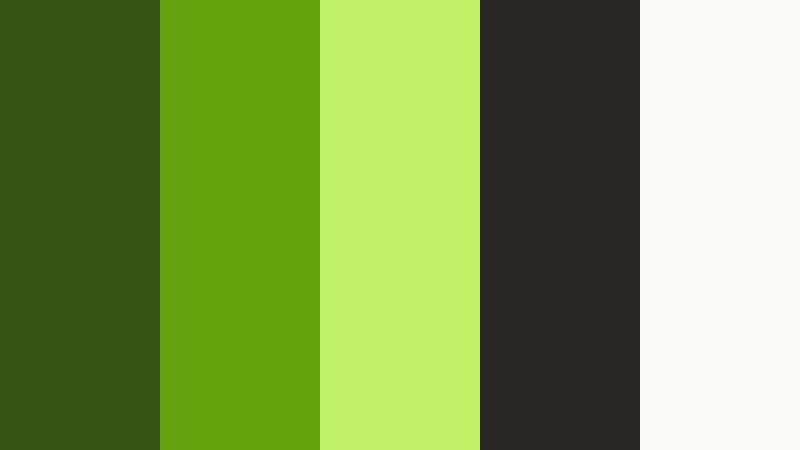
- HEX Codes: #365314, #65a30d, #bef264, #292524, #fafaf9
- Mood: Playful, collaborative, and high-energy.
- Use for: Use it for team-building content, internal announcements, animated explainers, creator thumbnails, and informal social campaigns.
Lime highlights make workplace communication feel bright and collaborative. Earthy green and charcoal tones add enough structure for a polished result.
Keep lime accents focused on buttons, stickers, arrows, and key words rather than large blocks of text. This preserves readability while giving informal videos a lively visual rhythm.
Rainforest Signal

- HEX Codes: #064e3b, #059669, #34d399, #111827, #d1fae5
- Mood: Vibrant, confident, and forward-looking.
- Use for: This palette suits product launch videos, innovation stories, software banners, motion design, and bold digital campaigns.
Rainforest greens suggest growth and momentum, while the dark base gives the palette a strong visual signal. It is especially effective for dynamic digital content.
Use the deepest shade for title cards and the bright green range for animated transitions or product benefits. Pale mint can soften the composition and support longer text blocks.
Cactus Highlight
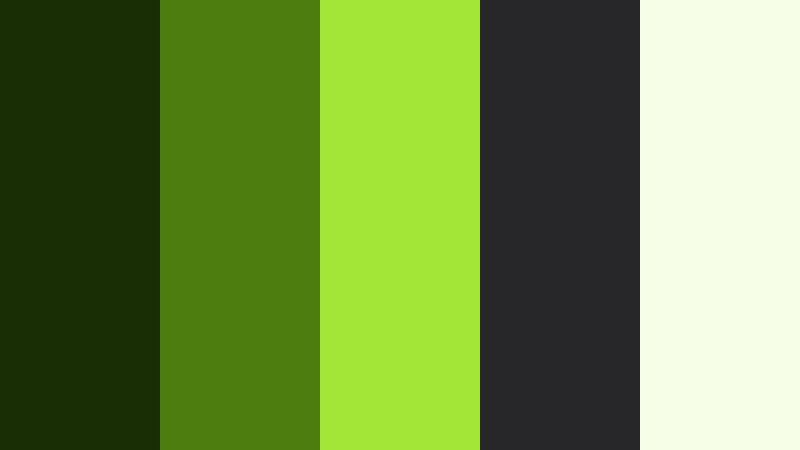
- HEX Codes: #1a2e05, #4d7c0f, #a3e635, #27272a, #f7fee7
- Mood: Bold, resilient, and refreshingly modern.
- Use for: Use this palette for feature callouts, app tutorials, social graphics, event promos, and attention-grabbing video overlays.
Cactus green and vivid lime create a resilient, energetic look with strong contrast. Charcoal softens the brightness and supports clear visual hierarchy.
Use lime sparingly for animated emphasis, icons, and thumbnail details. The near-black green and charcoal shades provide a stable background for bold product messages.
Soft And Welcoming Green And Charcoal Hr Software Color Palettes
Moss And Graphite
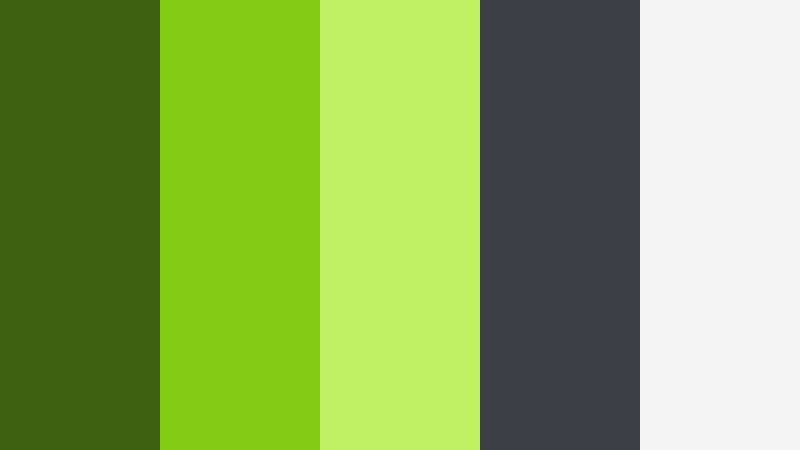
- HEX Codes: #3f6212, #84cc16, #bef264, #3f3f46, #f4f4f5
- Mood: Warm, balanced, and approachable.
- Use for: This palette works well for employee wellness content, HR blogs, onboarding materials, lifestyle-style vlogs, and calm UI layouts.
Moss green brings an organic sense of care while graphite adds clarity and professionalism. The pale lime accent keeps the composition light and welcoming.
Use moss tones in wellness footage, nature-inspired transitions, and employee support graphics. Graphite text and pale backgrounds help the content remain accessible and easy to scan.
Eucalyptus Welcome
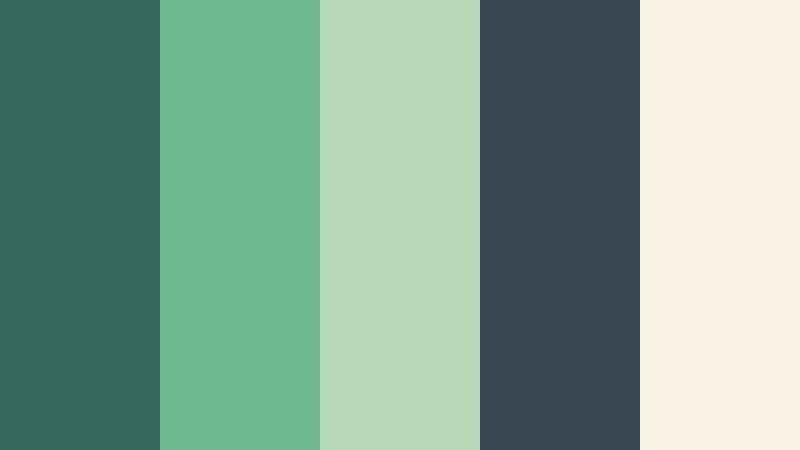
- HEX Codes: #356859, #6fb98f, #b8d8ba, #36454f, #f7f3e3
- Mood: Gentle, reassuring, and human-centered.
- Use for: Use this palette for onboarding videos, employee support resources, wellness campaigns, and empathetic brand storytelling.
Soft eucalyptus tones create a sense of calm and care, making the palette ideal for people-focused HR communication. Charcoal adds dependable contrast without feeling harsh.
Warm cream can support subtitles, quote cards, and background panels, while eucalyptus green works well in footage overlays and gentle logo animations. The palette suits stories that need to feel supportive and sincere.
Tea Leaf Balance
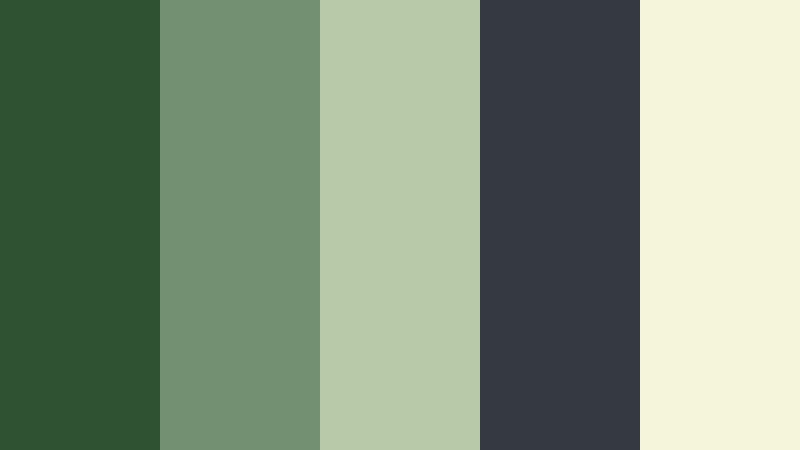
- HEX Codes: #2f5233, #739072, #b8c9a8, #343a40, #f5f5dc
- Mood: Serene, thoughtful, and dependable.
- Use for: This palette is a strong choice for educational content, company values videos, gentle UI themes, and reflective workplace storytelling.
Tea leaf green and beige create a relaxed, natural atmosphere. The charcoal accent adds enough definition for readable layouts and polished presentations.
Use the muted greens for calm transitions and background shapes, then use beige for text areas and title cards. This balance is well suited to reflective videos and values-based brand communication.
Fern Quietude
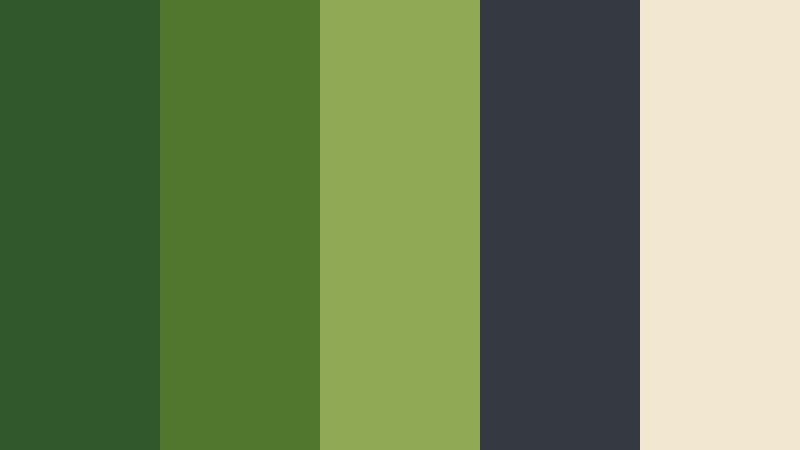
- HEX Codes: #31572c, #4f772d, #90a955, #343a40, #f2e8cf
- Mood: Natural, steady, and quietly optimistic.
- Use for: Use it for culture decks, workplace vlogs, recruitment stories, presentation templates, and soft editorial graphics.
Fern shades offer a grounded feeling that supports authentic workplace narratives. Charcoal and warm ivory make the palette versatile across video and design formats.
Use fern green to connect workplace scenes with natural, human-centered imagery. Warm ivory provides a softer alternative to white for captions, slides, and thumbnail backgrounds.
Garden Desk
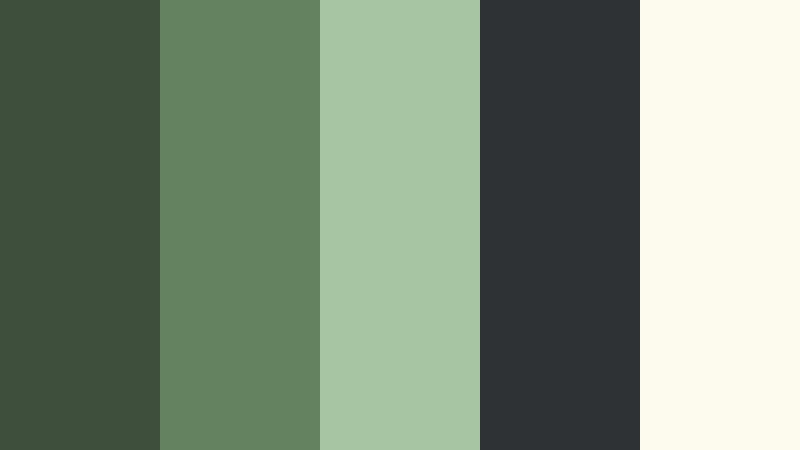
- HEX Codes: #40513b, #62825d, #a9c5a0, #2f3437, #fffaf0
- Mood: Comfortable, creative, and refreshingly calm.
- Use for: This palette works well for remote work content, HR newsletters, creator videos, workspace branding, and inviting product interfaces.
Garden greens give professional communication a softer, more creative edge. The charcoal and ivory pairing keeps the overall design clean and easy to use.
This palette is a natural fit for remote-work vlogs, desk setups, and friendly software tutorials. Use the pale green for panels and the dark charcoal for readable captions, navigation, and strong visual anchors.
Tips for Creating Green And Charcoal Hr Software Color Color Palettes
Green and charcoal can support many different moods, from energetic and innovative to calm and people-focused. Use the contrast between these colors carefully so that your videos, thumbnails, and brand assets stay readable, consistent, and visually balanced.
- Use dark charcoal for text, borders, and title cards when a green background needs stronger readability.
- Reserve bright mint or lime shades for buttons, icons, keywords, transitions, and other focused accents.
- Choose one dominant green and one supporting green instead of using every shade at the same strength.
- Check text contrast on thumbnails and captions, especially when using pale green or cream backgrounds.
- Match the palette to the footage. Natural greens suit wellness and culture videos, while saturated greens suit product launches and software demos.
- Keep logo colors, lower thirds, intro graphics, and social thumbnails consistent across related projects.
- Use warm cream or light gray to soften a dark green and charcoal palette when the subject involves people or employee support.
- Preview colors on both desktop and mobile screens because highly saturated greens can appear brighter on smaller displays.
Green And Charcoal Hr Software Color palettes can shape how viewers understand a brand before they read a single word. Deep greens can build trust and stability, bright greens can suggest progress and energy, and softer sage or eucalyptus tones can make workplace communication feel more human.
Choose a palette that matches the message, then apply it consistently to footage, titles, thumbnails, transitions, and UI elements. Whether you prefer a polished emerald look, a lively mint combination, or a welcoming garden-inspired theme, these HEX codes provide a practical starting point for creative work.
Test your selected colors in Filmora with color matching, HSL adjustments, filters, and LUTs. Small changes to saturation, highlights, and shadows can help the same palette work across office footage, screen recordings, product explainers, and social edits.
secure download