

 100% Security Verified | No Subscription Required | No Malware


 ChatGPT
 Perplexity
 Gemini
 Claude
 Grok
Grok
Indie film style video LUT filters in Filmora help content creators instantly add moody tones, subtle grain, and handcrafted character to their footage without complex color grading.
Use these indie-inspired filters to turn everyday clips into festival-ready visuals, from quiet bedroom vlogs to intimate city walks and low-budget short films.
In this article
Moody Dusk Street Scenes
Indie City Amber Glow
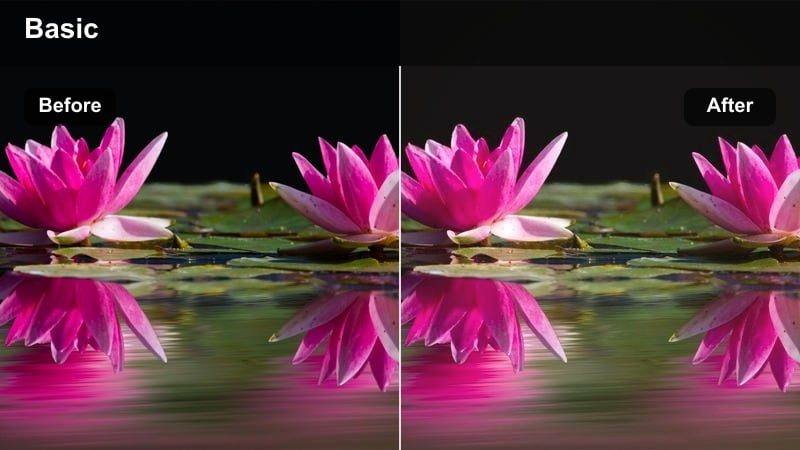
- Effect look: Soft amber highlights with lifted blacks and a gentle indie-style fade that warms up city streets at dusk.
- Best for: Walking vlogs, handheld city B-roll, indie short films set during golden hour or early night.
- Editing tip: Slightly lower contrast and add a subtle film grain overlay to enhance the nostalgic indie city mood.
Indie City Amber Glow wraps your dusk street scenes in a warm amber wash, gently lifting the blacks so shadows feel soft instead of harsh. The faded contrast gives storefronts, traffic lights, and streetlamps a cohesive indie film style video LUT aesthetic, ideal when you want a cozy, emotional feel without heavy manual grading.
In Filmora, apply this indie film filter to your walking vlogs or narrative city B-roll, then fine-tune exposure so highlights in streetlights do not clip. Use Filmora's grain and vignette tools to add subtle texture, and keep camera movement handheld to match the organic, low-budget indie look the LUT is designed to enhance.
Match Indie Film Tones with AI Color Tools
Filmora's AI-powered color tools help you quickly match the muted, emotional tones found in your favorite indie films without spending hours tweaking curves and wheels. You can import a reference frame from a festival film or music video and let AI analyze its overall color personality.
Once the AI color palette has been applied, simply adjust intensity and saturation so it complements the Indie City Amber Glow filter instead of overpowering it. This workflow lets you dial in a consistent cinematic indie style across multiple clips and locations in one project.
 secure download

Preview Indie Filters in Real Time
Filmora lets you hover over each indie film style video LUT in the Filters panel to preview how it will transform your clip directly in the viewer. This real-time feedback makes it easy to compare options like Indie City Amber Glow, Rainy Lane Fade, or Bedroom Super8 Soft without committing to heavy adjustments.
Once you find a look that fits your scene, drag it onto the clip and use the intensity slider to blend it with your original footage. Toggling visibility on and off helps you judge whether the indie vibe supports your story pacing and character emotions.
secure downloadBlend Filters with LUTs for Signature Looks
To create a signature indie aesthetic for your channel or mini-series, combine Filmora's indie filters with the built-in 3D LUTs. Start with a moody filter that matches your scene, lower its strength, and then add a LUT that refines skin tones and contrast for a more polished finish.
Once you like the combination, save it as a custom preset so you can apply the same indie film grading across new episodes with one click. This consistency helps viewers instantly recognize your visual brand, even when you shoot in different locations or lighting conditions.
secure downloadNeon Sidewalk Dream
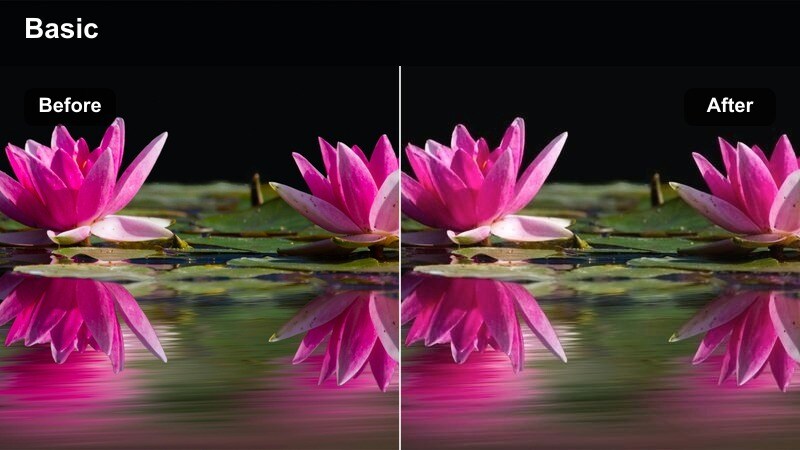
- Effect look: Soft, low-contrast indie grade with blooming neon signs and cooler blue shadows along the sidewalk.
- Best for: Night city walks, indie music videos, street portraits under neon or LED signage.
- Editing tip: Lower clarity slightly and add subtle motion blur on transitions for a dreamy late-night indie vibe.
Neon Sidewalk Dream turns harsh nighttime city light into a soft, cinematic wash of color. The LUT slightly cools the shadows while allowing neon signs to bloom, making it perfect for indie film style video LUT workflows focused on nightlife, music videos, or contemplative city walks.
In Filmora, apply this indie filter to your night footage, then use the blur and motion tools to soften transitions and emphasize dreamy movement. Combine it with gentle vignettes and a slower edit pace so viewers can soak in the neon textures and emotional undertones throughout the sequence.
Rainy Lane Fade
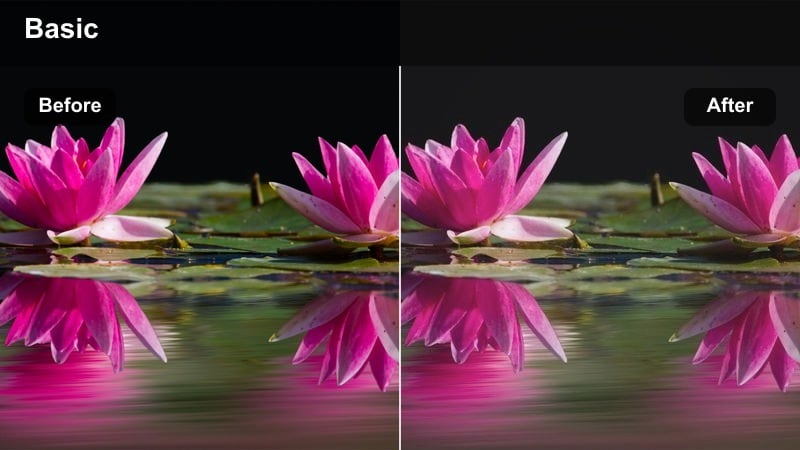
- Effect look: Muted colors with lifted blacks, desaturated blues, and soft reflections in wet pavement for introspective city moments.
- Best for: Melancholic city B-roll, reflective character walks, narrative short films set in rainy alleys.
- Editing tip: Slow footage slightly and add gentle sound design like footsteps and rain to emphasize the indie emotional tone.
Rainy Lane Fade mutes color saturation and softly lifts blacks so rainy streets feel gentle and reflective instead of harsh and contrasty. Desaturated blues in the pavement and sky pair with subtle grain to create a classic moody indie look, ideal for emotional walk-and-think scenes.
Inside Filmora, use this filter on slow-motion or slightly slowed clips, then layer in ambient rain sounds and footsteps to support the visuals. Adjust the intensity slider to keep faces readable while maintaining enough fade in the shadows to preserve the introspective indie mood.
Intimate Indoor Moments
Bedroom Super8 Soft
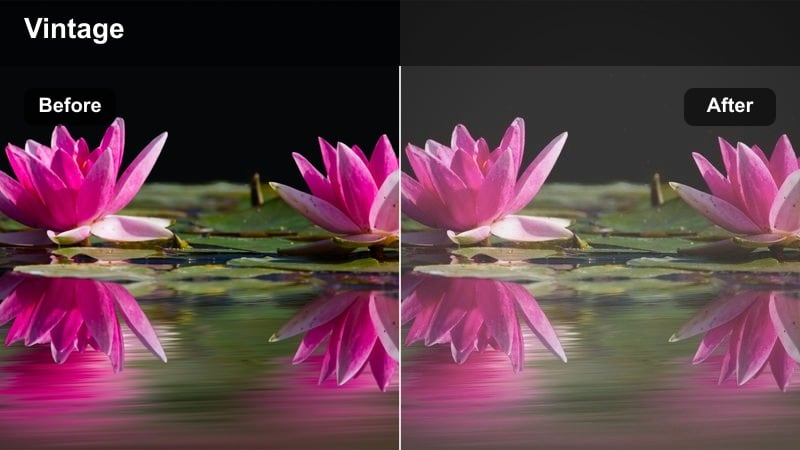
- Effect look: Creamy highlights, gentle halation, and slightly washed-out colors mimicking vintage Super 8 indie bedroom scenes.
- Best for: Bedroom vlogs, quiet character monologues, soft morning light sequences.
- Editing tip: Reduce sharpness and add a subtle vignette to draw focus to faces and make the room feel cozier.
Bedroom Super8 Soft emulates the nostalgic feel of vintage home movies with creamy highlights and soft halation around bright areas. Colors are slightly washed out, which smooths skin tones and makes blankets, curtains, and posters blend into a gentle, cohesive palette.
When editing in Filmora, apply this LUT to morning or late-afternoon bedroom footage, then lower overall sharpness to avoid a clinical digital look. Add a small vignette and stabilize handheld shots lightly, so your bedroom vlogs and monologues feel intimate, warm, and authentically indie.
Coffee Table Conversation
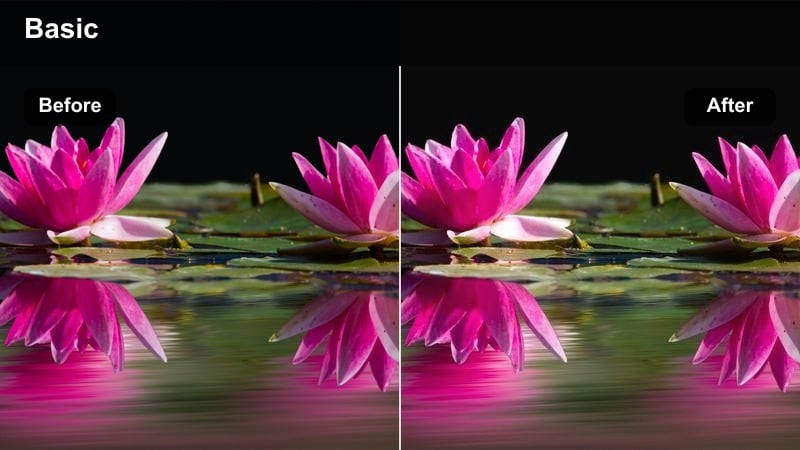
- Effect look: Warm midtones with gentle contrast and subtle film-like grain for intimate living room conversations.
- Best for: Podcast-style sit-downs, casual dialogue scenes, indie web series episodes at home.
- Editing tip: Use slower cuts and lingering close-ups so the warm indie grade supports emotional pacing.
Coffee Table Conversation adds cozy warmth to midtones, ideal for living rooms and small apartments where characters talk, plan, or argue. The gentle contrast and film-style grain give your footage a subtle analog feel that fits indie web series and podcast-style videos.
In Filmora, use this filter across all angles in a dialogue scene to keep color consistent from shot to shot. Combine it with longer takes and reaction close-ups, using Filmora's audio tools to keep dialogue clear so the warm indie look enhances, rather than distracts from, the emotional beats.
Lamp-Lit Solitude
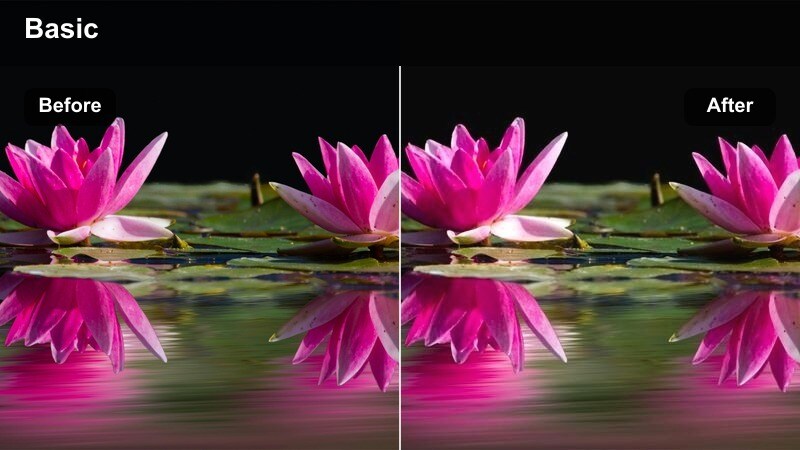
- Effect look: Deep shadows, soft warm pools of light, and muted background colors for late-night indie interiors.
- Best for: Late-night writing scenes, journaling shots, reflective bedroom or desk sequences.
- Editing tip: Let parts of the frame fall into darkness and avoid overexposing the lamp to preserve indie-style texture.
Lamp-Lit Solitude is designed for late-night, single-source lighting setups where a desk lamp or bedside light is the only illumination. The LUT deepens surrounding shadows while keeping the lamp glow warm and soft, making solitary moments feel private and contemplative.
Apply this filter in Filmora to clips where your subject writes, sketches, or thinks at a desk, then gently raise the blacks to avoid crushed detail. Use the exposure controls to protect the lamp highlight, and consider adding a light grain overlay and minimal background music to keep the intimate indie atmosphere intact.
Road Trips and Outdoor Wander
Roadside Daydream
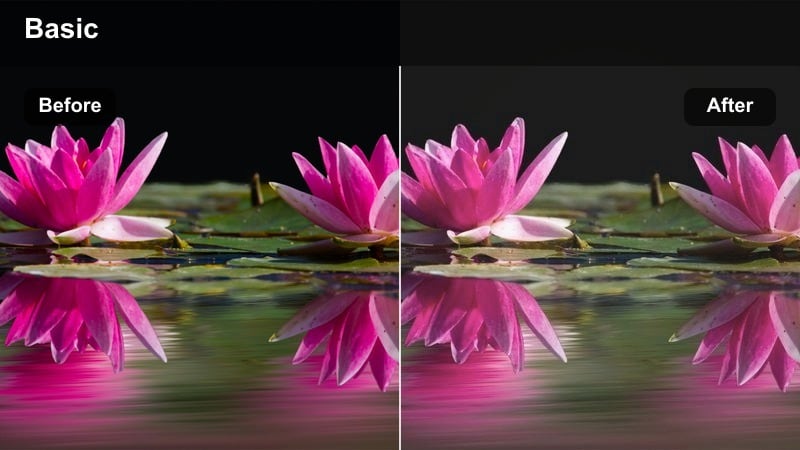
- Effect look: Soft pastel skies, slightly lowered saturation, and gentle contrast for drifting roadside indie visuals.
- Best for: Car window shots, roadside stops, travel vlogs with an introspective tone.
- Editing tip: Use slower shutter footage or gentle speed ramps to underline the drifting, daydreamy indie feel.
Roadside Daydream transforms bright, ordinary daylight into a softer pastel palette that feels reflective and calm. By slightly lowering saturation and contrast, it lets skies, trees, and road lines blend into a cohesive indie film style video LUT look, perfect for travel sequences focused on mood rather than speed.
In Filmora, apply this filter to car window B-roll or shots from rest stops, and experiment with gentle speed ramps or slow motion to emphasize the drifting feeling. Use crossfades and minimal text overlays so the dreamy color grade can carry most of the emotional storytelling in your travel vlog or short film.
Sunset Overpass Walk
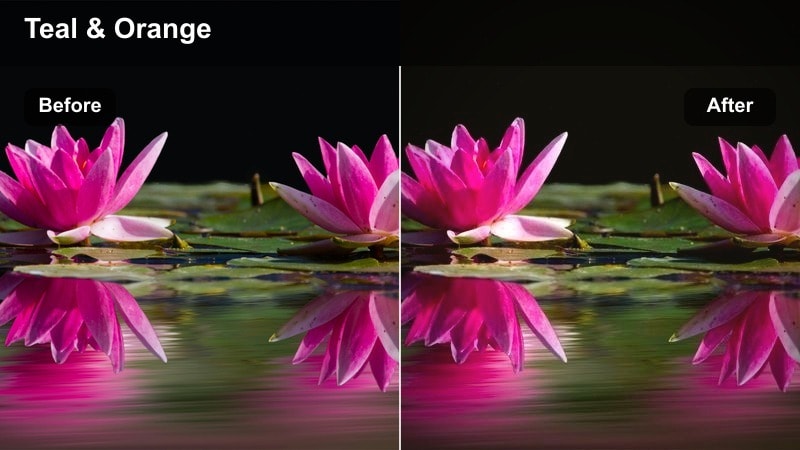
- Effect look: Rich oranges and teals with subtle fade in the shadows for cinematic indie walks on bridges and overpasses.
- Best for: Travel montages, character reflection scenes, music videos shot at sunset on city overpasses.
- Editing tip: Cut on movement or beat changes in your soundtrack to let the graded skyline amplify emotional shifts.
Sunset Overpass Walk leans into a stylized orange-and-teal palette, boosting sunsets while keeping shadows softly faded. The result is a cinematic indie filter that makes silhouettes on bridges, highways, and rooftops look instantly more dramatic and music-video ready.
Apply it in Filmora to footage captured during golden hour or just after, then adjust exposure to protect cloud detail and skyline highlights. Sync your cuts to the rhythm of your soundtrack, using the graded sky and bridge structures as visual cues for shifts in emotion, pacing, and narrative focus.
Parking Lot Golden Haze
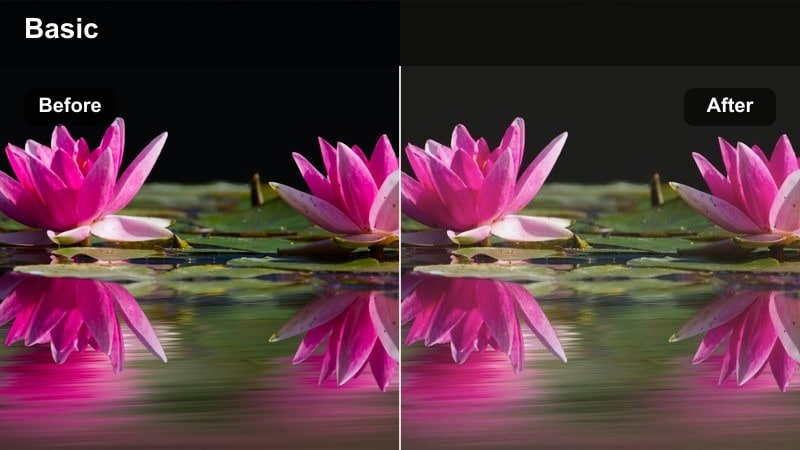
- Effect look: Hazy golden highlights, flattened contrast, and subtle flares perfect for lo-fi parking lot hangouts.
- Best for: Skate edits, band practice B-roll, casual hangouts in open parking lots during golden hour.
- Editing tip: Shoot slightly into the sun and let the filter contribute to flare and haze for a raw indie look.
Parking Lot Golden Haze is tuned for backlit golden-hour shots where the sun sits low in the sky. It flattens contrast slightly and enhances warm highlights, which helps you lean into lens flares, silhouettes, and lo-fi textures like asphalt and concrete.
In Filmora, add this filter to wide and close-up shots of friends skating, hanging out, or playing music in open spaces. Embrace handheld camera moves, pair clips with upbeat or nostalgic tracks, and keep cuts energetic so the hazy indie color supports the carefree, documentary-like energy of your scene.
Lo-fi Performance and Story Scenes
Garage Band Grit
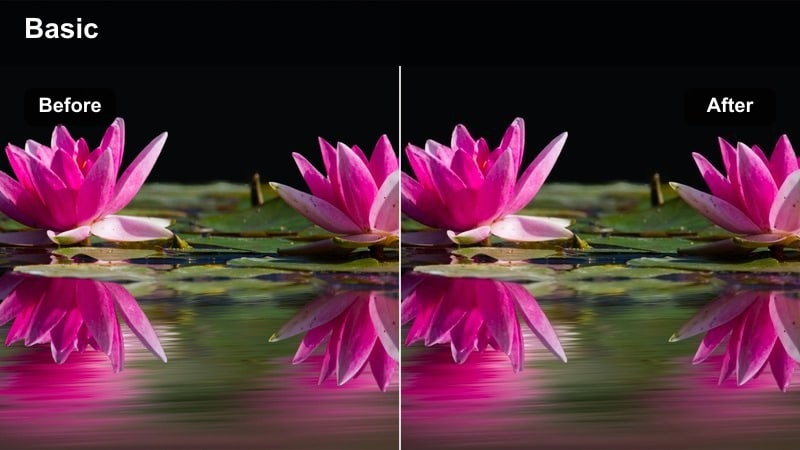
- Effect look: Crunchy contrast, muted colors, and a hint of greenish tint for gritty DIY rehearsal spaces.
- Best for: Garage band sessions, low-budget music videos, rehearsal scenes in small studios.
- Editing tip: Add jump cuts and quick punch-ins to match the raw indie energy of the filter.
Garage Band Grit gives rehearsal spaces and DIY venues a rough, underground character with crunchy contrast and slightly muted hues. The hint of greenish tint evokes aging fluorescent lights and concrete walls, helping your band footage feel raw and authentic.
Use this LUT in Filmora on handheld performance clips, then cut quickly between wide shots, close-ups of instruments, and reactions. Add punch-in zooms on drum hits or guitar riffs and sprinkle in film grain so the gritty indie filter matches the energy and imperfections of live practice sessions.
Back Alley Dialogue
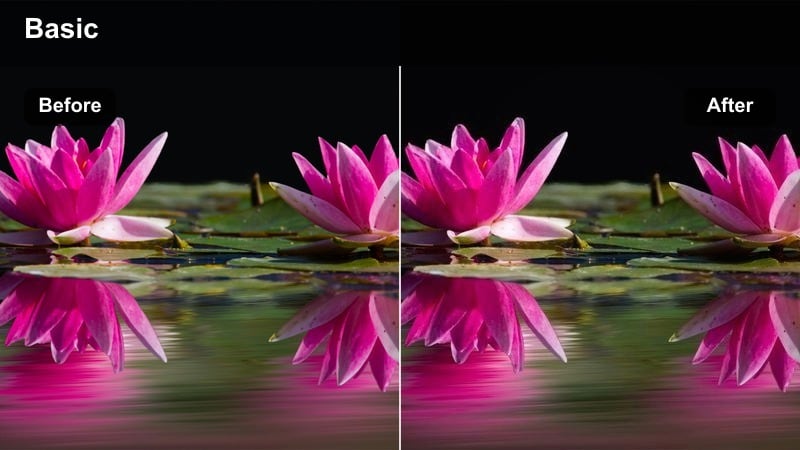
- Effect look: Cool-toned shadows with slightly desaturated colors and a subtle grainy texture for narrow alley conversations.
- Best for: Short film dialogue scenes, secret meet-ups, quiet character exchanges behind buildings.
- Editing tip: Mix close-ups with over-the-shoulder shots and hold longer on reaction shots to let the indie grade breathe.
Back Alley Dialogue cools down your shadows and tones down overall saturation, giving alleys and side streets a restrained, tense mood. The subtle grain texture helps brick, concrete, and metal surfaces feel tactile and cinematic without looking over-processed.
In Filmora, combine this LUT with steady over-the-shoulder coverage and close-ups that hold a beat longer than usual. Use ambient city noise under the dialogue, and keep background highlights controlled so the cool indie grading focuses viewer attention on faces and subtext.
Micro Theater Stage Light
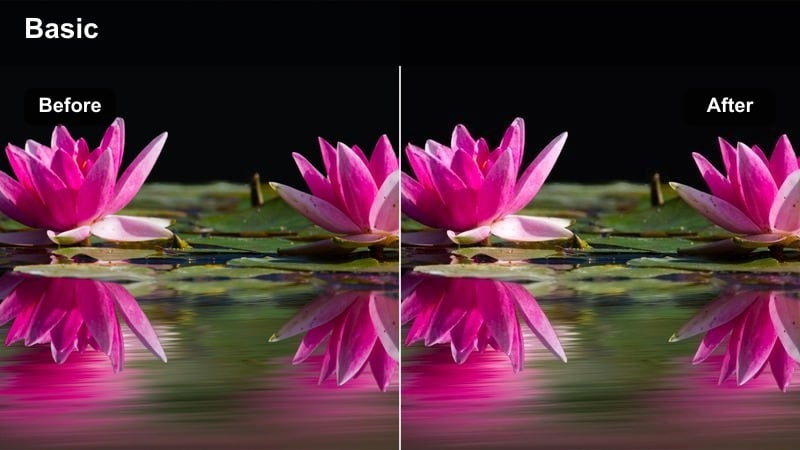
- Effect look: Soft spotlit faces, deep surrounding shadows, and slightly warmer highlights for tiny performance stages.
- Best for: Open mic nights, poetry readings, micro-theater performances, tiny bar stages.
- Editing tip:Expose for faces under the spotlight, then let the filter keep the audience mostly hidden in rich shadows.
Micro Theater Stage Light emphasizes the warmth of a single spotlight while letting the surrounding room fall into deep, cinematic shadow. This contrast naturally isolates performers, making even tiny bar corners or community stages feel like meaningful, intimate venues.
When editing in Filmora, apply this indie filter to medium and close-up shots of performers, then lightly reduce noise in shadow areas to keep the image clean. Cut between static angles and slow push-ins, using the deep shadows and warm highlights to guide audience focus to the performer’s expressions and voice.
Tips for Using Indie Film Style Video Lut Filters in Filmora
- Shoot with a slightly flatter profile when possible so indie film style filters have more room to shape contrast and color.
- Keep lighting simple and motivated by real sources like windows or lamps to avoid clashing with the natural indie vibe.
- Use slower pacing, longer takes, and close-ups when using moody filters so the audience can feel subtle emotional cues.
- Apply filters at 60-80 percent intensity first and only push higher if the scene still feels too neutral.
- Add a gentle film grain layer and minimal sound design to complete the indie atmosphere around your filtered footage.
- Test a few different indie LUTs on the same clip in Filmora and compare before committing to one overall look.
- Balance skin tones with basic color correction after applying a LUT so your characters still look natural and expressive.
- Save frequently used filter and LUT combinations as presets to keep visual style consistent across your whole series.
Indie film style video LUT filters in Filmora give content creators a fast way to shape authentic, emotional visuals without complex color grading skills.
Experiment with different indie filters across city streets, bedrooms, and small stages, then refine intensity and grain until the look feels honest to your story.
secure download