

 100% Security Verified | No Subscription Required | No Malware


 ChatGPT
 Perplexity
 Gemini
 Claude
 Grok
Grok
Influencer video filters for Reels can be the difference between a scroll-past clip and a save-worthy post. The right color grade sharpens your brand, flatters skin, and gives every short video a recognizable style that followers instantly associate with you.
Below are curated reel-ready filters inspired by popular influencer looks. Each style includes what the effect looks like, the type of content it works best for, and a quick editing tip so you can dial it in fast and stay consistent across all your Instagram Reels and short brand videos.
In this article
Soft Aesthetic Glow Filters for Influencer Reels
Pastel Soft Glow
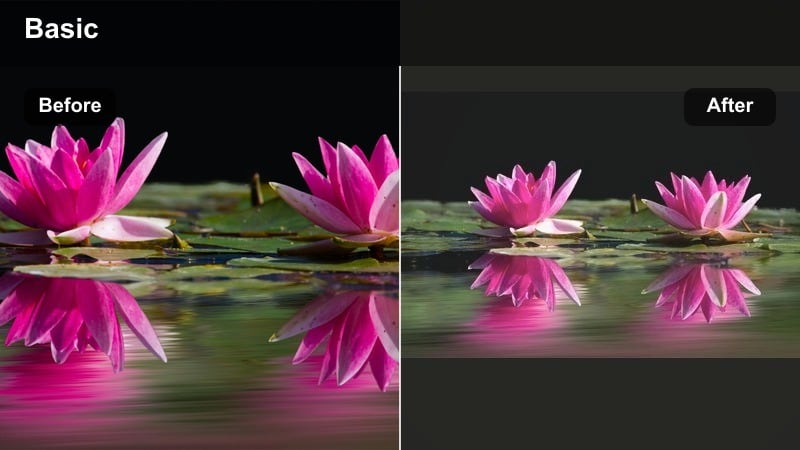
- Effect look: Gentle pastel tint with soft contrast, a hint of bloom on highlights, and slightly lifted shadows for a dreamy aesthetic feed.
- Best for: Lifestyle Reels, aesthetic day-in-the-life vlogs, cozy home content, and light brand integrations aimed at a soft, feminine look.
- Editing tip: Lower clarity or sharpness slightly and reduce saturation on strong primary colors so the pastel vibe stays consistent across your full carousel of Reels.
This pastel soft glow style works perfectly when you want your Reels to feel airy, cozy, and on-brand with aesthetic feeds. In Filmora, you can combine light bloom, reduced contrast, and HSL tweaks to mute strong primaries, then save the mix as a custom preset so every lifestyle clip instantly matches your signature look.
Apply this filter to both A-roll and B-roll inside Filmora so talking clips, room details, and coffee shots all share the same dreamy tone. Use adjustment layers or copy-and-paste color settings across clips to keep skin tones natural while backgrounds lean into creamy pastels that your audience will start to recognize at a glance.
AI-Powered Color Matching for Influencer Reels
Use AI-driven color tools in Filmora to automatically match your influencer video filters for Reels to your brand palette, wardrobe, or product colors. This keeps your grid cohesive while still allowing each Reel to feel unique and fresh.
By analyzing previous high-performing posts, AI can suggest reels influencer filter combinations and subtle Instagram Reels LUT-style looks that align with what your audience already loves, helping you create a viral reels color grade faster.
Try generating a smart color preset from three of your best-performing Reels, then apply it as your default starting point for new content.
 secure download

Before-and-After Filter Demos for Reels Creators
Preview each influencer video filter for Reels on real-world clips like beauty, lifestyle, and short brand videos in Filmora before committing to a look. Seeing side-by-side comparisons helps you pick a style that flatters skin, products, and environments at once.
Run quick tests on 5 to 10 second clips from your usual filming spots so you know exactly how your chosen filter reacts to your ring light, window light, and nighttime scenes.
Export a short test Reel using three different filters and check which one earns the most watch time and saves before rolling it out across your feed.
secure downloadLUT-Style Looks for Consistent Influencer Branding
Filmora includes 1000 plus video filters and 3D LUT-style looks that you can stack and customize to create your own influencer presets. Transform your favorite influencer video filters for Reels into LUT-like recipes so your color grade stays identical across multiple clips, platforms, and campaigns.
Whether you need an Instagram Reels LUT for influencers or a subtle preset for UGC, keeping your viral reels color grade consistent across edits turns casual viewers into long-term fans.
Save your top three filter looks as reusable presets and apply them as a base to every new Reel before fine-tuning exposure and saturation.
secure downloadSoft Skin Flatter
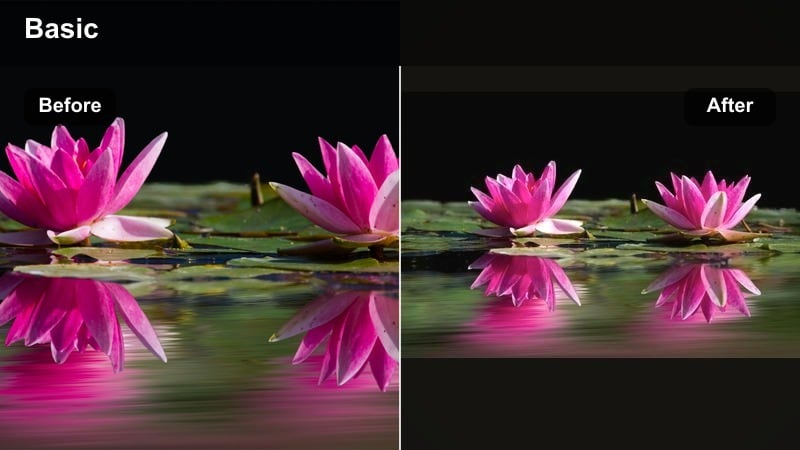
- Effect look: Balanced, low-contrast filter with warm undertones and gentle skin smoothing that keeps pores visible but flattering for close-up shots.
- Best for: Beauty tutorials, GRWM Reels, skincare routines, and UGC-style product demos that focus on faces and hands.
- Editing tip: Keep sharpening at a moderate level and add a subtle vignette to draw attention to the center of the frame without making the filter look artificial.
Soft Skin Flatter is ideal when your face and hands are the hero of the Reel, like makeup routines or skincare demos. In Filmora, combine the Beauty tools with warm color temperature and low contrast to keep features natural while still giving skin a polished glow.
Use masks and keyframing in Filmora to apply stronger softening only where you need it, such as cheeks or under eyes, and keep product textures around lips and eyes sharply detailed. This balance helps you sell results without over-editing.
Cream Feed Matte
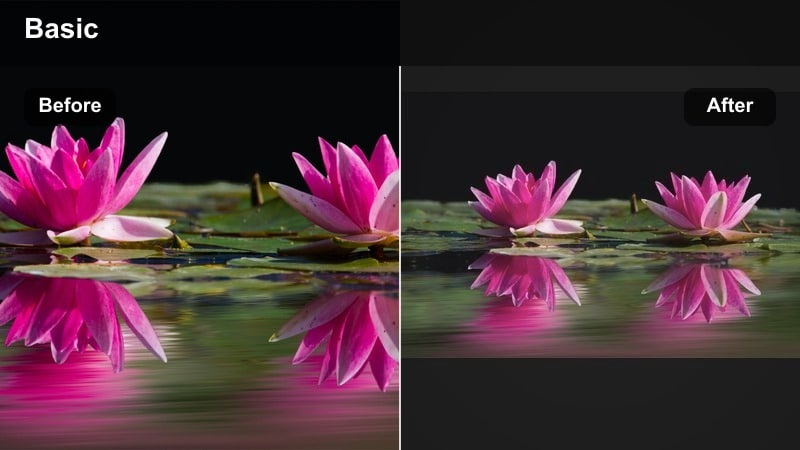
- Effect look: Creamy whites, reduced saturation, and a subtle matte finish in the shadows to create a neutral, elevated feed aesthetic.
- Best for: Minimalist lifestyle Reels, interior design snippets, and fashion try-ons for neutral-toned wardrobes.
- Editing tip: Drop saturation slightly and lift blacks just a touch so your grid tiles feel cohesive, then export at the same brightness level for every Reel.
Cream Feed Matte transforms everyday shots into editorial-feeling snippets, perfect for neutral, minimalist feeds. In Filmora, you can lift black levels, lower saturation, and nudge the color wheels toward warm neutrals to get this creamy mood.
Create an adjustment layer with your matte look in Filmora and place it above all clips in a Reel, so outfits, room tours, and flat lays all share the same soft, neutral finish. This workflow keeps your Instagram grid cohesive and on-brand with minimal extra editing time.
Bold and Viral Pop Filters for High-Impact Reels
Neon Viral Pop
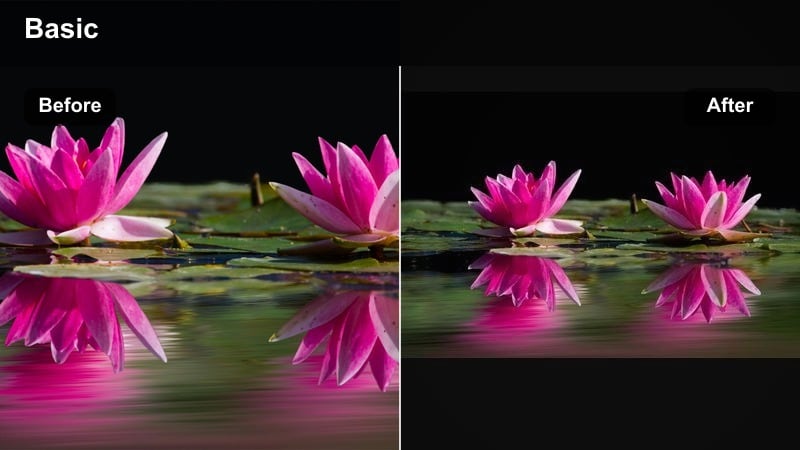
- Effect look: Punchy saturation, crisp contrast, and targeted boosts to pinks and teals that make text overlays and outfits stand out instantly.
- Best for: Trend-based Reels, meme edits, high-energy transitions, and short brand videos that need a hook in the first second.
- Editing tip: Combine the filter with slightly faster cuts and punchy sound effects; lower exposure a bit so saturated colors do not blow out on phone screens.
Neon Viral Pop is made for thumb-stopping first frames and loud, energetic edits. In Filmora, you can push saturation, sharpen edges, and selectively boost pinks and teals with HSL so text, outfits, and transitions feel extra punchy without completely clipping highlights.
Pair this filter with quick cuts, beat-synced transitions, and bold on-screen text from Filmora is titles to maximize hook power in the first second. Always preview in the vertical safe zone so your most vibrant elements stay visible on the Reels feed and cover.
Street Contrast Boost
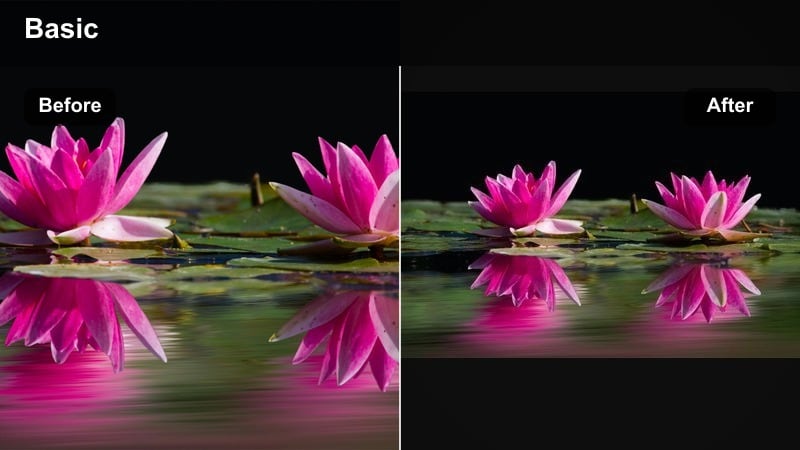
- Effect look: Deep blacks, vivid midtones, and sharpened edges that make urban textures, murals, and city lights feel cinematic and energetic.
- Best for: Streetwear fashion Reels, city B-roll, skate content, and brand collaborations centered on bold, urban aesthetics.
- Editing tip: Add a tiny bit of grain and slightly warm the highlights so skin tones stay flattering even when contrast is high.
Street Contrast Boost leans into gritty, high-energy city visuals that look great on vertical screens. In Filmora, boost local contrast, deepen blacks, and add a touch of film grain to make street textures, walls, and lights feel intentionally cinematic.
Warm up highlights slightly in the Color panel so faces and hands do not look too harsh against dark backgrounds. Combine the grade with Filmora is stabilizer and speed ramping to create smooth walks, skate clips, and reveal shots that match the bold urban vibe.
Creator Brand Pop
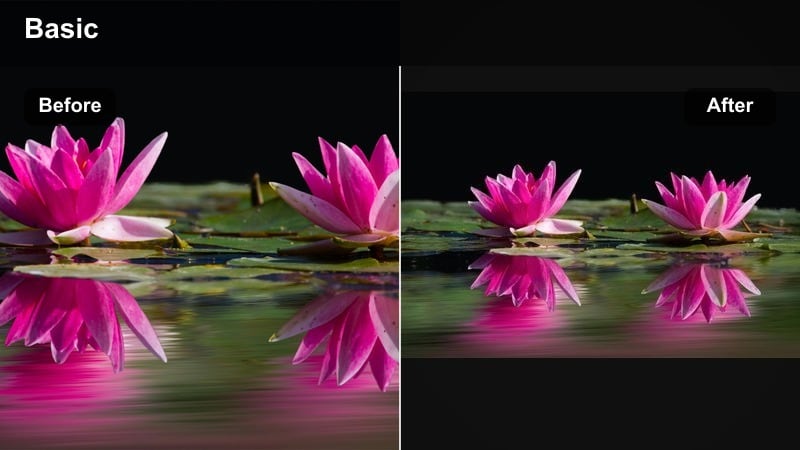
- Effect look: Moderate contrast with boosted brand colors and clean, bright whites that make logos, packaging, and text overlays stand out.
- Best for: Short brand videos, sponsored segments inside Reels, and UGC ads where the product must be clear on small screens.
- Editing tip: Sample your brand color and nudge hue, saturation, and luminance sliders so that color subtly pops without overpowering skin tones.
Creator Brand Pop is designed to make logos, packaging, and key brand colors stand out instantly in the Reels feed. In Filmora, use the Color Match and HSL tools to isolate your brand hues and give them a little extra saturation and brightness while keeping everything else neutral.
Create a preset in Filmora for each client brand so sponsored clips always carry that same recognizable color pop. Layer in clean titles, lower thirds, and simple animations to support calls-to-action without cluttering your frame on small screens.
Cinematic Influencer Filters for Story-Driven Reels
Warm Film Story
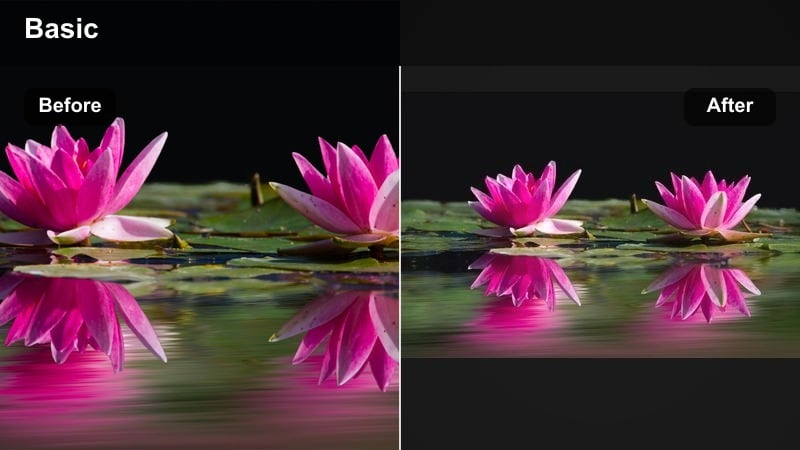
- Effect look: Soft, warm highlights, gentle fade in the blacks, and subtle film-style color shifts in shadows for a nostalgic story feel.
- Best for: Storytime Reels, travel diaries, montage edits, and cinematic brand stories with voiceover.
- Editing tip: Slow down key clips slightly and sync cuts with music beats; leave a little headroom in exposure so the warm tones do not turn orange.
Warm Film Story turns quick vertical clips into mini movies that feel emotional and nostalgic. In Filmora, lift blacks, pull the color wheels toward warm yellows and oranges, and add a soft vignette to give your storytelling Reels a film-inspired finish.
Combine this grade with gentle speed ramps, cross dissolves, and voiceover recorded in Filmora to build narrative-driven content that feels more like a short film than a casual post. Keep exposure slightly lower so the warmth never shifts into harsh orange on mobile screens.
Teal and Tan Influencer
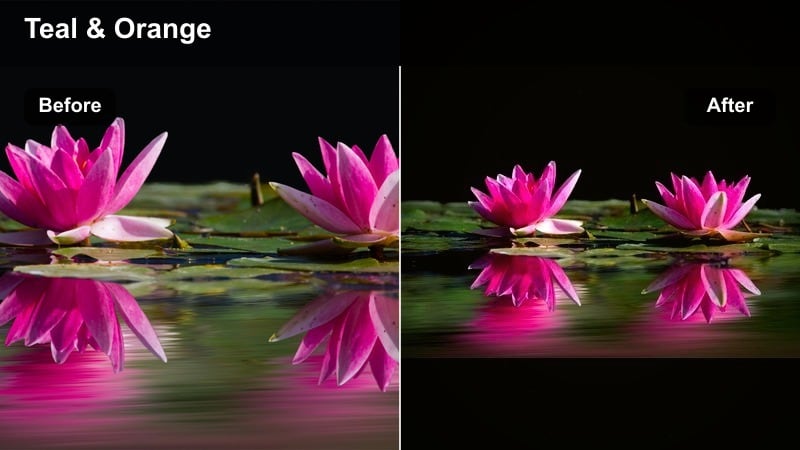
- Effect look: Classic teal shadows and warm tan skin tones with balanced contrast, giving everyday scenes a cinematic blockbuster look.
- Best for: Outfit-of-the-day Reels, cinematic B-roll, and outdoor brand shoots with clear skies or modern architecture.
- Editing tip: Reduce blues in the highlights while enhancing teals in the shadows so skin retains a natural glow even with a stylized grade.
Teal and Tan Influencer recreates the popular blockbuster split-tone look inside your Reels. In Filmora, push shadow tints toward teal while warming midtones and highlights to keep skin lively and natural, then save as a LUT-style preset for all your outdoor edits.
Use this look for OOTD walks, city travel, and outdoor campaigns where you want cinematic polish on a tight turnaround. With Filmora is scopes and color wheels, you can quickly keep skin tones on the right line while skies and buildings take on that rich teal depth.
Moody Lowlight Reel
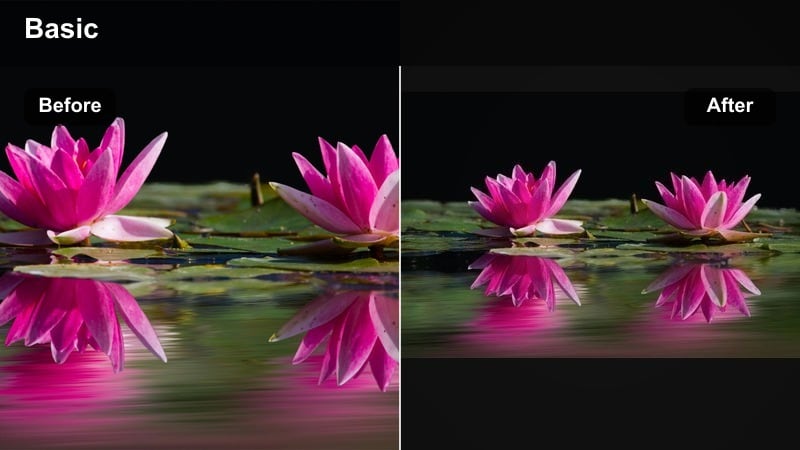
- Effect look: Desaturated tones, cooler shadows, and lifted blacks with a hint of grain to make lowlight scenes feel intentional, not noisy.
- Best for: Night-time vlogs, cozy evening routines, concert snippets, and moody brand teasers.
- Editing tip: Lower saturation for problem colors like neon greens and adjust noise reduction before adding slight grain for a filmic finish.
Moody Lowlight Reel helps you rescue dim clips and turn them into aesthetic scenes rather than noisy mistakes. In Filmora, lift shadows, cool off the overall color temperature, and gently desaturate to give night shots a stylized, intentional mood.
Apply light noise reduction first, then add Filmora is grain or texture overlays so the final result feels like deliberate lowlight cinematography. Pair with slower cuts and ambient music to transform simple evenings, commutes, or events into atmospheric micro-stories.
Clean and Professional Filters for Influencer Brand Work
Clean Daylight Pro
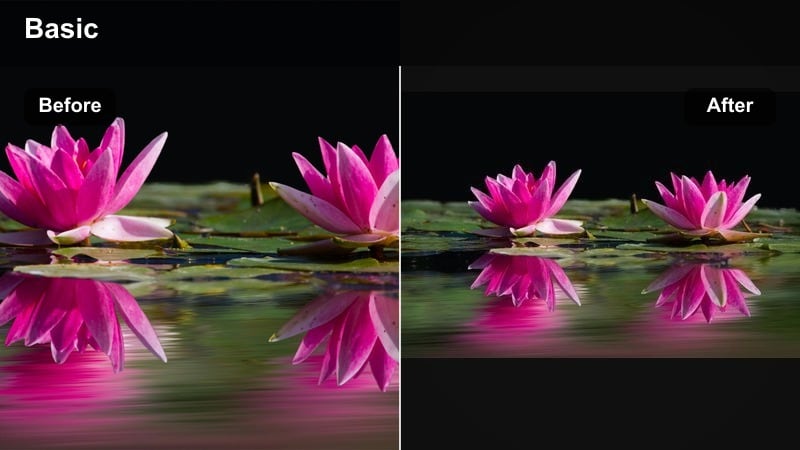
- Effect look: Natural colors with slightly brightened exposure, clean whites, and subtle sharpening for a crisp, professional finish.
- Best for: Talking-head tips, expert how-to Reels, and brand videos where clarity and professionalism matter more than heavy stylization.
- Editing tip: Set white balance to neutral, reduce saturation only on overly bright colors, and keep transitions simple for a polished, timeless look.
Clean Daylight Pro is the go-to when you want your Reels to look like they came from a studio, even if you shot beside a window. In Filmora, keep colors neutral, boost exposure slightly, and add soft sharpening to produce a crisp, trustworthy aesthetic.
Use this look for tutorials, authority-building tips, and educational content where viewers need to clearly see your face, text, and on-screen examples. Save the setup as a default preset in Filmora so every new talking-head Reel automatically matches your professional baseline.
Product Detail Crisp
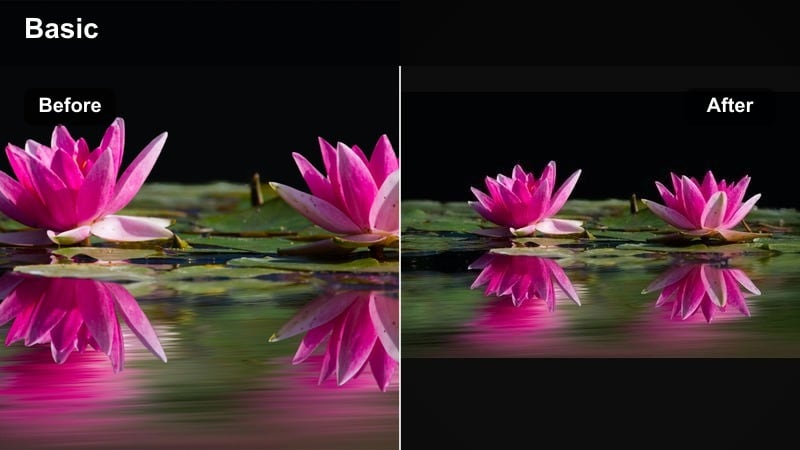
- Effect look: Micro-contrast and texture enhancement around edges, with neutral color balance and slightly cooler whites for product clarity.
- Best for: Macro shots, packaging close-ups, unboxing Reels, and short brand videos focused on features or ingredients.
- Editing tip: Use gentle sharpening and local contrast instead of global contrast to keep skin natural while products stay ultra-crisp.
Product Detail Crisp helps every line of text, ingredient list, and logo remain readable even on small screens. In Filmora, combine edge sharpening, local contrast, and slightly cooler whites to highlight packaging and product surfaces without making the whole scene harsh.
Use keyframing and focus pulls created in Filmora to glide from face to product, letting this crisp filter do the work of showing details. Always preview at smartphone size to confirm fine print and icons remain clear before you export.
UGC Social Proof Neutral
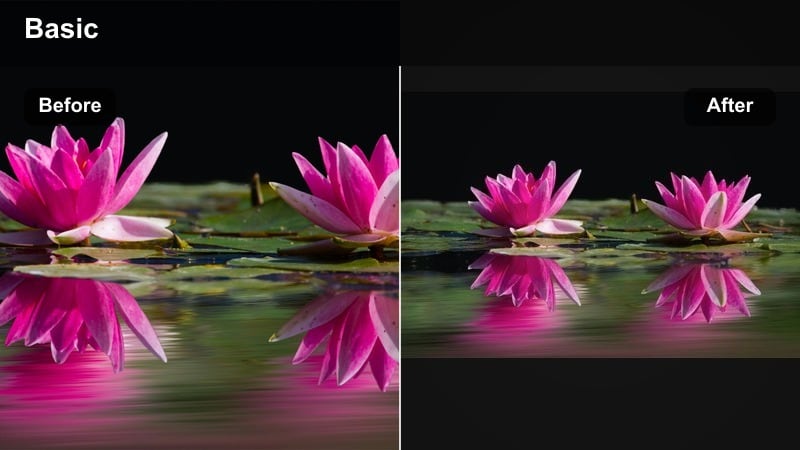
- Effect look: Slightly softened contrast, balanced midtones, and understated saturation to keep clips looking authentic, like real customer footage.
- Best for: User-generated content style Reels, testimonial clips, and case study shorts that brands repost on their own feeds.
- Editing tip: Avoid over-smoothing skin and keep noise reduction light so the footage still feels like organic, phone-shot content.
UGC Social Proof Neutral is built for influencer content that needs to feel like genuine customer footage while still looking clean enough for brand channels. In Filmora, keep contrast low, saturation modest, and corrections subtle so the video appears believable and unscripted.
Use this neutral grade for testimonials, casual product chats, and review Reels that brands may want to repurpose as ads. Filmora makes it easy to apply the same preset across multiple takes, giving marketers a consistent set of assets while preserving that organic, UGC-style feel.
Tips for Using Influencer Video Filter Reels Filters in Filmora
- Batch film multiple Reels in the same lighting setup so your chosen influencer video filter for Reels needs minimal adjustment from clip to clip.
- Save separate presets in Filmora for daylight, cloudy, and indoor lighting to keep your viral reels color grade consistent no matter where you shoot.
- Use the same filter on B-roll and talking-head clips in a single Reel so your edit feels intentional and not pieced together.
- Check your Reels on both bright and dim phone screens to ensure your chosen reels influencer filter does not crush blacks or blow out highlights.
- Create a naming system for Filmora presets that includes mood and use case, like warm-soft-story or bold-brand-pop, so you can grab the right filter in seconds.
- Leverage Filmora adjustment layers to apply one influencer filter across every clip in a sequence, then fine-tune only problem shots.
- Combine Filmora is built-in filters with manual HSL and curves tweaks to turn stock looks into unique, branded influencer grades.
- Export test versions of key Reels with different Filmora presets and track watch time, saves, and shares to see which filter truly performs best.
Influencer video filters for Reels are more than just aesthetic add-ons; they are a core branding tool that shapes how quickly viewers recognize, trust, and share your content.
Pick two or three go-to presets for everyday posts, story-driven clips, and brand work, then refine them over time so your Reels feel both on-trend and unmistakably yours.
By treating your filters like a signature look and pairing them with intentional shooting and editing, you can turn even simple Reels into scroll-stopping, save-worthy videos that grow your influence.
Experiment with soft aesthetic, bold viral, cinematic, and clean professional looks until you discover the balance that best supports your personality, niche, and long-term creator goals.
secure downloadNext: Cinematic Influencer Video Filters: Film-Style Looks for Reels
