

 100% Security Verified | No Subscription Required | No Malware


 ChatGPT
 Perplexity
 Gemini
 Claude
 Grok
Grok
If you want your TikTok to look like a top creator’s feed, strong filters and color grades are non-negotiable. The right look can turn casual clips into scroll-stopping content that feels instantly on-trend and ready to go viral.
This guide walks you through a curated set of influencer video filters for TikTok inside Filmora, designed for TikTok influencers, viral content creators, and short form brand content. Use them as plug-and-play presets or as starting points for your own aesthetic.
In this article
Soft Aesthetic Influencer Vibes
Soft Glow Pastel
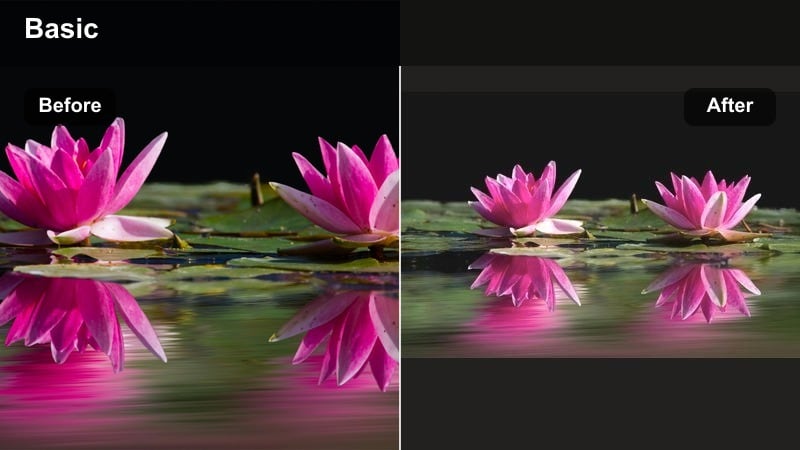
- Effect look: Low-contrast pastel tones with a gentle bloom that softens skin and backgrounds
- Best for: Lifestyle vlogs, GRWM clips, cozy daily routine TikToks where you want a dreamy feel
- Editing tip: Lower the filter intensity to around 60 percent and slightly reduce highlights to avoid washing out brighter shots
Soft Glow Pastel gives your TikToks that dreamy, editorial-influencer look without complicated grading. In Filmora, you can apply it as a single-click filter to wrap your scene in pastel tones, soften skin, and add a gentle bloom that flatters faces and cluttered bedrooms alike.
Use this style for morning routines, aesthetic journaling, or gentle GRWM content where mood matters more than micro-detail. After applying, nudge down highlights and adjust intensity so whites stay clean while the overall frame feels airy, curated, and ready for the For You Page.
Use Filmora’s AI color tools to lock in your TikTok aesthetic
Once you find influencer video filters for TikTok that match your vibe, Filmora’s AI-driven color tools help you keep that look consistent. You can analyze reference clips, match their overall color, and turn the result into a reusable preset that defines your channel.
By combining AI color matching with your favorite influencer filter, you build a signature TikTok aesthetic that stays consistent across vlogs, brand deals, and UGC ads with almost no extra work.
 secure download

Preview filters on real TikTok scenarios
Before you commit to an influencer TikTok color grade, test a few filters on the same clip to see how they react to movement, skin tones, and mixed lighting. Filmora makes it easy to toggle filters on and off and compare frames side by side.
Import a couple of your recent drafts, cycle through soft aesthetic, viral pop, and cinematic looks, then save your favorites as go-to presets that you can apply in a single click for future uploads.
secure downloadCombine viral video LUTs with filters for advanced looks
For advanced influencer looks, you can stack Filmora filters with subtle viral video LUTs to build richer color grades. Keep the LUT intensity low and let the filter define the main style so faces stay flattering while your colors feel cinematic.
This workflow gives you distinctive TikTok visuals that are still fast to reproduce: apply your favorite influencer video filter, add a LUT on top, then tweak opacity and basic color controls as needed.
secure downloadPeachy Skin Boost
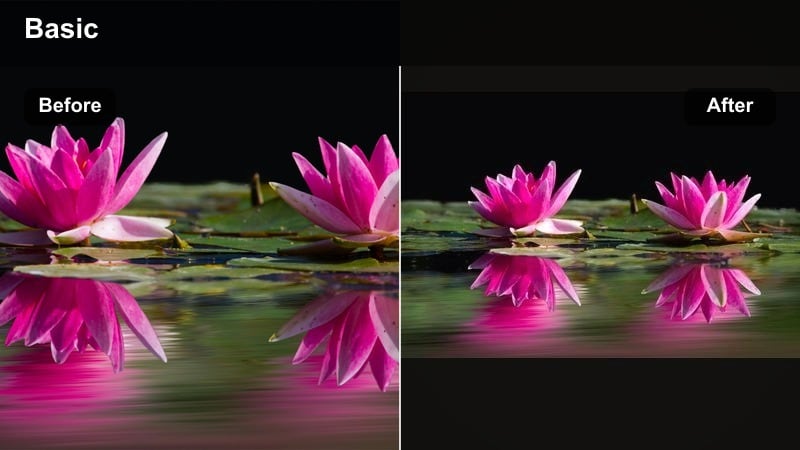
- Effect look: Warm, peach-tinted highlights that make skin look healthier and more camera-ready
- Best for: Beauty tutorials, GRWM, skincare routines, and talking-head influencer content
- Editing tip: Use Filmora’s skin tone slider after applying the filter to fine-tune warmth and avoid overly orange midtones
Peachy Skin Boost adds a subtle warmth that smooths and flatters complexion without heavy retouching. It gently enhances pinks and peaches so your face looks naturally glowy, which is ideal for up-close beauty and skincare content.
Apply it in Filmora, then refine the result with the skin tone and HSL controls to keep whites neutral while skin stays lively. This tiktok influencer filter works especially well with soft-box or window light, giving even simple setups a micro-influencer polish.
Clean Minimal Feed
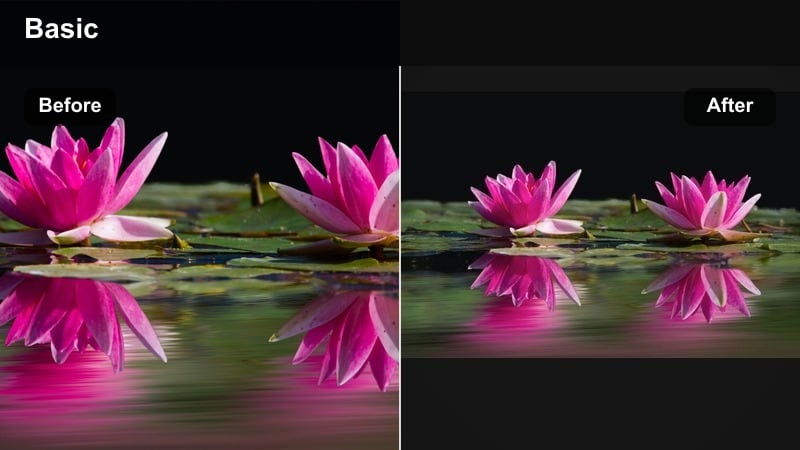
- Effect look: Neutral tones with soft contrast, bright whites, and a subtle desaturated background
- Best for: Minimalist influencers, workspace tours, aesthetic desk setups, and brand collabs
- Editing tip: Pair this filter with Filmora’s vignette tool at a low intensity to pull focus to the center without looking moody
Clean Minimal Feed is built for creators who want a calm, gallery-like grid. It brightens whites, tones down distracting background colors, and keeps contrast smooth so text overlays, products, and hands stay easy to read on small screens.
Use it as your everyday base grade in Filmora for desk tours, planning sessions, or UGC ads. Save the look as a preset, then only tweak exposure and saturation per clip so your influencer feed stays cohesive from video to video.
Viral Pop Colors and Energy
Neon Pop Viral
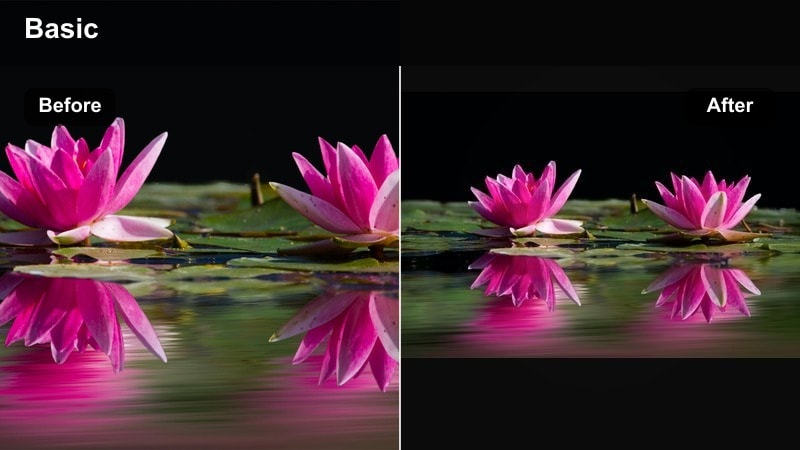
- Effect look: Punchy saturation and boosted contrast that make bright colors and signs explode on screen
- Best for: Dance trends, challenges, nightlife clips, and colorful street content aimed at going viral
- Editing tip: Reduce saturation on skin tones only to keep faces natural while backgrounds stay loud and neon
Neon Pop Viral is designed to make every bright element of your TikTok frame jump out on the For You Page. It pushes saturation and contrast so signs, LEDs, and bold outfits feel electric while motion still reads clearly.
After applying this influencer video filter in Filmora, dial back orange and red saturation so skin does not look overcooked. Combine it with beat-synced cuts or speed ramps, and you get a high-energy, viral-ready look for parties, dance routines, and street challenges.
Candy Store Brights
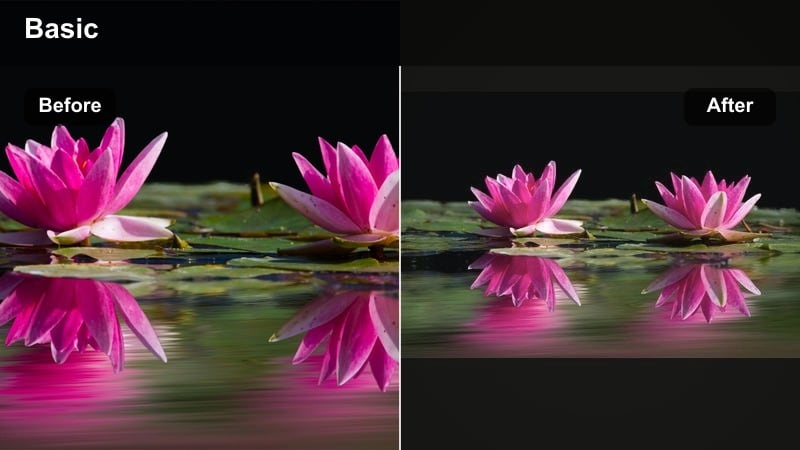
- Effect look: High-energy, candy-colored tones with extra punch in pinks, cyans, and yellows
- Best for: Product showcases, unboxings, and brand deals with colorful packaging or props
- Editing tip: Use keyframed filter intensity to start subtle in the intro and ramp up during key product reveals
Candy Store Brights turns packaging and props into the visual star of your TikTok. It boosts playful hues like pink, cyan, and yellow so unboxings and reveals feel extra satisfying and attention-grabbing.
In Filmora, apply this filter to your haul or PR unboxing footage, then keyframe the intensity higher during reveal moments. You can also mask and selectively enhance saturation around the product area to drive more clicks and conversions on shoppable content.
Streetwear Urban Pop
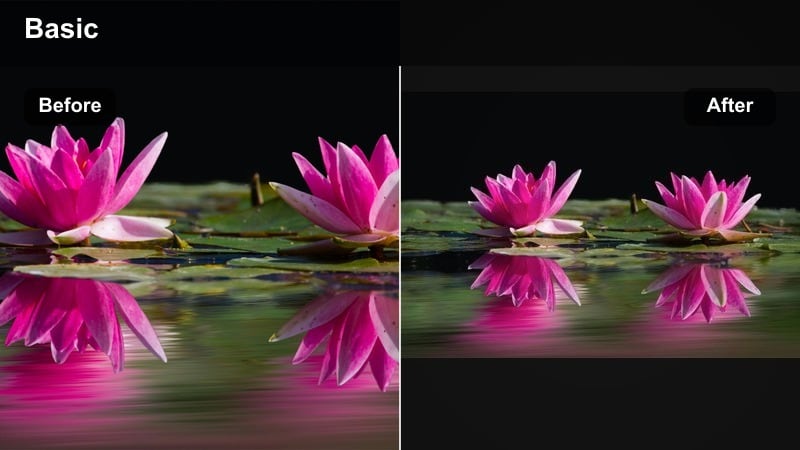
- Effect look: Crisp contrast with lifted blacks and rich color in clothing and graffiti textures
- Best for: Streetwear lookbooks, outfit transitions, sneaker close-ups, and city lifestyle content
- Editing tip: Add a slight slow-motion or speed-ramp effect on outfit reveals to sync with beats and enhance the filter’s punch
Streetwear Urban Pop sharpens edges and enriches colors so outfits and sneakers feel editorial without losing that raw city feel. Lifted blacks keep shadows soft while details in denim, leather, and graffiti stay highly visible.
Use this filter in Filmora for fit-check transitions and alleyway lookbooks. Apply subtle clarity or dehaze to fabric textures, combine with speed ramps on reveals, and you get TikToks that feel like mini street campaigns for your personal brand or collaborators.
Cinematic Storytelling for TikTok
Subtle Teal & Orange Story
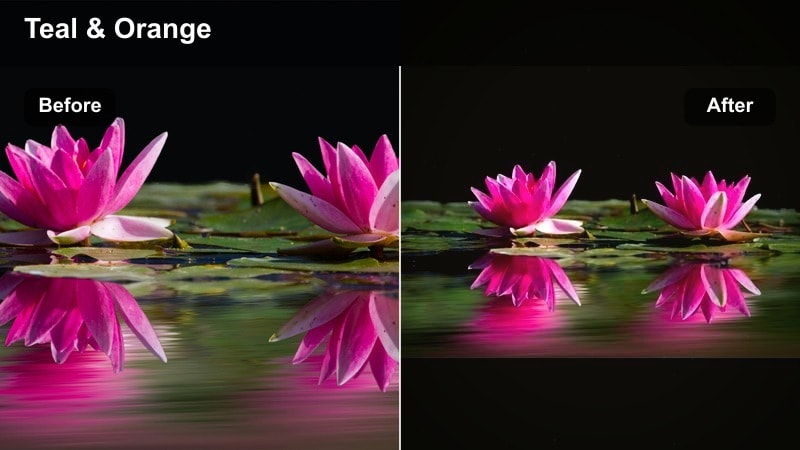
- Effect look: Light teal shadows with warm highlights for a cinematic but TikTok-friendly color split
- Best for: Mini vlogs, travel stories, B-roll montages, and cinematic transitions
- Editing tip: Apply the filter first, then refine skin tones in Filmora’s HSL panel so faces stay natural even with teal shadows
Subtle Teal and Orange Story brings a filmic mood to short-form content without pushing colors too far. Shadows lean slightly teal, highlights stay warm, and the overall frame feels like a movie still cut down for TikTok.
Apply it to travel walks, B-roll, and narrative-style clips in Filmora, then fix any skin color shifts with the HSL panel. Saving multiple intensity versions as presets lets you gradually change the emotional tone of a vlog from cool to warm within the same aesthetic.
Moody Coffee Shop
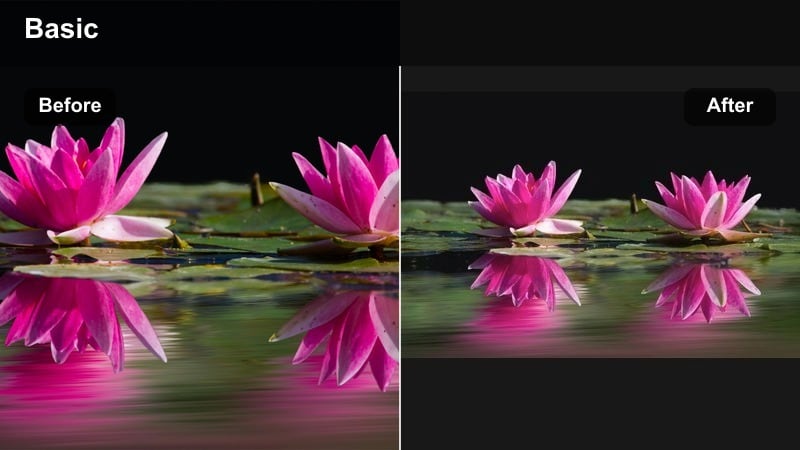
- Effect look: Muted highlights, rich browns, and gentle grain for an intimate, indie-film atmosphere
- Best for: Cafe vlogs, study-with-me clips, journaling, and soft-spoken storytelling content
- Editing tip: Lower saturation slightly and add a touch of Filmora grain to sell the analog, cozy mood
Moody Coffee Shop is ideal when you want your TikTok to feel like a quiet scene from an indie film. It deepens browns, softens highlights, and responds especially well to warm desk lamps and window light.
In Filmora, pair this filter with a gentle vignette and a hint of grain to mimic analog texture. Keep overall brightness modest so light sources glow, and use it across journal entries or study sessions to turn everyday moments into aesthetic story fragments.
Sunset Golden Hour Glow
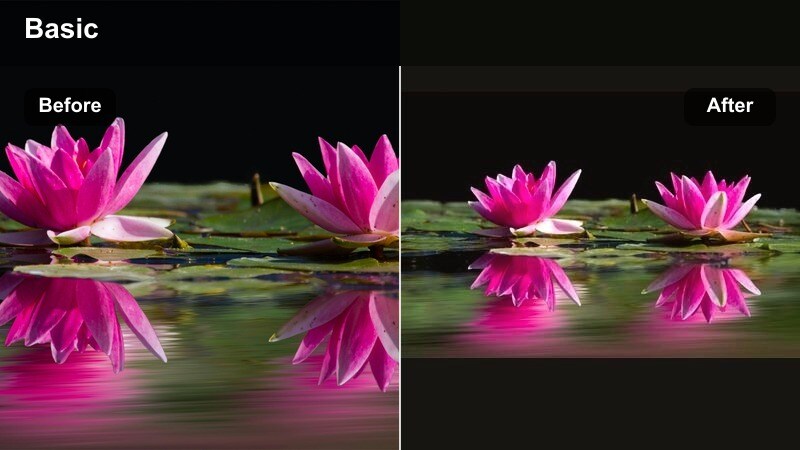
- Effect look: Warm, golden highlights with softened shadows that mimic golden hour even in average light
- Best for: Outdoor outfit checks, travel reels, romantic B-roll, and brand content shot near windows
- Editing tip: Increase warmth slightly only in highlights so shadows do not become too orange or muddy
Sunset Golden Hour Glow simulates late-afternoon light, even if you shot at noon or indoors. It warms highlights, softens transitions, and adds a flattering glow that works beautifully on skin and skies.
Apply it in Filmora to window-lit clips, balcony outfits, and travel shots. If walls or shadows shift too orange, cool down midtones with the color wheels while keeping highlight warmth high so the golden-hour illusion stays believable.
Brand-Ready, Polished Looks
Studio Brand Clean
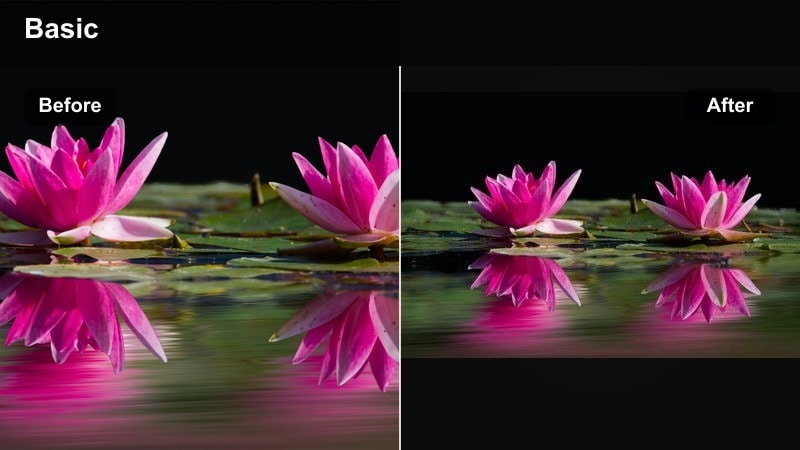
- Effect look: Bright, neutral whites with crisp details and slightly cool highlights for a professional feel
- Best for: Sponsored content, UGC ads, product explainers, and talking-head brand scripts
- Editing tip: Keep exposure slightly on the bright side and add minimal sharpening for a modern studio finish
Studio Brand Clean aims to make any room feel like a content studio. It brightens whites, keeps color casts under control, and adds just enough crispness that logos, text overlays, and product details look ready for paid ads.
Use this tiktok influencer filter in Filmora when delivering sponsored messages or UGC for brands. Maintain slightly bright exposure, add subtle sharpening, and keep backgrounds uncluttered so the message and product stay in focus.
Warm Brand Trust
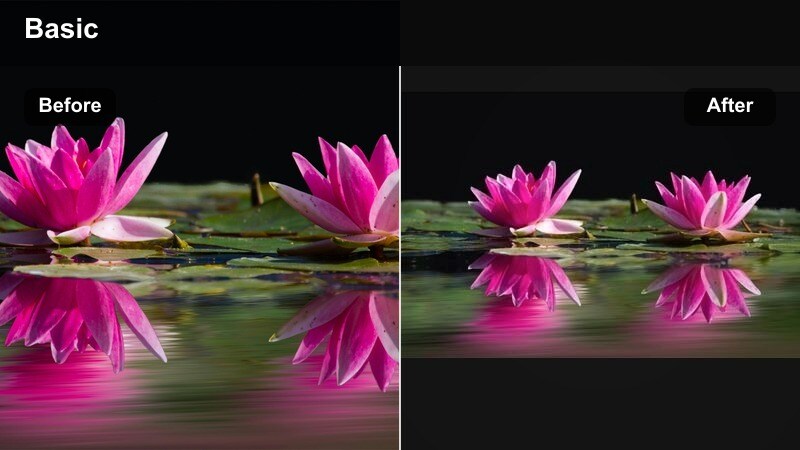
- Effect look: Soft warmth, gentle contrast, and slightly lifted shadows that feel friendly and trustworthy
- Best for: Testimonials, founder stories, educational content, and subtle product placements
- Editing tip: Dial down saturation in reds to prevent skin from looking flushed when you push warmth
Warm Brand Trust leans into approachable, human storytelling. It warms the image, lightens shadows, and keeps contrast comfortable so your face and eyes remain clear and inviting on a small TikTok screen.
Apply this filter in Filmora for testimonials, how-tos, and behind-the-brand clips. If cheeks start to look too red, reduce red saturation slightly, then combine the look with on-screen captions to make your message easy to follow even on mute.
UGC Viral Polish
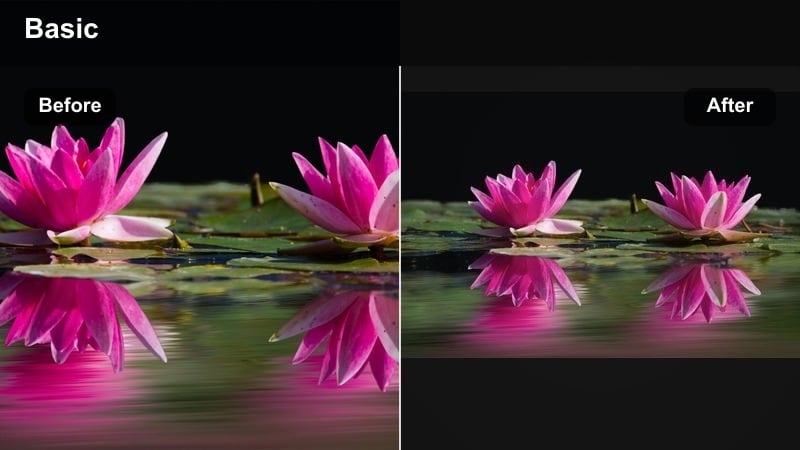
- Effect look: Slightly boosted saturation, clean whites, and softened imperfections for a polished but authentic feel
- Best for: UGC style ads, quick reviews, hauls, and brand-integrated lifestyle content
- Editing tip: Keep the filter at medium intensity and pair it with Filmora’s noise reduction on low to tidy up phone footage
UGC Viral Polish is built for creators who want brand-ready results while keeping that handheld, authentic vibe. It cleans up colors, slightly smooths imperfections, and keeps whites neutral so content can easily double as ad creative.
In Filmora, apply this influencer video filter to selfie clips and handheld product demos, then add light noise reduction and stabilization. The result feels real enough for audiences to trust but polished enough for brands to repurpose across platforms.
Tips for Using Influencer Video Filter Tiktok Filters in Filmora
- Batch-edit several clips at once with the same filter and only tweak exposure per shot to save time while keeping a consistent feed.
- Shoot slightly flatter footage on your phone by lowering contrast and sharpness so Filmora filters and LUTs have more room to work.
- Create separate presets for indoor and outdoor content using similar tones so your influencer brand stays recognizable in any light.
- Always check your edits on a phone screen before posting; if details disappear, reduce contrast and sharpen the subject slightly.
- Keep skin tones natural by adjusting HSL after adding heavy color filters so your influencer look stays polished but believable.
- Save your favorite influencer TikTok color grades as custom presets in Filmora so you can apply them to new projects in one click.
- Use Filmora’s masking tools with filters to emphasize key areas like faces or products while keeping backgrounds more neutral.
- Combine filters with subtle vignettes and text styles that match your brand colors to strengthen your overall TikTok identity.
Influencer video filters for TikTok are more than decoration; they are part of your brand identity, helping viewers recognize your content in a split second as they scroll.
Experiment with these Filmora presets, tweak intensity for your niche, and build a signature look that you can carry into collaborations, UGC, and every new platform you expand to.
secure download