

 100% Security Verified | No Subscription Required | No Malware


 ChatGPT
 Perplexity
 Gemini
 Claude
 Grok
Grok
Influencer video filters can instantly give your content a polished, on-brand look without spending hours on manual color grading. With the right presets, your Reels, Shorts, TikToks, and YouTube videos can match the aesthetic of top creators while staying true to your personal style.
Below are curated influencer-style video filters and pro color grades tailored for influencers, content creators, and brand ambassadors. Use them for influencer content, brand collaborations, and sponsored videos to keep your feed cohesive and your visuals ready for publishing fast.
In this article
Soft Lifestyle Glow Filters
Soft Pastel Glow
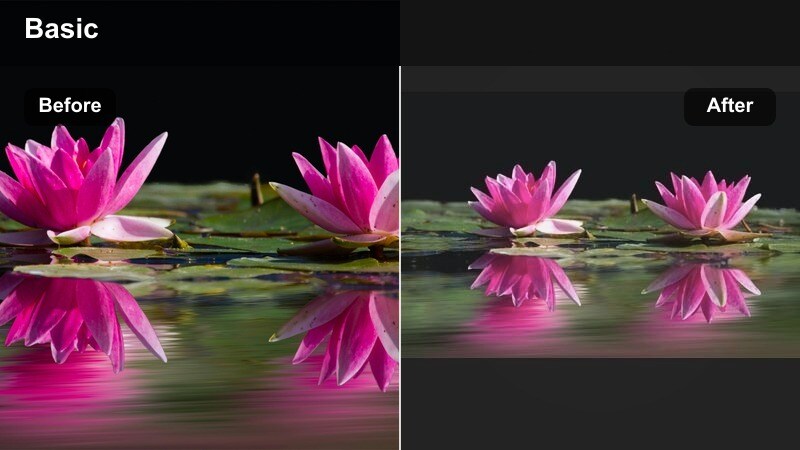
- Effect look: Soft, pastel-tinted highlights with gentle contrast for dreamy lifestyle feeds.
- Best for: Morning routines, GRWM videos, cozy home vlogs, wellness content.
- Editing tip: Lower the intensity slightly for sponsored videos so product colors stay accurate while the frame keeps its dreamy vibe.
Soft Pastel Glow is a pastel-inspired influencer filter that adds a soft glow and subtle warmth to your footage, instantly giving it that dreamy, aesthetic lifestyle feel. In Filmora, you can apply this look with a single drag and drop, turning flat morning light or overcast interiors into gentle, inviting scenes that match popular lifestyle feeds.
Use this filter across GRWM clips, slow pan shots of your bedroom, or cozy coffee B-roll to keep everything visually cohesive. When editing in Filmora, reduce the filter intensity slightly for any sponsored segments or product close-ups so packaging colors stay true while the overall frame still carries your signature soft-glow vibe.
Turn influencer filters into your own AI-powered look
Use Filmora s AI color tools to analyze your favorite influencer clips and automatically generate color settings that you can save as custom filters. This lets you turn an inspiration Reel or TikTok into a repeatable, on-brand look tailored to your own footage.
Once you have a look you like, save it as a reusable preset so every new vlog, Reel, or sponsored video can match your signature aesthetic in seconds without rebuilding the grade each time.
 secure download

Preview influencer video filters on your footage
Drag and drop Filmora s influencer-style filters onto your clips to instantly see how different moods work with your brand deals and everyday content. You can quickly try soft lifestyle looks, bold collab grades, or cinematic tones without committing.
Use Filmora s side-by-side comparison view to check a before-and-after frame, then fine-tune exposure and saturation so every filter stays on-brand for your collaborations and your personal content.
secure downloadCombine filters with influencer LUTs for pro color grades
Filmora lets you stack influencer-style filters with LUTs so you get the speed of presets plus the depth of pro color grading. Start with a subtle filter that matches your brand, then add a LUT on top for cinematic polish.
When you find a combo that works for your sponsored series or recurring brand campaigns, save it as a single preset. That way, every future video in the series can match your established influencer-grade look with one click.
secure downloadNeutral Lifestyle Clean
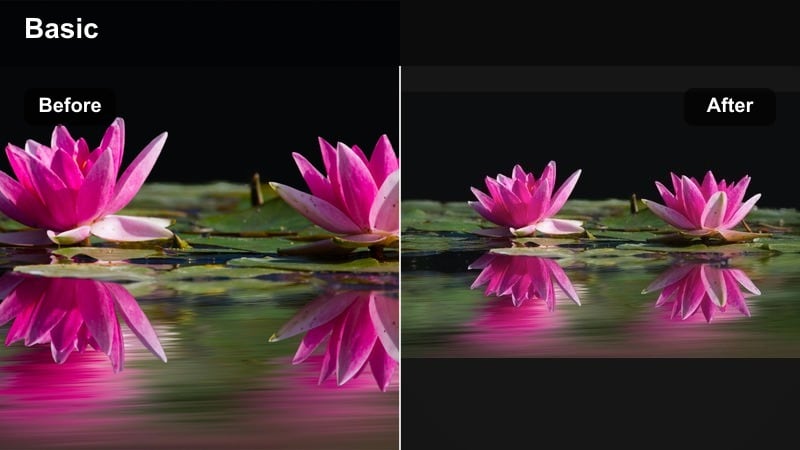
- Effect look: Balanced tones with soft contrast and clean whites for minimalist feeds.
- Best for: Home decor tours, desk setups, minimalist fashion hauls, brand collabs with neutral palettes.
- Editing tip: Use the filter at full strength for indoor clips, then reduce slightly for outdoor shots to avoid over-bright skies.
Neutral Lifestyle Clean is ideal for influencers who love a calm, minimalist aesthetic. It keeps whites bright but not blown out, while preserving natural skin tones so your decor, outfits, and setups look refined and intentional.
In Filmora, apply this filter as your base look across home tours, desk setups, and neutral brand collaborations. You can duplicate the preset and tweak temperature to match specific brand lookbooks, then save a dedicated Collab Neutral version for repeat partnerships and sponsored series.
Warm Sunset Lifestyle
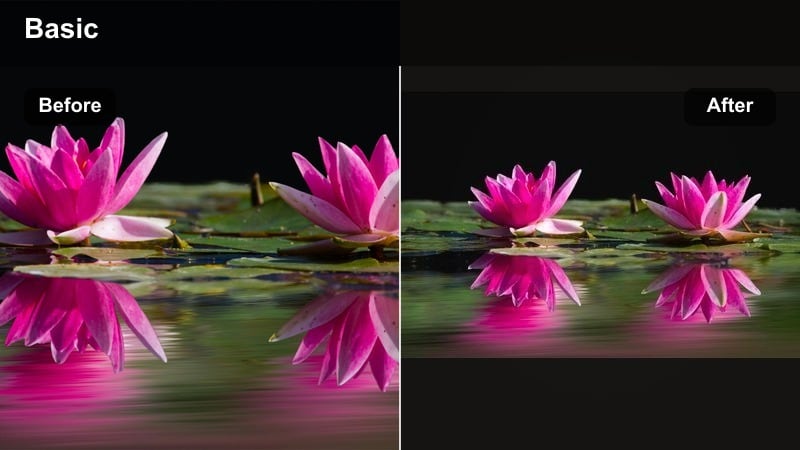
- Effect look: Golden-hour warmth with soft halation around highlights for romantic outdoor scenes.
- Best for: Golden-hour B-roll, travel lifestyle, sunset date nights, beach collabs.
- Editing tip: Boost saturation slightly only in the midtones so skin stays flattering while skies pop.
Warm Sunset Lifestyle turns ordinary daylight into rich, golden footage that feels like it was shot at peak golden hour. Highlights bloom gently, shadows stay soft, and everything from skin to sky gets a romantic warmth.
Use this filter in Filmora on travel B-roll, sunset walks, and outdoor brand collabs to keep your feed looking cinematic even on less-than-perfect weather days. For cloudy daylight, combine the filter with small highlight and vignette tweaks, then save Cloudy Golden Hour and Real Golden Hour variations for quick reuse.
Bold Brand Collaboration Filters
Brand Pop Boost
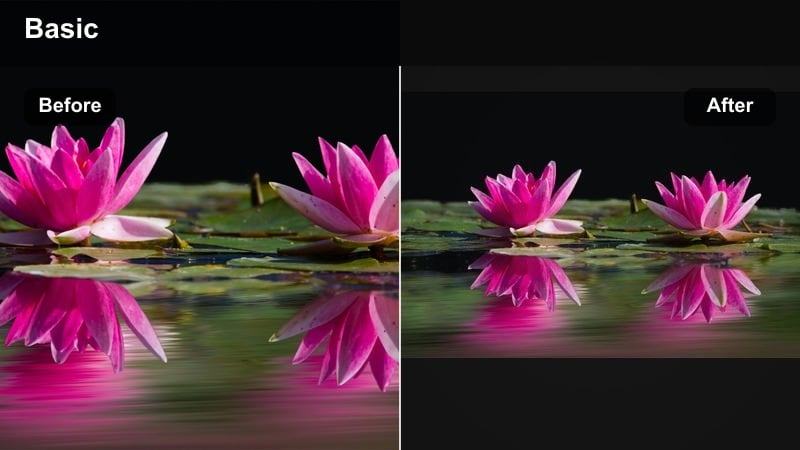
- Effect look: Punchy saturation and crisp contrast that make logos and packaging stand out.
- Best for: Sponsored unboxings, product demos, brand integration cutaways, UGC ads.
- Editing tip: Use keyframes to slowly ramp the filter strength up during the reveal shot so the product literally pops on screen.
Brand Pop Boost is designed to make logos, packaging, and brand colors impossible to miss. Saturation and contrast are tuned to highlight labels and text, helping your sponsored segments look bold and high-impact on mobile screens.
Inside Filmora, drop this filter onto unboxing sequences and hero shots, then use keyframes to increase intensity as you reveal the product. Preview on both desktop and phone to be sure text overlays and fine details remain sharp and legible after the boost.
Studio Pro Collab
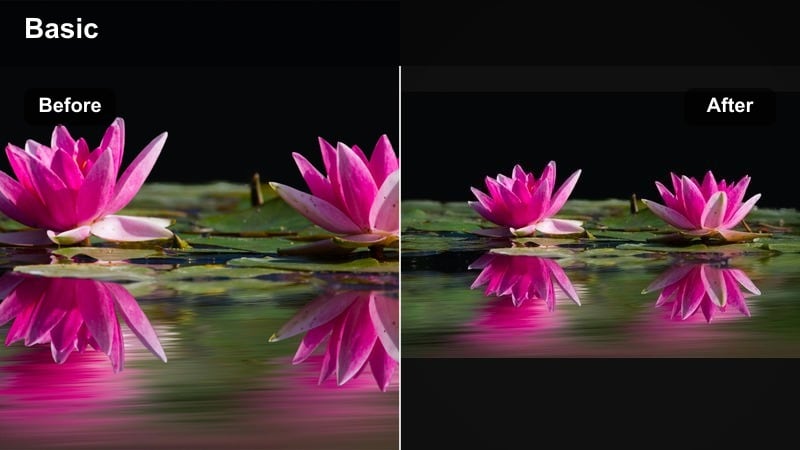
- Effect look: Polished studio-grade contrast with clean blacks and controlled highlights.
- Best for: Talking-head sponsorship segments, brand announcements, testimonial-style promos.
- Editing tip: Combine with subtle Filmora face smoothing at low intensity so your skin looks camera-ready without appearing over-edited.
Studio Pro Collab gives your talking-head footage a professional, studio-ready finish. Blacks are clean, highlights are controlled, and the overall contrast makes your sponsorships feel like polished commercial content while still being filmed at home.
In Filmora, pair this filter with gentle face smoothing and consistent framing for all ad reads. Use it for intros, mid-rolls, and outros so your audience instantly recognizes sponsored segments by their consistent, premium visual style.
Vibrant Retail Shelf
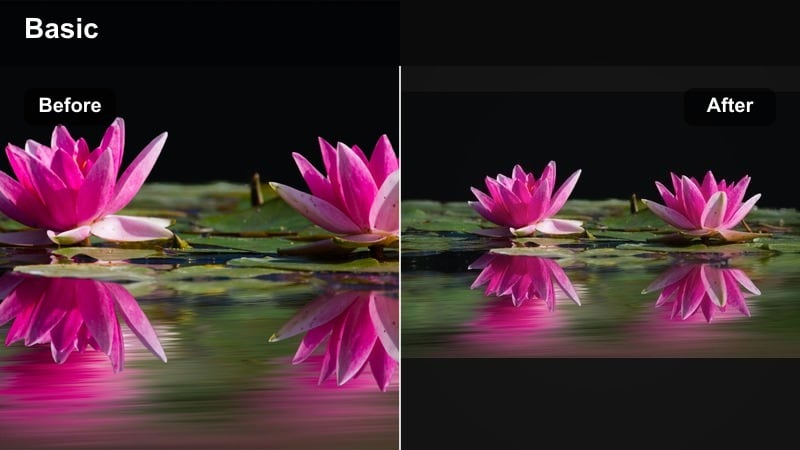
- Effect look: High-impact color and clarity that keeps shelves, labels, and textures sharp.
- Best for: In-store brand tours, retail collabs, grocery hauls, beauty aisle walk-throughs.
- Editing tip: Use selective color tools after applying the filter to emphasize the brand s primary hue while muting background distractions.
Vibrant Retail Shelf is tuned for busy, colorful store environments. It sharpens textures and boosts clarity so labels, shelves, and brand colors stand out even under harsh, mixed lighting.
After applying this filter in Filmora, use white balance and selective color controls to neutralize strange store lighting and push the featured brand s primary color. Film a quick gray card or plain white object in-store, correct it once, then batch-apply the same look across all your retail collab clips.
Cinematic Vlog Aesthetic Filters
Cinematic Teal & Gold
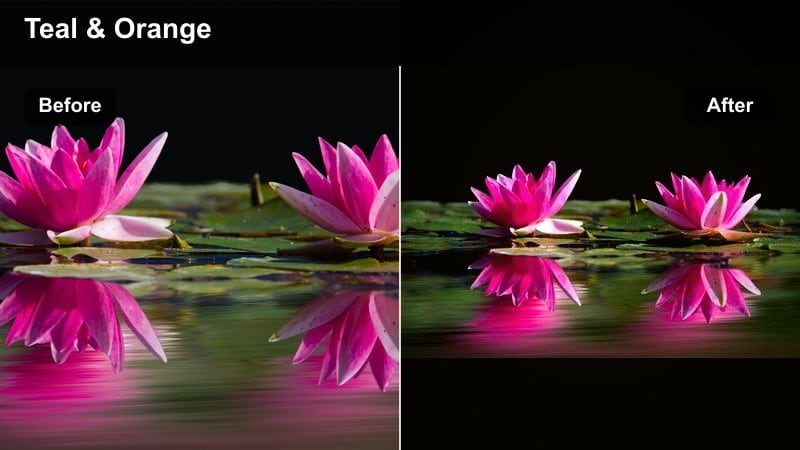
- Effect look: Modern teal shadows with golden skin tones for a cinematic influencer travel look.
- Best for: Travel vlogs, city B-roll, cinematic B-roll transitions in sponsored sequences.
- Editing tip: Keep the filter lighter on indoor clips so skin does not shift too far into orange; use full strength for night cityscapes.
Cinematic Teal and Gold brings a movie-inspired color palette to your vlogs with cool teal shadows and warm, glowing skin tones. It instantly makes street scenes and skyline shots feel like cinematic B-roll from a travel film.
Apply this filter in Filmora to specific story beats such as travel montages or sponsored destination intros, keeping your A-roll more natural. Use lower intensity indoors, then push it harder on night exteriors, adding speed ramps and sound design for high-impact transitions.
Muted Film Journal
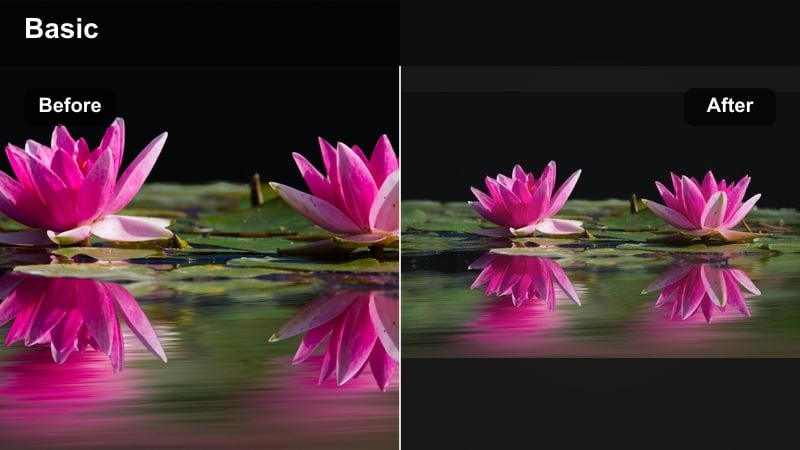
- Effect look: Desaturated shadows with soft grain for a diary-style filmic vlog.
- Best for: Day-in-the-life vlogs, reflective voiceovers, slow-paced sponsored storytelling.
- Editing tip: Keep exposure slightly lower when using this filter to preserve the nostalgic, filmic mood.
Muted Film Journal gives your footage a gentle, nostalgic feel with softer colors and a hint of grain. It is perfect for reflective, diary-style content where emotion and storytelling matter more than punchy color.
In Filmora, use this filter on sequences with voiceovers, journaling shots, or more vulnerable storytelling. Lower exposure slightly and reduce music volume so your voice and the subtle film look carry the mood, whether it is organic content or a softly told sponsored narrative.
Urban Creator Cool
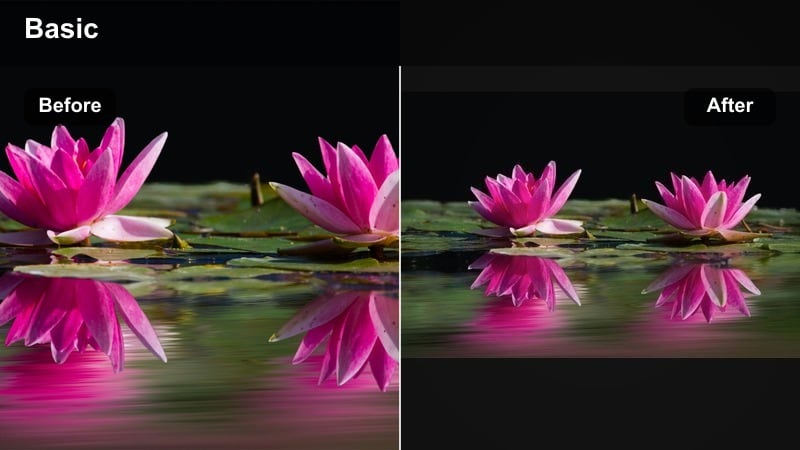
- Effect look: Cool-toned streets with crisp edges and lifted shadows for energetic city content.
- Best for: Streetwear hauls, sneaker content, city walks, nightlife collaborations.
- Editing tip: Add a subtle vignette and slight sharpening after applying the filter to anchor attention on you and your outfit.
Urban Creator Cool shifts your city footage into a modern, cool-toned palette with lifted shadows and defined edges. It is built for streetwear, sneakers, and nightlife content where the environment should feel edgy but not too dark.
In Filmora, apply this filter to city B-roll and fashion walk-throughs, then add a light vignette and extra sharpening to pull focus toward you. Warm skin tones back up slightly with selective color so you stay natural against cooler streets, and save the preset with your city or series name for ongoing episodes.
Social-First Short-Form Filters
Reels Boost Portrait
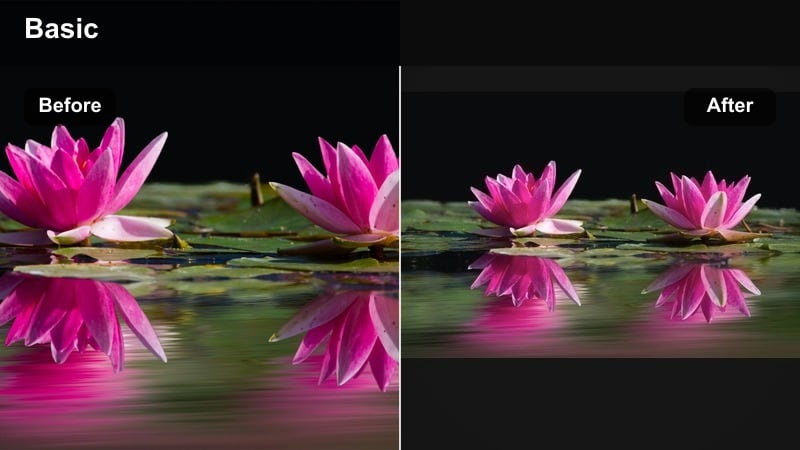
- Effect look: Bright, punchy portrait filter that enhances skin and keeps backgrounds slightly blurred.
- Best for: Instagram Reels, TikTok GRWMs, selfie-style product callouts, UGC ads.
- Editing tip: Crop for vertical and apply the filter after resizing so faces stay sharp and exposure is balanced.
Reels Boost Portrait is tuned specifically for vertical, face-focused clips. It brightens skin, adds gentle contrast, and slightly de-emphasizes the background so your expressions and product callouts stand out as viewers scroll.
In Filmora, switch your project to a vertical aspect ratio first, then apply this filter to GRWMs, talking-to-camera clips, and selfie-style ads. Copy and paste the color settings across a batch of short-form edits so your entire feed or campaign stays consistent with minimal effort.
UGC Native Ad
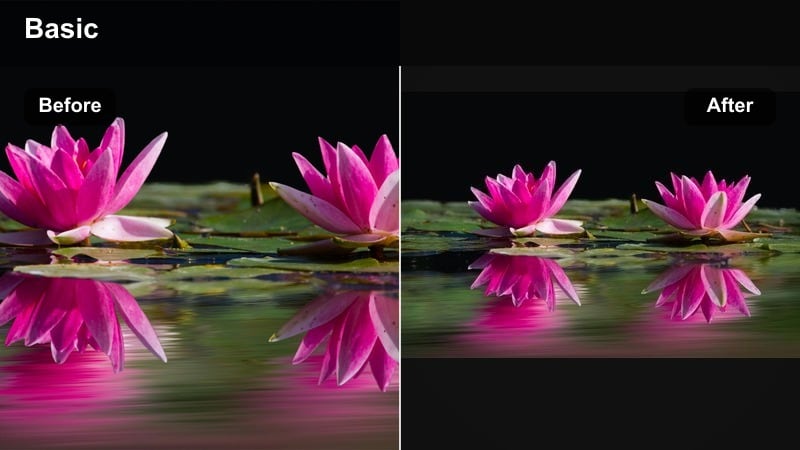
- Effect look: Subtle, natural enhancement that keeps videos looking organic and platform-native.
- Best for: User-generated style ads, casual sponsored clips, whitelisting creatives.
- Editing tip: Dial the filter strength low so the video still feels like a real, unfiltered post while remaining visually polished.
UGC Native Ad is all about light, nearly invisible polish. It adds gentle contrast and clarity while keeping the video looking like something a real user could have shot on their phone, which is perfect for UGC-style ads and whitelisted content.
In Filmora, keep the intensity low so there are no heavy color shifts that scream ad. Use it to smooth out exposure and sharpness on casual handheld clips, then test thumbnails with and without the filter to be sure your sponsored posts blend naturally into platform feeds.
Snackable Boost
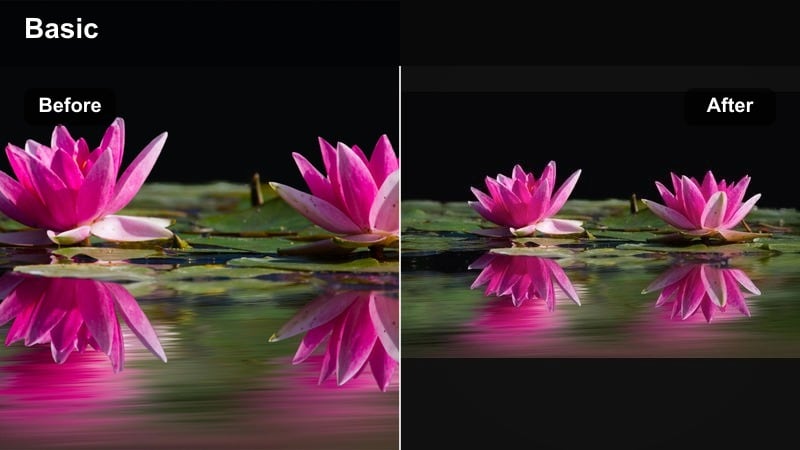
- Effect look: High-energy contrast and saturation tuned for tiny mobile screens and quick scrolls.
- Best for: Fast cuts, meme-style overlays, transitions, and hook-heavy sponsored intros.
- Editing tip: Apply this filter mostly to the first three seconds of your video to make the hook visually loud and eye-grabbing.
Snackable Boost is built to grab attention in under a second. It cranks up contrast and saturation just enough to make your hook frames extra loud and clear on small phone screens without destroying detail.
In Filmora, apply this filter to the opening seconds of your Reels or TikToks, especially where you point to on-screen text or introduce a strong hook. You can then fade the intensity down slightly for the rest of the clip to reduce visual fatigue while still keeping the overall energy high.
Tips for Using Influencer Video Filter General Filters in Filmora
- Create separate filter presets for organic content and sponsored content so your audience recognizes different content types instantly.
- Keep at least one clean, neutral preset that brand partners can approve and reuse across multiple campaigns.
- Batch-apply your favorite influencer filter to all clips in a project, then fine-tune just the hero shots for maximum impact.
- Test your filters on multiple devices to ensure text overlays and product details remain clear on smaller screens.
- Save intensity variations of each filter so you can adapt quickly to different lighting without rebuilding the look every time.
- Use Filmora s comparison view to A/B test two different influencer looks before committing to a series-wide aesthetic.
- Label your presets by series or brand name so you can instantly recall the exact color grade used for each collaboration.
Influencer video filters and pro color grades help you keep your content consistent, recognizable, and ready for brand deals without spending hours grading every clip from scratch. With a few core presets, you can give every new upload a familiar, polished style that feels like your signature look.
Experiment with a few core looks in Filmora, save them as presets, and build a small toolkit of influencer filters you can rely on for influencer content, brand collaborations, and sponsored videos across every platform.
secure downloadNext: Influencer Video Filters for YouTube: Signature Looks for Long-Form
