

 100% Security Verified | No Subscription Required | No Malware


 ChatGPT
 Perplexity
 Gemini
 Claude
 Grok
Grok
These Instagram Reels lifestyle LUTs soft light inspired filters are designed for content creators who love airy, glowy visuals and calm, modern aesthetics.
Use these Filmora filters to soften shadows, even out skin tones, and add a gentle cinematic glow that keeps your reels cohesive, on brand, and easy to watch.
In this article
Soft Light for Morning Routines and Slow Starts
Dawn Apartment Glow
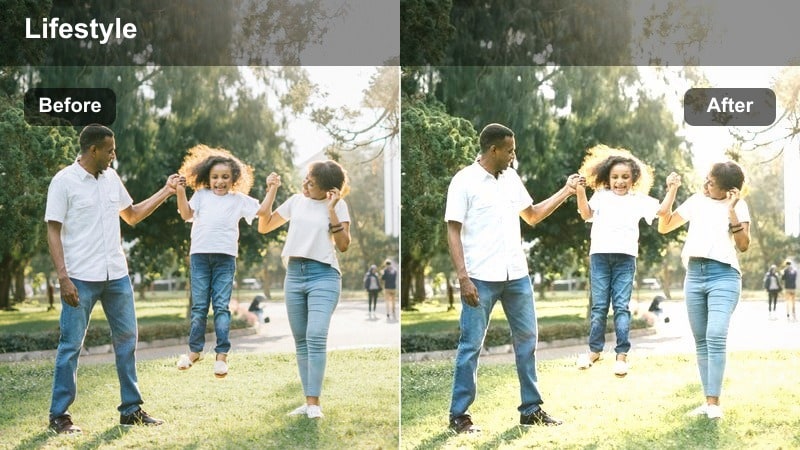
- Effect look: Soft haze with lifted blacks, warm highlights, and delicate bloom around windows.
- Best for: Filming slow morning routines, coffee moments, and cozy at-home lifestyle reels.
- Editing tip: Lower contrast slightly and nudge exposure up to keep whites clean without clipping highlights.
Dawn Apartment Glow wraps your clips in a gentle haze that feels like real early-morning light, even if your apartment does not get perfect sunrise windows. In Filmora, this style works especially well on handheld b roll of making coffee, stretching, or opening curtains, because the lifted blacks and warm highlights smooth out contrast and make micro-movements feel softer.
Apply this filter to your raw footage, then fine tune exposure and contrast so skin tones stay luminous without losing detail in bright sheets or walls. For extra polish, combine it with Filmora stabilization on small movements and add a touch of slow motion to steam, curtain pulls, or coffee pours so the soft glow really stands out in your Instagram Reels.
Match Soft Light Across All Your Reels with AI Color Palette
Filmora s AI Color Palette helps you copy the dreamiest soft light look from one perfectly edited reel and apply it to the rest of your clips in seconds. Instead of manually matching warmth, haze, and contrast for every upload, you can let AI harmonize the tones for you.
This is ideal when you film morning routines on different days or in slightly different lighting conditions but still want your Instagram grid to feel cohesive and on brand.
 secure download

Preview Soft Lifestyle Filters in Real Time
With Filmora, you can hover over each soft lifestyle filter in the Effects panel and instantly see how it transforms your clip in the preview window. This lets you quickly compare different levels of haze, warmth, and contrast without committing to heavy adjustments.
Once you find a look that fits your lifestyle sequence, drag it onto the clip and use the intensity slider to dial in a subtle, professional finish that still feels natural for Instagram Reels.
secure downloadCombine Filters with LUT Style Looks for Signature Reels
Filmora includes 1000 plus filters and 3D LUTs, so you can stack a soft lifestyle filter with a LUT style look to build a unique reel aesthetic. This layered approach gives you both tonal control and a cinematic color signature that viewers recognize immediately.
After crafting a combo you love, save it as a custom preset so every new reel starts with your signature soft light base and consistent color mood, speeding up your entire editing workflow.
secure downloadLinen Sheets Morning
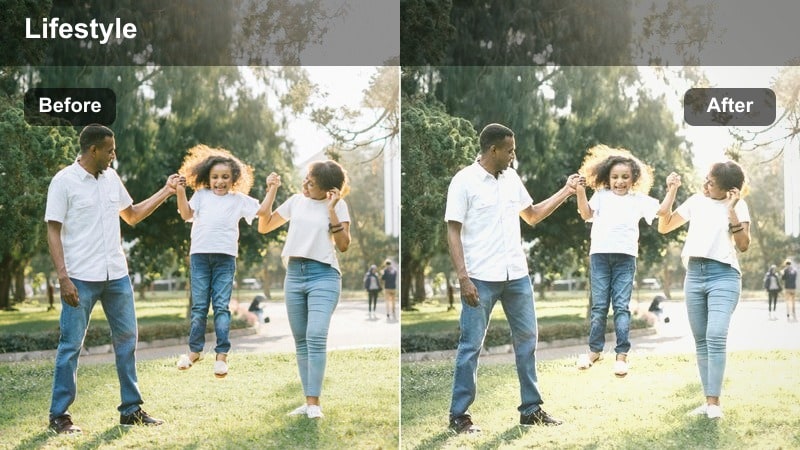
- Effect look: Muted tones, creamy whites, and a soft pastel cast that flattens harsh shadows.
- Best for: Bedside clips, reading in bed, cozy journaling, and calm aesthetic reels.
- Editing tip: Reduce saturation of strong colors like red or orange to keep the overall palette neutral and minimal.
Linen Sheets Morning is perfect for slow, cozy bedroom scenes where you want everything to feel neutral and editorial, not cluttered. In Filmora, apply this filter to shots of making your bed, flipping through a book, or writing in a journal to turn everyday routines into minimal lifestyle visuals.
After adding the effect, use the color controls to gently pull down saturation on bright objects so whites stay creamy and soft pastels remain the focus. This keeps attention on skin, textures, and soft motion, giving your Instagram Reels a calm, curated magazine look.
Sunlit Kitchen Brunch
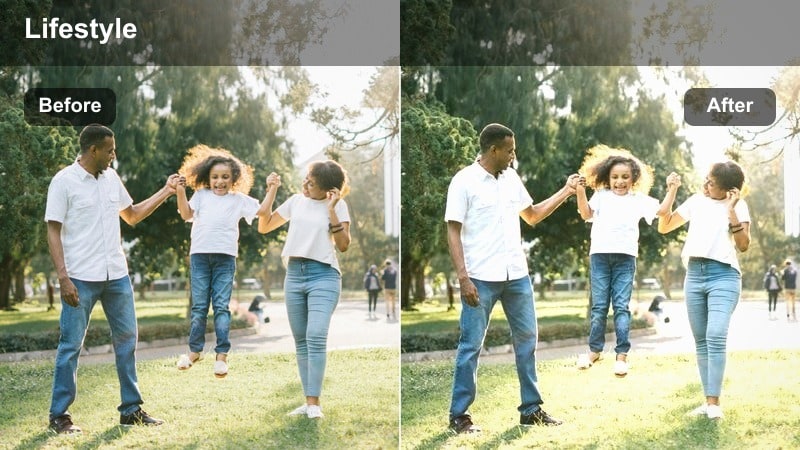
- Effect look: Gentle golden warmth with softened midtones and a subtle vignette for focus.
- Best for: Lifestyle brunch reels, making coffee, and casual talking clips in bright kitchens.
- Editing tip: Increase warmth slightly while keeping whites close to neutral so skin tones stay flattering.
Sunlit Kitchen Brunch adds a subtle golden glow that makes countertops, mugs, and plates look inviting without oversaturating your scene. In Filmora, it works especially well on overhead recipe shots, latte pours, or casual chat clips filmed at your kitchen island.
Once applied, balance the white point so tiles, mugs, and plates do not drift too yellow while midtones keep that brunch warmth. If you film multiple angles, copy and paste the effect or save it as a preset so all your kitchen content maintains the same soft, cinematic feel on Instagram Reels.
Soft Light for Workday and Study Aesthetic Reels
Minimal Desk Glow
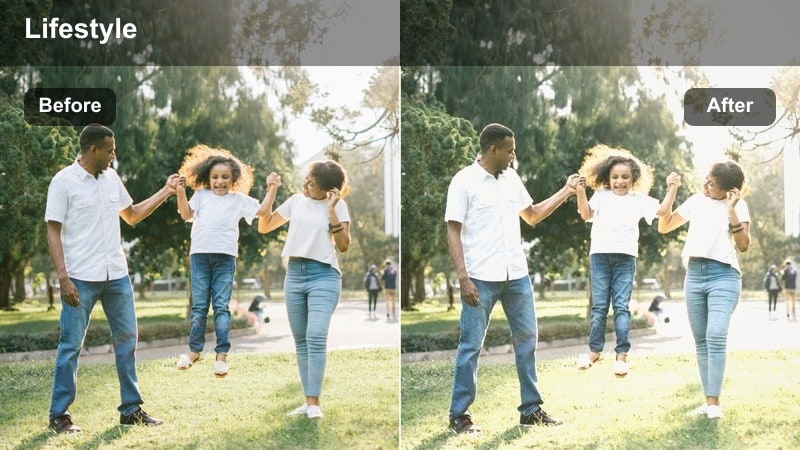
- Effect look: Clean whites, lifted shadows, and a subtle matte finish for a productivity aesthetic.
- Best for: Desk setups, typing sequences, productivity timelapses, and workspace tours.
- Editing tip: Reduce sharpness slightly and add a touch of film grain to keep the look soft yet professional.
Minimal Desk Glow is built for aesthetic workspace content, making laptops, notebooks, and stationery feel organized and bright without harsh edges. In Filmora, add the filter to top down desk shots, mouse and keyboard close ups, or study timelapses to get that matte productivity vibe popular on Instagram Reels.
After applying the effect, dial back sharpness a bit and introduce subtle film grain so the frame looks polished but not clinical. This combination keeps text legible while softening shadows and backgrounds, helping your followers focus on your workflow instead of visual distractions.
Studio Setup Soft Focus
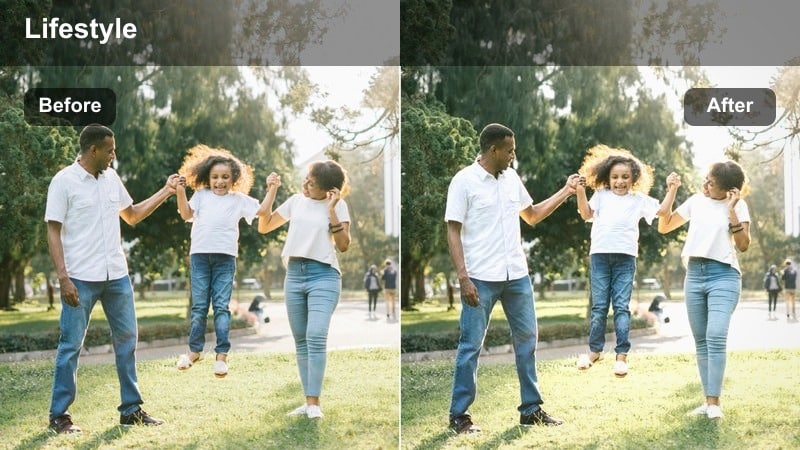
- Effect look: Soft focus feel with gentle contrast and slightly cool highlights for a tech-forward vibe.
- Best for: On-camera talking reels, mini tutorials, and behind-the-scenes creator setups.
- Editing tip: Use a shallow depth of field when filming, then let this filter smooth transitions and tame harsh LED lighting.
Studio Setup Soft Focus is designed to soften LED or ring light setups while keeping your face crisp and your background pleasantly blurred. In Filmora, this filter is ideal for talking head reels, microphone close ups, or behind the scenes shots of your content creation process.
Once applied, fine tune exposure and highlight levels so your skin does not look blown out under bright lights. Pair the effect with a shallow depth of field in camera and a bit of Filmora background blur or vignette so viewers are drawn straight to your expressions and on screen details.
Coffee Shop Study Soft
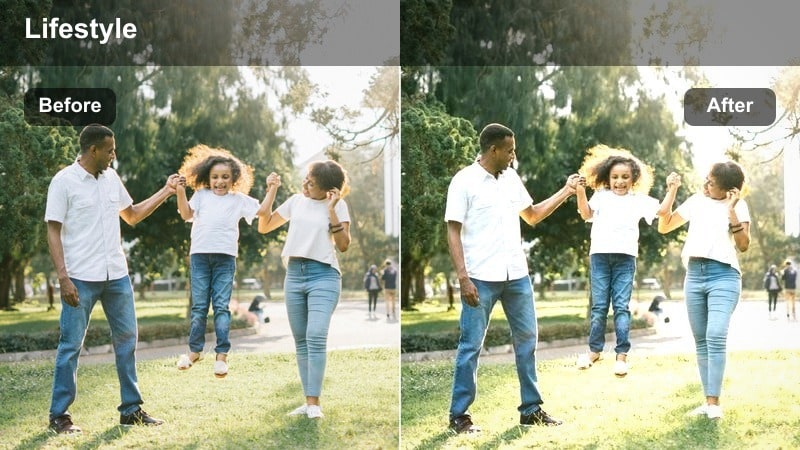
- Effect look: Muted background tones with gentle warm highlights that keep the subject separated from the scene.
- Best for: Cafe study sessions, laptop work, and aesthetic work-from-anywhere reels.
- Editing tip: Lightly darken the background using Filmora masks so the soft light stays focused on you.
Coffee Shop Study Soft is tailored for cozy cafe footage, enhancing warm highlights on faces and laptops while subtly muting the surrounding environment. In Filmora, it helps you turn busy coffee shops into cinematic backdrops where you remain the clear focal point.
Apply the effect to your clips, then use Filmora masking to gently darken or blur parts of the background, keeping your face and hands bright and inviting. This creates a polished work from anywhere aesthetic that feels intentional and soothing as viewers scroll through their Instagram Reels feed.
Soft Light for City Walks and Outdoor Lifestyle
City Street Soft Haze
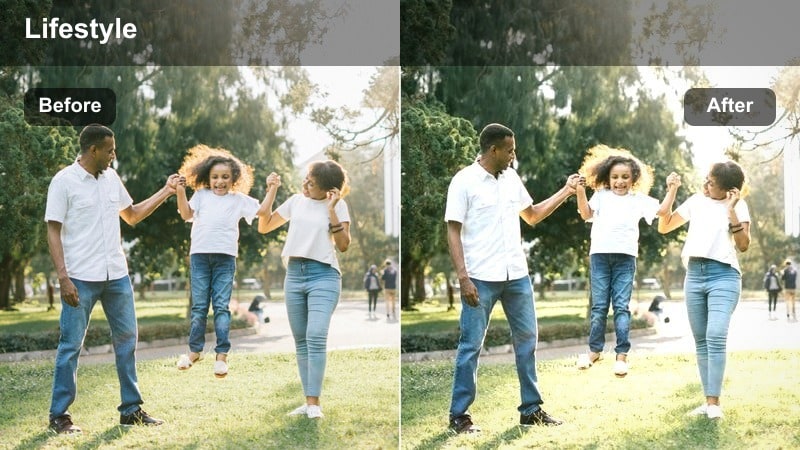
- Effect look: Soft lifted blacks, subtle bloom around bright areas, and a hint of coolness in shadows.
- Best for: Street walks, outfit-of-the-day reels, and casual vlogging in busy city streets.
- Editing tip: Stabilize your clips in Filmora, then add this filter and a slight slow-mo for dreamy motion.
City Street Soft Haze turns ordinary sidewalks and crosswalks into cinematic lifestyle backdrops with lifted shadows and gentle haze. In Filmora, this filter works beautifully on walking shots, mirror checks in shop windows, or quick outfit spins as you move through the city.
Stabilize your handheld clips first, then apply the effect and experiment with mild slow motion or speed ramps so movement feels smooth and dreamy instead of shaky. The cool tinted shadows and soft bloom around highlights help your reels stand out without losing the authentic city atmosphere.
Rooftop Golden Soft
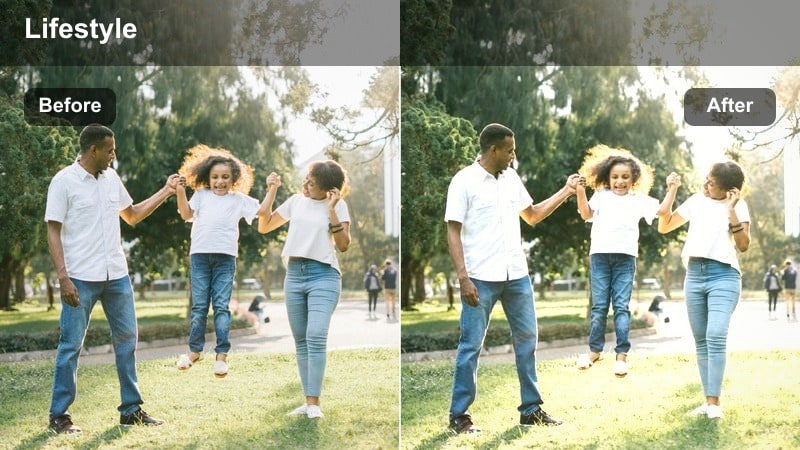
- Effect look: Warm, golden highlights with softened edges, subtle teal in shadows, and gentle contrast.
- Best for: Rooftop sunsets, skyline shots, and cinematic lifestyle montages.
- Editing tip: Shoot during golden hour and avoid pointing directly at the sun to keep the glow controlled and flattering.
Rooftop Golden Soft is made for skyline views and sunset silhouettes, layering a gentle golden wash over your footage while cooling the shadows slightly for contrast. In Filmora, it is perfect for slow pans, hair flips in the wind, or close ups against a glowing horizon.
After applying the filter, tweak saturation to keep skin tones natural while the sky and buildings stay rich and cinematic. Combine it with gentle push in crops or keyframed zooms so even static rooftop clips feel like part of a polished lifestyle montage on Instagram Reels.
Subway Soft Transit
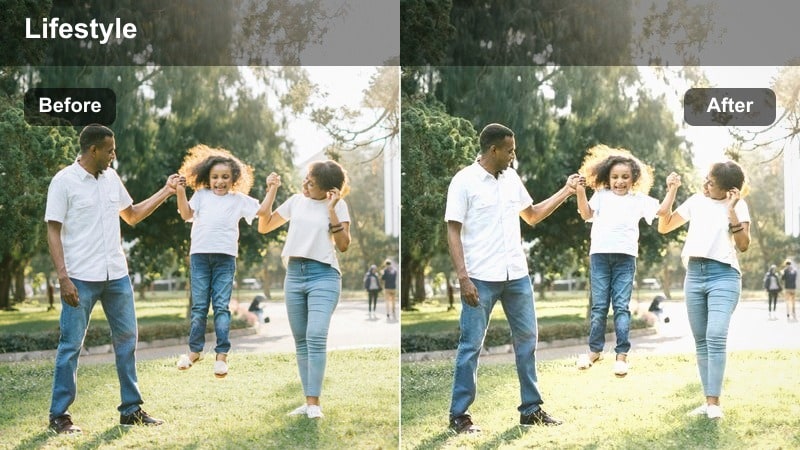
- Effect look: Softened fluorescent tones with smoothed skin and slightly desaturated backgrounds.
- Best for: Subway rides, escalator clips, and on-the-go city transitions for reels.
- Editing tip: Reduce greens and yellows in the color mixer to counter harsh underground lighting.
Subway Soft Transit is designed to tame harsh overhead lighting in trains, stations, and tunnels, turning them into stylized, cohesive scenes. In Filmora, this filter makes escalator rides, train door closeups, and candid standing shots look intentional instead of washed out.
Once it is applied, use the color mixer to pull back aggressive greens and yellows so your skin stays flattering and the background feels gently muted. Cut together a series of short transit clips with smooth crossfades or quick cuts to build dynamic, aesthetic transitions between key locations in your Instagram Reels.
Soft Light for Evening Unwind and Night Ambience
Apartment Evening Soft
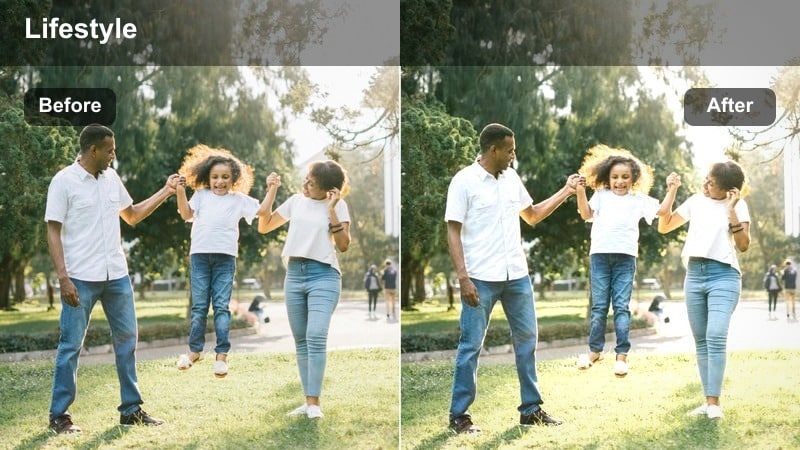
- Effect look: Warm indoor glow with smoothed highlights and softened deep shadows for a calm mood.
- Best for: Night routines, evening chats, and unwind reels filmed in small apartments.
- Editing tip: Lower contrast and add a touch of vignette to center attention on faces and key details.
Apartment Evening Soft wraps indoor scenes in a cozy warmth that flatters lamps, candles, and ambient city light. In Filmora, it works well on skincare routines, evening chats on the couch, or simple b roll of tea, candles, and books.
Apply the filter and then slightly lower contrast so shadows stay soft and nothing feels too harsh in dim lighting. A gentle vignette or focus effect around your face can help guide viewers eyes, turning simple night clips into intimate lifestyle moments that play beautifully on Instagram Reels.
City Window Night Soft
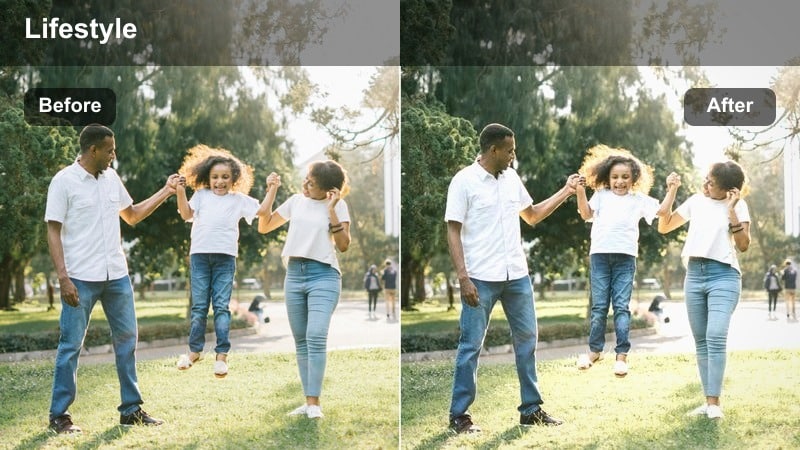
- Effect look: Cool, soft shadows with gentle highlight roll-off and visible but smooth city lights.
- Best for: Filming near windows at night, skyline b-roll, and reflective mood reels.
- Editing tip: Lower the highlights slightly to prevent city lights from blowing out while keeping their glow.
City Window Night Soft is made for reflective, moody clips where city lights glow behind you as soft bokeh. In Filmora, this filter brings out that dreamy separation between cool city tones and your gently lit face at the window.
After applying it, fine tune highlights and exposure so neon signs and building lights stay visible without clipping. Pair the look with slower pacing, gentle camera moves, and a calm soundtrack so your nighttime reels feel cinematic and thoughtful rather than rushed.
Late Night Creator Mode
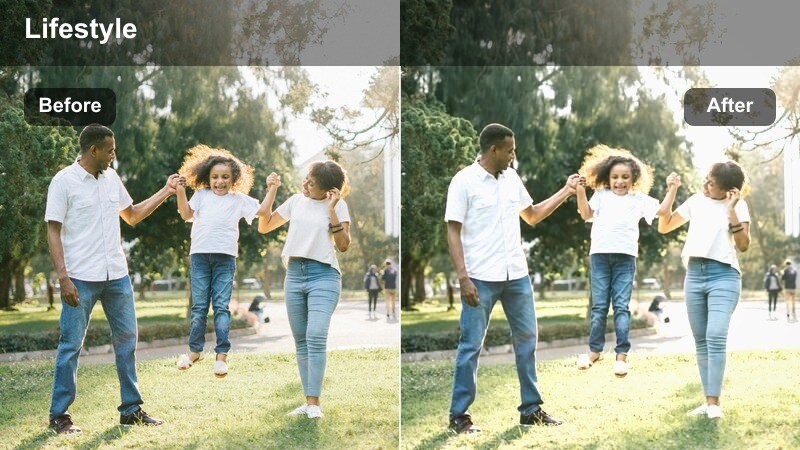
- Effect look: Soft contrast with slightly cooler midtones and subtle glow on screens and monitors.
- Best for: Editing sessions, coding, planning content boards, and creator behind-the-scenes at night.
- Editing tip: Pull saturation back a bit for a moody productivity tone that still feels clean and watchable.
Late Night Creator Mode is perfect for showing the quieter side of content creation, with your monitor or laptop casting a soft, cool glow. In Filmora, this filter helps you capture editing sessions, planning boards, or coding time in a way that feels cinematic instead of harsh.
Apply the effect and slightly decrease saturation and contrast to lean into a moody productivity atmosphere while keeping your face readable. Combine it with screen recording overlays, timeline shots, or quick cuts of your gear to round out a behind the scenes reel that resonates with fellow creators on Instagram.
Tips for Using Instagram Reels Lifestyle Luts Soft Light Filters in Filmora
- Shoot in natural or diffused light whenever possible so the soft filters enhance, rather than fight, your source lighting.
- Keep your in frame color palette neutral and minimal to let skin tones and soft highlights stand out on Instagram Reels.
- Lower contrast slightly in Filmora before applying soft light effects so shadows do not crush and the image stays airy.
- Stabilize handheld clips using Filmora stabilization so the dreamy softness feels intentional instead of like motion blur.
- Batch edit multiple reels with the same filter and LUT preset to keep your Instagram grid cohesive and recognizable.
- Record at a higher resolution than you need, then crop in Filmora for smoother, more polished soft light compositions.
- Use gentle slow motion on everyday actions like pouring coffee, turning pages, or typing to complement the subtle glow.
- Avoid over saturating bold colors, which can clash with the calm, lifestyle mood created by these soft light filters.
Soft light lifestyle filters help turn simple daily moments into aesthetic Instagram Reels that feel calm, intentional, and on brand. With Filmora, you can combine these effects with AI tools, LUTs, and presets to build a signature look in just a few steps.
Once you find a combination you love, save it as a reusable preset so every new reel starts from the same dreamy base. This speeds up your workflow and keeps your content visually consistent, whether you are filming slow mornings, city walks, or late night editing sessions.
secure download