

 100% Security Verified | No Subscription Required | No Malware


 ChatGPT
 Perplexity
 Gemini
 Claude
 Grok
Grok
These Instagram Reels street photography LUT-style filters are built for content creators who want gritty, cinematic city vibes straight out of Filmora without heavy manual color grading.
From neon-soaked nights to high-contrast daytime alleys, each filter is tuned to make sidewalks, crosswalks, reflections, and fast-moving crowds look sharp, dramatic, and ready to post on Instagram Reels.
In this article
Early Morning Street Commute Vibes
Soft Amber Commute
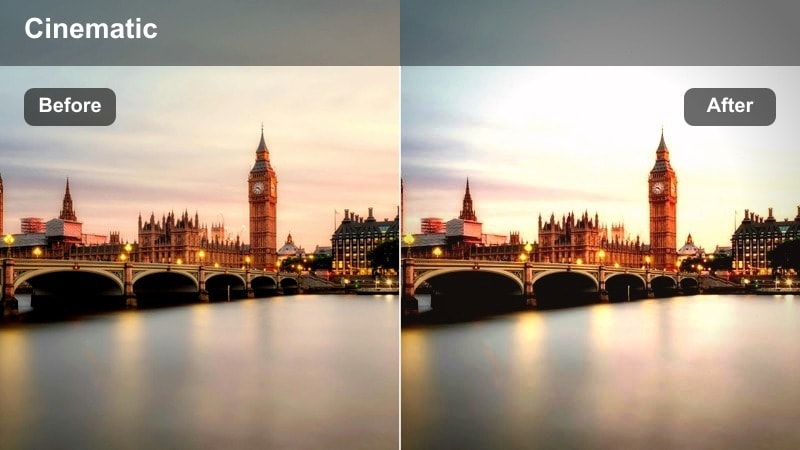
- Effect look: Warm, soft contrast filter that bathes the street in a subtle golden morning glow.
- Best for: Early commute reels, slow-motion steps on sidewalks, people waiting at bus stops in soft sunrise light.
- Editing tip: Lower saturation on reds slightly to keep skin tones natural while pushing warmth with this filter.
Soft Amber Commute wraps your early morning city footage in a gentle golden tone that feels calm and cinematic. It adds warmth and a soft contrast curve that flatters skin tones and smooths out the harsher edges of the urban environment, making everyday commute scenes feel more intentional and story driven.
In Filmora, apply this filter to your sunrise B-roll, then fine-tune shadows and midtones so building edges and crosswalks stay defined without looking crunchy. Combine it with slow-motion walking shots or subtle camera moves to emphasize the relaxed, early-day energy before the city gets busy.
Use Filmora's AI color enhancement to auto-balance exposure and white balance before you start stacking these street filters. Cleaning up mixed lighting from street lamps, storefronts, and sky light first ensures your Instagram Reels LUT-style looks sit consistently across clips.
Once your base tones match, you can quickly audition different filters on similar shots and keep a unified color story across alleys, crosswalks, and skyline frames without heavy manual grading.
 secure download

To quickly compare multiple street filters for your Reels, drop a single walking or panning shot on the Filmora timeline and duplicate it several times. Apply a different LUT-style filter to each copy so you can judge contrast, color, and mood side by side on the same motion.
This workflow makes it easy to decide which style best fits your soundtrack and storytelling, and it helps you lock in one or two signatures you can repeat across a full street series.
secure downloadFilmora includes 1000 plus video filters and 3D LUTs you can stack with these street photography looks for precise control. Start with a strong mood-defining filter, then layer a subtle LUT underneath to balance skin tones, tame highlights, or add a gentle filmic roll-off.
This combination gives you the flexibility of pro color grading while keeping your Instagram Reels workflow fast and repeatable across different locations and lighting conditions.
secure downloadMisty Blue Sidewalks
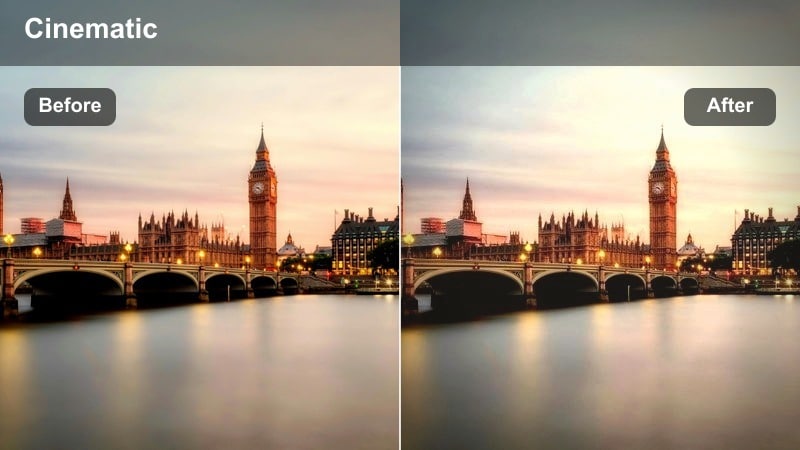
- Effect look: Cool, soft fade filter that adds a misty cyan cast to early morning streets.
- Best for: Quiet side streets, lone cyclists, and minimal traffic footage in cloudy or overcast mornings.
- Editing tip: Increase clarity slightly to keep road textures sharp while the tones stay dreamy and desaturated.
Misty Blue Sidewalks pulls warmth out of your footage and replaces it with a muted cyan wash that feels calm and introspective. The soft fade reduces contrast just enough to mimic morning haze, turning empty streets and sparse commuters into moody, atmospheric shots.
In Filmora, pair this filter with slow pans or gentle handheld movements to emphasize the stillness of the city before it wakes up. Use the clarity and sharpness sliders to keep pavement and building lines crisp so the dreamy palette does not turn into a muddy or blurry look on mobile screens.
Sunrise Crosswalk Pop
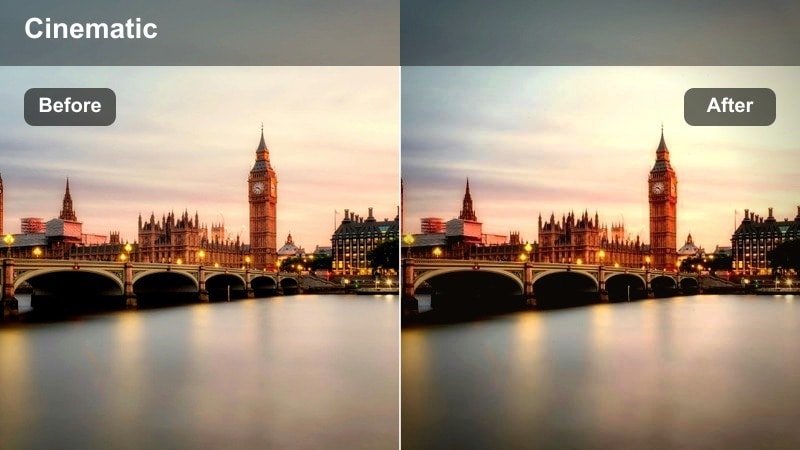
- Effect look: Vibrant, high-contrast filter that makes crosswalk lines and city signage punchy at dawn.
- Best for: Action shots of feet crossing zebra lines, running sequences, and handheld morning commute reels.
- Editing tip: Slightly lower overall contrast if you shoot on harsh sunrise light to avoid losing detail in shoes and asphalt.
Sunrise Crosswalk Pop is built to make bold street graphics stand out, from zebra stripes to traffic arrows and signage. The filter boosts saturation and contrast to create punchy whites and deep blacks, helping quick steps and running shots feel energetic and rhythmic.
Inside Filmora, cut your clips on beat to the music so each step or jump lands with the visual impact this filter creates. If your source footage is already high contrast, gently dial back the contrast or adjust shadows to protect detail in shoes, clothing, and asphalt while keeping that strong, wake-up energy.
Harsh Midday City Grit
Gritty Asphalt Contrast
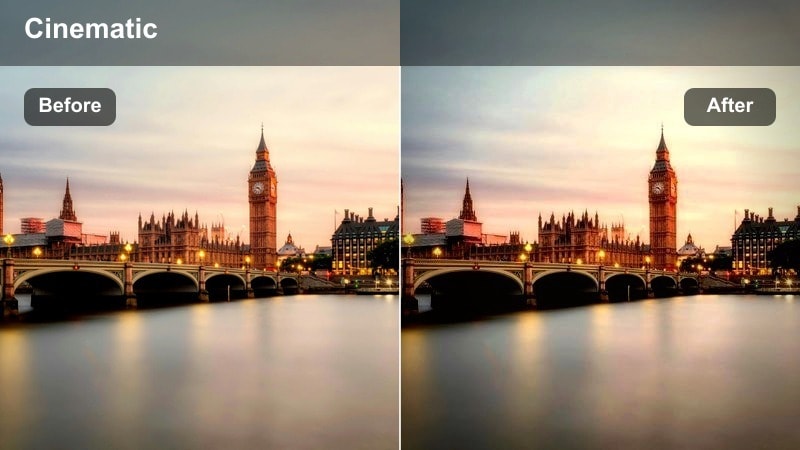
- Effect look: Punchy, high-contrast filter that deepens blacks and brings out asphalt grain and wall textures.
- Best for: Midday street portraits, skateboard clips, and alleyway B-roll with strong shadows.
- Editing tip: Add a light vignette around the frame so viewers focus on subjects amid the busy street background.
Gritty Asphalt Contrast leans into the hardest light of the day, sharpening edge detail and making walls, sidewalks, and street furniture feel raw and tactile. Deepened blacks and crisp midtones highlight cracks in the pavement, graffiti, and brickwork, which is perfect for skate reels and bold street portraits.
In Filmora, combine this filter with a subtle vignette to draw attention to your subject in the center of the frame while the surrounding city stays intense but secondary. Use selective adjustments or skin tone tools to ease the contrast on faces so they remain flattering even when everything else looks extra crunchy and urban.
Chrome City Hardlight
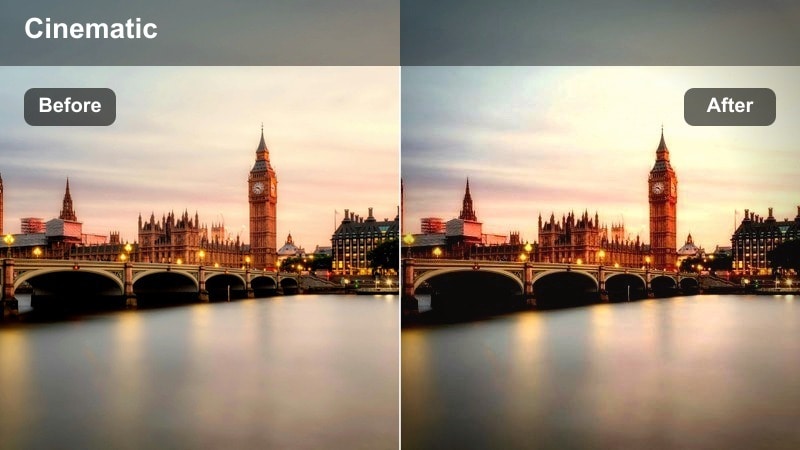
- Effect look: Metallic, cool-toned filter that emphasizes reflections on cars, windows, and metal railings.
- Best for: Traffic-heavy avenues, reflective storefront shots, and handheld walking POV reels.
- Editing tip: Boost highlights slightly and reduce yellow saturation to lean into the metallic city feel.
Chrome City Hardlight cools down your frame and makes glass, chrome, and steel elements shimmer with a modern, urban edge. The filter is especially effective on midday shots where sunlight bounces off cars and buildings, turning harsh glare into polished, futuristic reflections.
In Filmora, use this filter on wide avenue shots, then stabilize your handheld footage so reflections stay sharp and pleasing to watch in vertical format. Adjust highlight and color sliders to tame any remaining yellows, pushing the overall palette toward sleek blues and silvers that match tech-forward or electronic soundtracks.
Shadow Grid Alleys
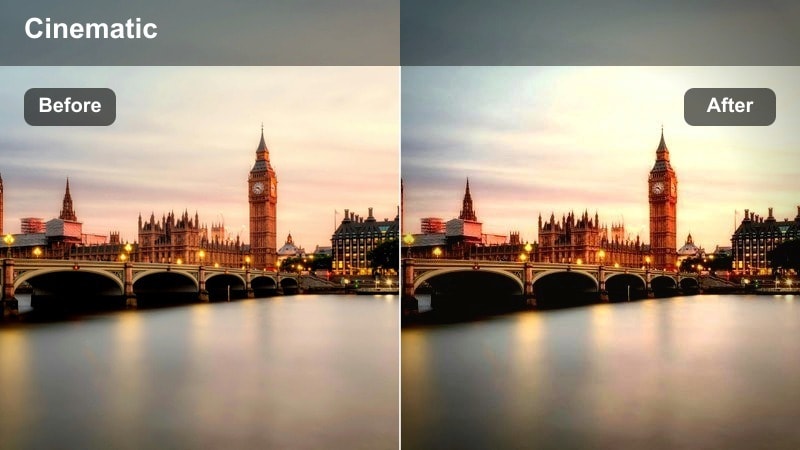
- Effect look: Matte, muted filter that carves out geometric shadows and softens bright colors.
- Best for: Back alleys, fire escapes, and repeating window shadow patterns falling on sidewalks.
- Editing tip: Lower saturation overall then raise contrast a bit so the shadow shapes read clearly but colors stay restrained.
Shadow Grid Alleys is designed for graphic compositions, where patterns of light and dark are the stars of the frame. The matte finish reduces shine on bright areas while keeping shadow edges prominent, which works beautifully on fire escapes, window lattices, and repeating lines on the ground.
Inside Filmora, apply this filter to vertical shots that frame long alleys or stairwells, then tweak saturation down to keep the focus on lines instead of color. Cut between wide pattern shots and close-ups of details like railings or footsteps to build a visually rich, design-focused reel with a calm, deliberate vibe.
Golden Hour City Glow
Urban Gold Flare
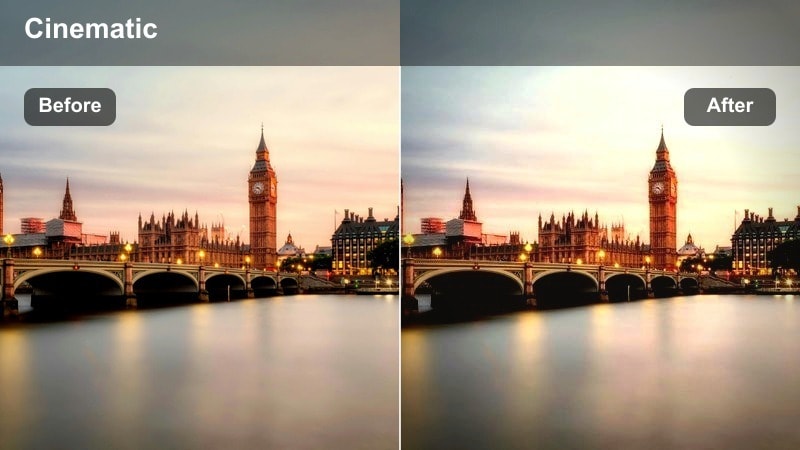
- Effect look: Glowing warm filter that lifts highlights and adds a subtle golden haze to the frame.
- Best for: Golden hour street portraits, lens flares between buildings, and cinematic slow walks.
- Editing tip: Drop blacks a touch to keep contrast while letting the overall frame feel warm and dreamy.
Urban Gold Flare turns late afternoon city streets into soft, nostalgic spaces with lifted highlights and a hint of glow. It emphasizes natural sun flares and rim light around your subject, making everyday walks between buildings feel like scenes from a cinematic montage.
In Filmora, use this filter with backlit shots where the sun sits just out of frame, then gently deepen the blacks to avoid a washed-out look. Layer in Filmora light leak overlays or subtle bokeh elements to expand the dreamy atmosphere, especially on slow-motion clips of hair, clothing, or traffic catching the light.
Copper Sidewalk Shine
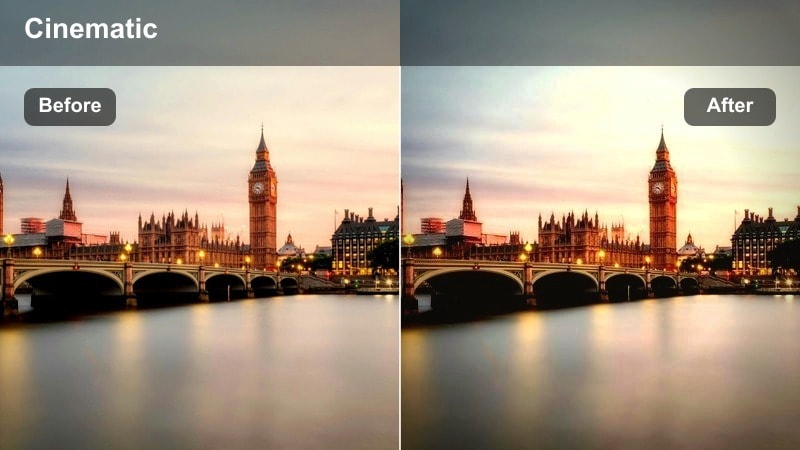
- Effect look: Rich, copper-tinted filter that warms midtones and deepens browns and oranges.
- Best for: Sidewalk close-ups, shoes and shadows, and street vendor scenes in late afternoon light.
- Editing tip: Nudge saturation up slightly and add a mild vignette to bring attention to texture and detail.
Copper Sidewalk Shine emphasizes the warmth of pavement, bricks, and city fixtures, turning neutral grays into rich copper and amber hues. It is especially striking on close-ups of shoes, long shadows, and textured ground surfaces that catch the last light of the day.
In Filmora, combine this filter with low-angle shots where the camera sits at street level, then increase saturation just enough to make copper tones stand out without overpowering skin tones. A light vignette can help center attention on detailed textures like cracks, tiles, or footprints, making your reel feel tactile and immersive on small screens.
Window Glow Reflections
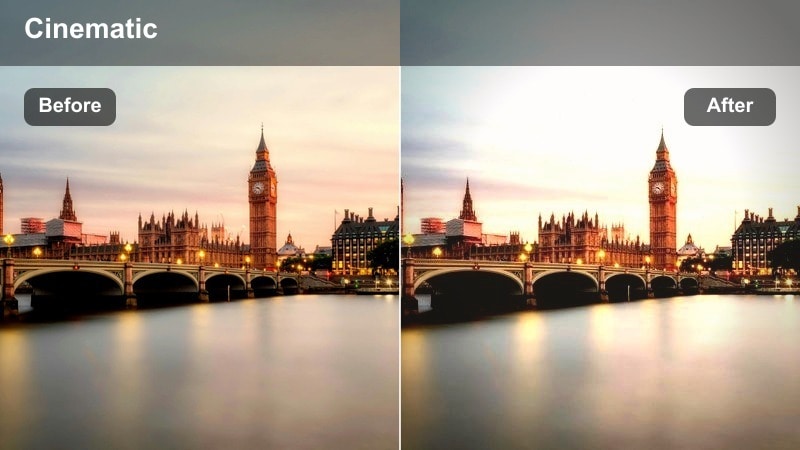
- Effect look: Soft, luminous filter that brightens highlights and adds a subtle pastel tint to reflections.
- Best for: Storefront window reflections, silhouettes in glass, and people framed by city lights at dusk.
- Editing tip: Reduce clarity slightly to keep reflections dreamy, then sharpen just the subject with selective tools.
Window Glow Reflections is tailored to capture layered stories through glass, blending reflections, interiors, and silhouettes into one luminous frame. It boosts highlights gently and smooths edges so city lights, signage, and moving crowds appear as soft, pastel streaks behind your subject.
In Filmora, apply this filter to clips where you shoot through shop windows or bus glass, then slightly lower clarity to accentuate the dreamy blur. Use masking or selective sharpening on faces or key details so they remain readable while the rest of the frame drifts into a golden, reflective haze perfect for moody Reels.
Night Neon and Rainy Streets
Neon Rain Hustle
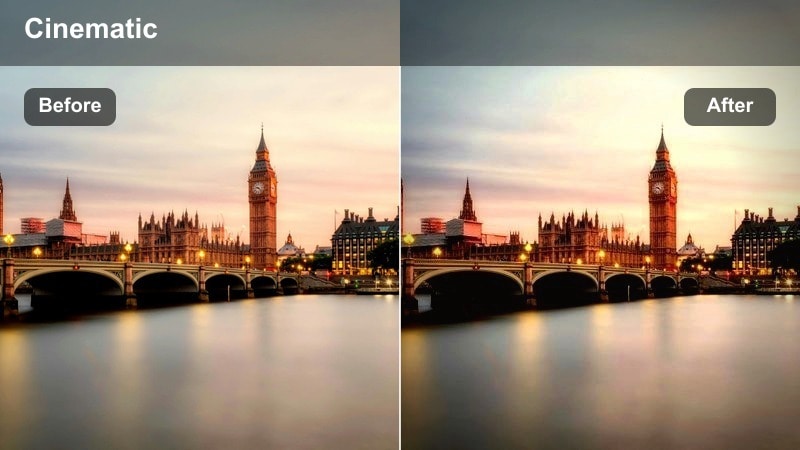
- Effect look: High-contrast, neon-boosting filter that saturates blues, magentas, and cyans while deepening shadows.
- Best for: Rainy night crosswalks, taxi lights on wet asphalt, and fast-paced urban B-roll.
- Editing tip: Slow down clips of car lights and puddles so the colorful streaks and reflections feel cinematic.
Neon Rain Hustle pushes saturated colors into overdrive, making signs, traffic lights, and storefronts blaze against deep, inky shadows. Wet streets and puddles become mirrors for blues, pinks, and cyans, ideal for cyberpunk-style night sequences and dynamic city B-roll.
In Filmora, underexpose your original footage slightly and then apply this filter to preserve highlight detail in neon areas. Add slow-motion or gentle speed ramps over shots of passing cars and crosswalks so colorful reflections stretch and glide across the frame, giving your Reels a polished, music-video feel.
Subway Noir Frames
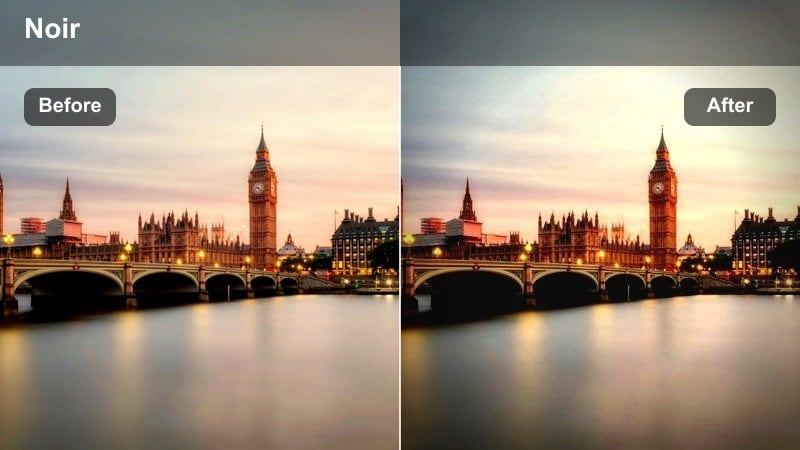
- Effect look: Moody, low-key filter that pushes shadows and adds a greenish tint to fluorescent underground light.
- Best for: Subway platforms, escalators, and underground street entrances at night.
- Editing tip: Lift just the midtones a bit to keep faces readable while backgrounds stay dark and cinematic.
Subway Noir Frames takes advantage of the harsh, directional light in underground spaces, deepening shadows while tinting fluorescents with a subtle green cast. The result is a moody, narrative feel that works well for travel stories, introspective monologues, or quiet waiting moments on platforms.
Within Filmora, use this filter on shots that feature strong leading lines like tunnels, tracks, and escalators, and then gently raise midtones so faces and key details remain visible. Cut between wide, empty platform shots and tight close-ups of hands, feet, or faces to tell a noir-inspired micro-story that feels cohesive across multiple clips.
Midnight Crosswalk Cyan
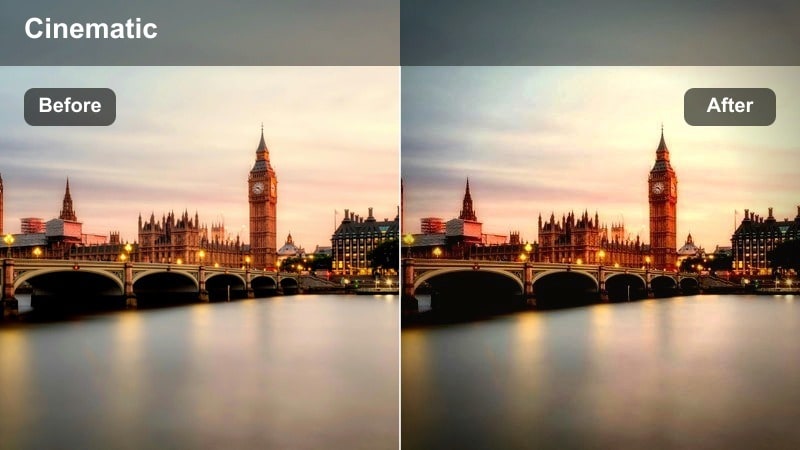
- Effect look: Cool cyan filter with crushed blacks that makes street lamps and crosswalk signals pop.
- Best for: Late-night empty intersections, blinking walk signs, and long-exposure light streaks.
- Editing tip: Add a subtle speed ramp as you move into the intersection to highlight the graphic crosswalk pattern.
Midnight Crosswalk Cyan cools your night footage down into a futuristic palette where cyan street lights and bright white lines dominate. Crushed blacks simplify the background into clean shapes, making crosswalks, arrows, and signals stand out sharply against the dark asphalt.
In Filmora, pair this filter with hyperlapse or time-lapse clips that move through intersections, then stabilize and add light motion blur so the motion feels smooth and controlled. Combine speed ramps with music transitions as you enter or exit crosswalks to accentuate the strong graphic patterns and give your Reels a sleek, late-night energy.
Tips for Using Instagram Reels Street Photography Luts Filters in Filmora
- Shoot vertically and keep your main subject centered so filters with strong vignettes and contrast look intentional on Instagram Reels.
- Lock exposure when filming high-contrast scenes like crosswalks and neon signs so your filter does not have to fight changing brightness.
- Group clips by time of day in the timeline and apply different filters per group to keep city light consistent within each mini sequence.
- Use Filmora's stabilization before adding heavy contrast filters to make handheld urban footage easier to watch on mobile.
- Trim clips aggressively so each transition matches a music beat; bold street filters look best when editing feels tight and rhythmic.
- Avoid over-sharpening when using gritty filters, relying instead on contrast and texture to keep asphalt and brickwork defined.
- Add a very light grain layer over night shots so high ISO noise blends in with the stylized filter look.
- Export a short test reel at lower resolution first to check how your filter and color choices hold up on Instagram compression.
With the right street-focused filters, you can turn everyday sidewalks, crossings, and city crowds into stylized Instagram Reels that feel intentional and cinematic.
Pick one or two signature looks from this collection, build a consistent series, and your audience will start recognizing your urban style as they scroll.
secure download