

 100% Security Verified | No Subscription Required | No Malware


 ChatGPT
 Perplexity
 Gemini
 Claude
 Grok
Grok
If you want your Instagram Reels vlogs to feel like cinematic mini films instead of quick clips, the right filters are your secret weapon.
Below you will find a curated set of cinematic-style filters inspired by LUT workflows, designed for content creators who vlog on Instagram and want instantly polished, movie-like color in just a few taps.
In this article
Golden Hour City Walks and Sunset Streets
Sunset Glow Wander
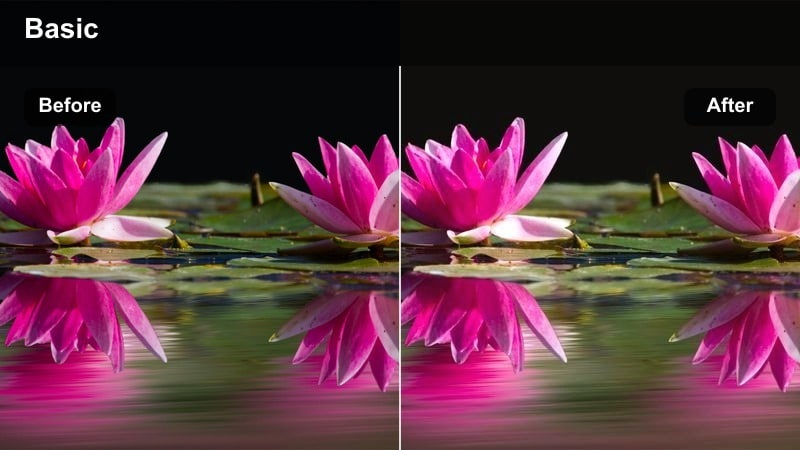
- Effect look: Warm, golden cinematic wash that adds soft halos to highlights and gentle contrast.
- Best for: City street walk vlogs during late afternoon or sunset reels filmed against skyscrapers or urban skylines.
- Editing tip: Lower the filter intensity to around 60 percent and slightly reduce saturation to keep skin tones natural while retaining the golden mood.
Sunset Glow Wander wraps your reels in a warm, cinematic glow that makes sidewalks, glass buildings, and skyline silhouettes feel like scenes from a romance movie. It enhances sun flares and rim light around your subject, giving everyday city walks a dreamy golden-hour character even if your original footage looked a bit flat.
In Filmora, drop this filter on your clips, then dial the intensity back to around 60 percent and nudge saturation down a touch to preserve realistic skin tones. If your highlights are too strong, slightly lower exposure or highlights instead of killing the warmth, and add a tiny bit of shadow lift so your subject stays visible when backlit by the sun.
Match Cinematic Filters to Your Instagram Reels with AI
Use Filmoras AI tools to scan your Instagram vlog clips and automatically suggest cinematic-style filters that match your lighting, colors, and mood. This saves time and helps you land on a professional, LUT-style grade in a few clicks instead of guessing your way through every effect.
Once AI suggests a look, you can fine-tune intensity, contrast, and color temperature, then save the result as a reusable preset for future reels.
 secure download

Preview Filters Live on Your Vlog Footage
Filmora lets you hover over cinematic filters and instantly preview how they look on your Instagram Reels vlog clips. You can quickly A/B test multiple moods on the same shot and see, in real time, which cinematic style best fits your story.
Lock in your favorite look, then adjust exposure, intensity, and color to keep your reel consistent from the first frame to the last.
secure download1000+ Video Filters and 3D LUTs
Beyond basic looks, Filmora includes a large library of filters and 3D LUTs so you can build a true Instagram reels vlog LUTs cinematic style. Mix creative filters with professional LUT grades, then tweak HSL and curves to create a signature palette for your channel.
Once you love the combo, save it as a preset and apply it to every new vlog or reel to keep your feed visually consistent.
secure downloadAmber City Trails
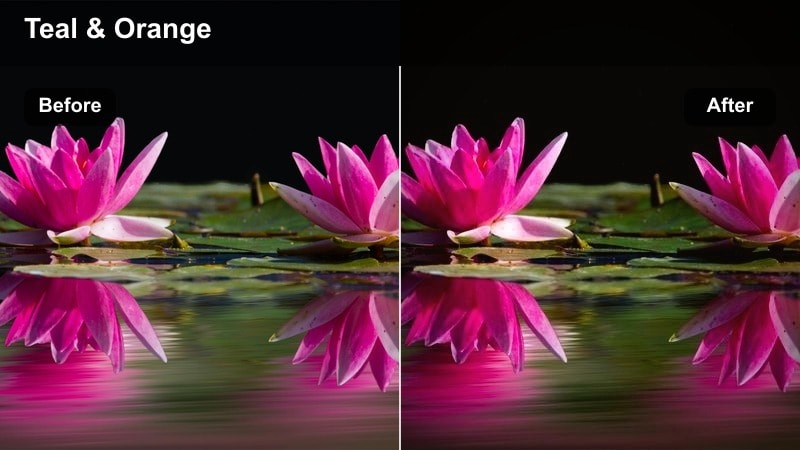
- Effect look: Rich amber midtones with crisp edges and subtle teal in the shadows for a modern film look.
- Best for: Handheld B-roll of crosswalks, traffic, and busy downtown scenes in evening light for Instagram Reels.
- Editing tip: Increase contrast slightly and add a gentle vignette to pull the viewers eye toward the subject walking through the city.
Amber City Trails gives your reels the classic teal-and-amber cinema treatment, pushing city lights and building facades into a bold, modern palette. The amber mids keep skin friendly, while the teal shadows add depth to alleyways, road markings, and passing traffic.
In Filmora, apply this filter to your B-roll sequences of crosswalks, cars, and crowd shots, then raise contrast slightly and add a soft vignette to center attention on your subject. Stabilize handheld clips first so the crisp color contrast feels intentional and cinematic rather than chaotic.
Dusky Lens Flare
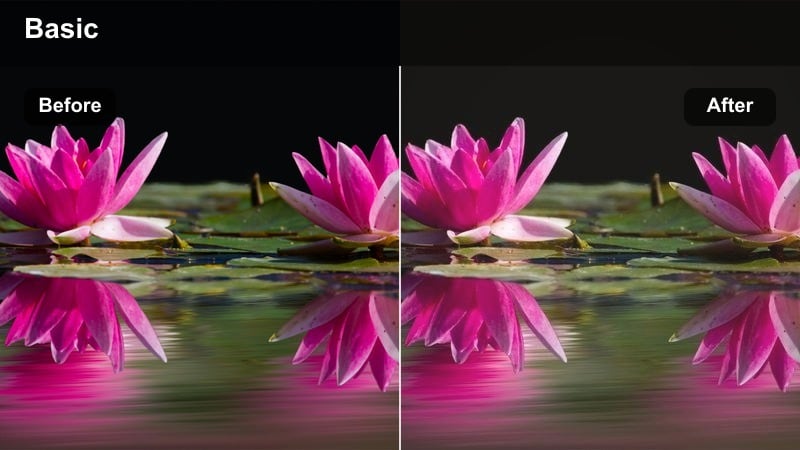
- Effect look: Muted, slightly faded highlights with a pastel sunset tint and lifted shadows.
- Best for: Backlit rooftop vlogs, skyline shots, and slow-motion spins during blue hour and late sunset.
- Editing tip: Drop the blacks a touch after applying the filter to regain depth and avoid a washed-out look in your city skyline silhouettes.
Dusky Lens Flare adds a soft, pastel glow to your blue hour reels, perfect for rooftop talks and skyline B-roll. It slightly mutes highlights and lifts shadows, giving your footage a gentle, dreamy haze that feels like film stock shot at dusk.
After adding it in Filmora, pull your black levels down a bit to bring back contrast in buildings and silhouettes while keeping the pastel sky. Pair the look with slow, fluid transitions like cross dissolves so the color shift stays smooth across multiple sunset clips.
Cozy Indoor Aesthetic Vlogs and Studio Setups
Soft Apartment Cinema
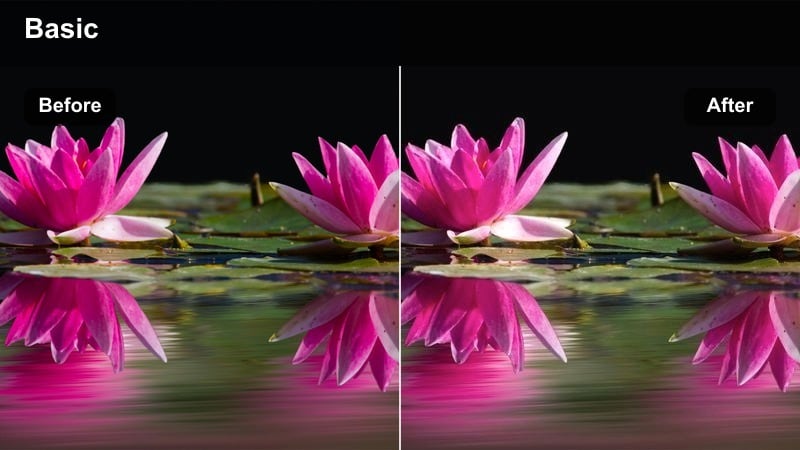
- Effect look: Creamy highlights and gentle contrast that smooths skin while keeping shadows rich and cinematic.
- Best for: Talking-head vlogs filmed in bedrooms, studios, or home offices with window light or soft lamps.
- Editing tip: Slightly reduce clarity to emphasize the soft cinematic feel, but keep eyes sharp by adjusting focus and sharpening in keyframes if needed.
Soft Apartment Cinema is ideal for cozy talking-head reels where you want flattering skin and a polished, film-like glow. It gently rolls off highlights from windows and lamps while preserving enough shadow depth to keep your space looking dimensional.
In Filmora, combine this filter with a small clarity reduction and subtle sharpening on your eyes to create that cinematic, beauty-forward look. Lower your overall exposure just a touch to avoid blown-out windows, and let the filter handle the creamy brightness in your highlights.
Moody Desk Chronicles
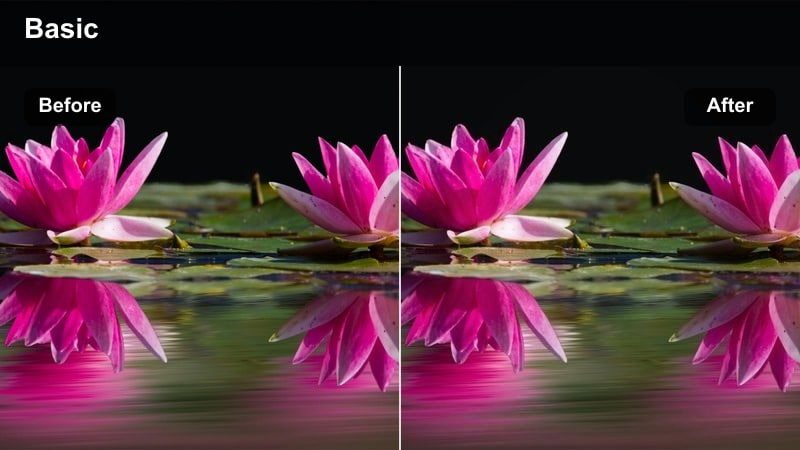
- Effect look: Deep contrast with cool shadows and subtle warm highlights for a cinematic workspace vibe.
- Best for: Desk setups, editing vlogs, and productivity reels featuring laptops, monitors, and LED lighting.
- Editing tip: Boost midtone brightness a little after applying the filter so your face stays visible against darker backgrounds.
Moody Desk Chronicles turns your workspace into a dramatic scene, emphasizing cool shadows around your gear and warmer accents on screens or lamps. It works especially well with LED strips, monitors, and RGB peripherals, creating a focused, tech-forward atmosphere.
Once applied in Filmora, lightly raise midtone brightness so your face does not disappear into the deep shadows. Keep your desk lighting either mostly cool or mostly warm, then fine-tune white balance and exposure so the filter can lock in a clean, cinematic contrast.
Loft Film Diary
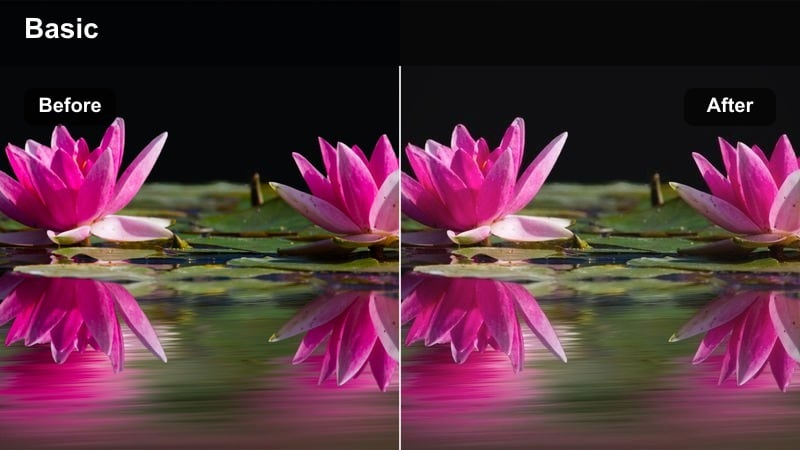
- Effect look: Subtle grain-style texture with neutral color and a slight fade for a diary-like film journal feel.
- Best for: Narrative lifestyle vlogs shot in lofts, studios, or creative workspaces for Instagram Reels.
- Editing tip: Add gentle camera movements or push-in zooms in Filmora to complement the vintage diary mood of the filter.
Loft Film Diary adds a light film-style texture and faded contrast that makes your indoor reels feel like pages from a visual journal. Colors stay mostly neutral and true to life, while the subtle fade smooths out harsh edges and makes jump cuts feel softer.
In Filmora, pair this filter with slow push-in zooms or slight handheld motion to lean into the documentary, diary-like tone. Overlay simple captions, dates, or location text, and avoid heavy sharpening so the soft grain effect remains natural and cinematic.
Night City Vibes and Neon Street Adventures
Neon Noir Reels
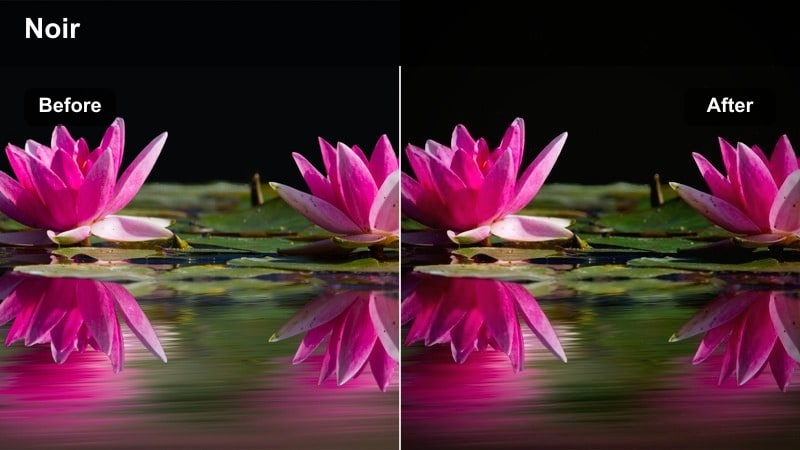
- Effect look: High-contrast, deep blacks with punchy neon colors and cinematic blue-magenta highlights.
- Best for: Night street vlogs under neon signs, club exteriors, and busy nightlife B-roll.
- Editing tip: Reduce noise in dark clips before applying the filter so the crushed blacks stay clean and cinematic.
Neon Noir Reels is built for nightlife, pushing neon signs and city lights into bold, saturated colors against rich black shadows. It heightens the drama of alleys, storefronts, and reflections, giving your night reels a stylized, neo-noir look.
Before adding it in Filmora, run noise reduction on your darker clips so the deep blacks do not turn grainy. Expose slightly for the highlights while filming, then use selective brightening on faces with keyframing if needed, keeping the rest of the frame moody and high-contrast.
Midnight Ride Cinema
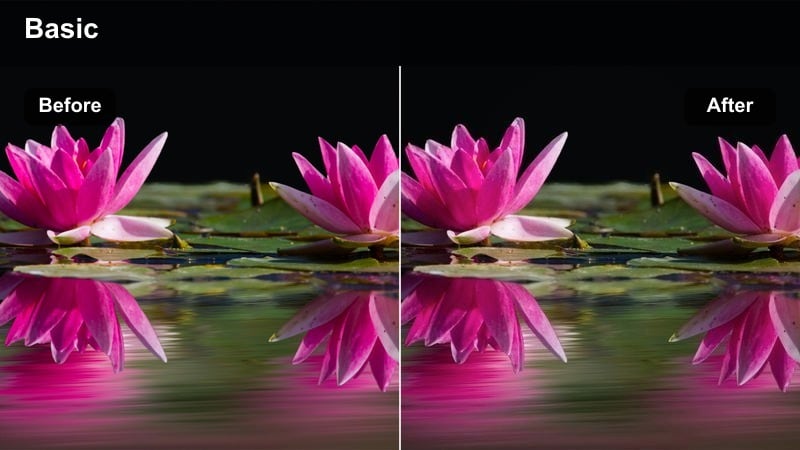
- Effect look: Cool-toned cinematic blue cast with gentle halation around streetlights and car headlights.
- Best for: Car vlogs, late-night drives through the city, and dashboard monologues for Instagram Reels.
- Editing tip: Stabilize your in-car footage and reduce sharpness slightly so the cinematic bloom around lights feels more natural.
Midnight Ride Cinema leans into cool blue tones and soft glows around city lights, perfect for late-night drive vlogs and reflective monologues. It gives passing streetlamps and headlight streaks a subtle bloom that feels straight out of a road-movie sequence.
In Filmora, stabilize your in-car footage first, then lower overall sharpness a bit to support the natural halation effect. Add a touch of exposure to faces using masks or keyframes while keeping the overall white balance slightly cool so the cinematic blue mood stays consistent.
Urban Rain Reflections
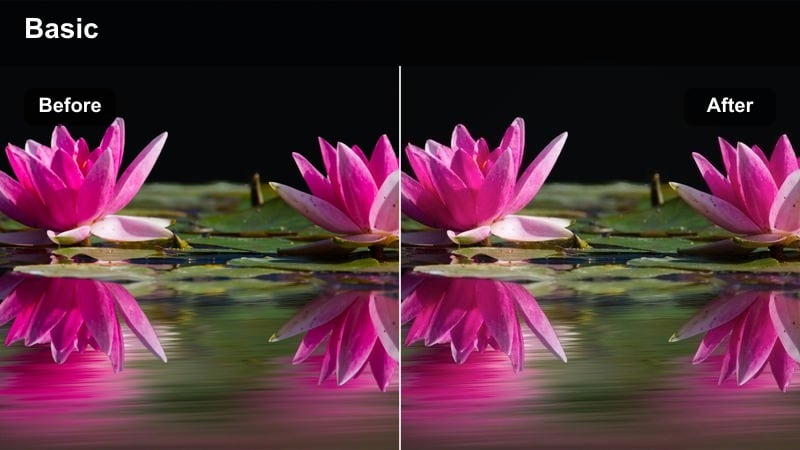
- Effect look: Glossy, reflective contrast with boosted saturation of city lights and slightly muted skin tones.
- Best for: Rainy-night sidewalks, puddles, umbrellas, and reflective wet streets in city vlogs.
- Editing tip: Slow down your wet-street B-roll and add gentle speed ramping to emphasize light reflections enhanced by the filter.
Urban Rain Reflections is designed to make wet pavements and puddles glow with color, amplifying reflections from traffic lights, storefronts, and billboards. It lifts the saturation of city lights while slightly taming skin tones so your subject does not compete with the neon glow.
Apply it in Filmora to your rainy-night B-roll, then experiment with slow motion and subtle speed ramps on shots of puddles and sidewalks. If your subject looks a bit desaturated compared to the surroundings, use selective color adjustment on skin tones only to restore a natural look while keeping the city dramatic.
Travel Days, City Exploration, and Daylight Reels
Wander Film Daylight
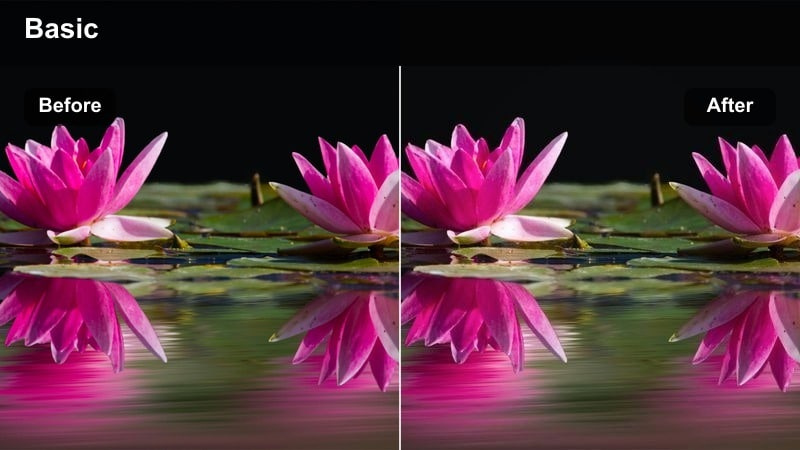
- Effect look: Clean, lightly cinematic color grade with soft contrast and subtle warmth in the highlights.
- Best for: Travel walk-throughs, tourist attractions, and everyday city exploration in bright daylight.
- Editing tip: Dial back saturation on overly bright scenes and use Filmoras highlight recovery to keep skies from looking blown out.
Wander Film Daylight offers a versatile, natural-looking cinematic grade that works on most daylight travel footage. It adds a touch of warmth and soft contrast, making city landmarks, parks, and busy streets feel cohesive without looking over-filtered.
In Filmora, use this as your base look for entire travel reels and then adjust saturation downward on very bright clips to avoid overly punchy colors. Take advantage of highlight recovery to bring back detail in skies and bright buildings, keeping your reel consistent from wide shots to close-ups.
Metro Chronicle
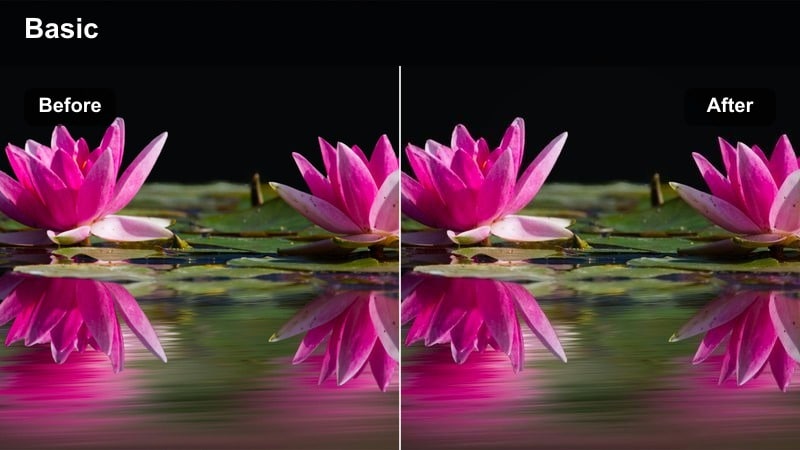
- Effect look: Neutral cinematic tones with slightly desaturated backgrounds and crisp subject contrast.
- Best for: Public transport B-roll, subway rides, tram windows, and walking into stations in city vlogs.
- Editing tip: Add a subtle zoom-in on key shots and sync it with music beats to dramatize your metro scenes.
Metro Chronicle brings a grounded, documentary-style grade to your subway and transit footage. It gently desaturates backgrounds and boosts subject contrast, helping you stand out from busy stations, platforms, and train interiors.
Apply it in Filmora to metro arrivals, escalator rides, and window shots, then add slow zoom-ins on beats to emphasize key travel moments. Frame your clips with strong leading lines like rails and doors, and keep handheld movement smooth so the crisp contrast elevates your storytelling instead of making it feel hectic.
Street Journal Cinematic
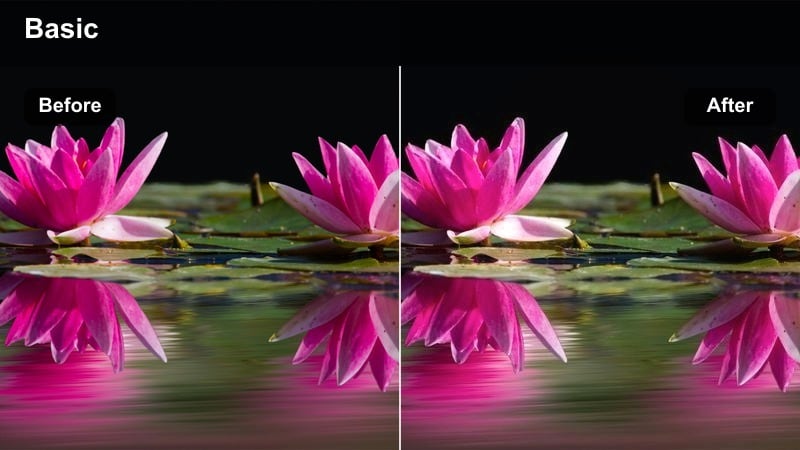
- Effect look: Slightly faded blacks with subtle film grain effect and consistent skin tone preservation.
- Best for: Narrated city walk vlogs, daily routine reels, and storytelling pieces filmed outdoors.
- Editing tip: Use L-cuts and J-cuts with your voiceover while this filter ties different street scenes into a single narrative.
Street Journal Cinematic adds a soft fade to your blacks and a hint of grain, giving your day-in-the-life and city walk reels a journal-like vibe. It is tuned to keep skin tones stable, which is ideal for talking directly to camera while cutting to B-roll of streets, cafes, and errands.
In Filmora, apply this filter across all your narrative clips, then build your story using L-cuts and J-cuts so your voiceover flows over multiple scenes. Keep grain and sharpening adjustments light so the filmic texture looks organic, and let the unified color grade tie your whole reel together.
Tips for Using Instagram Reels Vlog Luts Cinematic Style Filters in Filmora
- Keep your lighting and white balance as consistent as possible across clips so cinematic filters grade your Instagram reels vlog LUTs cinematic style evenly.
- Adjust exposure and contrast in Filmora before stacking multiple filters or LUT-style effects to prevent clipped highlights and muddy shadows.
- Use lower filter intensity on talking-head segments and save stronger, stylized looks for B-roll and transitions to keep the focus on your story.
- Shoot at higher resolution with a slightly flatter in-camera profile when available to give Filmora filters and LUTs more room to shape your final look.
- Match your music choice and editing pace to the mood of each filter so color, motion, and audio all support the same cinematic vibe.
- Group similar lighting conditions on the same Filmora timeline and apply filters in batches to maintain a unified aesthetic across your whole reel.
- Save your favorite filter and color adjustments as custom presets in Filmora so every new vlog or reel can quickly match your signature style.
- For a portable version of the color grade, Filmora can export compatible color adjustments from a selected clip as a standard .cube LUT for reuse in Filmora, DaVinci Resolve, Adobe Premiere Pro, or Final Cut Pro.
With the right cinematic-style filters, your Instagram Reels vlogs can move from casual clips to cohesive mini films that showcase your personality and storytelling.
Experiment with these looks in Filmora, save your favorites as presets, and then explore Instagram story LUTs aesthetic filter packs to keep your whole profile visually unified.
secure download