

 100% Security Verified | No Subscription Required | No Malware


 ChatGPT
 Perplexity
 Gemini
 Claude
 Grok
Grok
Jade Shadow sits between deep teal and forest green, carrying a sense of calm focus and understated luxury. It feels grounded, moody, and slightly mysterious, which is why it works so well for cinematic edits, premium branding, and stylish thumbnails that need depth without looking too dark. Its cool undertone makes it a powerful base color for creators who want visuals that feel intentional and polished.
For video creators and Filmora users, Jade Shadow is ideal for intros, lower thirds, title cards, and color grading that adds a modern, cinematic finish. Below you will find ready-made Jade Shadow color palettes with HEX codes so you can match overlays, text, backgrounds, and thumbnails across YouTube intros, vlogs, reels, and brand visuals with confidence.
In this article
Moody Cinematic Jade Shadow Color Palettes
Midnight Jade City Lights

- HEX Codes: #123d3a, #0a2224, #f4c95d, #f7f1e6, #5f8f8b
- Mood: Cinematic and urban with a moody night-time glow.
- Use for: Use for cinematic vlogs, night city b-roll, and dramatic title cards.
This palette builds a deep Jade Shadow base (#123d3a, #0a2224) and splashes it with warm gold (#f4c95d), ivory (#f7f1e6), and cool teal gray (#5f8f8b). It feels like standing on a rooftop at midnight, with neon signs and streetlights glinting off glass and concrete. The contrast between dark teal and warm highlights gives your footage a polished, big-city energy without losing that moody depth.
Use the darkest tones for backgrounds, overlays, and frame bars, while reserving the gold and ivory for text, logos, and key UI elements on your thumbnails and lower thirds. In Filmora, this palette works beautifully for stylized travel vlogs, city b-roll sequences, intro animations, and channel branding that leans into cinematic, late-night vibes.
Pro Tip: Build a Cinematic Jade Shadow Night Look in Filmora
To keep this Midnight Jade City Lights palette consistent, start by using Jade Shadow tones as your baseline across timeline elements: adjustment layers, titles, and background plates. Set your darker colors for frame mattes or letterboxing, then apply the gold and ivory to your main text styles so calls to action pop against the night sky feel.
In Filmora, you can save your color choices as custom presets for titles and overlays. That way, your intro, b-roll transitions, and end screen all share the same Jade Shadow look, which helps your brand feel cohesive from video to video and across social cuts, shorts, and trailers.
AI Color Palette
If you have a reference still from a night city scene or a custom color card that uses these Jade Shadow tones, Filmora's AI Color Palette feature can automatically spread that look across your entire edit. Filmora analyzes the reference frame and applies the same color relationships to all your selected clips.
This is perfect when you want one cohesive Jade Shadow mood for A-roll, B-roll, thumbnails, and even vertical exports. Instead of grading each shot from scratch, you let AI do the heavy lifting, then make small tweaks afterward so skin tones, highlights, and shadows still look natural.
 secure download

HSL, Color Wheels & Curves
Once your base Jade Shadow look is applied, refine it using HSL, color wheels, and curves to match your story. Gently deepen the teal and green channels to emphasize Jade Shadow, then cool the midtones while keeping highlights slightly warm so city lights still glow. Tools like Filmora's color wheels and curve controls, demonstrated in its advanced color correction tutorials, help you target specific tonal ranges without crushing detail.
You can shift the hue of greens and cyans toward Jade, desaturate noisy colors, and lift shadows just enough so YouTube compression does not turn them into muddy blocks. A subtle S-curve adds contrast and a more cinematic feel, especially for urban night scenes built around this palette.
secure download1000+ Video Filters & 3D LUTs
If you want to move faster, Filmora's video filters and 3D LUTs make it easy to stylize your Jade Shadow palettes in one click. You can stack a cinematic LUT on top of your base colors to add film-like contrast, halation, or subtle grain, all while keeping your Jade tones intact.
Try applying a teal-and-orange style LUT at low intensity so warm city lights and cool Jade shadows balance each other nicely. Then refine with a vignette or glow filter around your titles to make the warm gold and ivory accents stand out in intros, outros, and thumbnail frames.
secure downloadStorm Harbor Jade
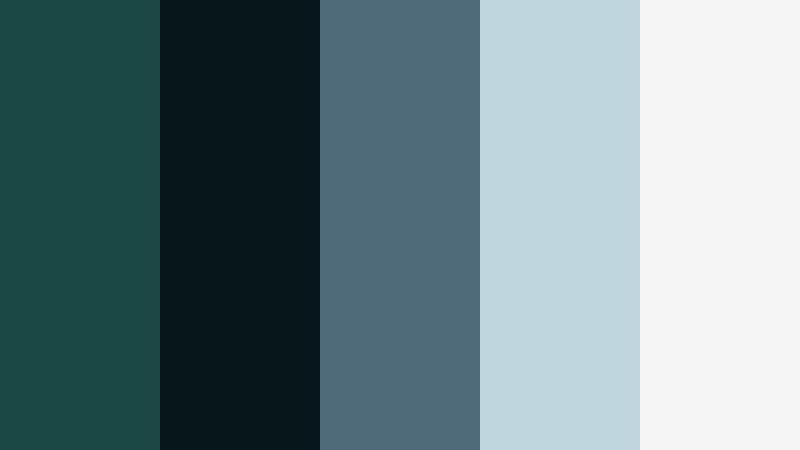
- HEX Codes: #1a4945, #07161b, #4f6b7a, #c0d6df, #f5f5f5
- Mood: Brooding coastal drama with a polished, cinematic finish.
- Use for: Perfect for documentary-style travel videos, suspenseful trailers, and title overlays.
Storm Harbor Jade blends inky Jade greens (#1a4945) and near-black navy (#07161b) with stormy blue-grays (#4f6b7a) and soft fog whites (#c0d6df, #f5f5f5). It feels like a coastal storm rolling in: tense, moody, but still refined enough for high-end visuals.
Use the darker colors for title backplates, frame bars, and subtle gradients behind text, then apply the misty whites for subtitles, chapter markers, and map graphics in documentary pieces. In Filmora, this palette suits moody travel edits, suspenseful trailers, cinematic timelines, and atmospheric YouTube thumbnails where you want drama without harsh saturation.
Shadowed Forest Frame
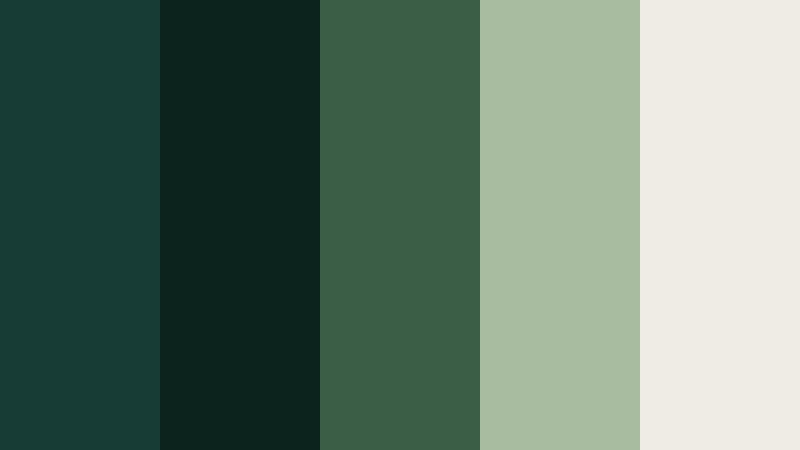
- HEX Codes: #173c36, #0c221c, #3b5f46, #a8bda0, #efece4
- Mood: Grounded, secretive, and quietly powerful like a dense forest at dusk.
- Use for: Use in nature documentaries, fantasy shorts, and mysterious logo reveals.
Shadowed Forest Frame leans into deep evergreens (#173c36, #0c221c) and rich foliage tones (#3b5f46) balanced by soft mossy neutrals (#a8bda0) and parchment white (#efece4). The palette feels secluded and magical, like a dim forest path with just enough light to guide you.
It is perfect for nature storytelling, fantasy intros, and logo stings where you want an organic yet mysterious backdrop. Use the darkest green as your frame or vignette color, the mid greens for overlays and shapes, and the pale tones for legible text. In Filmora, this palette works well for lower thirds, map overlays, and subtle grading that pushes foliage and dark woods toward a cohesive Jade Shadow look.
Neon Jade Noir

- HEX Codes: #11413a, #050608, #19d3b3, #ffefc1, #b3c4c0
- Mood: Edgy, modern, and slightly futuristic with a noir twist.
- Use for: Best for tech reviews, cyberpunk edits, and bold animated titles.
Neon Jade Noir drops rich Jade Shadow (#11413a) and near-black (#050608) behind electric aqua (#19d3b3), soft neon cream (#ffefc1), and cool gray (#b3c4c0). The result is a high-impact, tech-forward palette that still feels grounded and cinematic.
Use the dark tones for backgrounds and transitions, then let the neon aqua and cream handle accent lines, glitch graphics, and bold title strokes. This palette shines in Filmora when you are building tech review intros, cyberpunk montages, HUD overlays, or animated subscribe panels that need to pop on mobile and desktop screens alike.
Cinematic Jade Monochrome
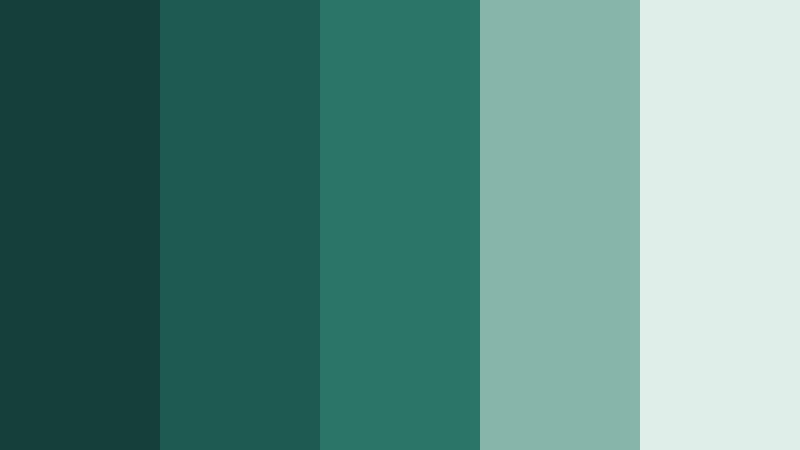
- HEX Codes: #153f3a, #1f5a52, #2b7468, #88b5a9, #e0eee9
- Mood: Focused, cohesive, and filmic with a cool green emphasis.
- Use for: Great for unified branding, lower thirds, and subtle color grading presets.
Cinematic Jade Monochrome stacks several Jade Shadow variations (#153f3a, #1f5a52, #2b7468) with soft, desaturated greens and teals (#88b5a9, #e0eee9). It feels incredibly cohesive because every shade speaks the same language, just at different brightness levels.
Use the darker tones for backgrounds and matte overlays, mid-tones for boxes and icons, and the lightest shades for text that still carries a hint of Jade. This is an excellent palette for consistent YouTube channel branding, intro templates, lower thirds, and Filmora presets that you can reuse across episodes or series.
Natural & Organic Jade Shadow Color Palettes
Mossy Jade Retreat
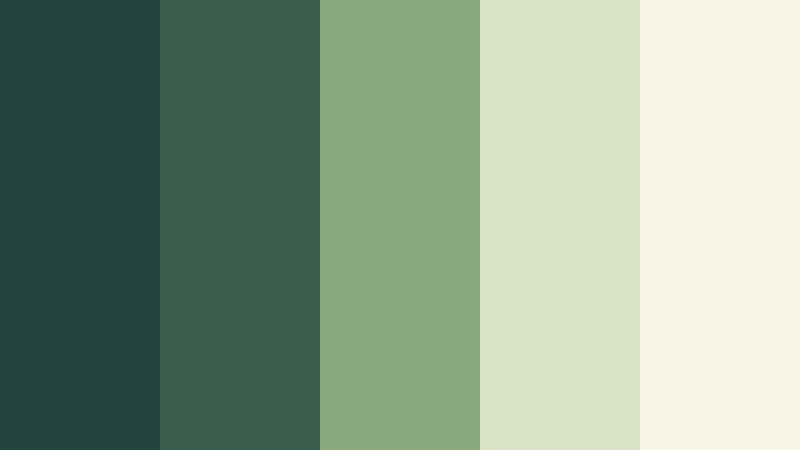
- HEX Codes: #20463f, #365e4b, #8ca97b, #d9e2c2, #f7f5ea
- Mood: Calm, restorative, and nature-centered.
- Use for: Use for wellness vlogs, ASMR content, and eco-friendly brand videos.
Mossy Jade Retreat combines deep Jade greens (#20463f, #365e4b) with gentle herb tones (#8ca97b) and light oat-like neutrals (#d9e2c2, #f7f5ea). The palette feels like a spa in the forest: quiet, restorative, and soft on the eyes.
These colors are ideal for wellness thumbnails, meditation or ASMR channels, and eco brands that want a grounded yet modern look. In Filmora, use the darker greens for background plates and frames, the mid greens for icons or accent lines, and the pale neutrals for text and info cards so your visuals feel clean and breathable.
Rainwashed Jade Garden
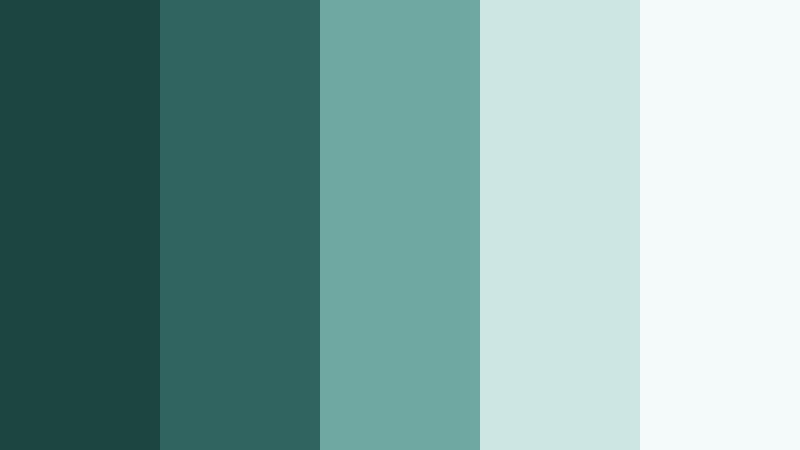
- HEX Codes: #1c4541, #2f6460, #6fa7a3, #cde5e3, #f4faf9
- Mood: Fresh, airy, and rejuvenating like a garden after rain.
- Use for: Perfect for travel montages, slow-living vlogs, and calming educational content.
Rainwashed Jade Garden mixes cool deep Jade (#1c4541, #2f6460) with airy aquas and misty whites (#6fa7a3, #cde5e3, #f4faf9). It feels crisp and refreshing, like leaves after a light rain, and instantly adds clarity to your visuals.
Use this palette for slow-living content, nature walks, educational explainers, and travel montages that focus on calm, breathable scenes. Darker shades make great lower third backgrounds or title strips, while the lighter tones are perfect for charts, diagrams, and end screens where readability matters on any device.
Jade Stone Workspace
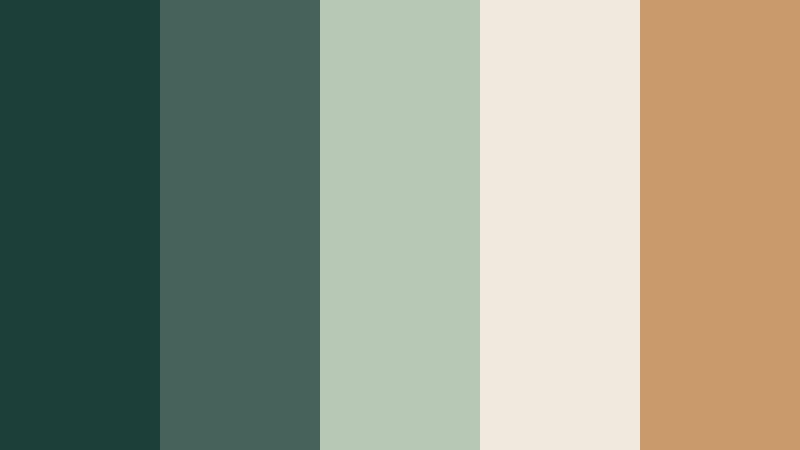
- HEX Codes: #1d3f3a, #46625a, #b7c9b4, #f0e9dd, #c99b6b
- Mood: Productive, grounded, and slightly rustic.
- Use for: Use in productivity videos, desk tours, and creative studio promos.
Jade Stone Workspace balances cool Jade Shadow greens (#1d3f3a, #46625a) with soft stone neutrals (#b7c9b4, #f0e9dd) and a warm tan accent (#c99b6b). It feels like a clean, curated desk setup with wood, plants, and natural light.
This palette fits productivity vlogs, Notion or workspace tutorials, and studio branding where you want focus without feeling sterile. Use Jade tones for backgrounds, the light neutrals for text and UI elements, and the tan for buttons, highlights, or key icons in Filmora thumbnails and intros.
Herbal Jade Infusion

- HEX Codes: #264d43, #3f7b5a, #9fceaa, #f3f8e9, #f2c894
- Mood: Bright, uplifting, and naturally energizing.
- Use for: Ideal for recipe videos, beverage promos, and lifestyle shorts.
Herbal Jade Infusion pairs deep Jade greens (#264d43) with fresh herb tones (#3f7b5a, #9fceaa), creamy off-white (#f3f8e9), and a citrusy beige accent (#f2c894). It feels lively and fresh, like herbal tea or farmers market footage.
Use the greens for backgrounds, dividers, and overlays, while the light cream and warm beige handle labels, ingredient callouts, and pricing or offer text. In Filmora, this palette works especially well for recipe cards, animated ingredient lists, and branded title sequences for food, beverage, or health-focused channels.
Minimal & Modern Jade Shadow Color Palettes
Jade Shadow Minimal Grid
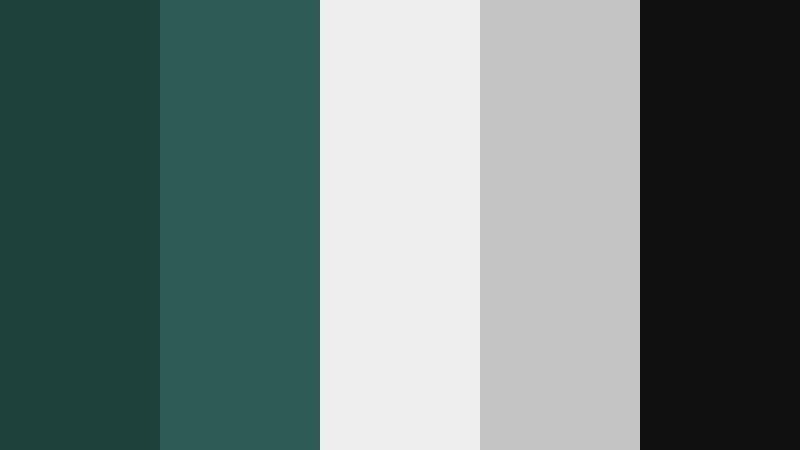
- HEX Codes: #1e413b, #2f5b55, #eeeeee, #c4c4c4, #101010
- Mood: Clean, structured, and modern with a techy edge.
- Use for: Use for app promos, UI mockups, and minimalist channel branding.
Jade Shadow Minimal Grid locks deep Jade tones (#1e413b, #2f5b55) into a sharp structure with light grays and white (#eeeeee, #c4c4c4) and a crisp black accent (#101010). The look is minimal and tech-inspired, like a clean dashboard or design system.
It is ideal for app demos, SaaS promos, UI walkthroughs, and any channel that prioritizes structure and clarity. In Filmora, use Jade for accent blocks and sidebar shapes, light gray for backgrounds, and black for typography or icon outlines to keep every scene tidy and readable.
Soft Jade Workspace Glow
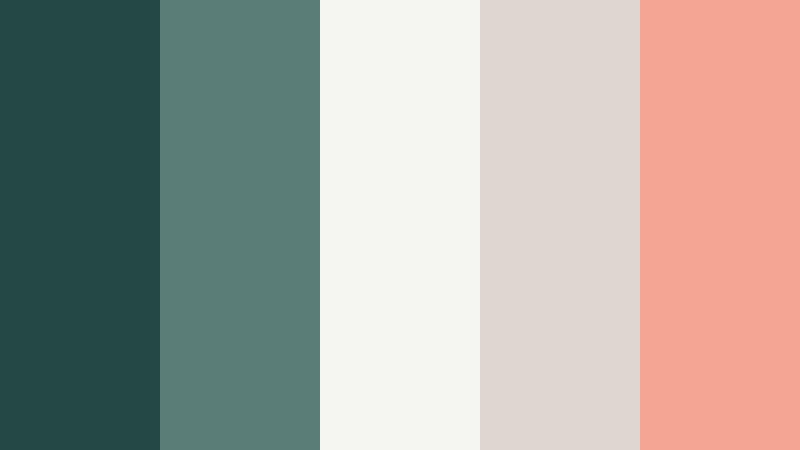
- HEX Codes: #244844, #5b7d78, #f5f5f2, #ded7cf, #f3a694
- Mood: Softly professional with a hint of cozy warmth.
- Use for: Perfect for creator workspaces, tutorial slides, and podcast covers.
Soft Jade Workspace Glow softens Jade Shadow (#244844, #5b7d78) with gentle off-whites (#f5f5f2, #ded7cf) and a blush accent (#f3a694). It feels modern and professional but still approachable and cozy, like a tidy desk with a warm lamp on.
This palette is great for tutorial slides, channel art, and podcast cover designs where you want a balance of authority and friendliness. Use Jade for titles and background strips, the neutrals for body text, and the blush for subtle highlights such as progress bars, timestamps, or subscribe prompts in Filmora templates.
Jade Slate Interface
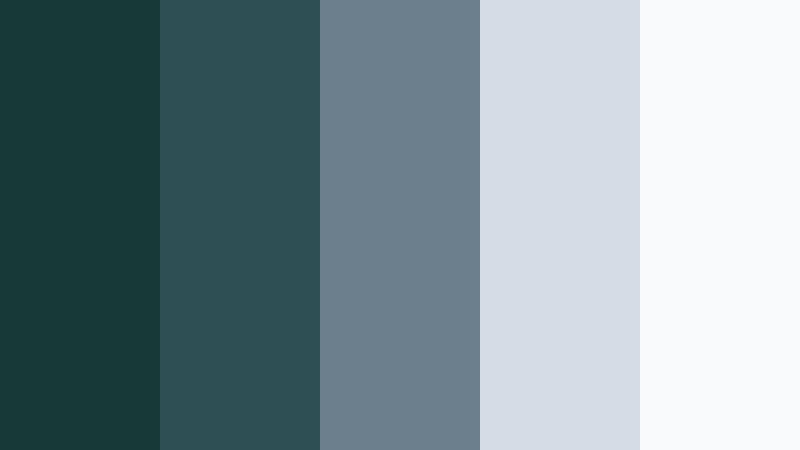
- HEX Codes: #183a37, #2e4f54, #6b7f8c, #d4dde6, #f8fafc
- Mood: Cool, balanced, and UX-inspired.
- Use for: Best for software explainers, dashboard visuals, and tech intros.
Jade Slate Interface takes deep Jade Shadow (#183a37) and blends it with slate blues and cool grays (#2e4f54, #6b7f8c, #d4dde6, #f8fafc). The palette feels like a polished app interface: clean, cool, and easy to scan.
It is perfect for screen-record tutorials, UI mockup sequences, and tech intros. In Filmora, apply Jade and slate tones to bars and panels that frame screen captures, while using the lightest grays for background cards and captions to maintain excellent readability on YouTube and mobile devices.
Architectural Jade Lines
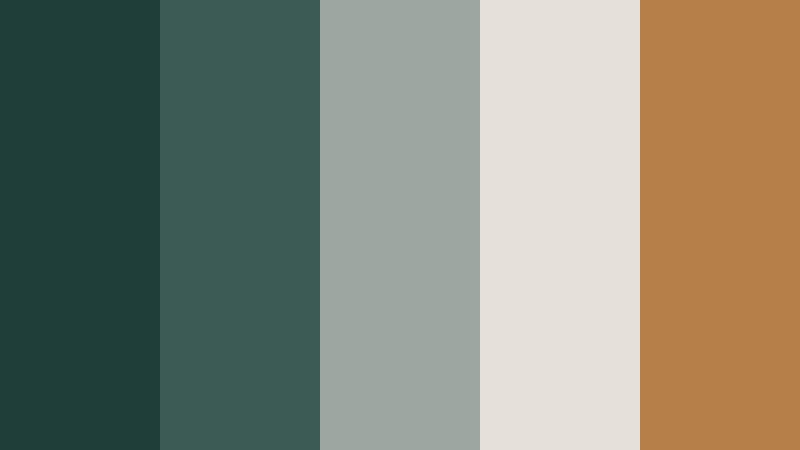
- HEX Codes: #1f3e39, #3c5b54, #9da6a0, #e6e1d8, #b57f4a
- Mood: Sophisticated, structured, and slightly industrial.
- Use for: Use in real estate tours, architecture reels, and design portfolio videos.
Architectural Jade Lines joins Jade Shadow greens (#1f3e39, #3c5b54) with concrete-like grays (#9da6a0, #e6e1d8) and a warm bronze accent (#b57f4a). The result feels like a modern gallery or high-end showroom: structured, refined, and visually balanced.
This palette is ideal for real estate and interior design tours, portfolio reels, and case study videos. Use the Jade tones as strong framing elements, the grays for flooring-like backgrounds or grid systems, and the bronze to highlight key numbers, prices, or project titles in Filmora motion graphics.
Vibrant & Stylish Jade Shadow Color Palettes
Jade Sunset Studio
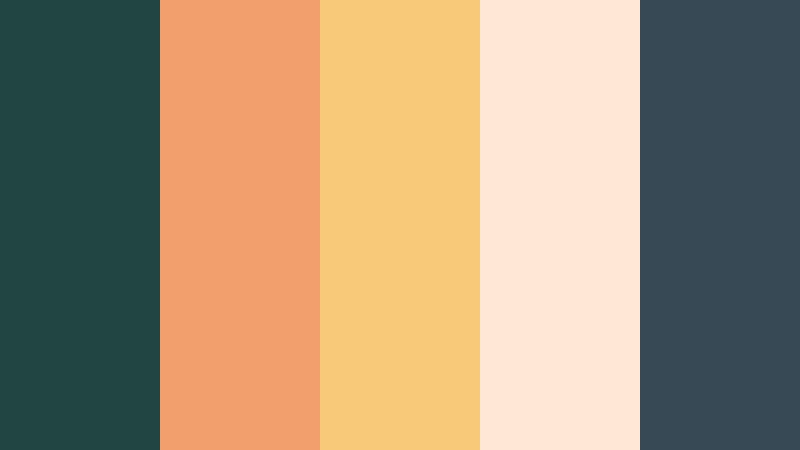
- HEX Codes: #214642, #f29e6d, #f7c979, #ffe9d6, #364955
- Mood: Warm, creative, and studio-chic.
- Use for: Perfect for lifestyle channels, brand promos, and upbeat reels.
Jade Sunset Studio pairs rich Jade Shadow (#214642, #364955) with glowing sunset tones (#f29e6d, #f7c979) and soft cream (#ffe9d6). It captures golden-hour energy inside a modern studio, making everything feel inviting and creative.
Use the darker Jade as your base for frames or backgrounds, while letting the peach and apricot shades drive buttons, badges, and text highlights. This palette suits lifestyle vlogs, behind-the-scenes reels, and brand promos in Filmora where you want thumbnails and intros to feel both premium and friendly.
Electric Jade Pop

- HEX Codes: #0f3f37, #00b89f, #ff6f61, #ffd6ba, #f5f5f5
- Mood: Playful, energetic, and social-media ready.
- Use for: Use in shorts, reaction videos, and punchy motion graphics.
Electric Jade Pop anchors deep Jade Shadow (#0f3f37) with high-energy teal (#00b89f) and coral (#ff6f61), softened by pastel peach (#ffd6ba) and neutral white (#f5f5f5). The palette feels energetic and shareable, perfect for content that needs to grab attention fast.
Use the dark Jade as your base or outline color, then let teal and coral handle key buttons, emojis, and animated stickers. In Filmora, this palette is great for YouTube Shorts, reaction videos, and subscriber callouts where bold colors and clear contrast help you stand out in feeds.
Jade Velvet Luxe
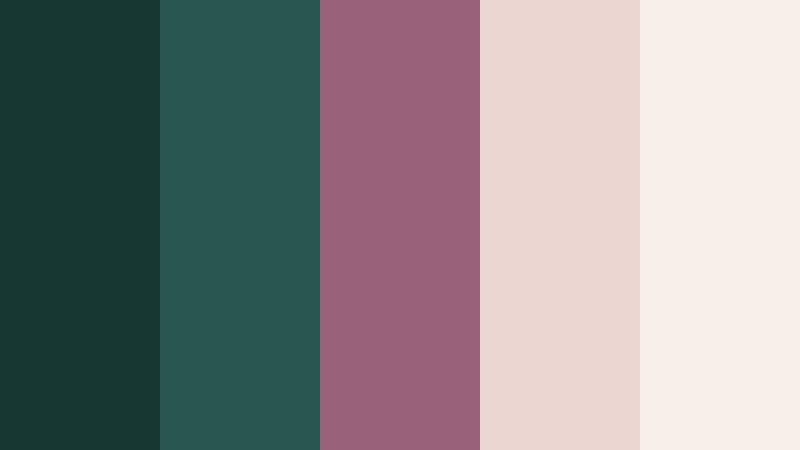
- HEX Codes: #173732, #275750, #99627a, #ebd6d2, #f7f0ea
- Mood: Luxe, romantic, and editorial.
- Use for: Best for fashion lookbooks, beauty promos, and cinematic portraits.
Jade Velvet Luxe combines smoky Jade tones (#173732, #275750) with plum and rose-tinted neutrals (#99627a, #ebd6d2, #f7f0ea). It feels plush and editorial, like a velvet backdrop in a fashion shoot.
Use the Jade greens for background gradients and frame elements, with plum and blush handling titles, brand names, and accent lines. This palette is ideal for beauty and fashion content in Filmora, including lookbooks, product reveals, and slow-motion portrait sequences that need a polished, luxurious aesthetic.
Tips for Creating Jade Shadow Color Palettes
Jade Shadow works best when you balance its deep, cool energy with carefully chosen neutrals and accents. Here are practical tips to build palettes that look great in video, thumbnails, and branding.
- Pair Jade Shadow with warm accents (gold, peach, beige) to avoid a flat or overly cold look, especially in lifestyle or travel content.
- Always test text contrast: use light tones for copy on Jade backgrounds and reserve Jade or black for text on pale backdrops to keep thumbnails readable on small screens.
- Limit each palette to 1–2 core Jade tones, 2 neutrals, and 1 accent color so your intros, lower thirds, and overlays feel consistent, not chaotic.
- Match your grading to your palette: if your overlays use cool Jade, push shadows and midtones slightly cooler in Filmora so footage and graphics feel unified.
- Use accent colors sparingly for CTAs, subscribe buttons, and key stats so the viewer instinctively knows where to look first.
- Create separate variants for light and dark mode: one with Jade as the background and pale text, and one with pale backgrounds and Jade as the text color.
- Export a reference frame from Filmora that showcases your palette and reuse it with AI-powered tools to quickly apply the same Jade Shadow look to future projects.
- Check your palette on multiple devices and in both landscape and vertical formats to ensure Jade Shadow does not shift too dark or too muted after compression.
Jade Shadow color palettes can instantly change how your videos feel, from mysterious and cinematic to fresh, editorial, or techy. By choosing the right combinations and keeping HEX codes handy, you can build a recognizable visual identity that carries through your intros, b-roll, overlays, and thumbnails.
Filmora makes it easy to turn these Jade Shadow palettes into repeatable looks, whether you are using AI features, manual color tools, or built-in filters and LUTs. Try a few of these palettes in your next edit, tweak them to match your footage, and save your favorites as presets so every new project feels on-brand from the first frame.
Over time, your audience will start to recognize your Jade Shadow aesthetic before they even read the title. That consistency is what turns casual viewers into subscribers and your channel into a distinct visual brand.
secure download