

 100% Security Verified | No Subscription Required | No Malware


 ChatGPT
 Perplexity
 Gemini
 Claude
 Grok
Grok
This lifestyle handheld vlog LUT-inspired filter set is designed for content creators who want everyday footage to feel polished without losing authenticity. From quick coffee runs to golden-hour city walks, each look keeps skin tones flattering and motion-friendly for phone and compact camera shots.
Below you will find 12 scene-based filters modeled after a Lifestyle Handheld Vlog LUT, so you can quickly match the mood of your vlog, keep cuts consistent, and spend less time color correcting frame by frame.
In this article
Soft Morning Lifestyle Routines
Sunlit Bedroom Soft Neutral
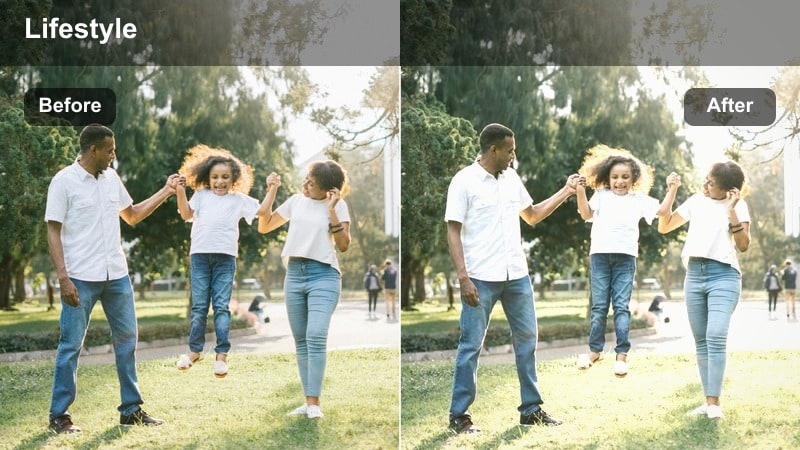
- Effect look: Soft, low-contrast tones that gently brighten whites and keep skin tones creamy and natural.
- Best for: Handheld morning vlogs in bedrooms, getting-ready clips, and cozy desk setups near a window.
- Editing tip: Lower contrast slightly and nudge exposure up by 0.2-0.4 stops to keep highlights from clipping on bright sheets and walls.
In Filmora, Sunlit Bedroom Soft Neutral is ideal when you want a clean, airy bedroom look without washing out your face or decor. Apply this filter to clips shot near windows, then fine-tune exposure on your subject so your skin stays smooth while white bedding and walls retain gentle detail.
For handheld morning routines, combine the filter with light stabilization to keep shakes subtle while preserving the natural, in-the-moment feel. If your room is slightly underexposed, adjust whites instead of pushing overall brightness so you keep the calm, neutral mood that suits everyday lifestyle storytelling.
Match Your Lifestyle Vlog Mood with AI-Powered Color Suggestions
Filmora AI color tools can scan your handheld vlog clips and suggest looks that echo a lifestyle handheld vlog LUT, helping you quickly unify shots from different rooms, streets, and times of day. This is especially useful when your vlog jumps from a bright bedroom to a dim hallway or shaded street.
Start by applying your favorite morning filter, then let AI refine warmth, saturation, and contrast so skin tones stay consistent as you move through your day. You can save these AI-tuned looks as presets for future vlogs.
 secure download

Preview Lifestyle Filters in Real Time While You Shoot Handheld
With Filmora preview tools, you can drop a quick test clip from your bedroom, kitchen, or city street onto the timeline and instantly cycle through lifestyle filters. This makes it easy to see how each LUT-inspired look responds to your real lighting and movement before you commit to a full grade.
Use split-screen or side-by-side comparison to audition several filters at once, then lock in one consistent style for the entire vlog so your episode feels cohesive from morning to night.
secure download1000+ Video Filters and 3D LUTs
Filmora includes a large library of filters and 3D LUTs, so you can push your lifestyle handheld vlog LUT-inspired looks even further. Layer subtle film styles, vintage tones, or cinematic grades on top of your base filter to create a custom fingerprint for your channel.
After you dial in your favorite combination, save it as a preset so you can apply the same lifestyle look to new vlog episodes in just a few clicks, keeping your color grading workflow fast and repeatable.
secure downloadMinimal Kitchen Fresh Wash
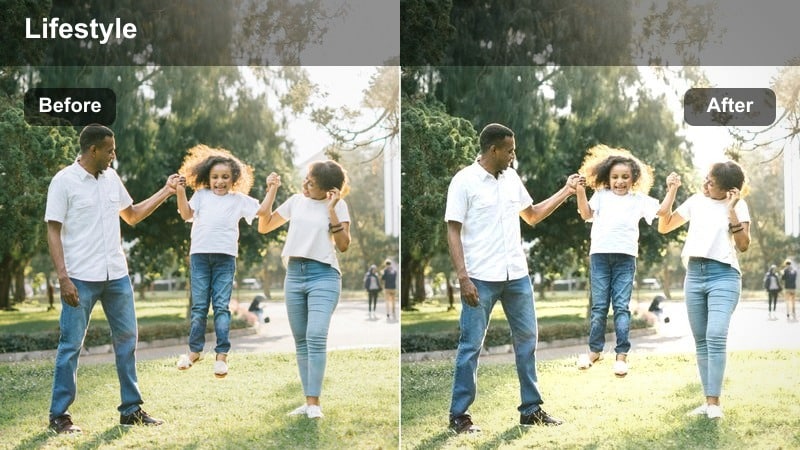
- Effect look: Clean, slightly cool whites with a fresh, airy lift and crisp but not harsh contrast.
- Best for: Handheld lifestyle clips in white or light-toned kitchens, quick coffee pours, and countertop shots.
- Editing tip: Dial back saturation of yellows if overhead kitchen lights turn too warm, keeping the overall mood bright and minimal.
Minimal Kitchen Fresh Wash keeps counters, mugs, and appliances looking sharp while preserving flattering skin tones for first-person POV clips. In Filmora, apply this filter to your kitchen sequences and adjust white balance a bit cooler if your ceiling bulbs are very warm.
For smooth recipe b-roll, combine the filter with slight stabilization and a subtle vignette so attention stays on your hands and ingredients. If your cabinets or walls pick up color casts, use HSL or color correction in Filmora to selectively tone them down without touching your face.
Cozy Desk Matte Pastel
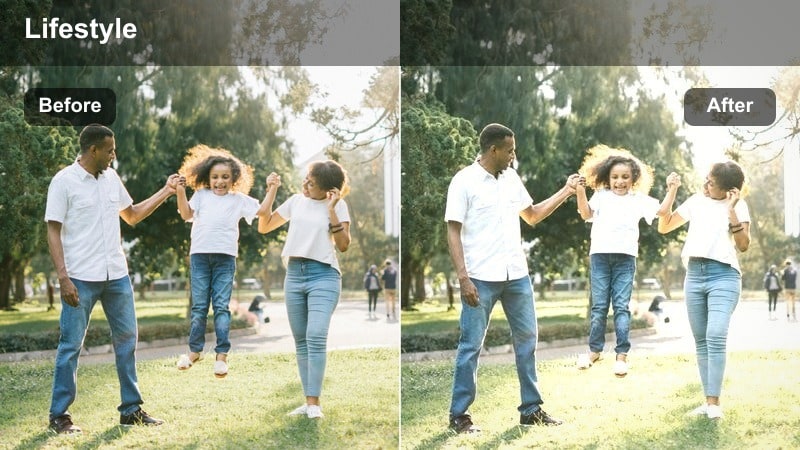
- Effect look: Matte, pastel-toned lifestyle look with lifted blacks, softened highlights, and subtle warmth.
- Best for: Handheld desk vlogs, journaling scenes, planner shots, and laptop check-ins.
- Editing tip: Reduce clarity slightly to avoid making paper and screens too sharp when filming very close to the desk.
Cozy Desk Matte Pastel gives notebooks, pens, and desk decor a soft, dreamy finish that is perfect for plan-with-me and study-with-me segments. In Filmora, place this filter on close-up overhead shots as well as wider angles to maintain a consistent matte mood through your desk sequence.
If your hands or text on the page become too hazy, bring back a bit of midtone contrast while keeping blacks lifted for that pastel feel. Light handheld stabilization paired with this filter keeps pans across the desk smooth and watchable without destroying the cozy, intimate vibe.
Daytime City Walks and Errands
Urban Errand Clean Neutral
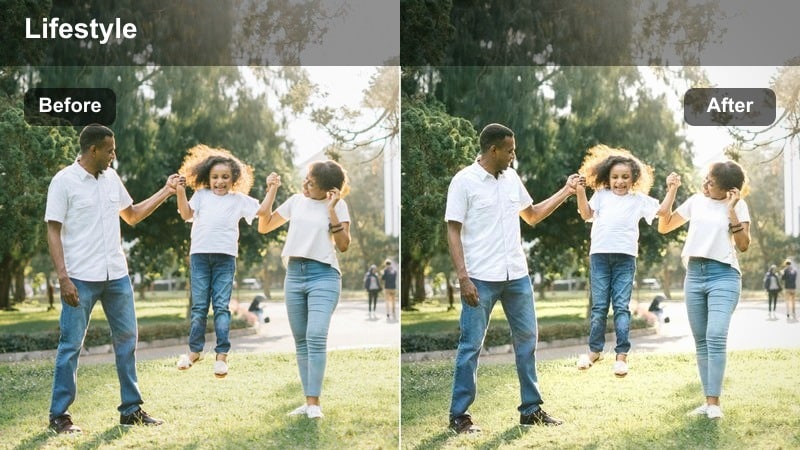
- Effect look: Balanced, neutral color grade with slightly lifted shadows and crisp daylight contrast.
- Best for: Handheld city walking vlogs, errands, storefronts, and quick street updates.
- Editing tip: Use gentle highlight roll-off or lower highlights a bit to keep building facades and skies from blowing out during quick pans.
Urban Errand Clean Neutral is built for grab-and-go street footage where lighting changes quickly as you walk. In Filmora, use this filter on your A-roll city walks and cutaways of shops or crosswalks to keep colors realistic while slightly lifting shadows so details in sidewalks and buildings stay visible.
When you are panning or turning corners, tame highlights using the curves or highlight sliders so skies and reflective windows do not clip. A touch of stabilization and subtle sharpening in Filmora will keep your handheld steps energetic yet easy for viewers to follow.
Sidewalk Soft Film
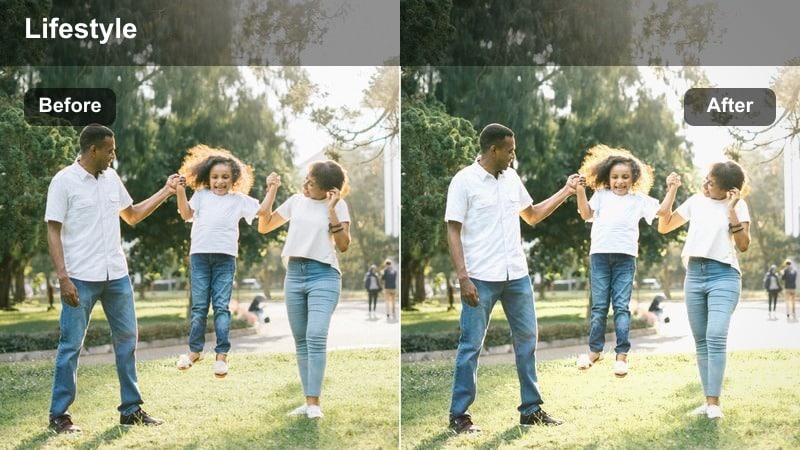
- Effect look: Gentle film-like softness with reduced digital sharpness and subtly muted primaries.
- Best for: Handheld city strolls, park-side sidewalks, and story-driven lifestyle walking monologues.
- Editing tip: Enable slight motion blur or reduce shutter speed when possible to match the soft, filmic mood of this filter.
Sidewalk Soft Film tones down harsh digital edges and color intensity so your walking monologues feel more cinematic and relaxed. In Filmora, apply this filter to long takes of you talking to camera while walking, then add a bit of grain for a subtle film texture.
If in-camera sharpening was high, lower Filmora sharpness and lean on this filter to smooth out edges. Pair it with minimal stabilization so your steps remain present but not jittery, keeping the focus on your story rather than tiny bumps in the footage.
Commuter Subway Muted
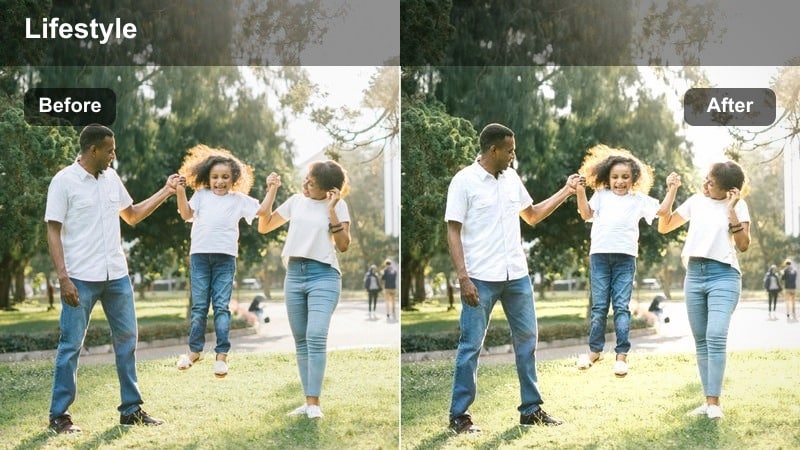
- Effect look: Muted, low-saturation tones that tame harsh overhead lighting and colored ads.
- Best for: Handheld subway or bus rides, escalator clips, and public transit lifestyle transitions.
- Editing tip: Use local exposure adjustments to lift your face slightly instead of globally brightening noisy low-light backgrounds.
Commuter Subway Muted is designed to calm down aggressive fluorescent lights and ad panels in trains and buses. In Filmora, drop this filter onto all your transit clips to keep saturation controlled, then brighten your face with masks or keyframed exposure so you stay readable without amplifying background noise.
Combine the filter with targeted noise reduction on shadows for cleaner-looking interiors while leaving midtones slightly textured for realism. This makes quick handheld escalator or carriage shots feel like intentional mood transitions between bigger scenes in your vlog.
Casual Indoor Hangouts and Self-Talk
Living Room Warm Balance
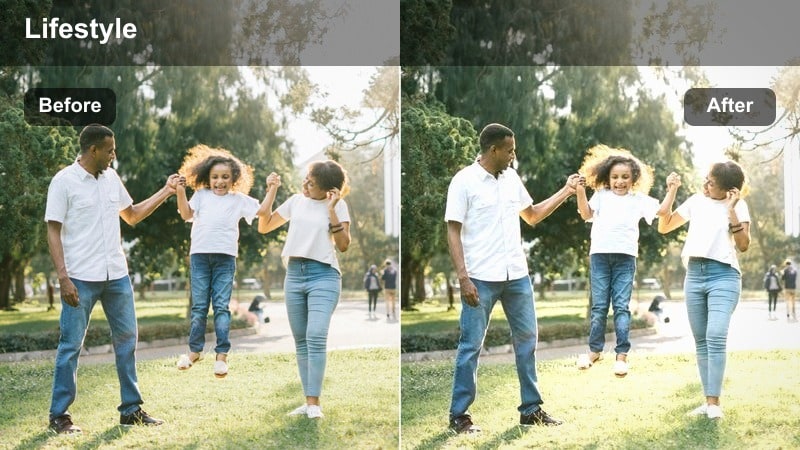
- Effect look: Warm, balanced tones that gently enhance skin and soften mixed indoor lighting.
- Best for: Handheld couch chats, Q&A sessions, and lifestyle updates filmed in living rooms.
- Editing tip: Pull orange saturation down a touch if your skin starts to look overly tanned under tungsten lamps.
Living Room Warm Balance adds a cozy glow to your space while keeping your skin from going too orange or muddy. In Filmora, use this filter for self-talk segments on the couch, then refine warmth and orange saturation so your face looks natural under table lamps or floor lights.
If windows or lamps are bright in the background, expose for your face first and then lower highlights to keep the room from feeling blown out. Light stabilization and a soft vignette will help center attention on you without sacrificing the casual handheld energy of a home vlog.
Studio Rental Neutral Pro
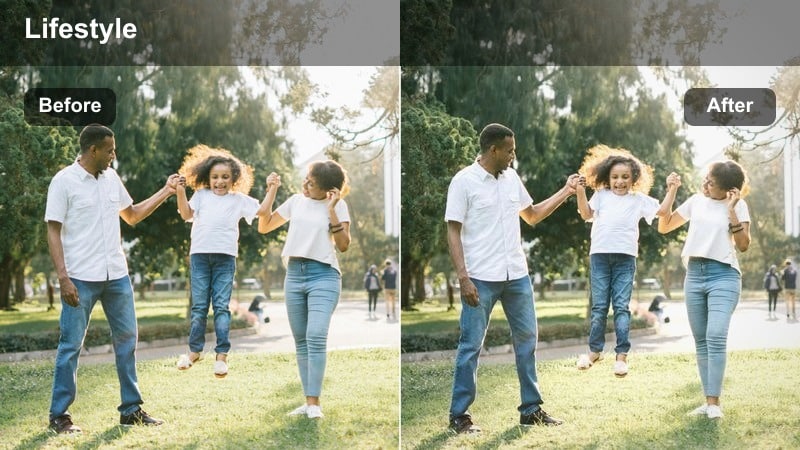
- Effect look: Clean, pro-style neutral tones with precise contrast and subtle midtone lift for studio spaces.
- Best for: Handheld clips in co-working spaces, rented studios, and content creator sets.
- Editing tip: Keep saturation moderate so brand colors on props and backdrops look intentional but not overwhelming.
Studio Rental Neutral Pro makes rented spaces and co-working sets look crisp and professional while still fitting into a lifestyle vlog style. In Filmora, apply it to all your studio segments so walls, shelves, and props share the same neutral color response.
Adjust tint slightly if the studio walls lean green or magenta, then fine-tune midtones so your skin stays clear and bright. This filter pairs well with Filmora text and overlay graphics, since the balanced contrast keeps titles and lower-thirds readable against your background.
Bedroom Evening Soft Glow
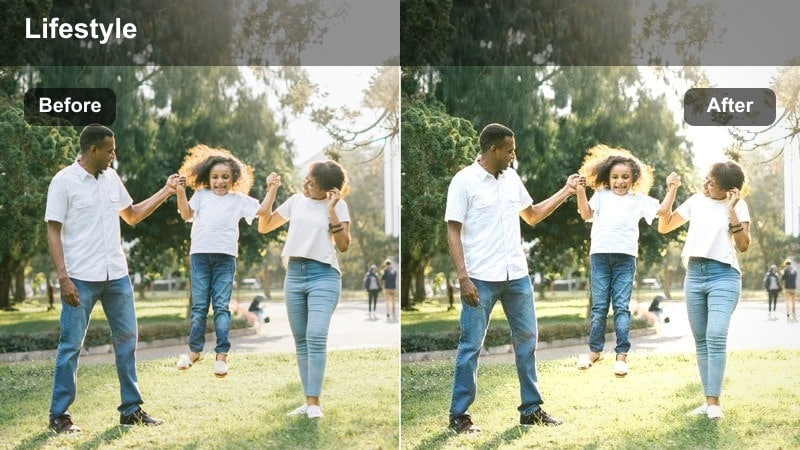
- Effect look: Warm, low-contrast evening glow with slightly lifted blacks and softened highlights.
- Best for: Handheld nighttime bedroom diaries, end-of-day recaps, and wind-down routines.
- Editing tip: Lower overall saturation if fairy lights and LED strips push too bright against the softer evening mood.
Bedroom Evening Soft Glow is perfect for soft-spoken reflections and nighttime recaps, where lamps and string lights should feel gentle rather than harsh. In Filmora, use this filter on your end-of-day clips and then tweak exposure so your eyes and features remain visible without flattening the shadows completely.
If colored LEDs or fairy lights dominate the frame, pull back saturation and adjust highlights for a smoother glow. A subtle noise reduction pass on darker areas will keep the footage clean while the lifted blacks maintain a relaxed, dreamy mood.
Golden Hour Walks and Night Street Vibes
Golden Hour Street Glow
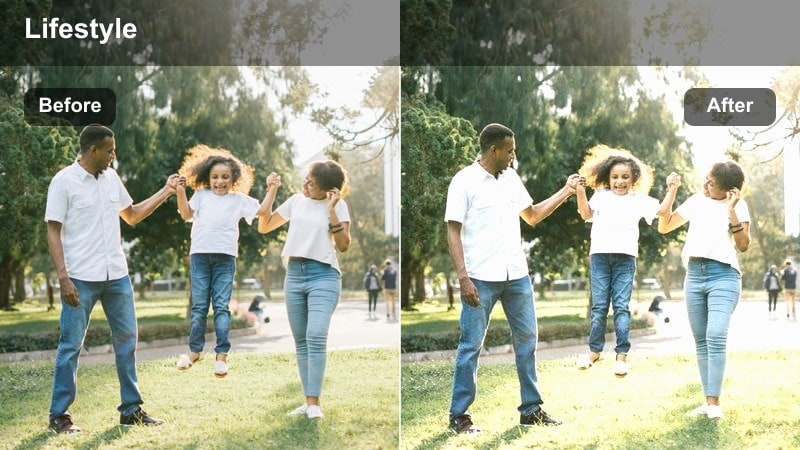
- Effect look: Warm, glowing highlights with enhanced oranges and soft, flattering midtones.
- Best for: Handheld sunset walks, city overlooks, and golden-hour lifestyle b-roll.
- Editing tip: Pull back orange luminance slightly if your skin glows too intensely during direct sunset shots.
Golden Hour Street Glow amplifies sunset warmth so buildings, hair, and skin catch a soft halo of light. In Filmora, apply this filter to all your late-afternoon and sunset clips, then fine-tune orange luminance so your face looks sun-kissed but still natural.
When flares or strong backlight appear, reduce highlights and add a bit of contrast to restore shape and depth. Combined with gentle stabilization, this filter turns casual handheld strolls at golden hour into cinematic, Instagram-ready sequences.
Neon City Night Soft
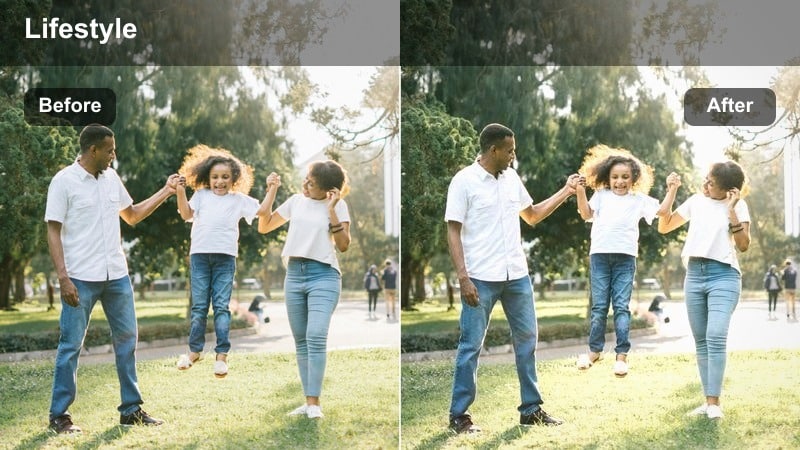
- Effect look: Soft, slightly desaturated neon tones with controlled highlights and gentle contrast.
- Best for: Handheld night street vlogs, neon signs, and city lifestyle clips by storefront lights.
- Editing tip: Lower saturation in blues and magentas if signs overpower your face; then lift midtones to keep you visible.
Neon City Night Soft helps you capture busy nightlife without letting signs and billboards overpower the story. In Filmora, use this filter on handheld clips outside bars, arcades, or shops, then carefully reduce blue and magenta saturation until your skin tones come back to center.
Lift midtones slightly so your face, clothes, and sidewalks remain legible while highlights from the neon stay controlled. This filter works especially well with slow-motion or slightly stabilized footage, softening edges just enough to make the scene feel cinematic while still grounded in reality.
Late Night Taxi Ride
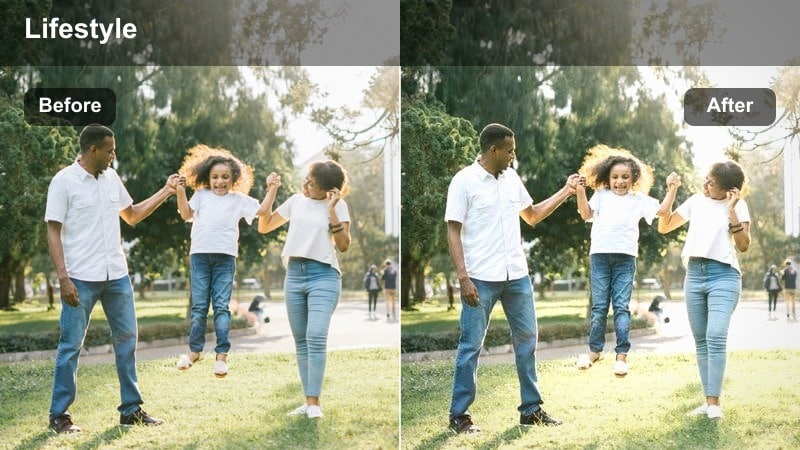
- Effect look: Moody, contrasty night tones with rich shadows and warm interior highlights.
- Best for: Handheld ride-along clips from taxis, rideshares, and car windows during night drives.
- Editing tip: Lift shadows a little if city streets look like a black void, but keep contrast to preserve the night-time atmosphere.
Late Night Taxi Ride leans into deep shadows and warm cabin lights to emphasize the feeling of traveling through a city after dark. In Filmora, apply this filter to your in-car monologues and window shots, then carefully raise shadows just enough to reveal a hint of the passing city outside.
If reflections on the glass or dashboard lights distract, adjust exposure and highlights locally using masks. Keeping contrast strong while gently taming the darkest areas preserves a cinematic, moody look that is perfect for closing chapters or reflective story beats in your vlog.
Tips for Using Lifestyle Handheld Vlog Lut Filters in Filmora
- Keep white balance as neutral as possible in-camera so every lifestyle handheld vlog LUT-inspired filter has a clean, consistent base.
- Use one main filter per vlog episode to maintain a strong, recognizable visual identity from the first frame to the last.
- Stabilize only as much as needed in Filmora so the organic handheld character of your lifestyle clips still comes through.
- Expose for skin tones first, then tweak highlights and shadows after applying filters to prevent clipping and preserve detail.
- Create a short reference sequence with key scenes like morning, city, indoor, and night, and test multiple filters on it before a full edit.
- Save your favorite filter plus LUT combinations as custom presets in Filmora to speed up color grading on future episodes.
- Use Filmora masks and local adjustments to correct tricky lighting on faces without flattening the entire scene.
- When mixing clips from phones and pocket cameras, normalize exposure and contrast before adding filters for a smoother final look.
With the right lifestyle handheld vlog LUT-inspired filters, you can turn simple everyday moments into polished stories that still feel real and spontaneous.
Choose one or two looks from this guide, build a repeatable preset in Filmora, and give your lifestyle channel a cohesive visual style viewers will instantly recognize.
secure downloadNext: Home Cooking Lifestyle Filter Ideas for Warm, Tasty Vlogs
