

 100% Security Verified | No Subscription Required | No Malware


 ChatGPT
 Perplexity
 Gemini
 Claude
 Grok
Grok
Lifestyle video filters for reels help you turn everyday clips into scroll-stopping stories with just a few clicks. From cozy mornings and coffee runs to city walks and weekend getaways, the right filter can define your signature look and keep your grid visually consistent.
This guide walks through 12 Filmora-style lifestyle filters tailored for daily moment reels, lifestyle reels, and casual short video content so you can quickly pick a reels lifestyle filter that matches your vibe and keeps your audience watching to the end.
In this article
Soft and Natural Lifestyle Reel Filters
Soft Morning Glow
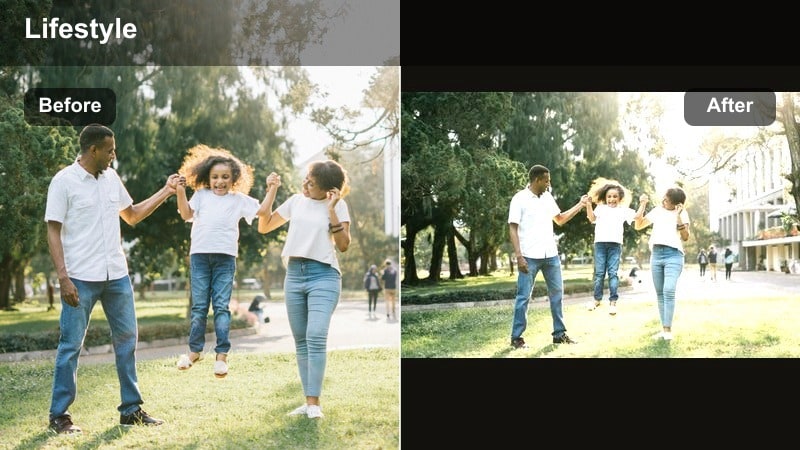
- Effect look: Gentle warm tones with soft contrast and a clean, bright finish that flatters skin and interiors.
- Best for: Morning routines, journaling reels, cozy home clips, and everyday reels filter setups with natural light.
- Editing tip: Lower the intensity to around 60-70 percent and slightly reduce highlights so whites stay creamy instead of blown out.
Soft Morning Glow wraps your footage in a warm, flattering light that feels calm and intentional, even if you filmed in a simple corner of your bedroom or kitchen. In Filmora, this filter is ideal for lifestyle creators who want their morning routines, skincare sequences, or coffee rituals to look softly polished without losing the natural feel of the scene.
Apply Soft Morning Glow to vertical clips, then fine-tune intensity in the Effects panel until skin tones stay natural and whites look softly off-white rather than stark. Combine it with gentle camera movement and simple cuts on the beat so your daily moments feel like part of a relaxing, aesthetic morning story instead of random clips.
Speed up your lifestyle reels with AI color tools
Filmora s AI-powered color tools help you match your lifestyle video filters for reels across multiple clips so every shot keeps the same soft, on-brand energy. Instead of spending time re-tweaking exposure and color for each new clip, you can let AI analyze one look you love and mirror it through the rest of your reel.
After you dial in Soft Morning Glow on a hero shot, use AI color matching to harmonize other angles from your morning routine, like close-ups of your coffee, notebook, or outfit details. This keeps your entire reel visually consistent and lets you focus more on storytelling, transitions, and pacing.
 secure download

Preview lifestyle filters in real time
With Filmora, you can preview lifestyle filters live just by hovering over them in the Filters panel. This real-time preview lets you quickly compare soft, neutral, and cinematic options on the same clip before deciding which one matches your aesthetic.
Test Soft Morning Glow alongside other warm or neutral filters on a short sample shot of your routine. Once you find a reels lifestyle filter that fits your brand, apply it to all related clips, then adjust intensity and basic color for a cohesive finish.
secure downloadCombine filters and LUTs for a signature lifestyle look
Filmora includes 1000 plus video filters and creative 3D LUTs you can stack together to design a lifestyle look that feels unique to your profile. Use a gentle lifestyle filter as your base, then layer a LUT on top to fine-tune skin tones, shadows, or highlight colors.
Once you have a combination that suits your everyday reels, save it as a custom preset in Filmora. This gives you a one-click lifestyle video reels edit recipe you can reuse on new projects, helping every upload feel consistent and professional.
secure downloadClean Daylight Pop
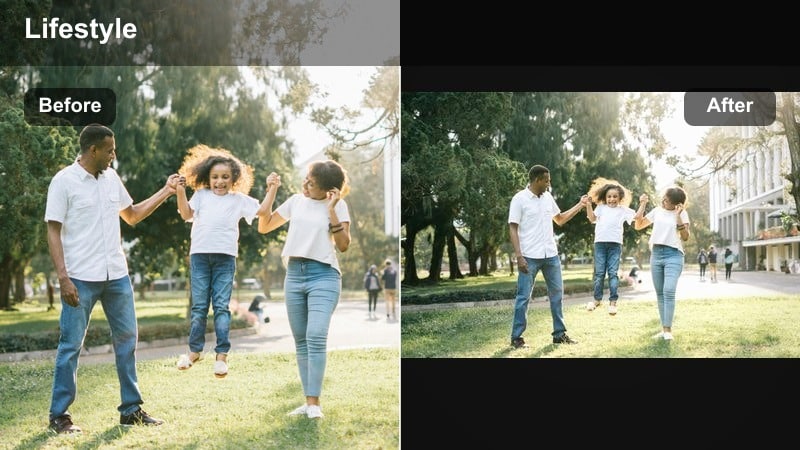
- Effect look: Bright, crisp whites with a hint of saturation and clarity for a fresh, editorial lifestyle finish.
- Best for: Desk setups, productivity reels, stationery shots, and any daily moment reels filmed in bright daylight.
- Editing tip: Increase saturation in specific colors like greens or blues instead of globally to avoid over-saturated skin tones.
Clean Daylight Pop brings a bright, magazine-style polish to work-from-home and study reels. Whites appear cleaner, edges sharper, and accent colors like pens, plants, and laptop details stand out without overpowering the frame.
In Filmora, pair this filter with overhead shots, flat lays, or tripod-mounted desk angles. Use HSL or color tuning to boost only your brand colors while keeping faces and paper tones natural, then add simple text overlays to highlight tasks, timestamps, or productivity tips.
Everyday Neutral Tone
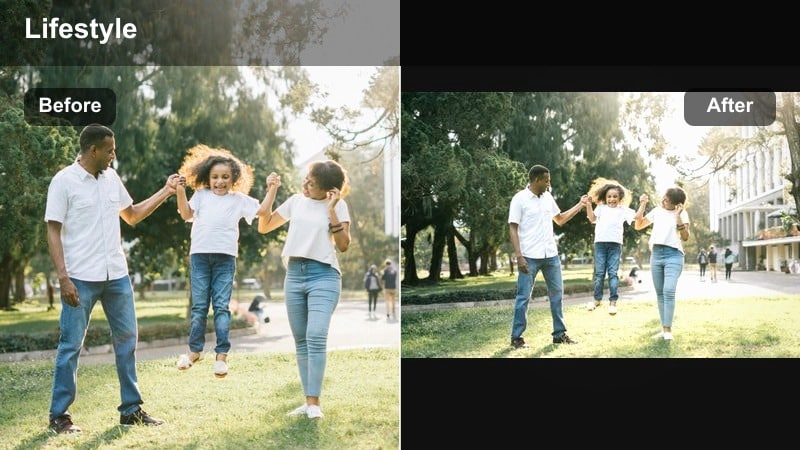
- Effect look: Muted contrast with soft beiges and cool neutrals that give a minimal, curated lifestyle feel.
- Best for: Outfit of the day, capsule wardrobe reels, home decor tours, and minimal lifestyle reels.
- Editing tip: Slightly desaturate strong background colors so your outfit or subject remains the focus of the shot.
Everyday Neutral Tone is designed for creators who love minimal, curated grids and capsule wardrobe aesthetics. It softens bold colors, leans into beige and gray palettes, and helps scattered clips from different days look like they belong in the same collection.
Apply this filter in Filmora across mirror selfies, detail shots of fabrics, and slow pans of your room or studio. If you film in spaces with colorful decor, gently lower saturation on distracting hues using color adjustments so the neutral mood and your subject remain the hero.
Warm and Cozy Everyday Reels Filters
Golden Hour Haze
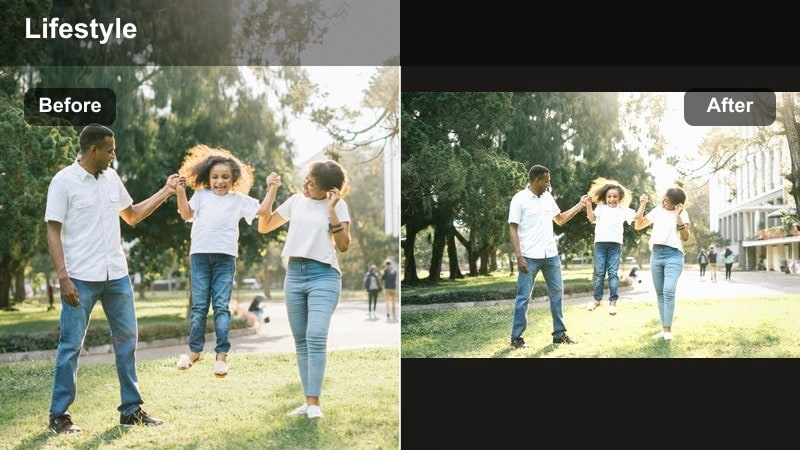
- Effect look: Soft golden warmth with lifted shadows and subtle haze that mimics late afternoon light.
- Best for: Sunset walks, slow evening routines, coffee shop visits, and romantic lifestyle reels.
- Editing tip: Add a slight vignette and reduce clarity just a touch to emphasize the dreamy, nostalgic glow.
Golden Hour Haze leans into rich, warm tones that make even simple streets or balconies feel cinematic. It lifts shadows so details remain visible while adding a delicate bloom that mimics the softness of real golden hour light.
In Filmora, combine this lifestyle reel effect with slow-motion clips, backlit silhouettes, and gentle zooms. Adjust exposure first so highlights are not clipped, then apply the filter and a light vignette to keep eyes centered on faces, hands, or horizon lines.
Coffee Shop Warmth
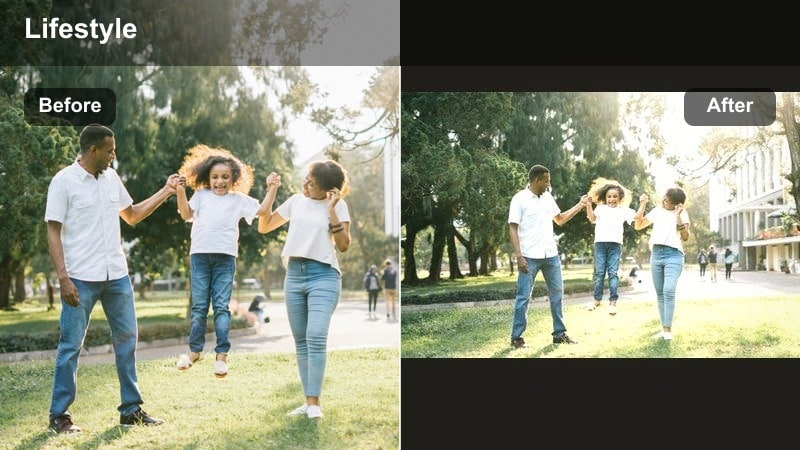
- Effect look: Cozy amber shadows, soft highlights, and gentle fade for intimate indoor scenes.
- Best for: Cafe reels, laptop work sessions, reading nooks, and rainy day lifestyle content.
- Editing tip: Reduce noise slightly and keep exposure a bit lower to preserve the moody, tucked-away cafe atmosphere.
Coffee Shop Warmth turns even a busy cafe into an intimate, cinematic nook. Amber shadows and soft highlights flatter wood textures, latte art, books, and laptops, pulling focus to the cozy details that define your day.
When editing in Filmora, apply this filter to close-ups of drinks, hands typing, and raindrops on windows. Slightly lower overall brightness, use noise reduction on high-ISO clips, and keep cuts simple so the slow mood of the scene draws viewers in.
Weekend Homey Glow
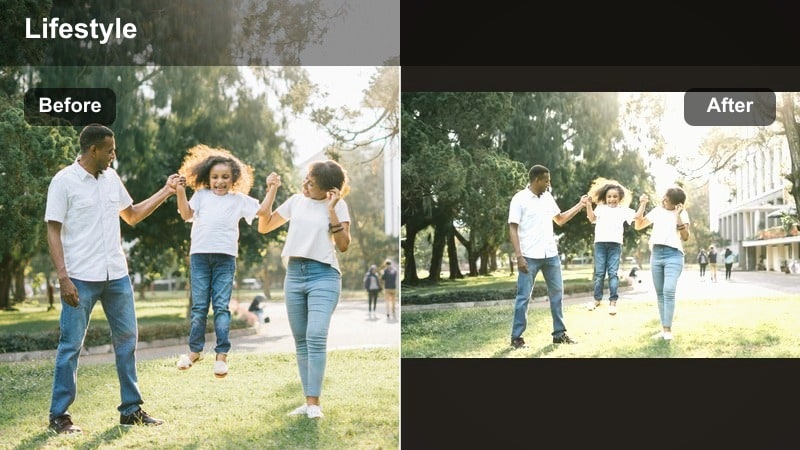
- Effect look: Soft, creamy highlights with warm midtones and a subtle film-like fade.
- Best for: Weekend resets, cleaning montages, cooking reels, and family-at-home lifestyle content.
- Editing tip: Combine with a slight speed ramp on transitions and keep shots steady for a relaxed yet polished vibe.
Weekend Homey Glow is made for reset routines and slow weekends at home. It adds warmth and a gentle fade that makes everyday tasks, like folding laundry or making breakfast, look nostalgic and comforting.
In Filmora, lay out short clips of each task in order, apply the filter to the full sequence, then add light speed ramps on transitions like opening doors or switching rooms. The consistent color and subtle film feel will tie your chores into one satisfying, complete narrative.
Cool and Modern Filters for Lifestyle Reels
Urban Chill
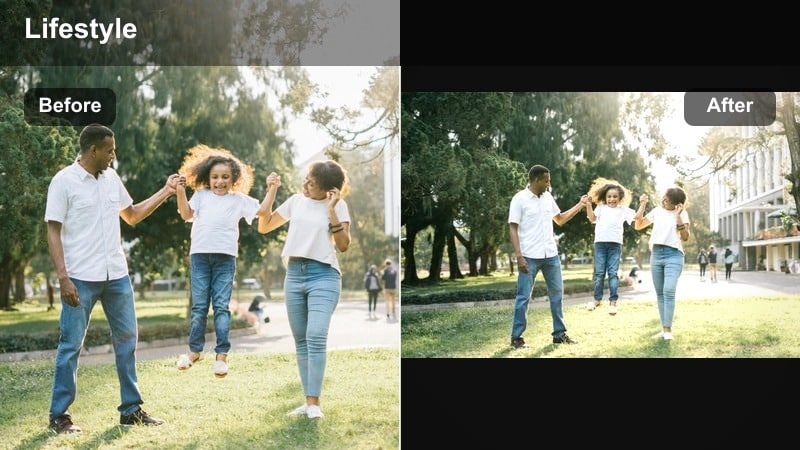
- Effect look: Cooler temperature, clean contrast, and slightly deeper shadows for a modern city look.
- Best for: City walks, commute reels, street fashion, and everyday urban lifestyle reels.
- Editing tip: Lower saturation in yellows and oranges to keep traffic lights and signage from distracting the viewer.
Urban Chill cools down your footage and adds sharp, modern contrast that feels perfect for downtown walks and streetwear fits. Deeper shadows emphasize shapes and architecture, giving your everyday commute a more editorial tone.
Use this filter in Filmora on handheld vertical clips of crosswalks, skyscrapers, and subway rides. Adjust HSL to tame bright signs or taxis, then stabilize your shots with Filmora s built-in stabilizer for smooth, cinematic motion.
Minimal Grey Space
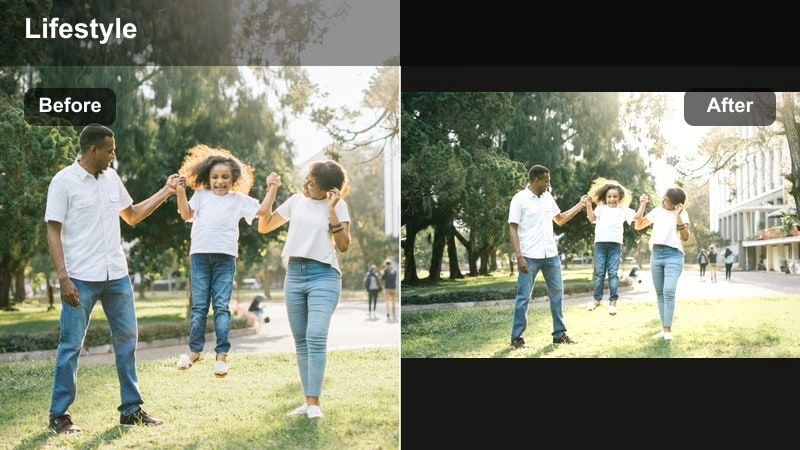
- Effect look: Desaturated colors with soft gray highlights and subtle shadow lift for a minimal aesthetic.
- Best for: Monochrome outfits, studio corners, workstation reels, and minimal lifestyle branding.
- Editing tip: Add a touch of blur or reduced clarity in the background so your subject pops against the muted tones.
Minimal Grey Space mutes loud colors and leans into a calm gray palette, ideal for creators who want their feed to feel clean and design-driven. It gently lifts shadows so details are visible without heavy contrast.
In Filmora, apply this lifestyle reel filter to clips shot in white, black, or gray spaces, then add a tiny Gaussian blur on the background if needed. This makes your outfit, product, or face stand out crisply against the softened, neutral environment.
Cool Desk Creator
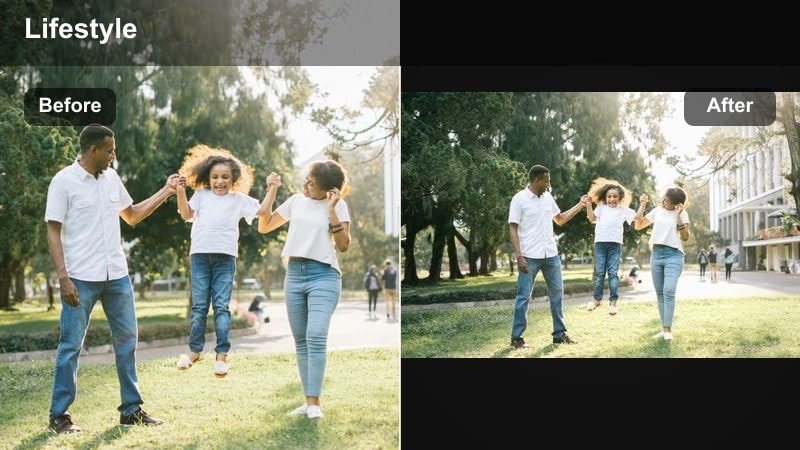
- Effect look: Subtle cool tint, enhanced blues, and crisp edges for tech and workspace-focused reels.
- Best for: Creator desk setups, editing behind-the-scenes, keyboard and gadget reels, and productivity content.
- Editing tip: Lightly boost midtone contrast and keep exposure slightly under to avoid blown-out screens and LEDs.
Cool Desk Creator gives tech-focused lifestyle reels a sleek, futuristic tone. It enriches blues from LED lights and screens while keeping lines clean and sharp, perfect for showcasing your editing setup or gaming corner.
While editing in Filmora, lower highlights before applying the filter so monitors remain readable, then add it across multi-angle shots of your desk. Use simple push or slide transitions between clips to keep the modern energy consistent throughout the reel.
Cinematic and Dreamy Lifestyle Reel Effects
Soft Film Diary
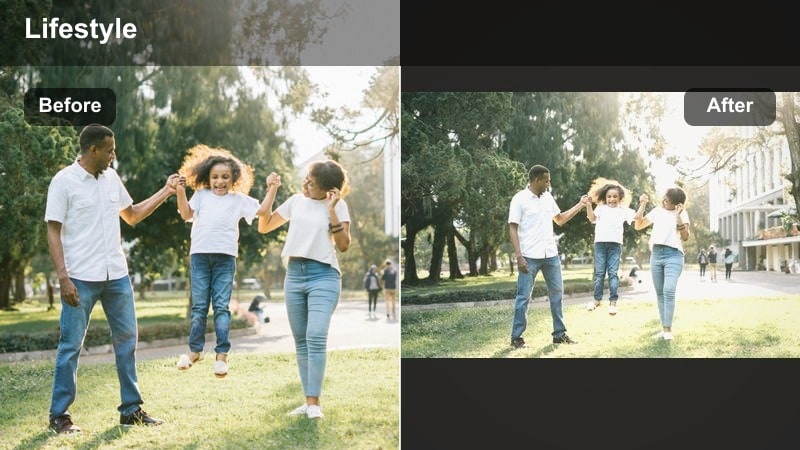
- Effect look: Gentle fade, subtle grain, and pastel-leaning highlights for a diary-style film aesthetic.
- Best for: Day-in-the-life vlogs, travel snippets, memory recap reels, and soft lifestyle storytelling.
- Editing tip: Keep your camera movement slow and add simple crossfades so the film look feels intentional, not chaotic.
Soft Film Diary adds a nostalgic, analog mood with light grain and pastel highlights that make ordinary days feel like treasured memories. It smooths harsh contrast and leans into softer colors, perfect for memory recap reels.
In Filmora, combine this effect with gentle music, crossfade transitions, and text captions that mark times of day or locations. Apply the filter to your full day-in-the-life sequence so the entire reel feels like a cohesive diary entry.
Cinematic Walkthrough
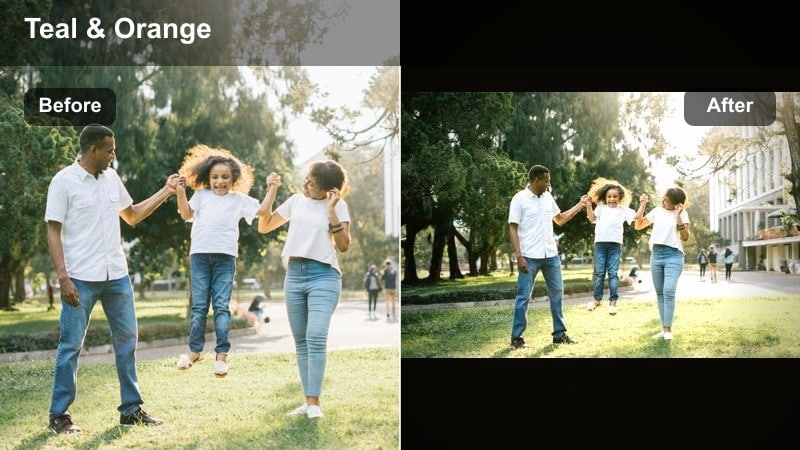
- Effect look: Rich contrast, subtle teal shadows, and warm skin tones for a classic cinematic balance.
- Best for: Apartment tours, hotel walkthroughs, shopping days, and travel lifestyle reels.
- Editing tip: Stabilize handheld shots in Filmora and add light motion blur so camera moves feel like intentional tracking shots.
Cinematic Walkthrough gives your space and travel reels a movie-like color grade with deep contrast and balanced teal-and-warm tones. It makes hallways, living rooms, and hotel lobbies feel like scenes from a polished travel film.
In Filmora, stabilize your clips, then apply the filter to every shot in the sequence. Add subtle motion blur and use cuts that follow your movement through doors or around corners, guiding viewers naturally through the space.
Dreamy Bokeh Life
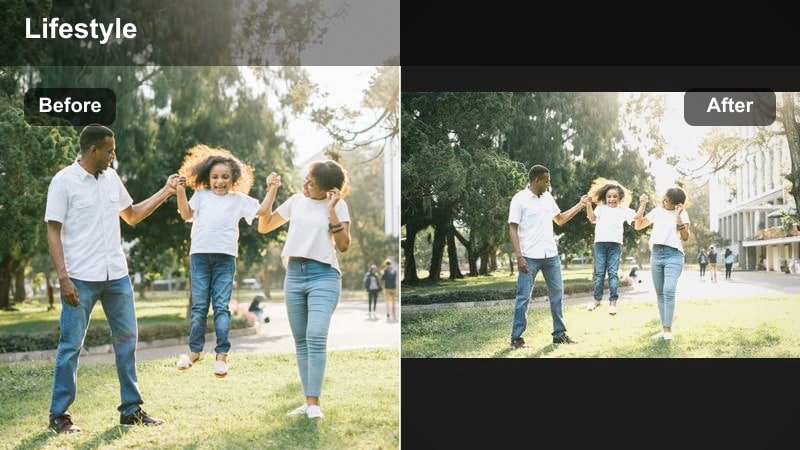
- Effect look: Soft focus edges, slightly lifted blacks, and emphasized bokeh highlights for a dreamy mood.
- Best for: Night city walks, fairy light setups, event reels, and romantic lifestyle moments.
- Editing tip: Shoot with a wide aperture and add subtle blur only to the background so faces stay clear while lights glow softly.
Dreamy Bokeh Life enhances light sources and softens the edges of your frame, making city lights, candles, and fairy lights appear extra magical. Lifted blacks keep the mood gentle instead of harsh, ideal for night lifestyle reels.
Apply this effect in Filmora to close-ups and slow pans where light sources sit in the background. Keep your subject in focus, use only light background blur in post, and let the filter handle the rest, turning simple walks or dates into cinematic night scenes.
Tips for Using Lifestyle Video Reels Filters in Filmora
- Film reels a few seconds longer than you need so you can trim to music beats after applying your lifestyle filter.
- Keep one main signature filter for most of your lifestyle reels and use others as accents for special series or seasons.
- Adjust exposure and white balance before applying filters to get cleaner, more natural-looking results.
- Batch edit several daily moment reels in one sitting using the same preset to keep your grid cohesive.
- Shoot in consistent lighting scenarios, such as near a window or in the same corner of your home, to make filters easier to match.
- Save your favorite filter and LUT combinations as custom presets in Filmora so you can recreate your look in one click.
- Experiment with subtle intensity changes per clip instead of swapping filters constantly to maintain a unified reel.
- Use Filmora s stabilization and speed tools with your filters to keep lifestyle reels smooth and easy to watch.
Lifestyle video filters for reels let you turn everyday routines, commutes, and cozy corners into polished, story-driven content without complex editing.
Experiment with a few favorite presets in Filmora, adjust intensity to fit each scene, and save your go-to looks so every new reel stays on-brand and visually engaging.
secure download