

 100% Security Verified | No Subscription Required | No Malware


 ChatGPT
 Perplexity
 Gemini
 Claude
 Grok
Grok
Lifestyle TikTok content lives and dies by its vibes. The right filter can turn a normal day-in-my-life vlog into a scroll-stopping, ultra-aesthetic story that viewers want to save, share, and recreate.
Below are 12 curated lifestyle video filters for TikTok, designed for day in my life TikToks, lifestyle trend videos, and casual everyday content. Use them as a starting point to build your own recognizable style across TikTok and Instagram.
In this article
Soft Bright Aesthetic Filters for Everyday Vlogs
Sunny Soft Morning
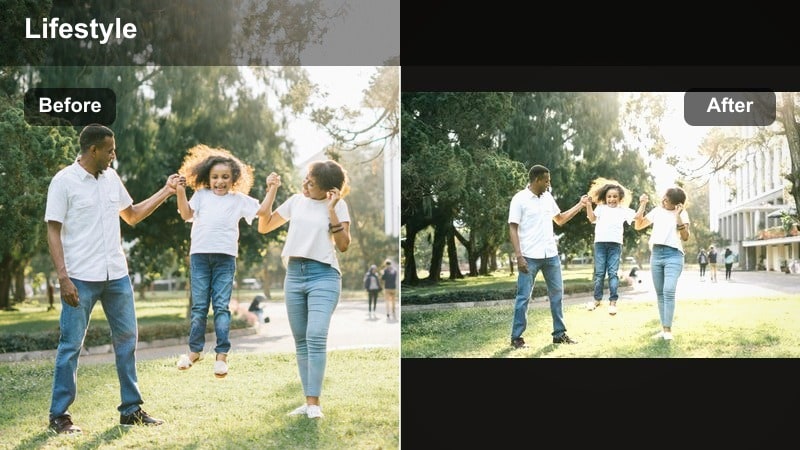
- Effect look: Bright, low-contrast whites with gentle warmth that make morning routines feel cozy and inviting.
- Best for: Day in my life TikToks filmed near windows, breakfast clips, soft start-of-the-day routines.
- Editing tip: Slightly lower highlights and add a tiny bit of blur or skin smoothing to keep the scene dreamy without losing detail.
Sunny Soft Morning is perfect for transforming simple morning footage into soft, glowing lifestyle shots that feel naturally lit and relaxing. Whites are bright but not harsh, and the subtle warmth helps coffee, blankets, and sunlight look extra inviting without overpowering skin tones.
In Filmora, start by lightly boosting exposure on darker clips, then apply your chosen Sunny Soft Morning-style preset or LUT. Gently reduce highlights and contrast, and add a touch of skin smoothing or blur to the background so faces stay flattering while the environment looks dreamy and soft.
Use Filmora’s AI Tools to Keep Your Lifestyle Filters Consistent
TikTok lifestyle creators and day-in-my-life vloggers need a consistent aesthetic across dozens of short clips. Filmora’s AI-powered color tools help you match your favorite lifestyle video filters for TikTok from one clip to the next.
You can let AI analyze a reference video with a trending TikTok lifestyle filter and automatically apply a similar mood to new footage, saving time and keeping your entire feed cohesive.
 secure download

Preview Lifestyle Filters on Your Own Day-in-My-Life Clips
Instead of guessing which aesthetic TikTok filter will work, drag your real footage into Filmora and quickly cycle through different lifestyle filters and presets. Testing on your own clips lets you see instantly which looks flatter your space, skin tones, and lighting.
Preview how soft bright looks, warm cozy tones, or cinematic edits transform your morning routines, errands, and casual everyday content before you commit to one as your main lifestyle aesthetic.
secure downloadTurn Your Favorite TikTok Looks into Reusable LUTs
Once you dial in a lifestyle filter you love, save it as a LUT in Filmora so you can apply the same look to future videos in one click. This is ideal for lifestyle TikTok presets you want to reuse across morning routines, resets, and weekend vlogs.
Whether it is your go-to tiktok lifestyle filter or a specific day in my life filter TikTok viewers always comment on, reusable LUTs keep your editing fast, consistent, and recognizable across TikTok and Instagram.
secure downloadClean Apartment Glow
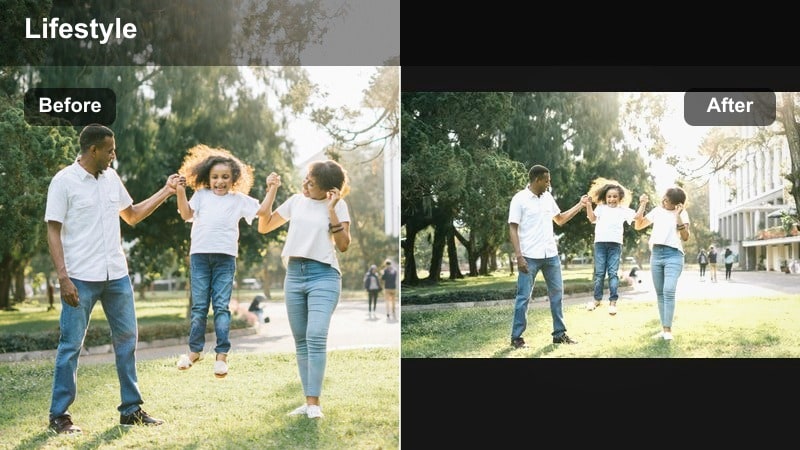
- Effect look: Neutral-bright whites, lifted shadows, and a slight glow that makes spaces look tidier and more spacious.
- Best for: Cleaning montages, apartment tours, desk setups, and reset-style lifestyle videos.
- Editing tip: Increase sharpness just a bit so decor and textures pop, but keep saturation moderate so the feed still looks calm and minimal.
Clean Apartment Glow is ideal when you want your home or studio to look airy, organized, and Pinterest-ready. By lifting the shadows and keeping whites neutral-bright, this filter makes even small spaces appear bigger and more intentional on camera.
In Filmora, brighten your footage slightly and nudge sharpness up so furniture edges and decor details stand out. Avoid heavy saturation boosts; instead, keep colors soft and lean on the filter to provide a gentle glow for cleaning montages, restocks, and room tour transitions.
Soft Study Day
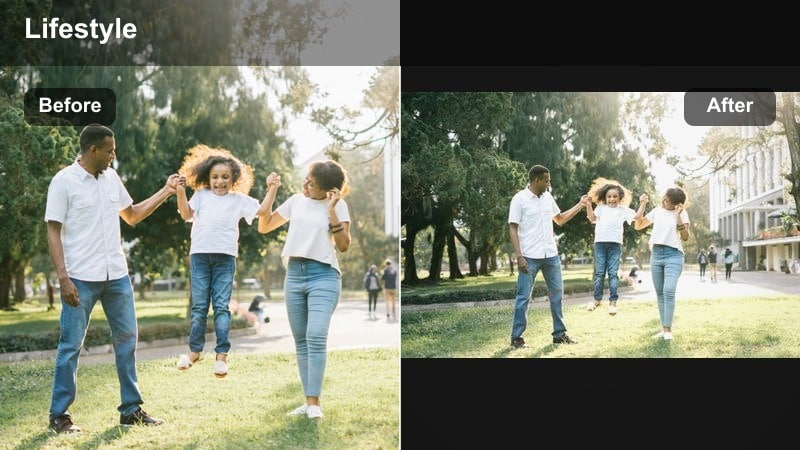
- Effect look: Muted tones, gentle brightness, and softened contrast that make study and work moments feel calm and focused.
- Best for: Study with me sessions, desk diaries, remote work vlogs, and quiet lifestyle clips.
- Editing tip: Add a subtle vignette and bring saturation down a touch so notebooks, laptops, and hands stay the focus.
Soft Study Day creates a cozy, focused mood that is perfect for productivity and study content. Colors are slightly muted so planners, laptops, and pens do not look too loud, helping viewers focus on the calm rhythm of your routine.
Use Filmora to reduce saturation and contrast, then add a light vignette to guide attention toward the center of the frame. Combine this filter with gentle background music and minimal text overlays in your brand font to build an aesthetic, calming study series.
Warm Cozy Filters for Lifestyle and Reset Videos
Golden Evening Routine
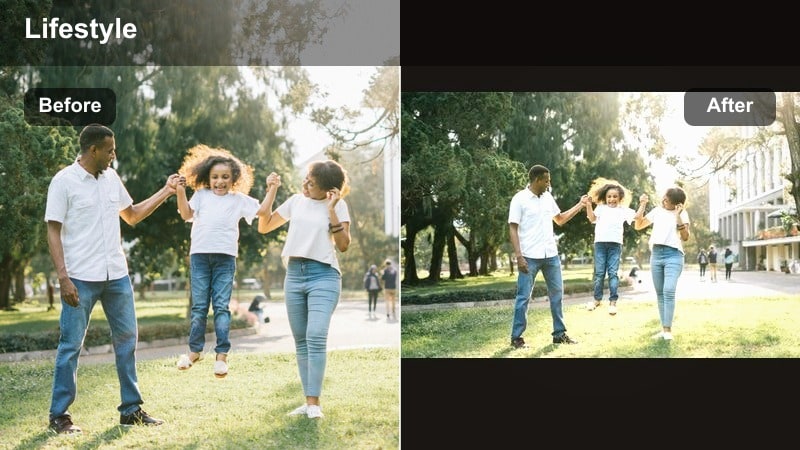
- Effect look: Golden-hour warmth, soft highlights, and gentle contrast that mimic candlelight and sunset glow.
- Best for: Night routines, cozy cooking clips, unwinding after work, and slow evening lifestyle shots.
- Editing tip: Slightly lift the blacks so shadows are soft, then reduce orange saturation a bit so skin tones stay natural.
Golden Evening Routine wraps your nighttime clips in a warm, cinematic glow that feels like actual golden hour, even if you filmed under indoor lights. It softens harsh shadows and adds a cozy, candlelit mood that works beautifully for skincare, cooking, and journaling moments.
In Filmora, raise the black levels slightly so shadows do not look too deep, then adjust the orange and yellow saturation until skin tones look rich but not oversaturated. Add slow pans, close ups of hands, and a gentle vignette to make the entire sequence feel intimate and relaxing.
Coffee Shop Diaries
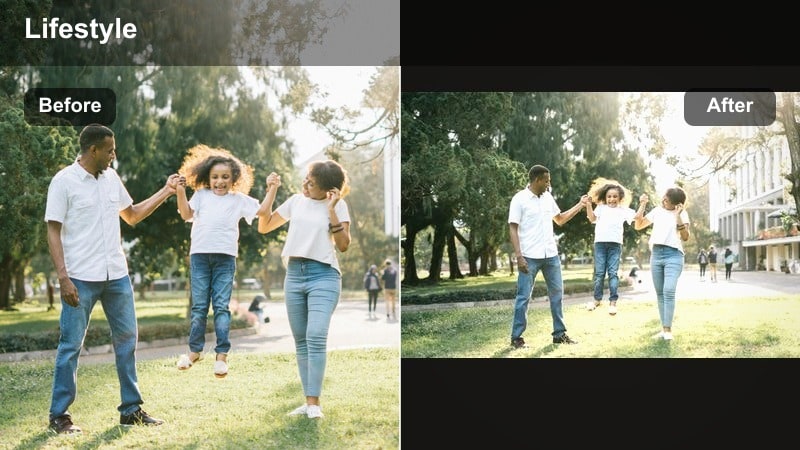
- Effect look: Warm browns, deepened midtones, and a hint of grain that echo cozy cafe lifestyle edits from trending TikTok sounds.
- Best for: Cafe study dates, matcha runs, laptop work sessions, and casual catch-up vlogs.
- Editing tip: Crop in slightly and add slow zooms on coffee cups or hands to make average clips feel more cinematic with the filter.
Coffee Shop Diaries leans into rich browns and warm midtones to turn simple cafe visits into aesthetic mini-movies. The slight grain adds texture that fits perfectly with popular softly-lit cafe trends on TikTok and Reels.
Apply this look in Filmora by boosting warmth, darkening midtones a touch, and adding a tiny amount of film grain. Use slow zooms and quick cuts between coffee foam, pastries, laptops, and street views so the warm, textured filter carries a full story in under 30 seconds.
Sunday Reset Glow
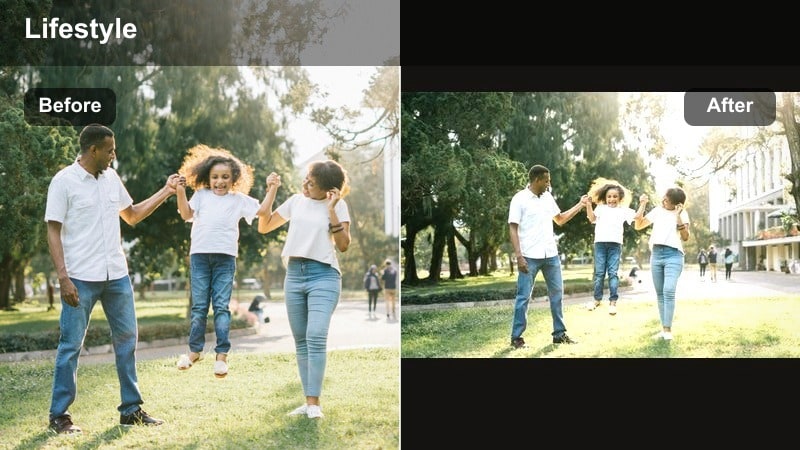
- Effect look: Warm neutrals with lifted shadows and a clean, polished finish for reset and self-care days.
- Best for: Sunday reset videos, cleaning and organizing, self-care routines, and weekly planning clips.
- Editing tip: Add speed ramps to cleaning and restock shots so the cozy filter is balanced with satisfying, fast-paced movement.
Sunday Reset Glow gives your reset content a warm, polished look that feels put-together but still real. It lightens shadows and neutral tones so laundry, dishes, and restocks look more like aesthetic routines than chores.
In Filmora, warm up the white balance slightly, lift shadows, and keep contrast moderate to avoid harsh edges on surfaces. Then add speed ramps to repetitive motions like wiping counters or refilling drawers so the cozy filter is paired with dynamic, satisfying motion that keeps viewers watching.
Cool Clean Filters for Modern Lifestyle TikToks
Minimal City Day
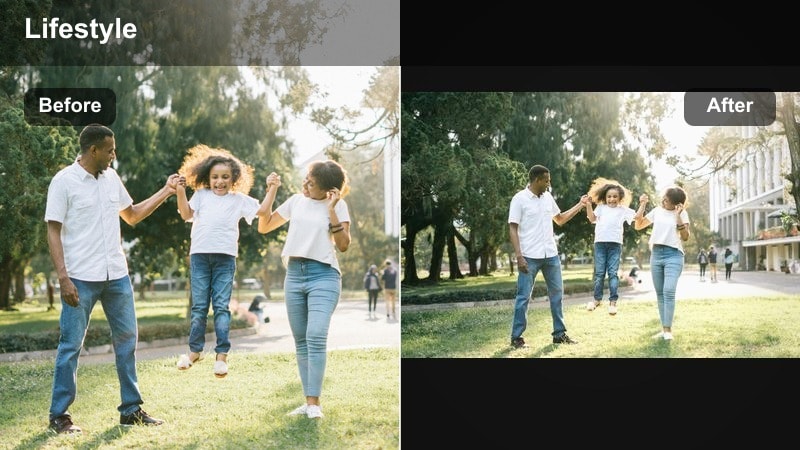
- Effect look: Cooler whites, crisp edges, and lower saturation that make city walks and errands feel sleek and minimal.
- Best for: Outfit checks, errands with me, commute vlogs, and aesthetic city lifestyle clips.
- Editing tip: Slightly increase contrast and clarity on wide shots so buildings and streets look sharp and intentional.
Minimal City Day cools down your footage and tones down saturation to create a clean, editorial feel. It works especially well on urban backdrops, glass buildings, and monochrome outfits that match a modern, minimal aesthetic.
In Filmora, lower saturation slightly, add a bit of clarity, and lean the temperature a touch toward cool. Combine this filter with walking POVs, reflections in windows, and quick outfit check cuts to turn everyday errands into sleek city lifestyle edits.
Desk Setup Cool Tone
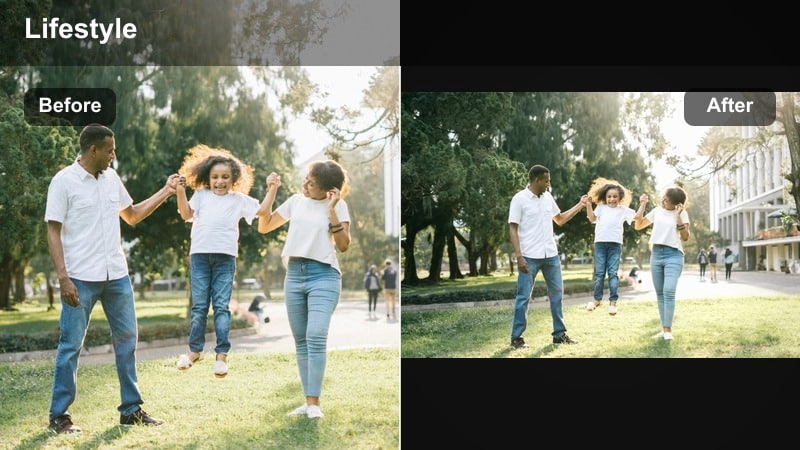
- Effect look: Cool-toned whites and slightly desaturated colors that make tech and desk setups feel modern and curated.
- Best for: Desk tours, productivity setups, tech hauls, and workspace lifestyle clips.
- Editing tip: Boost exposure a bit on dark corners and reduce yellow saturation so your desk looks clean, not cluttered.
Desk Setup Cool Tone is built for crisp, tech-focused lifestyle videos featuring keyboards, monitors, and minimal decor. The cooler palette and reduced saturation make RGB lights and colored accessories feel more controlled and expensive.
Use Filmora to increase exposure just enough to lift shadows around your workspace, then pull back yellows and extra warm tones. Paired with top-down shots, smooth pans, and macro details of your gear, this filter creates a modern, productivity-focused vibe.
Weekday Routine Neutral
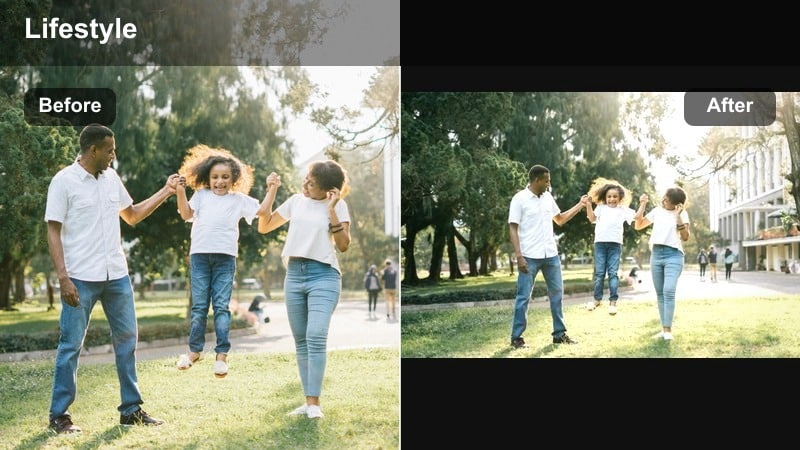
- Effect look: Balanced cool-neutral tones with gentle contrast, giving realistic but upgraded everyday visuals.
- Best for: Workday vlogs, quick GRWMs, commute snippets, and casual weekday lifestyle TikToks.
- Editing tip: Keep saturation and brightness moderate so the filter looks consistent whether you are indoors or outdoors.
Weekday Routine Neutral keeps your Monday-to-Friday content looking natural but still curated. It strikes a balance between warm and cool tones, making it flexible enough to handle indoor office lighting, bathroom mirrors, and outdoor commute shots in a single vlog.
In Filmora, apply a neutral-toned preset, then fine tune exposure so clips from different locations match in brightness. Keep saturation in the middle range so clothing colors stay true while the overall feed still looks cohesive and slightly elevated compared to raw footage.
Trendy Aesthetic Filters for Viral Lifestyle Moments
Aesthetic Film Diary
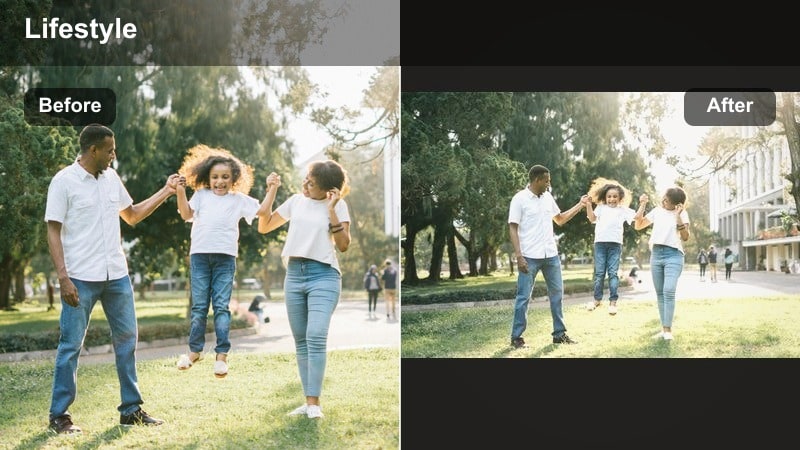
- Effect look: Soft film-style fade with subtle grain and slightly lifted blacks for that nostalgic day in my life filter TikTok feel.
- Best for: Day in my life TikToks, photo dump style videos, recap edits, and trend-driven lifestyle sounds.
- Editing tip: Add quick cuts between micro-moments like doors closing, shoes, and mirrors so the film look feels intentional and story-driven.
Aesthetic Film Diary taps into the nostalgic, diary-style trend with a gentle fade, lifted blacks, and tasteful grain. It is perfect for monthly recaps, weekend photo dumps, and fast-paced day in my life edits that string together dozens of small moments.
In Filmora, slightly lower contrast, raise black levels, and add a thin layer of grain or film texture. Arrange quick clips of doors, shoes, mirrors, and skyline shots on the beat of a trending sound, then apply the same film diary preset across everything for a cohesive, cinematic montage.
Pastel Soft Pop
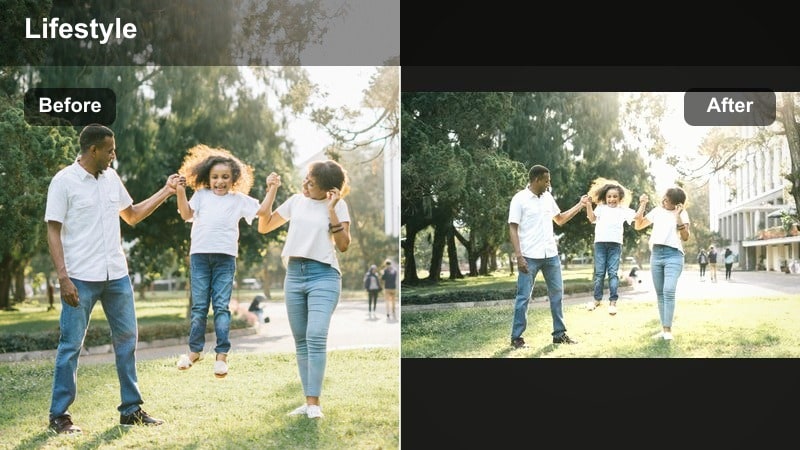
- Effect look: Pastel-tinted highlights, soft edges, and a gentle boost in pinks and blues for playful lifestyle edits.
- Best for: Outfit transitions, shopping hauls, seasonal lifestyle content, and colorful trend videos.
- Editing tip: Lower overall saturation slightly after applying the filter so the pastels feel expensive and soft, not overly neon.
Pastel Soft Pop is ideal for colorful outfits, decor hauls, and seasonal aesthetic trends. It lifts highlights with a pastel tint and gently enhances pinks and blues, giving your feed a dreamy but still polished look.
Inside Filmora, apply your pastel preset, then pull global saturation down just a bit so colors feel muted and luxe rather than fluorescent. Combine jump-cut transitions, outfit changes, and simple backgrounds to let the pastel filter shine without overwhelming the viewer.
Cinematic Lifestyle Cut
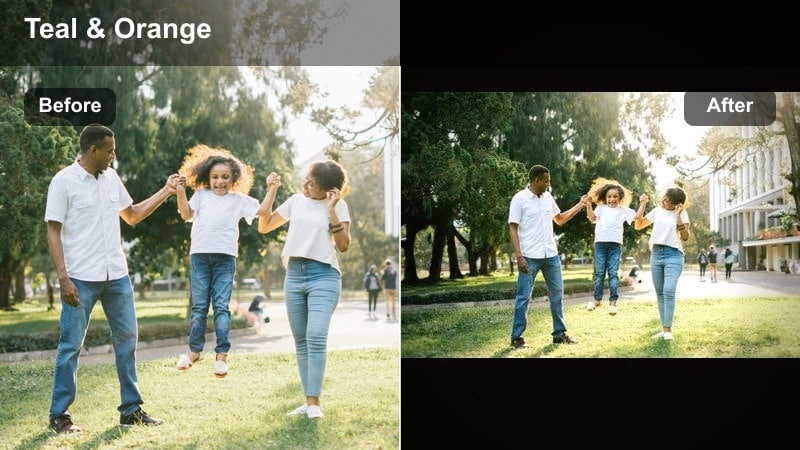
- Effect look: High-contrast, slightly desaturated tones with subtle teal and warm balance, giving lifestyle clips a movie-trailer feel.
- Best for: Travel lifestyle vlogs, big life updates, glow-up videos, and highlight reels of your month.
- Editing tip: Use slow motion on key shots and add gentle zoom-ins so the cinematic filter feels dramatic instead of random.
Cinematic Lifestyle Cut brings a movie-trailer energy to big moments like trips, graduations, and transformations. The mix of strong contrast, slightly muted colors, and teal-warm balance gives your lifestyle footage a bold, dramatic edge.
In Filmora, start by lowering saturation a bit and increasing contrast, then fine tune midtones to keep faces clear and expressive. Add slow motion to important clips, use subtle push-in zooms, and line cuts up with music swells so the cinematic filter amplifies the emotional story you are telling.
Tips for Using Lifestyle Video Tiktok Filters in Filmora
- Film in good natural light first, then use lifestyle video filters for TikTok to enhance the vibe instead of trying to fix dark, grainy footage.
- Pick one or two signature filters and stick to them so your day in my life TikToks feel instantly recognizable in the feed.
- Adjust exposure and white balance before applying filters so skin tones stay flattering and your edits do not look overprocessed.
- Match your filter intensity to the mood of the video: softer looks for cozy days, stronger contrast for cinematic or travel moments.
- Test how your aesthetic TikTok filter looks on both indoor and outdoor clips before you commit to it as your main preset.
- Use Filmora presets and LUTs to keep your lifestyle TikTok presets consistent across multiple vlogs and platforms.
- Combine filters with simple text overlays and clean fonts so your lifestyle edits stay readable and on-brand.
- Save your favorite color settings as custom presets in Filmora so every new vlog can match your established aesthetic in seconds.
Lifestyle video filters for TikTok are less about perfection and more about creating a mood your audience wants to come back to, whether you are filming quiet study days or busy errand runs.
Lock in two or three filters that match your real-life routines, save them as presets or LUTs in Filmora, and reuse them across TikTok and Instagram so every new lifestyle post feels like part of the same story.
secure downloadNext: Best Lifestyle Video Filters for Instagram Stories and Reels
