

 100% Security Verified | No Subscription Required | No Malware


 ChatGPT
 Perplexity
 Gemini
 Claude
 Grok
Grok
Lifestyle vloggers on YouTube live and die by their aesthetic. The right filter can turn simple daily moments into scroll-stopping visuals that feel cohesive, on-brand, and binge-worthy.
Below are curated lifestyle video filters for YouTube that work perfectly for daily vlog creators, personal brand channels, and travel or haul content, all tuned to help you build a recognizable look with minimal editing time.
In this article
Soft and Natural Aesthetic Filters
Soft Morning Glow
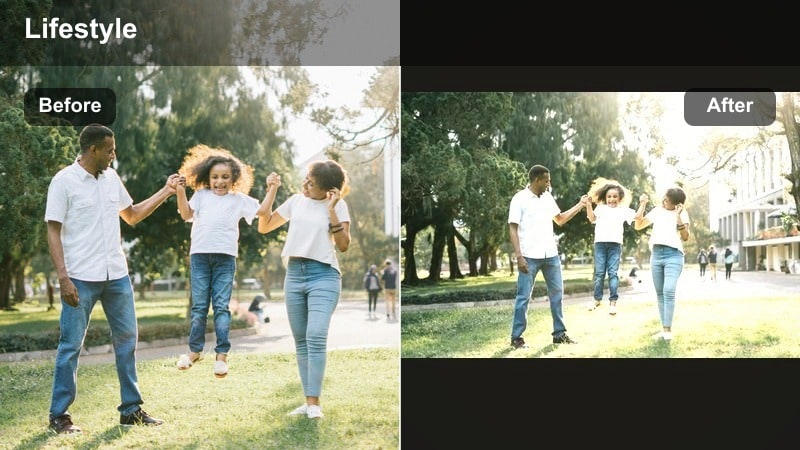
- Effect look: Soft, bright, and slightly warm glow that makes everyday scenes feel cozy and inviting.
- Best for: YouTube daily vlogs filmed at home, morning routines, quiet lifestyle montages.
- Editing tip: Lower contrast slightly and add a touch of film grain to keep the image gentle instead of overly sharp.
Soft Morning Glow is ideal for creators who want their lifestyle video YouTube content to feel calm, airy, and intimate. The gentle warmth flatters skin tones and makes simple actions like making coffee or journaling look cinematic yet authentic. In Filmora, this filter quickly smooths out uneven lighting from windows and lamps so you get a consistent, cozy mood across your morning scenes.
For best results, expose slightly to the bright side in-camera, then in Filmora nudge contrast down and add a subtle film grain layer. This keeps your footage soft rather than crunchy and pairs perfectly with acoustic or lo-fi soundtracks. Batch apply the filter to all morning clips so the entire sequence shares one inviting, on-brand aesthetic.
Use Filmora’s AI to Lock in Your Lifestyle Aesthetic
Filmora’s AI-powered color tools help you match your lifestyle video filters for YouTube across different cameras, locations, and shooting days, so your channel always feels cohesive. Instead of manually tweaking every clip, you can lean on AI to keep your soft natural, warm cozy, or cool minimal looks consistent from upload to upload.
Analyze a favorite reference clip or preset, then let Filmora suggest a matching palette you can save and reuse on daily vlogs, hauls, and travel videos with just a few clicks. This is especially helpful when you are combining footage from phones and cameras in the same edit.
 secure download

Preview Lifestyle Filters in Real Time
Instead of guessing how a filter will look on your daily vlog, Filmora lets you preview lifestyle-friendly filters in real time on your actual clips. You can quickly compare soft natural grades, warm cozy tones, and stylized aesthetic looks without committing to any of them.
Load a short sequence, then flip through options until you find the tone that matches your YouTube lifestyle filter vision and audience expectations. This speeds up your workflow and helps you develop a consistent visual identity for your channel.
secure downloadTurn Favorite Filters into Reusable LUTs
Once you find a lifestyle video YouTube filter you love in Filmora, you can save it as a LUT-style preset so that every new project starts with your signature look. This keeps your color grade consistent across daily vlogs, hauls, and travel diaries without redoing all the work.
Create a test project, perfect your aesthetic vlog tones, then export and reuse the LUT on future edits or even share it across devices. It is a simple way to keep your brand recognizable and your workflow fast.
secure downloadEveryday Neutral Balance
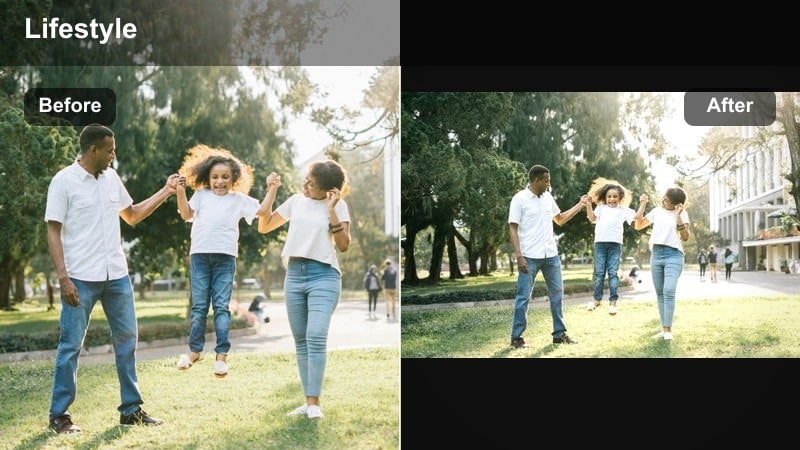
- Effect look: True-to-life neutral tones with subtle clarity for a polished yet real-world vlog aesthetic.
- Best for: Personal brand channels, chatty sit-down videos, lifestyle hauls with mixed indoor lighting.
- Editing tip: Use Filmora’s white balance eyedropper on something white in your frame, then apply this filter for clean, consistent color.
Everyday Neutral Balance is your go-to filter when you want your lifestyle video YouTube content to look clean and professional without drifting into overly stylized color. It preserves accurate brand colors in your set and outfits while lightly boosting clarity and contrast so your footage feels ready for YouTube right away.
In Filmora, first correct white balance using the eyedropper on a neutral object, then apply this filter to normalize any weird color cast from indoor bulbs or windows. It is ideal for batch grading long talking segments and hauls so every cut looks cohesive, even if you filmed over multiple days.
Soft Skin Vlog Beauty
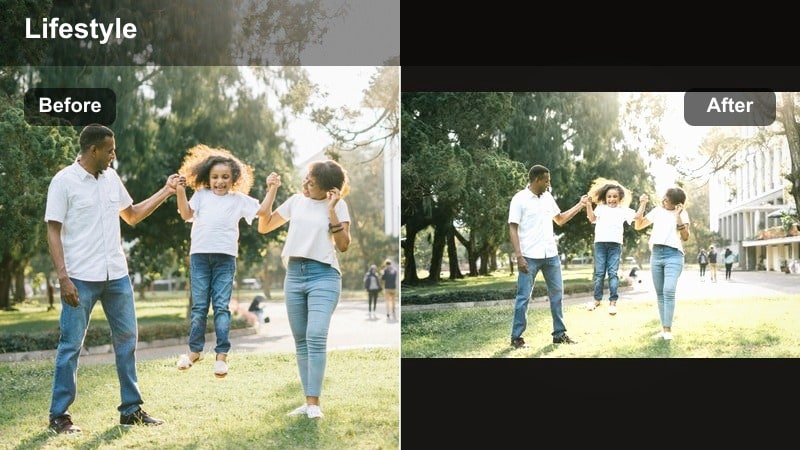
- Effect look: Gentle skin smoothing, reduced blemish visibility, and a slight warm tint for flattering close-ups.
- Best for: Beauty-focused lifestyle vlogs, GRWM videos, personal brand intros and outros.
- Editing tip: Dial down sharpening and keep saturation moderate so your skin looks smooth but not plastic or over-edited.
Soft Skin Vlog Beauty is tailored for close-up creator shots where your face is the focus. It lightly smooths texture, softens minor blemishes, and adds a hint of warmth so your complexion looks healthy and camera-ready without the distraction of heavy retouching.
Apply this filter on your A-roll in Filmora, then slightly lower global sharpening and avoid cranking saturation. For extra polish, combine it with a subtle background blur to separate you from the room while keeping skin tones natural and believable.
Warm and Cozy Vlog Tones
Golden Hour Lifestyle
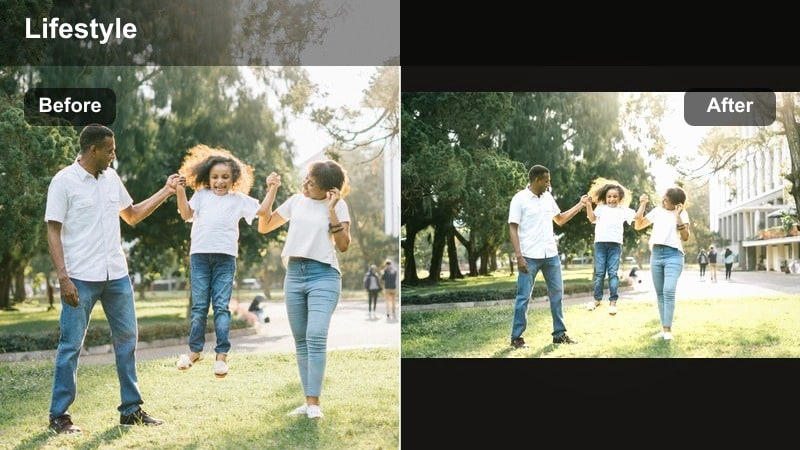
- Effect look: Rich golden highlights, soft shadows, and gentle contrast that mimic sunset light even at midday.
- Best for: Travel and lifestyle content, outdoor coffee walks, warm home decor videos.
- Editing tip: Slightly decrease highlights in Filmora and bump vibrance instead of saturation to keep skin tones natural.
Golden Hour Lifestyle is designed to romanticize everyday scenes with a golden wash that feels like late-afternoon sun. It brings warmth into sidewalks, cafes, and interior decor while keeping shadows soft so faces stay flattering and inviting.
In Filmora, use this filter on both outdoor B-roll and lifestyle home shots, then fine-tune highlights and vibrance to avoid oversaturated oranges. It is perfect for channels that lean into cozy, dreamy aesthetics and want that sunlit vibe even when filming at less-than-ideal times of day.
Coffee Shop Cozy
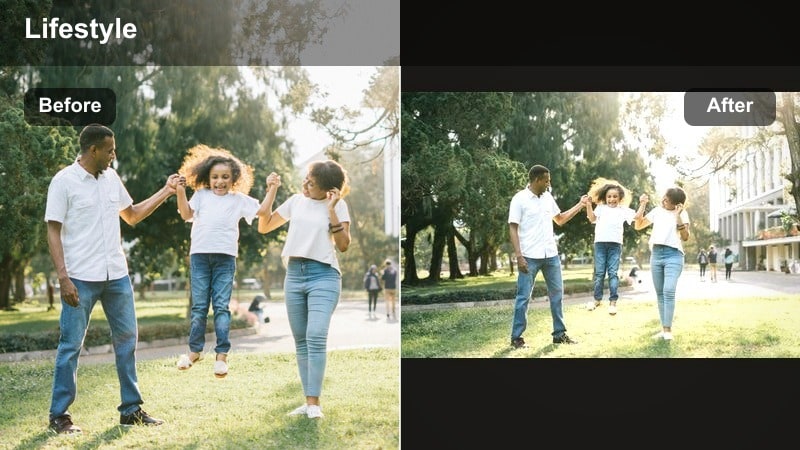
- Effect look: Warm browns, muted highlights, and a subtle matte finish for intimate, cozy mood.
- Best for: Cafe study vlogs, bookish lifestyle videos, rainy-day B-roll for YouTube lifestyle channels.
- Editing tip: Lift shadows slightly and reduce blacks in Filmora to exaggerate the matte, film-like look.
Coffee Shop Cozy leans into browns and beiges to make cafes, libraries, and rainy interiors feel like a Pinterest board. The matte finish reduces harsh contrast, adding a film-inspired softness that works beautifully with lo-fi or jazz soundtracks.
Apply this filter in Filmora for any scene featuring wood, books, or warm lights, then gently lift shadows to enhance the matte look. Use HSL controls to tone down bright reds and blues, keeping the overall palette subdued and cohesive for long, relaxing viewing sessions.
Warm Home Vlog
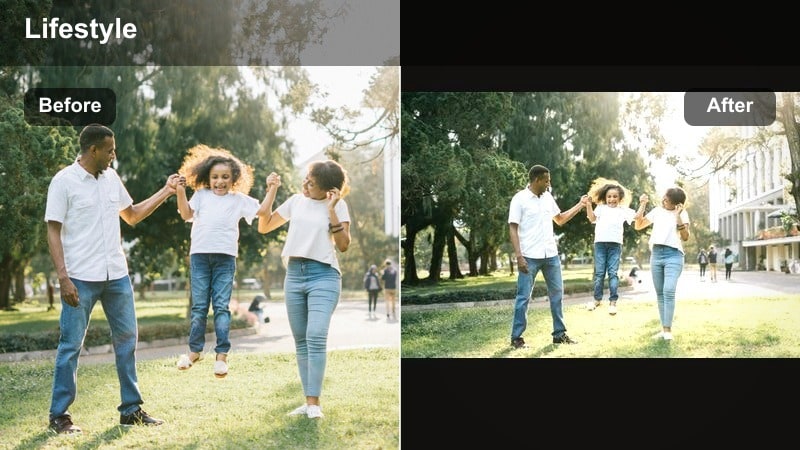
- Effect look: Balanced warmth with clean whites, ideal for home interiors and lifestyle decor videos.
- Best for: Lifestyle hauls, home updates, decorating vlogs, family daytime content.
- Editing tip: In Filmora, nudge tint slightly toward magenta if your indoor lighting is very green from cheap bulbs.
Warm Home Vlog gives your interiors a welcoming, on-brand glow without making whites look yellow. It is especially useful for lifestyle channels that showcase decor, plants, organization, or family routines in bright home environments.
Correct your white balance first in Filmora, then apply this filter to unify mixed lighting from windows and bulbs. Save a few intensity variations as presets for morning, afternoon, and evening, so your entire vlog feels warm and consistent from room to room.
Cool, Clean, and Minimal Filters
Minimal White Space
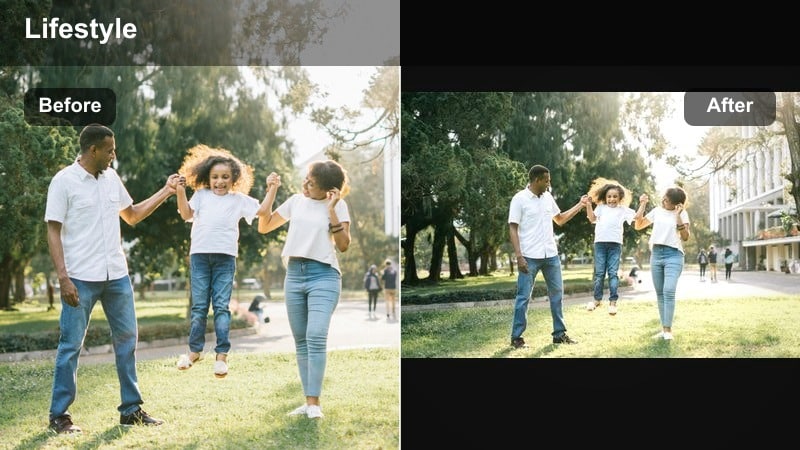
- Effect look: Cool, bright whites with reduced saturation and light contrast for a minimal, editorial feel.
- Best for: Minimalist lifestyle vlogs, desk setups, productivity and organization content on YouTube.
- Editing tip: Use Filmora’s vignette tool gently to keep attention in the center without making the frame feel dark.
Minimal White Space is built for clean, modern channels that highlight organization, planning, or desk aesthetics. It cools down whites, lowers saturation, and smooths contrast so your space feels intentional, clutter-free, and editorial.
In Filmora, pair this filter with careful exposure control so whites stay crisp rather than blown out. Consider a light vignette and selective desaturation of strong accent colors, keeping only your brand tones prominent so the frame looks minimal yet memorable.
City Cool Lifestyle
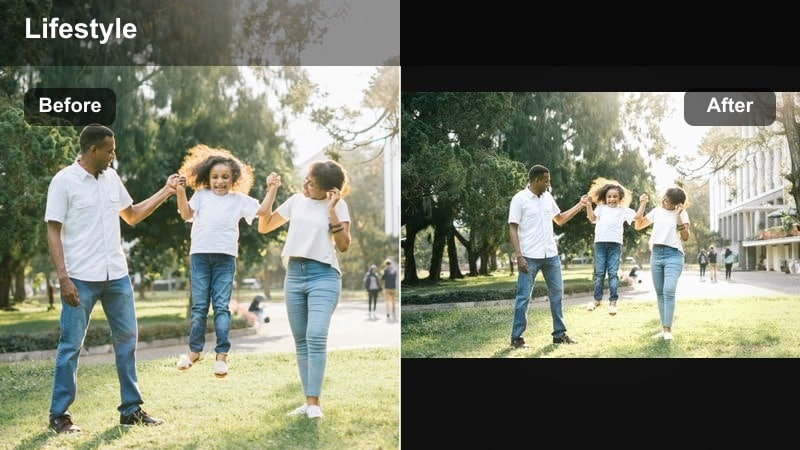
- Effect look: Cool shadows, slightly teal midtones, and punchy contrast for modern city and street visuals.
- Best for: Urban lifestyle vlogs, commuting montages, travel and lifestyle content in cities.
- Editing tip: In Filmora’s color panel, reduce orange saturation just a bit so skin tones stay natural against cooler backgrounds.
City Cool Lifestyle adds a modern, urban edge to glass, concrete, and neon scenes with teal-tinted shadows and strong contrast. It works well for walk-and-talk segments, street B-roll, and commuting montages where you want the city to feel dynamic but still flattering.
Apply the filter across all your city footage in Filmora, then use HSL controls to delicately balance oranges so your skin does not look too cold. A touch of motion blur on fast cuts can further sell the energetic, on-the-go mood of your vlog color grade.
Fresh Daylight Vlog
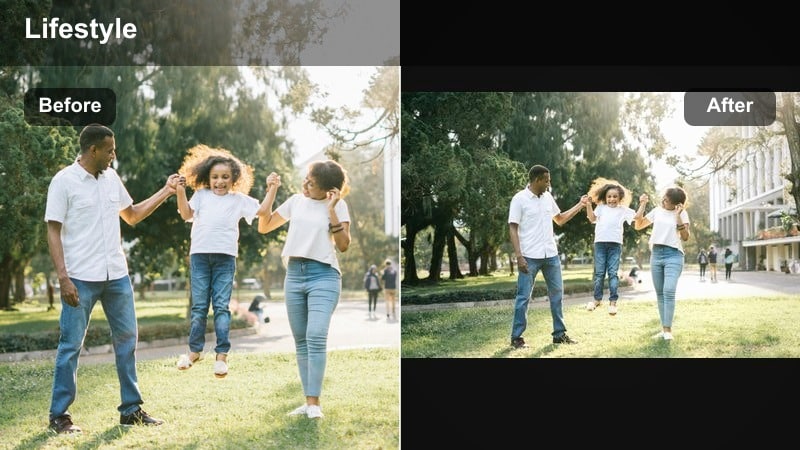
- Effect look: Clean daylight balance with cool-ish whites, subtle saturation, and crisp detail for a fresh look.
- Best for: Day-in-the-life vlogs, fitness or wellness content, outdoor errands and lifestyle snippets.
- Editing tip: Use Filmora’s color wheels to slightly lift midtones; this keeps faces bright even when the background is busy.
Fresh Daylight Vlog is made for creators who spend most of their filming time in natural light. It keeps colors realistic but slightly crisp, with cool-leaning whites that create a sense of energy and cleanliness ideal for wellness, productivity, or errand-style vlogs.
In Filmora, stabilize your footage first, then apply this filter and lift midtones to ensure your face remains bright and engaging. For cloudy days, slightly warm the temperature before applying the filter at around 80 percent intensity to avoid a dull or flat look.
Stylized Aesthetic Filters for Standout Moments
Pastel Aesthetic Vlog
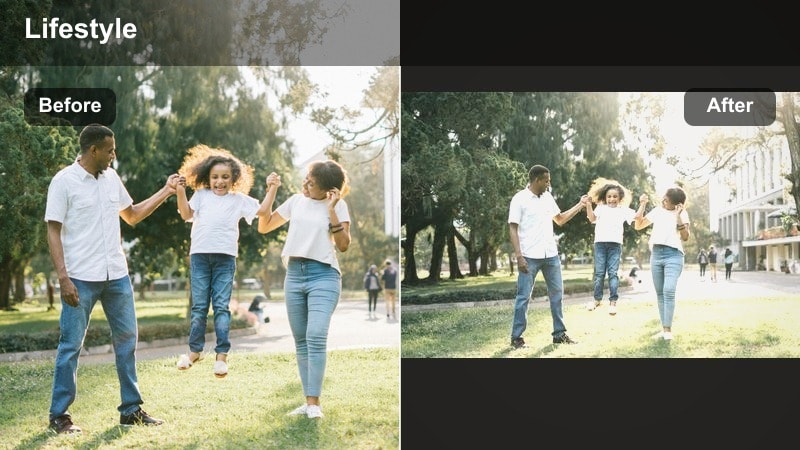
- Effect look: Soft pastel colors, lowered contrast, and a gentle haze that makes scenes feel dreamy and nostalgic.
- Best for: Aesthetic YouTube intros, lookbooks, gentle lifestyle montages, creative B-roll sequences.
- Editing tip: Reduce clarity slightly and add a very subtle glow in Filmora to enhance the dreamy, pastel effect.
Pastel Aesthetic Vlog turns ordinary clips into dreamy visuals perfect for aesthetic intros, transitions, or mood montages. It softens contrast, mutes harsh colors, and adds a light haze, so your footage feels nostalgic and on-trend for lifestyle audiences.
Use this filter selectively in Filmora to highlight special sequences, then soften clarity and add a gentle glow for extra ethereal vibes. Matching your thumbnail grade to this look helps your video feel cohesive from the moment viewers click.
Film Inspired Vlog Tone
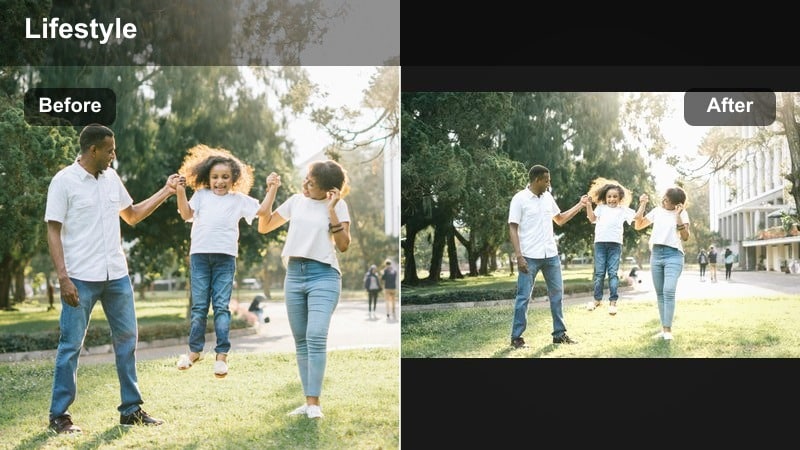
- Effect look: Subtle film-style fade, rich midtones, and gently muted primaries for a cinematic vlog color grade.
- Best for: Story-driven daily vlogs, travel diaries, personal brand documentaries on YouTube.
- Editing tip: Add a tiny bit of noise or grain in Filmora and ease transitions to reinforce the filmic vibe.
Film Inspired Vlog Tone gives your lifestyle channel a cinematic backbone, with slightly faded blacks, rich midtones, and tamed primaries that look like modern film emulation. It is perfect for creators who build narrative arcs into their daily vlogs or travel stories.
In Filmora, pair this filter with gentle grain, slower transitions, and calmer pacing to fully embrace the filmic mood. Save it as your primary preset so viewers instantly connect this cinematic color grade with your personal brand.
Pop Aesthetic Haul
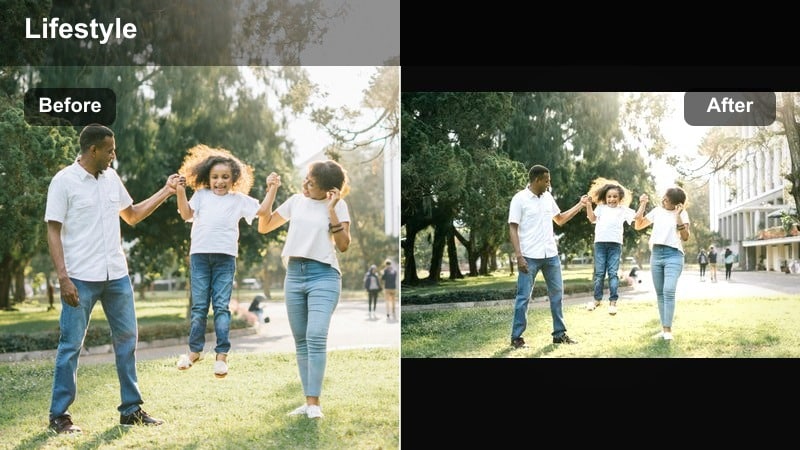
- Effect look: Punchy colors, bright highlights, and crisp contrast that make products and outfits stand out.
- Best for: Lifestyle hauls, fashion try-ons, shopping vlogs, colorful room makeovers.
- Editing tip: In Filmora, slightly tame saturation of any single loud color so it does not clip or distract from your face.
Pop Aesthetic Haul is built to make products, outfits, and decor items look extra clickable. It boosts saturation and contrast so fabrics, packaging, and accessories stand out in the frame while your overall scene stays bright and fun.
Apply this filter to haul segments and try-ons in Filmora, then fine-tune individual HSL channels if one color becomes overpowering. Prioritize natural-looking skin tones first, then let everything else pop around you to keep attention where it matters.
Tips for Using Lifestyle Video Youtube Filters in Filmora
- Shoot in the flattest or most neutral camera profile you have so Filmora filters have more room to work cleanly.
- Pick one or two core filters and use them across multiple uploads to build a recognizable lifestyle brand.
- Always adjust exposure and white balance before applying a filter so colors stay accurate and flattering.
- Reduce filter intensity on close-up talking shots to keep skin tones natural and avoid over-processing.
- Save custom presets in Filmora for morning, daytime, and night scenes to keep your vlogs consistent.
- Match your thumbnail color grade to the main filter used in the video to create a strong visual connection.
- When filming hauls, avoid strong colored lights that will fight against your chosen lifestyle filter.
- Batch-grade similar clips together in Filmora to save time and ensure a seamless viewing experience.
The right lifestyle video filters for YouTube help your daily vlogs, hauls, and travel content feel intentional, polished, and on-brand without demanding hours of color work in every edit.
Start with one or two filters from this list in Filmora, tweak them to match your personality, and then save them as presets so every new upload feels visually cohesive from the first frame.
secure downloadNext: Best Lifestyle Video Filters for TikTok to Match Your YouTube Aesthetic
