

 100% Security Verified | No Subscription Required | No Malware


 ChatGPT
 Perplexity
 Gemini
 Claude
 Grok
Grok
Lifestyle videos live and die by their vibe, and the right filter can instantly turn everyday clips into scroll-stopping content. Whether you film cozy mornings, city walks, or weekend resets, consistent color and tone help your audience recognize your style instantly.
Below are 12 lifestyle video filters you can build in Filmora using color tools, effects, and presets. Each look is designed for lifestyle vloggers, everyday content creators, and personal bloggers who want polished but natural visuals without heavy technical work.
In this article
Soft and Natural Lifestyle Filters
Soft Morning Glow
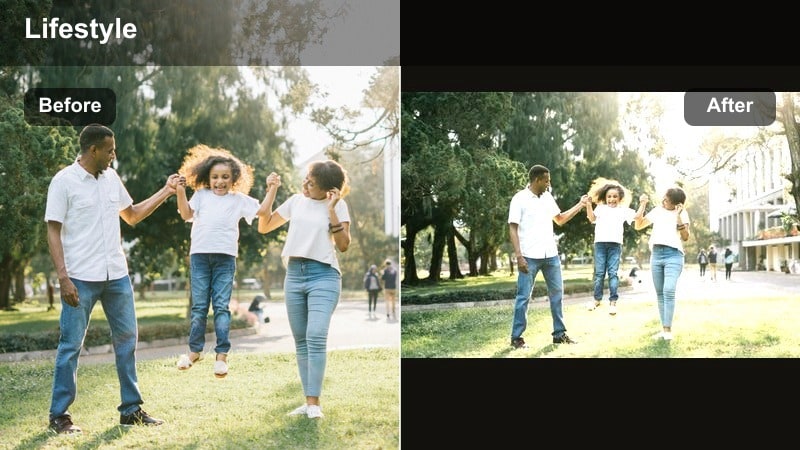
- Effect look: Gentle, low-contrast filter with warm highlights and slightly lifted shadows for a cozy, lived-in feel.
- Best for: Morning routines, slow-living vlogs, coffee shots, reading corners, and gentle home b-roll.
- Editing tip: Lower contrast and clarity slightly, lift shadows, and add a subtle warm temperature shift; keep saturation modest to avoid looking too orange.
Soft Morning Glow gives your early-day clips that warm, airy feeling people expect from calming lifestyle vlogs. In Filmora, you can create this by nudging exposure up, reducing contrast a bit, and lifting shadows so details in darker corners of your home remain visible while still feeling soft.
To keep the look flattering, slightly warm the temperature and use HSL to tame orange tones so skin does not become overly saturated. This filter works especially well as a preset for morning routines and breakfast b-roll, helping your channel keep a recognizable sunrise aesthetic across multiple videos.
Build Lifestyle Filters Faster with Filmoras AI Color Tools
Filmoras AI-powered color features can help you get to your ideal lifestyle video filter in a few clicks instead of manual guessing. Use smart color matching to copy a favorite look from one clip or reference frame across your entire vlog.
You can start with basic exposure and white balance corrections, then let AI balance tones between different scenes, locations, or cameras. From there, save your everyday video filter as a preset so future lifestyle projects instantly load with your signature tone.
 secure download

Preview Lifestyle Filters on Your Own Footage
Instead of relying on screenshots, drop a 10-20 second clip from your latest vlog into Filmora and cycle through filter combinations in real time. Try soft warm looks, clean neutrals, and moody styles on the same scene to quickly see what matches your channel.
Use side-by-side comparison view to check before and after results, then fine-tune contrast, saturation, and color temperature until the vibe fits your personality and audience expectations.
secure downloadCombine Filters and LUTs for Consistent Lifestyle Branding
Filmora lets you stack LUTs and filters, so you can use a base LUT for global color shaping and then refine your lifestyle aesthetic with additional adjustments. This combo helps everyday content look cohesive across different cameras and lighting conditions.
Once you like the mix, save it as a custom preset named after your preset title, so you can apply the same life vlog filter to future projects in just one click and keep your channel visually on-brand.
secure downloadClean Daylight Neutral
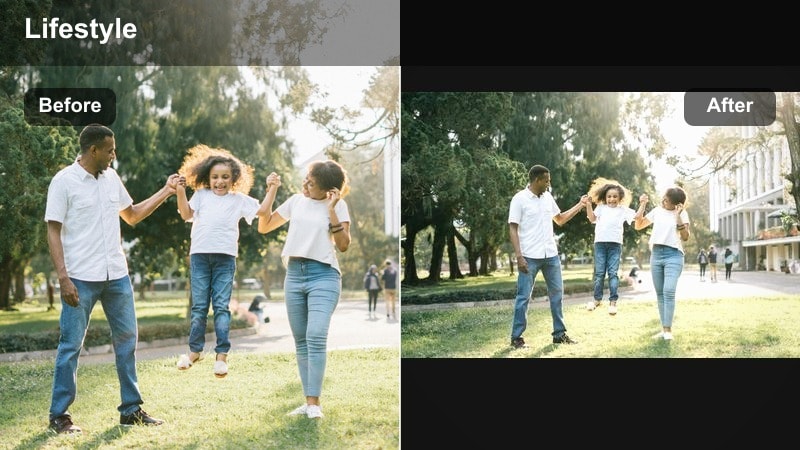
- Effect look: Balanced, bright filter with neutral whites and soft contrast for a fresh, realistic lifestyle look.
- Best for: Daily vlogs, desk setups, apartment tours, productivity content, and real-time storytelling.
- Editing tip: Use a light S-curve for contrast, keep white balance neutral, and slightly increase exposure and vibrance for a crisp everyday aesthetic.
Clean Daylight Neutral is ideal if you want your videos to feel true-to-life while still looking polished. Inside Filmora, start by correcting white balance using the eyedropper on a neutral area, then add a light S-curve to boost contrast without making shadows too heavy.
Gently raise vibrance to make colors pop in plants, clothing, and decor while keeping saturation under control for a professional, easy-to-watch look. This filter is perfect as a base preset for most of your daytime lifestyle content, from working at your laptop to casual chatty segments.
True Life Vlog
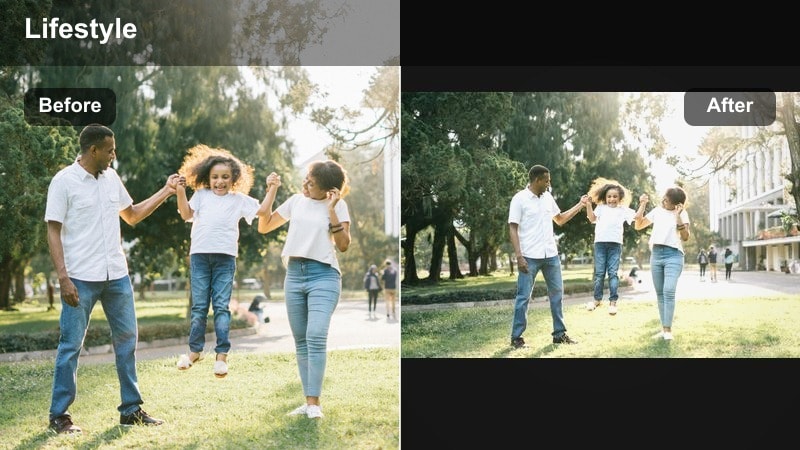
- Effect look: Slight contrast bump with gentle vibrance for a realistic yet polished vlog feel that works in mixed lighting.
- Best for: On-the-go life vlogs, quick updates, indoor and outdoor mix, handheld talking segments.
- Editing tip: Add a small amount of contrast and clarity, then increase vibrance more than saturation to avoid over-processed colors.
True Life Vlog balances imperfect real-world lighting with a subtle, creator-friendly polish. Inside Filmora, add a modest boost to contrast and clarity to give structure to handheld shots, then push vibrance a bit more than saturation so colors feel lively but not cartoonish.
This filter handles quick switches from indoors to outdoors, so it is ideal for day-in-the-life vlogs and travel diaries. Save it as a preset and apply it across your entire timeline, then only tweak exposure on a clip-by-clip basis to keep your vlog cohesive and efficient to edit.
Warm and Cozy Lifestyle Aesthetic Filters
Warm Homebody Hues
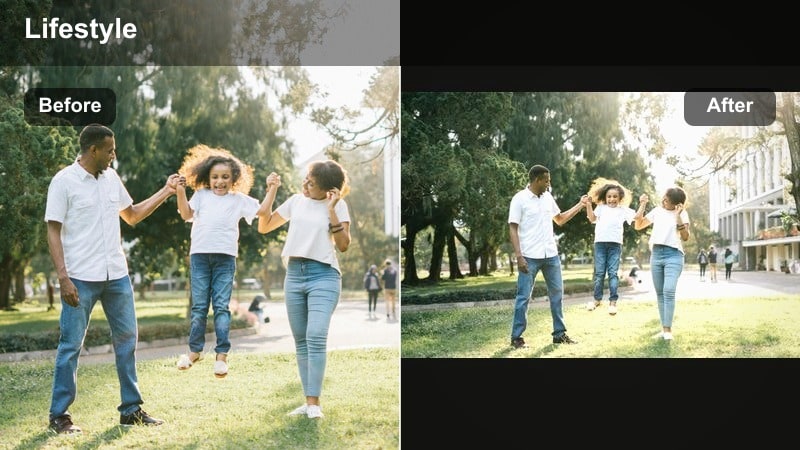
- Effect look: Rich, warm tones with slightly muted blues and greens, giving your home footage a cozy, intimate atmosphere.
- Best for: Home resets, cleaning vlogs, cooking, cozy nights in, and family time.
- Editing tip: Increase temperature and tint slightly towards magenta, then gently lower saturation of blues to avoid color noise in shadows.
Warm Homebody Hues turns ordinary home clips into cinematic, comfort-focused visuals. In Filmora, increase the temperature slider, add a hint of magenta in tint, and pull back saturation on blues and greens so shadow areas look smooth instead of noisy.
This filter is perfect for kitchen sequences, organizing, and weekend reset vlogs where you want the space to feel inviting. Paired with soft background music and slower cuts, it helps your audience feel like they are right there in your living room or kitchen.
Golden Hour Lifestyle
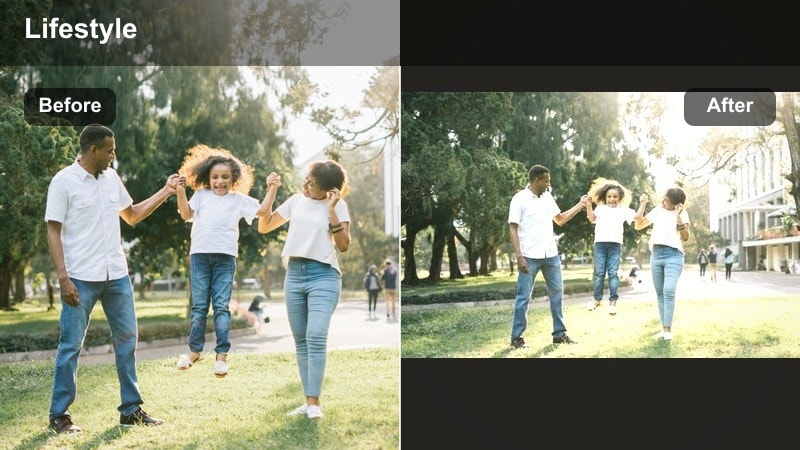
- Effect look: Soft, golden highlights with gentle halation and slightly faded blacks for dreamy, glowing scenes.
- Best for: Sunset walks, window light shots, pet moments in late afternoon, and outdoor golden hour b-roll.
- Editing tip: Raise highlights with a warm hue, slightly lift blacks, and add a subtle glow or blur effect to bright areas for a dreamy flare.
Golden Hour Lifestyle enhances natural sunset light so your clips feel romantic and cinematic. In Filmora, start by lifting highlights and adding warmth, then gently fade blacks in the curves panel to introduce a soft, film-inspired look.
For extra magic, layer on a subtle glow or light-leak style effect over bright areas like windows or the sun. This filter works beautifully for closing sequences in vlogs, dog walks at dusk, or reflective talking segments framed by warm window light.
Coffeehouse Chill
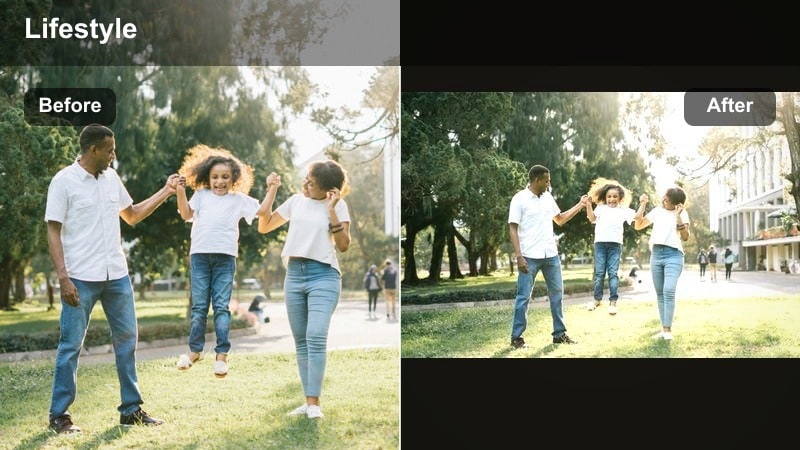
- Effect look: Deep, warm browns and creamy highlights with muted saturation for a relaxed, cafe-inspired aesthetic.
- Best for: Cafe study sessions, laptop work shots, bookshop visits, and rainy-day lifestyle content.
- Editing tip: Boost contrast lightly, warm the midtones, and reduce overall saturation 5-10 percent to avoid neon signs overpowering the scene.
Coffeehouse Chill leans into warm, moody tones that make cafes feel intimate and aesthetic. In Filmora, warm the midtones, deepen contrast a little, and scale back saturation so colorful signs or menu boards do not distract from the cozy setting.
This filter shines in b-roll of coffee pours, laptop shots, and over-the-shoulder reading clips. Combine it with a soft vignette to subtly darken edges and draw attention to the center of your frame for that classic cafe ambience.
Minimal and Clean Everyday Aesthetic Filters
White Space Minimal
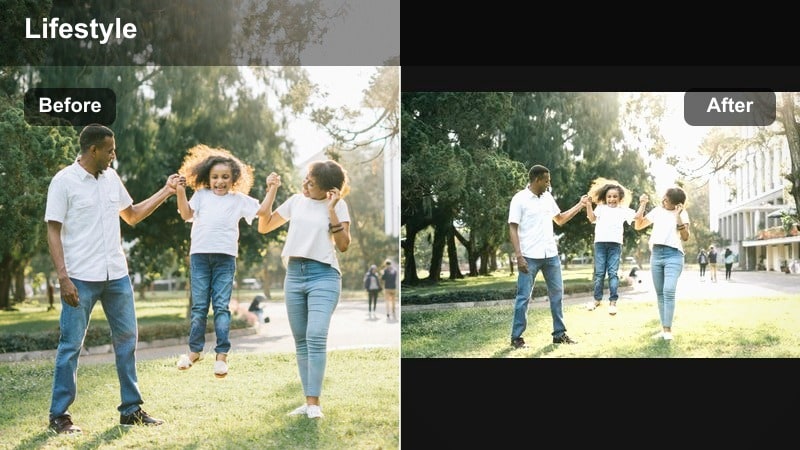
- Effect look: Bright whites, soft shadows, and slightly desaturated colors for a clean, airy, minimalist aesthetic.
- Best for: Apartment tours, desk setups, organization videos, and aesthetic routines.
- Editing tip: Increase exposure and whites carefully, lower saturation slightly, and use the curves tool to keep details in bright areas.
White Space Minimal is perfect for creators with neutral interiors and a love of clean lines. In Filmora, gently raise exposure and whites to brighten the frame, then slightly reduce saturation so colorful objects do not break the minimalist mood.
Use the curves tool to prevent windows and white walls from clipping into pure white, preserving texture in decor and furniture. Applied consistently across apartment tours and reset videos, this filter reinforces a sleek, clutter-free brand identity.
Neutral Instagram-Ready
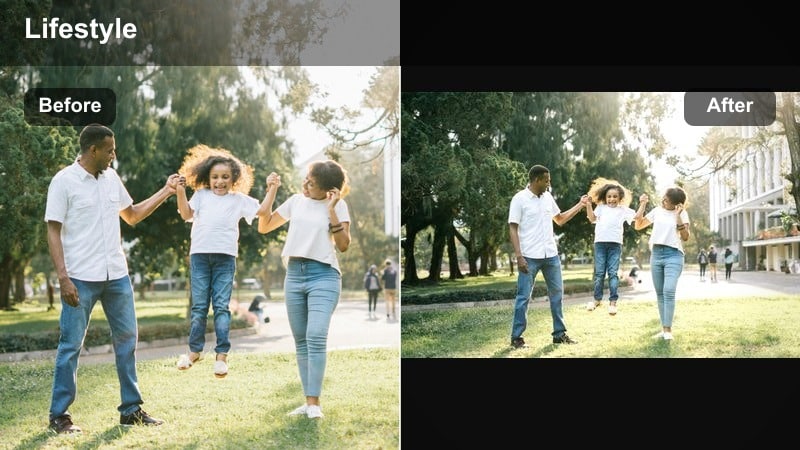
- Effect look: Muted tones with balanced contrast and slightly cooler shadows, giving a curated social-media style.
- Best for: Outfit-of-the-day clips, mirror videos, quick lifestyle reels, and matching Instagram and YouTube vibes.
- Editing tip: Reduce saturation of primary colors by a small amount, cool down shadows slightly, and keep midtones neutral for a modern feel.
Neutral Instagram-Ready helps your video content visually align with an already-curated photo feed. In Filmora, gently mute strong colors like reds and blues with HSL, then cool the shadows a touch while leaving midtones neutral for flattering skin.
This subtle, desaturated look works great for OOTD clips, aesthetic reels, or lifestyle shorts you plan to share across platforms. Once you dial in a version that matches your grid, save it as a Filmora preset to keep your brand cohesive without regrading from scratch every time.
Everyday Editorial
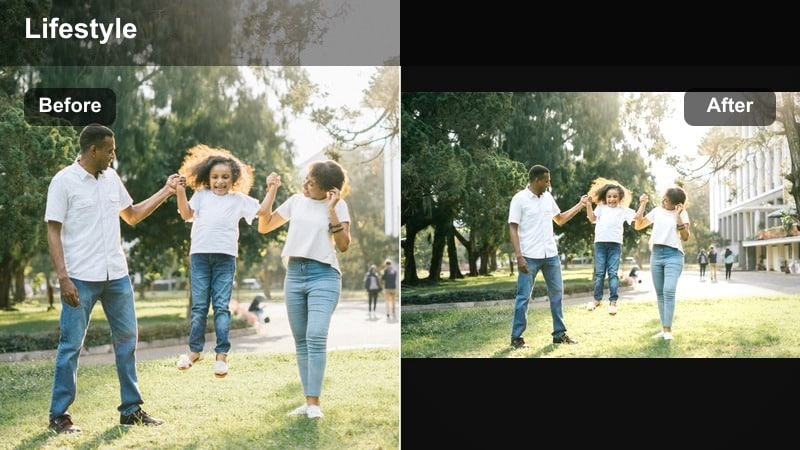
- Effect look: Slightly contrasty, magazine-inspired filter with crisp details and restrained saturation for elevated everyday shots.
- Best for: Lookbooks, product close-ups, lifestyle b-roll, and aesthetic transitions.
- Editing tip: Increase clarity and sharpness a bit, apply a soft vignette, and keep saturation controlled to avoid over-sharpened, harsh colors.
Everyday Editorial gives your lifestyle content a subtle magazine feel without making it look too commercial. In Filmora, increase clarity and sharpness slightly to accent details in fabrics, accessories, and props, while keeping saturation conservative.
Add a soft vignette to guide the viewer toward items or outfits you want to highlight. This filter is ideal for fashion lookbooks, product features, and clean b-roll segments that bridge between talking scenes in your vlogs.
Moody and Evening Lifestyle Filters
Late Night Cozy
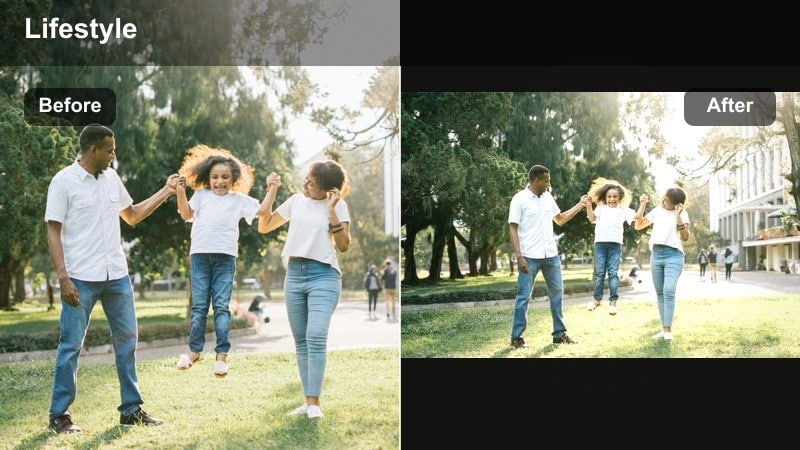
- Effect look: Dim, warm tones with softened contrast and gentle grain for sleepier, end-of-day scenes.
- Best for: Night routines, journaling, skincare, and quiet end-of-day reflections.
- Editing tip: Bring down exposure slightly, warm the midtones, and add a touch of film grain to hide low-light noise.
Late Night Cozy transforms imperfect, low-light footage into an intentional bedtime aesthetic. In Filmora, dim exposure a bit, warm the midtones to match lamp light, and soften contrast so the scene feels calm instead of harsh.
Finish by layering a small amount of film grain to disguise digital noise from high ISO recordings. This filter is perfect for skincare routines, journaling, or whispery voiceovers filmed at the end of the day.
Cinematic Evening City
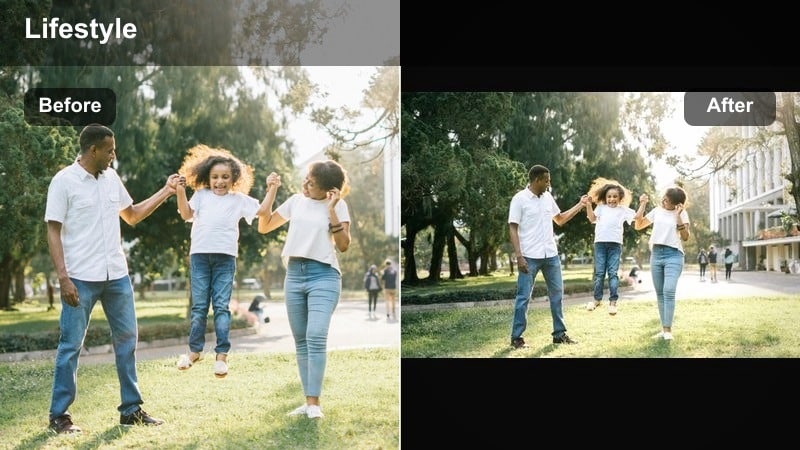
- Effect look: Cooler shadows with rich, saturated street lights and slightly crushed blacks for a cinematic city vibe.
- Best for: Evening walks, city b-roll, rideshares, and travel lifestyle content after sunset.
- Editing tip: Shift shadows cooler, deepen blacks carefully, and selectively boost saturation of reds and ambers for neon and car lights.
Cinematic Evening City turns everyday commutes and walks into stylized night sequences. In Filmora, cool the shadows and gently crush blacks to give the image depth, while using HSL or color wheels to enrich reds and ambers from car lights and signs.
Be careful not to lift exposure too much; let the darkness stay dark so highlights and neon details pop. This filter pairs well with smoother transitions and music-driven edits in travel or city-focused lifestyle vlogs.
Rainy Day Reflection
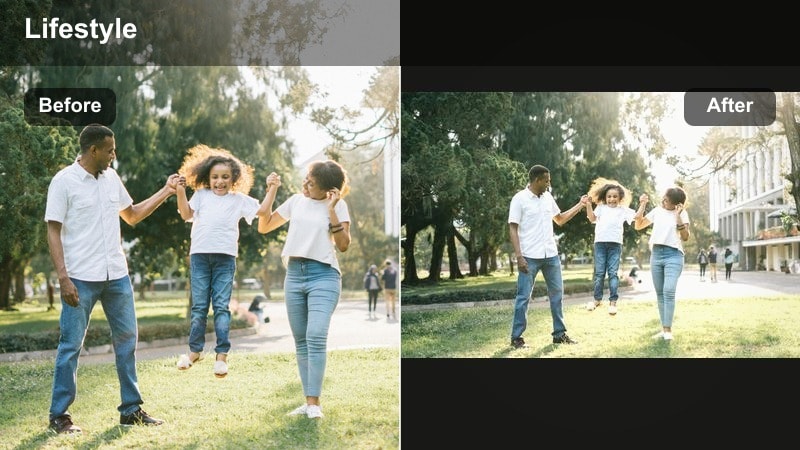
- Effect look: Cool, muted tones with soft contrast and gentle fade in blacks for a calm, reflective mood on gray days.
- Best for: Rainy window shots, reflective voiceovers, study sessions, and slow, introspective lifestyle vlogs.
- Editing tip: Lower saturation slightly, cool the overall temperature, and add a light fade to blacks using curves for a soft film feel.
Rainy Day Reflection embraces gray weather and turns it into a storytelling advantage. In Filmora, reduce overall saturation, cool the temperature, and apply a small fade to the blacks in the curves panel so shadows feel soft rather than heavy.
This look is ideal for introspective voiceovers, study days, or mental health check-in vlogs. When combined with slower pacing and gentle music, it creates a tranquil mood that invites viewers to slow down with you.
Tips for Using Lifestyle Video Filters Filters in Filmora
- Film with consistent lighting and angles so your lifestyle video filters work smoothly across all clips.
- Set a custom white balance in-camera or correct it first in Filmora before applying any filter or color grade.
- Create one master filter preset for your channel and only tweak exposure or white balance per scene.
- Export short test clips in different resolutions to ensure your everyday video filter looks good on phones and larger screens.
- Use Filmoras scopes or histograms when available to avoid crushed blacks and blown-out highlights in bright lifestyle scenes.
- Test each filter on both talking clips and b-roll to confirm it flatters skin tones as well as decor and locations.
- Organize your favorite Filmora presets into folders like Morning, Daylight, and Evening so you can match the mood quickly.
Lifestyle video filters are less about heavy effects and more about shaping a consistent, inviting mood that feels true to your everyday life. By building a few go-to looks for mornings, daylight, cozy evenings, and rainy days, you can quickly match the tone of each vlog without starting from scratch.
Use Filmoras color tools, effects, and presets to turn these ideas into your own life vlog filter set, then save them as reusable presets for future projects. Over time, your viewers will recognize your casual video color grade instantly, strengthening your personal brand across YouTube and beyond.
secure downloadNext: Lifestyle Video Filters for YouTube: Consistent Looks for Your Channel
