

 100% Security Verified | No Subscription Required | No Malware


 ChatGPT
 Perplexity
 Gemini
 Claude
 Grok
Grok
Misty Jade sits between soft teal and pastel green, with a hint of cool gray that makes it feel clean, modern, and quietly refreshing. It is often associated with calm thinking, balance, and a spa-like sense of clarity, which is why brands use it for wellness, tech, interiors, and lifestyle visuals. On screen, Misty Jade can instantly soften harsh frames, cool down warm footage, and give everything a polished, breathable look.
For video creators, this color works beautifully in YouTube thumbnails, intro animations, lower-thirds, overlays, and cinematic grading. Below you will find ready-made Misty Jade color palettes with HEX codes that you can plug directly into titles, backgrounds, and Filmora color tools. They are designed for vloggers, editors, and designers who want consistent, aesthetic Misty Jade themed videos.
In this article
Soft And Serene Misty Jade Color Palettes
Morning Dew Mist
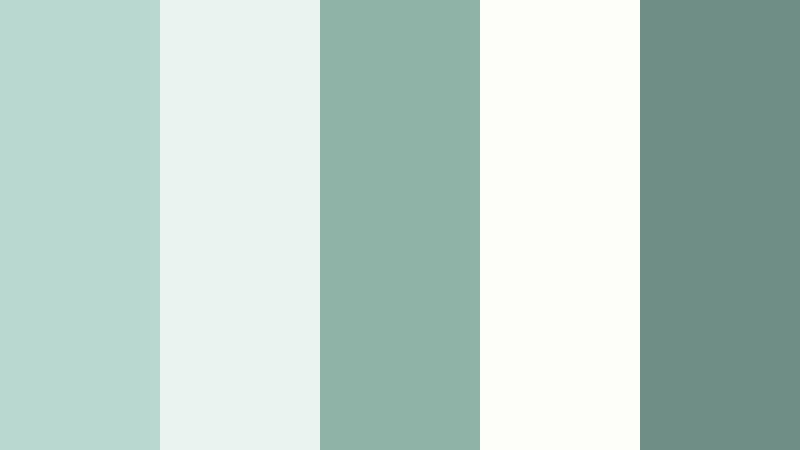
- HEX Codes: #b9d8cf, #e9f4f0, #8fb3a6, #fdfdf9, #6f8f86
- Mood: Calm, airy, and gently optimistic like a quiet sunrise.
- Use for: Perfect for vlog intros, mindfulness content, and calm talking-head scenes where you want a soft, breathable atmosphere.
Morning Dew Mist feels like opening the window just after sunrise. The soft Misty Jade tones, paired with nearly white highlights and a muted green-gray accent, create a light, breathable frame that never feels heavy or crowded. It is ideal if you want your content to communicate clarity, calm, and a sense of slow, intentional living.
Use this palette for clean YouTube banners, intro cards, and lower-thirds that support your story instead of distracting from it. In Filmora, you can apply these HEX codes to title backgrounds, shape overlays, and subtle gradient wipes so your thumbnails, intros, and talking-head layouts all share the same serene Misty Jade atmosphere.
Pro Tip: Build a Soft Misty Jade Signature Look in Filmora
To keep Morning Dew Mist feeling consistent from thumbnail to final frame, treat it as your signature look across the whole project. In Filmora, you can set your main Misty Jade shade as the base color for title templates, lower-thirds, and callout boxes, then reuse those presets in every video. This saves time and gives your channel a recognizable, calming visual identity.
Combine the lightest tones from the palette for backgrounds and frames in your intros, then use the darker jade-gray for text, icons, and subtle borders. When you export vertical edits for Shorts or Reels, keep using the same saved styles so your content looks unified, even across different formats.
AI Color Palette
If you already have a wallpaper, photo, or brand board that uses Morning Dew Mist, you can turn it into a full video look with Filmora's AI tools. Filmora's AI Color Palette feature lets you sample colors from a reference image and intelligently apply that palette to your entire timeline.
Import a still frame that represents your ideal Misty Jade mood, let AI detect the color style, and match that look across b-roll, A-roll, and overlays. This way, your calming jade tones stay consistent, even when your clips were shot under different lighting conditions or with different cameras.
 secure download

HSL, Color Wheels & Curves
Even with a carefully chosen Misty Jade palette, your footage may lean too warm, flat, or saturated. Filmora gives you precise control through HSL, color wheels, and curves so you can fine-tune jade tones to look more cinematic. Gently shift greens toward teal, desaturate yellows in the highlights, and deepen shadows to keep the overall frame soft but not washed out.
You can follow workflows similar to Filmora's advanced color tutorials on YouTube to balance skin tones against Misty Jade backgrounds. For example, protect natural skin warmth using the HSL skin-tone range, then cool the midtones in the background so your subject still pops while the environment keeps that fresh, Misty Jade atmosphere.
secure download1000+ Video Filters & 3D LUTs
Once your Misty Jade base is in place, Filmora's presets can speed up your styling. Filmora's video filters and 3D LUTs make it easy to push the palette toward dreamy, vintage, or modern minimal without rebuilding looks from scratch. You can stack a soft glow filter over a jade-toned LUT to get that early-morning, slightly hazy feeling.
Try saving a custom Misty Jade LUT from your graded clip, then reuse it as a one-click style across future projects. This keeps your vlogs, shorts, and client edits visually aligned, while still letting you tweak intensity per scene using the filter strength sliders.
secure downloadSpa Retreat Calm
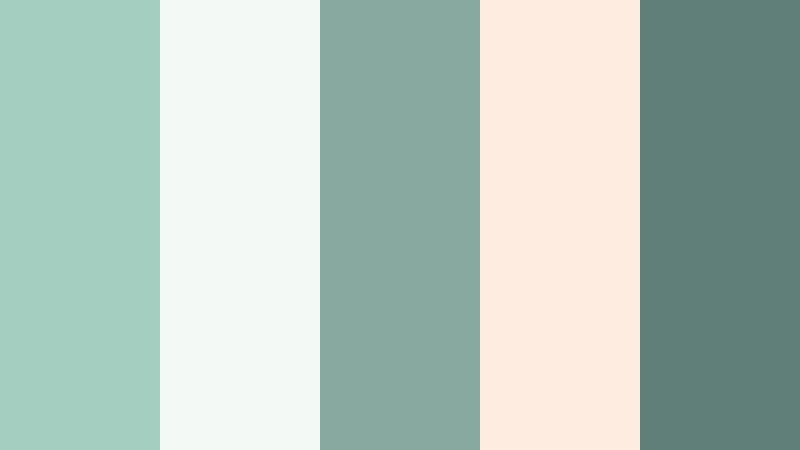
- HEX Codes: #a4cfc0, #f3faf6, #87a9a0, #ffece0, #5f7f78
- Mood: Relaxing, restorative, and spa-like.
- Use for: Works well for self-care routines, ASMR videos, and product shots for skincare or wellness brands.
Spa Retreat Calm blends Misty Jade with soft whites, muted seafoam, and a gentle peach highlight, echoing fluffy towels, clean tiles, and warm candlelight. It feels luxurious but not overdone, ideal for content that promises rest and reset.
Use the jade and seafoam tones for backgrounds and overlays, then introduce the peach accent for product labels, CTA buttons, or highlight text in thumbnails. In Filmora, this palette works well on split-screen skincare demos, ASMR title cards, and Instagram reel cover images.
Cloudy Coastline
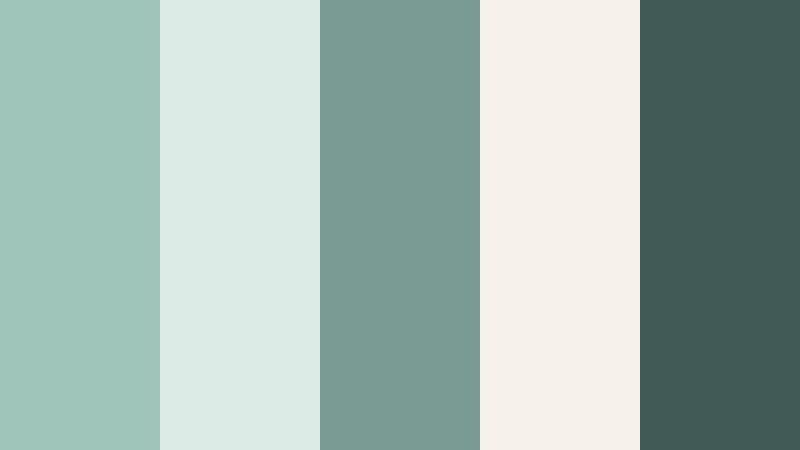
- HEX Codes: #9fc4ba, #ddebe7, #7a9b93, #f6f2ea, #425a56
- Mood: Coastal, hazy, and reflective with a cool breeze feeling.
- Use for: Great for travel vlogs, cinematic b-roll of oceans, and moody lifestyle reels.
Cloudy Coastline captures the feeling of a quiet beach on an overcast day. Soft Misty Jade pairs with foggy off-whites and a deeper slate green, creating a cinematic shoreline mood that feels introspective rather than flashy.
Use this palette to grade sea and sky footage, adding cool jade into the midtones while keeping whites slightly warm for contrast. On thumbnails, combine the light hues as backgrounds and the darkest slate for titles or navigation bars in travel series playlists.
Herbal Notebook
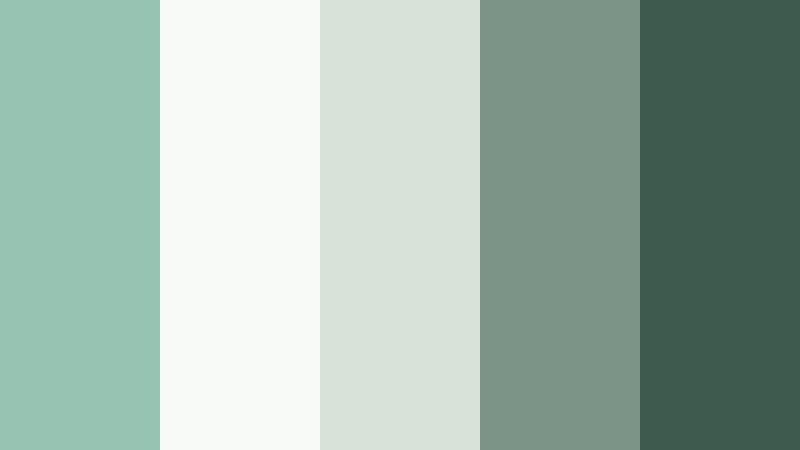
- HEX Codes: #97c3b3, #f7faf7, #d7e2d9, #7c9488, #3e5a4f
- Mood: Thoughtful, organic, and slightly nostalgic.
- Use for: Ideal for study vlogs, journals, cozy desk setups, and educational content branding.
Herbal Notebook feels like plant-pressed pages in an old journal. Misty Jade mixes with paper whites, pale greens, and inky forest tones to create a calm, intelligent mood that suits deep work and learning content.
Apply these colors to annotation boxes, chapter markers, and infographic elements in Filmora so your educational videos feel cohesive and easy on the eyes. The deeper green works well for text and icons, while the pale green-grays create soft backgrounds for notes or list-style overlays.
Frosted Green Tea
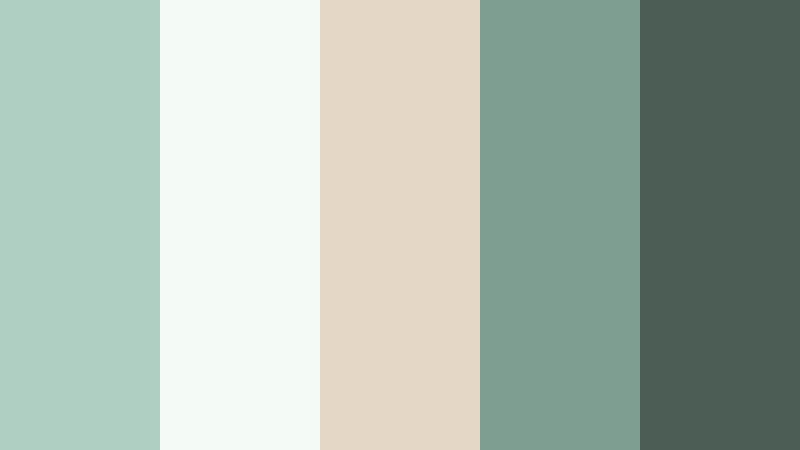
- HEX Codes: #aecfc1, #f4fbf7, #e4d7c5, #7d9e90, #4b5d55
- Mood: Fresh, balanced, and gently energizing like an iced matcha.
- Use for: Use for cafe b-roll, recipe videos, and lifestyle content with a clean foodie aesthetic.
Frosted Green Tea combines creamy neutrals with Misty Jade to mimic the look of a chilled matcha latte on a marble countertop. It feels fresh and modern but with enough warmth to keep things inviting.
Use the lightest tones as backdrop colors behind vertical recipe text, then let the jade and darker greens frame close-ups of drinks and ingredients. In Filmora, you can design matching titles, timers, and ingredient lists around this palette to create a polished, cafe-style channel identity.
Modern And Minimal Misty Jade Color Palettes
Urban Jade Minimal
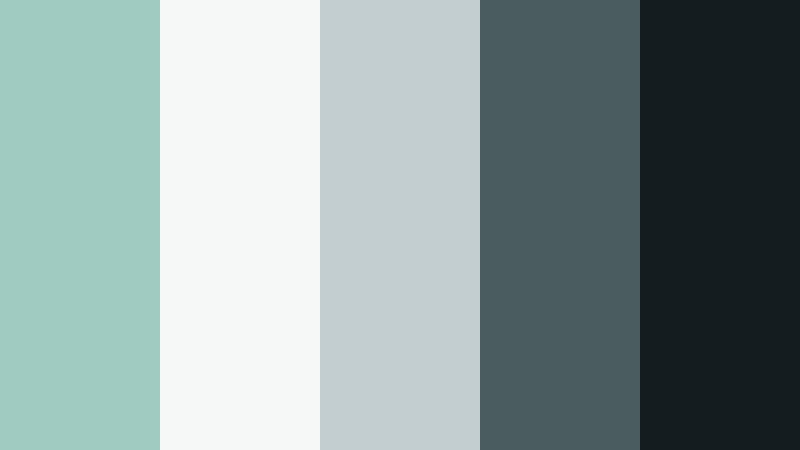
- HEX Codes: #9fcbc0, #f6f8f8, #c3ced0, #4b5c60, #151c1f
- Mood: Crisp, modern, and slightly techy.
- Use for: Great for app promos, UI mockups, explainer videos, and startup intros.
Urban Jade Minimal fuses Misty Jade with cool grays and a deep charcoal, echoing concrete, glass, and modern interfaces. It feels sharp, professional, and ready for tech, productivity, or SaaS content.
Use the brightest jade for accent buttons, progress bars, and logo stings, while the dark charcoal anchors text and nav bars. In Filmora, this palette is ideal for building clean animated lower-thirds, product demo overlays, and slides that mimic a polished UI.
Studio Loft Air
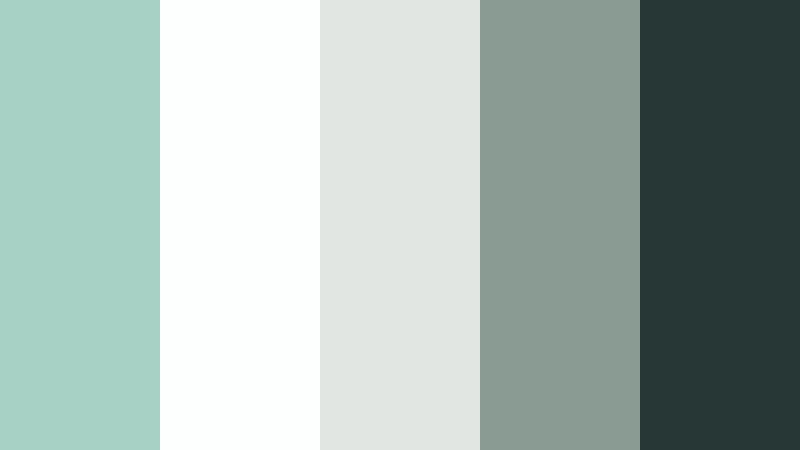
- HEX Codes: #a7d1c4, #fdfefe, #e2e6e3, #8a9b93, #273735
- Mood: Light, architectural, and quietly sophisticated.
- Use for: Use for interior tours, design breakdowns, and minimalist portfolio reels.
Studio Loft Air looks like sunlight spilling into a white, high-ceiling studio with a hint of greenery. Misty Jade appears as a soft accent against clean whites and architectural grays, giving an airy, gallery-like mood.
It works beautifully for interior walkthroughs, design breakdowns, and creative portfolios. Use jade for section headers and graphic lines, while backgrounds stay almost white. This keeps your visuals refined and minimal, especially when combined with slow camera moves and gentle transitions in Filmora.
Glass Dashboard

- HEX Codes: #8cc2b3, #e6f5f1, #b9d0d2, #667b82, #132025
- Mood: Sleek, digital, and analytic yet friendly.
- Use for: Ideal for dashboards, tutorial overlays, and motion graphics in SaaS and productivity content.
Glass Dashboard turns Misty Jade into a UI-friendly accent surrounded by frosted blues and dark interface gray. It feels like a modern analytics dashboard: technical, tidy, but still approachable.
Use this palette for charts, data cards, and UI mockups in your tutorials. In Filmora, you can build motion graphics that align with this scheme by coloring bars, progress indicators, and callout shapes in jade and pale teal, while using the deepest shade for typography over light backgrounds.
Scandi Calm Workspace
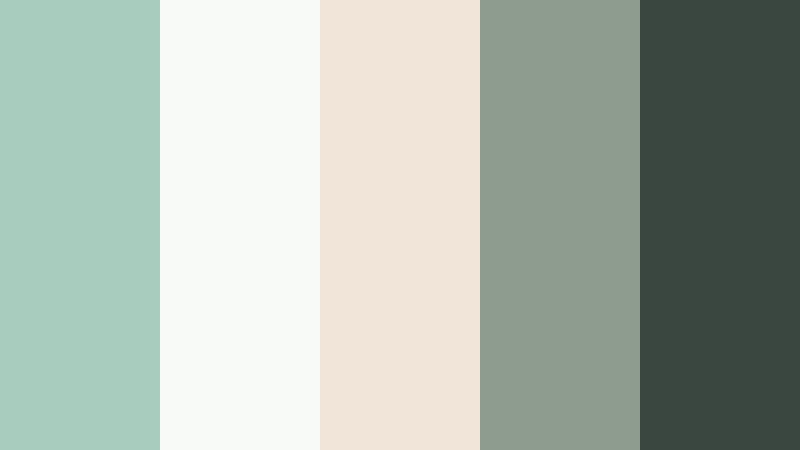
- HEX Codes: #a8ccbe, #f8faf8, #f0e5d8, #8e9c90, #3a4741
- Mood: Minimalist, warm, and productivity focused.
- Use for: Great for desk setups, remote work tips, and productivity YouTube channels.
Scandi Calm Workspace pairs Misty Jade with warm sand and smoky gray, capturing the cozy minimalism of Nordic interiors. It feels clean yet human, with just enough warmth to keep productivity content from feeling cold.
Use the sandy neutrals as base backgrounds for desk b-roll and screencast frames, then layer jade into highlight shapes, bullet points, and time stamps. Thumbnails featuring this palette will look organized, stylish, and inviting for study or work-focused viewers.
Jade Wireframe

- HEX Codes: #7fb8a8, #e9f6f2, #cdd6e1, #546775, #0f1820
- Mood: Technical, structured, and future leaning.
- Use for: Perfect for UX case studies, coding channels, and motion graphics with a blueprint feel.
Jade Wireframe gives Misty Jade a more technical edge by pairing it with blueprint-inspired blues and a dark, almost noir background. It feels like a design system or prototype environment brought to life.
Use the darkest tone for full-screen backdrops in coding intros, then draw grid lines, schematics, or flow arrows in jade and pale blue. In Filmora, animated diagrams, wireframe effects, and callouts in this palette can make your tech content look intentional and brandable.
Romantic And Dreamy Misty Jade Color Palettes
Blush Garden Path
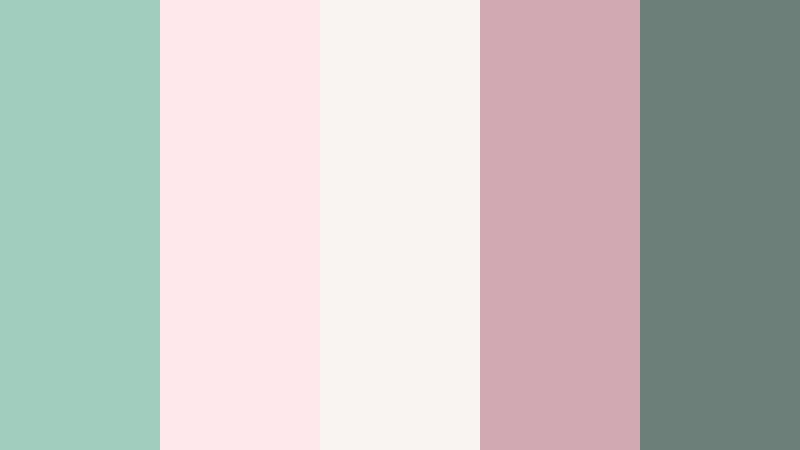
- HEX Codes: #a1cdbf, #ffe8ec, #f9f4f1, #d0a9b2, #6c7f78
- Mood: Soft, romantic, and whimsical like a spring garden.
- Use for: Use for wedding films, engagement reels, and dreamy couple montages.
Blush Garden Path blends Misty Jade with airy blush pinks and gentle grays, evoking petals, greenery, and soft-focus lenses. It is romantic without feeling overly sweet, perfect for storytelling around love and celebration.
Apply these colors to intro cards, name titles, and chapter dividers in wedding films. Misty Jade and blush are ideal for alternating backgrounds and frames, while the gray tone keeps text crisp and legible on both feed posts and cinematic highlight videos.
Moonlit Terrace
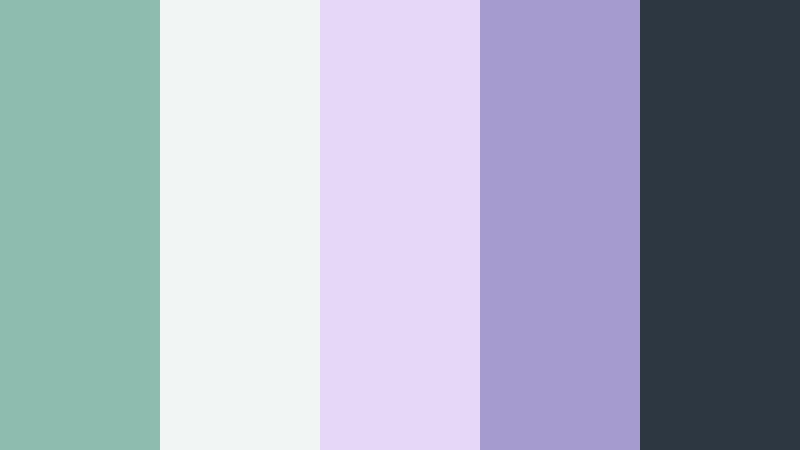
- HEX Codes: #8ebdb0, #f1f6f4, #e5d7f7, #a69bcf, #2c3742
- Mood: Ethereal, evening-soft, and slightly magical.
- Use for: Perfect for cinematic night scenes, slow dances, and dreamy travel edits.
Moonlit Terrace combines cool Misty Jade with lavender and deep slate, creating a rooftop-at-night atmosphere that feels dreamy and a bit surreal. It is great for evening sequences, slow-motion moments, and emotional travel scenes.
Use the lighter tones as glow overlays or gradients around light sources, while the darker slate anchors subtitles or poetic text. In Filmora, you can layer soft bokeh effects tinted with jade and lavender to turn ordinary night footage into a moody, cinematic montage.
Vintage Postcard Jade
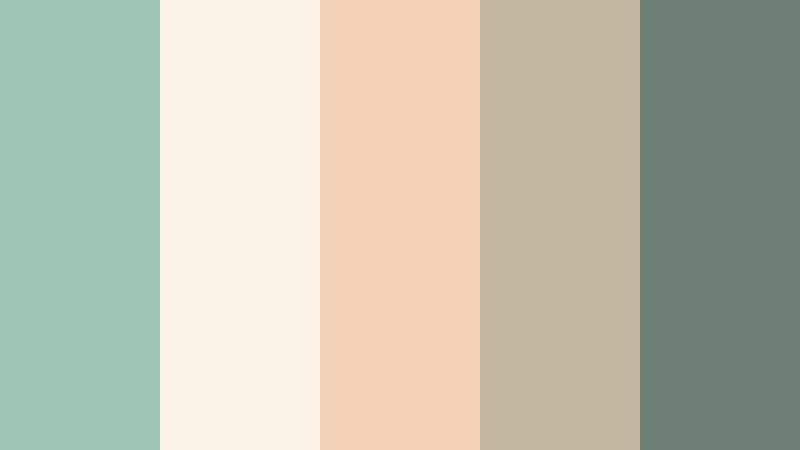
- HEX Codes: #9fc5b7, #f9f3e7, #f4d2b8, #c3b7a0, #6e7f75
- Mood: Nostalgic, sun-faded, and sentimental.
- Use for: Great for travel diaries, nostalgic family footage, and retro-inspired edits.
Vintage Postcard Jade softens Misty Jade with parchment creams, sepia peaches, and warm neutrals, mimicking aged travel cards and old film prints. It feels sentimental, making even everyday clips look like memories.
Grade your footage with slightly lowered contrast and a gentle warm tint in the highlights, while letting Misty Jade live in midtones and graphic elements. Use this palette for titles, map overlays, and stamp-like badges in Filmora to give your travel or family videos a timeless, postcard look.
Powder Veil Romance
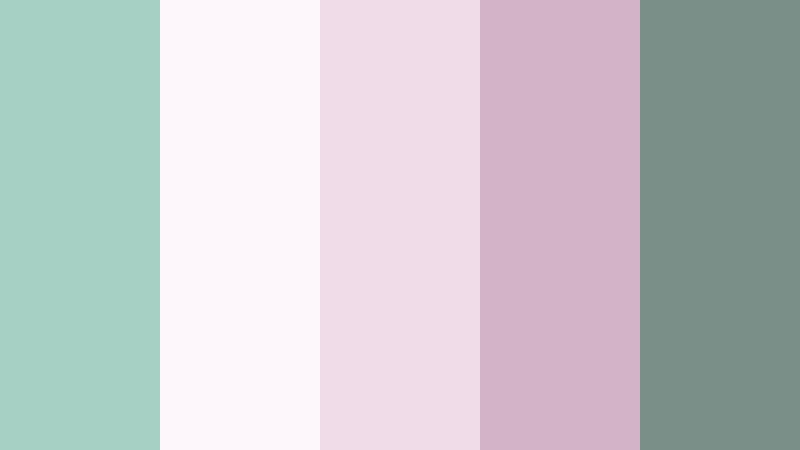
- HEX Codes: #a6d0c3, #fdf7fb, #f0dbe8, #d2b4c6, #7b8f89
- Mood: Delicate, feminine, and dreamy like soft tulle.
- Use for: Use for bridal content, fashion lookbooks, and dreamy GRWM videos.
Powder Veil Romance wraps Misty Jade in powdery pinks and mauves, like layers of tulle and silk under soft studio light. It is delicate, feminine, and ideal for beauty, bridal, and fashion-forward content.
Use the pale pinks and whites as full-screen backgrounds for text, with Misty Jade as an accent for dividers, icons, and subtle borders. In Filmora, matching this palette across thumbnails, outfit labels, and intro animations can give your channel a cohesive, editorial feel.
Fresh And Vibrant Misty Jade Color Palettes
Citrus Herb Splash

- HEX Codes: #8fc0af, #fff6d6, #ffd88a, #f8f1e6, #365c54
- Mood: Fresh, zesty, and energetic without being loud.
- Use for: Great for food channels, summer vlogs, and bright product promos.
Citrus Herb Splash charges Misty Jade with citrus yellows and a deep leafy green, creating a juicy, kitchen-fresh color story. It feels energetic and sunny but still controlled, thanks to the soft off-white tones.
Use the yellow shades for badges, sale tags, and call-to-action buttons on thumbnails, while Misty Jade and dark green support backgrounds and borders. In Filmora, this palette works well in kinetic text for recipe steps, product spotlights, and upbeat summer intros.
Tropical Studio Pop

- HEX Codes: #7ab8a5, #f1faf6, #ffb6a3, #ffdf6e, #364554
- Mood: Playful, creative, and content-creator friendly.
- Use for: Ideal for YouTube intros, channel branding, and upbeat reels or shorts.
Tropical Studio Pop sends Misty Jade on vacation with coral and sunny yellow accents, balanced by a cool navy slate. It is bright, playful, and perfect for content creators who want a friendly, high-energy brand.
Use Misty Jade and off-white as your default background combo, then drop in coral and yellow for emphasis in emojis, stickers, subscribe buttons, and motion graphics. In Filmora, you can build reusable intro templates around this palette so every video starts with the same vibrant, on-brand look.
Tips for Creating Misty Jade Color Palettes
Misty Jade is flexible enough to feel calming, modern, or playful depending on how you pair it. A few simple rules help you combine this soft green with other tones and keep your video and design work looking polished.
- Decide the mood first: pair Misty Jade with whites and grays for minimal calm, peaches and blush for romance, or yellows and corals for energetic, creator-style content.
- Keep text readable: use the darkest shade in your palette for titles and body text, and reserve the lightest Misty Jade or off-white for backgrounds.
- Limit accent colors: one or two accent hues (like blush or citrus yellow) are enough; let Misty Jade stay the hero to avoid a noisy frame.
- Match footage temperature: if your camera footage is very warm, cool it slightly in Filmora so Misty Jade overlays and graphics do not clash with skin tones.
- Stay consistent across formats: reuse the same HEX codes for YouTube thumbnails, in-video titles, and social covers so your brand looks unified.
- Use gradients sparingly: soft jade-to-white gradients work well for intros and outros; avoid heavy multi-color gradients that fight your main palette.
- Test on small screens: preview your designs on a phone to ensure Misty Jade backgrounds and darker text still have enough contrast in vertical content.
- Create reusable presets: once you find a Misty Jade style you like in Filmora, save color presets, titles, and LUTs to speed up future edits.
Misty Jade can instantly reshape how your videos feel, from spa-like calm and studio minimalism to dreamy romance or bright creator energy. With the right supporting colors, it becomes a strong backbone for your visual identity, guiding how you grade footage, design thumbnails, and structure on-screen graphics.
The palettes above give you ready-to-use HEX codes for everything from intros and lower-thirds to overlays and end screens. Try dropping your favorite Misty Jade scheme into Filmora, save a few presets, and see how quickly your channel or brand starts to look more cohesive.
Experiment with different combinations, adjust them with Filmora's color tools, and refine until you land on a Misty Jade look that feels uniquely yours.
secure download