

 100% Security Verified | No Subscription Required | No Malware


 ChatGPT
 Perplexity
 Gemini
 Claude
 Grok
Grok
Aesthetic mountain video filters turn ordinary ridge shots into soft, cinematic scenes that feel calm, pastel, and timeless. With the Aesthetic Mountain Filter. Dream Peak preset in Filmora, you can give your alpine edits a gentle, dreamlike tone in just a few clicks.
Whether you are a content creator filming sunrise hikes or a traveler capturing snowy passes, these aesthetic mountain video filters are designed to soften harsh light, deepen sky blues, and add pastel alpine tones that match modern, gentle peak aesthetics.
In this article
Soft Mountain Tones for Calm, Dreamy Ridges
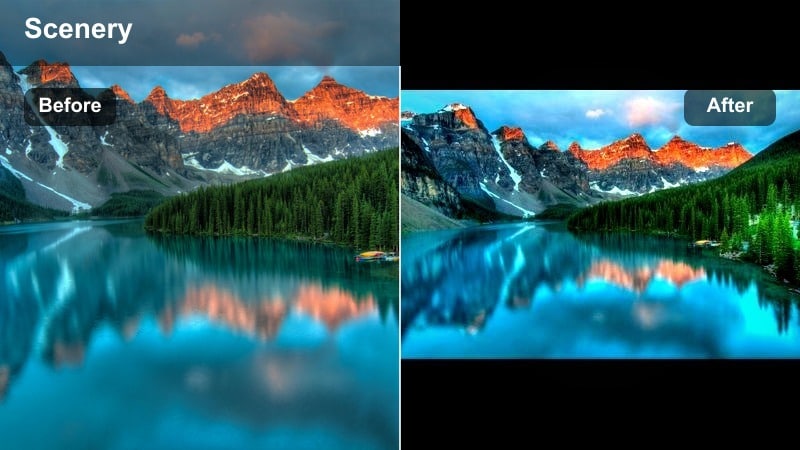
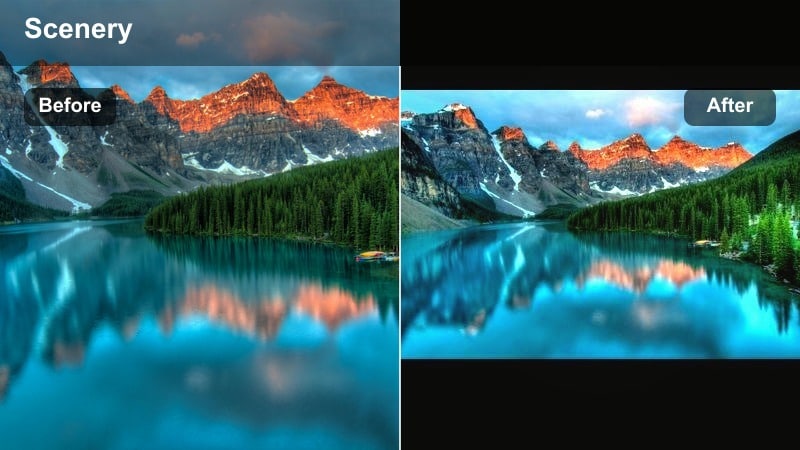
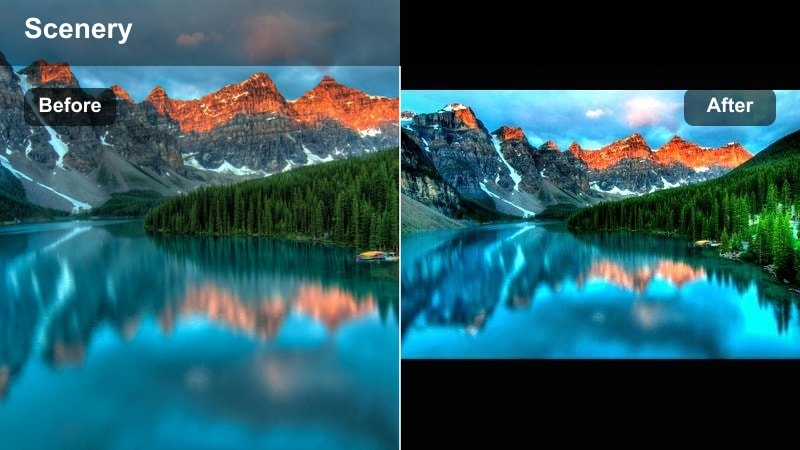
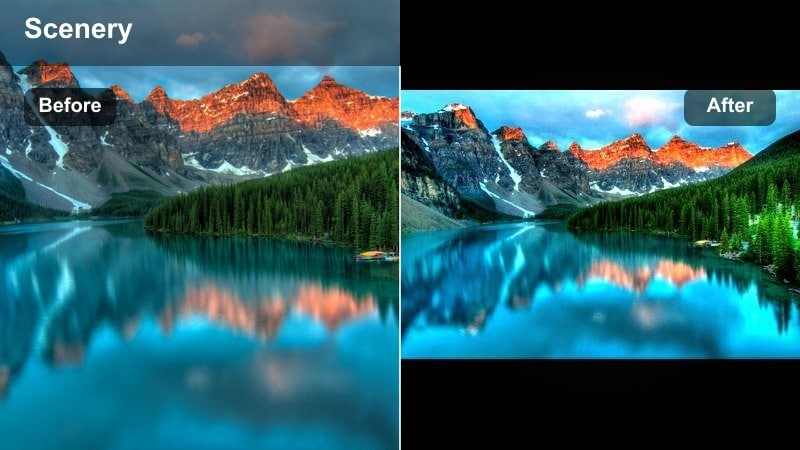
Aesthetic Mountain Filter. Dream Peak
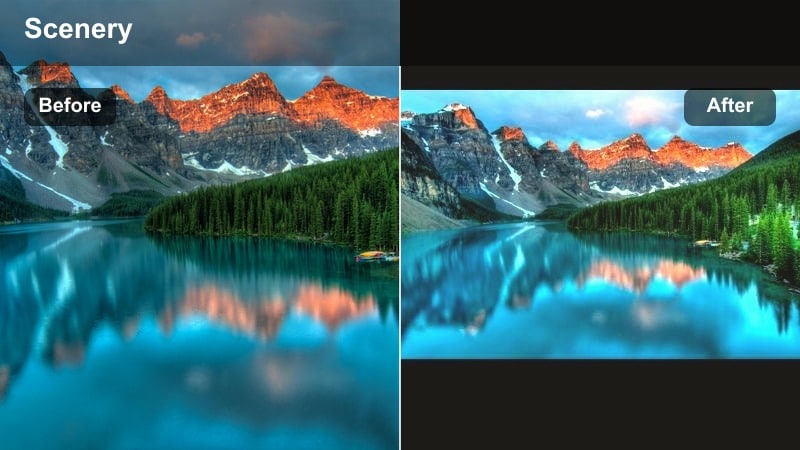
Soft pastel mountain landscape with dreamy clouds and gentle lighting. A distant mountain range bathed in pastel blues and pinks with softened contrast, showcasing the Dream Peak aesthetic.
- Effect look: Soft, low-contrast mountain aesthetic with pastel blues and gentle highlights that wrap your peaks in a dreamy glow.
- Best for: Golden hour hikes, slow travel vlogs, and aesthetic mountain edits where you want a relaxed, cinematic mood.
- Editing tip: Lower the contrast slightly and nudge the temperature a bit cooler to highlight pastel alpine tones without losing detail in the ridgelines.
The Aesthetic Mountain Filter. Dream Peak preset is your go-to Filmora look when you want mountains to feel calm, airy, and subtly pastel instead of harsh and over-contrasted. It softens micro-contrast in rocks and trees, smooths highlight roll-off on snow, and leans into gentle blues so your ridgelines appear wrapped in a cinematic haze.
In Filmora, apply Dream Peak to your base mountain clips, then fine-tune exposure so mid-tones sit just under the brightest highlights, keeping snowy caps bright but not blown out. For travel vlogs, slightly cool the temperature and add a faint vignette, then reduce green saturation so sky blues and pastel peaks become the focus of your frame.
Pro tip: Dial in Dream Peak for layered mountain scenes
Apply the Aesthetic Mountain Filter. Dream Peak preset, then fine-tune exposure so that your mid-tones sit just below the highlights. This keeps snowy caps bright while preserving subtle color in the foreground ridges.
For travel reels, add a gentle vignette and reduce saturation of greens slightly so that the sky blues and soft mountain tones become the focus of the frame.
Use AI Tools to Build Your Mountain Aesthetic Palette
Filmora s AI-driven color tools help you match any aesthetic mountain video filter across your entire edit, from soft morning peaks to pastel alpine lakes. Instead of grading every clip from scratch, AI can quickly align exposure, contrast, and saturation while preserving the Dream Peak vibe.
Sample a frame that uses the Aesthetic Mountain Filter. Dream Peak preset, then let AI guide subtle adjustments so your sunrise hikes, midday ridgelines, and twilight panoramas all share the same gentle peak palette.
 secure download

Preview Aesthetic Mountain Filters on Your Footage
Instead of guessing which aesthetic mountain video filters will suit your vlog, you can test them live in Filmora s preview window. Apply Dream Peak, pastel alpine styles, and gentle peak cinematic filters to the same clip to instantly compare their softness, contrast, and color.
Use side by side comparison and adjust filter intensity to keep mountains dreamy while skies and skin tones remain natural. This makes it easy to pick one primary aesthetic and a few supporting looks for hero shots.
secure downloadCombine Filters and LUTs for Deeper Mountain Grades
Once you have a base aesthetic mountain filter you like, Filmora lets you stack a subtle LUT on top for extra depth and cinematic character. This is ideal for adding richer sky gradients or a filmic curve while keeping your soft, dreamy peak look intact.
Keep LUT intensity low so you do not crush shadows or oversaturate pastel tones. A light cinematic LUT over Dream Peak can deepen ridgelines and valleys while still feeling calm, pastel, and cohesive.
secure downloadHazy Ridge Soft Mist
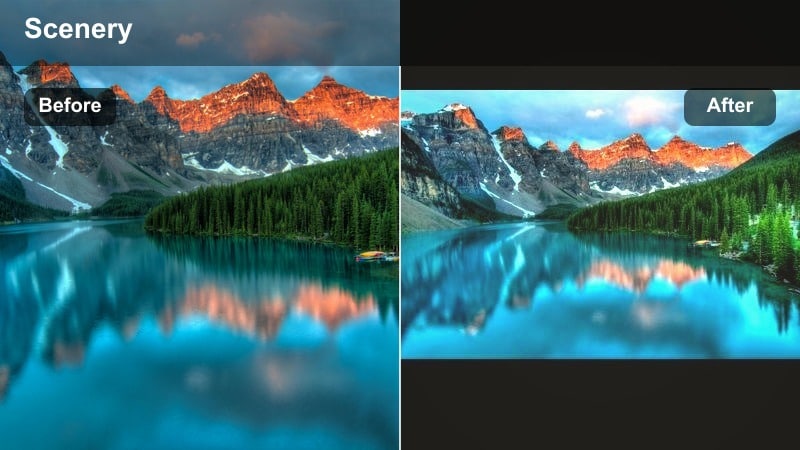
Misty mountain ridges fading softly into the horizon. Layered ridges fade into a soft mist with muted colors and a hazy, calm atmosphere.
- Effect look: Delicate haze over distant peaks with softened shadows and a faint milky glow in the sky.
- Best for: Early morning ridge walks, drone passes above valleys, and clips where you want a sleepy, meditative mood.
- Editing tip: Add a light blur to the background using depth-of-field tools and keep clarity low to avoid harsh tree lines cutting through the mist.
Hazy Ridge Soft Mist is ideal for creating tranquil establishing shots where mountains dissolve gently into the distance. It mutes saturation, softens shadows, and introduces a light atmospheric bloom that makes valleys and overlapping peaks feel more layered and dreamy.
In Filmora, apply this filter to drone clips, slow pans, or static ridge views, then slightly lower clarity and sharpen only your subject if needed. For intros, pair the look with slower clip speed and ambient nature audio to set a peaceful, reflective mood before transitioning into more energetic hiking sequences.
Pro tip: Use Soft Mist for story intros
Place this filter on your establishing mountain shots to create a gentle transition into your travel story and set a calm tone.
Blend it with subtle ambient sound and slower clip speed to emphasize the tranquil atmosphere before cutting into faster hiking sequences.
Gentle Peak Daybreak
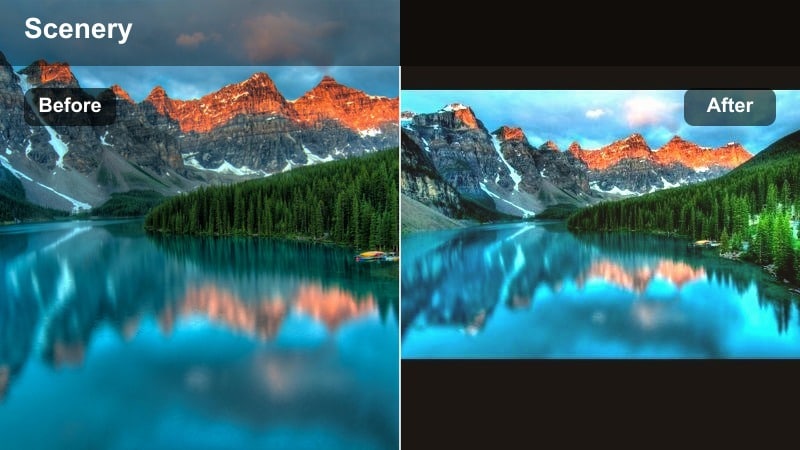
Soft sunrise light touching a mountain peak with muted valleys below. First light brushing a mountain summit with gentle, warm tones and subtle contrast in the surrounding landscape.
- Effect look: Soft sunrise highlight roll-off with warm pastel light on peaks and cooler, subdued valleys.
- Best for: Sunrise summit reveals, timelapses of first light, and quiet tent moments before the day starts.
- Editing tip: Lift shadows slightly but keep black levels anchored so the mountains feel grounded while the sky stays light and airy.
Gentle Peak Daybreak leans into the soft warmth of sunrise while avoiding crunchy contrast and oversaturated oranges. It lets the first light kiss the peaks with pastel warmth, while valleys remain cooler and understated for a natural, cinematic balance.
Use this filter in Filmora on all your early morning shots to keep the look consistent, then fine-tune white balance in each clip for accurate skin tones and snow. If skies start to feel too bright, reduce highlights instead of overall exposure to preserve the delicate glow along the ridge and maintain that calm alpine mood.
Pro tip: Match sunrise clips across your edit
Use this filter as a base for all your sunrise shots, then adjust white balance per clip to keep skin tones and snow color consistent.
If the sky feels too bright, pull down highlights instead of overall exposure to preserve the soft glow on the peak.
Pastel Alpine Aesthetic for Modern Travel Reels
Pastel Alpine Breeze
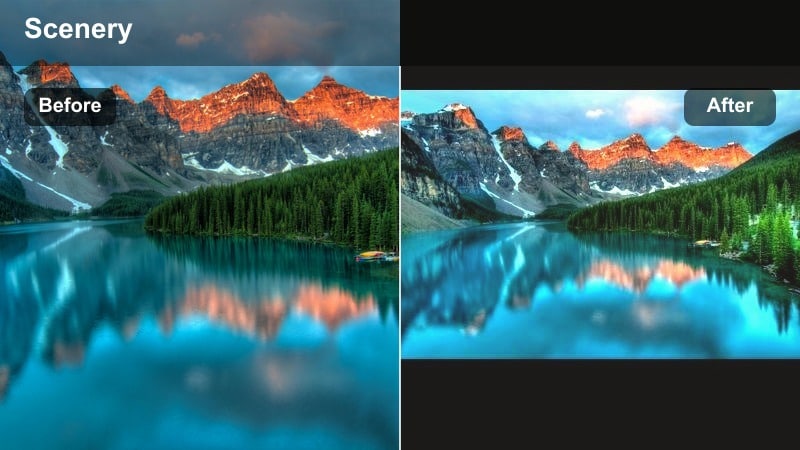
Pastel-toned alpine lake with soft hills and pale sky. An alpine lake and surrounding hills in soft pastel greens and blues, creating a gentle travel aesthetic.
- Effect look: Muted greens, softened blues, and a pastel wash that gives alpine fields and lakes a gentle, airy aesthetic.
- Best for: Pastel-themed travel reels, aesthetic B-roll of meadows, and slow pans across alpine lakes.
- Editing tip: Reduce saturation in the green channel and lightly increase luminance in blues to get a flat yet dreamy alpine palette.
Pastel Alpine Breeze turns vivid natural colors into a softer, modern palette perfect for aesthetic travel content. Harsh greens are gently desaturated, blues are softened, and the entire frame gets a calm pastel wash that feels curated and Instagram ready.
Inside Filmora, apply this filter to wide meadows, lakes, and gentle B roll, then tweak HSL to push greens slightly lighter while keeping blues smooth and non neon. Pair the look with clean on screen text and slow, steady camera moves for reels and shorts that feel minimal, airy, and highly shareable.
Pro tip: Pair pastel alpine shots with clean typography
Use this filter on clips with negative space, then add simple white captions or location tags to keep the overall aesthetic minimal and modern.
Avoid heavy motion graphics; let the pastel tones and smooth camera moves carry the mood of your travel story.
Cotton Sky Ridge
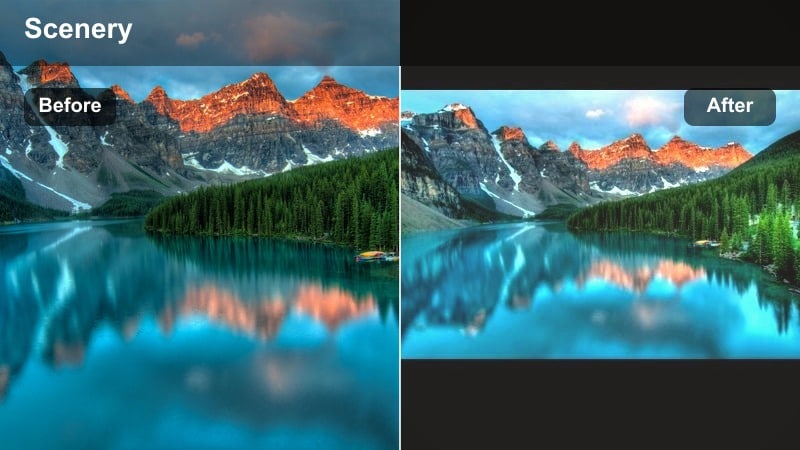
Mountain ridge under cotton-like clouds with pastel skies. Clouds float softly above a mountain ridge in pastel blues and pinks with low contrast.
- Effect look: Soft cotton-like clouds with gently faded blues and a subtle pink tint near the horizon.
- Best for: Wide sky-dominant shots, drone flyovers, and clips where clouds play a major role in your composition.
- Editing tip: Lower saturation of primary blues while raising the tint slightly toward magenta to keep clouds looking fluffy and dreamy.
Cotton Sky Ridge emphasizes the sky as your main character, softening blues and blending in delicate pink and purple hues near the horizon. Mountains remain present but understated so that soft, cottony clouds and color gradients take center stage.
In Filmora, drop this filter on wide shots framed with lots of sky, especially drone flyovers or timelapses. If blues start to dominate, reduce blue saturation and nudge the tint toward magenta so clouds look fluffy and pastel instead of heavy or cyan. Add slow zooms or pans to keep the motion as gentle as the color.
Pro tip: Use sky-focused crops for vertical content
Apply this filter on clips framed with two-thirds sky for vertical shorts and reels to highlight pastel clouds and light.
Combine with a subtle zoom-in keyframe to add motion without breaking the soft, relaxed vibe.
Alpine Flora Soft Focus
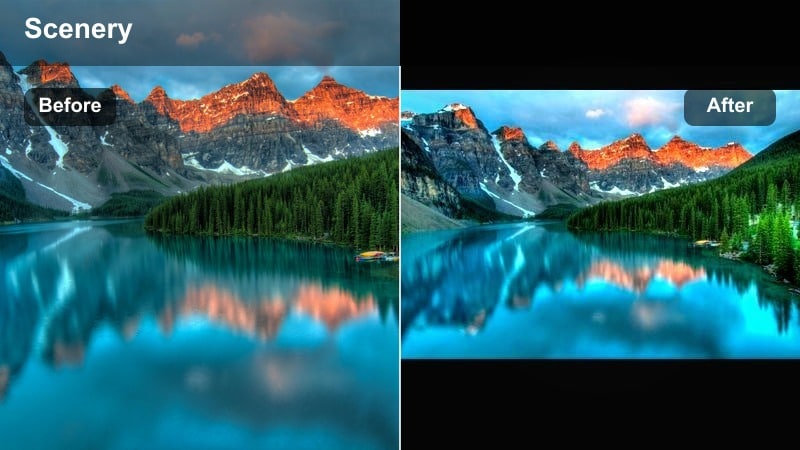
Soft-focus alpine flowers with blurred mountain backdrop. Bright alpine flowers in the foreground with a softly blurred mountain range behind them.
- Effect look: Foreground flowers and grass slightly softened with creamy bokeh and desaturated background peaks.
- Best for: Close-up shots of alpine flowers, foreground details in campsite scenes, and gentle intro clips.
- Editing tip: Add a slight vignette and reduce clarity in the background to keep attention on the soft, colorful foreground details.
Alpine Flora Soft Focus is made for detail shots that anchor your mountain story with intimate foregrounds. It keeps colors gentle and slightly pastel while softening background peaks, creating a dreamy depth of field that draws the viewer into flowers, gear, or campsite details.
Use this filter in Filmora on macro style clips, tent zippers, boots in the grass, or hands brushing wildflowers. Add a light vignette and use blur or depth of field tools to push mountains further into the background, then cut between these details and wider scenes to create smooth, aesthetic transitions.
Pro tip: Build transitions using foreground details
Cut between foreground flower shots and wider mountain scenes using match cuts on color or movement to keep your edit feeling cohesive.
Let this filter sit on both close-up and wide frames to unify the pastel alpine aesthetic throughout your sequence.
Gentle Peak Cinematic Filters for Storytelling
Gentle Peak Cinematic Fade
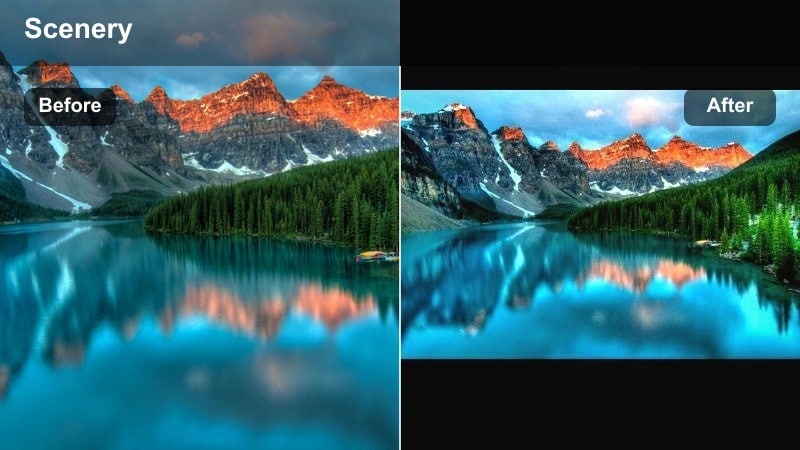
Cinematic mountain ridge with soft faded shadows. A tall ridge with smooth, faded blacks and gentle mid-tone contrast for a filmic aesthetic.
- Effect look: Soft fade in shadows and lightly lifted blacks for a cinematic, almost film-like mountain profile.
- Best for: Narrated hike sequences, reflective voiceovers, and slow, moody B-roll of steep ridges.
- Editing tip: Combine with a subtle film grain overlay at low opacity to maintain the gentle feel while adding texture.
Gentle Peak Cinematic Fade gives your mountain footage a film inspired look by lifting blacks, softening hard contrast, and adding a smooth tonal curve. The result is a moody but delicate aesthetic that works especially well with voiceovers and reflective storytelling.
In Filmora, apply this filter to sequences where you are narrating your journey or capturing slow B roll of cliffs and ridgelines. Add a light film grain overlay and keep saturation controlled so the focus stays on emotion and story rather than punchy color.
Pro tip: Use fade to balance mixed lighting
If your mountain clips jump between bright sun and shade, this filter helps soften transitions and hide exposure shifts.
Adjust curves slightly per clip but keep the overall fade similar so your sequence feels like a single continuous story.
Twilight Summit Glow
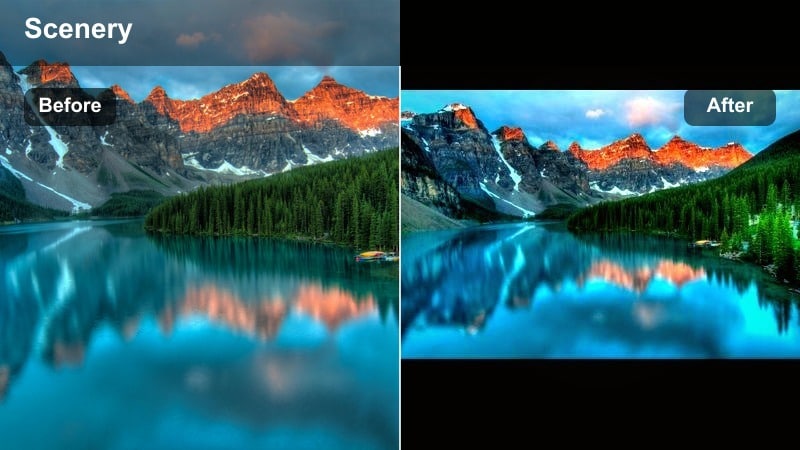
Twilight mountain summit with soft blue and purple tones. A peak at blue hour wrapped in cool purple and blue tones with a gentle glow along the ridge.
- Effect look: Cool shadows, soft purple and blue highlights, and a gentle evening glow on snow and rock.
- Best for: Blue hour time lapses, campfire near-summit scenes, and final shots before nightfall.
- Editing tip: Lower saturation globally while raising vibrance slightly so the most important colors still stand out.
Twilight Summit Glow is designed for blue hour, when the sun has dipped but soft color still lingers on the peaks. It cools shadows, shifts highlights toward purple and blue, and preserves a gentle glow along ridges for dreamy closing scenes.
Use this filter in Filmora on your end of day clips, then dial down overall saturation while nudging vibrance up to keep key tones alive. Paired with slower cuts and calmer music, it creates a natural visual cue that your mountain story is winding down.
Pro tip: Close your edit with twilight tones
Place clips with this filter at the end of your travel video to signal the day winding down and give closure.
Cut to slower music and longer shots to let the cool twilight colors breathe on screen.
Cloudline Story Frame
Hiker speaking to camera with soft mountain clouds behind. A hiker framed against cloud-covered peaks with balanced tones on both subject and background.
- Effect look: Balanced mid-tones with gentle contrast that frames clouds and cliffs without harsh edges.
- Best for: Talking-to-camera moments on the trail and sequences where you want both subject and mountains to read clearly.
- Editing tip: Use slight exposure compensation on your subject and keep background contrast low to maintain focus on the story.
Cloudline Story Frame keeps both your face and the surrounding peaks visible without letting either one dominate. It balances mid-tones, tames contrast, and adds a soft edge to clouds and cliffs so talking-to-camera moments feel cinematic but easy to watch.
In Filmora, drop this filter on vlog segments where you are explaining the route, sharing tips, or reflecting on the day. Then fine-tune skin tones in HSL and slightly reduce background contrast so your story stays front and center while the mountains provide a gentle, atmospheric frame.
Pro tip: Protect skin tones in mountain vlogs
Apply this filter first, then fine-tune skin tones using HSL so your face looks natural even under harsh slope lighting.
Avoid over-sharpening; let the mountains stay soft so your audience stays focused on your story and expressions.
Travel Vlog Mountain Edits with Aesthetic Filters
Trail Journal Soft Film
Soft-film travel shot of gear on a mountain trail. Backpack and gear laid on a trail with softened edges and muted tones for a journal-like feel.
- Effect look: Soft-film style highlights with slightly muted colors and a gentle vignette around the frame.
- Best for: Diary-style clips, packing shots, and travel transitions between mountain locations.
- Editing tip: Use this filter across your talking and filler clips to make the whole vlog feel cohesive and gently cinematic.
Trail Journal Soft Film adds a subtle, nostalgic layer to your mountain vlogs with soft highlights, muted colors, and a light vignette. It is perfect for in between moments like packing, trail notes, and transport shots that glue your main scenes together.
Apply this filter in Filmora across most of your vlog timeline, especially on diary style clips, to create a unified base look. Then, reserve more dramatic filters like Dream Peak or Twilight Summit Glow for key hero shots so they pop against the softer journal aesthetic.
Pro tip: Anchor your vlog with one core look
Choose this filter as the base for most of your vlog so that cutaways, voiceovers, and transitions share the same vibe.
Layer more stylized filters only on key hero shots so they stand out without breaking the visual rhythm.
Ridge Run Aesthetic Motion
Runner moving along a mountain ridge with soft cool tones. A person running on a ridge with cool, clean colors and a hint of motion blur.
- Effect look: Slightly cooler tones, clean contrast, and gentle motion blur for dynamic hike and run scenes.
- Best for: Trail running, fast hiking segments, and handheld clips that need a smoother, more aesthetic finish.
- Editing tip: Use speed ramping with this filter and keep stabilization moderate so motion feels intentional but not jittery.
Ridge Run Aesthetic Motion is tailored for movement heavy shots, cooling tones slightly while maintaining enough contrast to keep action clear. Gentle motion blur helps turn jittery handheld or fast trail clips into smoother, more cinematic sequences.
In Filmora, combine this filter with speed ramps and moderate stabilization for running, scrambling, or quick hike segments. Match color temperature with your softer B roll filters like Dream Peak so that switching between calm and energetic scenes still feels visually cohesive.
Pro tip: Balance energy with softness
Let this filter add just enough clarity for action without losing the overall gentle mountain aesthetic of your edit.
Match color temperature with your softer B-roll filters so jumping between calm and energetic shots still feels cohesive.
Campfire Valley Hush
Campfire at night with soft-lit faces and dark mountain silhouettes. Travelers around a campfire with warm light on their faces and dark mountains in the distance.
- Effect look: Warm, soft firelight on faces with cooler, desaturated mountains fading quietly into the background.
- Best for: Night camp scenes, cooking by the tent, and quiet conversations overlooking distant peaks.
- Editing tip: Lift shadow detail on faces slightly but keep the background darker to preserve the intimate, hushed feeling.
Campfire Valley Hush focuses on cozy, intimate storytelling around the flame, giving faces a warm, soft glow while letting mountains fall into quiet silhouettes. It is perfect for wrapping up your travel vlog with hushed conversations, cooking shots, or shared reflections.
In Filmora, use this filter on any night clip with a clear light source like a campfire or lantern. Slightly lift shadows on faces and reduce background saturation and brightness, then apply gentle noise reduction before the filter so the soft aesthetic is not disrupted by grainy dark areas.
Pro tip: Shape night scenes around the flame
Use this filter with a slight vignette and local adjustments to keep the brightest area around the fire and faces.
Reduce noise with Filmora tools before applying the filter so the soft aesthetic is not broken by grainy shadows.
Tips for Using Mountain Aesthetic Filters in Filmora
- Shoot slightly underexposed in bright mountain light so your aesthetic filters have more highlight detail to work with.
- Keep your white balance consistent across clips before applying filters to avoid mismatched snow and sky tones.
- Use one primary aesthetic mountain filter for the bulk of your edit and reserve specialty filters for hero shots.
- Adjust filter intensity per clip; distant hazy peaks often need less contrast than close-up trail scenes.
- Combine gentle motion, slower cuts, and ambient sound to support the soft, dreamy look of your mountain aesthetic.
Aesthetic mountain video filters in Filmora let you turn raw ridge footage into soft, cinematic edits that feel cohesive and calm, from sunrise hikes to twilight campfire scenes.
Start with the Aesthetic Mountain Filter. Dream Peak preset, fine-tune a few supporting filters for key moments, and build an entire travel story wrapped in a consistent, gentle peak aesthetic.
secure download