

 100% Security Verified | No Subscription Required | No Malware


 ChatGPT
 Perplexity
 Gemini
 Claude
 Grok
Grok
Movie Night Blue captures the feeling of sinking into a dark theater just as the lights go down. It is deep, cool, and cinematic, instantly suggesting night skies, glowing screens, and the calm focus of a late night edit. In color psychology, rich blues like this communicate trust, clarity, and professionalism while the darker tones add drama and intimacy, making them ideal for creative brands and storytellers.
For video creators, streamers, and designers, Movie Night Blue works beautifully in YouTube thumbnails, channel banners, lower thirds, intros, and end screens. Below you will find ready made Movie Night Blue color palettes with HEX codes so you can match your branding, overlays, and color grading across your projects. Every palette is easy to rebuild in Filmora, whether you are styling cinematic videos, vlogs, podcasts, or social clips.
In this article
Cinematic Night Movie Night Blue Palettes
Midnight Cinema Glow
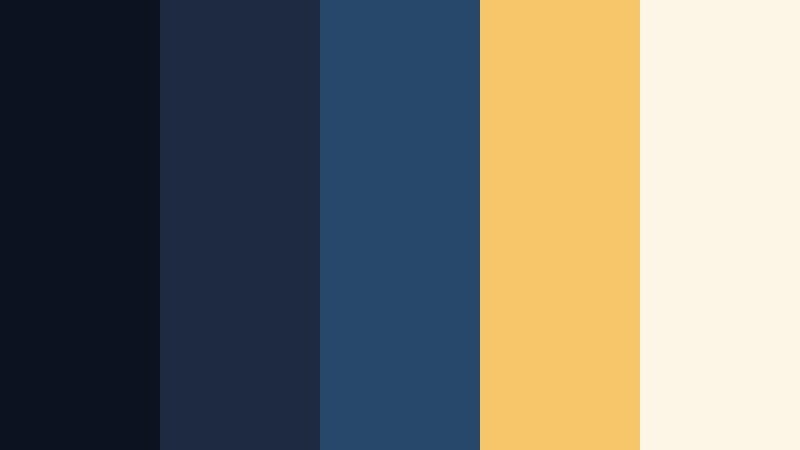
- HEX Codes: #0b1220, #1e2a3f, #27486b, #f5c76a, #fdf5e6
- Mood: Moody, cinematic, and softly illuminated like a theater in the dark.
- Use for: Ideal for movie review intros, streaming overlays, and dramatic channel branding.
Midnight Cinema Glow layers rich Movie Night Blue shadows with warm spotlight gold and soft off white. It feels like waiting for the first frame to hit the screen while the projector hums in the background. The contrast between deep navy and buttery highlights gives your visuals a premium, big screen atmosphere.
Use this palette for YouTube intro animations, review show graphics, and overlay frames around your camera feed. The darker tones are perfect for backgrounds and lower thirds, while the gold accent (#f5c76a) can highlight subscribe buttons, rating stars, and key text so they stand out on any thumbnail or title card.
Pro Tip: Build a Cinematic Movie Night Blue Look in Filmora
To keep a Midnight Cinema Glow style consistent across your channel, build a simple brand kit in Filmora. Use the darkest blue as your background or vignette tone, the mid blues for titles and lower thirds, and reserve the warm gold for buttons, icons, and rating graphics. Save these choices as presets so your intros, review segments, and end screens always feel like part of the same cinematic universe.
When you cut between A roll, B roll, and still graphics, keep your Movie Night Blue values similar in brightness. In Filmora, you can quickly copy color settings from one clip to another and reuse title templates so the palette stays locked in from the moment your video opens to the final call to action.
AI Color Palette
If you have a reference still of your ideal Movie Night Blue look, you can turn it into a full video style using Filmora's AI tools. Filmora's AI Color Palette feature analyzes a frame or image, captures its color mood, and applies it across other clips.
Import a frame graded with Midnight Cinema Glow colors or a custom graphic using the HEX codes above, then let AI Color Palette match that mood across your entire timeline. This keeps your intros, talking head shots, and B roll aligned with the same dark theater ambiance without manual tweaking on every clip.
 secure download

HSL, Color Wheels & Curves
Once your Movie Night Blue base is in place, Filmora's HSL sliders, color wheels, and curves let you refine the mood. You can deepen the blues in the shadows, pull a slight teal shift into the mids, or warm up the highlights to match the gold in this palette. Tools like the three way color wheels, shown in many Filmora color grading tutorials on YouTube, make it simple to push your footage into a more cinematic zone while staying true to the HEX codes above.
Use curves to gently lower the blacks without crushing detail, then nudge the blue channel up in the mid tones for richer night scenes. This creates that theater like contrast where your titles and icons pop but faces still look natural and well lit.
secure download1000+ Video Filters & 3D LUTs
If you want a fast cinematic finish, Filmora's video filters and 3D LUTs make it easy to layer stylized looks over your Movie Night Blue base. You can start with a neutral grade that matches your palette, then try filmic LUTs that add grain, bloom, or subtle tinting while keeping your blues and golds intact.
Save your favorite combination as a custom LUT or preset so any new video, teaser, or short can instantly adopt the same Midnight Cinema Glow signature. This keeps your channel cohesive while saving time on every edit.
secure downloadProjector Beam Dreams
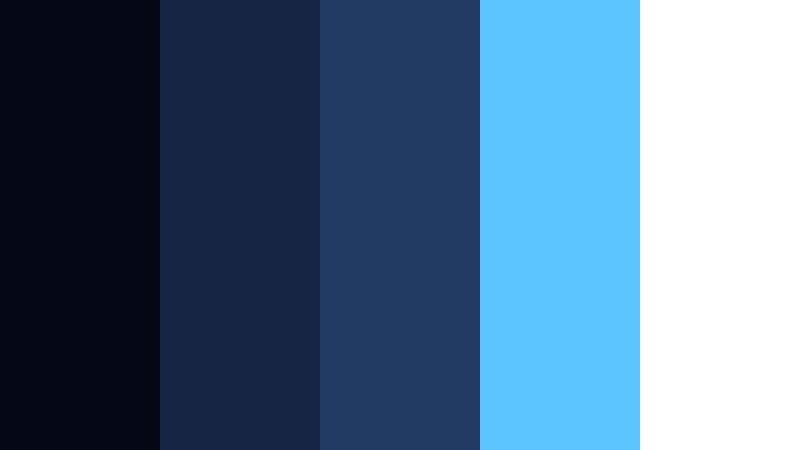
- HEX Codes: #050814, #152543, #213b63, #5cc5ff, #ffffff
- Mood: Cool, focused, and high contrast like a bright projector slicing through the dark.
- Use for: Perfect for techy title cards, tutorial thumbnails, and lower thirds that need strong contrast.
Projector Beam Dreams uses inky Movie Night Blue and navy as a backdrop for icy cyan and crisp white. It feels like a focused beam of light cutting across a dark screening room, emphasizing clarity and detail. The cool accent blue (#5cc5ff) adds a modern, tech forward touch.
Apply this palette to how to videos, app walkthroughs, and gear tutorials. Use the darkest shades for backgrounds, white for main titles, and the bright cyan for highlight boxes, chapter markers, and subscribe CTAs. It reads clearly even at small sizes, making it ideal for thumbnails and mobile viewing.
Starlit Rooftop Premiere
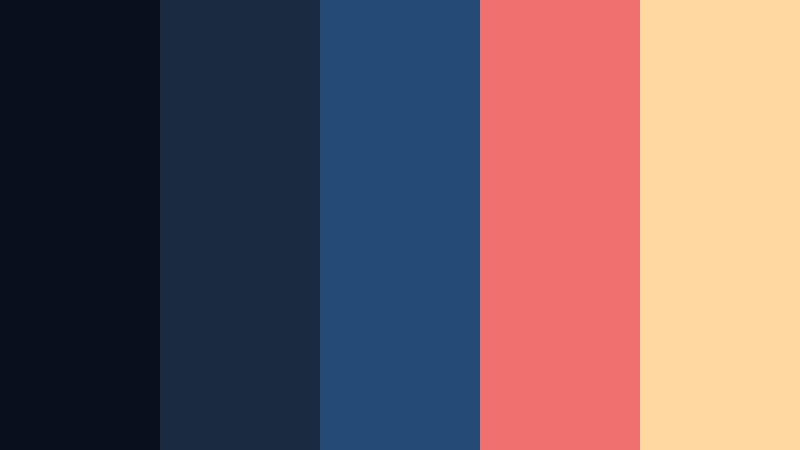
- HEX Codes: #090f1d, #1b2b3f, #264a76, #f06f6f, #ffd7a0
- Mood: Romantic and urban, like a rooftop screening under scattered city lights.
- Use for: Use for lifestyle vlogs, event highlight reels, and cinematic travel intros.
Starlit Rooftop Premiere blends deep urban blues with soft coral and champagne highlights. It feels like a night out in the city, where warm string lights and neon reflections soften the cool evening sky. The result is cozy yet stylish, with a hint of romance.
Use the blues as your base for lower thirds and overlay frames, then tap into the coral (#f06f6f) and champagne (#ffd7a0) for accent text, callouts, and logo variations. This palette works beautifully for lifestyle vlogs, date night recaps, rooftop events, and travel intros that mix cityscapes with intimate storytelling.
Drive-In Nostalgia Nights
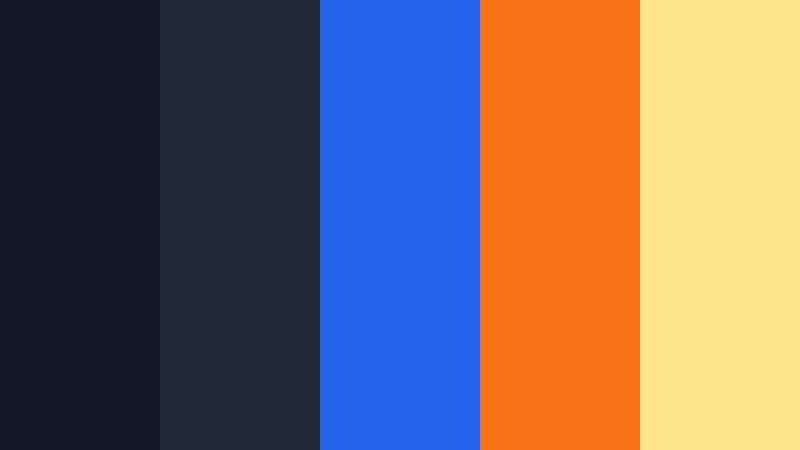
- HEX Codes: #111827, #1f2937, #2563eb, #f97316, #fde68a
- Mood: Retro, playful, and nostalgic like classic drive-in movie posters.
- Use for: Great for retro review shows, film history channels, and playful title cards.
Drive In Nostalgia Nights channels vintage marquees with bold blue, neon orange, and butter yellow accents. Against the Movie Night Blue base, these warm brights feel like glowing signage on a retro drive in screen, playful and inviting.
Try this palette on film history breakdowns, retro game reviews, or episodes that revisit classic movies. Use the deep blues for backgrounds, reserve the strong blue (#2563eb) for headings, and lean on the orange and yellow for badges, ratings, episode numbers, and thumbnail text. It is a quick way to signal nostalgia while still looking fresh on modern platforms.
Indie Festival Evening
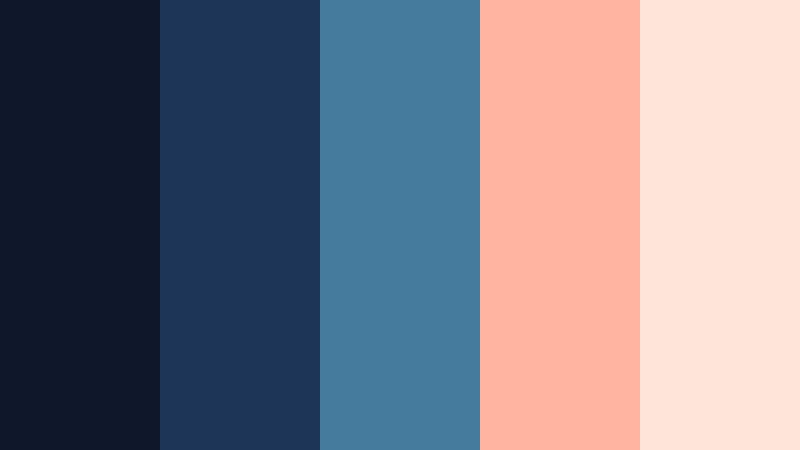
- HEX Codes: #0f172a, #1d3557, #457b9d, #ffb4a2, #ffe5d9
- Mood: Softly artistic and introspective, like an indie film screening at dusk.
- Use for: Ideal for indie film teasers, mood reels, and portfolio showcases.
Indie Festival Evening softens Movie Night Blue with dusty mid blues and muted peach tones. It feels introspective and artistic, like a quiet festival screening or a Q and A with a director under twilight skies. The blush accents add emotional warmth without overpowering the cool base.
Use this palette to brand indie film teasers, narrative short film titles, and cinematography reels. Let the blues carry your frames, slates, and backgrounds, while the peach and blush define callouts, quote cards, and festival laurels in thumbnails. It communicates thoughtfulness, making it perfect for personal storytelling and portfolio pieces.
Calm & Romantic Movie Night Blue Palettes
Candlelit Stream Sessions
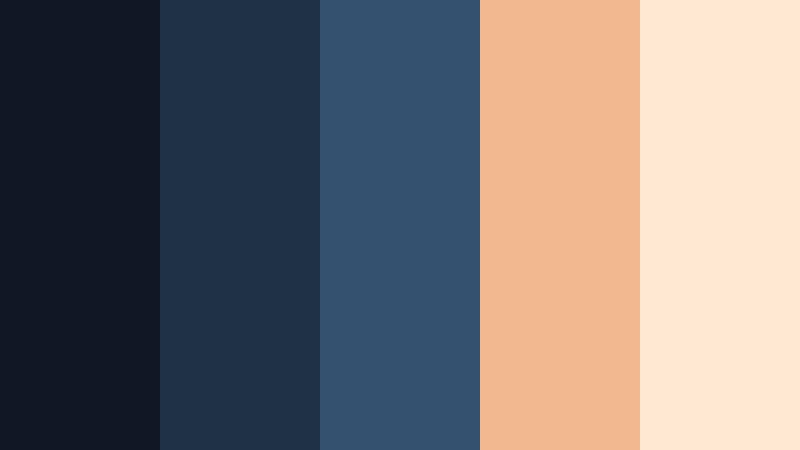
- HEX Codes: #101826, #1f3147, #34526f, #f2b88f, #ffe9d2
- Mood: Warm, calm, and softly romantic like a quiet streaming setup lit by candles.
- Use for: Best for cozy live stream overlays, podcast covers, and slow living vlogs.
Candlelit Stream Sessions balances cool Movie Night Blue with caramel and cream highlights that feel like flickering candlelight. The palette is gentle and comforting, ideal for creators who want a relaxed, intimate vibe instead of high energy neon.
Use the blues for frame borders, chat boxes, and background panels in your stream overlays. Bring in the warm tones for your username, buttons, and key labels so they stand out without looking harsh. It is a great fit for podcast covers, journaling vlogs, and slow living content where viewers stay for long sessions.
Moonlit Balcony Whisper
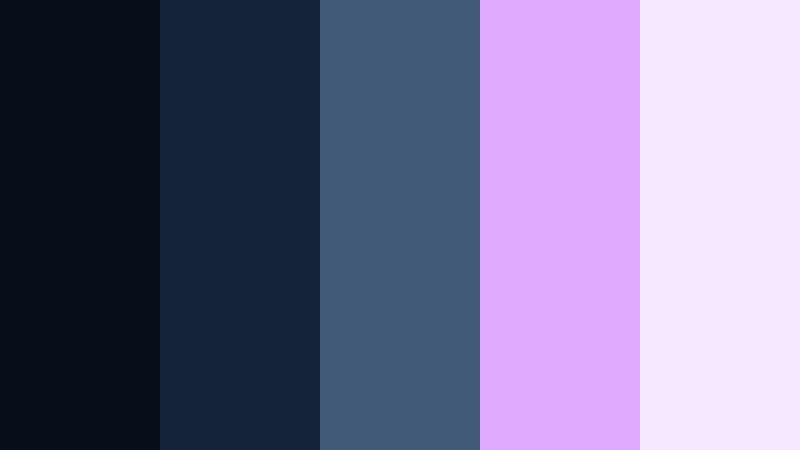
- HEX Codes: #080d1a, #152338, #415a77, #e0aaff, #f5e9ff
- Mood: Delicate, dreamy, and romantic like a quiet conversation under the moon.
- Use for: Use for romance edits, wedding highlight reels, and lyrical music videos.
Moonlit Balcony Whisper pairs deep Movie Night Blue with violet and lavender accents, creating a dreamy and poetic look. It suggests moonlight on stone, distant city glows, and the soft blur of a love story.
Use this palette on wedding highlights, proposal videos, and lyrical edits. The blues can support wide establishing shots and text overlays, while the pastel accents frame titles, transitions, and lower thirds. In thumbnails and social cuts, the light purple tones instantly communicate romance without feeling cheesy.
Soft Night Bokeh
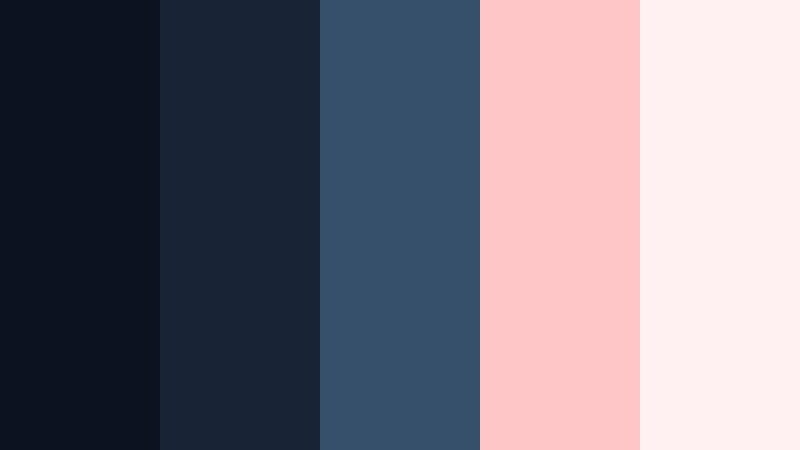
- HEX Codes: #0b1320, #182436, #36506b, #ffc6c7, #fff1f2
- Mood: Tender and blurred, like out-of-focus city lights on a quiet night.
- Use for: Perfect for introspective vlogs, lo-fi music loops, and ambient background visuals.
Soft Night Bokeh combines layered Movie Night Blue with powder pink highlights to mimic the glow of out of focus city lights. The feeling is gentle and nostalgic, perfect for quiet voiceovers and reflective content.
Apply the darker blues to your backgrounds and frames, and use the soft pinks to accent titles, chapter markers, and waveform overlays in music loops. On YouTube, this palette works especially well for lo fi beats, study playlists, and late night storytelling where you want the visuals to comfort rather than distract.
Quiet Streaming Sanctuary
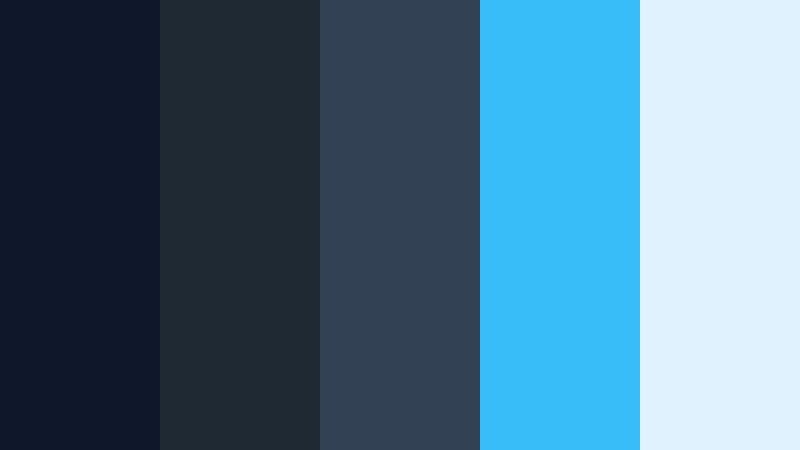
- HEX Codes: #0f172a, #1f2933, #334155, #38bdf8, #e0f2fe
- Mood: Peaceful and focused with a hint of modern neon glow.
- Use for: Ideal for productivity vlogs, study-with-me streams, and ambient livestream layouts.
Quiet Streaming Sanctuary leans into calm, desaturated Movie Night Blue tones with a fresh cyan accent. It feels like a tidy desk space at night, lit by a cool monitor glow, encouraging focus and flow.
Use the deep blues as the base for timers, to do lists, and chat panels in your overlays. The cyan (#38bdf8) can highlight progress bars, key timestamps, or important labels. This palette suits productivity vlogs, study with me sessions, and coding streams where clarity and calm matter more than intense color.
Bold & Vibrant Movie Night Blue Palettes
Premiere Night Neon
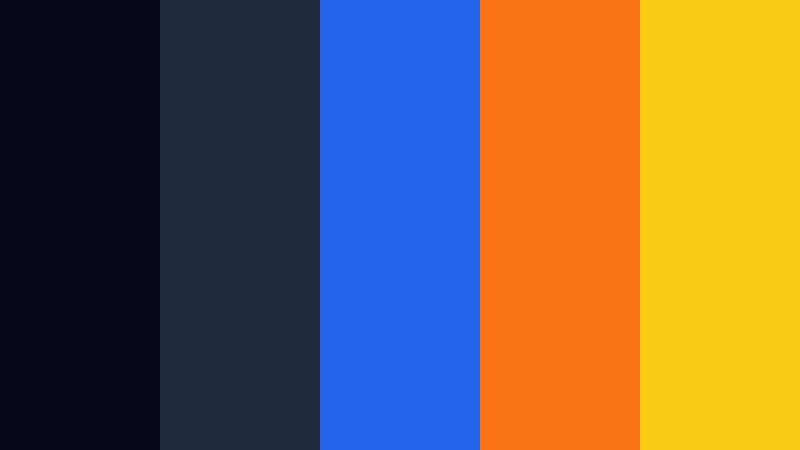
- HEX Codes: #050816, #1e293b, #2563eb, #f97316, #facc15
- Mood: Electric, bold, and full of premiere-night energy.
- Use for: Great for YouTube thumbnails, channel banners, and energetic intros that must stand out.
Premiere Night Neon throws bright blue, hot orange, and spotlight yellow against a deep Movie Night Blue backdrop. It feels like a red carpet premiere crossed with a gaming event, high energy and instantly eye catching.
Use the darkest blues as your border and background, drop bold titles in the bright blue, and reserve orange and yellow for arrows, emojis, and key words in your thumbnails. This palette is perfect for channels that live on hype, from reaction videos and challenge content to blockbuster trailer breakdowns.
Action Trailer Pulse
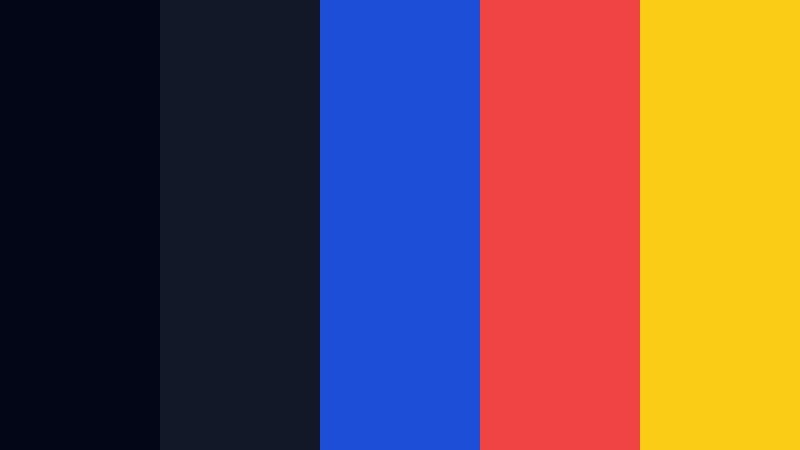
- HEX Codes: #020617, #111827, #1d4ed8, #ef4444, #facc15
- Mood: Intense and high-adrenaline, designed for trailers and action cuts.
- Use for: Use in fast-cut trailers, gaming montages, and sports highlight edits.
Action Trailer Pulse uses dark Movie Night Blue as its base, then slams in electric blue, sharp red, and spotlight yellow for a high stakes feel. It suggests countdown timers, urgent alerts, and explosive highlights.
Apply this palette to gaming montages, sports recaps, or action heavy channel intros. Let the deep blues cover your lower thirds and background plates, while red (#ef4444) flags kill counts, scores, or critical moments. Yellow can emphasize call to action text and time limited promotions in both videos and thumbnails.
Arcade Night Stream
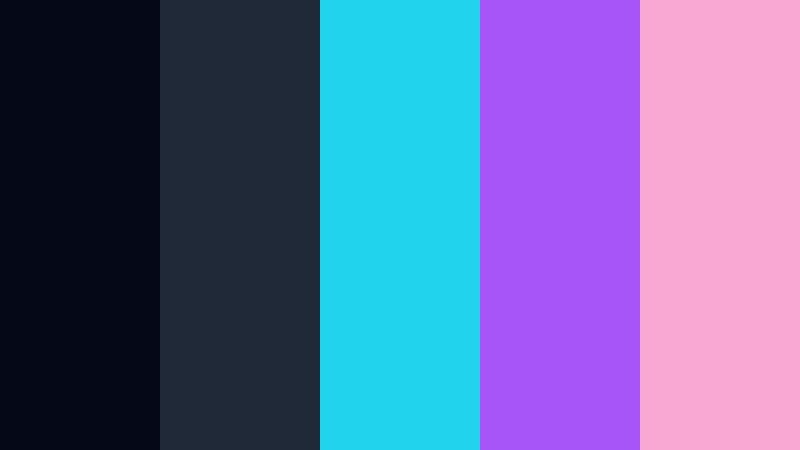
- HEX Codes: #050816, #1f2937, #22d3ee, #a855f7, #f9a8d4
- Mood: Energetic, playful, and neon-soaked like a late night arcade.
- Use for: Perfect for gaming streams, e-sports overlays, and playful channel art.
Arcade Night Stream turns Movie Night Blue into a neon canvas with bright cyan, violet, and candy pink accents. It feels like stepping into a retro arcade, full of glowing cabinets and fast moving light.
Use the dark tones for your base overlay shapes and panels, and light up the edges with cyan (#22d3ee) and violet (#a855f7). Pink highlights can frame emotes, alerts, and subscriber notifications. This palette is ideal for Twitch overlays, YouTube Gaming branding, and short vertical clips that need to grab attention in one glance.
Blockbuster Pop Poster
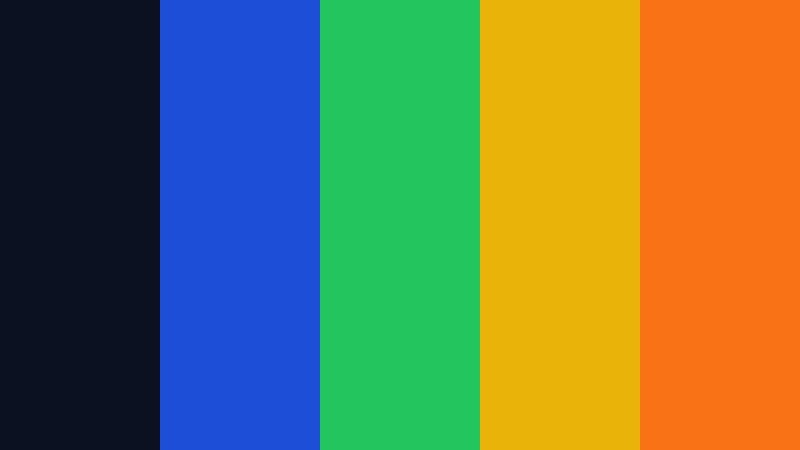
- HEX Codes: #0b1120, #1d4ed8, #22c55e, #eab308, #f97316
- Mood: Bold, commercial, and eye-grabbing like a summer blockbuster poster.
- Use for: Great for promo graphics, event trailers, and bold channel rebrands.
Blockbuster Pop Poster mixes a deep blue base with nearly primary brights in blue, green, yellow, and orange. It instantly reads as mainstream, bold, and fun, like a summer movie billboard or event key art.
Use the darkest blue for your background, stack your main title in the strong blue, and use green, yellow, and orange to highlight cast names, dates, or episodes. This palette is perfect for promotions, channel rebrands, seasonal specials, and any thumbnail that has to compete in a busy recommendation feed.
Elegant & Modern Movie Night Blue Palettes
Studio Loft Noir
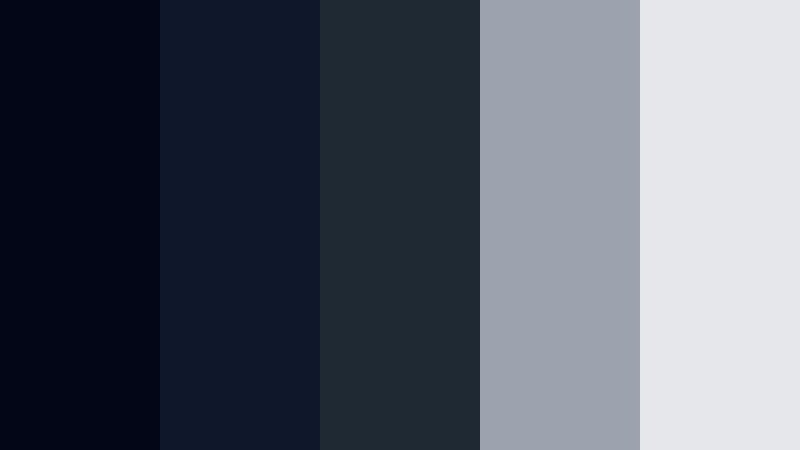
- HEX Codes: #020617, #0f172a, #1f2933, #9ca3af, #e5e7eb
- Mood: Minimal, sleek, and editorial with a touch of noir.
- Use for: Ideal for filmmaking portfolios, gear reviews, and minimalist brand intros.
Studio Loft Noir is a restrained mix of near black, deep Movie Night Blue, and soft neutral grays. It delivers a clean, editorial look with a hint of noir drama, perfect for creators who favor minimal design and clear typography.
Use the darkest shades as solid backdrops for overlays, gear close ups, and comparison charts. Grey tones can define subtle separator lines, captions, and logos. This palette works especially well for filmmakers, photographers, and tech reviewers who want a professional, gallery like presentation in their videos and thumbnails.
Awards Night Velvet
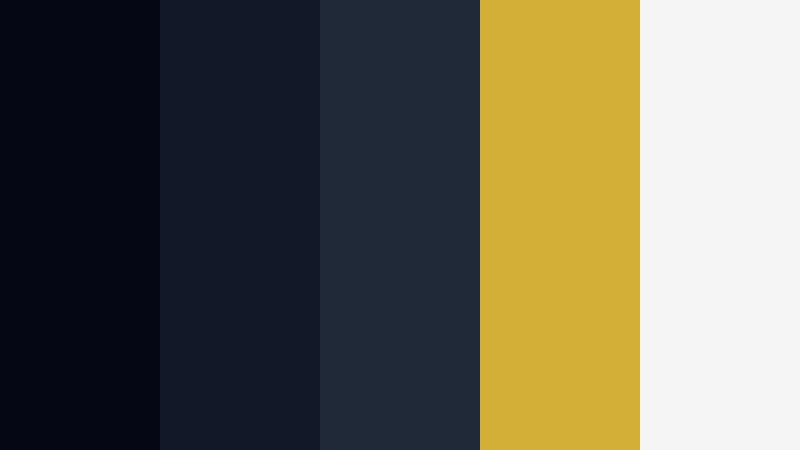
- HEX Codes: #050814, #111827, #1f2937, #d4af37, #f5f5f5
- Mood: Luxurious and formal like a velvet curtain on awards night.
- Use for: Use for award show graphics, premium brand intros, and sponsor segments.
Awards Night Velvet dresses deep Movie Night Blue in metallic gold and soft white, giving your visuals a red carpet, premium feel. It suggests velvet curtains, spotlights, and a polished stage.
Use the darkest blue as your hero background, then add gold (#d4af37) accents to trophies, badges, or sponsor areas. White keeps titles and lower thirds readable. This palette is a natural fit for award ceremonies, year in review videos, sponsor shoutouts, and luxury brand collaborations where you want to communicate value and prestige.
Editing Suite Minimal
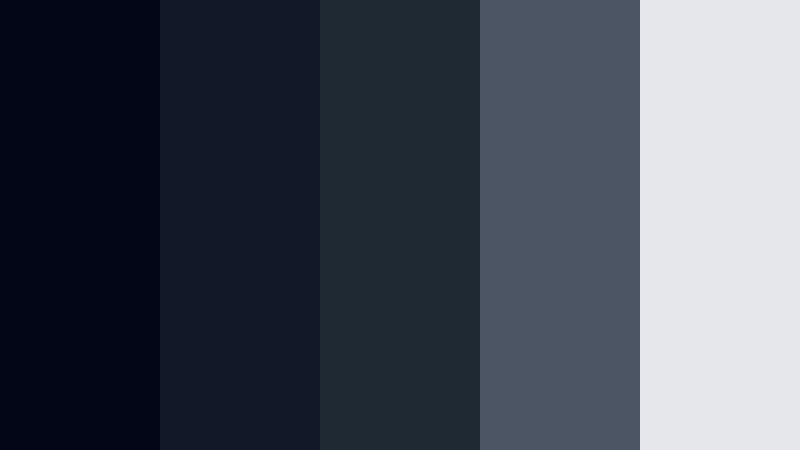
- HEX Codes: #020617, #111827, #1f2933, #4b5563, #e5e7eb
- Mood: Focused, subtle, and ergonomic for long editing sessions.
- Use for: Perfect for UI mockups, app dashboards, and channel designs that should not distract from content.
Editing Suite Minimal uses a controlled range of dark blues and grays to create a distraction free environment. It looks like a refined editing interface, where the visuals are calm so your footage can take center stage.
Apply this palette to channel UI elements, info heavy overlays, and data panels. Use the deepest blues and grays for background cards and lower thirds, with the light grey (#e5e7eb) for text that must remain legible. It is an excellent choice for tutorial heavy channels, software walkthroughs, and educational content where clarity matters more than loud color.
Tips for Creating Movie Night Blue Color Palettes
Movie Night Blue is versatile enough to feel cozy, intense, or luxurious depending on the colors you pair it with. When you build your own palettes for video and design, a few simple rules will help you stay cinematic and consistent.
- Balance dark Movie Night Blue backgrounds with at least one high contrast light color (white, cream, or pale pastel) for readable text and UI elements.
- Use warm accents like gold, orange, or blush sparingly to guide the eye toward CTAs, buttons, or key titles, especially in thumbnails.
- Limit each palette to 3 to 5 functional colors (background, primary text, secondary text, accent, highlight) to avoid a noisy, unfocused look.
- Check your designs in grayscale or with reduced saturation to ensure that your Movie Night Blue elements still have enough contrast on mobile screens.
- Match your color palette to your footage by sampling from key frames in Filmora, then adjusting HSL so your overlays and titles echo the same Movie Night Blue mood.
- Keep branding consistent across intros, lower thirds, and end screens by reusing the same HEX codes and saving presets inside your editor.
- Use cooler accent colors (cyan, teal, lavender) for techy, futuristic content and warmer accents (caramel, coral, gold) for romantic or cozy storytelling.
- Test thumbnails at small sizes to confirm that Movie Night Blue does not swallow your text; if it does, brighten the mid blues or increase stroke and shadow contrast.
Movie Night Blue color palettes are a powerful way to shape the mood of your channel, from quiet late night streams to high energy premiere style intros. With carefully chosen accents, you can signal nostalgia, romance, intensity, or luxury while still keeping a consistent cinematic core.
Experiment with the HEX codes in this guide, then apply them across titles, overlays, and grades in Filmora to see how they change the feel of your edits. Over time, your Movie Night Blue combinations can become a recognizable part of your brand identity across YouTube, social posts, and thumbnails.
Whether you build calm, candlelit looks or bold neon posters, locking your palettes into Filmora will save time and give every project the same polished night at the movies finish.
secure download