

 100% Security Verified | No Subscription Required | No Malware


 ChatGPT
 Perplexity
 Gemini
 Claude
 Grok
Grok
Neon Green is the color of energy spikes, sci-fi HUDs, and instant attention. It signals intensity, speed, and futuristic tech, which is why so many creators use it for gaming edits, reaction videos, and bold personal branding. On thumbnails and video covers, Neon Green cuts through clutter like a highlighter on a dark page, making text, buttons, and key subjects instantly readable even on mobile screens.
In video intros, lower thirds, and channel art, a well-balanced Neon Green color palette can become a recognizable signature for your brand. The palettes below give you ready-made Neon Green color combinations with HEX codes, so you can match your overlays, titles, filters, and graphics in Filmora and keep everything consistent across YouTube thumbnails, TikTok edits, live overlays, and beyond.
In this article
Bold & Futuristic Neon Green Color Palettes
Electric Lime Surge

- HEX Codes: #39ff14, #0d0221, #1f51ff, #f5f5f5
- Mood: High-energy, futuristic, and intensely eye-catching.
- Use for: Perfect for high-impact YouTube thumbnails, channel banners, and kinetic typography intros.
Electric Lime Surge is a pure attention magnet. The vivid Neon Green (#39ff14) explodes against deep midnight navy and crisp white, with a punch of electric blue that feels straight out of a sci-fi interface. The contrast is extreme in the best way, helping titles, call-to-action buttons, and key objects pop even when your video is viewed in a tiny mobile feed.
Use this palette when you want your Neon Green themed video or channel branding to scream energy: launch trailers, high-tempo vlog intros, tech announcements, or esports montages. In thumbnails, keep the background dark (#0d0221), use Neon Green for outlines and icons, and reserve white for bold, clean text so everything stays highly readable.
Pro Tip: Build a Cinematic Neon Green Look in Filmora
With a high-contrast palette like Electric Lime Surge, the challenge is keeping your Neon Green consistent across every shot. In Filmora, you can pick a key frame from your intro or hero shot, then match color settings across b-roll, talking-head clips, and social cutdowns so that the same shade of Neon Green always feels intentional, not random.
Combine clean, dark plates for backgrounds with bright text and UI elements you design inside Filmora. By saving your preferred Neon Green as a custom color in titles, shapes, and overlays, you can quickly reuse it in end screens, chapter cards, and short-form edits without guessing the HEX every time.
AI Color Palette
If you already designed a Neon Green thumbnail, logo, or overlay in this palette, you can use it as a reference for the rest of your video. Filmora's AI Color Palette feature analyzes the colors in a single clip or image and applies a matching look across your entire timeline.
Import your reference frame that shows Electric Lime Surge at its best, then let AI Color Palette harmonize your other clips to match its contrast and glow. This is especially handy for gaming or tech edits that mix different sources, because it keeps your Neon Green, blues, and dark tones feeling like one unified visual world.
 secure download

HSL, Color Wheels & Curves
Once your Neon Green palette is in place, you can fine-tune it in Filmora using HSL sliders, color wheels, and curves. Slightly adjusting the Green and Yellow ranges in HSL can make your electric lime look richer and less noisy, while color wheels help you push shadows darker and highlights cleaner for a more cinematic contrast. For a structured walkthrough, you can follow this Filmora color grading tutorial on YouTube embedded below to see how curves and wheels shape mood.
Use curves to gently lift the mids where Neon Green usually lives, while keeping blacks deep so your sci-fi overlays stay crisp. This balance helps Electric Lime Surge feel powerful without blowing out your footage or hurting readability in titles and HUD elements.
secure download1000+ Video Filters & 3D LUTs
If you want to push your Neon Green palette even further, Filmora's video filters and 3D LUTs make it easy to stylize without losing consistency. You can stack subtle glow, cyberpunk, or VHS-style filters over your Electric Lime Surge base to create a distinct editing aesthetic for your channel.
Save your favorite combo of LUT, filters, and color tweaks as a preset so every new intro, montage, or short can instantly match your established Neon Green look. This keeps your content recognizable at a glance, whether viewers see it on YouTube, Instagram Reels, or TikTok.
secure downloadToxic Highlighter Pop
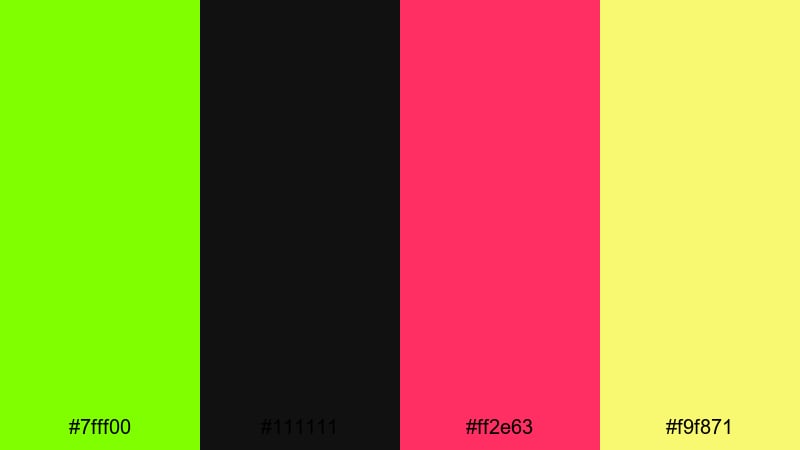
- HEX Codes: #7fff00, #111111, #ff2e63, #f9f871
- Mood: Edgy, rebellious, and ultra-modern.
- Use for: Great for reaction videos, tech unboxings, and bold creator branding that needs a rebellious edge.
Toxic Highlighter Pop is loud on purpose. The punchy Neon Green pairs with deep black, hot pink, and neon yellow to create a rebellious, almost glitchy feel. It looks like a highlighter explosion over a dark page, which is ideal when you want your content to feel unfiltered and bold.
Use this palette on reaction thumbnails, commentary title cards, and social banners where attitude matters. Keep black as your main background, use Neon Green and yellow for frames, progress bars, and icons, and drop hot pink into emojis, arrows, and emphasis text to make your editing aesthetic impossible to ignore.
Laser Grid Glow
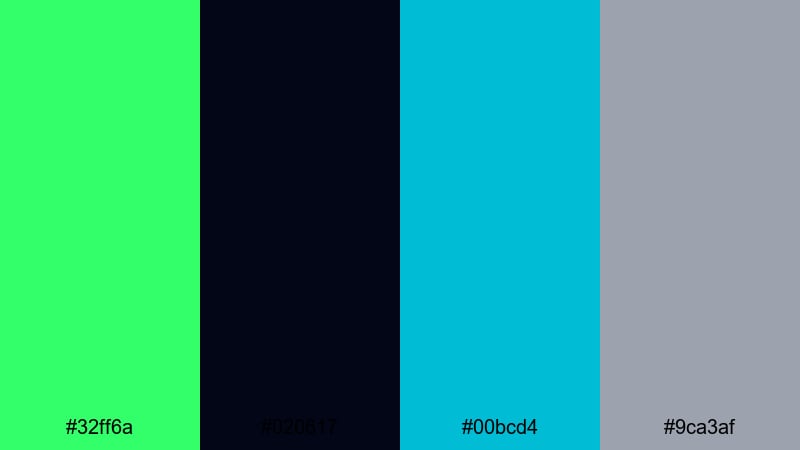
- HEX Codes: #32ff6a, #020617, #00bcd4, #9ca3af
- Mood: Technical, sleek, and sci-fi inspired.
- Use for: Use for motion graphics, HUD interfaces, and futuristic overlays in gaming or tech explainers.
Laser Grid Glow feels like a digital blueprint lit from below. The Neon Green and cyan streaks slice across a near-black navy, softened with cool gray so your visuals stay clean and modern. It is perfect for animated HUDs, data readouts, and tech overlays where clarity and style must work together.
In Filmora, build lower thirds and infographics in this palette to brand your tutorials or tech explainers. Let the dark tone carry most of the screen, while Neon Green and cyan highlight key numbers, progress bars, or targeting reticles over gameplay and product shots.
Neon Pulse Horizon
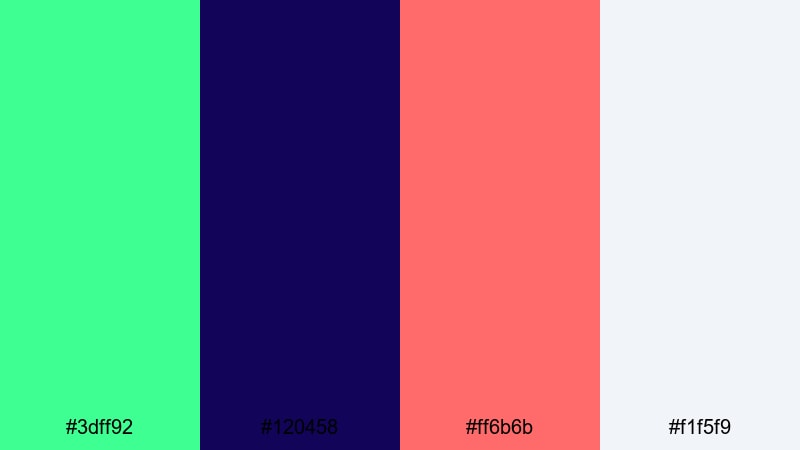
- HEX Codes: #3dff92, #120458, #ff6b6b, #f1f5f9
- Mood: Energetic, cinematic, and slightly surreal.
- Use for: Ideal for cinematic title cards, music videos, and dynamic travel vlogs with a modern twist.
Neon Pulse Horizon mixes radiant Neon Green with deep indigo, coral red, and a soft off-white, creating a glowing skyline vibe. It feels like a city at sunset that never quite gets dark, with neon signs still pulsing across the frame.
Try this palette on music video titles, travel vlog transitions, and cinematic intro cards. Use the dark indigo as your base, Neon Green for accent strokes and outlines, coral for emotional highlights, and off-white for main typography so your text remains easy to read over complex footage.
Voltage City Lights

- HEX Codes: #57ff6b, #101827, #ffb800, #7c3aed
- Mood: Urban, intense, and electrified.
- Use for: Great for city night b-roll, streetwear promos, and energetic montage edits.
Voltage City Lights feels like a downtown skyline wired into overdrive. Neon Green glows against charcoal blue, while amber and violet mimic streetlights, billboards, and car trails in a busy city night.
Use this palette in night b-roll sequences, streetwear lookbooks, or urban dance edits. Lean on the dark blue for backgrounds, let Neon Green outline key elements like dancers or products, and use amber and violet to color titles, taglines, and transitions for an electrified yet balanced look.
Cyberpunk & Gaming Neon Green Color Palettes
Arcade Night Runner
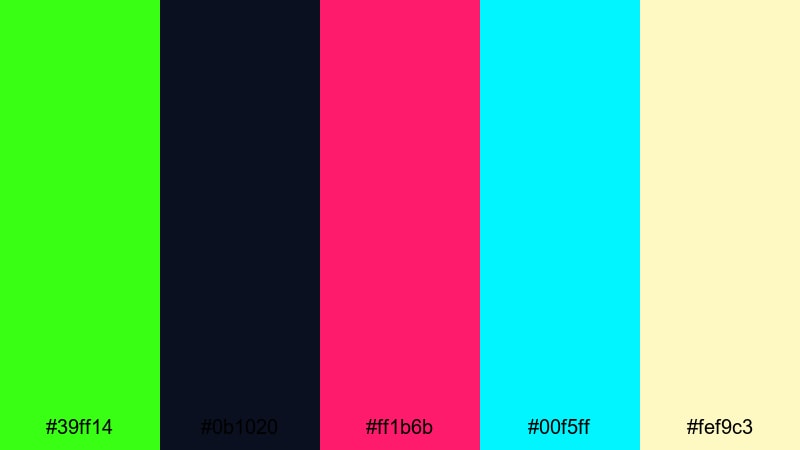
- HEX Codes: #39ff14, #0b1020, #ff1b6b, #00f5ff, #fef9c3
- Mood: Retro-futuristic, nostalgic, and thrilling.
- Use for: Perfect for gaming intros, esports overlays, and retro arcade countdown screens.
Arcade Night Runner throws classic Neon Green into a cocktail of magenta, cyan, and arcade yellow over a dark base. It instantly recalls neon-lit cabinets, synth soundtracks, and late-night gaming sessions.
Apply this palette to countdown timers, kill feeds, and scoreboard overlays in your gaming videos. Use the dark navy as the main plate, Neon Green and cyan for life bars and UI elements, magenta for highlight text, and pale yellow for subtle glows or background gradients that echo arcade screens.
Glitch Stream Overlay
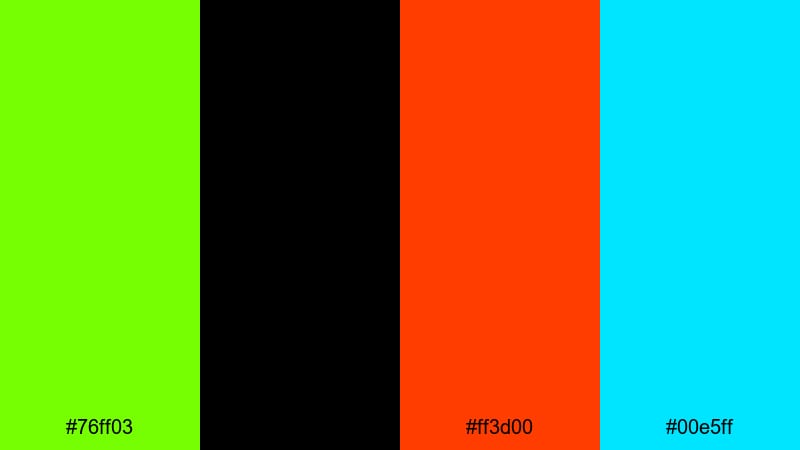
- HEX Codes: #76ff03, #000000, #ff3d00, #00e5ff
- Mood: Glitchy, high-contrast, and adrenaline-charged.
- Use for: Best for Twitch overlays, BRB screens, and dynamic alert graphics for streams.
Glitch Stream Overlay is built for fast-paced live content. Neon Green smashes against pure black, hot red, and bright cyan to create a noisy, glitch-core aesthetic that feels like a signal breaking through interference.
Use this palette for Twitch or YouTube Live overlays, notification popups, and BRB screens. Keep black as the background, run Neon Green into borders and bar elements, use cyan for secondary accents, and reserve red for alerts like new subs or donations so they always stand out.
Neon Alley Drift

- HEX Codes: #46ff8b, #020617, #e11d48, #fbbf24
- Mood: Moody, cinematic, and streetwise.
- Use for: Use in drift edits, night photography reels, and cyberpunk-style story content.
Neon Alley Drift mixes soft Neon Green with magenta and amber streaks on a wet, near-black base. It feels like underground racing in a rain-soaked alley, with lights reflecting off every surface.
Use this palette for car edits, night street photography reels, and cinematic shorts. Dark navy should dominate, while Neon Green highlights rims, light trails, or UI overlays, and magenta plus amber color your titles, speed meters, and character name cards.
Pixel Reactor Core
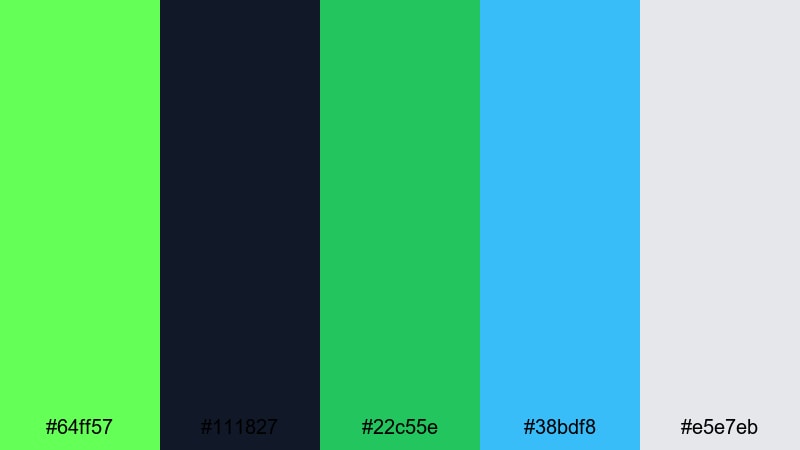
- HEX Codes: #64ff57, #111827, #22c55e, #38bdf8, #e5e7eb
- Mood: Techy, energized, and slightly hazardous.
- Use for: Great for sci-fi HUDs, animated lower thirds, and tech review graphics.
Pixel Reactor Core layers several green tones with cyan and cool gray, creating the feel of a glowing energy source inside a futuristic machine. It is energetic without being chaotic, so complex motion graphics still read clearly.
Design HUD elements, progress circles, and techno-styled lower thirds with this palette. Use the darkest blue-gray as your base, stack Neon Green and mid-greens for depth in bars and icons, and add cyan plus light gray for clean labels and numeric data that stay legible over busy gameplay or b-roll.
Synthwave Circuit Neon
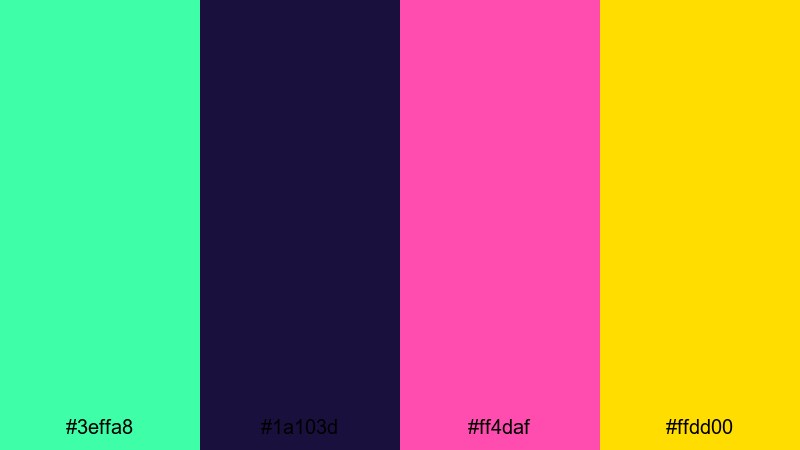
- HEX Codes: #3effa8, #1a103d, #ff4daf, #ffdd00
- Mood: Retro, playful, and musically driven.
- Use for: Perfect for synthwave edits, lyric videos, and beat-visualizer backgrounds.
Synthwave Circuit Neon pushes Neon Green into a lush, glowing accent against royal purple, neon pink, and bright yellow. It captures classic 80s synthwave vibes but stays sharp enough for modern music content.
Use this palette for lyric videos, beat visualizers, and music reaction content. Work with dark purple as your canvas, Neon Green for waveform outlines and grid lines, pink for main titles, and yellow for tempo markers or animated shapes that move with the beat.
Fresh & Minimal Neon Green Color Palettes
Mint Lab Neon Blend
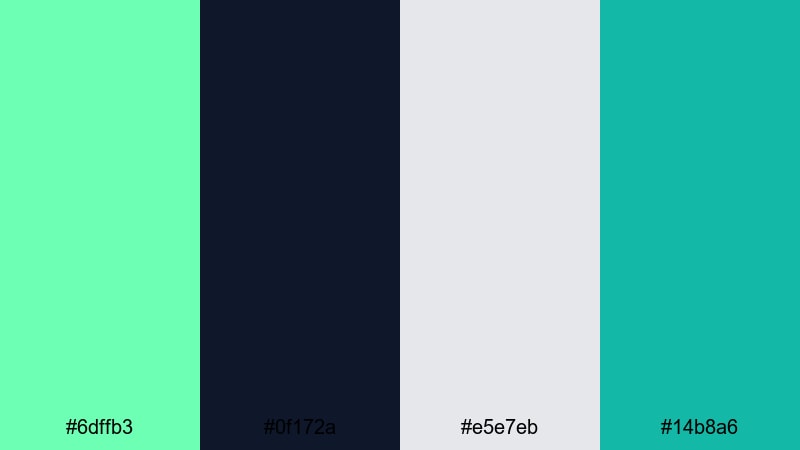
- HEX Codes: #6dffb3, #0f172a, #e5e7eb, #14b8a6
- Mood: Clean, experimental, and cool-headed.
- Use for: Use for UI mockups, product explainers, and modern tutorial graphics.
Mint Lab Neon Blend softens Neon Green toward mint while keeping a deep navy anchor and pale gray neutrals. It feels like an experimental lab interface: futuristic, but still calm and easy on the eyes.
Use this palette in app walkthroughs, SaaS demos, and tutorial overlays where clarity matters. Let navy be your background, mint and teal highlight steps or buttons, and soft gray carry body text and captions so your viewers can focus on the information without visual fatigue.
Urban Techno Fresh
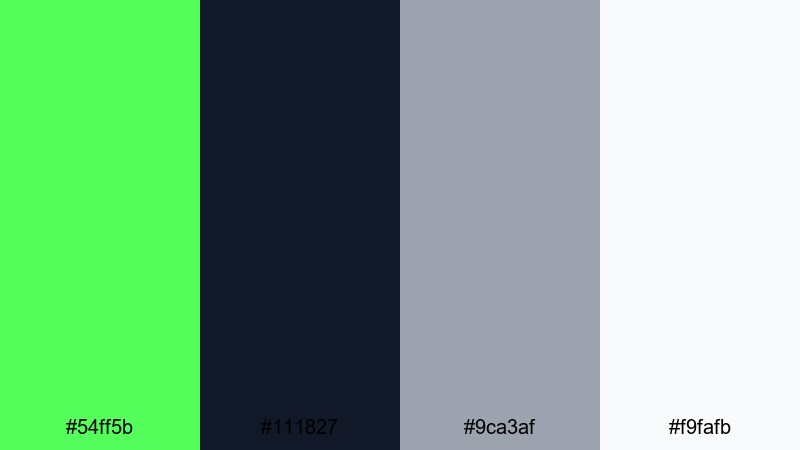
- HEX Codes: #54ff5b, #111827, #9ca3af, #f9fafb
- Mood: Modern, urban, and slightly sporty.
- Use for: Great for lifestyle vlogs, fitness channels, and creator brand kits that aim for a crisp tech feel.
Urban Techno Fresh turns Neon Green into a sporty accent against charcoal, soft gray, and bright white. It feels like performance streetwear translated into a clean visual system.
Use this setup for fitness channel graphics, productivity vlogs, and minimal creator branding. Keep most frames in white and charcoal, then drop Neon Green into progress bars, timers, and CTA buttons, with gray used for subtitles and UI labels to maintain a polished, modern vibe.
Studio Neon Minimal
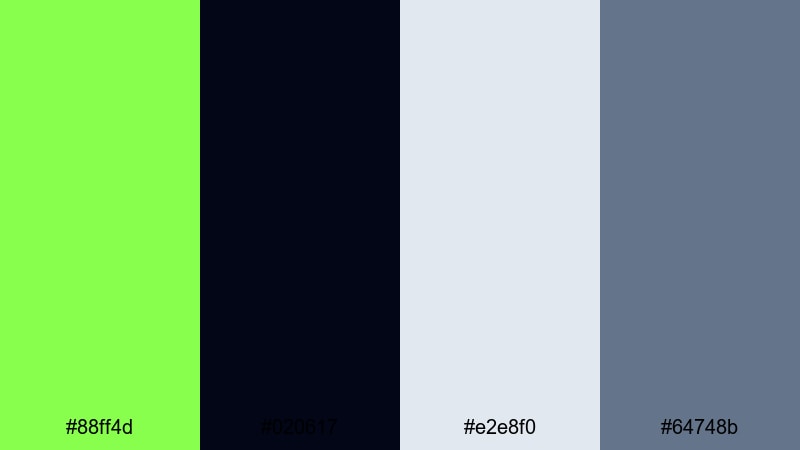
- HEX Codes: #88ff4d, #020617, #e2e8f0, #64748b
- Mood: Professional, polished, and confidently bright.
- Use for: Ideal for channel branding, lower thirds, and clean titles that still feel energetic.
Studio Neon Minimal balances a bright Neon Green with slate blue-gray and soft off-white, all grounded on a rich dark background. The result is professional but far from boring, making it great for creators who want a studio-quality look with a bit of edge.
Use this palette for your permanent channel pack in Filmora: intros, lower thirds, subscribe animations, and end screens. Let the dark shade carry the frame, Neon Green highlight names and key actions, and the two grays keep everything readable and brand-safe across different types of footage.
Lime Soda Interface
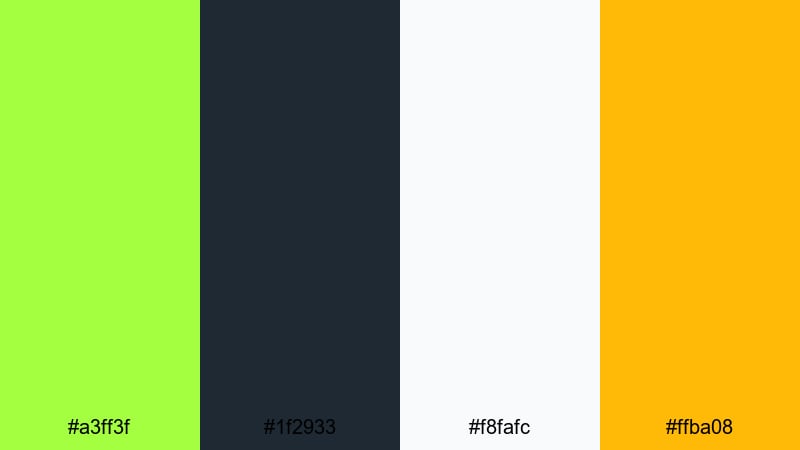
- HEX Codes: #a3ff3f, #1f2933, #f8fafc, #ffba08
- Mood: Playful, bubbly, and product-focused.
- Use for: Use for app UI demos, startup explainer videos, and fun overlay buttons or icons.
Lime Soda Interface leans into a zesty, almost fluorescent lime with a hint of golden fizz. Paired with a muted dark base and very light background, it feels like a refreshing soda can turned into interface design.
Use this palette for startup explainers, product launches, and app UI demos. Alternate between light and dark backgrounds depending on the scene, keep Lime Green for primary buttons and key graphics, and use the golden accent sparingly on badges, price tags, or special offers so the layout stays bright but controlled.
Neon Botanical Accent
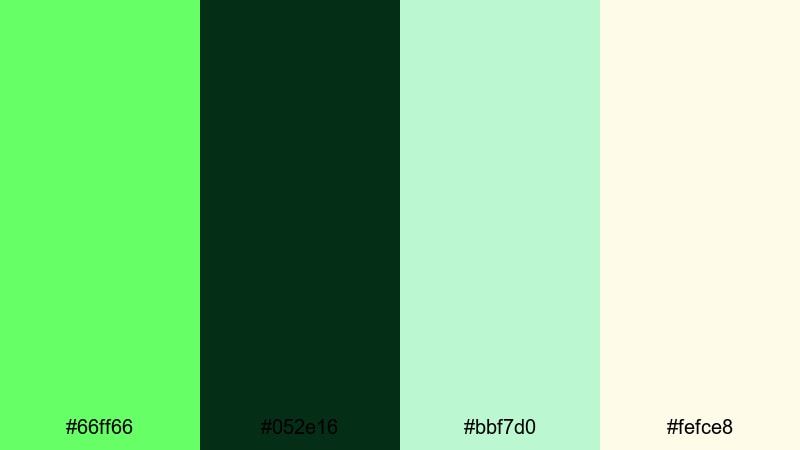
- HEX Codes: #66ff66, #052e16, #bbf7d0, #fefce8
- Mood: Organic, optimistic, and lightly glowing.
- Use for: Great for eco-focused content, wellness vlogs, and packaging mockups with a futuristic twist.
Neon Botanical Accent blends lush greens with pale botanical tones, lit up by a subtle Neon Green highlight. It feels natural yet slightly sci-fi, like a greenhouse lit with soft neon.
Use this palette on wellness vlogs, sustainability content, and product mockups. Let the dark green act as your grounding color, use Neon Green as a selective accent on icons, borders, and progress rings, and rely on the two pale tones for backgrounds and text panels so everything feels airy and optimistic.
Tips for Creating Neon Green Color Palettes
Neon Green is powerful, so pairing it with the right supporting colors is key for readable, on-brand videos and designs. Use these tips to build or customize palettes that work across thumbnails, intros, overlays, and full edits.
- Balance brightness with dark anchors: always pair Neon Green with at least one deep shade (navy, charcoal, or black) so text and icons have enough contrast.
- Limit your neon accents: use Neon Green for 1 to 2 key roles only (CTAs, outlines, or icons) and keep the rest of the palette more muted to avoid eye strain.
- Protect text readability: place white or light gray text on darker areas and avoid thin neon text over busy footage unless you add a solid or semi-opaque backing bar.
- Match your niche: sharper, saturated combinations fit gaming and cyberpunk edits, while softened mint or botanical palettes work better for wellness, lifestyle, or eco content.
- Test on mobile first: check your thumbnails and titles on a phone screen to ensure Neon Green edges do not bleed or crush against dark backgrounds.
- Unify footage with grading: even if your overlays use exact HEX codes, grade your clips in Filmora so skin tones and backgrounds support your Neon Green instead of clashing with it.
- Create a reusable brand kit: once you choose a palette, save HEX codes in Filmora title presets and graphic templates so every new video automatically matches your brand.
- Use complementary sparks: pair Neon Green with occasional magenta, amber, or cyan accents for depth, but keep those secondaries consistent across your channel.
Neon Green color palettes can make your content feel fast, futuristic, playful, or even eco-forward depending on how you combine them with dark anchors, neutrals, and accent hues. Whether you are designing cyberpunk gaming overlays or minimal lifestyle titles, having clear HEX codes helps you repeat the same look across thumbnails, intros, and full edits.
Drop these palettes into Filmora, build a few test sequences, and see which Neon Green combination best fits your voice and audience. Once you lock in your favorite palette, turn it into reusable presets so every new upload feels instantly on-brand.
From bold futuristic panels to soft botanical glows, Neon Green can be your signature color if you handle it with intention. Experiment, refine, and let Filmora handle the heavy lifting on consistency so you can focus on storytelling.
secure download