

 100% Security Verified | No Subscription Required | No Malware


 ChatGPT
 Perplexity
 Gemini
 Claude
 Grok
Grok
Cool night video filters help travelers and photographers turn ordinary city streets, skylines, and beachfronts after dark into cinematic, modern footage. With the right balance of blue tones, contrast, and glow, your blue hour and midnight clips can feel polished and atmospheric in just a few clicks.
This guide walks you through a curated set of cool night video filters in Filmora, centered around the Cool Night Filter. Midnight Blue preset. Use these ideas when shooting night scenes or blue hour moments to keep skin tones natural, preserve detail in shadows, and highlight neon lights without losing the cool evening mood.
In this article
Urban Midnight Cool Looks
Cool Night Filter. Midnight Blue
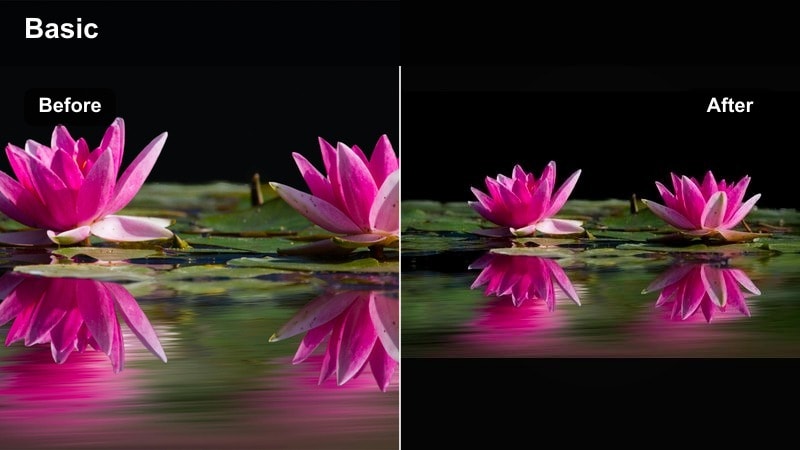
- Effect look: Deep midnight blues with crisp contrast and subtle teal highlights in the shadows
- Best for: City skylines, rooftop views, and highway timelapses shot during late-night or blue hour
- Editing tip: Slightly reduce saturation on blues if neon signs dominate the frame to avoid color clipping and keep the scene modern and clean
A signature cool night video filter that wraps your scene in midnight blue while keeping highlights sharp and cinematic. In Filmora, Cool Night Filter. Midnight Blue lets you cool down the overall frame while still protecting detail in windows, car lights, and skyline outlines, which helps your night city footage feel premium without heavy manual grading.
Apply this preset to your travel b roll of highways, hotel views, or urban lookouts, then fine-tune contrast and saturation to match your camera profile. Use Filmora’s HSL and color tuning tools to slightly warm skin tones and important signs, so your blue night aesthetic stays stylish while faces, logos, and text remain clear and natural.
Use AI Tools to Lock In a Consistent Cool Night Palette
Filmora’s AI-driven color tools help you quickly match the cool night look across clips shot in different cities, streets, or blue hour conditions. You can start with a preset like Cool Night Filter. Midnight Blue, then refine the palette using AI-assisted color matching for new shots added later.
For travelers and photographers working fast on the road, this means your vlogs, reels, and highlight films maintain one cohesive blue night style without manually tuning every single clip.
 secure download

Preview Cool Night Filters on Your Travel Footage
Filmora lets you test cool night video filters live on your clips, so you can instantly see how blue hour and midnight scenes react to different styles. This is ideal when comparing subtle looks like Blue Hour Glow against more dramatic options like Neon Avenue.
Use short test clips from your trip, such as walking across a bridge or entering a metro station, and cycle through the filter presets before committing them to your full edit.
secure downloadCombine Cool Night Filters With LUTs for Extra Depth
After applying your preferred cool night filter, you can stack a subtle LUT in Filmora to push the look closer to a specific film stock or streaming-style grade. Keeping the LUT strength low preserves detail while adding a polished finish.
This layered approach works well for creators who want their blue night and modern city shots to feel both stylized and professional across different platforms.
secure downloadNeon Avenue
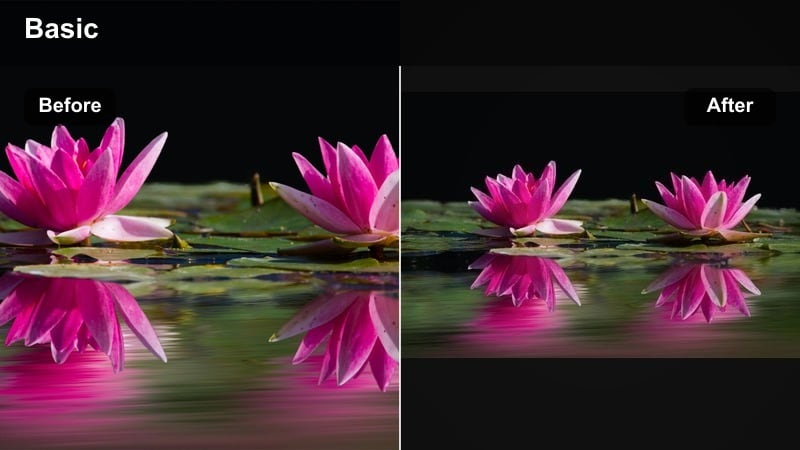
- Effect look: Punchy neon blues and cyans with extra clarity around sign edges and reflections
- Best for: Busy downtown streets, night markets, and travel vlogs with lots of neon signage
- Editing tip: Use keyframed exposure to keep signs readable while preserving detail in darker sidewalks and storefronts as you move the camera.
Neon Avenue is built to make neon signs, LED billboards, and colorful reflections explode against a cool night base. The filter enhances edge clarity so lettering, logos, and animations stay crisp even in fast-paced handheld footage.
In Filmora, pair Neon Avenue with keyframed exposure and highlight adjustments as you pan or walk through streets, so bright areas never blow out. Add a touch of sharpening and reflection emphasis on windows or puddles to give your night travel sequences a music-video edge without losing legibility.
City Glass Chill
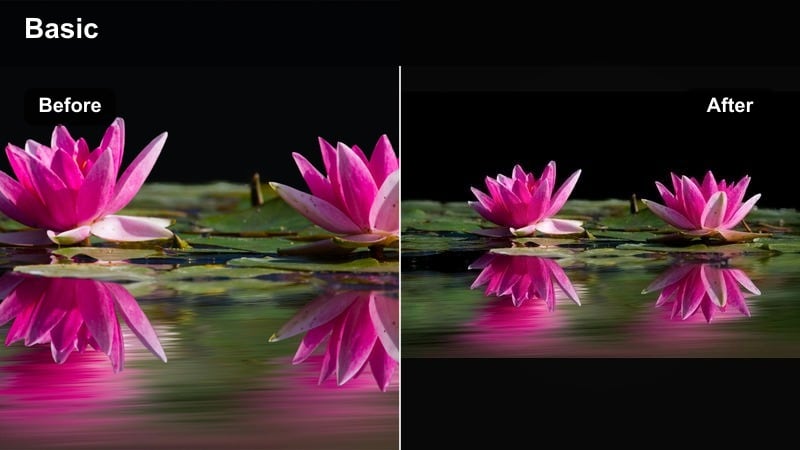
- Effect look: Cool, glassy tones with lower saturation and raised blacks for a sleek, minimalist night vibe
- Best for: Corporate districts, modern architecture, and slow pans across glass buildings at dusk or night
- Editing tip: Increase sharpness slightly and add a light film grain so the look stays polished but not overly digital.
City Glass Chill leans into a minimalist, polished night aesthetic that works especially well for office towers and reflective skyscrapers. Raised blacks and reduced saturation create a subtle, design-forward mood that suits b roll for techy or luxury travel content.
Inside Filmora, combine this filter with slow pans, tilts, or static tripod shots to highlight the architecture rather than movement. A small bump in sharpness and a fine layer of film grain keep your footage feeling cinematic instead of clinical, perfect for intros, cutaways, or city establishing shots.
Blue Hour Travel Moods
Blue Hour Glow
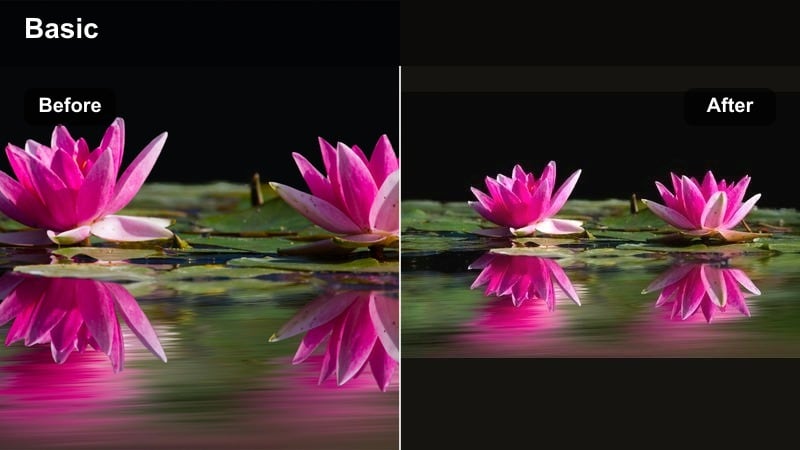
- Effect look: Soft, luminous blue night tones with gentle contrast and warm accent highlights
- Best for: Harbor walks, riverside bridges, and handheld shots captured right after sunset
- Editing tip: Add a subtle vignette and lift shadows slightly so details in water and foreground remain visible without flattening the sky.
Blue Hour Glow is tuned for that brief window after sunset when the sky is deep blue but not fully dark. It adds soft contrast and a gentle glow that flatters water surfaces, distant buildings, and bridge lights while preserving the rich gradient in the sky.
Use this preset in Filmora on clips from waterfronts, city overlooks, or elevated walkways to give your travel stories a dreamy, transitional feel between day and night. Slightly lifting shadows and adding a controlled vignette will keep viewers focused on your subject while still enjoying the ambience of the surrounding cityscape.
Harbor Midnight Mist
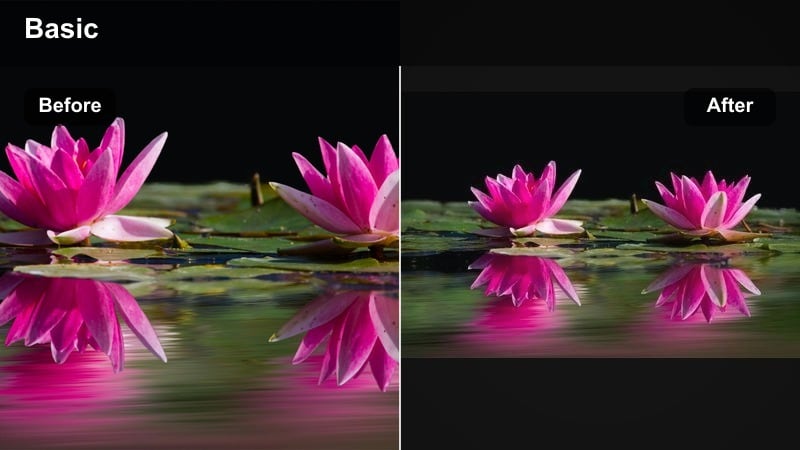
- Effect look: Cool evening haze with slightly desaturated colors and soft halation around lights
- Best for: Seaside piers, ferry decks, and lakeside walks with fog or moisture in the air
- Editing tip: Lower texture on water surfaces to accentuate the misty look, then add a touch of warm midtones for skin and boat details.
Harbor Midnight Mist emphasizes atmosphere, turning small harbors, docks, and lakeside paths into moody, cinematic scenes. The filter slightly desaturates colors and softens the glow around lamps and distant buildings, enhancing any natural fog or humidity in your footage.
In Filmora, pair this look with gentle camera movement and slow pacing in the timeline to lean into the calm, cool evening mood. Reduce texture and clarity on water and distant details, while selectively warming skin and boat interiors so key subjects remain visible within the misty environment.
Dusky Lanterns Cool
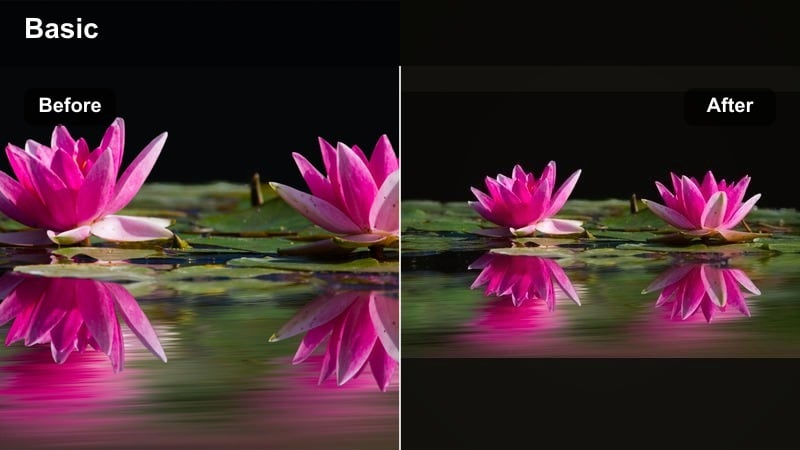
- Effect look: Balanced cool background with preserved warm lantern glow and moderate contrast
- Best for: Old town streets, hillside villages, and lantern-lit alleys captured at early night
- Editing tip: Mask around key lanterns and slightly raise exposure on those areas so their warmth pops against the cooler environment.
Dusky Lanterns Cool is designed for locations where warm lamps and lanterns are your main light source. It cools walls, streets, and sky while protecting the golden tones of lanterns and windows, giving you a cinematic dual-tone look straight away.
Use Filmora’s masking tools to brighten important lanterns and nearby details so they become natural focal points in the frame. This filter works especially well in travel vlogs from historic districts, narrow alleys, or hillside villages where you want to keep the authentic warm glow but maintain an overall cool evening atmosphere.
Cool Street and People Shots
Modern Night Portrait
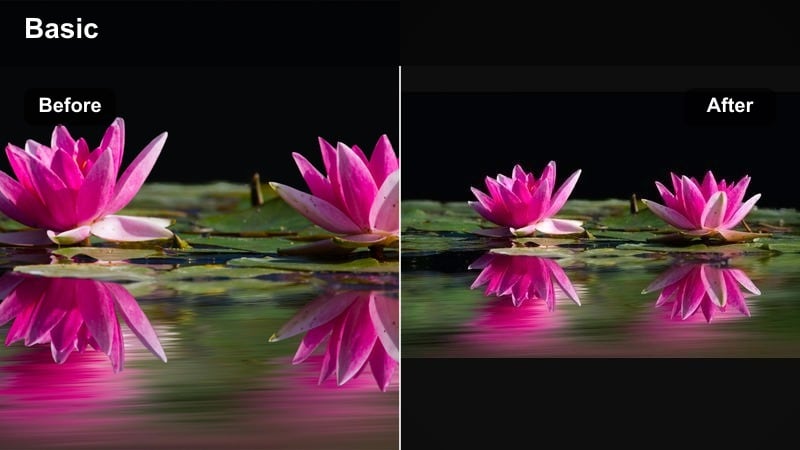
- Effect look: Clean cool night base with protected skin tones and slightly softened background lights
- Best for: Street portraits, solo traveler shots, and influencer clips filmed near storefronts at night
- Editing tip: Apply light background blur and reduce clarity on highlights to make the subject pop without losing the night city context.
Modern Night Portrait keeps your cool night aesthetic while making sure faces remain flattering and natural. The filter cools the environment and tones down harsh mixed lighting, while gently protecting skin tones from turning too blue or green under street lamps and storefronts.
In Filmora, apply subtle background blur and reduce highlight clarity after using this filter to create a soft bokeh style around your subject. This look is ideal for intros, talking segments, and social content where the traveler or influencer needs to stand out clearly against a stylish, modern night backdrop.
Metro Blue Ride
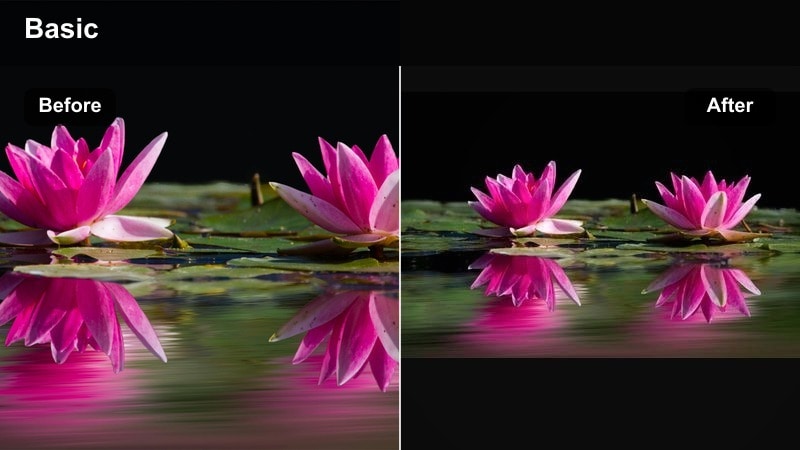
- Effect look: Muted, cool metro tones with deeper shadows and teal highlights on metallic surfaces
- Best for: Subway platforms, train interiors, and bus rides filmed at night or in tunnels
- Editing tip: Stabilize handheld shots and add a subtle motion blur effect so the passing lights look smooth and intentional.
Metro Blue Ride captures the feeling of late-night public transport, adding teal highlights to metal surfaces and deepening shadows for a slightly gritty, urban mood. The palette works well with fluorescent and LED tube lighting often found in metro stations and train cars.
Use Filmora’s stabilization and motion blur tools to tame handheld jitter while enhancing the sense of speed as trains arrive or depart. Cut between static platform shots and moving interior clips under the same filter so your metro sequence feels cohesive and rhythmically tied to your soundtrack.
Sidewalk Sapphire
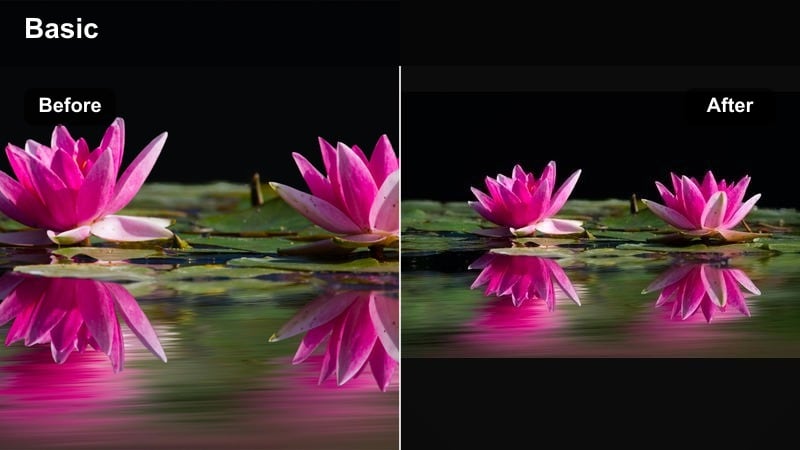
- Effect look: Rich sapphire shadows with slightly lifted midtones and controlled highlights
- Best for: Night walks, handheld POV shots, and street-level details like puddles and crosswalks
- Editing tip: Lower global saturation a touch and boost vibrance so only the most important colors push through the cool treatment.
Sidewalk Sapphire is made for walk-and-talk segments, POV shots, and low-angle details that follow your steps through the city. It deepens shadows into rich sapphire blues while keeping midtones and highlights controlled, so street signs and traffic lights remain readable.
Inside Filmora, slightly lowering overall saturation and then raising vibrance makes accent colors like traffic signals, shop logos, or reflections stand out selectively. This approach keeps your night travel sequences cinematic and moody, but still practical for storytelling and navigation shots.
Minimal and Cinematic Cool Night Styles
Noir Cyan Frame
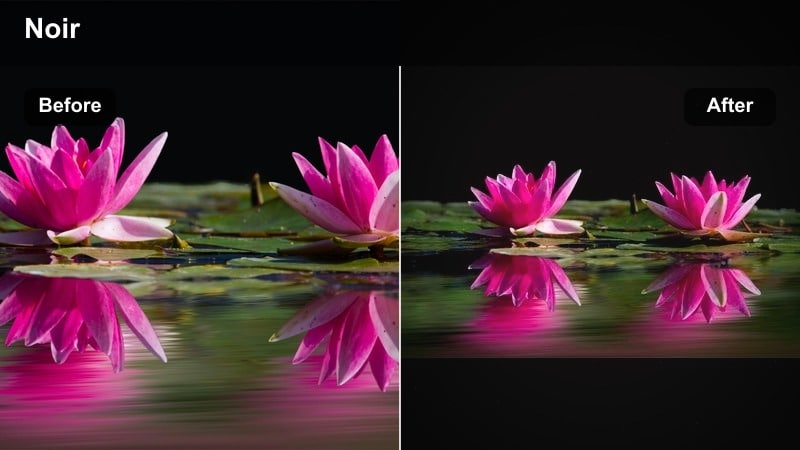
- Effect look: Low-saturation cyan shadows with strong contrast and subtle filmic fade in the blacks
- Best for: Dramatic travel b-roll, silhouettes, and minimalist compositions with heavy shadow
- Editing tip: Crop to wider cinematic aspect ratios and add a light grain overlay to sell the noir-inspired modern night look.
Noir Cyan Frame brings a graphic, noir-inspired style to your night footage, favoring strong shapes, silhouettes, and deep cyan-tinted shadows. Colors are restrained so the viewer focuses on composition, light direction, and contrast rather than saturation.
Use this filter in Filmora when you want to break up colorful sequences with something more dramatic and design-led. Cropping to a wide aspect ratio and adding a subtle grain overlay further pushes the modern noir feel, perfect for chapter breaks, intros, or reflective city moments.
Cool Equinox Street
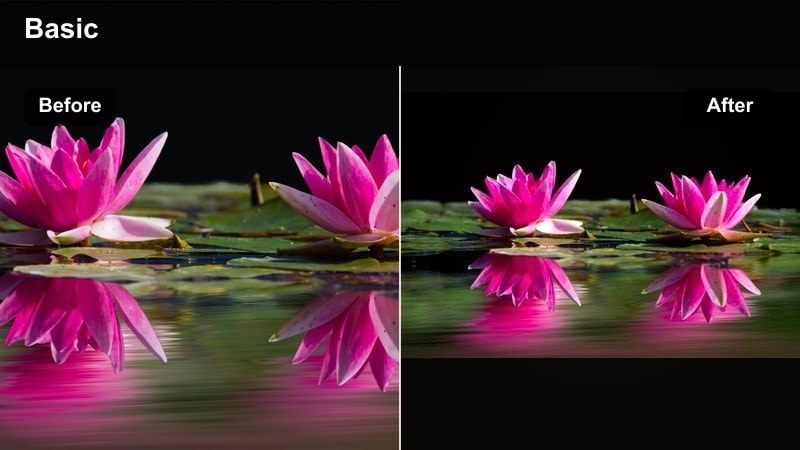
- Effect look: Evenly balanced cool-warm mix with slightly subdued saturation and cinematic contrast
- Best for: Mixed light situations like cafes spilling warm light onto cool streets, plazas, and open-air bars
- Editing tip: Use color wheels to nudge shadows cooler and highlights slightly warmer for a refined, filmic separation.
Cool Equinox Street is crafted for scenes where warm indoor lighting spills into cooler outdoor streets, such as plazas, patios, and open-air bars. It balances both temperatures so your footage looks intentional and cinematic instead of messy or color-shifted.
In Filmora, apply this filter across all mixed-light shots in a sequence, then fine-tune individual clips with the color wheels by cooling shadows and gently warming highlights. This method gives your night travel film a unified, professional look even when you move between multiple streets and venues.
Midnight Minimal
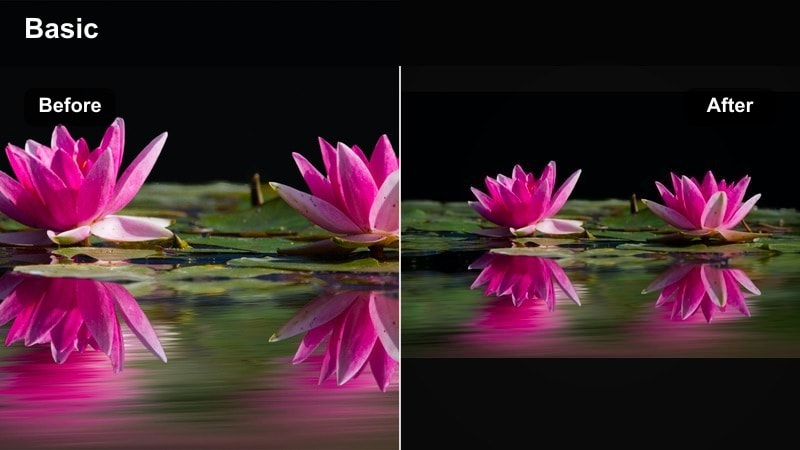
- Effect look: Very low saturation cool palette with strong emphasis on shape, contrast, and negative space
- Best for: Architecture details, empty streets, and slow motion shots meant to feel calm and introspective
- Editing tip: Slow your footage to half speed where possible and sync cuts with music beats to let the minimal mood breathe.
Midnight Minimal strips your night footage down to shapes, lines, and controlled cool tones. By greatly reducing saturation, it transforms ordinary corners, stairwells, and facades into graphic compositions ideal for reflective or cinematic segments.
In Filmora, slow selected clips to half speed, keep camera moves gentle, and space out cuts so the viewer has time to absorb the negative space. This filter works well between more energetic sequences, giving your overall edit a calm, gallery-like breathing moment.
Tips for Using Night Cool Filters in Filmora
- Shoot in the highest quality your camera allows so cool night filters have enough detail in shadows to work with.
- Expose slightly brighter than you think at night to avoid crushed blacks, then pull contrast back in Filmora.
- Look for reflective surfaces like puddles, windows, and metal railings to amplify blue night tones.
- Mix static tripod shots with short handheld clips to keep night travel edits dynamic but still cinematic.
- Adjust white balance manually on location so car headlights and street lamps do not shift your entire scene too warm.
- Use selective color tools to protect skin tones whenever you push blues and cyans harder in the background.
- Add subtle sound design, like distant traffic or water, to reinforce the cool evening atmosphere in your edit.
- Keep text titles simple and minimal so they match the clean, modern night aesthetic of your footage.
Cool night video filters in Filmora make it simple for travelers and photographers to transform night scenes and blue hour clips into cohesive, modern stories. With the right presets and a few targeted adjustments, your footage can carry deep blues, clean highlights, and natural skin tones that feel cinematic and intentional.
Experiment with combinations of filters, AI color tools, and light LUT overlays until you find a signature cool night style that matches your trips and personal brand, then reuse that recipe on future journeys for instantly recognizable visuals.
secure download