

 100% Security Verified | No Subscription Required | No Malware


 ChatGPT
 Perplexity
 Gemini
 Claude
 Grok
Grok
This curated set of Filmora filters is designed to mimic a pedestrian street lifestyle LUT, giving your handheld city walks and urban vlogs a cohesive, cinematic feel with a single click.
Whether you shoot quick Reels on busy crosswalks or long-form city diaries, these filters help you control color, contrast, and mood so every step through the streets feels intentional and on-brand.
In this article
Golden Hour Crosswalk Strolls
Warm Amber Stride
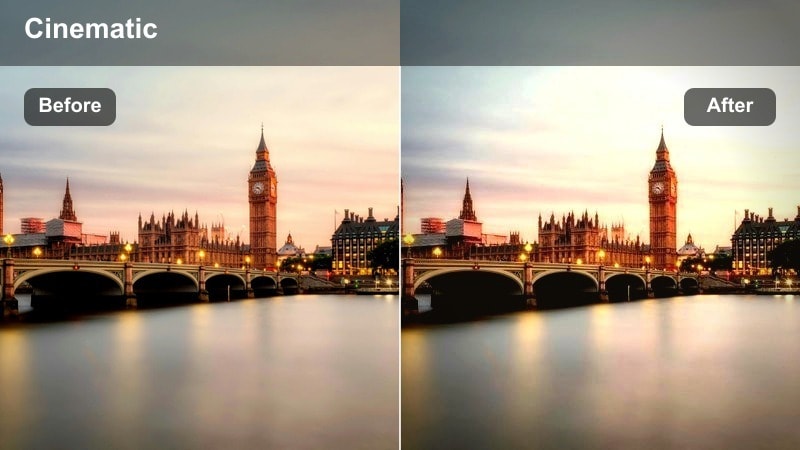
- Effect look: Soft golden warmth with lifted shadows and gentle bloom around streetlights.
- Best for: Pedestrians walking through late-afternoon streets, lifestyle B-roll, and casual shopping sequences.
- Editing tip: Lower contrast slightly and add a subtle vignette to keep attention on faces and outfits in the frame.
Warm Amber Stride wraps your street footage in a cozy, sun-kissed glow, perfect for turning everyday crossings into cinematic golden hour memories. The lifted shadows keep facial features and outfit details visible, while the gentle bloom around highlights adds a premium lifestyle feel without looking overprocessed.
In Filmora, apply this filter to your late-afternoon walk clips, then fine-tune exposure so skin tones stay natural while sidewalks and buildings lean warm. Use keyframes to adjust intensity as your subject moves from shade to direct sun, and combine with Filmora skin smoothing plus light saturation boosts on clothing to keep the city as a soft backdrop to your pedestrians.
Match Your Pedestrian Street Lifestyle LUT Look with AI Color Tools
Filmora AI color tools help you quickly align clips from different cameras or days before you apply your favorite pedestrian street lifestyle filters. Auto color correction sets a balanced starting point so the warm amber look stays consistent across every shot in your walk sequence.
Once your base color is matched, stack Warm Amber Stride or similar filters to lock in a recognizable city-walk identity for your vlog, Reels, or short films.
 secure download

Preview Filters on Real Pedestrian Street Footage
To see how each filter shapes your story, import a short walking sequence into Filmora and audition different looks directly in the preview window. Switching filters on and off on the same crosswalk or alley clip makes it easy to compare golden hour warmth, pastel haze, or punchy contrast without re-editing.
Build a quick test timeline with a few representative clips from your vlog, then toggle effects to find the combination that best matches your branding and street lifestyle mood.
secure download1000+ Video Filters and 3D LUTs
Filmora includes an extensive library of filters and 3D LUTs, giving you everything from subtle lifestyle grades to bold cinematic treatments. You can start with a clean corrective LUT, then add creative filters that are tuned for sidewalks, alleys, and crosswalks to build your own pedestrian street lifestyle LUT style.
Save your favorite combinations as presets so every future city walk or commute vlog can be graded in just a few clicks, keeping your channel visual identity consistent and easy to manage.
secure downloadSunset Sidewalk Haze
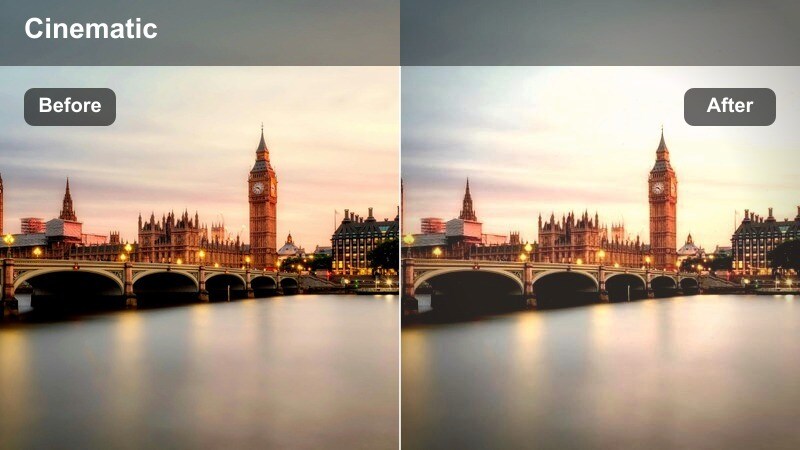
- Effect look: Matte pastel contrast with a soft orange-pink tint and slightly faded blacks.
- Best for: Slow-motion sidewalk shots, lifestyle outfit reels, and relaxed city stroll montages.
- Editing tip: Pair with slow motion and slightly reduced clarity to enhance the dreamy pedestrian lifestyle aesthetic.
Sunset Sidewalk Haze gives your footage a pastel, dreamy atmosphere that turns simple walks into soft, aesthetic city moments. The matte contrast and faded blacks reduce harsh edges, helping light-colored outfits and skin tones blend smoothly into the orange-pink sunset glow.
Inside Filmora, apply this filter to clips you plan to slow down, then slightly lower clarity or add a touch of Gaussian blur to backgrounds so your subject remains the focus. If details start to disappear, gently raise midtone contrast or use local contrast on shoes and bags to keep street textures readable while maintaining the hazy, relaxed vibe.
Golden Crosswalk Pop
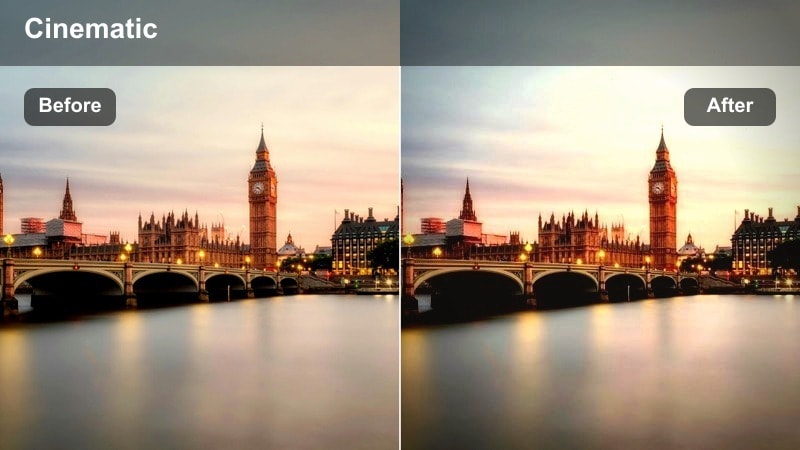
- Effect look: Punchy contrast, warm highlights, and boosted saturation on yellows and reds.
- Best for: High-energy crosswalk scenes, street fashion walks, and city POV content.
- Editing tip: Reduce saturation in greens if traffic lights or signs become distracting in the background.
Golden Crosswalk Pop is built for loud, kinetic city scenes where you want every step to feel bold and confident. The stronger contrast and enriched yellows and reds make crosswalk stripes, taxis, and warm-toned outfits stand out, ideal for fast-paced vlogs and fashion-forward content.
In Filmora, drop this filter onto clips with lots of movement and signage, then tame any overly bright greens using color tuning so your subject remains the most eye-catching element. Combine it with subtle stabilization and quick, rhythmic cuts on footsteps or light changes to accentuate the punchy, social-media-ready crosswalk aesthetic.
Overcast City Walks and Daily Errands
Soft Grey Promenade
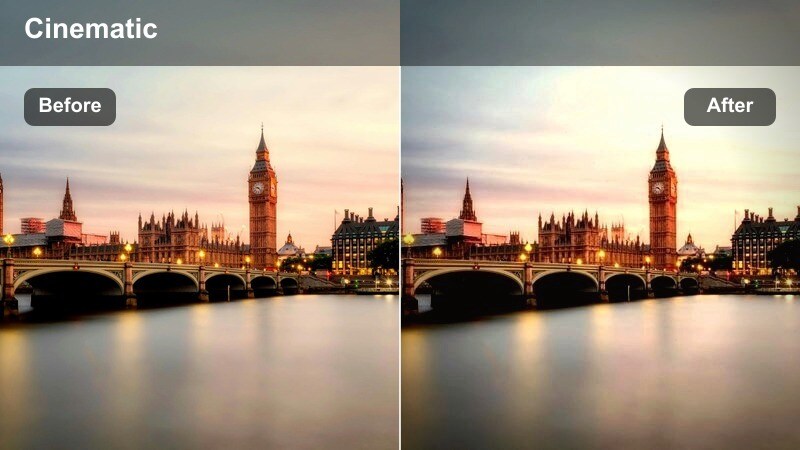
- Effect look: Neutral cool cast with softened contrast and gentle desaturation for a calm street mood.
- Best for: Cloudy-day city walks, commute vlogs, and documentary-style pedestrian shots.
- Editing tip: Add a touch of warmth in the midtones if skin looks too pale while keeping sidewalks and buildings cool.
Soft Grey Promenade embraces overcast light and turns it into a minimalist, editorial-style palette. Colors sit slightly desaturated with a cool bias, which works perfectly for quiet commutes, errands, and everyday B-roll where mood and story matter more than vibrancy.
When grading in Filmora, apply this filter to your cloudy or flat-lit scenes, then nudge midtone temperature slightly warmer if faces appear lifeless. Add clean typography or captions that match the restrained color scheme, and use gentle fades between clips to reinforce the calm, reflective nature of your pedestrian lifestyle footage.
Monochrome Sidewalk Journal
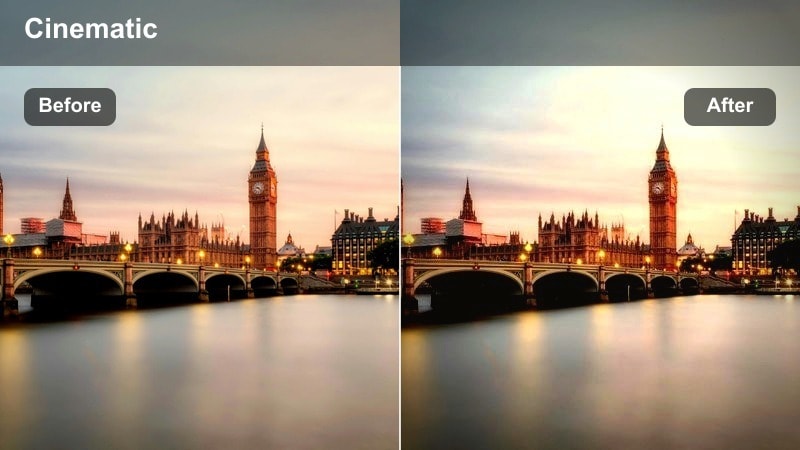
- Effect look: High-detail black-and-white with crisp midtones and restrained highlights.
- Best for: Candid street storytelling, moody commute scenes, and narrative-driven B-roll.
- Editing tip: Increase sharpness and film grain slightly to give your pedestrian shots a classic street photography feel.
Monochrome Sidewalk Journal strips color away so composition, light, and motion carry your story. With clean midtones and controlled highlights, the filter keeps detail in faces, coats, and pavement textures, echoing classic street photography aesthetics in motion.
Use this filter in Filmora on sequences where gestures, glances, and architecture matter most. Boost sharpness marginally and layer in a touch of film grain from Filmora effects to add texture, then cut on natural movements like turning corners or stepping off curbs to maintain a timeless, documentary-style flow.
Subtle Rainy Commute
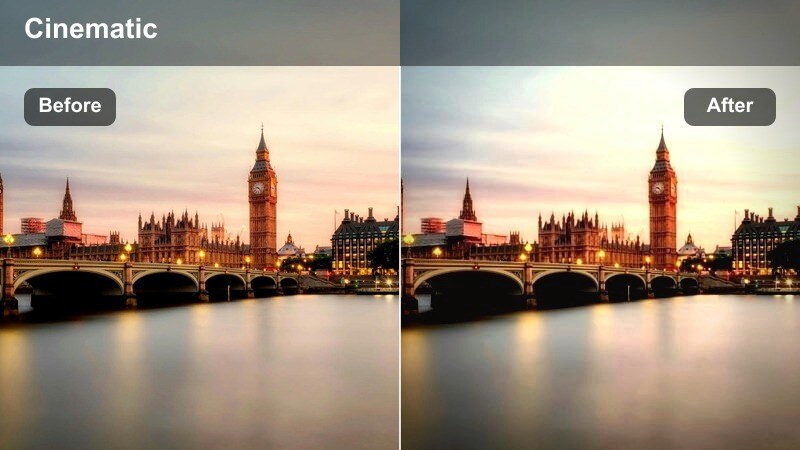
- Effect look: Soft contrast, cool blues in shadows, and gentle highlight roll-off with preserved detail.
- Best for: Light rain sidewalks, morning commute footage, and reflective street surfaces.
- Editing tip: Increase vibrance slightly to keep umbrellas and streetwear colorful against the muted cityscape.
Subtle Rainy Commute enhances the mood of drizzly mornings and damp sidewalks without pushing colors into heavy stylization. Cool-toned shadows and softened contrast keep reflections in puddles and on asphalt visible, adding depth and texture to everyday commute stories.
Within Filmora, apply this filter to clips featuring umbrellas, glistening roads, or window reflections, then nudge vibrance up so jackets and umbrellas maintain a bit of personality. Lightly stabilize handheld shots and trim cuts on natural audio beats like car passes or footsteps to keep the rainy atmosphere immersive but controlled.
Daytime City Alleys and Side Streets
Urban Alley Lifestyle
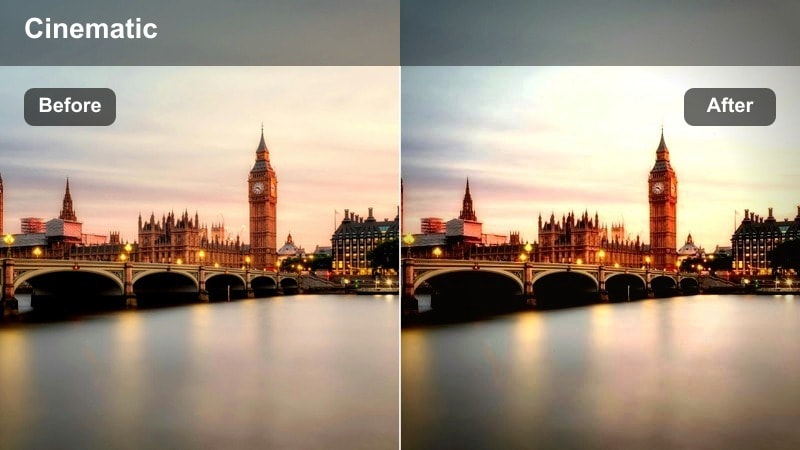
- Effect look: Balanced contrast with slightly warm mids and clean, natural colors for brick and concrete.
- Best for: Lifestyle walks through narrow alleys, mural backdrops, and street portrait B-roll.
- Editing tip: Dial in subtle local sharpening on textures like brick walls while keeping skin soft.
Urban Alley Lifestyle keeps colors close to reality while adding a gentle warmth that flatters both skin and brick textures. It is ideal when you want your alley locations to feel authentic yet curated, making murals, doorways, and café exteriors look like intentional backdrops for your subject.
In Filmora, combine this filter with selective sharpening on walls and ground while masking the subject to preserve smooth, natural skin. Use framing that lets alley lines converge behind the walker, and add slow push-ins or tracking shots to emphasize depth without overwhelming viewers with texture.
Side Street Editorial
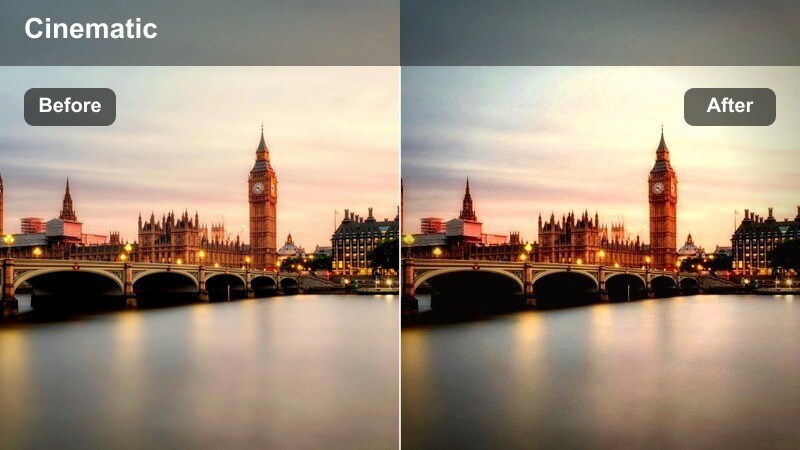
- Effect look: Editorial contrast with slightly cooler highlights and elevated clarity on architecture.
- Best for: Street fashion walks, lookbook-style B-roll, and lifestyle photoshoot behind-the-scenes.
- Editing tip: Lower saturation in the background to give outfits and accessories more editorial presence on side streets.
Side Street Editorial adds polish and structure to your city walk videos, sharpening lines in buildings and sidewalks while cooling highlights for a magazine-style sheen. It works especially well for fashion content, where you want outfits and accessories to stand out against sleek architectural backgrounds.
After applying the filter in Filmora, reduce background saturation using color controls or masking so clothing remains the most vivid element. Cut on turns, hair flips, or bag swings to match music beats, and sprinkle in subtle speed ramps to highlight key poses without undermining the refined editorial pace.
Muted Concrete Steps
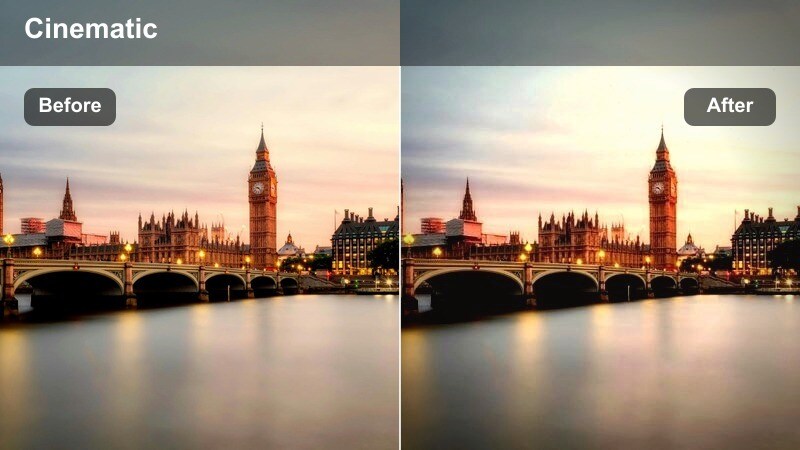
- Effect look: Desaturated neutrals with gentle contrast for stairs, railings, and raw concrete surfaces.
- Best for: Walk-and-talk vlogs on stairways, transitions between blocks, and urban minimalism shots.
- Editing tip: Use minimal camera movement and clean cuts to lean into the geometric shapes of steps and railings.
Muted Concrete Steps is a minimalist filter tailored to modern stairways, plazas, and structural details. By dialing down saturation and keeping contrast soft, it turns railings, steps, and façades into strong graphic elements that frame your walking subject.
In Filmora, apply this look to transition shots between major locations or to quiet walk-and-talk segments where you want viewers focused on dialogue. Use locked-off or gently panning shots, then cut between wide and close-up views of feet, steps, and handrails to build a cohesive, design-driven narrative around simple pedestrian movement.
Night City Alleys with Cinematic Street Lights
Neon Alley Stride
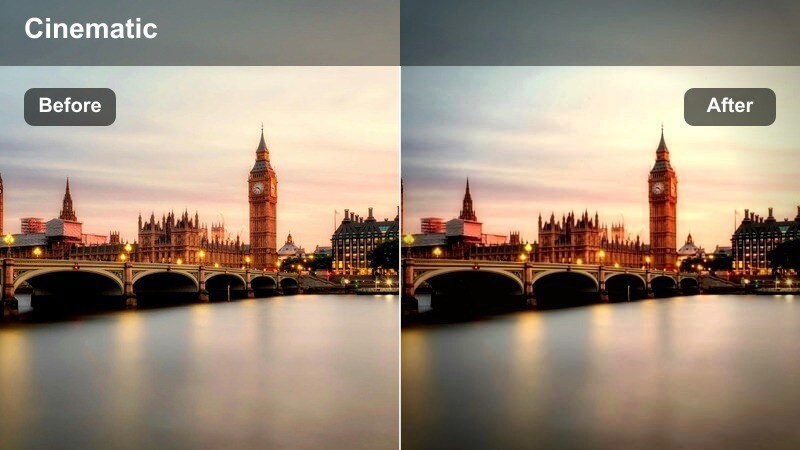
- Effect look: Deep contrast with saturated neon colors and rich, inky shadows.
- Best for: Night walks through alleys with neon signs, street food stands, and nightlife B-roll.
- Editing tip: Expose slightly darker than usual before applying the filter to keep highlights from clipping around neon lights.
Neon Alley Stride pushes your nightlife footage into full-on cinematic territory, emphasizing glowing signage and vivid street colors while preserving deep shadow areas. The result feels stylized and dramatic, perfect for alleyway food markets, nightlife explorations, or cyberpunk-inspired walks.
When grading in Filmora, start by lowering exposure a touch in your raw clips, then apply the filter and bring down highlights or whites until text on signs remains legible. If faces fall into darkness, use shape masks and localized exposure adjustments to lift your subject without flattening the alley, maintaining that high-contrast neon drama.
Cinematic Crosswalk Night
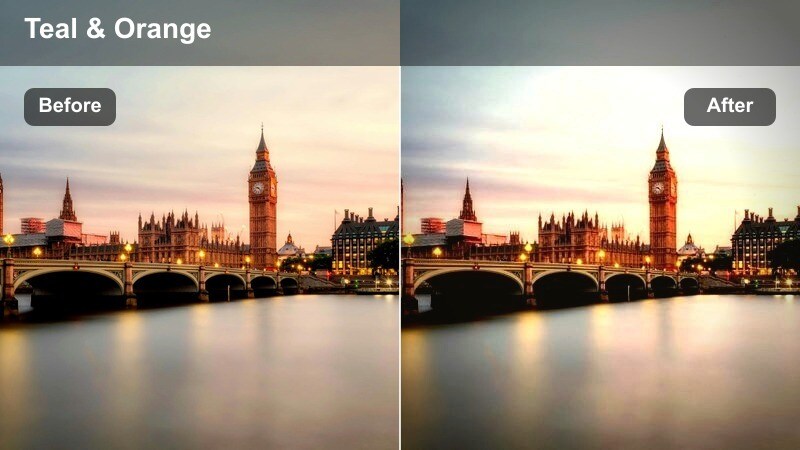
- Effect look: Cool cinematic grading with teal shadows, warm streetlights, and gentle film-like grain.
- Best for: Night crosswalks, underpass walks, and handheld POV street sequences.
- Editing tip: Stabilize footage slightly and add subtle motion blur to make handheld night steps feel immersive but smooth.
Cinematic Crosswalk Night gives your evening street walks a classic teal-and-amber movie grade. Teal shadows balance against warm lamps and car lights, while a hint of grain ties everything together into a cohesive, big-screen-inspired look.
Apply this filter in Filmora to handheld POV or over-the-shoulder shots as your subject crosses intersections or walks under bridges. Use built-in stabilization at low intensity and layer on a touch of directional or radial blur during faster movements so each step feels fluid and immersive without making viewers dizzy.
Moody Lantern Walk
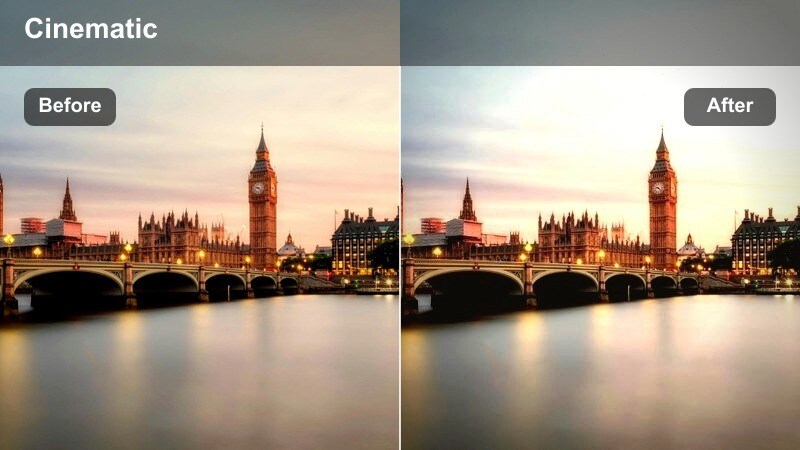
- Effect look: Soft low-light glow around lamps with muted colors and lifted blacks for a dreamy night feel.
- Best for: Quiet backstreet walks, late-night monologues, and reflective lifestyle storytelling.
- Editing tip: Reduce noise with a light denoise pass, then reintroduce a touch of grain for a cohesive cinematic finish.
Moody Lantern Walk softens harsh night contrast and wraps your subject in gentle, glowing pools of light from lamps and windows. Lifted blacks prevent alleys from turning into pure black, which helps you keep background detail while preserving a dreamy, introspective mood.
Inside Filmora, run a light denoise filter on high-ISO clips before applying this look, then add a subtle film grain overlay to maintain texture. Frame your pedestrian slightly off-center with plenty of negative space and let ambient sounds breathe, using longer takes and slower cuts to match the quiet, reflective tone of the grade.
Tips for Using Pedestrian Street Lifestyle Lut Filters in Filmora
- Shoot a short reference walk on each location so you can batch-test filters in Filmora and keep your entire pedestrian lifestyle series visually consistent.
- Lock white balance in-camera, especially for night alley shots, to avoid color shifts between clips when applying cinematic street filters and LUT-style looks.
- Use leading lines like crosswalk stripes, railings, and building edges to guide the viewer eye and make your filtered city footage feel more intentional and cinematic.
- Apply light stabilization in Filmora to handheld walk footage so natural movement remains, but micro-shakes do not distract once contrast and saturation are boosted.
- Test different filter intensities on a single clip using adjustment layers or duplicated tracks to quickly compare subtle versus strong lifestyle grades.
- Export a short low-resolution test cut that includes daytime, overcast, and night scenes before committing to a final filter combination for long-form episodes.
With the right mix of Filmora filters, you can give everyday pedestrian streets, alleys, and crosswalks the same cohesive style you would expect from a dedicated pedestrian street lifestyle LUT. From soft overcast errands to neon-soaked alley walks, each look helps you translate real-world walks into curated, cinematic stories.
Test these looks on your next city walk project, then refine exposure, color balance, and filter intensity to develop a signature street aesthetic your audience instantly recognizes across platforms.
secure download