

 100% Security Verified | No Subscription Required | No Malware


 ChatGPT
 Perplexity
 Gemini
 Claude
 Grok
Grok
These Pinterest Food LUTs Vibrant style filters are made for content creators who want every plate, pour, and garnish to look instantly clickable and on-brand in Filmora.
Use these presets to turn flat-looking kitchen clips into bright, colorful, and mouthwatering visuals that stand out in Pinterest feeds, recipe blogs, and social food channels.
In this article
Sunlit Brunch Vibes
Golden Brunch Glow
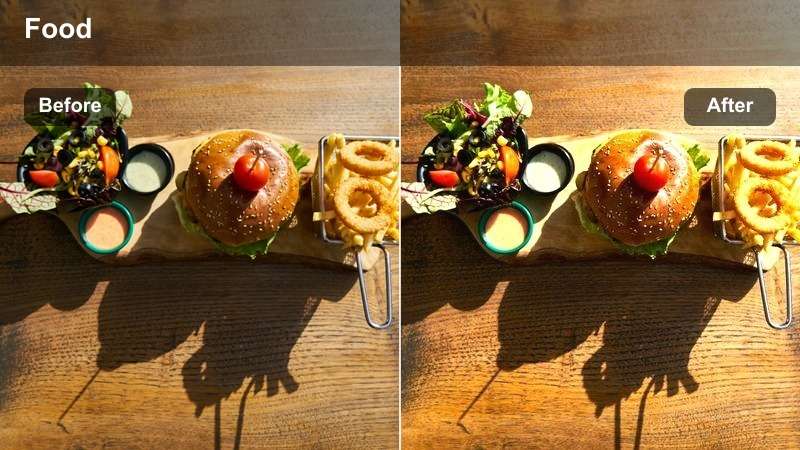
- Effect look: Warm, sun-kissed highlights that make pancakes, waffles, and lattes look extra cozy and inviting.
- Best for: Brunch flatlays, cafe table shots, and overhead recipe boards with lots of beige, cream, and golden tones.
- Editing tip: Lower contrast slightly if you have strong window light to avoid crunchy shadows on white plates.
Golden Brunch Glow leans into warm highlights and creamy midtones so your brunch spreads feel like they are lit by perfect morning sunlight. In Filmora, it instantly boosts the appeal of waffles, pastries, and latte art by adding gentle warmth that makes neutrals look rich instead of dull.
Apply this filter to top-down boards or cafe b-roll, then fine-tune exposure and contrast in the Color panel so whites stay detailed while syrups, coffee, and golden crusts stay rich. Use masks to subtly brighten the main plate and keep backgrounds softer for a clean Pinterest-ready aesthetic.
Build a Consistent Pinterest Food Aesthetic with AI Color Tools
Use Filmora's color tools to turn these Pinterest Food LUTs Vibrant style filters into a cohesive palette that matches your brand colors across every recipe and board. Once you dial in a look that fits your feed, you can quickly apply the same mood to future brunch, prep, and dessert clips.
After you tweak a filter with white balance, HSL, or curves, save it as a custom preset so every new video automatically starts with your signature tones. This keeps your Pinterest profile, blog, and social channels visually unified without repeating the same manual steps.
 secure download

See Vibrant Food Filters in Action on Your Footage
Drop a vibrant food filter onto your raw kitchen clips in Filmora and compare the before-and-after view to see how quickly colors become more appetizing. Adjust exposure and saturation slightly so plates look bright and fresh without drifting into an over-processed style.
Test presets on both overhead and 45-degree angles, then use keyframed adjustments for scenes that move between different lighting conditions. This helps you build a reliable workflow where every new recipe starts with a strong, engaging base look.
secure download1000+ Video Filters and 3D LUTs
Filmora includes a large library of filters and 3D LUTs so you can match your Pinterest food style across shorts, long-form recipes, and social teasers. Use filters for quick, mood-based tweaks and pair them with LUTs when you want deeper, more cinematic color grading.
Build a small toolkit of a few favorite food filters and LUTs, then reuse them in every new project. That way, viewers instantly recognize your brand whether they find your content on Pinterest, Instagram, TikTok, or YouTube.
secure downloadCafe Table Pop
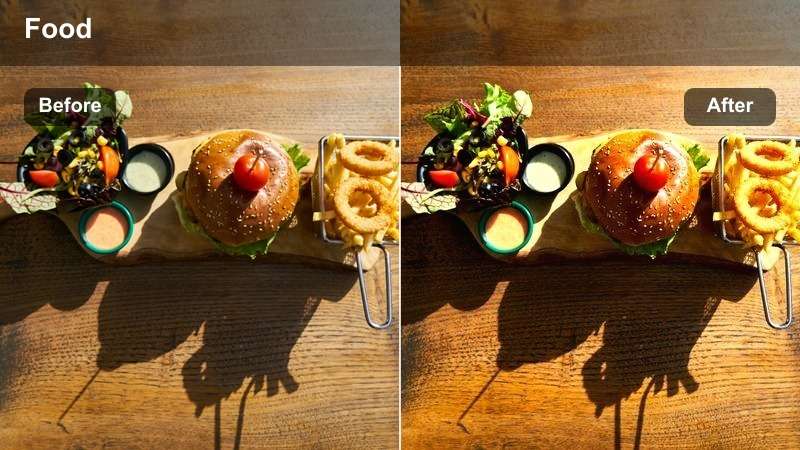
- Effect look: Bright, punchy colors with crisp contrast that make coffee, pastries, and menus stand out.
- Best for: Cafe reels, tabletop b-roll, and close-ups of latte pours or dessert reveals on Pinterest.
- Editing tip: Add a subtle vignette after applying the filter to pull attention toward the center of the frame.
Cafe Table Pop is designed to make small details like latte art, flaky pastry layers, and branded menus leap off the screen. In Filmora, its boosted saturation and clarity give handheld cafe clips a polished, commercial feel while still looking natural.
Use this filter on close-up pours and dessert reveals, then add a vignette and a touch of stabilization to keep eyes locked on the main subject. Keyframed zooms and gentle whip pans pair especially well with the vivid color treatment for dynamic Pinterest reels.
Mimosa Splash
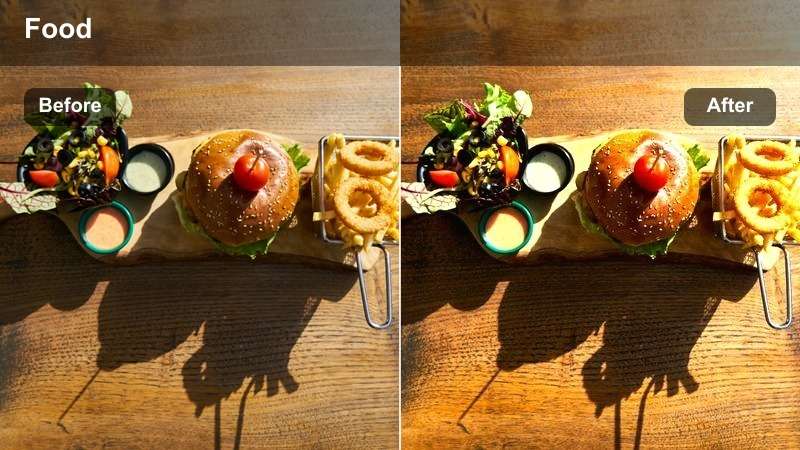
- Effect look: Sparkling highlights and boosted yellows and oranges that make drinks and citrus elements look luminous.
- Best for: Drink pours, smoothie clips, and brunch cocktail shots with lots of glass and reflective surfaces.
- Editing tip: Decrease highlight intensity if glass reflections start clipping to pure white.
Mimosa Splash focuses on bright yellows, oranges, and sparkling reflections to make drinks feel refreshing and celebratory. It works especially well in Filmora on clips with backlit glasses, citrus slices, and bubbly textures that benefit from luminous highlights.
Apply it to slow-motion pours or clinking glasses, then use highlight recovery and curves to keep detail in glassware and ice. Layer in lens flare overlays or light leaks at low opacity to complement the filter and enhance the party-ready brunch mood.
Moody Dinner Plates
Rich Dinner Depth
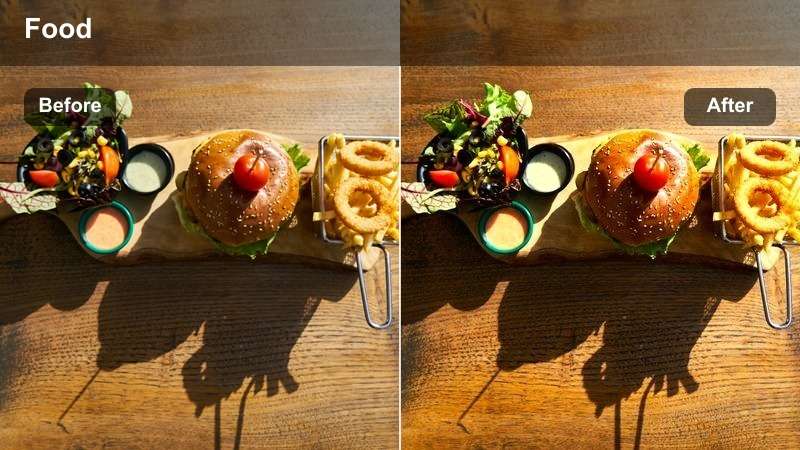
- Effect look: Deep shadows and rich contrast with vibrant midtones that make hearty dishes feel cinematic.
- Best for: Evening table scenes, dark backgrounds, and restaurant-style plating with strong directional light.
- Editing tip: Lift the blacks slightly if your footage was shot in very low light to avoid muddy shadow areas.
Rich Dinner Depth adds a cinematic restaurant mood to your dinner plates by deepening shadows while keeping sauces, herbs, and garnishes vibrant. In Filmora, this filter works best with spotlit dishes against darker tables, instantly elevating simple recipes into dramatic hero shots.
Use it on close-up mains or tasting menus, then refine the look with masks that subtly brighten the plate area. By lifting black levels and adjusting midtone contrast, you can keep the moody ambiance without losing important texture in meats, grains, and vegetables.
Charcoal Plate Contrast
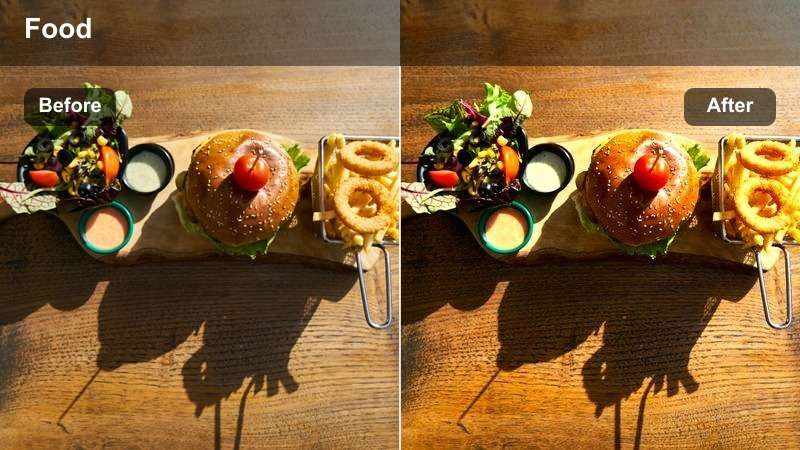
- Effect look: High contrast with muted backgrounds and punchy food colors that stand out on dark plates and boards.
- Best for: Slate boards, black plates, and grilled or roasted dishes that need extra edge and clarity.
- Editing tip: Dial down clarity on skin or hands in frame to avoid emphasizing texture too strongly.
Charcoal Plate Contrast is tailored for dark plates and boards, muting background tones while amplifying the color and definition of the food itself. In Filmora, it gives grilled, roasted, and seared dishes extra bite by sharpening edges and enriching color separation.
Apply this filter to top-down plating shots or detail closeups, then use selective masks or adjustment layers to apply extra clarity only to the food. Slightly desaturate the table or backdrop so the dish remains the clear focal point in stills, reels, and idea pins.
Candlelight Supper
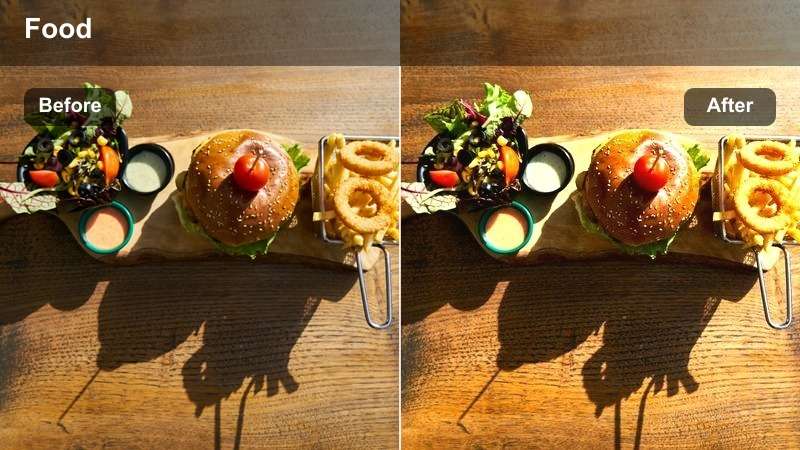
- Effect look: Soft, warm highlights and gentle contrast that mimic candlelit ambiance while keeping food colors vivid.
- Best for: Romantic dinners, holiday spreads, and evening recipe videos with practical lights in the background.
- Editing tip: Reduce saturation in the yellow channel slightly if your lights look too orange on camera.
Candlelight Supper recreates the cozy glow of real candles while preserving enough color saturation to keep dishes looking appetizing. In Filmora, it smooths harsh digital noise and adds a soft warmth that flatters both food and skin tones in the same frame.
Use it on holiday spreads, date-night tables, or low-light recipe steps, then enhance the mood with bokeh overlays on far-away lights. Gently increase exposure or add a masked brightness boost to the plates so they remain clear and vivid in dim, romantic scenes.
Fresh Meal Prep Scenes
Crisp Salad Vibrance
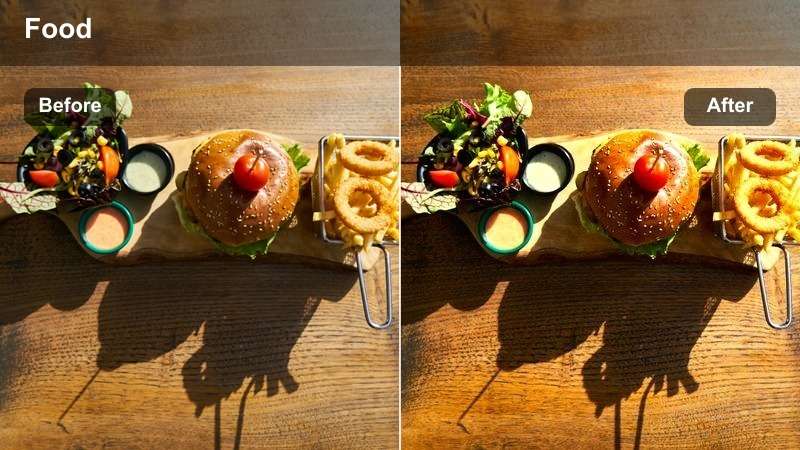
- Effect look: Clean whites, boosted greens, and bright reds that make salads and fresh ingredients look ultra-crisp.
- Best for: Meal prep reels, salad bowls, and healthy recipe tutorials with lots of fresh produce.
- Editing tip: If greens look too neon, reduce saturation in the green channel and add a touch of luminance.
Crisp Salad Vibrance is built to showcase freshness, pushing whites, greens, and reds so salad bowls and produce-heavy spreads look clean and crunchy. In Filmora, it makes chopped veggies, herbs, and toppings pop on bright countertops or cutting boards.
Apply this filter to overhead prep sequences or finished bowls, then use HSL sliders to fine-tune green tones for realistic leafy textures. A touch of sharpening on the food area alone will help seeds, grains, and diced ingredients appear extra detailed in your Pinterest-ready clips.
Meal Prep Bright
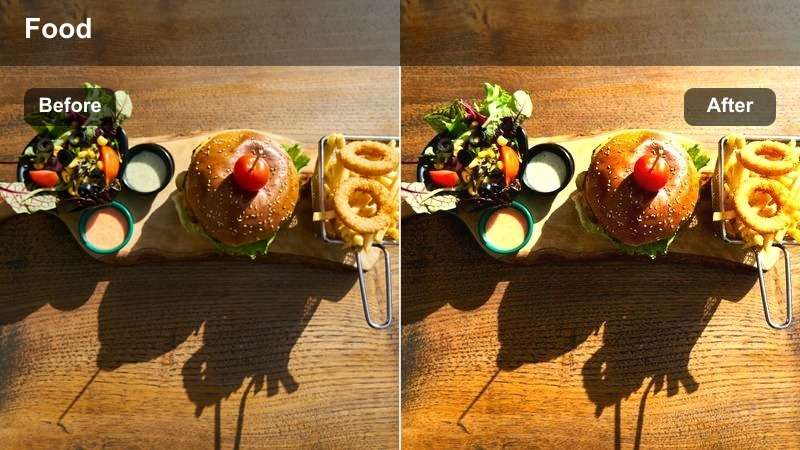
- Effect look: Even, soft brightness with boosted saturation that keeps containers, labels, and ingredients easy to see.
- Best for: Batch cooking videos, fridge organization clips, and step-by-step Pinterest idea pins.
- Editing tip: Use keyframed exposure if you move from counter to fridge to keep the brightness consistent.
Meal Prep Bright is all about clarity and organization, brightening the scene evenly so containers, labels, and ingredients remain easy to read. In Filmora, it works perfectly for top-down layouts and time-lapse style sequences that break down weekly prep.
Use this filter on counter, fridge, and pantry shots, then keyframe exposure as you move through different lighting zones. Boost local contrast around text labels and overlay titles that match your bolder food tones to keep the whole frame visually cohesive.
Cutting Board Fresh
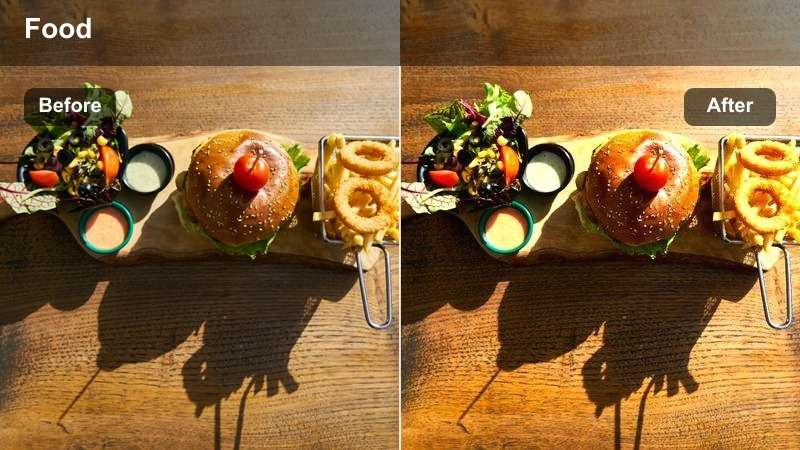
- Effect look: Bright midtones and gentle contrast that keeps chopping and slicing scenes light, clean, and energetic.
- Best for: Top-down chopping shots, ingredient prep, and knife work b-roll on wood or marble surfaces.
- Editing tip: Slow down the clip slightly if your chopping is fast so viewers can still appreciate the textures.
Cutting Board Fresh emphasizes bright midtones and soft contrast so chopping and slicing scenes feel clean and satisfying. In Filmora, it smooths out minor exposure shifts while keeping produce colors vivid against wood or marble work surfaces.
Apply this filter to top-down knife work, then use speed ramping to highlight key cuts without losing the calm, organized feel. Combine it with subtle whoosh sound effects and text labels over each ingredient to create snackable, step-by-step Pinterest content.
Dessert and Snack Closeups
Frosting Focus
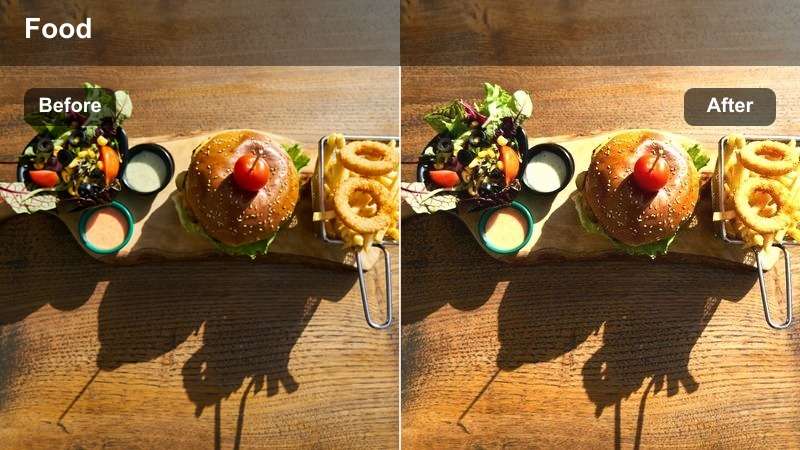
- Effect look: Soft highlights, pastel-friendly tones, and gentle contrast that make frosting and toppings look dreamy yet sharp.
- Best for: Cupcake swirls, cookie decorating, and slow-motion dessert drizzles on Pinterest stories and pins.
- Editing tip: Use shallow depth-of-field shots then slightly increase clarity on the focal area after applying the filter.
Frosting Focus is tuned for macro dessert shots, softening overall contrast while preserving tiny details in icing, sprinkles, and piping. In Filmora, it makes pastel palettes look creamy and dreamy without losing edge definition where you need it most.
Use this filter on close-up decorating clips and drizzle slow motion, then add targeted clarity to the in-focus area with masks. Stabilize handheld macro footage and apply subtle slowdowns to emphasize swirls, drips, and sugar textures for irresistible dessert content.
Snack Attack Pop
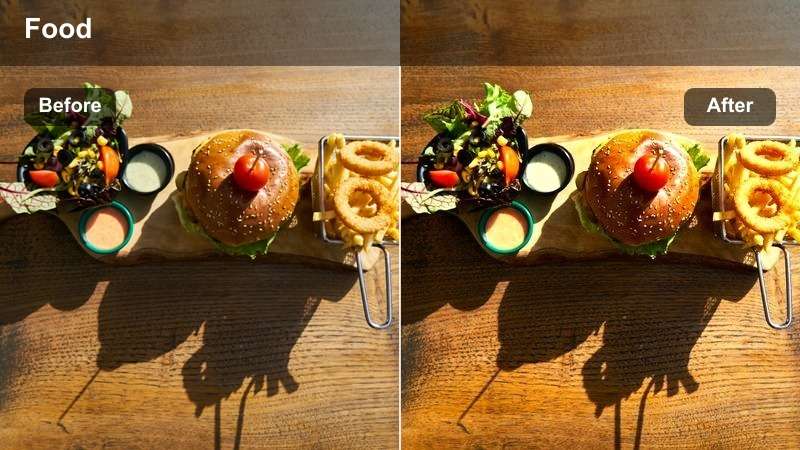
- Effect look: High saturation and playful contrast that makes snack boards and finger foods feel bold and fun.
- Best for: Snack platters, kid-friendly recipes, and colorful party bites meant to grab attention fast.
- Editing tip: Trim clips tightly and sync cuts with music beats so the punchy colors match a lively edit pace.
Snack Attack Pop delivers loud, fun color that makes snack boards and party bites stand out in fast-scrolling feeds. In Filmora, it raises saturation and micro-contrast so chips, dips, candies, and bite-sized foods feel energetic and playful.
Apply it to overhead snack spreads and quick hand-grab shots, then cut tightly on music beats and add quick zooms for extra energy. Layer in animated stickers or arrows that echo your main board colors to strengthen your playful, on-brand Pinterest style.
Chocolate Drip Rich
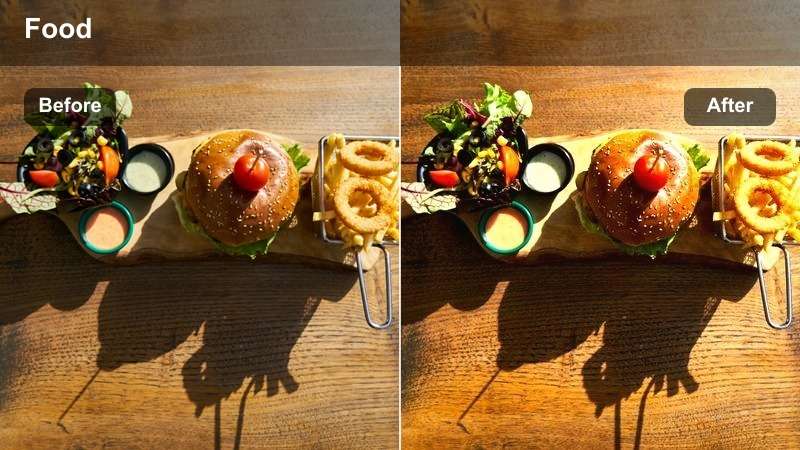
- Effect look: Deep, glossy browns and warm highlights that emphasize shine on chocolate, sauces, and syrups.
- Best for: Slow-motion chocolate pours, brownie reveals, and dessert cross-sections with rich textures.
- Editing tip: Reduce noise in darker areas if you filmed in low light so the chocolate looks smooth and luxurious.
Chocolate Drip Rich focuses on deep browns and warm highlights to make chocolate, caramel, and syrup shots look velvety and indulgent. In Filmora, it adds gloss and depth to pours, cross-sections, and closeups of dense baked goods.
Use it on slow-motion drizzle shots and gooey centers, then smooth out digital noise in the shadows for a truly luxurious finish. Combine the filter with tight crops and subtle slow motion so viewers can almost feel the texture of each decadent bite.
Tips for Using Pinterest Food Luts Vibrant Filters in Filmora
- Shoot in soft, even light from a window or diffused source so vibrant filters enhance color instead of exaggerating harsh shadows.
- Keep white plates and backgrounds slightly underexposed in-camera to preserve detail when you boost brightness in Filmora.
- Use consistent angles, like top-down for flatlays and 45 degrees for closeups, so your presets behave predictably across videos.
- Add a little extra sharpening only to the food area, not the entire frame, to keep hands and backgrounds from looking too textured.
- Batch-edit multiple clips by applying the same filter, then fine-tune exposure shot by shot for a polished Pinterest-ready sequence.
- Save your favorite filter and color adjustments as custom presets so every new recipe video starts with a consistent base look.
- Test each preset on both warm and cool lighting setups, then tweak white balance in Filmora so your food colors stay accurate.
- Export short test clips for Pinterest before finalizing a series to confirm that saturation and brightness look right on mobile screens.
Pinterest Food LUTs Vibrant style filters help content creators turn everyday recipes into colorful, scroll-stopping visuals with just a few clicks in Filmora.
Save your favorite presets, keep your lighting simple, and your food videos will stay bright, appetizing, and on-brand across every pin and platform.
secure download